
7.SpringBoot 之 Web
添加资源处理
package org.springframework.boot.autoconfigure.web.servlet.

public class WebMvcAutoConfiguration {
private final ResourceProperties resourceProperties;
  public void addResourceHandlers(ResourceHandlerRegistry registry) {

            if (!this.resourceProperties.isAddMappings()) {

                logger.debug("Default resource handling disabled");

            } else {

                Duration cachePeriod = this.resourceProperties.getCache().getPeriod();

                CacheControl cacheControl = this.resourceProperties.getCache().getCachecontrol().toHttpCacheControl();

                if (!registry.hasMappingForPattern("/webjars/**")) {

                    this.customizeResourceHandlerRegistration(registry.addResourceHandler(new String[]{"/webjars/**"})//解析此路径下的静态资源文件
              .addResourceLocations(new String[]{"classpath:/META-INF/resources/webjars/"})          //解析此路径下的静态资源文件
              .setCachePeriod(this.getSeconds(cachePeriod)).setCacheControl(cacheControl));

                }

                String staticPathPattern = this.mvcProperties.getStaticPathPattern();

                if (!registry.hasMappingForPattern(staticPathPattern)) {

                    this.customizeResourceHandlerRegistration(registry.addResourceHandler(new String[]{staticPathPattern})
              .addResourceLocations(getResourceLocations(this.resourceProperties.getStaticLocations()))
              .setCachePeriod(this.getSeconds(cachePeriod)).setCacheControl(cacheControl));

                }

            }

        }

  }
欢迎页:
     @Bean

        public WelcomePageHandlerMapping welcomePageHandlerMapping(ApplicationContext applicationContext) {

            return new WelcomePageHandlerMapping(new TemplateAvailabilityProviders(applicationContext),
           applicationContext, this.getWelcomePage(), this.mvcProperties.getStaticPathPattern());//1.欢迎页所在的静态资源访问根路径:/**

        }

        static String[] getResourceLocations(String[] staticLocations) {

            String[] locations = new String[staticLocations.length + WebMvcAutoConfiguration.SERVLET_LOCATIONS.length];

            System.arraycopy(staticLocations, 0, locations, 0, staticLocations.length);

            System.arraycopy(WebMvcAutoConfiguration.SERVLET_LOCATIONS, 0, locations, staticLocations.length, WebMvcAutoConfiguration.SERVLET_LOCATIONS.length);

            return locations;

        }

        private Optional<Resource> getWelcomePage() {

            String[] locations = getResourceLocations(this.resourceProperties.getStaticLocations());//2.静态页所在的根路径下的路径

            return Arrays.stream(locations).map(this::getIndexHtml).filter(this::isReadable).findFirst();

        }

        private Resource getIndexHtml(String location) {

            return this.resourceLoader.getResource(location + "index.html");//3.欢迎页的默认文件名叫index.html

        }
//1.欢迎页所在的静态资源访问根路径:/**

//2.静态页所在的根路径下的路径
@ConfigurationProperties(

    prefix = "spring.resources",

    ignoreUnknownFields = false

)

public class ResourceProperties {

    private static final String[] CLASSPATH_RESOURCE_LOCATIONS =
             new String[]{"classpath:/META-INF/resources/", "classpath:/resources/", "classpath:/static/", "classpath:/public/"};//静态页路径

    private String[] staticLocations;

    private boolean addMappings;

    private final ResourceProperties.Chain chain;

    private final ResourceProperties.Cache cache;

    public ResourceProperties() {

        this.staticLocations = CLASSPATH_RESOURCE_LOCATIONS;

        this.addMappings = true;

        this.chain = new ResourceProperties.Chain();

        this.cache = new ResourceProperties.Cache();

    }

    public String[] getStaticLocations() {

        return this.staticLocations;

    }

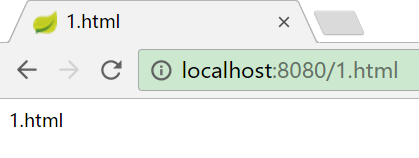


欢迎页

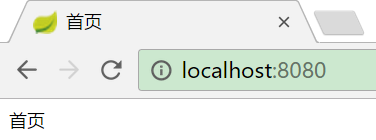
1、WebJars介绍
Web前端使用了越来越多的JS或CSS,如jQuery,Backbone.js和Bootstrap。一般情况下,我们是将这些Web资源拷贝到Java Web项目的webapp相应目录下进行管理。这种通过人工方式管理可能会产生版本误差,拷贝版本错误,漏拷等现象,导致前端页面无法正确展示,版本不一致,文件混乱等,导致出现一些莫名其妙的错误等。
WebJars是将web前端资源(js,css等)打成jar包文件,然后借助Maven工具,以jar包形式对web前端资源进行统一依赖管理,保证这些Web资源版本唯一性。WebJars的jar包部署在Maven中央仓库上。
WebJars官网:https://www.webjars.org/
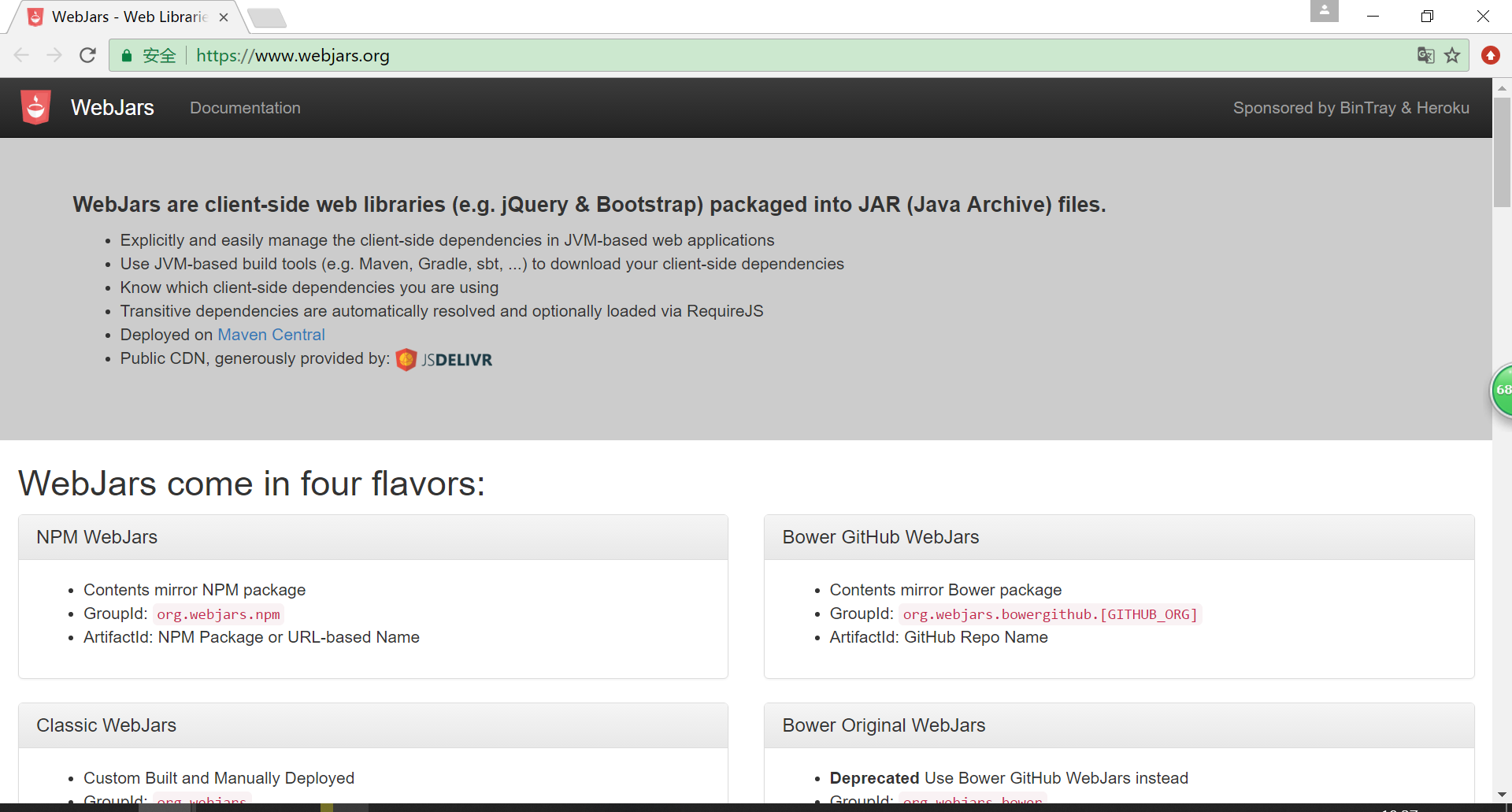

2、SpringBoot使用WebJars


页面图标
public class WebMvcAutoConfiguration {

     @Configuration

        @ConditionalOnProperty(

            value = {"spring.mvc.favicon.enabled"},

            matchIfMissing = true

        )

        public static class FaviconConfiguration implements ResourceLoaderAware {

            private final ResourceProperties resourceProperties;

            private ResourceLoader resourceLoader;

            public FaviconConfiguration(ResourceProperties resourceProperties) {

                this.resourceProperties = resourceProperties;

            }

            public void setResourceLoader(ResourceLoader resourceLoader) {

                this.resourceLoader = resourceLoader;

            }

            @Bean

            public SimpleUrlHandlerMapping faviconHandlerMapping() {

                SimpleUrlHandlerMapping mapping = new SimpleUrlHandlerMapping();

                mapping.setOrder(-2147483647);

                mapping.setUrlMap(Collections.singletonMap("**/favicon.ico", this.faviconRequestHandler()));

                return mapping;

            }

            @Bean

            public ResourceHttpRequestHandler faviconRequestHandler() {

                ResourceHttpRequestHandler requestHandler = new ResourceHttpRequestHandler();

                requestHandler.setLocations(this.resolveFaviconLocations());

                return requestHandler;

            }

            private List<Resource> resolveFaviconLocations() {、

          //"classpath:/META-INF/resources/", "classpath:/resources/", "classpath:/static/", "classpath:/public/"

           String[] staticLocations = WebMvcAutoConfiguration.WebMvcAutoConfigurationAdapter.getResourceLocations(this.resourceProperties.getStaticLocations());

                List<Resource> locations = new ArrayList(staticLocations.length + 1);

                Stream var10000 = Arrays.stream(staticLocations);

                ResourceLoader var10001 = this.resourceLoader;

                this.resourceLoader.getClass();

                var10000.map(var10001::getResource).forEach(locations::add);

                locations.add(new ClassPathResource("/"));

                return Collections.unmodifiableList(locations);

            }

        }

}

自定义静态资源路径

<link href="asserts/css/bootstrap.min.css" th:href="@{/webjars/bootstrap/4.1.3/css/bootstrap.css}" rel="stylesheet">

<link href="asserts/css/dashboard.css" th:href="@{/asserts/css/dashboard.css}" rel="stylesheet">

<script type="text/javascript" src="asserts/js/jquery-3.2.1.slim.min.js" th:src="@{/webjars/jquery/3.3.1-1/jquery.js}"></script>

<script type="text/javascript" src="asserts/js/popper.min.js" th:src="@{/webjars/popper.js/1.14.4/popper.js}"></script>

<script type="text/javascript" src="asserts/js/bootstrap.min.js" th:src="@{/webjars/bootstrap/4.1.3/js/bootstrap.js}"></script>

<script type="text/javascript" src="asserts/js/feather.min.js" th:src="@{/asserts/js/feather.min.js}"></script>

<script type="text/javascript" src="asserts/js/Chart.min.js" th:src="@{/asserts/js/Chart.min.js}"></script>
如果不写th:src  或者th:href 去连接获取,若URL请求路径是多级的,eg:http://localhost:8080/emp/add
那么资源文件就会去/emp/asserts/js/下去寻找。寻找不到就会报错了。
7.SpringBoot 之 Web的更多相关文章
- SpringBoot的Web开发
一.创建Web项目 创建的时候勾选对应web选项即可,会自动引入相应的starter,pom如下: <dependency> <groupId>org.springframew ...
- SpringBoot学习(七)-->SpringBoot在web开发中的配置
SpringBoot在web开发中的配置 Web开发的自动配置类:在Maven Dependencies-->spring-boot-1.5.2.RELEASE.jar-->org.spr ...
- springBoot 搭建web项目(前后端分离,附项目源代码地址)
springBoot 搭建web项目(前后端分离,附项目源代码地址) 概述 该项目包含springBoot-example-ui 和 springBoot-example,分别为前端与后端,前后端 ...
- 从Spring到SpringBoot构建WEB MVC核心配置详解
目录 理解Spring WEB MVC架构的演变 认识Spring WEB MVC 传统时代的Spring WEB MVC 新时代Spring WEB MVC SpringBoot简化WEB MVC开 ...
- SpringBoot日记——Web开发篇
准备开始实战啦!~~~~ 我们先来看,SpringBoot的web是如何做web开发的呢?通常的步骤如下: 1.创建springboot应用,指定模块: 2.配置部分参数配置: 3.编写业务代码: 为 ...
- ②SpringBoot之Web综合开发
Spring boot初级教程 :<SpringBoot入门教学篇①>,方便大家快速入门.了解实践Spring boot特性,本文介绍springBoot的web开发 web开发sprin ...
- SpringBoot:Web开发
西部开源-秦疆老师:基于SpringBoot 2.1.6 的博客教程 , 基于atguigu 1.5.x 视频优化 秦老师交流Q群号: 664386224 未授权禁止转载!编辑不易 , 转发请注明出处 ...
- 基于springboot的web项目最佳实践
springboot 可以说是现在做javaweb开发最火的技术,我在基于springboot搭建项目的过程中,踩过不少坑,发现整合框架时并非仅仅引入starter 那么简单. 要做到简单,易用,扩展 ...
- SpringBoot 基于web应用开发(请求参数获取,静态资源,webjars)
SpringBoot 基于web应用开发 一.Lombok使用 1.导入依赖库 <dependency> <groupId>org.projectlombok</g ...
- springboot 整合 web 项目找不到 jsp 文件
今天遇到一个问题,就是使用springboot整合web项目的时候,怎么都访问不到 \webapp\WEB-INF\jsp\index.jsp 页面.这个问题搞了半天,试了各种方式.最后是因为在启动的 ...
随机推荐
- [转帖] 读懂YML文件.. 书买了还没看完...
Copy From https://www.cnblogs.com/CloudMan6/p/8370501.html 读懂 Deployment YAML - 每天5分钟玩转 Docker 容器技 ...
- HTTP消息头(HTTP headers)-常用的HTTP请求头与响应头
HTTP消息头是指,在超文本传输协议( Hypertext Transfer Protocol ,HTTP)的请求和响应消息中,协议头部分的那些组件.HTTP消息头用来准确描述正在获取的资源.服务器或 ...
- js 算數(Math)對象
算數對象不需要聲明,可以直接使用, Math對象方法及作用: round()四捨五入: random()生成0到1的隨機數: max()選擇較大的數: min()返回較小的數:
- QueryParser 是对一段话进行分词的 用于收集客户端发来的
- linux上搭建nginx
安装包:(按顺序执行过去即可,重复无所谓)c++编译环境 yum install gcc-c++ 安装pcre yum -y install pcre-devel 安装openssl yum -y i ...
- python构建bp神经网络_曲线拟合(一个隐藏层)__2.代码实现
IDE:jupyter 抽象程度可能不是那么高,以后再优化. 理论和代码实现的差距还是挺大的 数据集请查看 python构建bp神经网络(一个隐藏层)__1.数据可视化 部分代码预览 git上传.ip ...
- 自定义git忽略规则
输入命令 >a.o git status 此时我想让git忽略这个文件的更新 输入命令 > .gitignore echo "a.o" >> .gitign ...
- [CF1132F]Clear the String
题意 给你一个串s,每次可以花费1的代价删去一个子串,要求子串的每一位为同一个字符. 求删去整个串的最小代价. 分析 这是一道非常简单的区间\(DP\)问题,我们定义\(f[i][j]\)表示删去子串 ...
- [hgoi#2019/2/16t4]transform
题目描述 植物学家Dustar培养出了一棵神奇的树,这棵有根树有n个节点,每个节点上都有一个数字a[i],而且这棵树的根为r节点. 这棵树非常神奇,可以随意转换根的位置,上一秒钟它的根是x节点,下一秒 ...
- KEIL打开的工程所在目录过深将会编译出错
这是一个工程所在目录过深导致的编译错误