
iOS加载Gif图片的N种方式 By-H罗
1.系统UIImageView 多张图片组成动画
/**

 *   UIImageView 动画

 *   Memory-23M

 */

-(void)gifPlay1

{

//    NSArray  *array=@[@"image0.png",@"image1.png",@"image2.png"];

//    UIImageView  *imgview= [UIImageView imageViewAnimation:CGRectMake(50,80, 550/2, 200)  imageNames:array duration:1];

    UIImageView* animatedImageView = [[UIImageView alloc] initWithFrame:CGRectMake(50,80, 550/2, 200)];

    animatedImageView.animationImages =@[[UIImage imageNamed:@"image0"],

                                         [UIImage imageNamed:@"image1"],

                                         [UIImage imageNamed:@"image2"],

                                         ];

    animatedImageView.animationDuration = 1.0f;

    animatedImageView.animationRepeatCount = 0;

    [self.view addSubview: animatedImageView];

    [animatedImageView startAnimating];

}
2.利用第三方库
1)IImageView-PlayGIF YFGIFImageView
/**

 *  UIImageView-PlayGIF 是 UIImageView 子类,用来显示 GIF。UIIMageView-PlayGIF 性能高,而且占用的内存很低。

 *  https://github.com/yfme/UIImageView-PlayGIF

 *  Memory-21.9M

 *  #import "YFGIFImageView.h"

 */

-(void)gifPlay2

{

    NSString  *gifPath=[[NSBundle mainBundle] pathForResource:@"test" ofType:@"gif"];

    YFGIFImageView  *gifview=[[YFGIFImageView alloc]init];

    gifview.backgroundColor=[UIColor clearColor];

    gifview.gifPath=gifPath;

    gifview.frame=CGRectMake(50, 100,550/2, 200);

    [self.view addSubview:gifview];

    [gifview startGIF];

}
2)SCGIFImageView
/**

 *  摘要: SCGIFImageView是一个开源的GIF图片动画显示控件,通过将GIF的每一帧都取出来生成UIImage对象存放在一个数组中,然后使用NSTimer进行动画轮转。

 *  https://github.com/shichangone/SCGifExample

 *  Memory-22.5M

 *  #import "SCGIFImageView.h"

 */

-(void)gifPlay3

{

    NSString* filePath = [[NSBundle mainBundle] pathForResource:@"test.gif" ofType:nil];

    NSData* imageData = [NSData dataWithContentsOfFile:filePath];

    SCGIFImageView* gifImageView = [[SCGIFImageView alloc]init];

    [gifImageView setData:imageData];

    gifImageView.frame = CGRectMake(50,100, gifImageView.image.size.width, gifImageView.image.size.height);

    [self.view addSubview:gifImageView];

}
3)YLGIFImage
/**

 *  YLGIFImage 是异步 GIF 图像解码器和图像查看器,支持播放 GIF 图像,而且使用很少的内存。

 *  https://github.com/liyong03/YLGIFImage

 *  Memory-22.7M

 *  #import "YLImageView.h"

 *  #import "YLGIFImage.h"

 */

-(void)gifPlay5

{

    YLImageView* imageView = [[YLImageView alloc] initWithFrame:CGRectMake(0, 160, 320, 240)];

    [self.view addSubview:imageView];

    imageView.image = [YLGIFImage imageNamed:@"test.gif"];

}
4)SDWebImageView里的UIImage+GIF
提供接口:
+ (UIImage *)sd_animatedGIFNamed:(NSString *)name;
+ (UIImage *)sd_animatedGIFWithData:(NSData *)data;
- (UIImage *)sd_animatedImageByScalingAndCroppingToSize:(CGSize)size;
/**

 *  利用SDWebImageView 库播放gif

 *  Memory-22.6M

 *  #import "UIImage+GIF.h"

 */

-(void)gifPlay6

{

    UIImage  *image=[UIImage sd_animatedGIFNamed:@"test"];

    UIImageView  *gifview=[[UIImageView alloc]initWithFrame:CGRectMake(50,80,image.size.width, image.size.height)];

    gifview.backgroundColor=[UIColor orangeColor];

    gifview.image=image;

    [self.view addSubview:gifview];

}
为MBProgressHUD 添加加载动画
/**

 *  MBProgressHUD 添加加载动画

 *  Memory-23.8M

 *  #import "UIImage+GIF.h"

 *  #import "MBProgressHUD.h"

 */

-(void)gifPlay6

{

    UIImage  *image=[UIImage sd_animatedGIFNamed:@"test"];

    UIImageView  *gifview=[[UIImageView alloc]initWithFrame:CGRectMake(0,0,image.size.width/2, image.size.height/2)];

    gifview.image=image;

    MBProgressHUD *hud = [MBProgressHUD showHUDAddedTo:self.view animated:YES];

    hud.color=[UIColor grayColor];//默认颜色太深了

    hud.mode = MBProgressHUDModeCustomView;

    hud.labelText = @"加载中...";

    hud.customView=gifview;

}
其它
微博客户端 VVebo 的作者开源了他自己为VVebo写的GIF解决方案 VVeboImageView, 占用内存很小。(iOS移动开发周报-第4期)
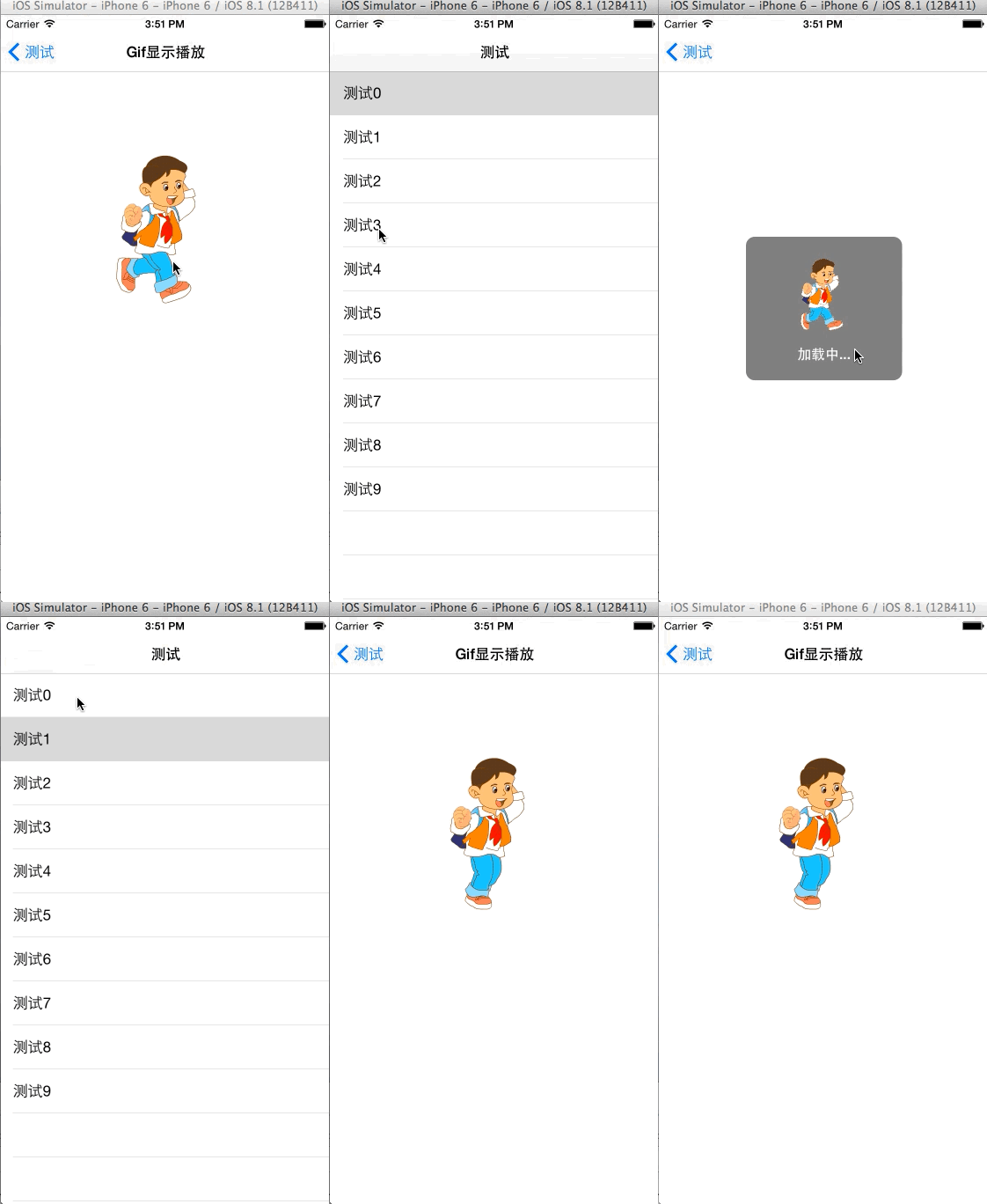
iOS加载Gif图片的N种方式 By-H罗的更多相关文章
- qt加载背景图片的一种方式
//加载背景图片 void LCTGrid::loadBgPicture() { QImage image; QPalette palette; image.load(m_sPicturePath); ...
- UIImage加载本地图片的两种方式
UIImage加载图片方式一般有两种: (1)imagedNamed初始化:默认加载图片成功后会内存中缓存图片,这个方法用一个指定的名字在系统缓存中查找并返回一个图片对象.如果缓存中没有找到相应的图片 ...
- Unity加载本地图片的2种方式
1. 使用 WWW 加载,详细查看 unity3d 官方文档. 2. 使用 System.IO 加载,lua 代码如下: local File = luanet.import_type("S ...
- ios网络学习------4 UIWebView的加载本地数据的三种方式
ios网络学习------4 UIWebView的加载本地数据的三种方式 分类: IOS2014-06-27 12:56 959人阅读 评论(0) 收藏 举报 UIWebView是IOS内置的浏览器, ...
- 加载xib文件的两种方式
一.加载xib文件的两种方式 1.方法一(NewsCell是xib文件的名称) NSArray *objects = [[NSBundle mainBundle] loadNibNamed:@&quo ...
- 转 Velocity中加载vm文件的三种方式
Velocity中加载vm文件的三种方式 velocitypropertiespath Velocity中加载vm文件的三种方式: 方式一:加载classpath目录下的vm文件 Prope ...
- Spring加载properties文件的两种方式
在项目中如果有些参数经常需要修改,或者后期可能需要修改,那我们最好把这些参数放到properties文件中,源代码中读取properties里面的配置,这样后期只需要改动properties文件即可, ...
- Hadoop生态圈-注册并加载协处理器(coprocessor)的三种方式
Hadoop生态圈-注册并加载协处理器(coprocessor)的三种方式 作者:尹正杰 版权声明:原创作品,谢绝转载!否则将追究法律责任. 到目前为止,大家已经掌握了如何使用过滤器来减少服务器端通过 ...
- Velocity中加载vm文件的三种方式
Velocity中加载vm文件的三种方式: a. 加载classpath目录下的vm文件 /** * 初始化Velocity引擎 * --VelocityEngine是单例模式,线程安全 * @th ...
随机推荐
- x86-2-保护模式
x86-2-保护模式 操作系统负责计算机上的所有软件和硬件的管理,它可以百分百操作计算机的所有内容.但是,操作系统上编写的用户程序却应当有所限制,只允许用户程序访问属于自己程序的内容,不然整个生态就很 ...
- Python项目生成requirements.txt文件及pip升级问题解决及流程
缘由:新项目使用Python, PC上的python包不全,需要通过requirements.txt文件指定安装所需包 pip安装遇到一些坑 一.直接使用pip包管理工具生成requirements. ...
- MongoDB备份与恢复操作
1. 备份和恢复工具参数 * 几个重要参数: * mongodump * --polog:复制mongodump开始到结束过程中的所有oplog并输出到结果中.输出文件位于dump/oplog.bso ...
- windows更改pip源(可用)
中国科学技术大学 : https://pypi.mirrors.ustc.edu.cn/simple 清华:https://pypi.tuna.tsinghua.edu.cn/simple 豆瓣:ht ...
- 35个JAVA性能优化总结
原文链接:http://mp.weixin.qq.com/s/J614jGM_oMrzdeS_ivmhvA 代码优化,一个很重要的课题.可能有些人觉得没用,一些细小的地方有什么好修改的,改与不改对 ...
- react中关于create-react-app2里css相关配置
先看 webpack.config.dev.js 里的相关代码: // style files regexes const cssRegex = /\.css$/; const cssModuleRe ...
- react中antd+css Module一起使用
antd 和 css modules 不能混用,针对antd的css 单独写一条loader的规则,不开启 css modules. 使用 exclude 和 include 配置参考(https:/ ...
- Visual Studio 设置背景图片主题(所有版本设置方法)
前言 效果预览: 目录 扩展安装 图片背景设置 主题透明并扩展到 IDE 内容 扩展安装 ClaudiaIDE 扩展下载 我们打开VS的扩展安装界面:[扩展]->[管理扩展]->[联机], ...
- jQuery里的mouseover与mouseenter事件类型区别
JQ里面有mouseover和mouseenter 2个事件类型干着差不多的活,用不好经常出现些小问题. 今天我解释一下原理: 事件类型翻译: mouseover 鼠标移上 mouseenter 鼠 ...
- 联盛德 HLK-W806 (十三): 运行FatFs读写FAT和exFat格式的SD卡/TF卡
目录 联盛德 HLK-W806 (一): Ubuntu20.04下的开发环境配置, 编译和烧录说明 联盛德 HLK-W806 (二): Win10下的开发环境配置, 编译和烧录说明 联盛德 HLK-W ...