
C#航空查询及预订
关于航空查询及预订项目中出现的问题
namespace Flight
{
public partial class Flight : Form
{
public Flight()
{
InitializeComponent();
}
private void labgo_Click(object sender, EventArgs e)
{
}
public string connstr = "Data Source=.;Initial Catalog=Ticket;Persist Security Info=True;User ID=sa;Password=19981120";
//查询按钮
private void Flight_Load(object sender, EventArgs e)
{
this.goplace();
this.inplace();
// MessageBox.Show("没有要查找的记录!", "提示", MessageBoxButtons.OK, MessageBoxIcon.Error);
//DataRow row = ds.Tables["CityInfo"].NewRow();
//row[0] = -1;
//row[1] = "请选择";
//ds.Tables["CityInfo"].Rows.InsertAt(row, 0);
}
private void cmbgo_SelectedIndexChanged(object sender, EventArgs e)
{
}
//查询显示临时数据
private void bttcha_Click(object sender, EventArgs e)
{
int one = Convert.ToInt32(cmbgo.SelectedValue);//获得航班id
int two = Convert.ToInt32(cmbin.SelectedValue);
SqlConnection conn = new SqlConnection(connstr);
try
{
conn.Open();
//两表联查
string sql = @"select f.FlightNo,a.Airways ,f.LeaveTime,f.LandTime,f.Price
from AirwaysInfo as a,FlightInfo as f
where a.Id=f.AirwaysId and f.LeaveCity = '" + one + "' and f.Destination = '" + two + "' ";
SqlDataAdapter da = new SqlDataAdapter(sql, conn);
DataSet ds = new DataSet();
da.Fill(ds, "ang");
dgvone.DataSource = ds.Tables["ang"];
}
catch (Exception ex)
{
MessageBox.Show("异常!" + ex, "提示", MessageBoxButtons.OK, MessageBoxIcon.Information);
}
finally
{
conn.Close();
}
}
//出发地
public void goplace()
{
SqlConnection conn = new SqlConnection(connstr);
string sql = "select * from CityInfo";
SqlDataAdapter da = new SqlDataAdapter(sql, conn);
DataSet ds = new DataSet();
da.Fill(ds, "CityInfo");
//dgvone.DataSource = ds.Tables["CityInfo"];
DataRow row = ds.Tables["CityInfo"].NewRow();
row["Id"] = -1;
row["CityName"] = "请选择";
ds.Tables["CityInfo"].Rows.InsertAt(row, 0);
cmbgo.DataSource = ds.Tables["CityInfo"];
cmbgo.DisplayMember = "CityName";
cmbgo.ValueMember = "Id";
}
//目的地
public void inplace()
{
SqlConnection conn = new SqlConnection(connstr);
string sql = "select * from CityInfo";
SqlDataAdapter da = new SqlDataAdapter(sql, conn);
DataSet ds = new DataSet();
da.Fill(ds, "CityInfo");
//dgvone.DataSource = ds.Tables["CityInfo"];
DataRow row = ds.Tables["CityInfo"].NewRow();
row["Id"] = -1;
row["CityName"] = "请选择";
ds.Tables["CityInfo"].Rows.InsertAt(row, 0);
cmbin.DataSource = ds.Tables["CityInfo"];
cmbin.DisplayMember = "CityName";
cmbin.ValueMember = "Id";
}
//详细显示查询信息
public void details()
{
string flnum = dgvone.SelectedRows[0].Cells[0].Value.ToString();//定义接受值
string company = dgvone.SelectedRows[0].Cells[1].Value.ToString();
DateTime date = Convert.ToDateTime(dgvone.SelectedRows[0].Cells[2].Value);
string intime = dgvone.SelectedRows[0].Cells[3].Value.ToString();
int flomney = Convert.ToInt32(dgvone.SelectedRows[0].Cells[4].Value);
textflnum.Text = flnum;//将接受值付给控件并显示
textflcob.Text = company;
textflgo.Text = cmbgo.Text;
textflin.Text = cmbin.Text;
textflgotime.Text = Convert.ToString(date);
textflintime.Text = intime;
textflmoney.Text = flomney.ToString();
}
//显示查询信息入口
private void dgvone_CellClick(object sender, DataGridViewCellEventArgs e)
{
this.details();
}
//添加预定航班信息
private void bttyuding_Click(object sender, EventArgs e)
{
SqlConnection conn = new SqlConnection(connstr);
string date = fldtime.Value.ToString();
conn.Open();
Random rd = new Random();
int num1 = rd.Next(10000, 10000000);//随机数
//将预定信息添加到数据库中
string sql = "insert into OrderInfo ([OrderId],[FlightNo],[LeaveDate],[Number])values('" + num1 + "','" + textflnum.Text + "','" + date + "','" + flupdnum.Text + "')";
try
{
if (textflnum.Text == string.Empty)
{
MessageBox.Show("请选择一个航班!");
}
else if(DateTime.Now>=fldtime.Value)
{
MessageBox.Show("请选择一个正确的时间!");
}
else
{
SqlCommand cmd = new SqlCommand(sql, conn);
int num = cmd.ExecuteNonQuery();
if (num > 0)
{
MessageBox.Show("你的订单编号为" + num1 + "\n 预定票数:" + flupdnum.Text + " \n你的航班编号为"+textflnum.Text+"");
}
else
{
MessageBox.Show("增加失败!");
}
}
}
catch (Exception ex)
{
MessageBox.Show(sql);
MessageBox.Show("异常!" + ex, "提示", MessageBoxButtons.OK, MessageBoxIcon.Information);
}
finally
{
conn.Close();
}
}
//关闭退出订票系统
private void bttclose_Click(object sender, EventArgs e)
{
DialogResult result = MessageBox.Show("确定退出吗!!", "提示", MessageBoxButtons.YesNo, MessageBoxIcon.Information);
if (result == DialogResult.Yes)
{
this.Close();
}
}
}
}
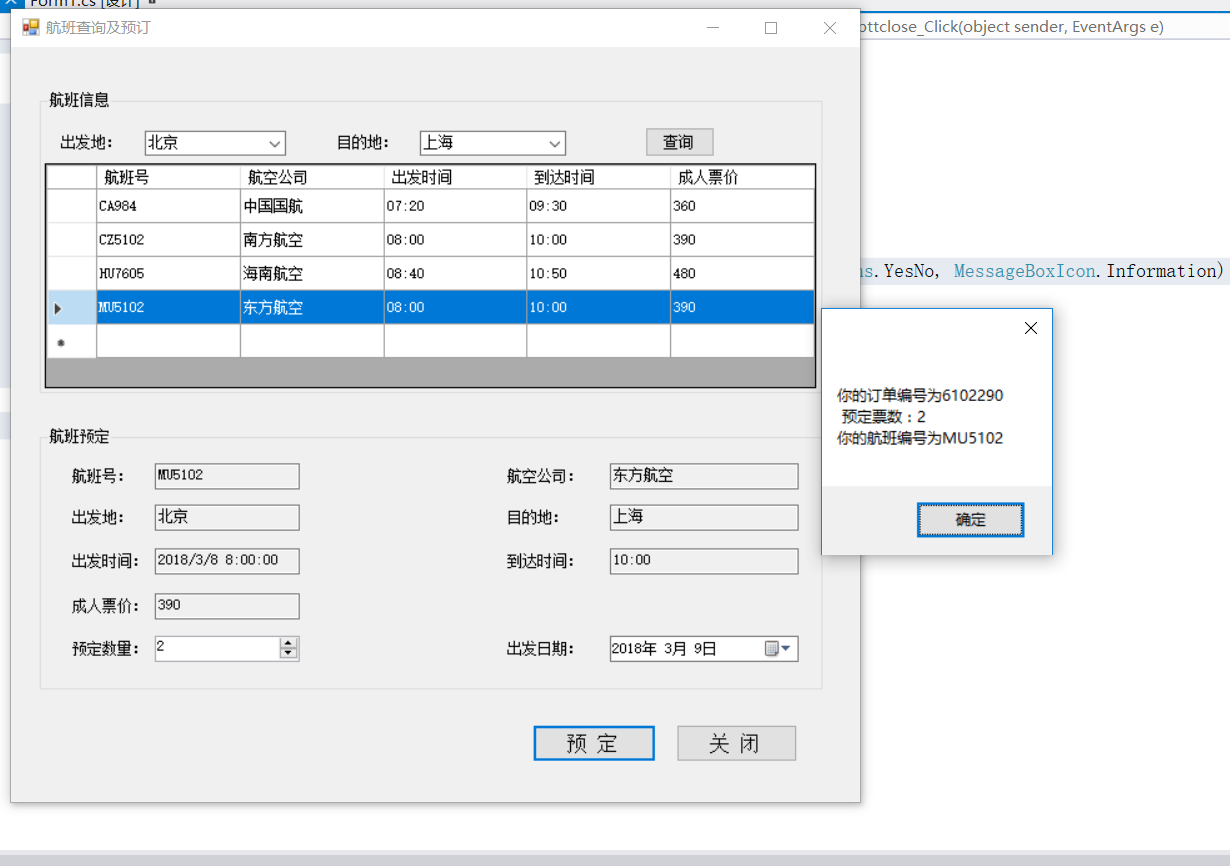
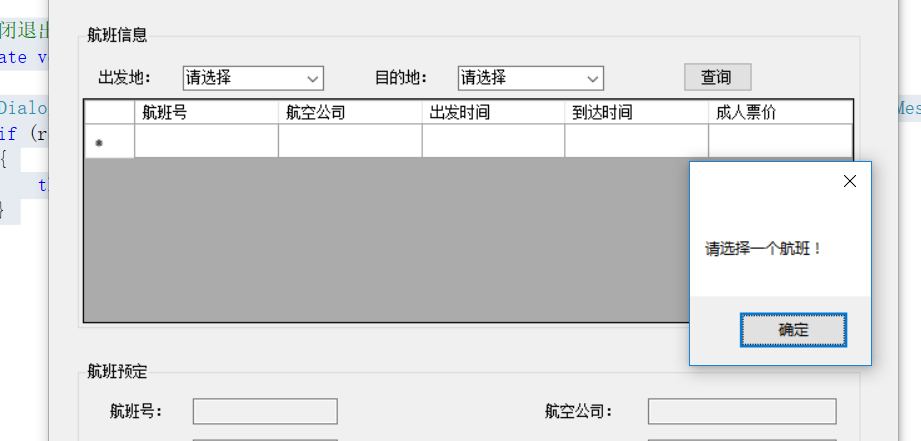
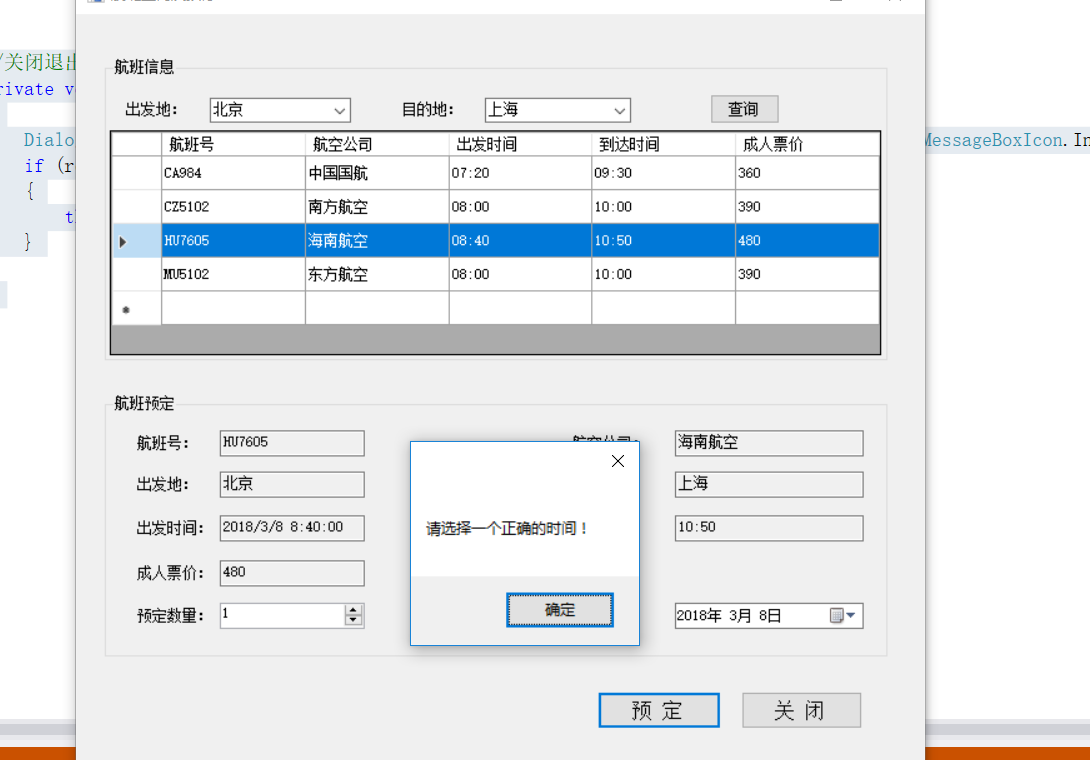
防止他人恶意篡改窗体运行时的数据 需要将textbox控件的readonly属性改为true
瑕疵是:关于订票时间为当日及以前不可预定 有点违背常理
滴水穿石非一日之功 凿壁借光非一人可为
C#航空查询及预订的更多相关文章
- C#实现航班查询及预订
using System;using System.Collections.Generic;using System.ComponentModel;using System.Data;using Sy ...
- Html5 学习笔记 【PC固定布局】 实战7 机票预订页面
最终实际效果: HTML代码: <!DOCTYPE html> <html lang="zh-cn"> <head> <meta char ...
- 图解Android - Binder 和 Service
在 Zygote启动过程 一文中我们说道,Zygote一生中最重要的一件事就是生下了 System Server 这个大儿子,System Server 担负着提供系统 Service的重任,在深入了 ...
- HTML系列(二):头部meta元素
有关name: 一.页面关键字 网站关键字:用户通过搜索引擎能搜到该网站的词汇.最好控制在10个以内. 基本语法: <meta name="keywords" content ...
- 世界十大OTA公司盘点
世界十大OTA公司盘点 文/刘照慧(执惠旅游联合创始人,首发百度百家) 全球在线旅游公司(OTA)经过多年发展,已经形成较为成熟的商业模式,各大巨头跑马圈地,格局初现, 这两篇文章就梳理出全球按市值( ...
- Switch分销技术解读
Switch分销技术解读 来源:环球旅讯|2009-03-13 当Switch在海外成熟运作近40年后,该业务终于进入中国市场.但对于中国业者来说,知道Switch的人很少,了解Switch的人更少. ...
- 术语-EDI:EDI
ylbtech-术语-EDI:EDI 电子数据交换(Electronic data interchange,缩写EDI)是指按照同一规定的一套通用标准格式,将标准的经济信息,通过通信网络传输,在贸易伙 ...
- Html5 学习笔记 【PC固定布局】 实战7 风景欣赏 联系我们
风景欣赏最终效果: 关于公司最终效果: 风景欣赏Html代码: <!DOCTYPE html> <html lang="zh-cn"> <head&g ...
- 微信小程序与传统APP十大优劣对比
随着微信公众平台的开放,微信端小程序涌现市场,带来很很多便利和简单的原生操作,询:微信端小程序是否会替代传统的APP应用?两者的优劣如何?我们一起来看看传统APP与微信端小程序十大优劣对比 ...
随机推荐
- ORACLE(系统表emp) 基本与深入学习
(一).首先我们先创建emp表(系统有的可以跳过往下看)没有直接复制运行即可.create table DEPT( deptno NUMBER(2) not null, dname VARCHAR2( ...
- React躬行记(5)——React和DOM
React实现了一套与浏览器无关的DOM系统,包括元素渲染.节点查询.事件处理等机制. 一.ReactDOM 自React v0.14开始,官方将与DOM相关的操作从React中剥离,组成单独的rea ...
- MAC 安装telnet
https://blog.csdn.net/licheng70356213/article/details/81162660 在10.12及以下版本,都内置了telnet命令,但是在10.13中,已经 ...
- 从零到一,利用kubeadm在ubuntu server 16.04 64位系统离线安装kubernetes v1.10.0
说明 初步接触kubernets,记录学习过程 本教程目的利用kubeadm在ubuntu server 16.04 64位系统离线安装kubernets v1.10.0 环境信息 节点IP地址 角色 ...
- Linux 运行jar包命令(Cent OS 7后台运行jar包)
Linux 运行jar包命令如下: 方式一 特点:当前ssh窗口被锁定,可按CTRL + C打断程序运行,或直接关闭窗口,程序退出 那如何让窗口不锁定? 方式二 java -jar shareniu. ...
- django基础知识之ORM简介:
ORM简介 MVC框架中包括一个重要的部分,就是ORM,它实现了数据模型与数据库的解耦,即数据模型的设计不需要依赖于特定的数据库,通过简单的配置就可以轻松更换数据库 ORM是“对象-关系-映射”的简称 ...
- solidity智能合约如何判断地址为0或空
智能合约地址判断 在旧版本中可使用以下代码来进行比较: owner != 0x0 但如果在新版本中使用,则会提示错误信息. 那么,如何正确使用来比较地址是否为空呢. 解决方案 可以使用address( ...
- kafka介绍及安装配置(windows)
Kafka介绍 Kafka是分布式的发布—订阅消息系统.它最初由LinkedIn(领英)公司发布,使用Scala和Java语言编写,与2010年12月份开源,成为Apache的顶级项目.Kafka是一 ...
- 用Python玩数据-笔记整理-第二章-练习与测试
课间练习: 经典问题的Python编程 按公式:C= 5/9×(F-32) ,将华氏温度转换成摄氏温度,并产生一张华氏0-300度与对应的摄氏温度之间的对照表(每隔20度输出一次) 验证命题:如果一 ...
- Kafka FAQ
报错如下: Unable to read additional data from client sessionid 0x15d2c867a770006 使用的kafka自带的zookeeper,测试 ...