
Gin-Go学习笔记四:Gin-Web框架 文件的上传下载
文件的上传和下载
1->文件的上传
文件的上传,采用的是uploadify.js这个插件.
本事例实现的是上传图片文件,其他的文件上传也一样。
2->文件的下载
文件的下载有两个实现的方式:
1->url路径指向文件的路径,浏览器自行下载。但此方法存在缺陷:图片文件,text,pdf等文件会在浏览器中自动显示,不会执行下载功能
2->使用gin 暂时没带有的下载方法
3>新建一个fileopt.go控制器,具体代码如下:
package controllers

import (

	"io"

	"log"

	"os"

	"fmt"

	"github.com/gin-gonic/gin"

	"net/http"

)

/**文件上传下载操作页面**/

func Fileopthtml(c *gin.Context){

	c.HTML(http.StatusOK, "fileopt.html", gin.H{

		"title": "GIN: 文件上传下载操作布局页面",

	})

}

/**上传方法**/

func Fileupload(c *gin.Context){

	//得到上传的文件

	file, header, err := c.Request.FormFile("image") //image这个是uplaodify参数定义中的   'fileObjName':'image'

	if err != nil {

		c.String(http.StatusBadRequest, "Bad request")

		return

	}

	//文件的名称

	filename := header.Filename

	fmt.Println(file, err, filename)

    //创建文件

	out, err := os.Create("static/uploadfile/"+filename)

	//注意此处的 static/uploadfile/ 不是/static/uploadfile/

	if err != nil {

		log.Fatal(err)

	}

	defer out.Close()

	_, err = io.Copy(out, file)

	if err != nil {

		log.Fatal(err)

	}

	c.String(http.StatusCreated, "upload successful")

}

/**下载方法**/

func Filedown(c *gin.Context){

	//暂时没有提供方法

}
4>新建一个html页面,名为fileopt.html,其代码如下:
<!DOCTYPE html>


<html>

      <head>

        <title>首页 - 用户列表页面</title>

        <link rel="shortcut icon" href="/static/img/favicon.png" />

        <link rel="stylesheet" href="/static/uploadify/uploadify.css" rel="stylesheet"/>

        <script type="text/javascript" src="/static/js/jquery-2.1.1.min.js"></script>

        <script src="/static/uploadify/jquery.uploadify.min.js"></script>

      </head>

    <body>

        <!--上传部分-->

        <form method="POST" action="/Home/UploadFile" enctype="multipart/form-data">

            <input type="file" name="image" id="file_upload">

            <div id="imgdiv" style="display:none;">

            </div>

        </form>

        <!--下载图片-->

        <button value="下载图片" onclick="download()">下载图片</button>

        <!--JS部分-->

       <script type="text/javascript">

        //页面的初始化

        $(function () {

            $("#file_upload").uploadify({       //绑定元素

            'fileObjName':'image',//html input标签的name属性的值吧。

            'debug':false,

            'auto':true,    //自动上传

            'multi':true,

            'removeCompleted':false, //上传完成以后是否保存进度条

            'buttonText':'选择文件',

            'cancelImg':'/static/uploadify/uploadify-cancel.png',

            'swf':'/static/uploadify/uploadify.swf', //必须设置  swf文件路径

            'uploader':'/home/fileuplaod',         //必须设置,上传文件触发的url

            'fileTypeDesc':'FileType',

            'fileTypeExts':'*.jpg;*.jpge;*.gif;*.png;',

            'multi':true,

            'onUploadSuccess': function (file, data, response) {

               $("#imgdiv").show();

               var html='<image src="/static/uploadfile/'+file.name+'" style="height:150px;width:150px;margin:20px;"/>';

               $("#imgdiv").append(html);

            }

          });

        });

        //下载图片

        function download(){

          //暂时没有提供后台的方法

          //gin暂时没有实现下载方法

          //只有使用url

          window.location.href="/static/img/1.jpg";

        }

  </script>

 </body>

</html>
5>在路由中添加路由
package routers

import (

  "github.com/gin-gonic/gin"

  . "GinLearn/GinLearn/apis" //api部分

  . "GinLearn/GinLearn/controllers" //constroller部分

 )

func InitRouter() *gin.Engine{

  router := gin.Default()

  //Hello World

  router.GET("/", IndexApi)

  //渲染html页面

  router.LoadHTMLGlob("views/*")

  router.GET("/home/index", ShowHtmlPage)

  //列表页面

  router.GET("/home/list", ListHtml)

  router.POST("/home/PageData", GetDataList)

  router.POST("/home/PageNextData", PageNextData)

  //新增页面

  router.GET("/home/add", AddHtml)

  router.POST("/home/saveadd", AddPersonApi)

   //编辑页面

   router.GET("/home/edit", EditHtml)

   router.POST("/home/saveedit", EditPersonApi)

    //删除

    router.POST("/home/delete", DeletePersonApi)

    //Bootstrap布局页面

    router.GET("/home/bootstrap", Bootstraphtml)

    //文件的上传和下载

    router.GET("/home/fileopt", Fileopthtml)

    router.POST("/home/fileuplaod", Fileupload)

    router.GET("/home/filedown", Filedown)

    return router

 }
6>项目的结构如下:
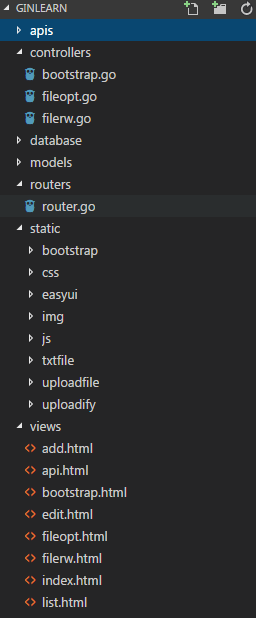
7>执行的效果如下:
1->文件操作的页面如下,路由如下:

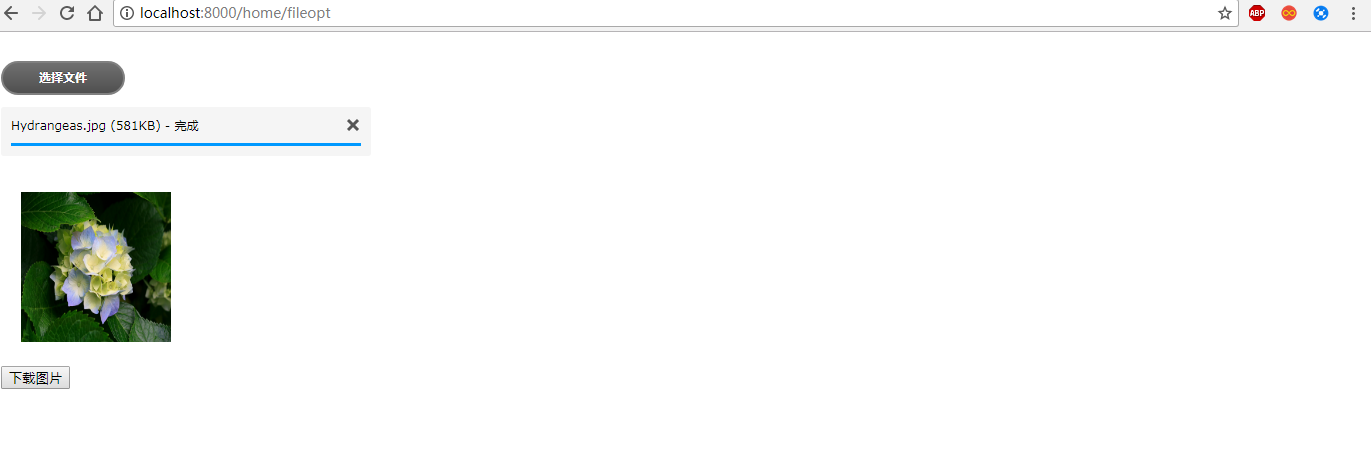
2->点击选择文件按钮,选择需要上传的图片,点击打开按钮,效果如下:
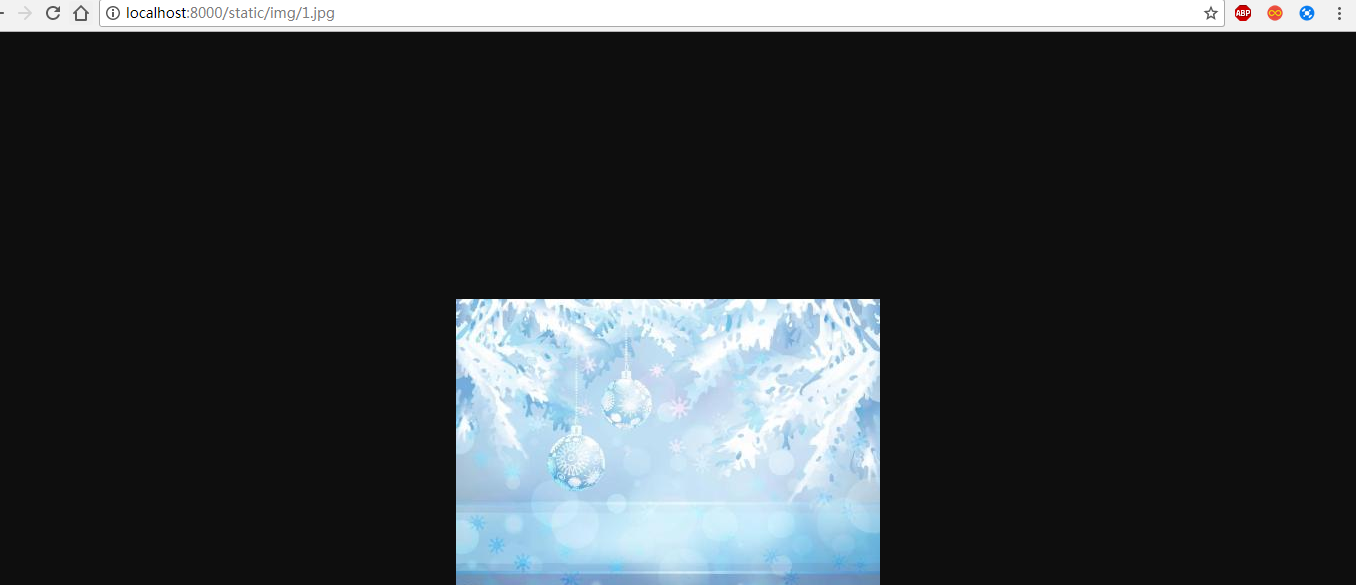
3->点击下载图片按钮,浏览器下载一张指定的图片
8>下一章,将文件内容的读取。
Gin-Go学习笔记四:Gin-Web框架 文件的上传下载的更多相关文章
- SpringMVC:学习笔记(10)——整合Ckeditor且实现图片上传
SpringMVC:学习笔记(10)——整合Ckeditor且实现图片上传 配置CKEDITOR 精简文件 解压之后可以看到ckeditor/lang下面有很多语言的js,如果不需要那么多种语言的,可 ...
- 基于struts2框架文件的上传与下载
在开发一些社交网站时,需要有允许用户上传自己本地文件的功能,则需要文件的上传下载代码. 首先考虑的是文件的储存位置,这里不考虑存在数据库,因为通过数据库查询获取十分消耗资源与时间,故需将数据存储在服务 ...
- SSM框架之中如何进行文件的上传下载
SSM框架的整合请看我之前的博客:http://www.cnblogs.com/1314wamm/p/6834266.html 现在我们先看如何编写文件的上传下载:你先看你的pom.xml中是否有文件 ...
- [原创]java WEB学习笔记72:Struts2 学习之路-- 文件的上传下载,及上传下载相关问题
本博客的目的:①总结自己的学习过程,相当于学习笔记 ②将自己的经验分享给大家,相互学习,互相交流,不可商用 内容难免出现问题,欢迎指正,交流,探讨,可以留言,也可以通过以下方式联系. 本人互联网技术爱 ...
- Gin-Go学习笔记五:Gin-Web框架 文件的操作
文件的操作 1> 文件的创建,删除,写入内容,读取内容.(此实例使用的是text文件) 2> Gin 并没有提供文件的创建,删除,读写这个操作的专门的接口,所以采用的是常用 ...
- SpringMVC框架(四)文件的上传下载,上下文路径
文件目录: SpringMVC配置文件: <?xml version="1.0" encoding="UTF-8"?> <beans xmln ...
- [iOS AFNetworking框架实现HTTP请求、多文件图片上传下载]
简单的JSON的HTTP传输就不说了,看一个简单的DEMO吧. 主要明白parameters是所填参数,类型是字典型.我把这部分代码封装起来了,以便多次调用.也许写在一起更清楚点. #pragma m ...
- 初学Java Web(7)——文件的上传和下载
文件上传 文件上传前的准备 在表单中必须有一个上传的控件 <input type="file" name="testImg"/> 因为 GET 方式 ...
- web操作文件的上传到服务器 并可下载 并且读取出来
1.文件的上传-servlet实现文件上传---核心API—DiskFileItemFactory 一.文件上传概述 l 实现web开发中的文件上传功能,需完成如下二步操作: • 在web页面 ...
随机推荐
- 每天一套题打卡|河南省第八届ACM/ICPC
A 挑战密室 化学方程式求分子量 这题我懒得写了 可以用map<string,int>哈希表,表示每种分子的相对分子质量 之后,从头遍历到尾. 1.数字:连读直到不是数字 2.字母:连读直 ...
- Dubbo支持的注册中心(二)
1. Zookeeper 优点:支持网络集群 缺点:稳定性受限于 Zookeeper 2. Redis 优点:对服务器环境要求较高 缺点:对服务器环境要求较高 3. Multicast 优点:去中心化 ...
- scp、rsync、xsync
scp. 拷贝完全相同 scp -r etc/hadoop/dfs.hosts root@192.168.121.134:/usr/local/hadoop/hadoop-2.7.6/etc/hado ...
- zz深度学习目标检测2014至201901综述
论文学习-深度学习目标检测2014至201901综述-Deep Learning for Generic Object Detection A Survey 发表于 2019-02-14 | 更新 ...
- 戴尔灵越14燃5488安装LTSC2019
戴尔笔记本应该改成ahci模式之后再进行分区和重装系统操作,否则很难折腾的 戴尔灵越14燃5488不能安装LTSB2016,因为显卡驱动不支持,安装LTSC2019可以,亲测. 这款笔本似乎NVME ...
- [LeetCode] 746. Min Cost Climbing Stairs 爬楼梯的最小损失
On a staircase, the i-th step has some non-negative cost cost[i] assigned (0 indexed). Once you pay ...
- [LeetCode] 527. Word Abbreviation 单词缩写
Given an array of n distinct non-empty strings, you need to generate minimal possible abbreviations ...
- 1,[VS入门教程] 使用Visual Studio写c语言 入门与技巧精品文~~~~下载安装篇
Microsoft Visual Studio是微软(俗称巨硬)公司出品的强大IDE(Integrated Development Environment 集成开发环境),功能强大齐全,界面舒服之类的 ...
- java 获取用户输入
import java.util.Scanner; public class Sample { public static void main(String[] args) { int num; Sc ...
- linux-根目录添加内存
01,添加磁盘到服务器 02, 查看添加的内容 这个是新添加的 03, 创建新分区 [root@oracle01 ~]# fdisk /dev/sdb --格式化分析 Welcome ). Chang ...