
LINUX中ORACLE 11.2.0.1 升级到11.2.0.4
11.2.0.4补丁号13390677,共7个文件,分别是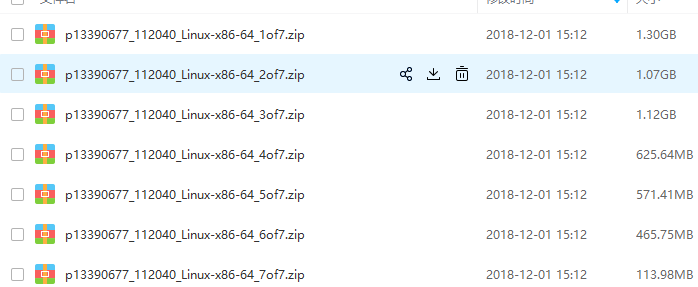
其中1&2是db,3是grid,4是client,5是gateways,6是example,7是deinstall
上传安装介质并解压
[oracle@localhost db]$ unzip -q p13390677_112040_Linux-x86-64_1of7.zip -d ~

[oracle@localhost db]$ unzip -q p13390677_112040_Linux-x86-64_2of7.zip -d ~
然后查看数据库信息
[oracle@localhost database]$ sql

SQL*Plus: Release 11.2.0.1.0 Production on Tue Mar 19 15:19:39 2019

Copyright (c) 1982, 2009, Oracle.  All rights reserved.

Connected to:

Oracle Database 11g Enterprise Edition Release 11.2.0.1.0 - 64bit Production

With the Partitioning, OLAP, Data Mining and Real Application Testing options

15:19:39 SYS@orcl> show parameter name

NAME                                 TYPE        VALUE

------------------------------------ ----------- ------------------------------

db_file_name_convert                 string

db_name                              string      orcl

db_unique_name                       string      orcl

global_names                         boolean     FALSE

instance_name                        string      orcl

lock_name_space                      string

log_file_name_convert                string

service_names                        string      orcl

15:19:49 SYS@orcl>
清空回收站
15:19:49 SYS@orcl> purge dba_recyclebin;

DBA Recyclebin purged.

Elapsed: 00:00:00.02

15:21:23 SYS@orcl> select count(1) from dba_recyclebin;

  COUNT(1)

----------

         0

Elapsed: 00:00:00.01

15:21:36 SYS@orcl>
查看无效对象
15:21:36 SYS@orcl> select count(*) from dba_objects where status<>'VALID';

  COUNT(*)

----------

         0
备份数据库,因为是测试库没数据就算了
关闭数据库,关闭监听
15:31:52 SYS@orcl> shutdown immediate;

Database closed.

Database dismounted.

ORACLE instance shut down.

15:34:01 SYS@orcl> Disconnected from Oracle Database 11g Enterprise Edition Release 11.2.0.1.0 - 64bit Production

With the Partitioning, OLAP, Data Mining and Real Application Testing options

[oracle@localhost database]$ lsnrctl stop

LSNRCTL for Linux: Version 11.2.0.1.0 - Production on 19-MAR-2019 15:35:13

Copyright (c) 1991, 2009, Oracle.  All rights reserved.

Connecting to (DESCRIPTION=(ADDRESS=(PROTOCOL=IPC)(KEY=EXTPROC1521)))

The command completed successfully

[oracle@localhost database]$
创建新的home目录并设置环境变量
[oracle@localhost database]$ mkdir -p /u01/app/oracle/product/11.2.0/dbhome_2/

[oracle@localhost database]$ export ORACLE_HOME=/u01/app/oracle/product/11.2.0/dbhome_2

[oracle@localhost database]$ ./runInstaller
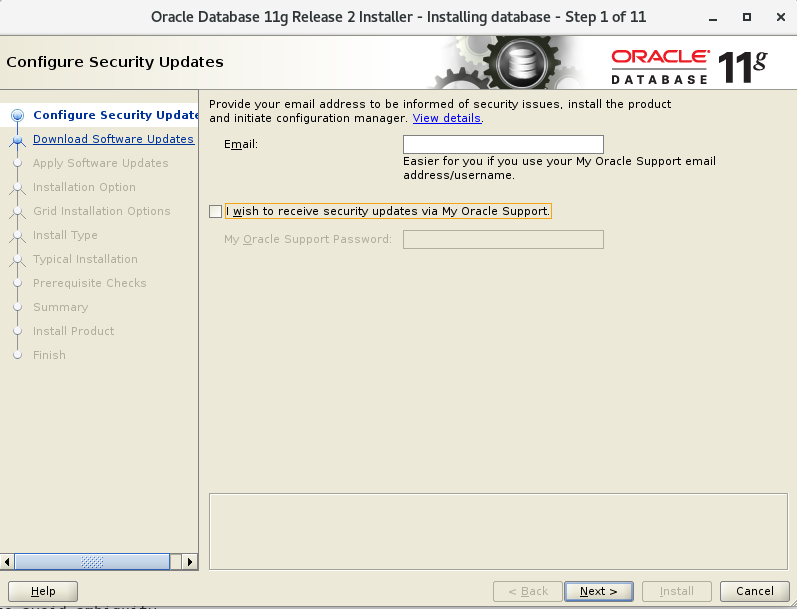
接着图形操作,i wish to receive ..这个勾去掉
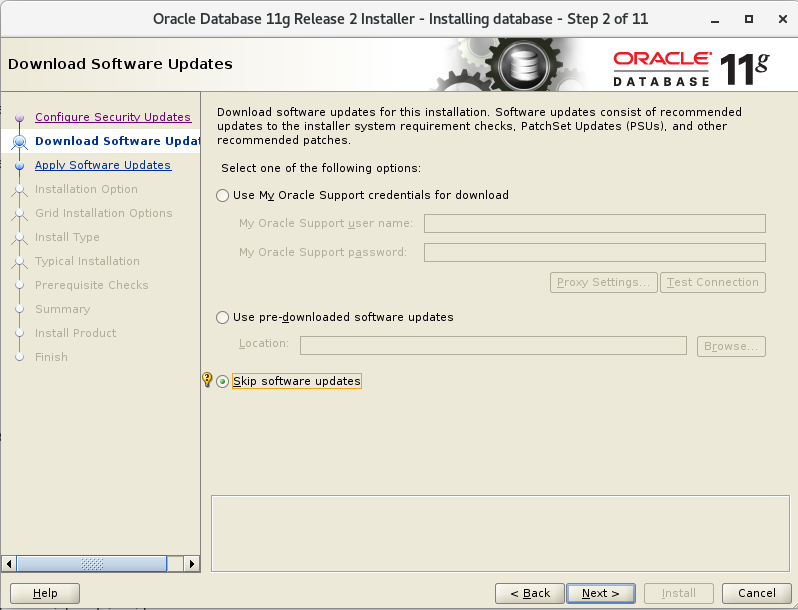
 然后选择Skip software updates,
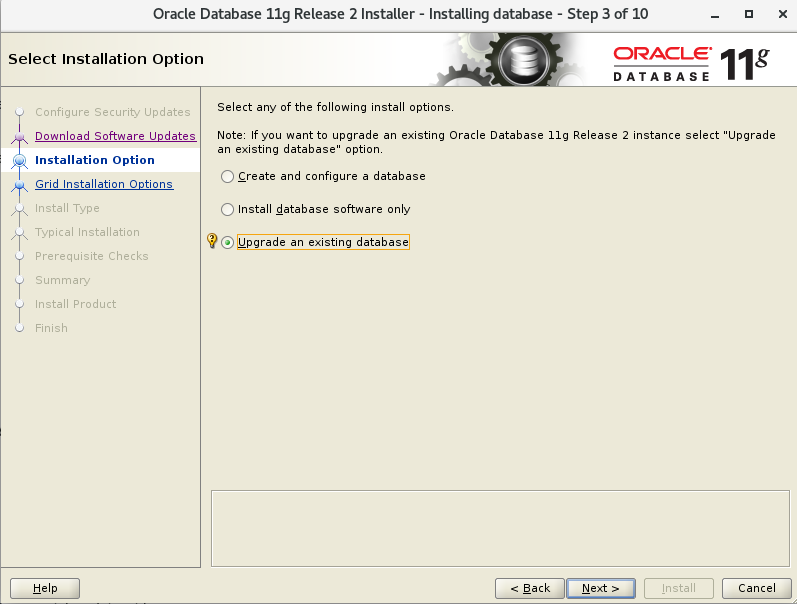
 选择update an existing database
 选择语言,
选择语言,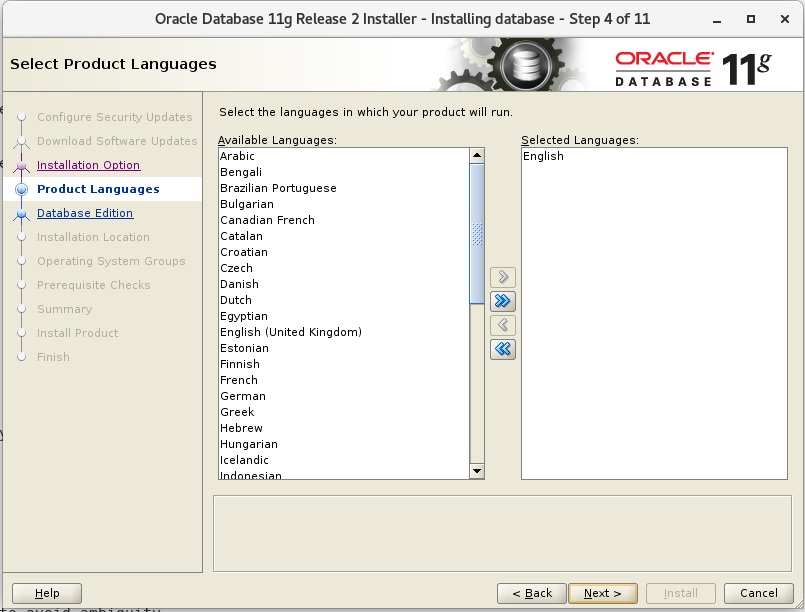 选择企业版,
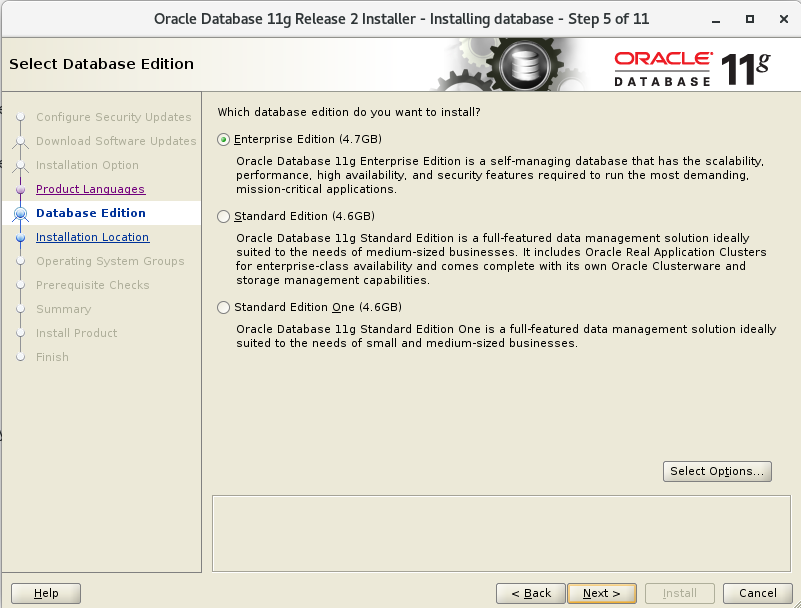 选择目录
选择目录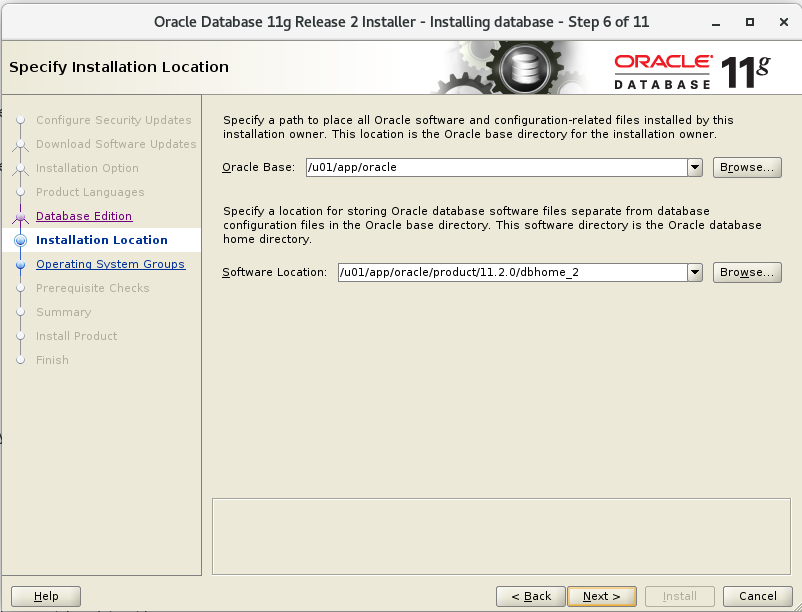 确认组
确认组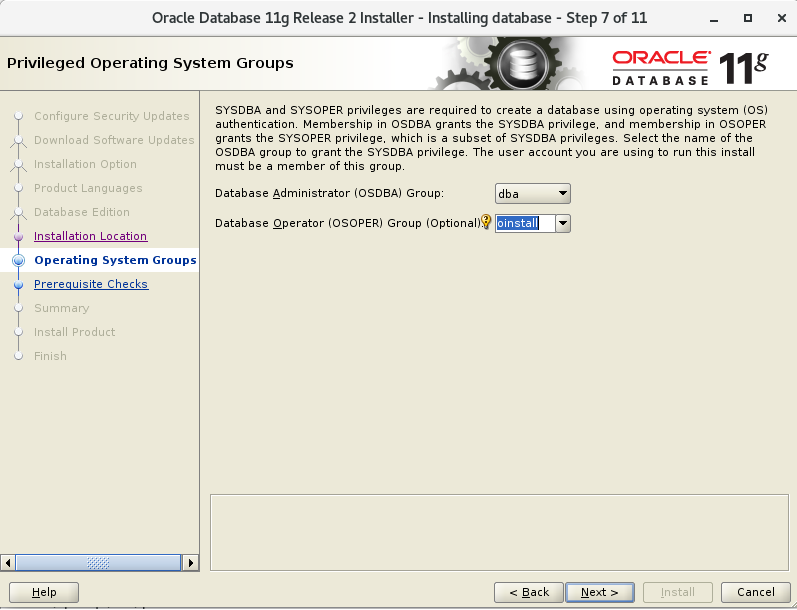 预检查后忽略错误继续,中间遇到报错也continue继续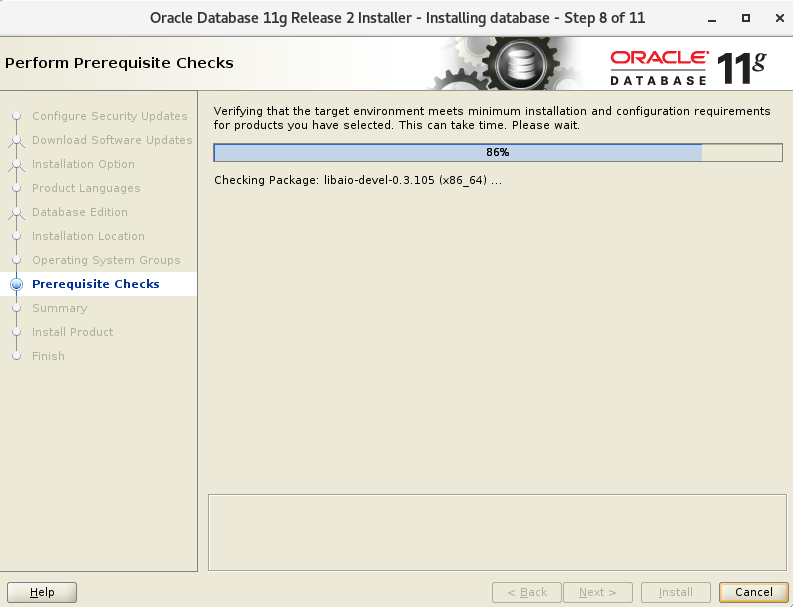
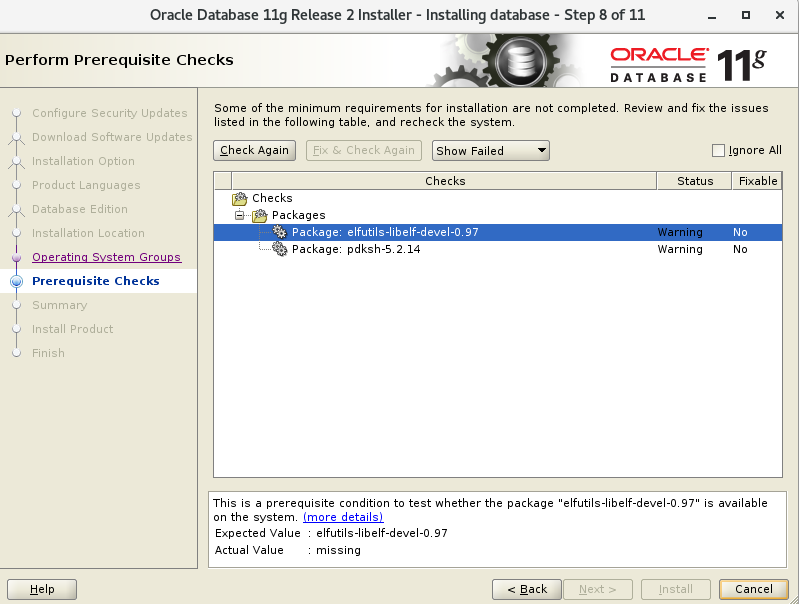
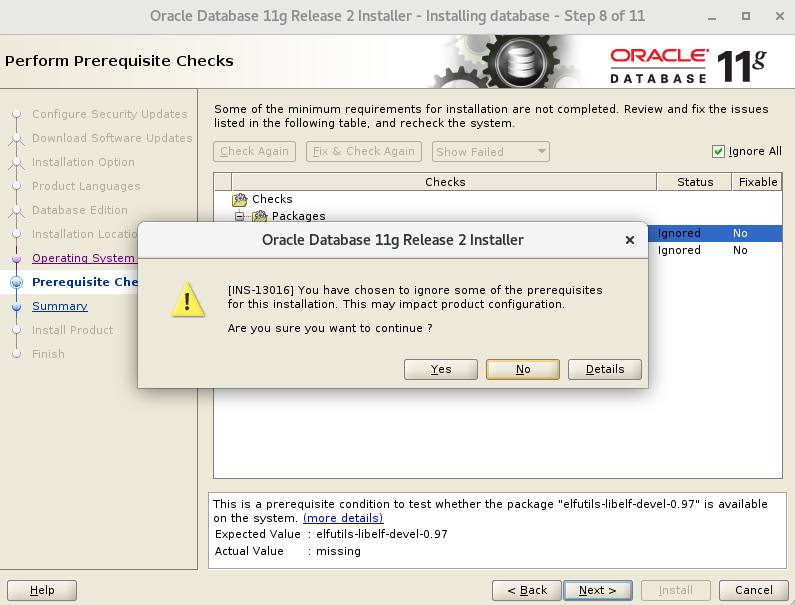
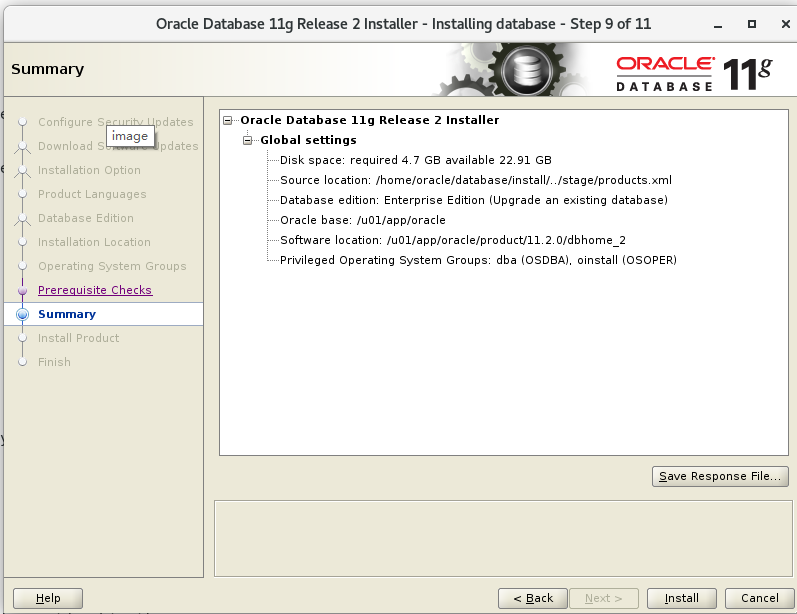
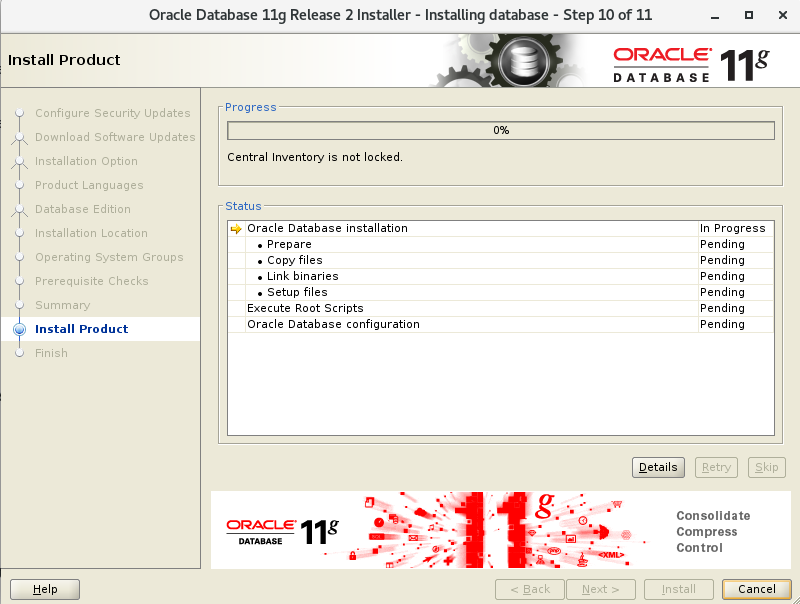
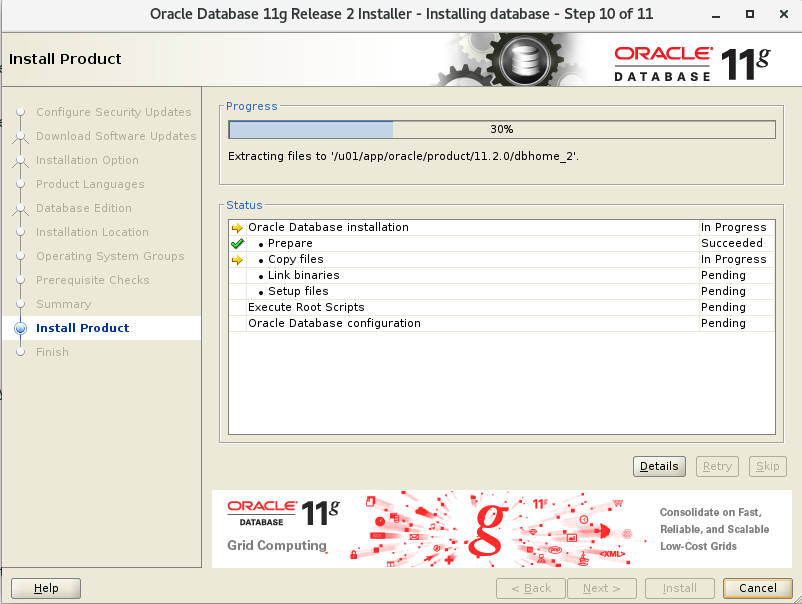
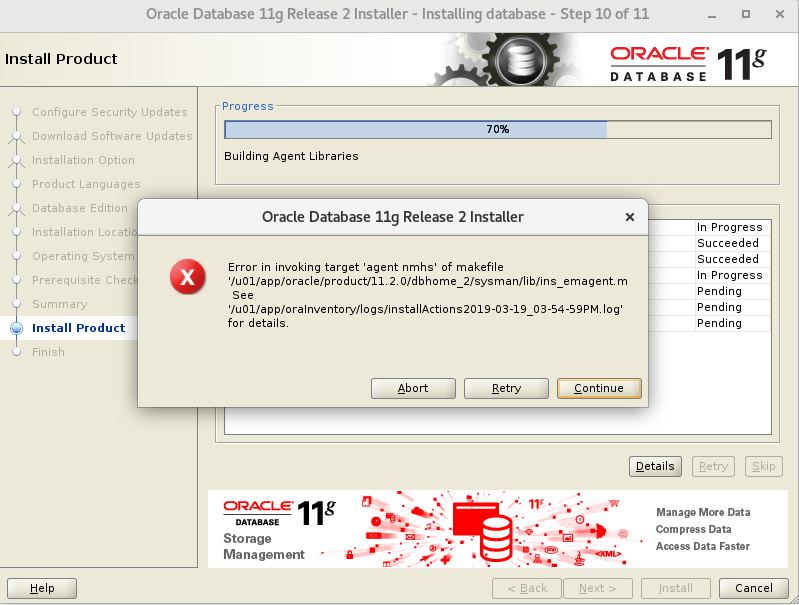 执行root脚本
[root@localhost ~]# /u01/app/oracle/product/11.2.0/dbhome_2/root.sh

Performing root user operation for Oracle 11g

The following environment variables are set as:

    ORACLE_OWNER= oracle

    ORACLE_HOME=  /u01/app/oracle/product/11.2.0/dbhome_2

Enter the full pathname of the local bin directory: [/usr/local/bin]:

The contents of "dbhome" have not changed. No need to overwrite.

The file "oraenv" already exists in /usr/local/bin.  Overwrite it? (y/n)

[n]: y

   Copying oraenv to /usr/local/bin ...

The file "coraenv" already exists in /usr/local/bin.  Overwrite it? (y/n)

[n]: y

   Copying coraenv to /usr/local/bin ...

Entries will be added to the /etc/oratab file as needed by

Database Configuration Assistant when a database is created

Finished running generic part of root script.

Now product-specific root actions will be performed.

Finished product-specific root actions.

[root@localhost ~]#
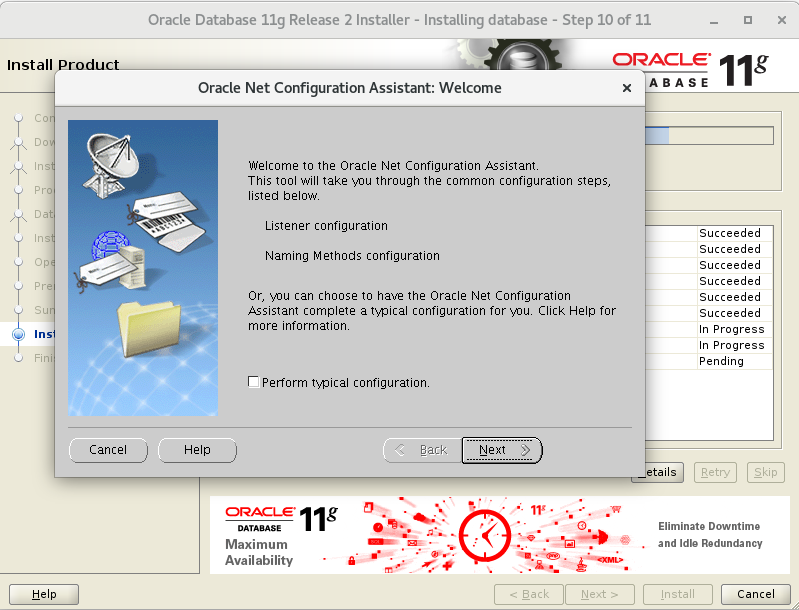
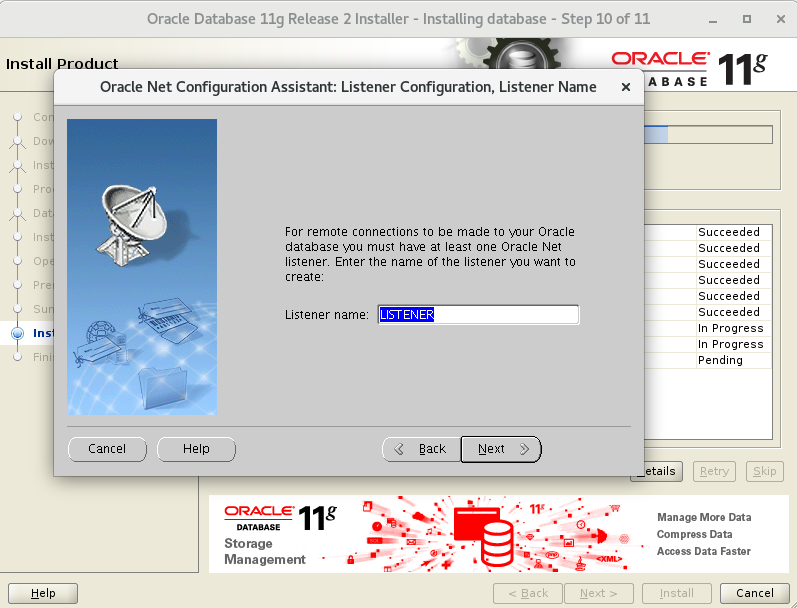 配置完监听后
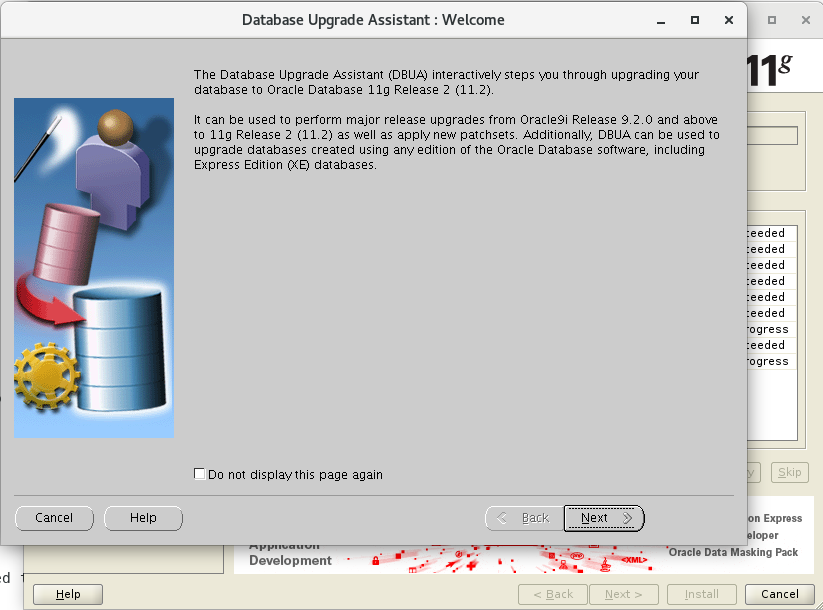 下一步
下一步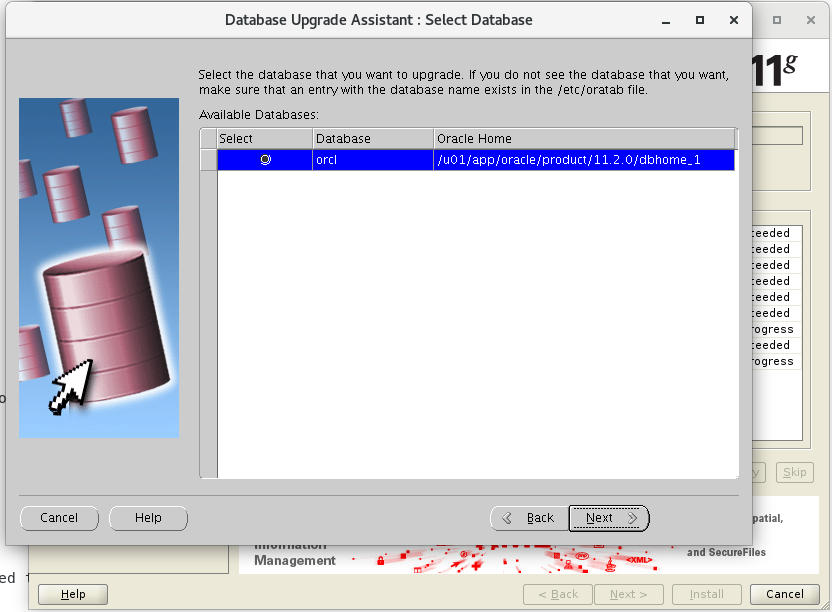
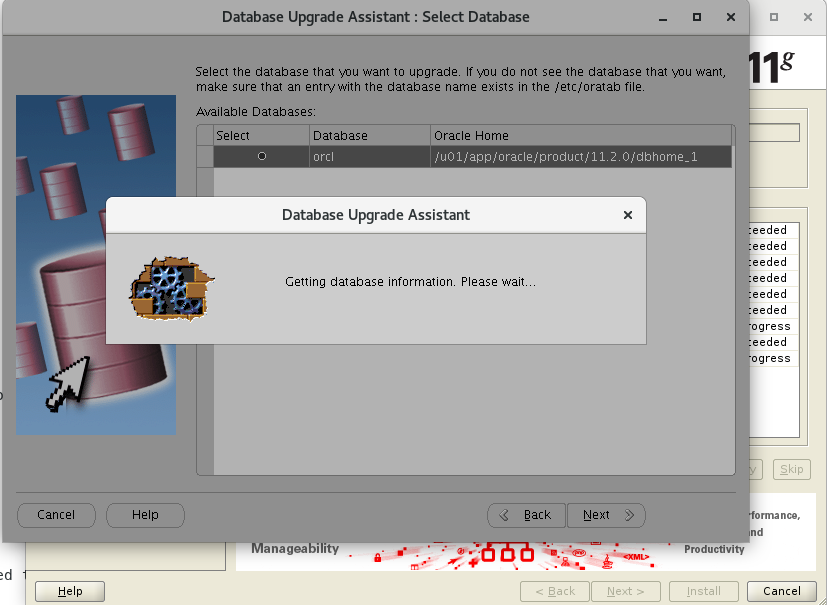

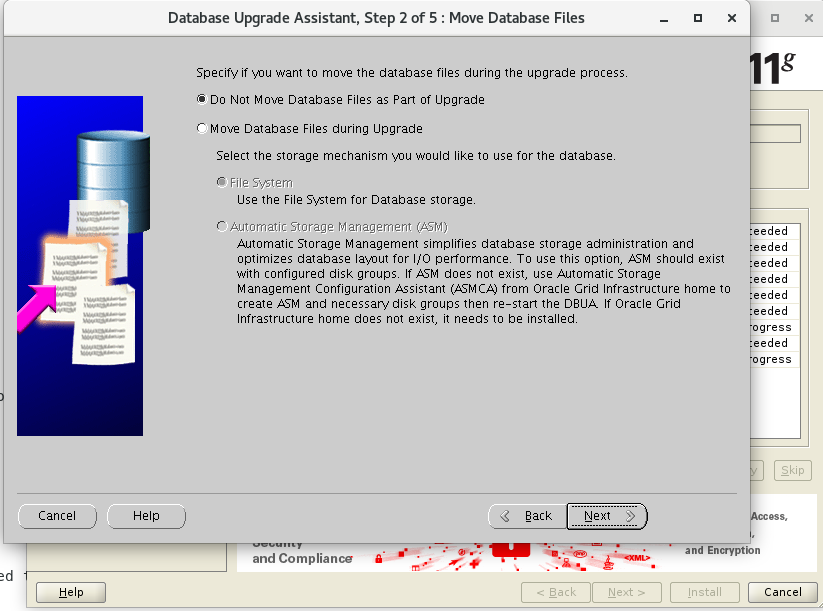
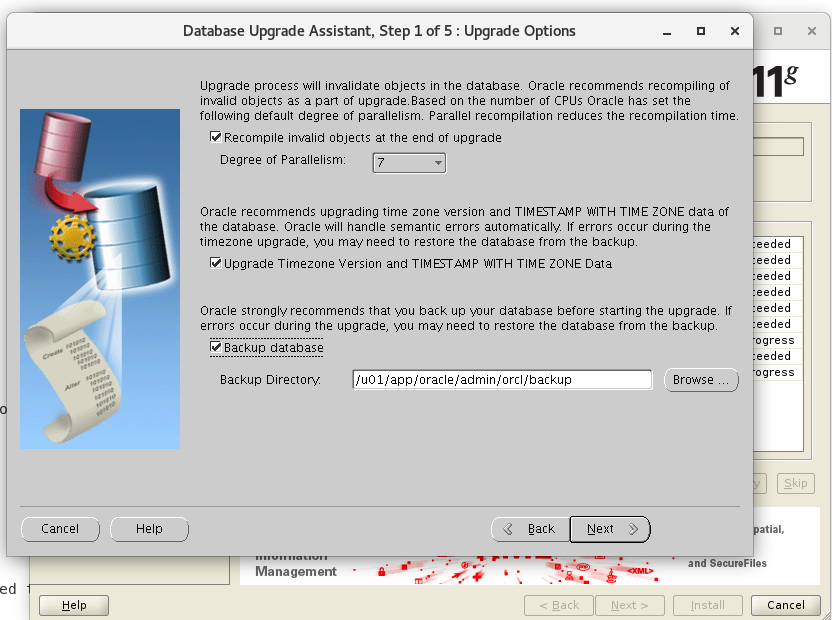 不移动数据文件
 选择闪回恢复区及其大小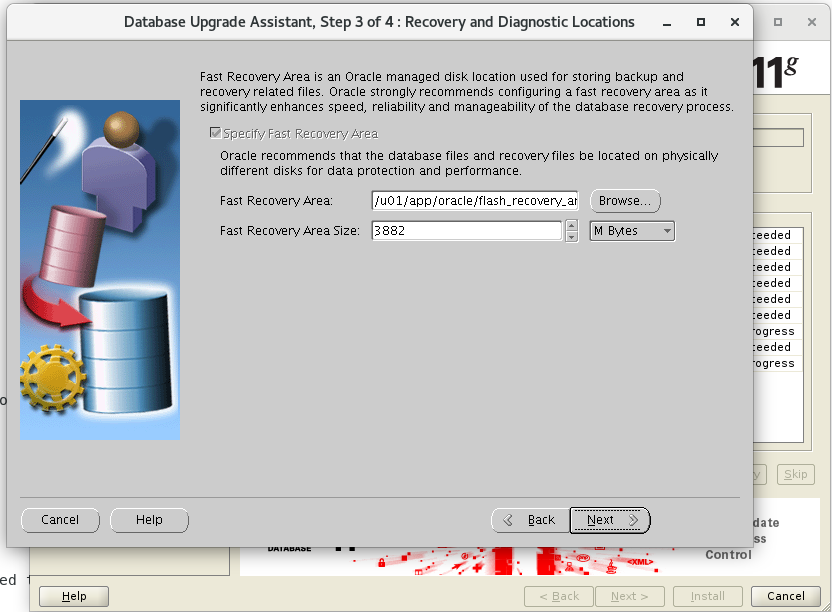
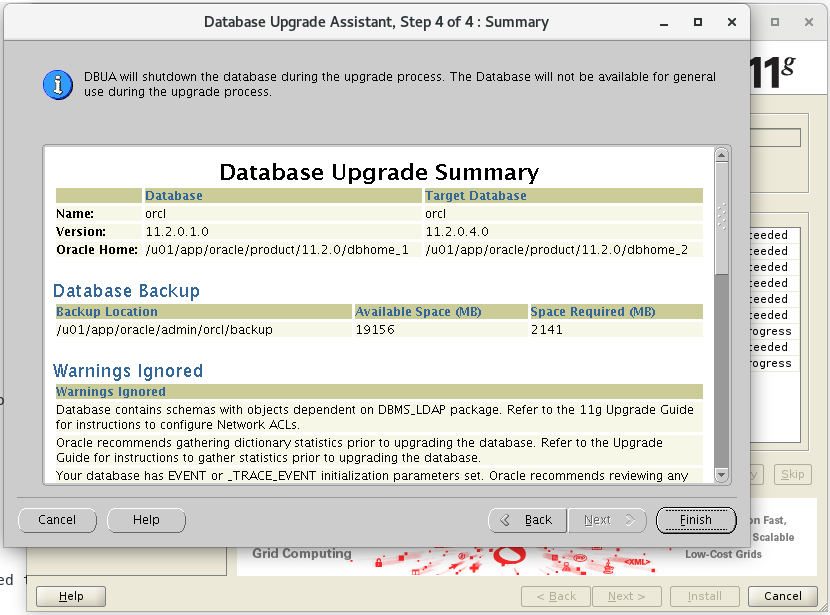 点击finish后,界面出现一个小竖条,不过可以拉开 如下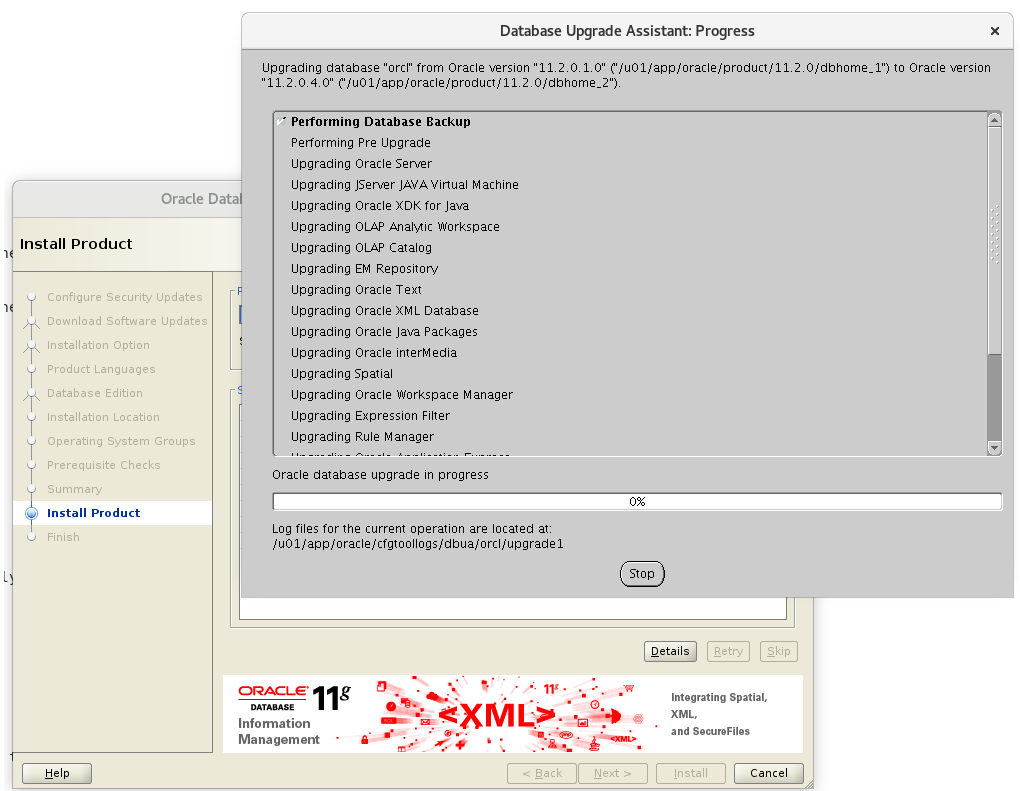

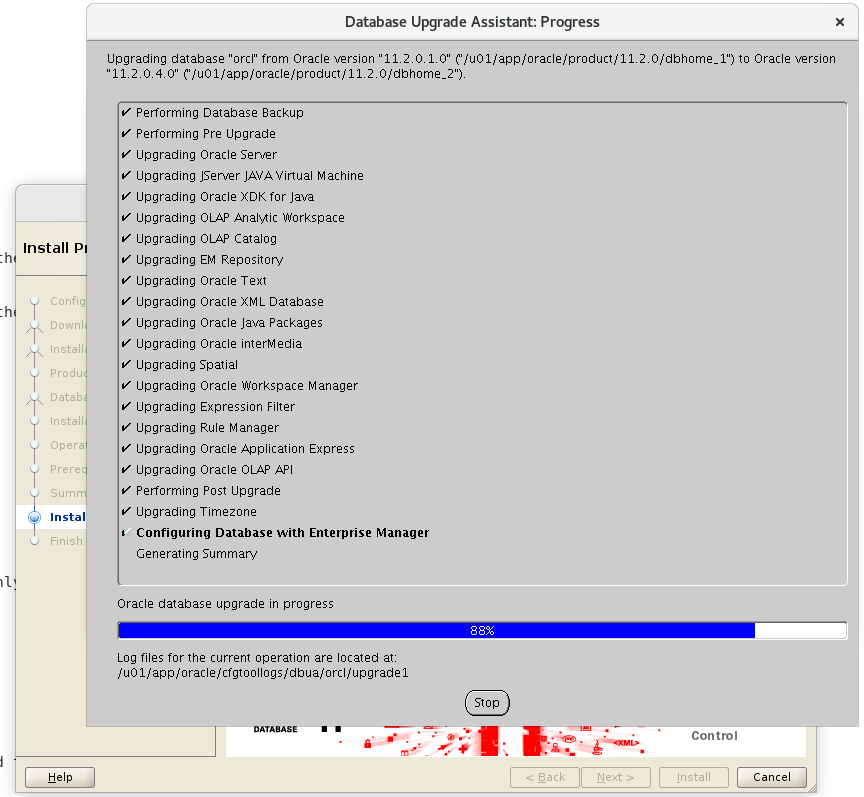
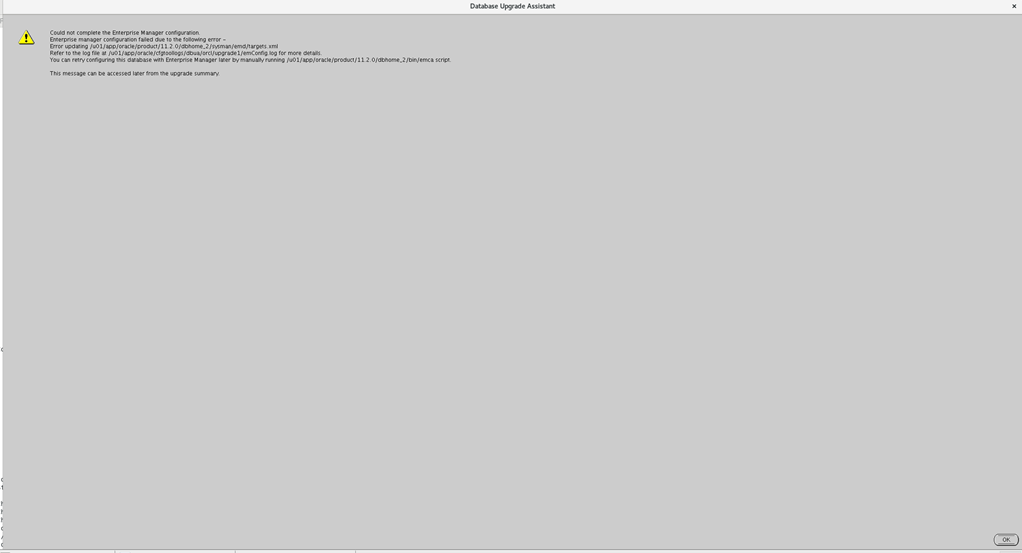
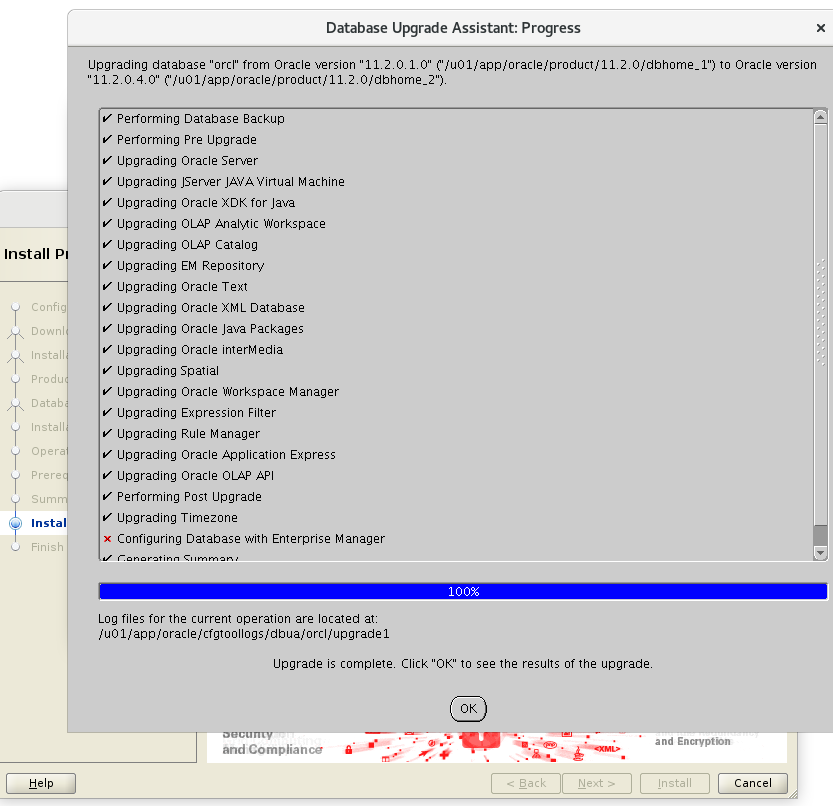
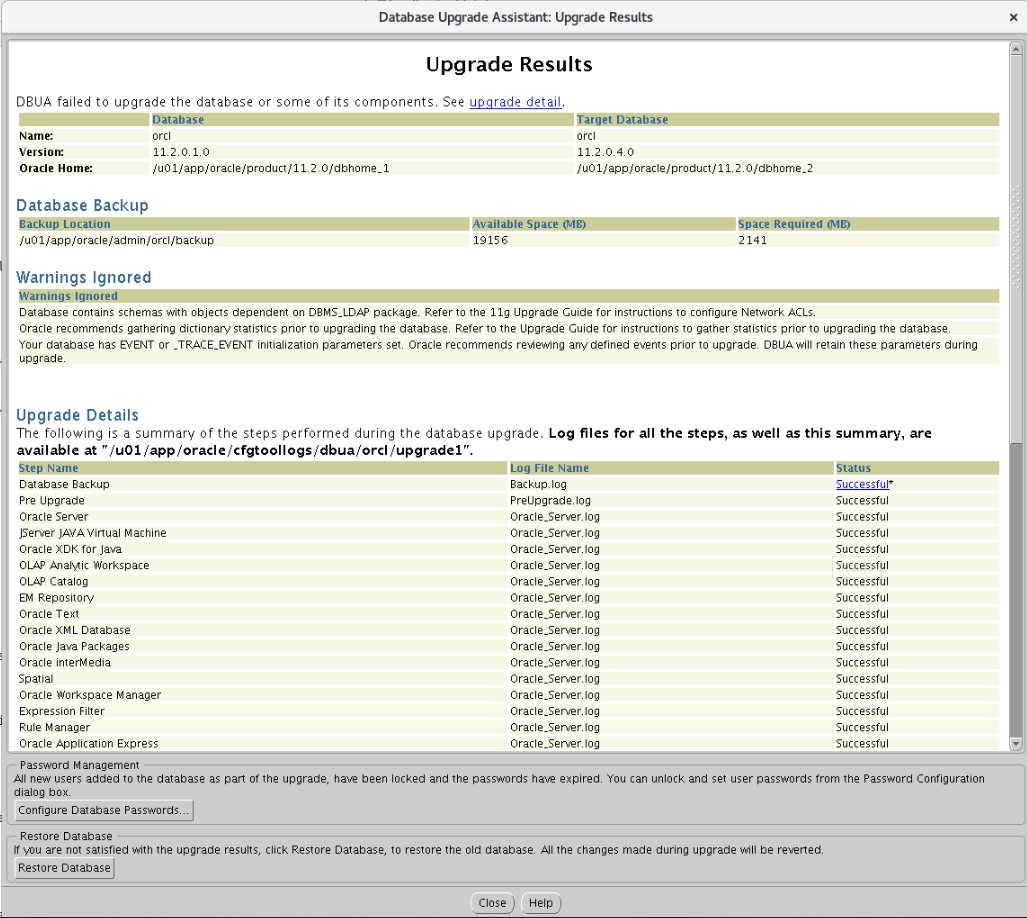
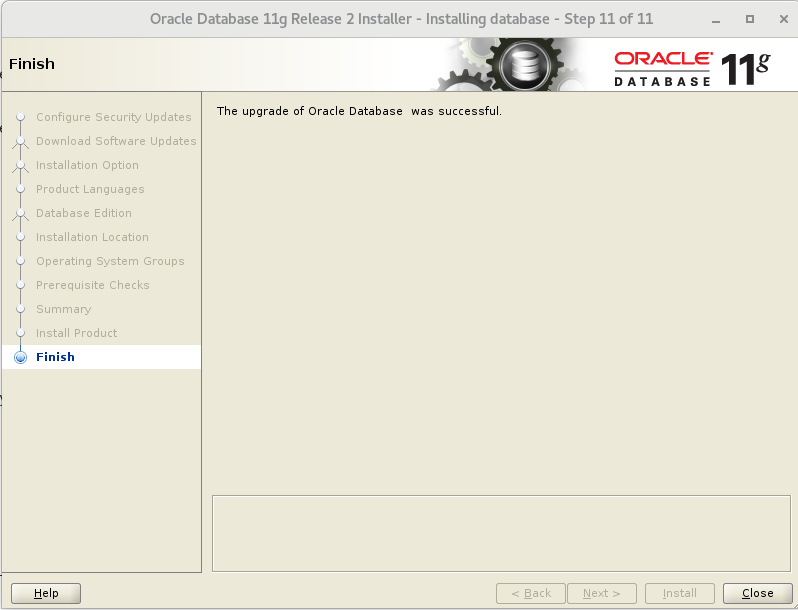 设置下sqlplus
[oracle@localhost admin]$ vim glogin.sql

Define _editor='vi'

Set sqlprompt "_user'@'_connect_identifier> "

set time on

set timing on

set pagesize 40

set linesize 120
[oracle@localhost admin]$ sql

SQL*Plus: Release 11.2.0.1.0 Production on Tue Mar 19 16:53:47 2019

Copyright (c) 1982, 2009, Oracle.  All rights reserved.

Connected to:

Oracle Database 11g Enterprise Edition Release 11.2.0.4.0 - 64bit Production

With the Partitioning, OLAP, Data Mining and Real Application Testing options

16:53:47 SYS@orcl> select * from v$version;

BANNER

--------------------------------------------------------------------------------

Oracle Database 11g Enterprise Edition Release 11.2.0.4.0 - 64bit Production

PL/SQL Release 11.2.0.4.0 - Production

CORE    11.2.0.4.0      Production

TNS for Linux: Version 11.2.0.4.0 - Production

NLSRTL Version 11.2.0.4.0 - Production

Elapsed: 00:00:00.01

16:53:55 SYS@orcl>
have fun
LINUX中ORACLE 11.2.0.1 升级到11.2.0.4的更多相关文章
- Oracle11.2.0.1升级到11.2.0.3
Oracle数据库升级也并非简单的事,这篇博客,博主对Oracle那点事做了较详细的介绍: http://blog.itpub.net/9599/viewspace-473003/ 我还属于Oracl ...
- Oracle数据库版本10.2.0.1升级到10.2.0.3(转)
Oracle数据库版本10.2.0.1升级到10.2.0.3 1.停止OEM/isqlplus/监听/DB实例 $ emctl stop dbconsole $ isqlplusctl stop $ ...
- rac 10g 10.2.0.1升级到10.2.0.5具体解释
RAC 10.2.0.1 升级到 10.2.0.5 一. 准备: Patch 包:p8202632_10205_LINUX.zip 节点数:3个节点 RAC1 RAC2 ...
- Linux下Oracle 10.2.0.1升级到10.2.0.4总结
最近部署测试环境时,将测试环境ORACLE数据库从10.2.0.1升级到了10.2.0.4,顺便整理记录一下升级过程. 实验环境: 操作系统:Oracle Linux Server release 5 ...
- oracle--10.2.0.3升级到11.2.0.4
一,环境 01,待升级的系统 升级仅支持10.2.0.2版本之后的系统,如果不是,请把10G升级至高版本! 本次实验环境10.2.0.3 02,挂载11G系统 03,升级须知 1) 做好备份 二,DB ...
- 【Oracle】10.2.0.1升级到10.2.0.5
升级数据库到10.2.0.5 因是测试环境,不需要备份:如是生产系统,建议进行全备份后再进行升级操作,预防数据丢失造成不必要的影响. 步骤: 上传并解压补丁,安装前准备,安装补丁,预升级检查, ...
- hadoop2.3.0cdh5.0.2 升级到cdh5.7.0
后儿就放假了,上班这心真心收不住,为了能充实的度过这难熬的两天,我决定搞个大工程.....ps:我为啥这么期待放假呢,在沙发上像死人一样躺一天真的有意义嘛....... 当然版本:hadoop2.3. ...
- CDH 版本 6.0.1 升级到 6.2.0 当前最新版本(CentOS 7.x)
前文「CDH CM版本 6.0.1 升级到 CM 6.2.0 当前最新版本(CentOS 7.x)」 承接上文,当我们完成 CM 6.2.0 的升级之后,我们已经相当于完成了80% minor 的升级 ...
- Linux中Oracle启动侦听报错TNS:permission denied的解决方法
最近在开发环境 oracle 启动侦听的时候,出现了 TNS:permission denied 的问题,通过网上和咨询朋友,最终找到了解决方案,现在共享出来给有需要的朋友. [oracle@orac ...
随机推荐
- 常用开窗函数总结(hive、sparkSQL可执行)
一:根据某个字段排序 测试数据: SQL> select * from sscore; NAME SCORE ---------- ----- aa 99 bb ...
- Leetcode148-Sort_List
Sort_List 在LeetCode 里面,因为只有归并排序的时间复杂度为O(1),所以快速排序用不了,前面两个都没用直接看最后一个归并排序. 冒泡排序(超时了) public ListNode s ...
- map的基本操作
向map添加元素: 因为map是不允许出现重复关键字的,所以如果重复插入键相同的元素后面的元素是不会插入成功的,下面是一个验证程序: #include<iostream> #include ...
- H5 + 3D + AR/VR 综述
近年来,H5,3D,AR,VR逐步进入人们的视野,H5生动活泼,3D注重视觉效果,AR打造虚实结合,VR则更加注重虚拟现实的产生. 第一部分,案例展示: H5+VR案例: 故事<不要惊慌,没有辐 ...
- 教你查阅Java API 英文文档(JDK 11)
JAVA Document:https://docs.oracle.com/en/java/javase/11/ 然后找到“Specifications”并点击 API Documentation 比 ...
- MAC版本的UltraEdit破解方法
MAC版本的UltraEdit破解方法: 解压,然后在命令行里输入 printf '\x31\xC0\xFF\xC0\xC3\x90' | dd seek=$((0x777160)) conv=not ...
- 基于Kafka的实时计算引擎如何选择?Flink or Spark?
1.前言 目前实时计算的业务场景越来越多,实时计算引擎技术及生态也越来越成熟.以Flink和Spark为首的实时计算引擎,成为实时计算场景的重点考虑对象.那么,今天就来聊一聊基于Kafka的实时计算引 ...
- HTML+css基础 img 标签的属性
img: src=”” src是标签的属性 等号右边是属性值.就是图片的路径. 路径 1. 绝对路径:按照一个路径能找到,具体到某一个盘符下,某一个文件夹内. 2. 相对路径:以当前页面为参考物,去查 ...
- Mysql 错误 ERROR 1 (HY000) at line 1: Can't create/write to file '/home/kaizenly/cfg_dict.csv' (Errcode: 13 - Permission denied)
[1]问题描述 (1)执行SQL语句: use billing; select * from cfg_dict into outfile '/home/kaizenly/cfg_dict.csv' f ...
- Python课程第八天作业
第一题: 1.自定义一个 Fruit 类:该类有一个 类属性: identify:值为"水果",有两个对象属性: name,price:值由实例化对象时赋值,一个类方法: get_ ...