
LINUX中ORACLE 11.2.0.1 升级到11.2.0.4
11.2.0.4补丁号13390677,共7个文件,分别是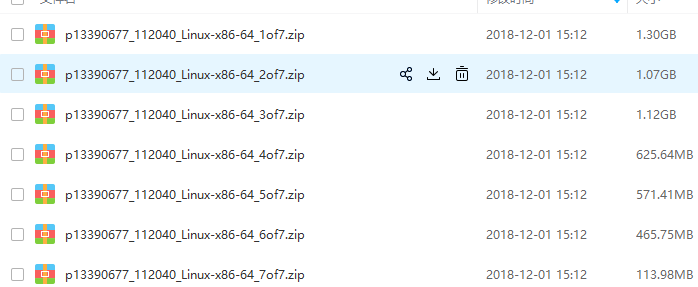
其中1&2是db,3是grid,4是client,5是gateways,6是example,7是deinstall
上传安装介质并解压
[oracle@localhost db]$ unzip -q p13390677_112040_Linux-x86-64_1of7.zip -d ~

[oracle@localhost db]$ unzip -q p13390677_112040_Linux-x86-64_2of7.zip -d ~
然后查看数据库信息
[oracle@localhost database]$ sql

SQL*Plus: Release 11.2.0.1.0 Production on Tue Mar 19 15:19:39 2019

Copyright (c) 1982, 2009, Oracle.  All rights reserved.

Connected to:

Oracle Database 11g Enterprise Edition Release 11.2.0.1.0 - 64bit Production

With the Partitioning, OLAP, Data Mining and Real Application Testing options

15:19:39 SYS@orcl> show parameter name

NAME                                 TYPE        VALUE

------------------------------------ ----------- ------------------------------

db_file_name_convert                 string

db_name                              string      orcl

db_unique_name                       string      orcl

global_names                         boolean     FALSE

instance_name                        string      orcl

lock_name_space                      string

log_file_name_convert                string

service_names                        string      orcl

15:19:49 SYS@orcl>
清空回收站
15:19:49 SYS@orcl> purge dba_recyclebin;

DBA Recyclebin purged.

Elapsed: 00:00:00.02

15:21:23 SYS@orcl> select count(1) from dba_recyclebin;

  COUNT(1)

----------

         0

Elapsed: 00:00:00.01

15:21:36 SYS@orcl>
查看无效对象
15:21:36 SYS@orcl> select count(*) from dba_objects where status<>'VALID';

  COUNT(*)

----------

         0
备份数据库,因为是测试库没数据就算了
关闭数据库,关闭监听
15:31:52 SYS@orcl> shutdown immediate;

Database closed.

Database dismounted.

ORACLE instance shut down.

15:34:01 SYS@orcl> Disconnected from Oracle Database 11g Enterprise Edition Release 11.2.0.1.0 - 64bit Production

With the Partitioning, OLAP, Data Mining and Real Application Testing options

[oracle@localhost database]$ lsnrctl stop

LSNRCTL for Linux: Version 11.2.0.1.0 - Production on 19-MAR-2019 15:35:13

Copyright (c) 1991, 2009, Oracle.  All rights reserved.

Connecting to (DESCRIPTION=(ADDRESS=(PROTOCOL=IPC)(KEY=EXTPROC1521)))

The command completed successfully

[oracle@localhost database]$
创建新的home目录并设置环境变量
[oracle@localhost database]$ mkdir -p /u01/app/oracle/product/11.2.0/dbhome_2/

[oracle@localhost database]$ export ORACLE_HOME=/u01/app/oracle/product/11.2.0/dbhome_2

[oracle@localhost database]$ ./runInstaller
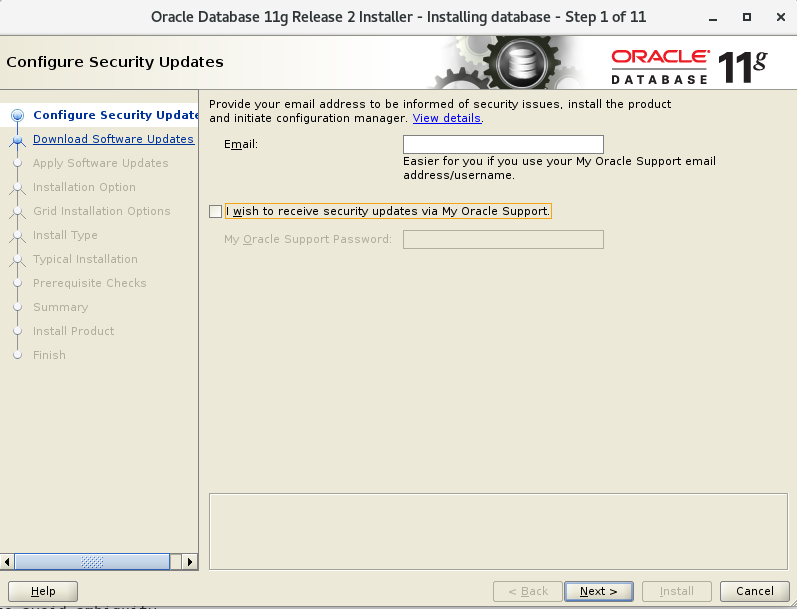
接着图形操作,i wish to receive ..这个勾去掉
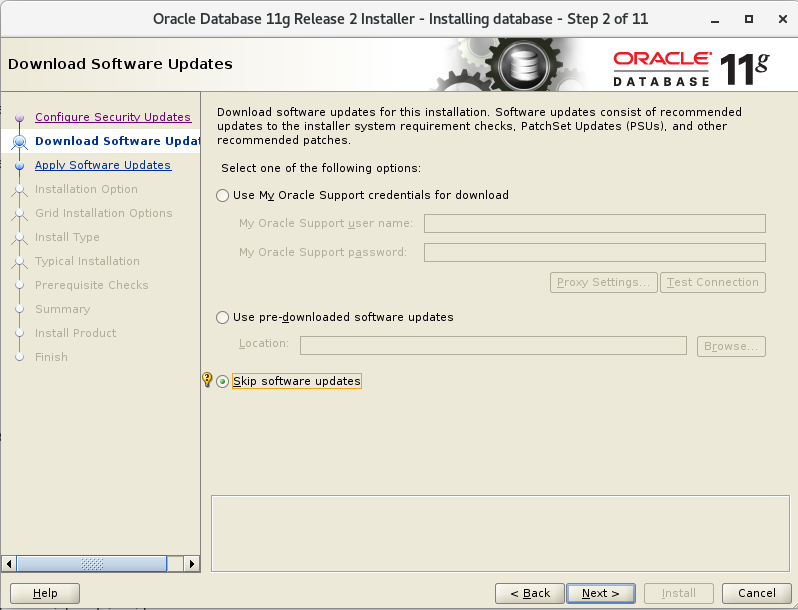
 然后选择Skip software updates,
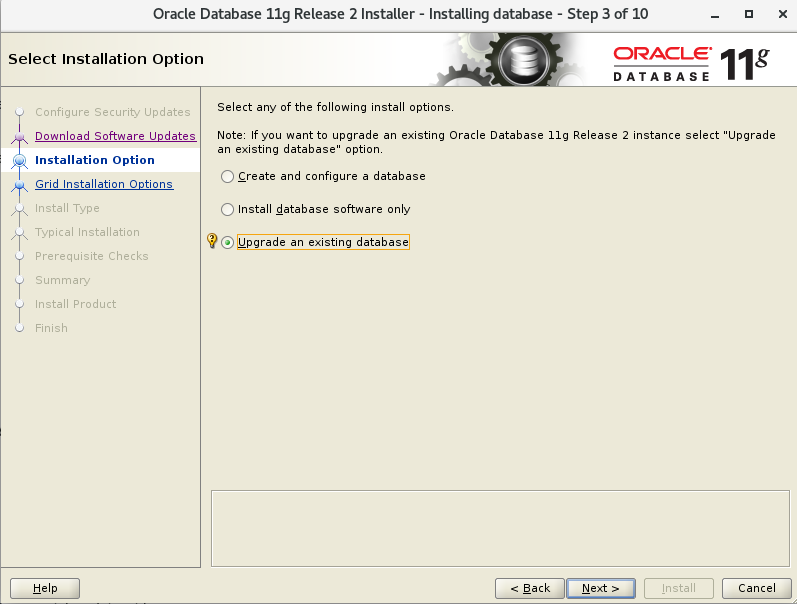
 选择update an existing database
 选择语言,
选择语言,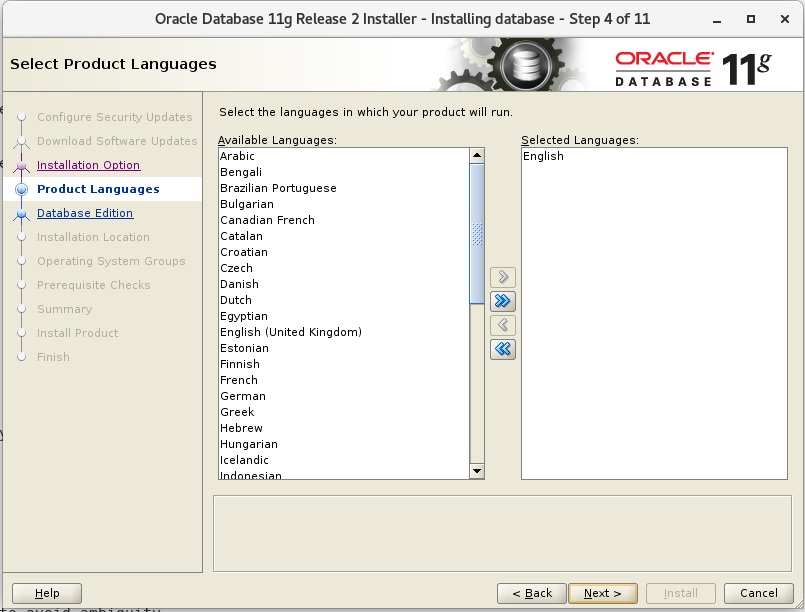 选择企业版,
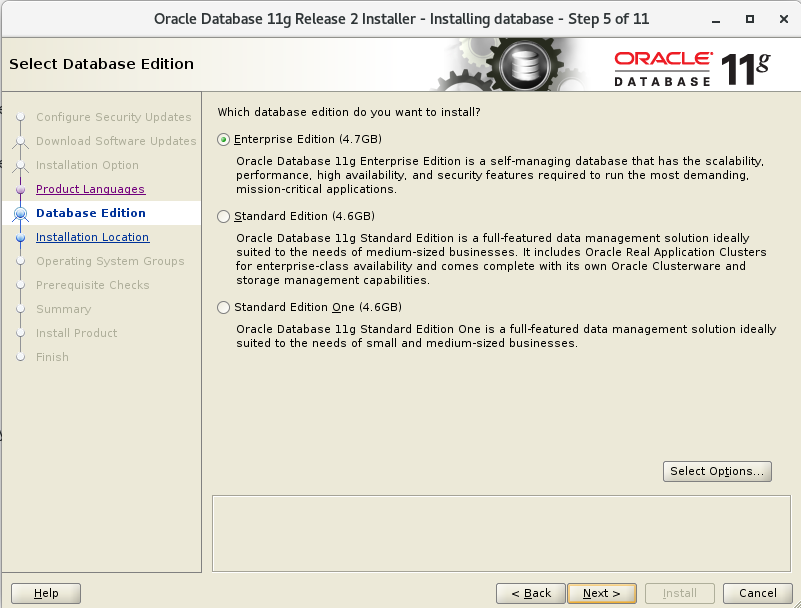 选择目录
选择目录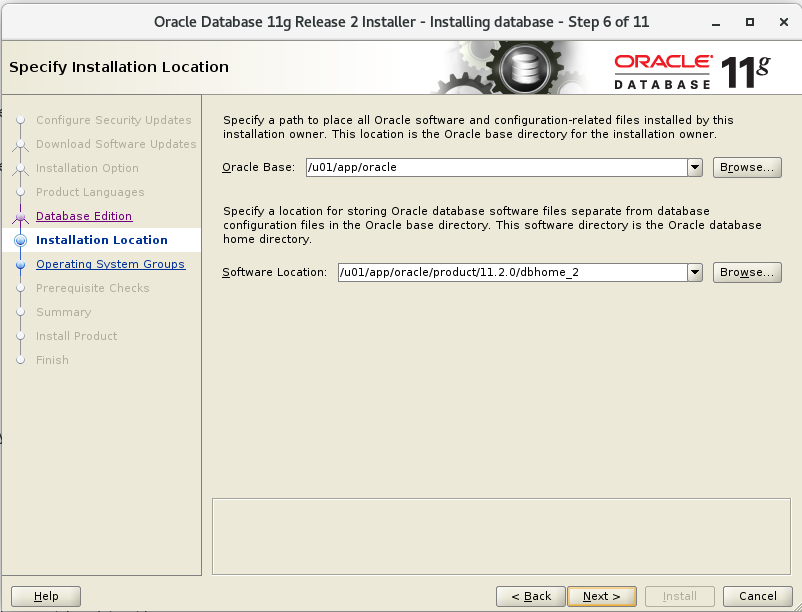 确认组
确认组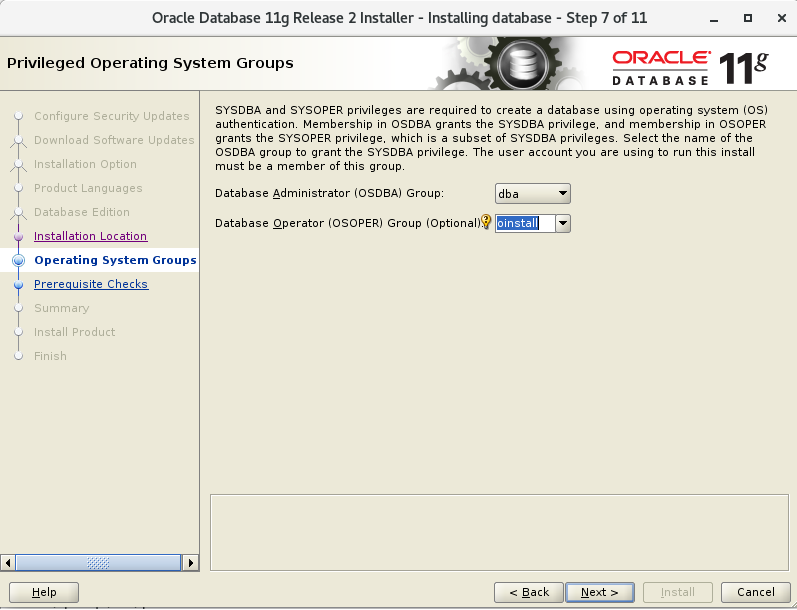 预检查后忽略错误继续,中间遇到报错也continue继续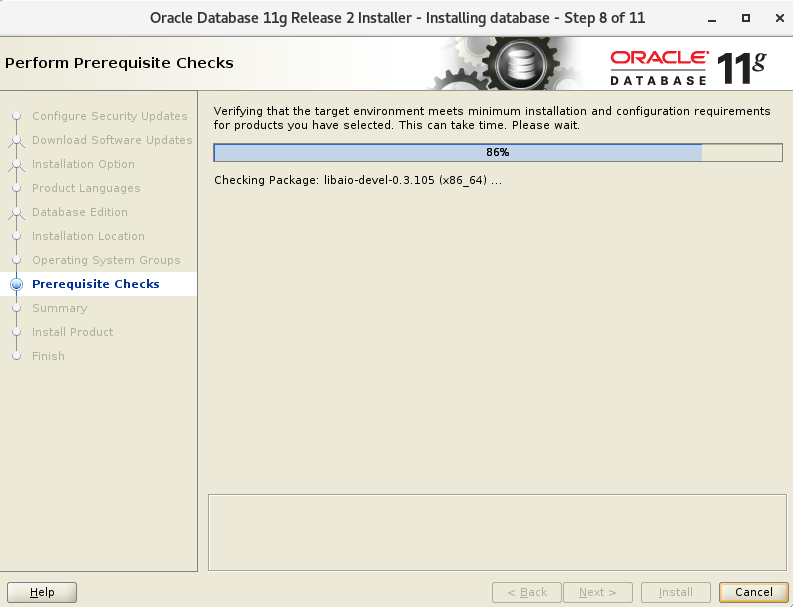
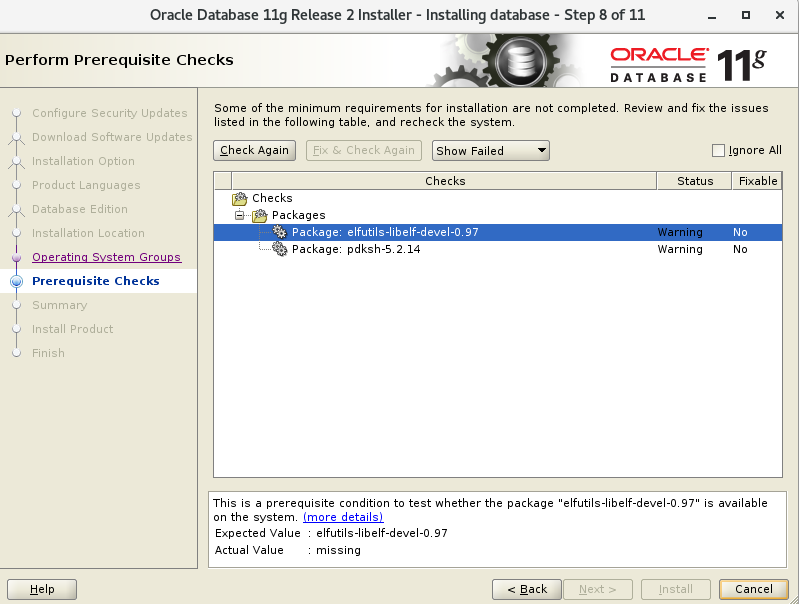
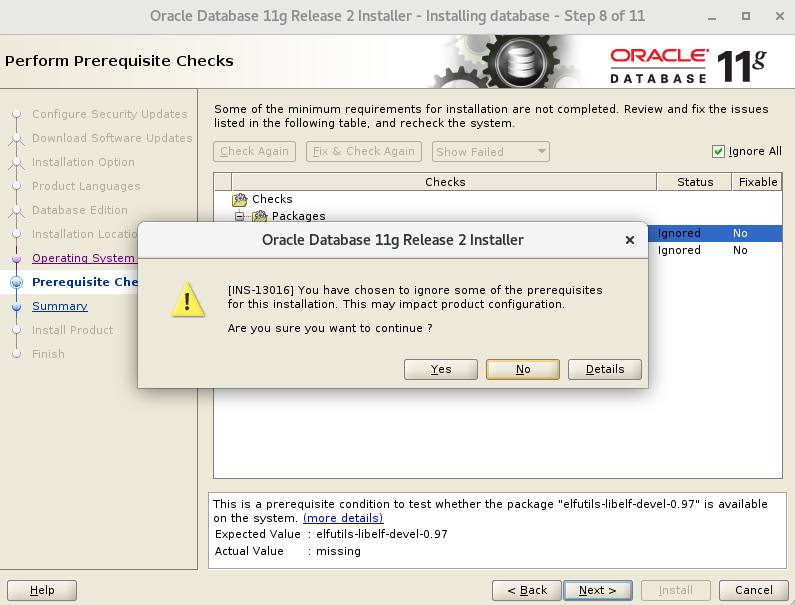
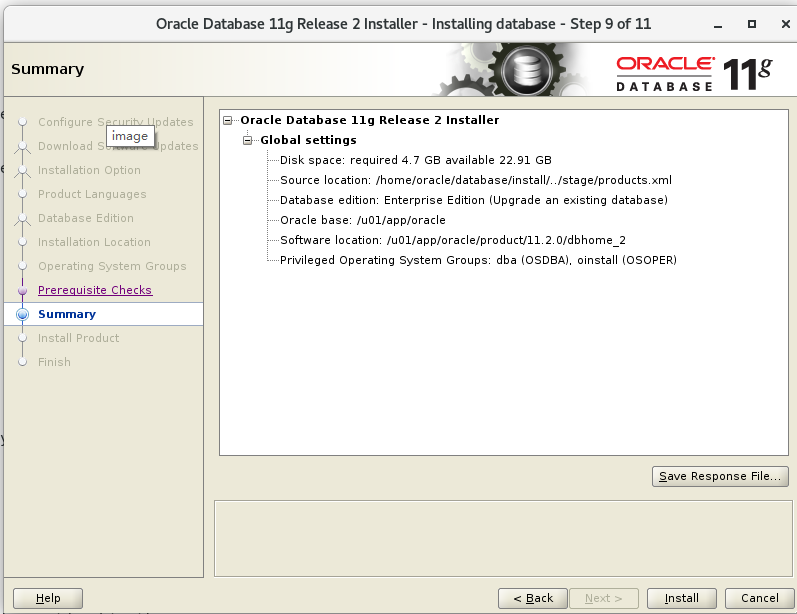
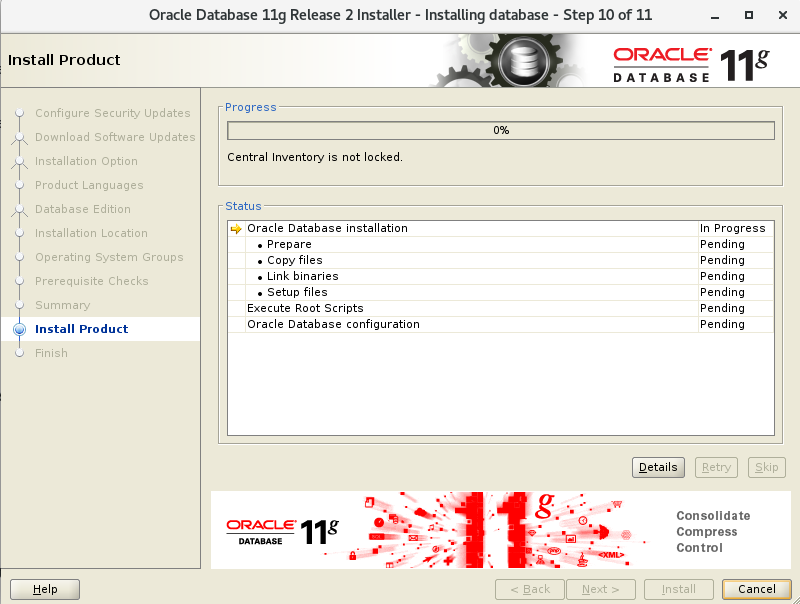
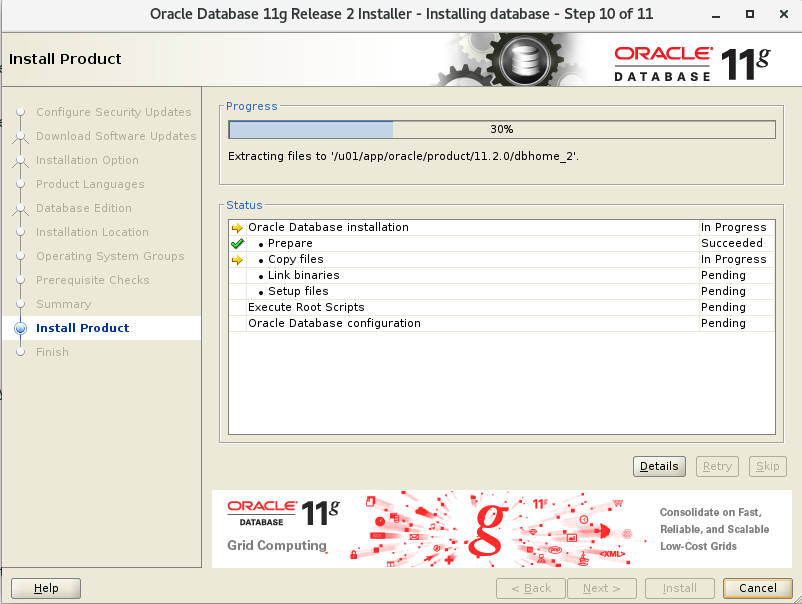
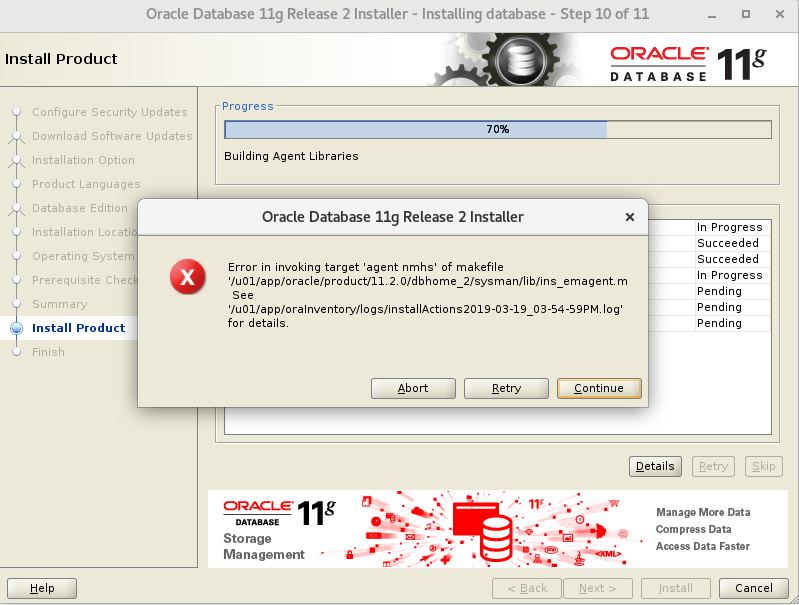 执行root脚本
[root@localhost ~]# /u01/app/oracle/product/11.2.0/dbhome_2/root.sh

Performing root user operation for Oracle 11g

The following environment variables are set as:

    ORACLE_OWNER= oracle

    ORACLE_HOME=  /u01/app/oracle/product/11.2.0/dbhome_2

Enter the full pathname of the local bin directory: [/usr/local/bin]:

The contents of "dbhome" have not changed. No need to overwrite.

The file "oraenv" already exists in /usr/local/bin.  Overwrite it? (y/n)

[n]: y

   Copying oraenv to /usr/local/bin ...

The file "coraenv" already exists in /usr/local/bin.  Overwrite it? (y/n)

[n]: y

   Copying coraenv to /usr/local/bin ...

Entries will be added to the /etc/oratab file as needed by

Database Configuration Assistant when a database is created

Finished running generic part of root script.

Now product-specific root actions will be performed.

Finished product-specific root actions.

[root@localhost ~]#
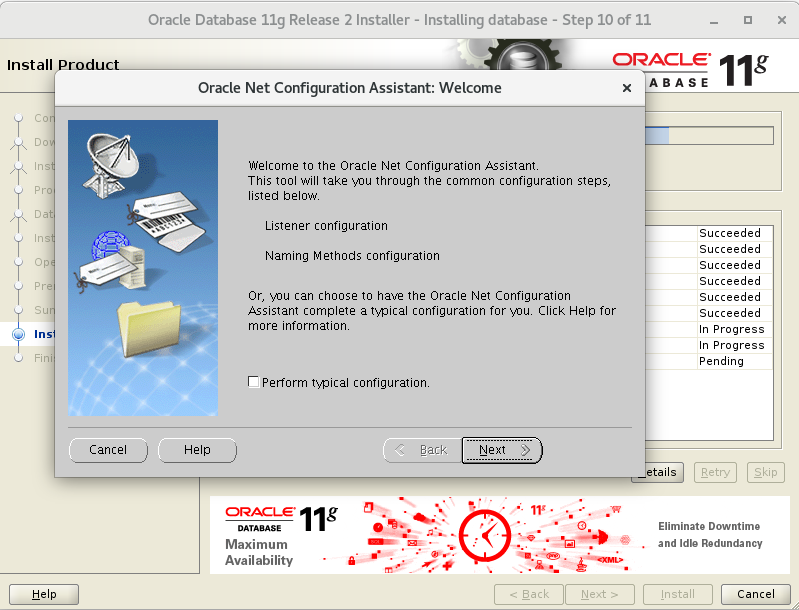
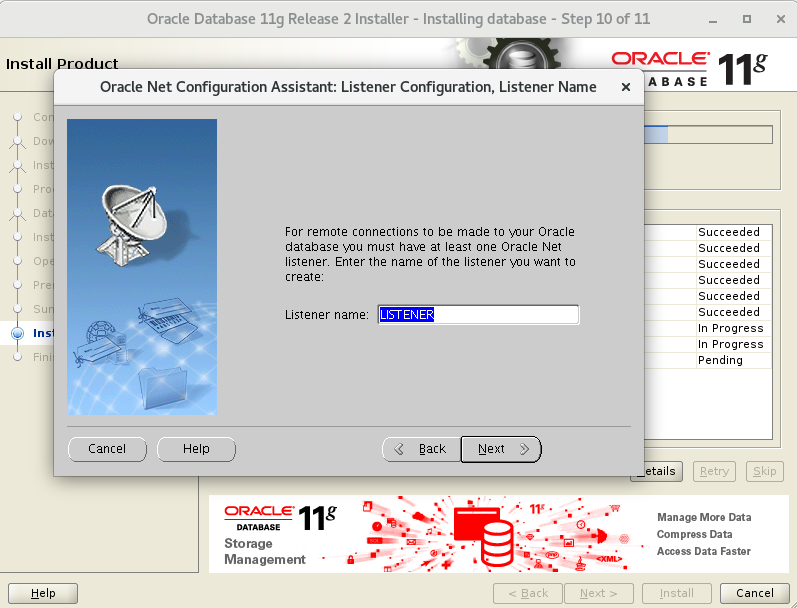 配置完监听后
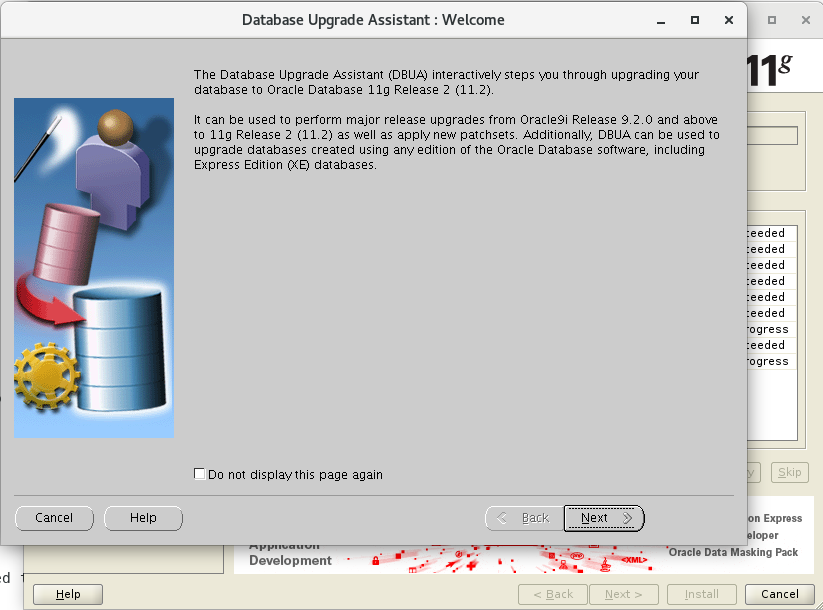 下一步
下一步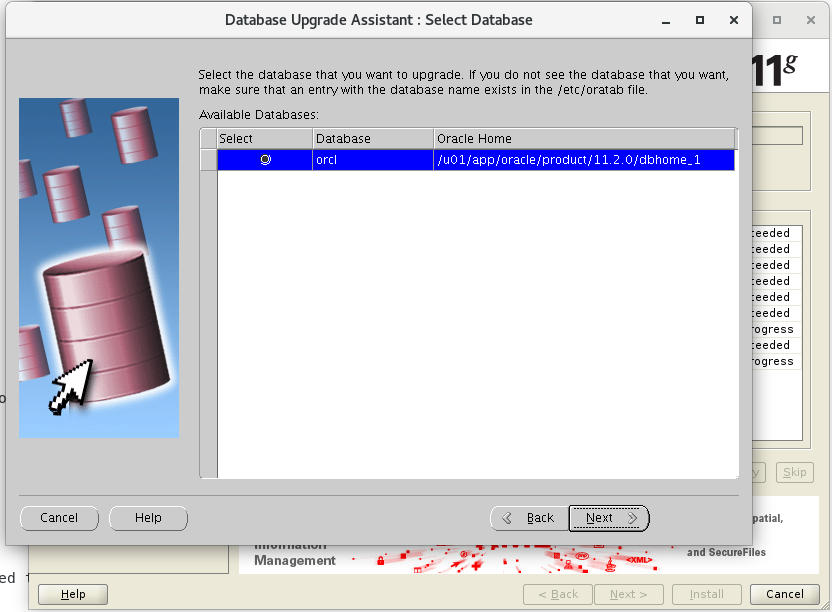
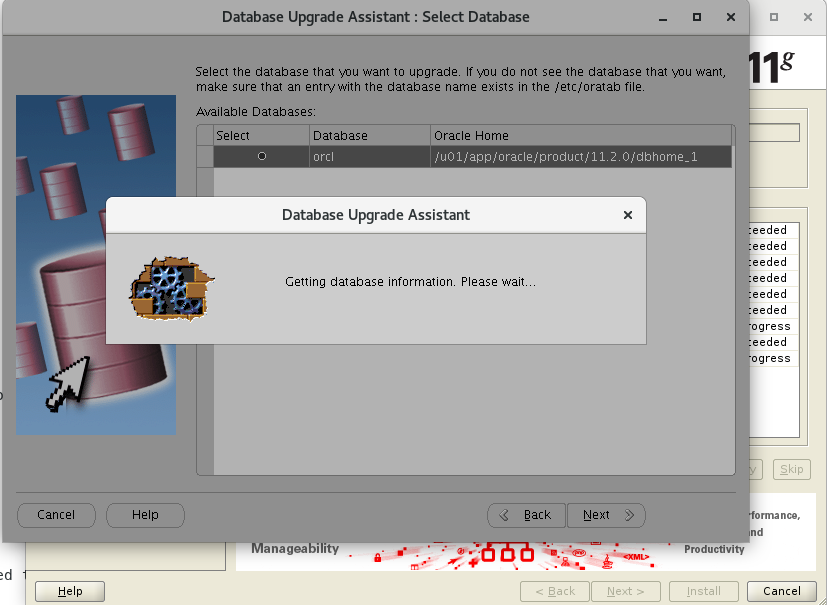

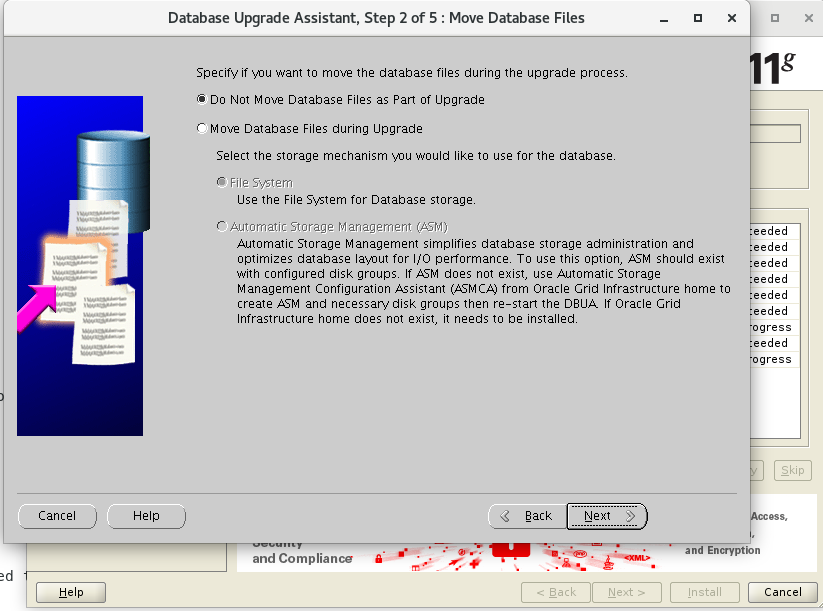
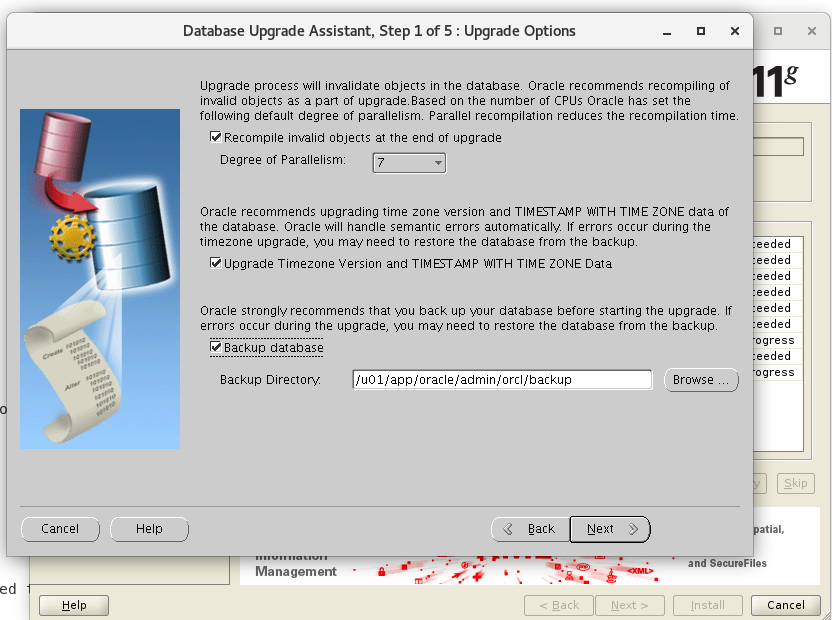 不移动数据文件
 选择闪回恢复区及其大小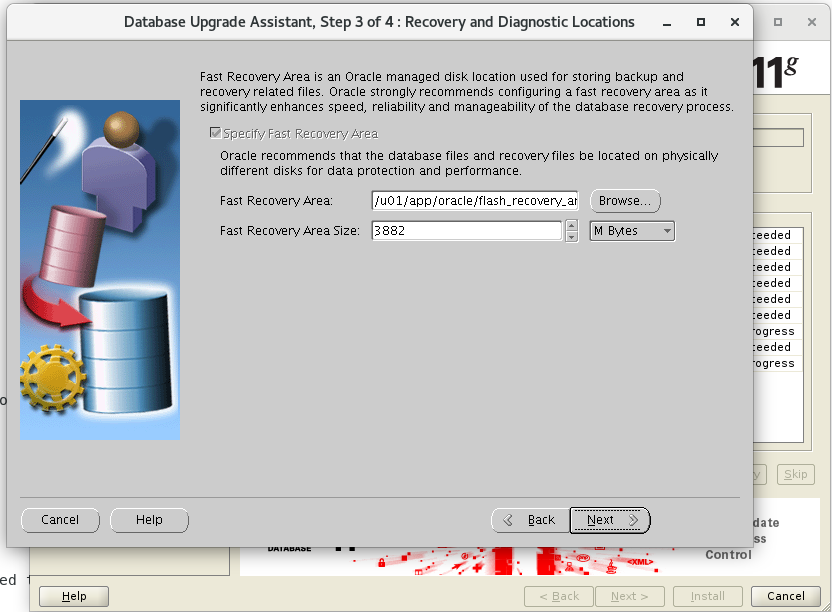
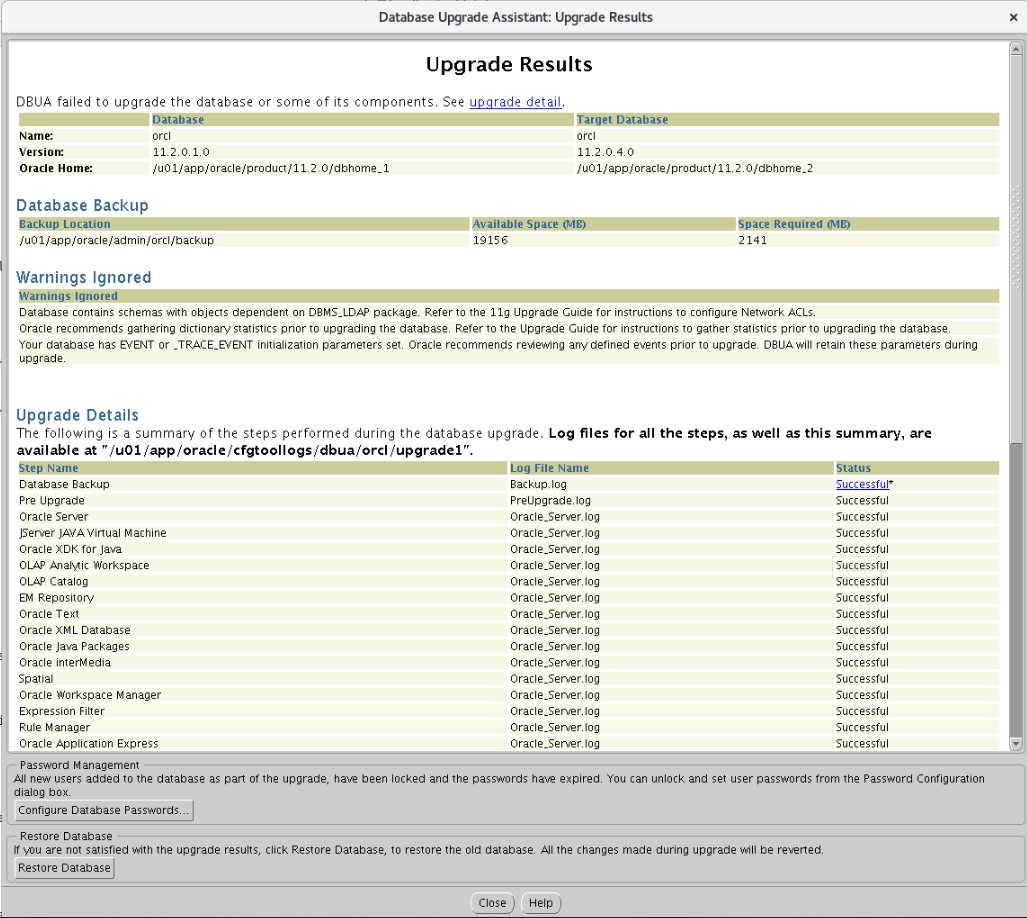
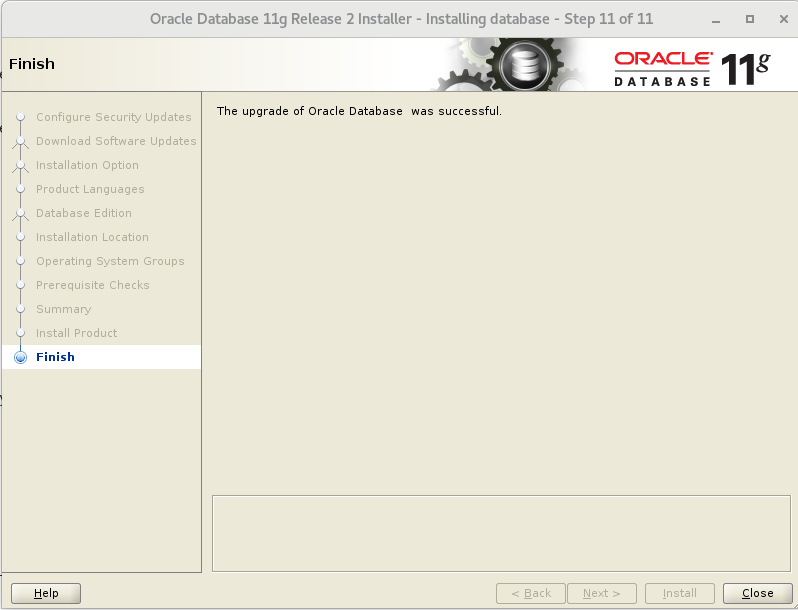
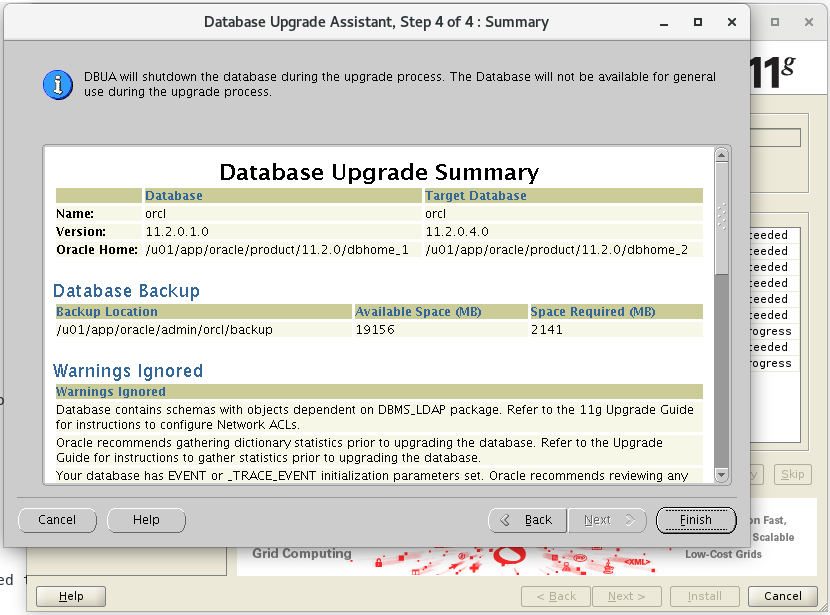 点击finish后,界面出现一个小竖条,不过可以拉开 如下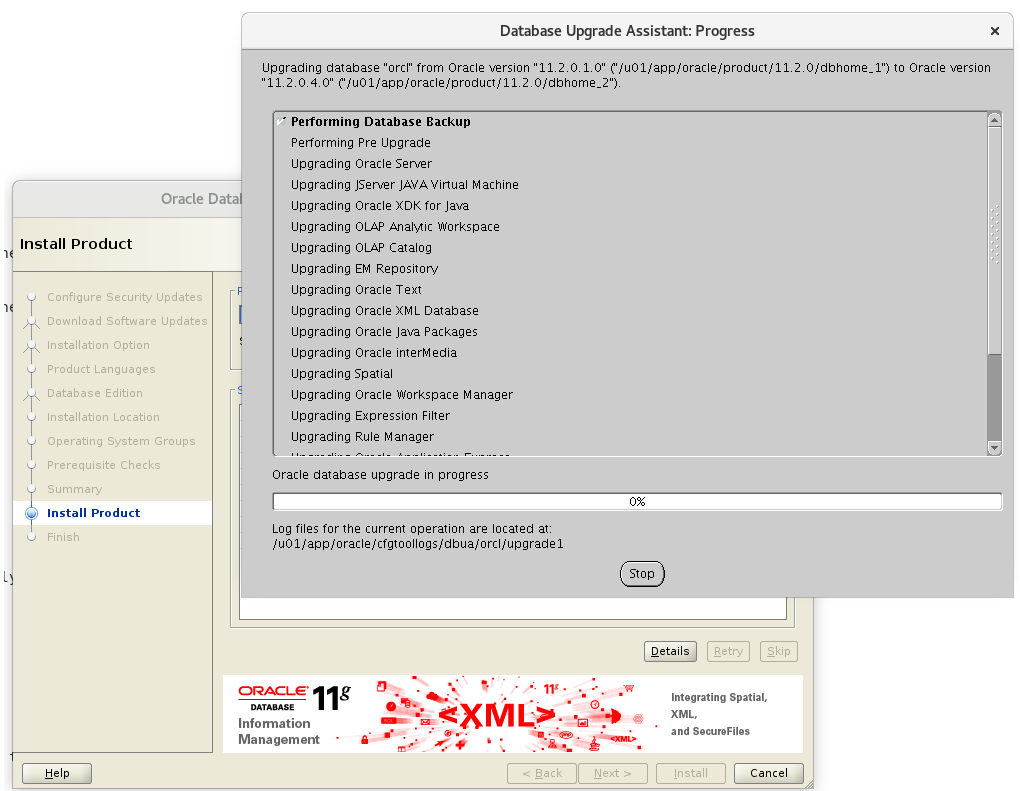

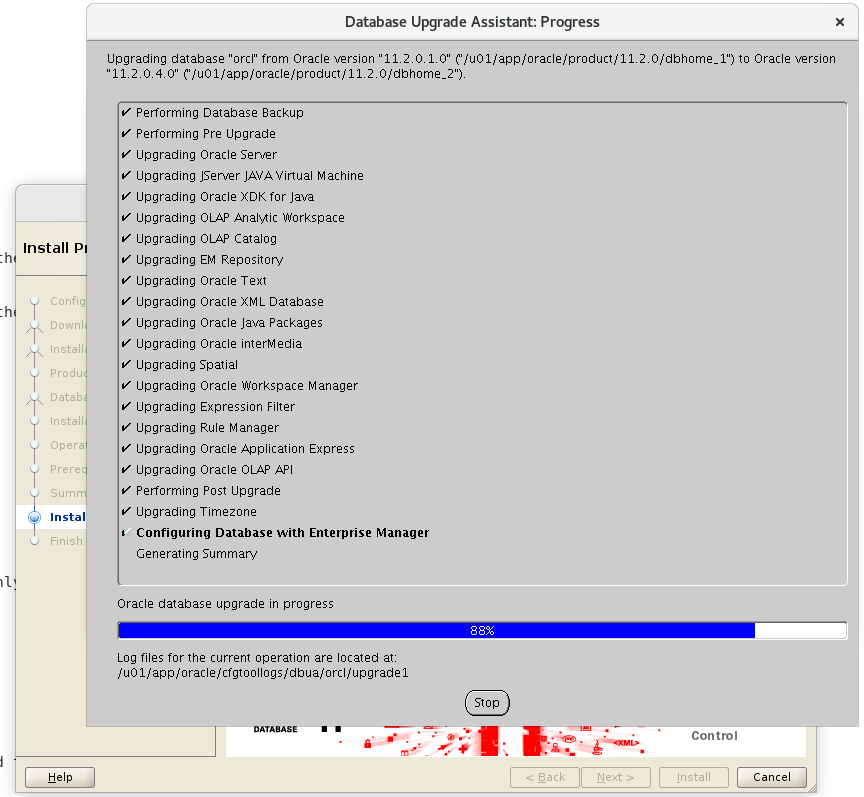
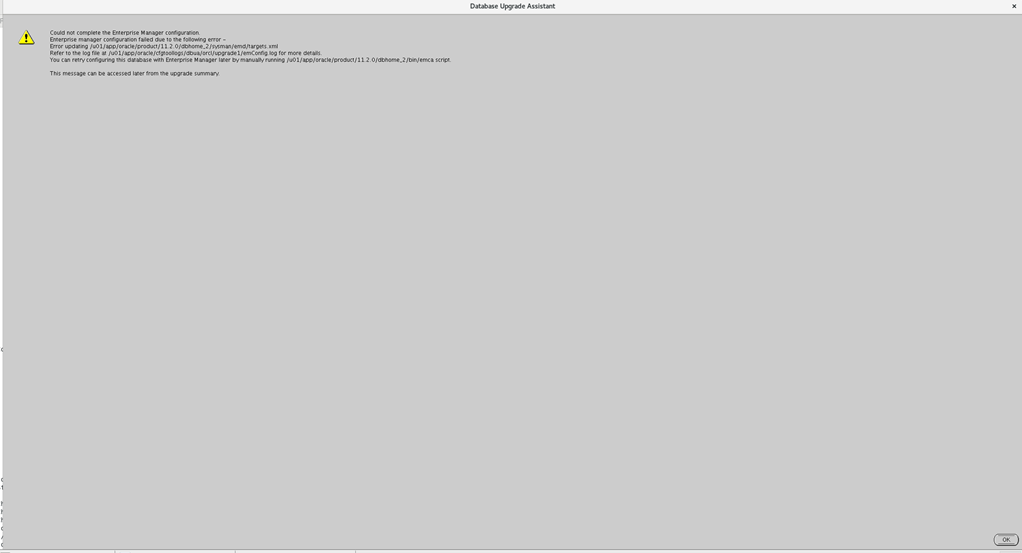
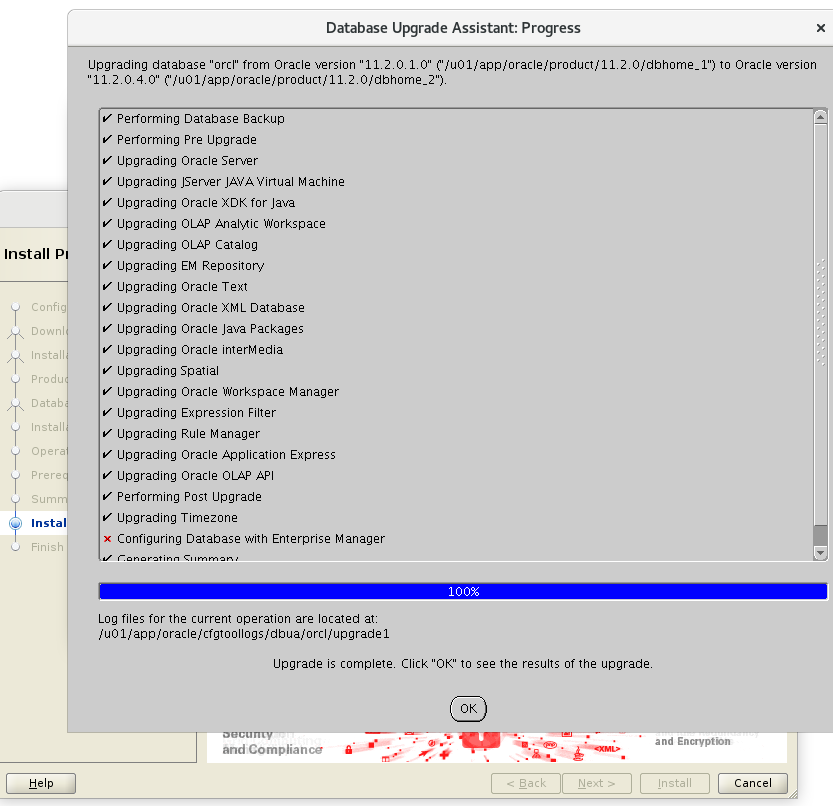
 设置下sqlplus
[oracle@localhost admin]$ vim glogin.sql

Define _editor='vi'

Set sqlprompt "_user'@'_connect_identifier> "

set time on

set timing on

set pagesize 40

set linesize 120
[oracle@localhost admin]$ sql

SQL*Plus: Release 11.2.0.1.0 Production on Tue Mar 19 16:53:47 2019

Copyright (c) 1982, 2009, Oracle.  All rights reserved.

Connected to:

Oracle Database 11g Enterprise Edition Release 11.2.0.4.0 - 64bit Production

With the Partitioning, OLAP, Data Mining and Real Application Testing options

16:53:47 SYS@orcl> select * from v$version;

BANNER

--------------------------------------------------------------------------------

Oracle Database 11g Enterprise Edition Release 11.2.0.4.0 - 64bit Production

PL/SQL Release 11.2.0.4.0 - Production

CORE    11.2.0.4.0      Production

TNS for Linux: Version 11.2.0.4.0 - Production

NLSRTL Version 11.2.0.4.0 - Production

Elapsed: 00:00:00.01

16:53:55 SYS@orcl>
have fun
LINUX中ORACLE 11.2.0.1 升级到11.2.0.4的更多相关文章
- Oracle11.2.0.1升级到11.2.0.3
Oracle数据库升级也并非简单的事,这篇博客,博主对Oracle那点事做了较详细的介绍: http://blog.itpub.net/9599/viewspace-473003/ 我还属于Oracl ...
- Oracle数据库版本10.2.0.1升级到10.2.0.3(转)
Oracle数据库版本10.2.0.1升级到10.2.0.3 1.停止OEM/isqlplus/监听/DB实例 $ emctl stop dbconsole $ isqlplusctl stop $ ...
- rac 10g 10.2.0.1升级到10.2.0.5具体解释
RAC 10.2.0.1 升级到 10.2.0.5 一. 准备: Patch 包:p8202632_10205_LINUX.zip 节点数:3个节点 RAC1 RAC2 ...
- Linux下Oracle 10.2.0.1升级到10.2.0.4总结
最近部署测试环境时,将测试环境ORACLE数据库从10.2.0.1升级到了10.2.0.4,顺便整理记录一下升级过程. 实验环境: 操作系统:Oracle Linux Server release 5 ...
- oracle--10.2.0.3升级到11.2.0.4
一,环境 01,待升级的系统 升级仅支持10.2.0.2版本之后的系统,如果不是,请把10G升级至高版本! 本次实验环境10.2.0.3 02,挂载11G系统 03,升级须知 1) 做好备份 二,DB ...
- 【Oracle】10.2.0.1升级到10.2.0.5
升级数据库到10.2.0.5 因是测试环境,不需要备份:如是生产系统,建议进行全备份后再进行升级操作,预防数据丢失造成不必要的影响. 步骤: 上传并解压补丁,安装前准备,安装补丁,预升级检查, ...
- hadoop2.3.0cdh5.0.2 升级到cdh5.7.0
后儿就放假了,上班这心真心收不住,为了能充实的度过这难熬的两天,我决定搞个大工程.....ps:我为啥这么期待放假呢,在沙发上像死人一样躺一天真的有意义嘛....... 当然版本:hadoop2.3. ...
- CDH 版本 6.0.1 升级到 6.2.0 当前最新版本(CentOS 7.x)
前文「CDH CM版本 6.0.1 升级到 CM 6.2.0 当前最新版本(CentOS 7.x)」 承接上文,当我们完成 CM 6.2.0 的升级之后,我们已经相当于完成了80% minor 的升级 ...
- Linux中Oracle启动侦听报错TNS:permission denied的解决方法
最近在开发环境 oracle 启动侦听的时候,出现了 TNS:permission denied 的问题,通过网上和咨询朋友,最终找到了解决方案,现在共享出来给有需要的朋友. [oracle@orac ...
随机推荐
- LeetCode 204. Count Primes计数质数 (C++)
题目: Count the number of prime numbers less than a non-negative number, n. Example: Input: 10 Output: ...
- NOIP 2005 采药
洛谷 P1048 采药 洛谷传送门 JDOJ 1277: [NOIP2005]采药 T3 JDOJ传送门 Description 辰辰是个天资聪颖的孩子,他的梦想是成为世界上最伟大的医师.为此,他 ...
- Linux学习笔记-第8天 - 看似很简单
这些东西已经看了三遍,已经能够理解了.看似很简单,希望真正在用的时候不会出差子.
- [LeetCode] 213. House Robber II 打家劫舍之二
You are a professional robber planning to rob houses along a street. Each house has a certain amount ...
- 命令行编译带外部包依赖的java源文件 [以JDBC MySQL8为例]
环境: MySQL8 JDK11(SE) 首先下载MySQL8的JDBC驱动 https://dev.mysql.com/downloads/connector/j/选 PlatForm Indepe ...
- scss 入门基础
在一个项目中,样式是必不可少的一部分,而对于一个完整的项目来说是有个基准色调的.在项目需求变化不大的情况下,可以直接在css中写这些颜色值之类的东西.但是如果遇到一个朝令夕改的领导或者甲方,那会变得相 ...
- 状压DP(超详细!!!)
一.定义 总述 状态压缩动态规划,就是我们俗称的状压DP,是利用计算机二进制的性质来描述状态的一种DP方式. 很多棋盘问题都运用到了状压,同时,状压也很经常和BFS及DP连用. 状压dp其实就是将状态 ...
- 【前端知识体系-CSS相关】CSS布局知识强化
1.实现两栏/三栏布局的方法? 表格布局 float + margin布局 inline-block布局 flexbox布局(兼容性的问题) 1.1 基础布局 <style> * { ma ...
- jmeter 如何获取一小时之前的时间戳
正确答案: ${__intSum(${__time(/1000,)},-3600,)} 如果还要显示毫秒 ${__longSum(${__time},-3600000,)}
- Java学习:Stream流式思想
Stream流 Java 8 API添加了一种新的机制——Stream(流).Stream和IO流不是一回事. 流式思想:像生产流水线一样,一个操作接一个操作. 使用Stream流的步骤:数据源→转换 ...