
【已解决】unity4.2.0f4 导出Android工程报错:Error building Player: ArgumentException: Illegal characters in path. [unity导出android工程 报错,路径含有非法字符]
使用unity3D开发的一个客户端,需要导出为Android工程,然后接入一些第三方android SDK。
unity版本
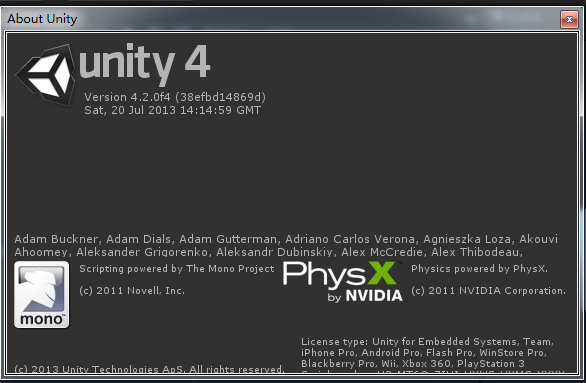
操作系统为:
OS 名称:          Microsoft Windows 7 旗舰版

OS 版本:          6.1.7601 Service Pack 1 Build 7601

OS 制造商:        Microsoft Corporation

OS 配置:          独立工作站

OS 构件类型:      Multiprocessor Free

初始安装日期:     2014/2/10, 16:54:30

系统启动时间:     2014/5/12, 9:39:17

系统类型:         x64-based PC
已经安装了最新版本的 jdk1.7.0_45 和Android SDK。
在导出Android工程的时候报错。
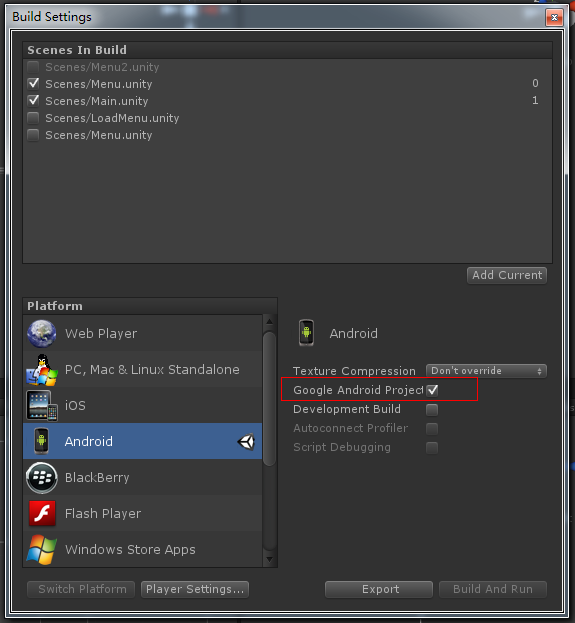
错误提示为:
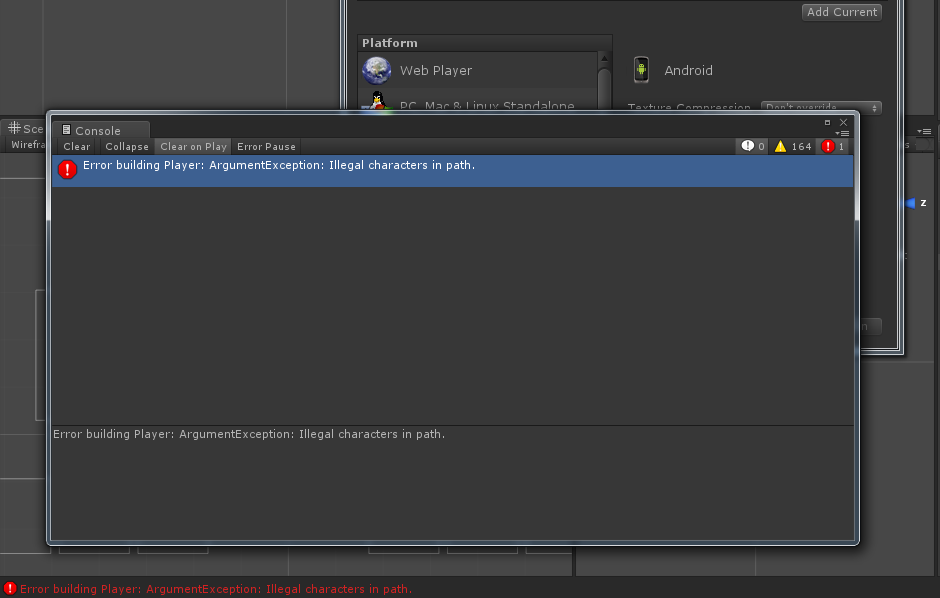
Error building Player: ArgumentException: Illegal characters in path.
经过百度 谷歌,没有找到解决方法,折腾了两三天。
同事 终于 其妙的 解决了这个问题,解决方法为:
1 将项目导出为包

2 新建立unity工程,导入刚才的那个包。然后再次导出android工程,就好了!!
【已解决】unity4.2.0f4 导出Android工程报错:Error building Player: ArgumentException: Illegal characters in path. [unity导出android工程 报错,路径含有非法字符]的更多相关文章
- 【Unity3D】生成工程报错解决—UnityEditor.HostView:OnGUI() Error building Player: Couldn't build player because of unsupported data on target platform.
错误 错误1:An asset is marked as dont save, but is included in the build: unityEditor.HostView:OnGUI() 错 ...
- 打包Android:Error building Player: CommandInvokationFailure
错误log Error building Player: CommandInvokationFailure: Unable to determine the tools version of the ...
- Error building Player: Win32Exception: ApplicationName=‘xxxxxxxxxxxxxxxxxx//sdk\tools\zipalign.exe' , CommandLine='4 的解决办法
更新了安卓SDK后,有时候Unity编译失失败,报错类似 Error building Player: Win32Exception: ApplicationName='D:/Program File ...
- Unity出现 error building player exception android (invocation failed)
今天在编译Android的时候出现这个错误 error building player exception android (invocation failed) 百度谷歌之后,看到xuanyuson ...
- Unity导出APk出错解决方法二
错误提示(需得打开编辑器log文件才能看到全部log,Unity3d只显示一部分): Error building Player: CommandInvokationFailure: Unable t ...
- 使用自编译的Emacs26.0.50build10版本,helm报错(已解决)
使用自编译的Emacs26.0.50build10版本,helm报错(已解决) */--> code {color: #FF0000} pre.src {background-color: #0 ...
- unity打包android游戏部分问题总结
一:虚拟导航栏挡到游戏按钮: 解决方案如下: 1.获取焦点的时候隐藏 虚拟导航条 Navigation bar 隐藏导航条 2.出现导航条的时候,改变游戏界面大小 Unity tidbits: cha ...
- 运行android模拟器,emulator: ERROR: x86 emulation currently requires hardware acceleration!
运行android模拟器,emulator: ERROR: x86 emulation currently requires hardware acceleration! 问题: 运行android模 ...
- netbeans运行项目时,弹出“cannot be run from folder that contains non-ASCII characters in path”的对话框 解决方法
netbeans运行项目时,弹出“cannot be run from folder that contains non-ASCII characters in path”的对话框,原因是项目路径中有 ...
随机推荐
- ThinkPHP V5.0 正式版发布
ThinkPHP5.0版本是一个颠覆和重构版本,官方团队历时十月,倾注了大量的时间和精力,采用全新的架构思想,引入了更多的PHP新特性,优化了核心,减少了依赖,实现了真正的惰性加载,支持compose ...
- MySQL Binlog 解析工具 Maxwell 详解
maxwell 简介 Maxwell是一个能实时读取MySQL二进制日志binlog,并生成 JSON 格式的消息,作为生产者发送给 Kafka,Kinesis.RabbitMQ.Redis.Goog ...
- jsp中的隐含9对象
jsp中的隐含9对象 request ----> HttpServletRequest. response ---> HttpServletResponse. session ----&g ...
- codevs 水过 骑马修栅栏
[问题描述] 农民John每年有很多栅栏要修理.他总是骑着马穿过每一个栅栏并修复它破损的地方. John是一个与其他农民一样懒的人.他讨厌骑马,因此从来不两次经过一个一个栅栏.你必须编一个程序,读入栅 ...
- tomcat配置问题:访问http://localhost:8080/ 遇到 Access Error: 404
win7: 8080端口已经被其他应用使用,比如nixxxxxxxxxxxxx When I had an error Access Error: 404 -- Not Found I fixed i ...
- JVM7、8参数详解及优化
1. JVM堆内存划分 这两天看到下面这篇文章的图不错. 一图读懂JVM架构解析 1.1 JDK7及以前的版本 其中最上一层是Nursery内存,一个对象被创建以后首先被放到Nursery中的Eden ...
- Beyond Compare 4提示已经过了30天试用期,破解方式,亲测可用
修改注册表 1)在搜索栏中输入 regedit ,打开注册表 2) 删除项目:计算机\HKEY_CURRENT_USER\Software\Scooter Software\Beyond Compar ...
- 「GIT SourceTree冲突」解决方案
现在程序猿标配GIT作为代码管理,但是从SVN到GIT学习中,其中GIT的冲突是一个难点,常常会导致Push不上去,Pull不下来,很尴尬的地步,还不知道自己写的代码被覆盖没,废话不多说,直接上干货! ...
- Android论坛
APKBUS:http://www.apkbus.com/forum.php 看雪ANDROID:http://bbs.pediy.com http://www.52pojie.cn http://w ...
- javascript 编辑网页
javascript:document.body.contentEditable='true';document.designMode='on'; void 0 出处:http://zhidao.ba ...