
NXP LPC-Link LPC3154
LPC-Link:
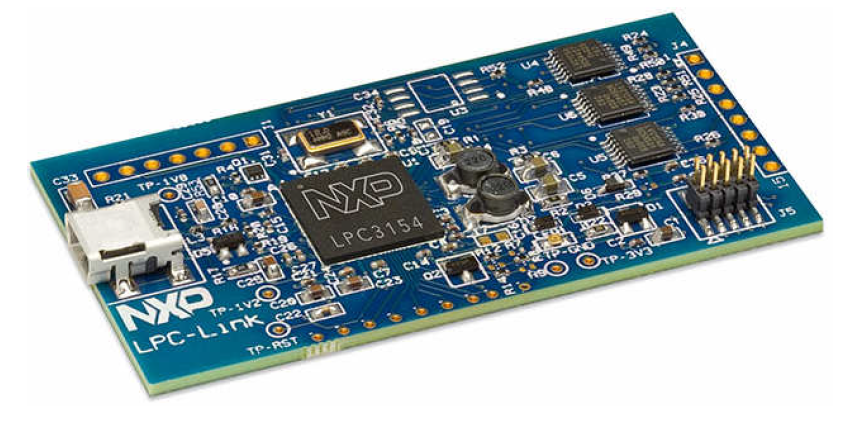
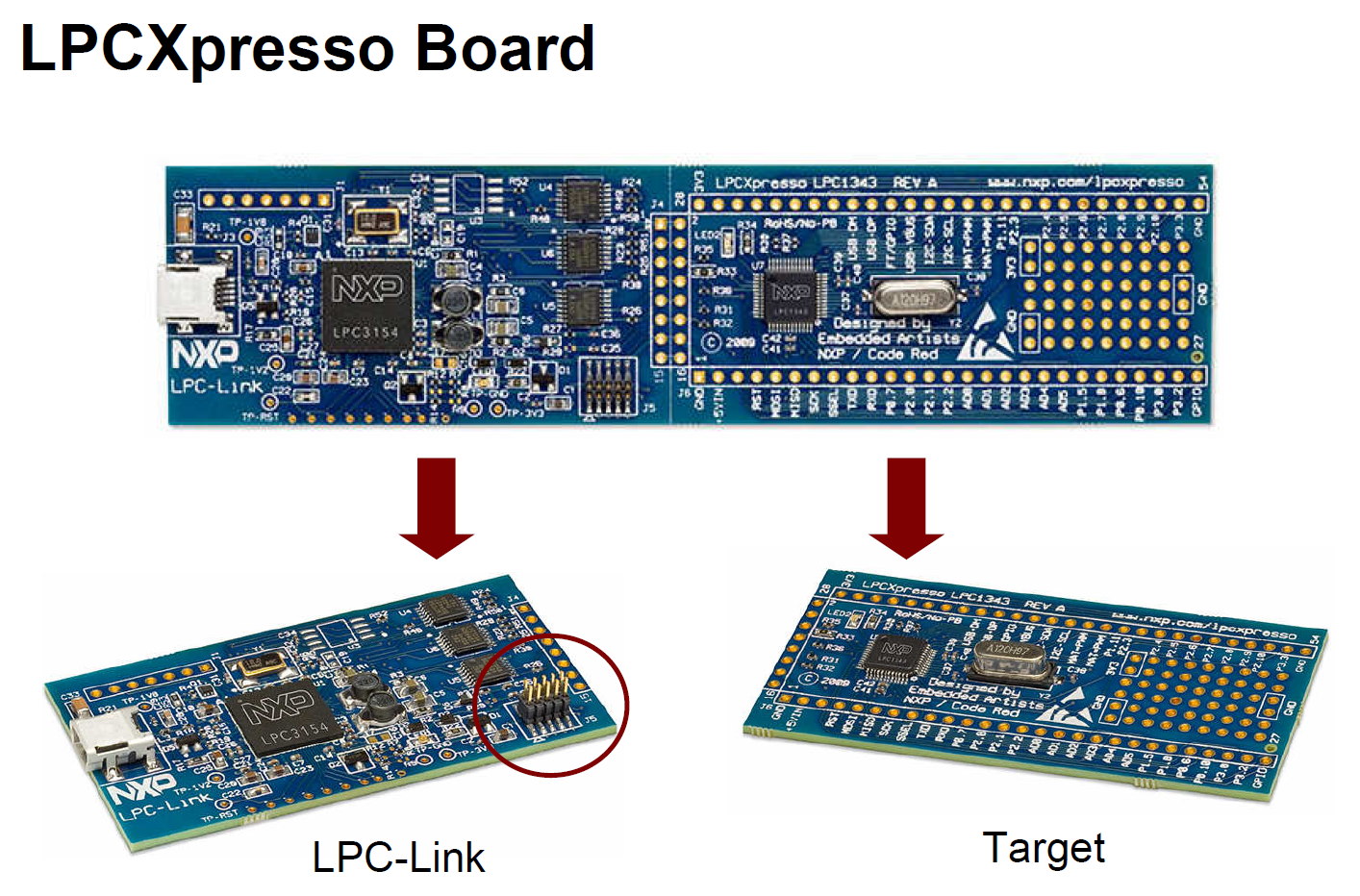
LPC-Link调试探针由恩智浦、Code Red和Embedded Artists三方共同开发,
该探针可与目标板断开,利用板载10针JTAG/SWD连接器直接用于客户自己的设计。
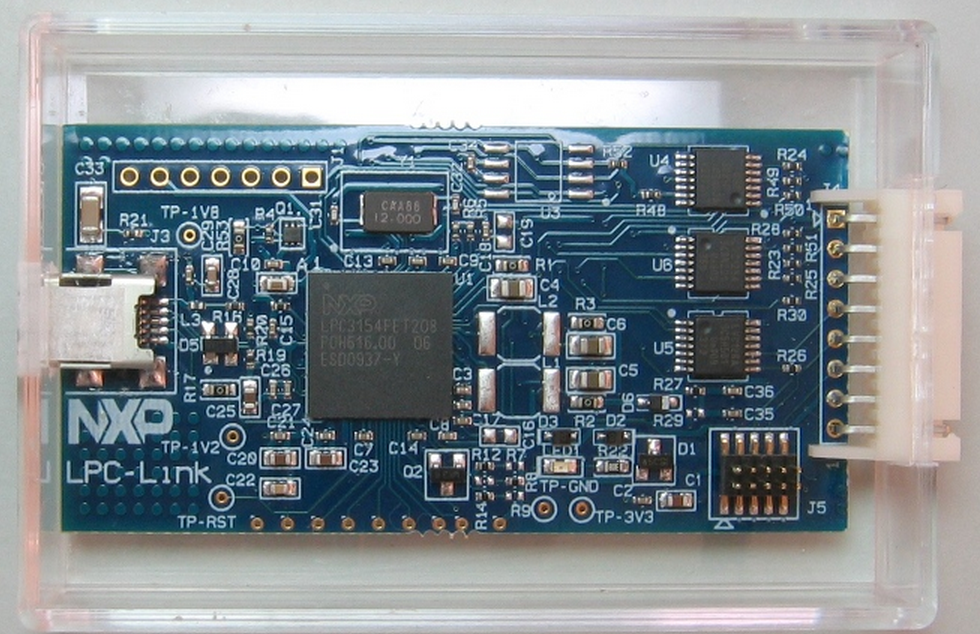
LPC-Link采用LPC3154 作为基于ARM9的调试引擎,提供高速USB接口,支持快速编码下载和调试。
LPC-Link
LPC-Link is an integrated JTAG/SWD debug interface based on
LPC3154 (ARM9)
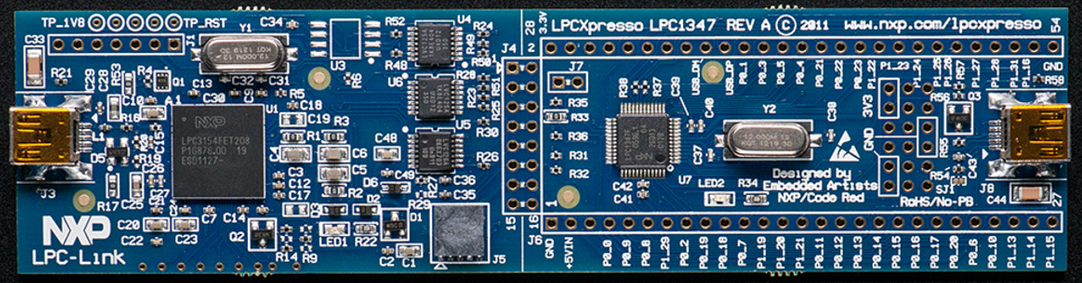
LPC-Link can be used as a standalone JTAG debugger with other LPC
target boards. So, no need for a separate debug probe!
LPC-Link makes it possible for users to experience the same user
interface all the way to final code development and testing


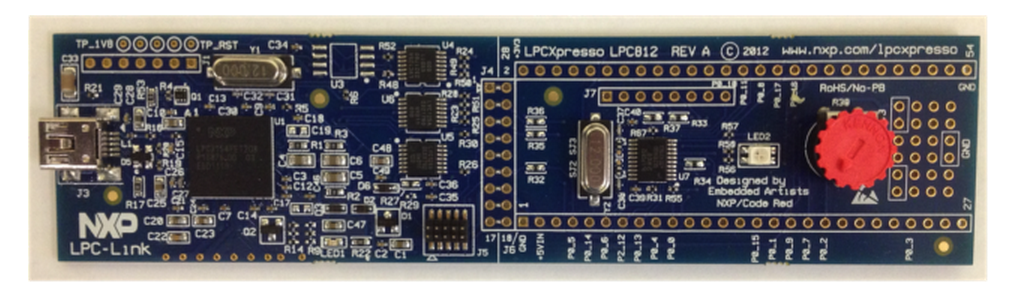
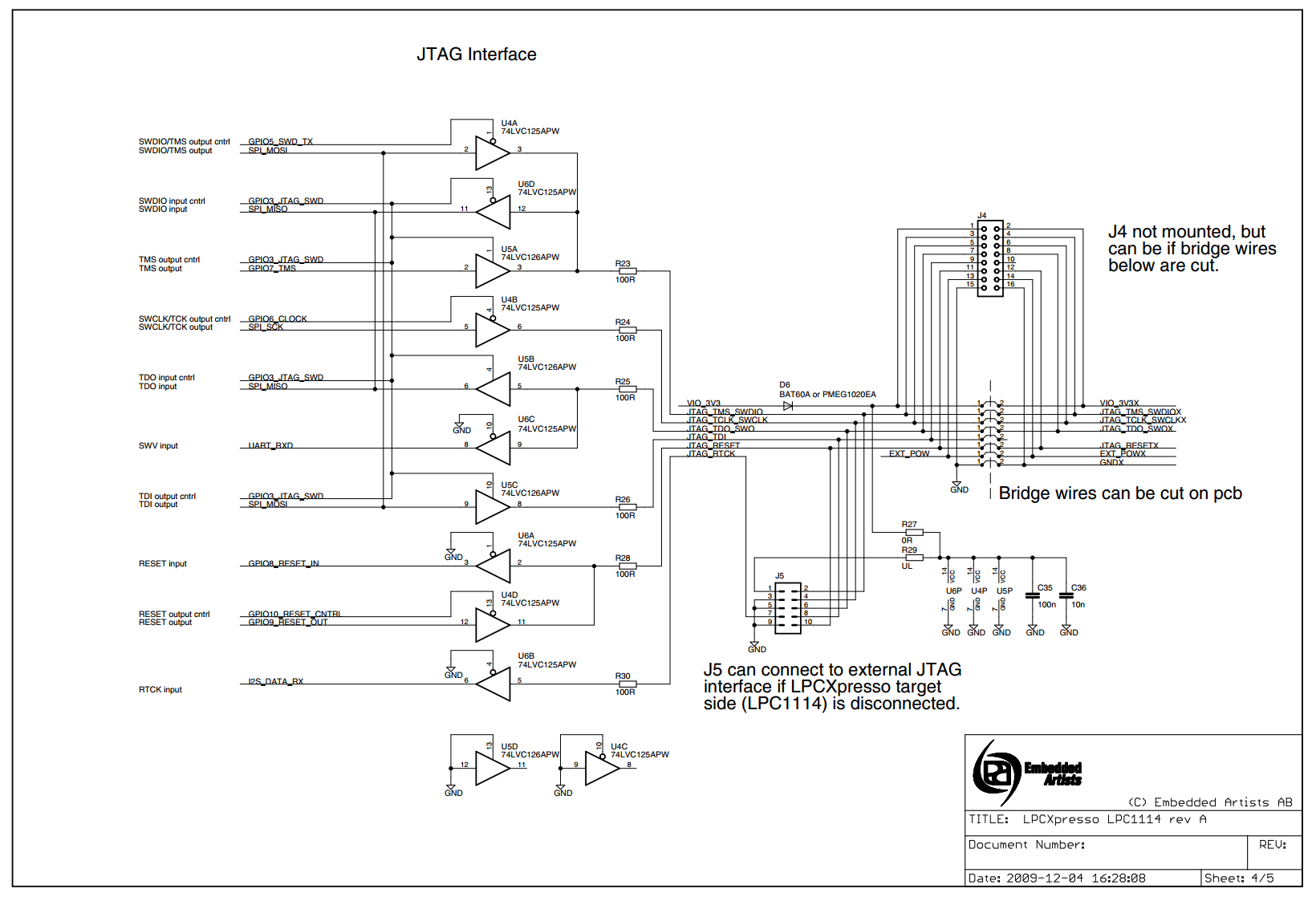
http://www.embeddedartists.com/sites/default/files/docs/schematics/LPCXpressoLPC1114revA.pdf
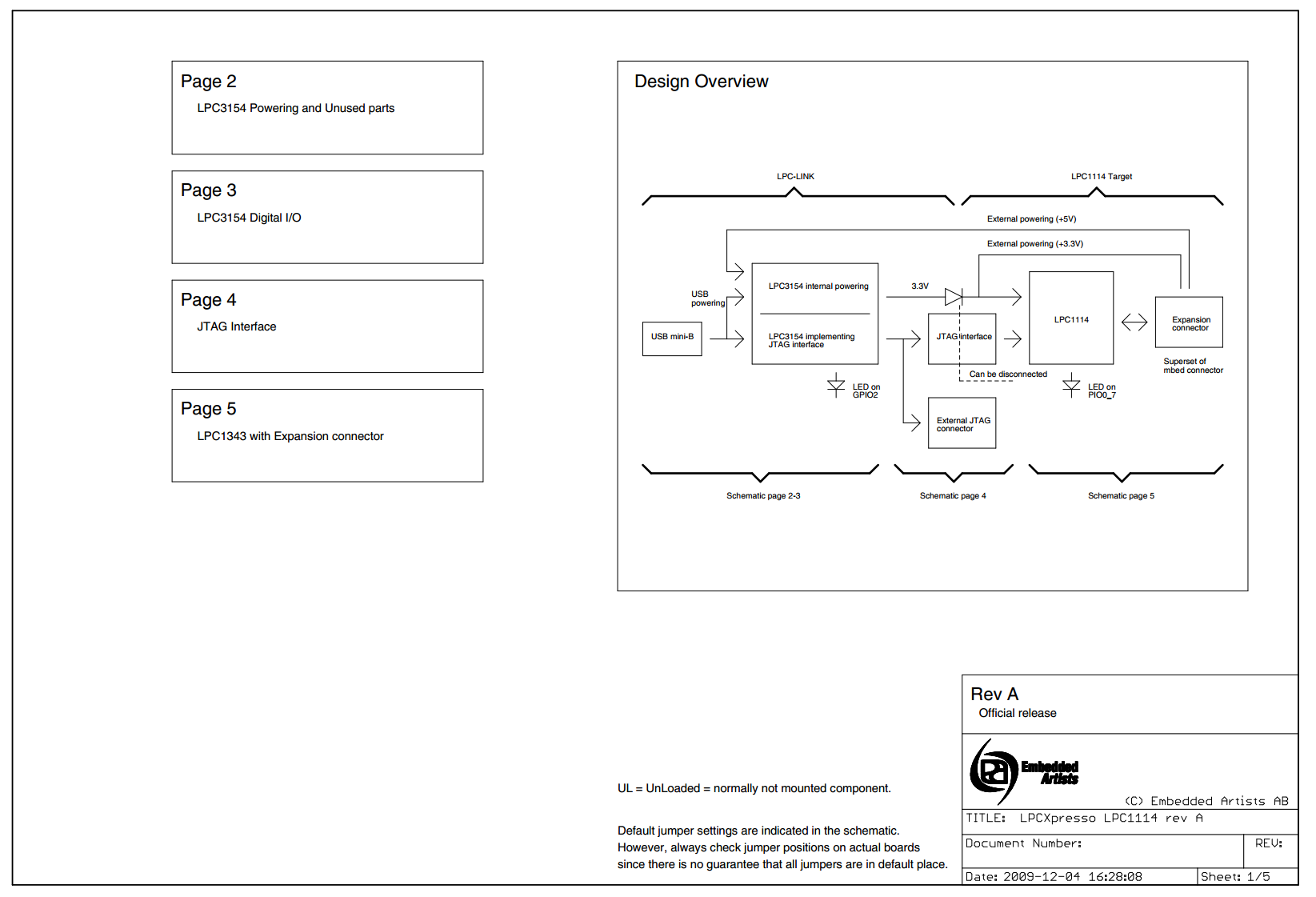
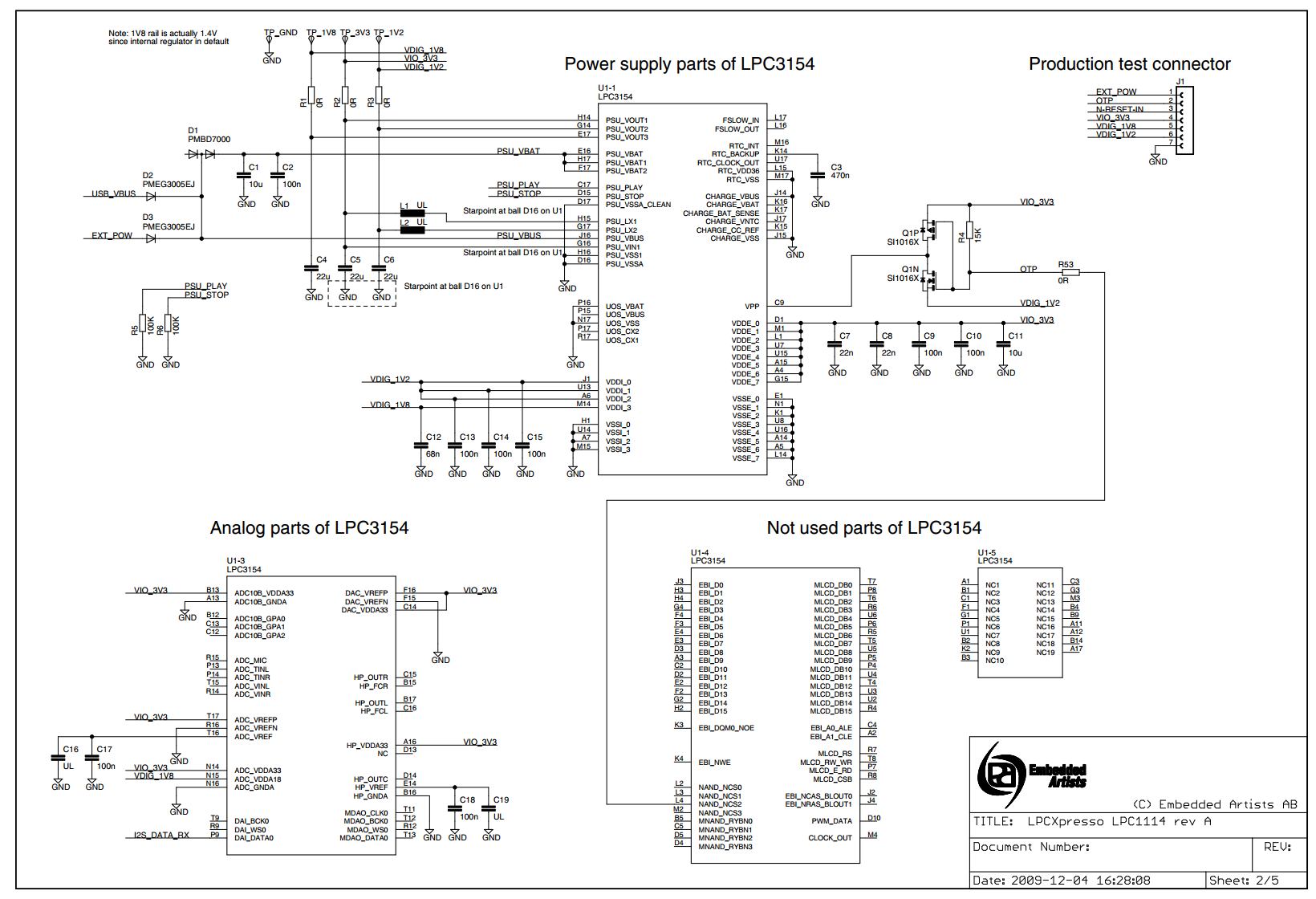
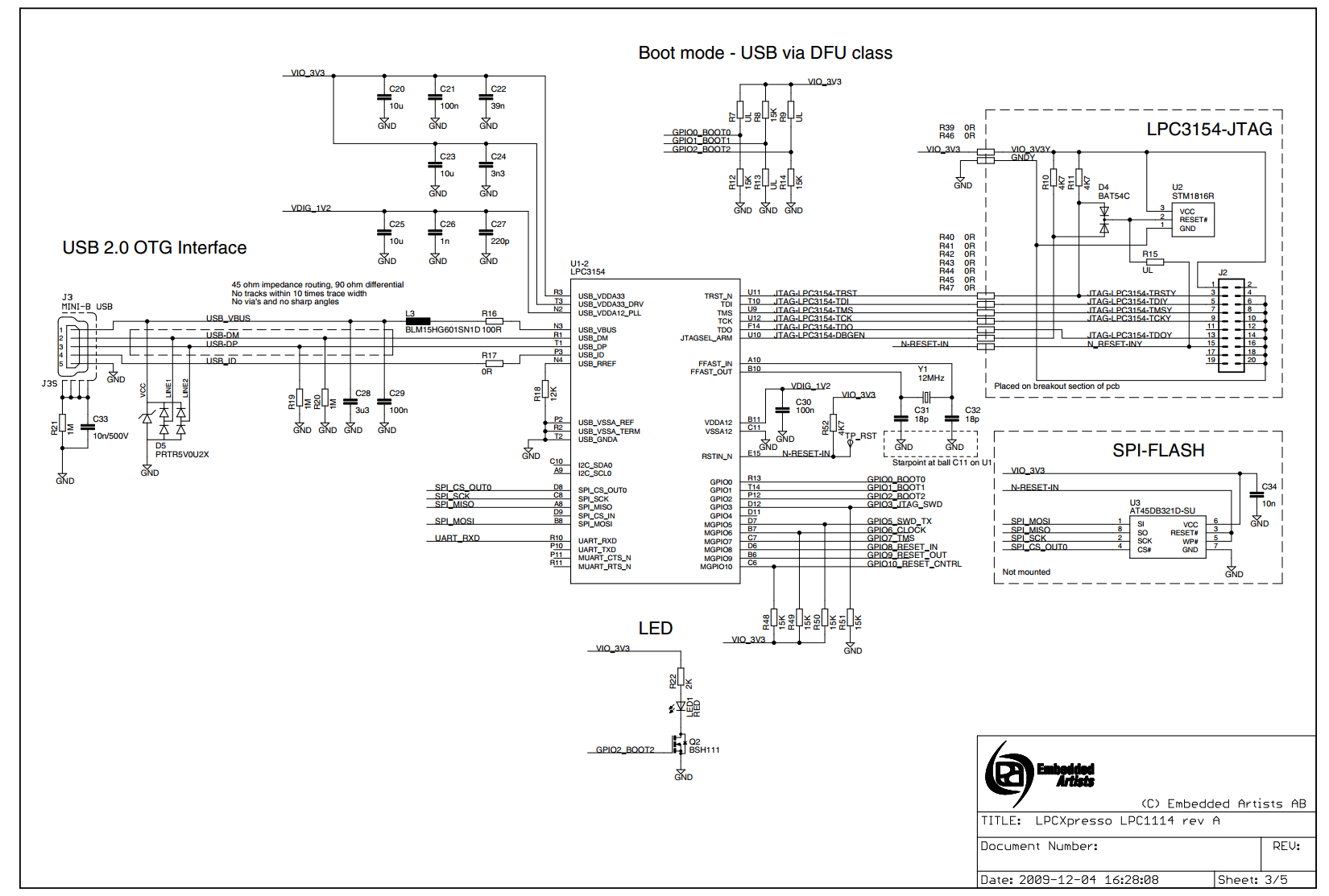
Booting LPC-Link
Normally, LPC-Link is booted automatically when starting a debug session via the LPCXpresso IDE.
However, under certain circumstances - such as when using the command line flash utility, you may need to boot it manually.
Background
When powered on, LPC-Link hardware makes use of the DFU mechanism (Device Firmware Update) to allow the host to download driver code into on-board RAM.
This scheme offers great flexibility and ensures that the latest compatible firmware will be used for a given version of LPCXpresso IDE.
Before boot, LPC-Link appears as a USB device with details:
After boot, LPC-Link will appear as a USB device with details:
Note: LPC-Link may be booted as a winusb device having a ProductID of 0x9 (as above) or a HID device having a ProductID of 0x7.
Note: the standard utilities to explore USB devices on our supported host platforms are:
- Windows - Device ManagerLinux - terminal command: lsusb
- LPCXpressoIDE also provides a listusb utility in:
- <install_dir>\lpcxpresso\bin\Scripts
- LPCXpressoIDE also provides a listusb utility in:
- Mac OSX - terminal command: system_profiler SPUSBDataType
The procedure to manually boot the probes for our supported host operating systems shown below.
Using the Command Line
From LPCXpresso IDE version 7.3x and later, a boot script is supplied for all supported platforms. To make use of this script:
- cd <install_dir>\lpcxpresso\bin and run
- boot_link1
For versions of LPCXpresso IDE prior to 7.3
Windows
On Windows, we provide a script to perform this operation.
cd <install_dir>\lpcxpresso\bin\Scripts, and run
bootLPCXpresso.cmd type
- where
type = winusb for Windows 8.x / XP, or
type = hid for Windows Vista / 7
- where
Note: if you don't specify a type, the script will try to load to appropriate code for your host OS.
Linux/Mac OS X
Here we need to locate the dfu-util utility and pass the parameters for the device and code etc.
cd <install_dir>/lpcxpresso/bin, and run
dfu-util -d 0x471:0xdf55 -c 0 -t 2048 -R -D LPCXpressoWIN.enc
Troubleshooting
If you have been able to use LPC-Link in a debug session but now see issues such as "No compatible emulator available" or "Priority 0 connection to this core already taken" when trying to perform a debug operation ...
- ensure you have shut down any previous debug session
- You must close a debug session (press the Red 'terminate' button) before starting another debug session
- It is possible that the debug driver is still running in the background. Use the task manager or equivalent to kill any tasks called:
- crt_emu_*
- arm-none-eabi_gdb*
If your host has never worked with LPC-Link, first perform some basic checks with reference to the background information at the beginning of this FAQ.
- Try a different USB cable!
- Try a different USB port. If your host has USB3 and USB2, then try a USB2 portIf using a USB hub, first try a direct connection to the host computer
- there are know issues with motherboard USB3 firmware, ensure your host is using the latest driver from the manufacturer
- Note: this is not referencing the host OS driver but the motherboard firmware of the USB port
- there are know issues with motherboard USB3 firmware, ensure your host is using the latest driver from the manufacturer
- Try completely removing and re-installing the host device driver
- If using Windows 8.1, then sometimes the Windows USB power settings can cause problems. For more details use your favourite search engine to search for "windows 8 usb power settings" or similar. For example:
Reprogramming LPC3154 at LPCxpresso
I wonder, if that's possible to load lpc3154 at LPCExpresso board with custom firmware?
I see that chip supports secure boot, so if AES key was programmed, it is impossible without knowing the key? Or are there any options to boot lpc3154 without knowing the key? (SD, flash, USB, JTAG... Anything?)
Does anyone know if key was indeed loaded?
Just buying new lpc3154 is not an option - they are not in stock here anywhere, and wait times are 4 weeks+ (and a price tag > than a price of this board)...
From what i gather the AES key is loaded into the chip. And also there may be a CR232 check on the firmware as well or OTP fuses set
Supports un-secure boot from UART and USB (DFU class) interfaces during development. Once the AES key is programmed in the OTP, only secure boot is allowed through UART and USB.
This doesn't mean it cant be hacked, if you put the time into it. I would check to see if the JTAG pins have been disabled and start from there.
some interesting statements from the user guide
7.1 Production line use case At the NXP production line the OTP will be tested and programmed using JTAG.
In test mode, the fuse block itself will be accessed directly.
During programming the VPP will need a higher voltage than in the application use case.
Written data is checked afterwards by reading out the fuses (using a low voltage on VPP)
The customer will also program the OTP only at the production line,
here DFU programming will be used.
An image for programming customer-selected bits can be loaded into the device via USB.

7.2 Application use case nitially it is important to make sure that the data_15 register
is updated early during the initialization (by boot-code) this will set the security level.
Four levels of security are implemented in the design:

• Level : nothing is protected.

• Level : password protected. In this level, JTAG can be enabled by software after password sequence
(depends on customer application) by setting the sticky bit 'JTAG_EN' in OTP_con register.
• Level : In this level, JTAG access can be enabled using special test equipment. Used by NXP for Returned Material Analysis only.

• Level : JTAG is completely disabled and hence the chip is virtually locked.

The customer can program the security level of the chip.
For level , fuse-bit  should be set.
For level , fuse-bits  and  are set.
For level , fuse-bits ,  and  are programmed.
A special case will be for the customer to disable writing to the fuses,
but since in application a low voltage (for reading) will be connected to the VPP,
writing will not be possible anyway. During normal application,
the fuses will already have been programmed on the production line.

So three options remain: copying the fuse data into the data registers, reading this data, and setting the read protection.
The boot code will copy the fuse data into the data registers because this is needed for security and DRM.
After this, the data can be read from the data registers via the APB0 bus (according to the read protection settings).
If the key is truly loaded, you will only be able to load custom firmware if you have the key.
The question was answered here on the LPCXpresso forum. The device can only load DFU software from Code Red.
From NXP_USA:
The LPC-LINK boards distributed embedded in LPCXpresso, can only load DFU firmware from our LPCXpresso IDE partner Code Red.
However, the LPCXpresso schematics are posted here:

http://www.embeddedartists.com/products/lpcxpresso/lpc1343_xpr.php?tab=res.

They are a useful reference for a more flexible LPC3154 design that could accept arbitrary firmware via DFU.
I have been experimenting with the LPCXpresso LPC1114 board. It appears the programming interface (LPC3154) is USB High-Speed (480 MHz) and it seems extremely particular about the USB cable you use. If the cable (or the host port) isn't top notch, it may be very unstable, crash a lot, and even lock up other USB devices on the same root port. From having written a number of USB stacks, my guess is this particular USB stack is not very robust in terms of error and exception handling.
The fact they used such a high-end ARM for a simple JTAG/SWD interface is laughable, that MCU was over $13 (at Digikey) last time I looked.
I would recommend using a different SWD interface and disconnecting the one on the board if you have any difficulty. This should also permit the use other (non Code Red) IDEs with these boards.
(If you encounter USB problems with any device (even Full-Speed 12 MHz) and you are using the USB host connectors in the front of a PC system unit, try using the rear connectors on the MB itself. I have seen well-known brands of PCs with non-compliant (and very flaky) cabling to the front of the system unit.)
Izzy Weird
NXP LPC-Link LPC3154的更多相关文章
- Cortex-M3(NXP LPC 1788) 启动代码
startup_LPC177x_8x.s启动代码分析. 参考资料: Cortex-M3 (NXP LPC1788)之启动代码分析 ARM启动过程(Cortex-M3 NXP LPC1768为例) ;/ ...
- NXP LPC系列学习笔记汇总(持续更新中)
1. LPC11E68循环冗余校验CRC学习笔记 文章主要介绍了如何使用LPC11E68的CRC外设功能,并介绍了与CRC引擎相关的寄存器,然后以生成CRC-CCITT多项式校验为例进行了介绍. 2. ...
- NXP LPC 状态可配置的定时器(SCT)
状态可配置的定时器(SCT) 前言正在申请专利的状态可配置的定时器(SCT),是一个复杂的,但易于配置的定时器,它提供前所未有的灵活性,使工程师们在未来证明他们的设计,并减少进入市场的时间.在其最简单 ...
- LabTool : LPC LINK2, LPC4370 cheap scope: 80Ms/s 12 bit
80MHz 12 bit ADC processor LPC4370.LPCxpresso do a LPC LINK2 and LABTOOLS open source oscilloscope d ...
- NXP ARM Vector Table CheckSum
Signature Creator for NXP Cortex-M Devices Algorithm for creating the checksum The reserved Cortex-M ...
- 详解NXP Cortex-M3加密设置
加密芯片是对内部集成了各类对称与非对称算法,自身具有极高安全等级,可以保证内部储存的密钥和信息数据不被非法读取与篡改的一类安全芯片的通称.使用到安全加密芯片的产品:银行加密U盾.刻录机.加密硬盘.P ...
- LPC-LINK 2
LPC-Link 2 is an extensible, stand-alone debug adapter that can be configured to support various dev ...
- IAR EWARM Checksum Technical Note
IELFTOOL Checksum - Basic actions EW targets: ARM, RH850, RX, SH, STM8 EW component: General issues ...
- 【转】安全加密(一):这些MCU加密方法你都知道吗?
本文导读 随着物联网和边缘计算的出现,五花八门的MCU也被应用其中,如何保证我们的程序安全和知识产权不受侵犯呢,本文我们将对主流MCU的程序加密进行讲解,希望能够帮助你选择最适合自己应用的微处理器. ...
- cmsis dap interface firmware
cmsis dap interface firmware The source code of the mbed HDK (tools + libraries) is available in thi ...
随机推荐
- leaflet-velocity 参数
本文地址: https://www.cnblogs.com/veinyin/p/10769611.html leaflet-velocity 是 leaflet 绘制风场的一个插件,其控制参数如下所 ...
- Value = undefined
Value = undefined Javascript在计算机程序中,经常会声明无值的变量.未使用值来声明的变量,其值实际上是 undefined. 在执行过以下语句后,变量 carname 的值将 ...
- 跳过复制错误——sql_slave_skip_counter
昨天不少同学讨论<小心,前方有雷 —— sql_slave_skip_counter>,有说作者在玩文字游戏,扯了那么多sql_slave_skip_counter=1不还是跳过一个事务嘛 ...
- sublime text 3 开启卡顿(win7)解决办法
启动sublime3,ctrl+~打开命令窗口,输入以下 { "update<em>check": false, "font</em>size&q ...
- 【转载】maven pom详解(2)
setting.xml主要用于配置maven的运行环境等一系列通用的属性,是全局级别的配置文件:而pom.xml主要描述了项目的maven坐标,依赖关系,开发者需要遵循的规则,缺陷管理系统,组织和li ...
- python格式化输出【转】
今天写代码时,需要统一化输出格式进行,一时想不起具体细节,用了最笨的方法,现在讲常见的方法进行一个总结. 一.格式化输出 1.整数的输出 直接使用'%d'代替可输入十进制数字: >>> ...
- 网易与Google合作发布开源UI自动化测试方案 牛逼:Google 方面评价,这可能是目前世界上最好的 Android 游戏自动化测试方案。
美西时间 3 月 19 日,在 GDC 开幕第一天的 Google 开发者专场,Google 发布了一款由网易研发的 UI 自动化测试方案:Airtest Project.Google 方面评价,这可 ...
- jexus配置支持Owin
vi打开配置文件,加一行 OwinMain=xxx.dll ###################### # Web Site: Default ########################### ...
- Fiddler 常用功能总结
1.fiddler相关配置 2.如何抓包 移动端 ①保持手机和电脑处于同一网络中 ②设置手机的代理为电脑当前所处网络的IP,端口号为:8888,eg:10.12.1.64:8888. ③ 启动ap ...
- 话说 SVN 与 Git 之间的区别
如果你在读这篇文章,说明你跟大多数开发者一样对GIT感兴趣,如果你还没有机会来试一试GIT,我想现在你就要了解它了. GIT不仅仅是个版本控制系统,它也是个内容管理系统(CMS),工作管理系统等.如果 ...