
idea 新建项目上传至git(coding)
一、新建项目
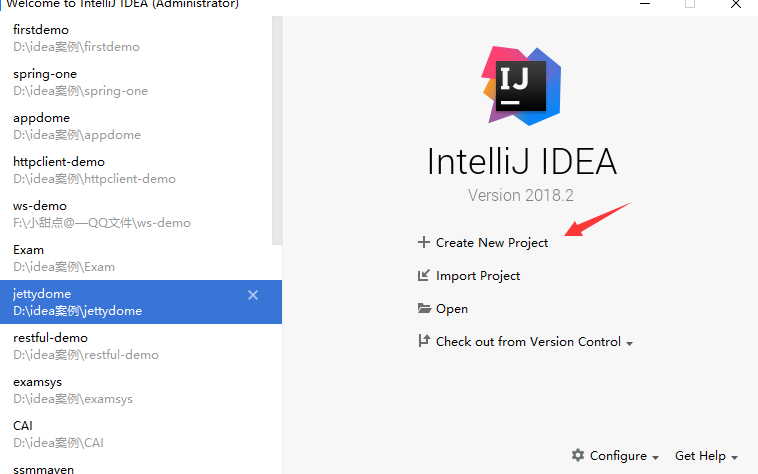
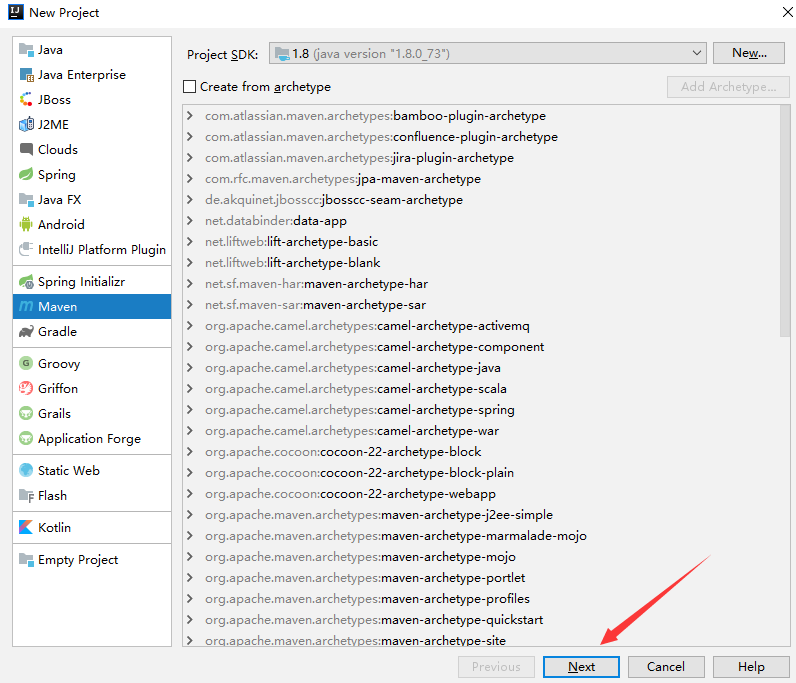


1、改为git版本
2、出现如下框 选择Git

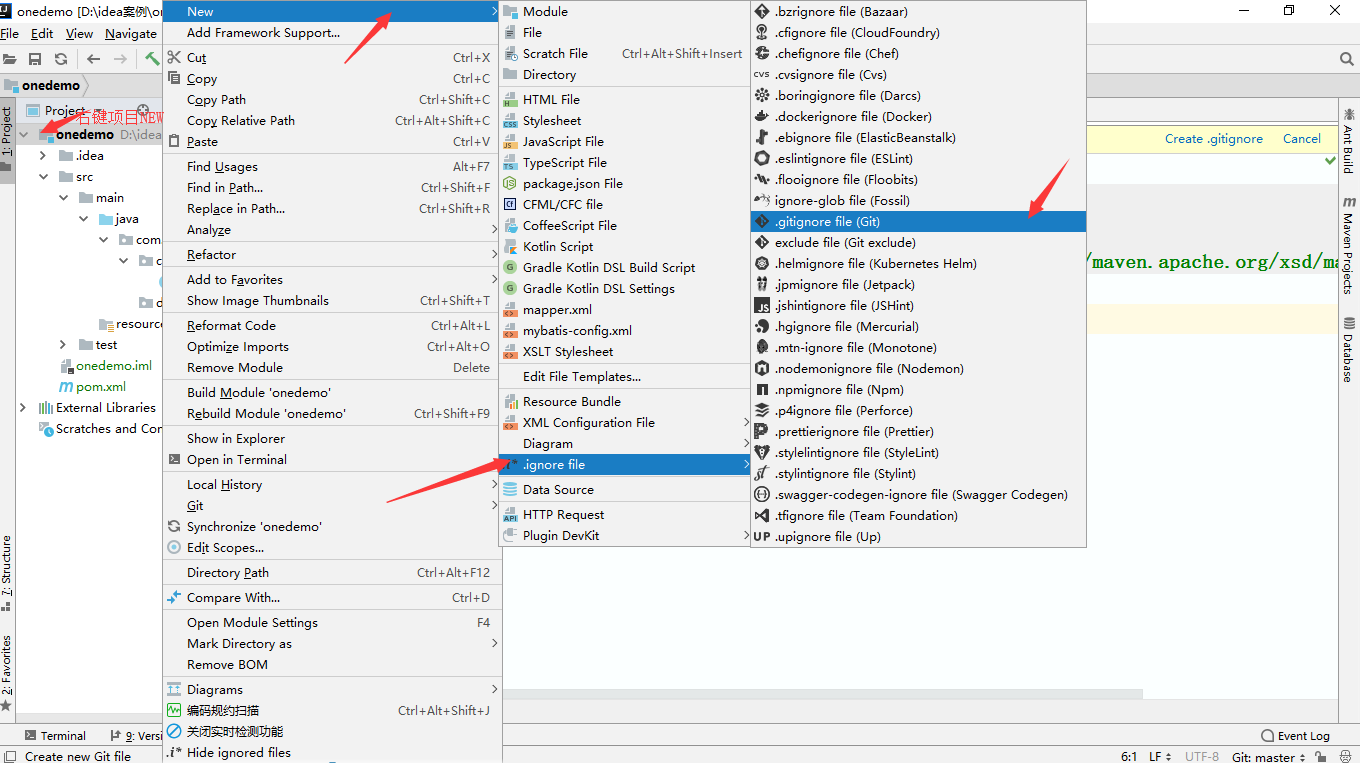
3、新建一个.gitignore file (Git)
4、勾掉一些不需要的
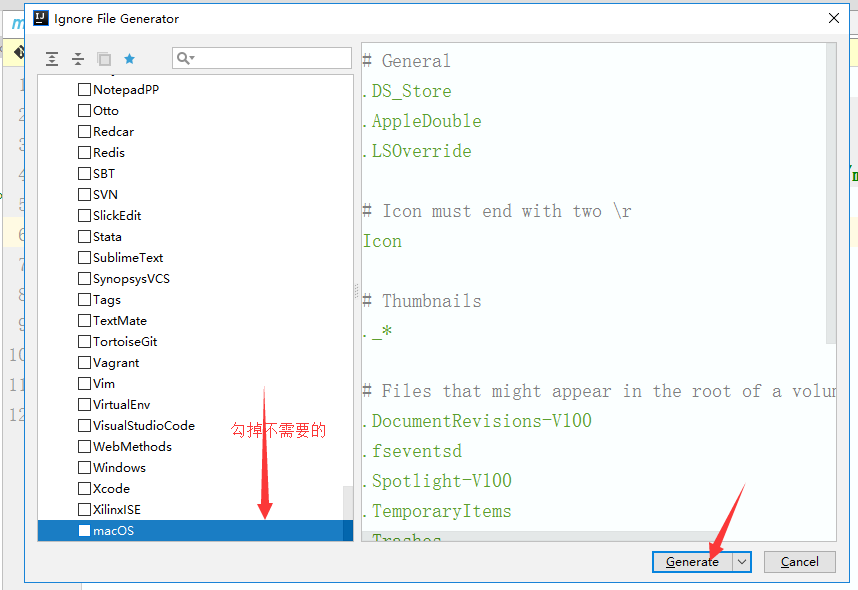
5、出现如下框

5.1、如果不知道.gitignore file (Git) 要勾选掉哪些 就直接复制如下代码到.gitignore 里就好
# Created by .ignore support plugin (hsz.mobi)

### Maven template

target/

### JetBrains template

# Covers JetBrains IDEs: IntelliJ, RubyMine, PhpStorm, AppCode, PyCharm, CLion

*.iml

## Directory-based project format:

.idea/

# if you remove the above rule, at least ignore the following:

# IntelliJ

/out/

/build/

# mpeltonen/sbt-idea plugin

.idea_modules/

### OSX template

.DS_Store

.AppleDouble

.LSOverride

# Icon must end with two \r

Icon

# Thumbnails

._*

# Files that might appear in the root of a volume

.DocumentRevisions-V100

.fseventsd

.Spotlight-V100

.TemporaryItems

.Trashes

.VolumeIcon.icns

# Directories potentially created on remote AFP share

.AppleDB

.AppleDesktop

Network Trash Folder

Temporary Items

.apdisk

### Windows template

# Windows image file caches

Thumbs.db

ehthumbs.db

# Folder config file

Desktop.ini

# Recycle Bin used on file shares

$RECYCLE.BIN/

# Windows Installer files

*.cab

*.msi

*.msm

*.msp

# Windows shortcuts

*.lnk

~*

### Eclipse template

*.pydevproject

.metadata

.gradle

bin/

tmp/

*.tmp

*.bak

*.swp

*~.nib

local.properties

.settings/

.loadpath

# Eclipse Core

.project

# External tool builders

.externalToolBuilders/

# Locally stored "Eclipse launch configurations"

*.launch

# CDT-specific

.cproject

# JDT-specific (Eclipse Java Development Tools)

.classpath

# Java annotation processor (APT)

.factorypath

# PDT-specific

.buildpath

# sbteclipse plugin

.target

# TeXlipse plugin

.texlipse

#.gitignore

.checkstyle

test-output
6、项目add后 新建的类包括.gitignore会由红色变成绿色 
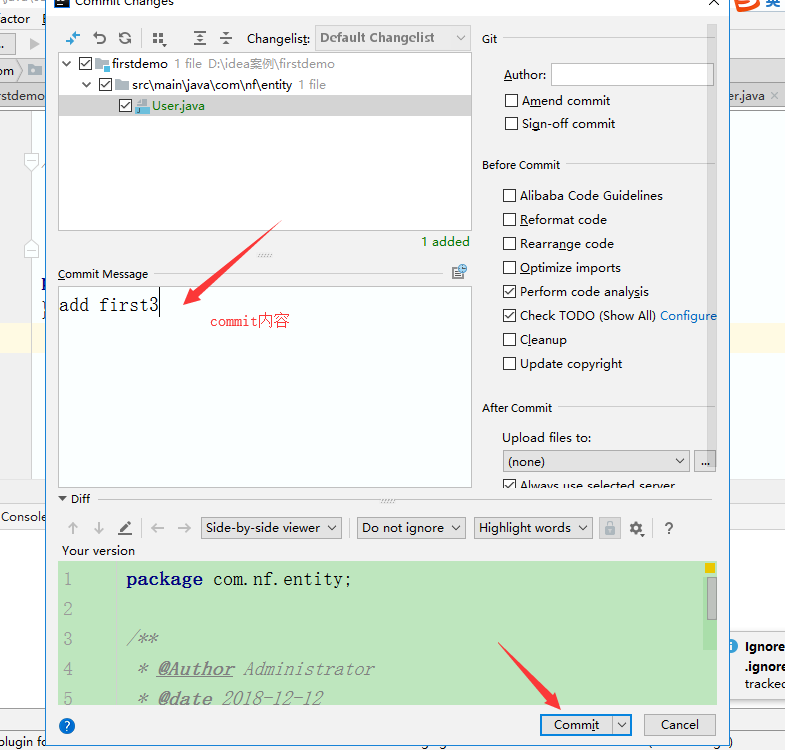
7、项目里添加类与代码后 commit ...(到本地库)
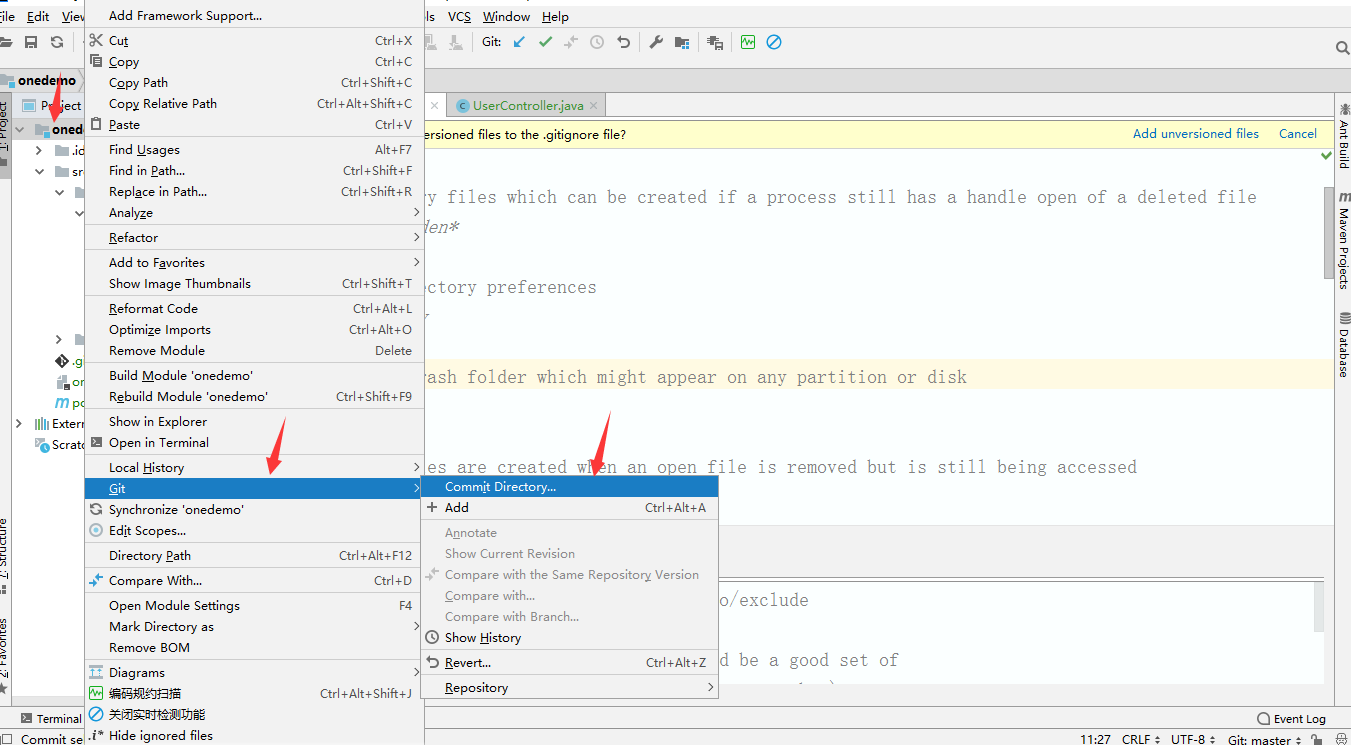
8、如下

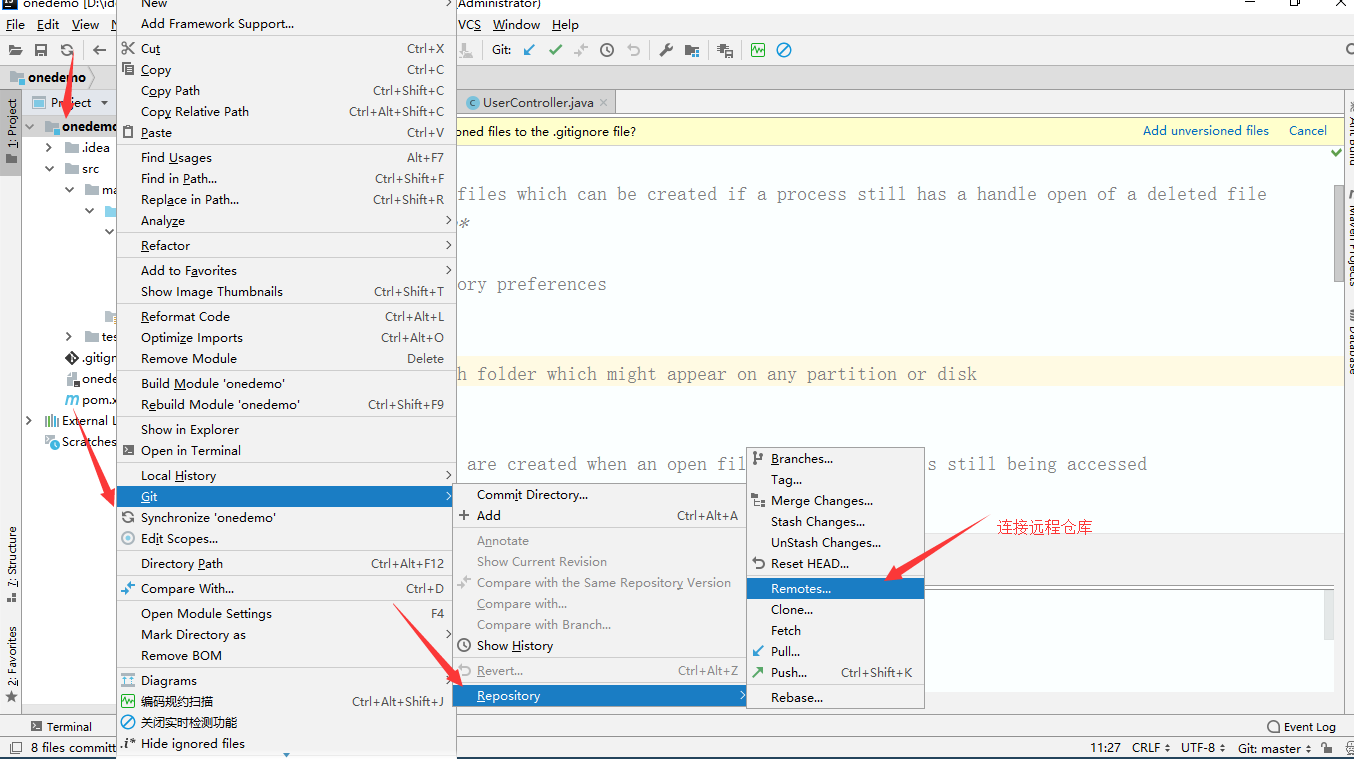
9、连接远程仓库
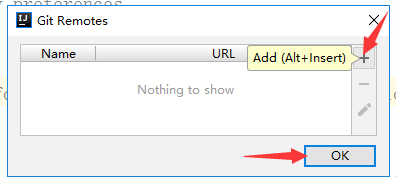
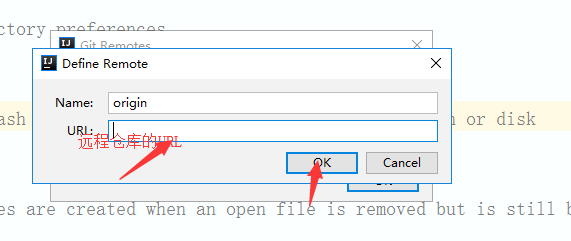
10、在coding注册登录账号后 复制下图SSH的URL到上方的框里 (选用ssh传输协议更安全)
11、Pull 一下(更新拉取)
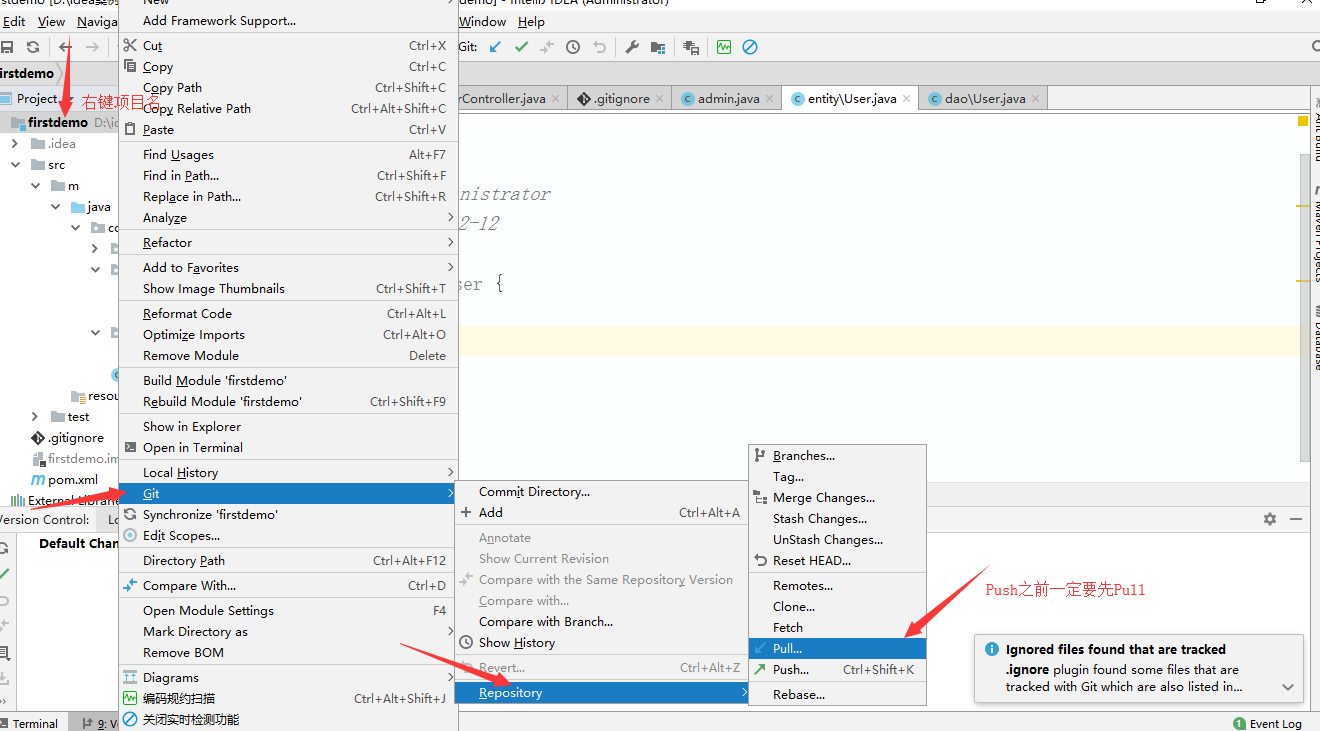
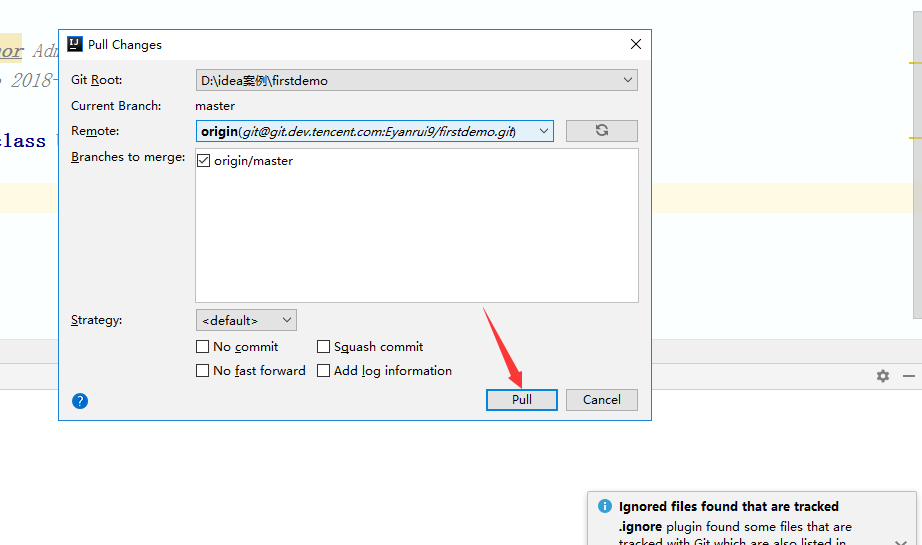
12、Push(提交到远程仓库)


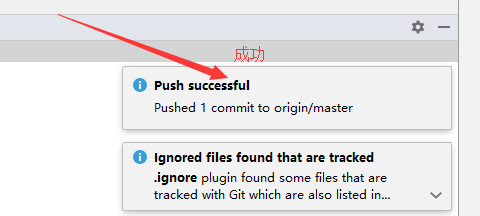
13、云端查看提交的代码如下 (上传完成)

idea 新建项目上传至git(coding)的更多相关文章
- 如何将本地的项目上传到git
如何将本地的项目上传到git 1 进入项目文件夹,把目录变为git仓库 git init 2 把文件添加到版本库中 git add . 3 把版本提交到版本库 git commit -m 'first ...
- 将本地项目上传到git
1.新建一个README.md的文件,并将项目名写入此文件(一般第三方git服务会在创建在创建项目的时候自动创建该文件,可以跳过这一步) echo "# Lee" >> ...
- 把文件(项目)上传到Git@OSC
说明: 登录与配置git的操作此处忽略. 假设你已配置好git,并且已绑定oschina. 下面是把一个本地文件夹上传到git的操作: 在git@osc上新建项目.记得选择添加对应的 .gitigno ...
- IDEA将新建项目上传至GitLab
1.首先,需要你自己登录GitLab,并新建一个项目的链接,如下图所示: (此图为图三,该链接下面操作中将会用到!) 2.在idea上新建一个项目,完成之后,需要创建一个git仓库: 3.然后可以根据 ...
- 使用git将本地项目上传至git仓库
个人博客 地址:https://www.wenhaofan.com/article/20190508220440 介绍 一般来说开发过程中都是先在git创建远程仓库,然后fetch到本地仓库,再进行c ...
- 如何用命令将本地项目上传到git
1.(先进入项目文件夹)通过命令 git init 把这个目录变成git可以管理的仓库 git init 2.把文件添加到版本库中,使用命令 git add .添加到暂存区里面去,不要忘记后面的小数点 ...
- 如何用命令将本地项目上传到git[z]
1.(先进入项目文件夹)通过命令 git init 把这个目录变成git可以管理的仓库 git init 2.把文件添加到版本库中,使用命令 git add .添加到暂存区里面去,不要忘记后面的小数点 ...
- 如何用命令将本地项目上传到git,git基本使用
1.(先进入项目文件夹)通过命令 git init 把这个目录变成git可以管理的仓库 git init 2.把文件添加到版本库中,使用命令 git add .添加到暂存区里面去,不要忘记后面的小数点 ...
- git ——本地项目上传到git
1.(先进入项目文件夹)通过命令 git init 把这个目录变成git可以管理的仓库 git init 2.把文件添加到版本库中,使用命令 git add .添加到暂存区里面去,不要忘记后面的小数点 ...
随机推荐
- 产品大神1--工具axure
一,axure安装 链接:https://pan.baidu.com/s/1rb3SH5HSogP1k_ARTZTflA 提取码:084p 二,axure8.0的使用 因为下面的文章都已经写的非常详细 ...
- L2-026 小字辈(dfs)
本题给定一个庞大家族的家谱,要请你给出最小一辈的名单. 输入格式: 输入在第一行给出家族人口总数 N(不超过 100 000 的正整数) —— 简单起见,我们把家族成员从 1 到 N 编号.随后第二行 ...
- vue全局API
一.Vue.extend() 顾名思义 extend 继承,官方给出的解释是 (使用基础 Vue 构造器,创建一个“子类”.参数是一个包含组件选项的对象.) Vue构造器是指 vue是一个构 ...
- git master 回滚代码
回退到指定版本 f6a3d430 (为commit id 前8位) git reset --hard f6a3d430 强制推送到远程分支 git push origin HEAD --force 但 ...
- VBA 生成XML(转)
需要引用连个库,Microsoft ADO Ext. 6.0 for DDL and Security, Miscrosoft ActiveX Data Objects 2.7 Library . ...
- ThinkPHP5 与ThinkPHP3.2公共函数放置位置
最初使用ThinkPHP3..3的时候,我们自己定义的公共函数常常放置于 \Common\function.php 由于最近准备重新捡起微信开发,准备用ThinkPHP5进行微信公众号开发,使用到公共 ...
- 一篇文章说清楚mysql索引
索引是什么? 索引是为了加速对表中数据行的检索而创建的一种分散的数据存储结构 为什么要使用索引? 索引能极大的减少数据存储引擎需要需要扫描的数据量: 索引能够把随机IO变为数序IO: 索引能够帮助我们 ...
- 7.Redis主线程阻塞原因
7.Redis主线程阻塞原因7.1 发现阻塞7.2 内在原因7.2.1 API或数据结构使用不合理7.2.2 CPU饱和7.2.3 持久化阻塞7.3 外在原因7.3.1 CPU竞争7.3.2 内存交换 ...
- MUI手势锁
通过mui提供的手势锁插件实现,手势锁样式.存储需要自己完成. 1.样式展示 2.实现 2.1 html 需要一个div容器 <div class="mui-content" ...
- 配置GitHub的SSH key
配置GitHub的SSH key 生成密钥对 打开git bash工具(Windows环境),Linux则直接打开命令行,执行下面的命令生成密钥文件 ssh-Keygen -t rsa -C &quo ...