
Opencv undefined reference to `cv::imread() Ubuntu编译
Ubuntu下编译一个C++文件,C++源程序中使用了opencv,opencv的安装没有问题,但是在编译的过程中出现如下错误:
undefined reference to `cv::imread(std::string const&, int)'
undefined reference to `cv::noArray()'
undefined reference to `cv::_OutputArray::_OutputArray(cv::Mat&)'
undefined reference to `cv::_InputArray::_InputArray(cv::Mat const&)'
undefined reference to `cv::imwrite(std::string const&, cv::_InputArray const&, std::vector<int, std::allocator<int> > const&)'
undefined reference to `cv::_InputArray::_InputArray(cv::Mat const&)'
undefined reference to `cv::imshow(std::string const&, cv::_InputArray const&)'
undefined reference to `cv::waitKey(int)'
...
undefined reference to `cv::Mat::deallocate()'
...
网上查了下资料,大概说opencv的静态编译库没有链接到本程序中(也不知道对不对,望大家指正),于是找啊找啊,终于找到一个有用的,记录一下:
在terminal下运行命令: g++ getmask.cpp -o getmask `pkg-config opencv --cflags --libs` // 包含、链接参数一定要放在后面,其实就是在编译C++程序后面加上(`pkg-config opencv --cflags --libs`)
编译成功后生成getmask可执行文件,接着运行命令:./getmask 就能得到结果啦。
附上我的源程序:
#include <iostream>

#include <vector>

#include <fstream>

#include <string>

#include <opencv2/opencv.hpp>

using namespace cv;

using namespace std;

int main()

{

    string img_filename;

    int head_num;

    int posx,posy;

    cv::Point pt;

    vector<Point> coordinate;

    vector<vector<Point> > coordinates;

    ifstream infile("scene01.txt");

    Mat img = imread("scene01.jpg",);

    //namedWindow("MyWindow", CV_WINDOW_AUTOSIZE);

    //imshow("MyWindow", img);

    //waitKey(0);

    cv::Mat locMask(img.rows,img.cols,CV_8UC1,cv::Scalar());

    //imshow("locMask",locMask);

    while (infile >> img_filename >> head_num) {

        for(int i =  ; i< head_num;i++) {

            infile >> posx >> posy;

            pt = Point(posx,posy);

            coordinate.push_back(pt);

        }

        coordinates.push_back(coordinate);

    }

    //cout<<coordinate.size()<<endl;

    //cout<<coordinates.size()<<endl;

    for(int i=;i<coordinates.size();i++)

        cout<<coordinates[i]<<" ";

    drawContours(locMask,coordinates,-,cv::Scalar::all(), CV_FILLED);

    imwrite("mask01.jpg",locMask);

    imshow("locMask",locMask);

    waitKey();

    return ;

}
我的文件截图: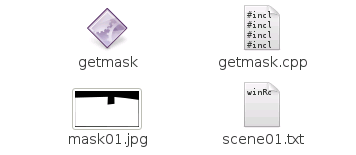
版权声明:本文为博主原创文章,欢迎转载,转载请注明原文地址、作者信息。
Opencv undefined reference to `cv::imread() Ubuntu编译的更多相关文章
- 「caffe编译bug」.build_release/lib/libcaffe.so: undefined reference to cv::imread
转自:https://www.douban.com/note/568788483/ CXX/LD -o .build_release/tools/convert_imageset.bin.build_ ...
- Opencv3.0: undefined reference to cv::imread(cv::String const&, int)
使用opencv,编译出错: undefined reference to cv::imread(cv::String const&, int) 自opencv3.0之后,图像读取相关代码在i ...
- test.cpp:(.text+0xc0): undefined reference to `cv::imread(std::string const&, int)'
opencv报错: test.cpp:(.text+0xc0): undefined reference to `cv::imread(std::string const&, int)' te ...
- caffe: compile error : undefined reference to `cv::imread(cv::String const&, int)' et al.
when I compile caffe file : .build_debug/lib/libcaffe.so: undefined reference to `cv::imread(cv::Str ...
- undefined reference to cv::imread(cv::String const&, int)
.build_release/lib/libcaffe-nv.so: undefined reference to cv::imread(cv::String const&, int)' .b ...
- error: undefined reference to `cv::imread(std::string const&, int)'
g++ main.cpp -o main `pkg-config --libs --cflags opencv`注意--libs的位置https://stackoverflow.com/questio ...
- openCV中 libopencv-nonfree-dev的安装: undefined reference to `cv::initModule_nonfree()'
今天照着一起做RGB-D SLAM (3) , 程序会出现以下的错误: cv::initModule_nonfree(); /home/yhzhao/slam/src/detectFeature ...
- .build_release/lib/libcaffe.so: undefined reference to `cv::VideoCapture::set(int, double)'
CXX/LD -o .build_release/tools/convert_imageset.bin.build_release/lib/libcaffe.so: undefined referen ...
- undefined reference to `cv::VideoCapture
出现opencv链接的问题原因: 1. 路径设置不正确,caffe会优先搜索Makefile.config里面的环境设置 2. anaconda2装的opencv和配置的opencv路径不一致 比如, ...
随机推荐
- python 全局变量的import机制
在之前学习python设计模式(工厂模式实践篇),希望使用全局变量代替c++的宏完成服务自动注册功能时,遇到过一个问题,全局变量的定义和使用放在同一个可执行脚本中的问题.先把有问题的代码晒一下: IS ...
- 让sublime可以和visual studio一样自动在运算符前后添加空格的插件
用过vs的人都知道,vs会自动在代码中运算符的前后加空格,比如 i=1; 换行后会自动变成i = 1; 开始觉得这个挺烦的,后来习惯了,发现这个功能还是挺好的,然代码更清晰. 最近换了sublimet ...
- HDU 1114
在 ACM 能够开展之前,必须准备预算,并获得必要的财力支持.该活动的主要收入来自于 Irreversibly Bound Money (IBM).思路很简单.任何时候,某位 ACM 会员有少量的钱时 ...
- sitecore开发入门之Sitecore字典结构最佳实践
使用Sitecore时,一个重要的主题是如何为您的网站处理不同的语言和区域.Sitecore对此的回答是使用字典项,它基本上只代表键/值定义.但是,这个字典项可以设置为具有不同的语言版本,这几乎允许您 ...
- java.sql.SQLException: Access denied for user 'scott'@'localhost' (using password: YES)
今天用eclipse连接一下数据库,出现此异常. java.sql.SQLException: Access denied for user 'scott'@'localhost' (using pa ...
- Shell 常见理论问答
(1)shell脚本中,怎么可以把某一行注释掉? 答:“#”. (2)如何执行一个shell脚本呢? 答:“sh x.sh”,“加执行./x.sh”,“bash x.sh”. (3)为了方便管理我们约 ...
- expect拷贝文件例子
----安装expectcd /tmp wget http://core.tcl.tk/tcl/zip/release/tcl.zipwget https://jaist.dl.sourceforge ...
- CSS: hover选择器的使用
用法1:这个表示的是:当鼠标悬浮在a这个样式上的时候,a的背景颜色设置为黄色 a:hover { background-color:yellow; ...
- [CodeForces - 463B] Caisa and Pylons
题目链接:http://codeforces.com/problemset/problem/463/B 求个最大值 AC代码: #include<cstdio> #include<c ...
- 深入探访支付宝双11十年路,技术凿穿焦虑与想象极限 | CYZONE特写
小蚂蚁说: 双11十年间,交易规模的指数级增长不断挑战人们的想象力,而对蚂蚁技术团队来说,这不仅是一场消费盛宴,而是无数次濒临压力和焦虑极限的体验,更是技术的练兵场.如今双11对蚂蚁金服而言,已经绝不 ...