
https://localhost:1158/em运行不正常
1、页面无法打开
一般是由于网站安全问题直接挂掉,可以更换浏览器,如Google Chrome、Fire Fox等。不建议使用IE
Google浏览器使用如下,
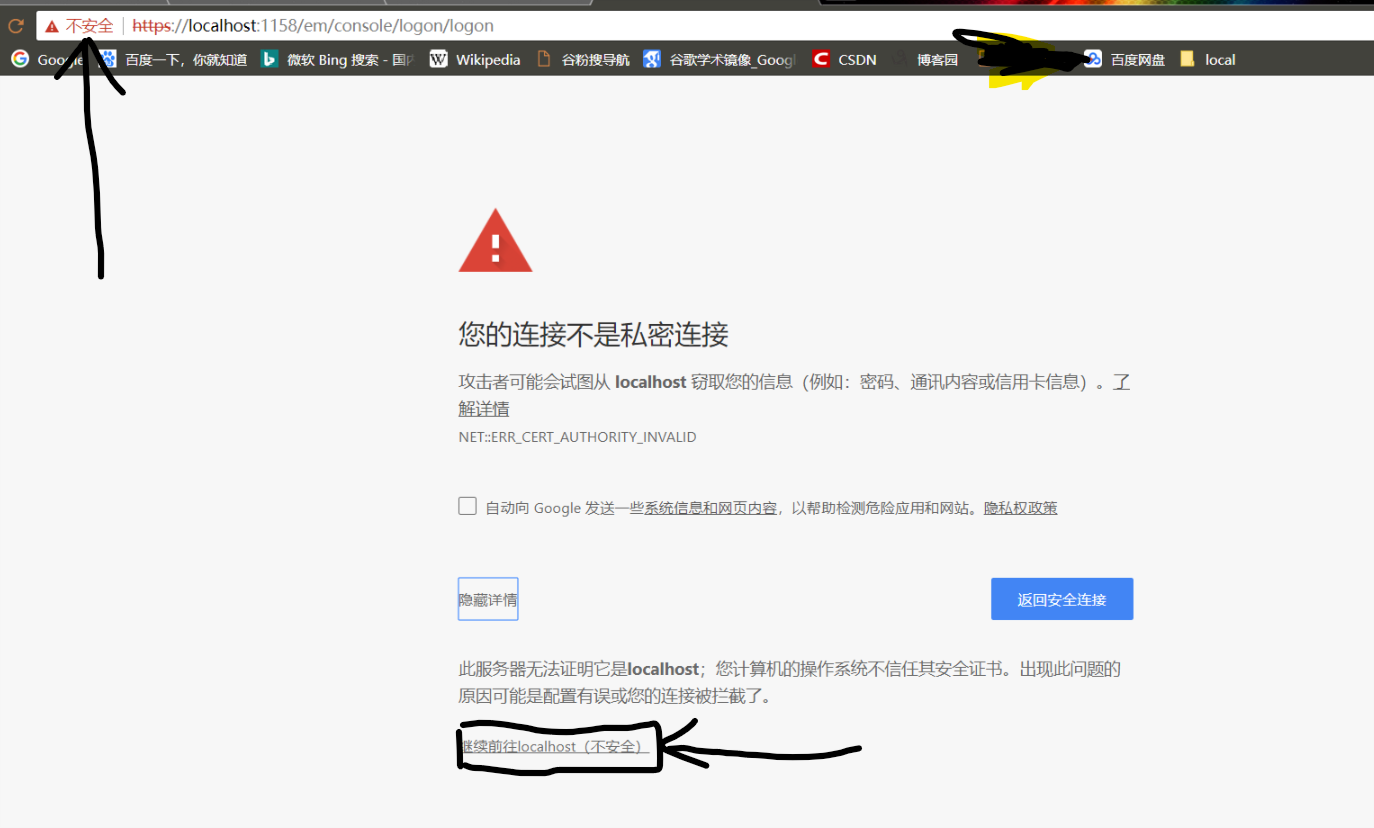
直接继续
接着以用户sys,密码change_on_install, SYSDBA登陆即可
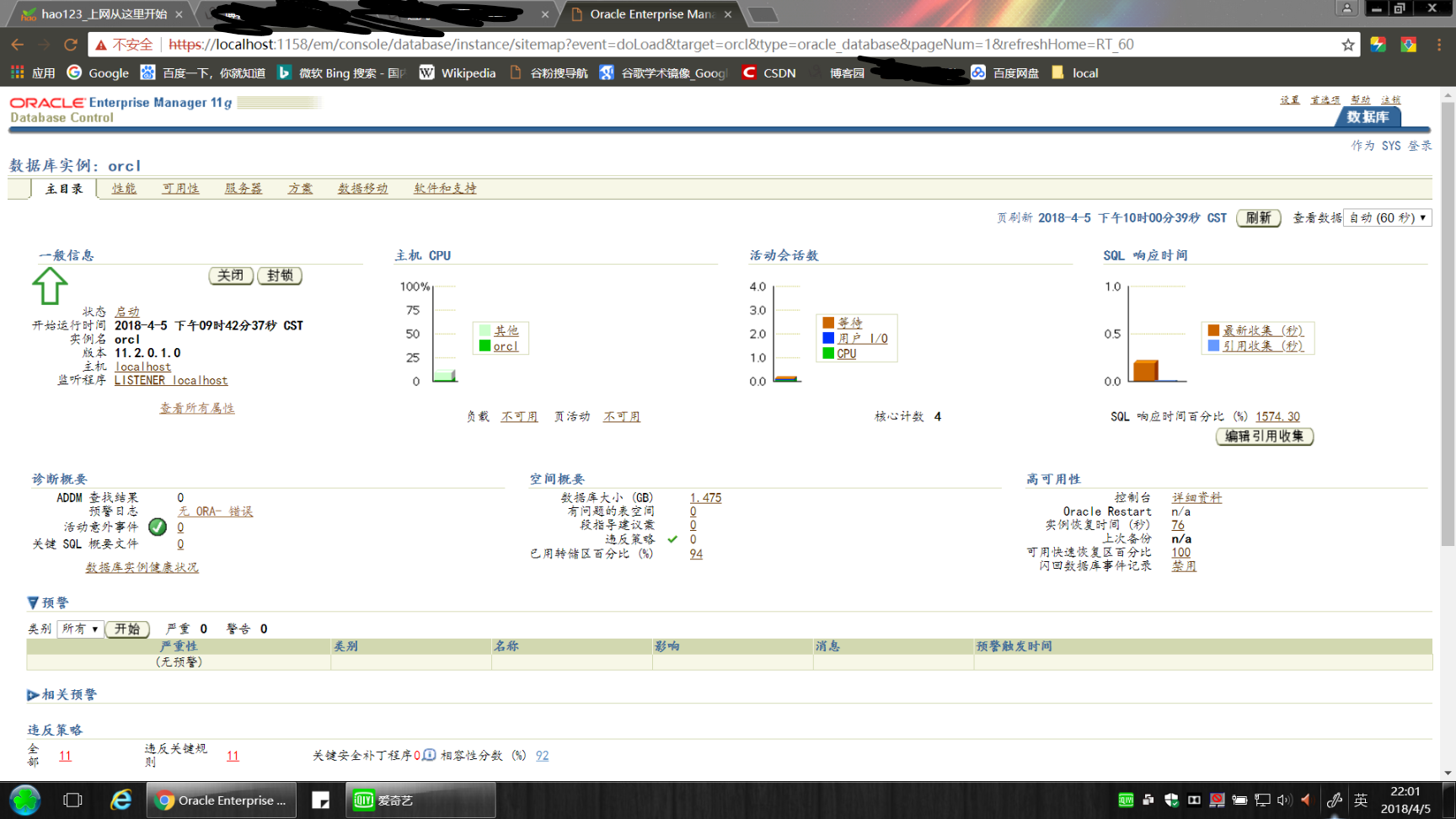
2、若登录后看到数据库实例都是关闭的,不能启动
方法一:
(1)、检查服务是否启动,cmd 下:
emctl status dbconsole
会出现如下错误:
Environment variable ORACLE_SID not defined. Please define it.
(2)、重新设置环境变量
set oracle_sid=orcl
(3)、重新配置em
emca -config dbcontrol db
然后根据提示输入信息即可
方法二:
(1)删除Database Control 资料档案库
emca -repos drop
(2)、创建新的Database Control 资料档案库
emca- repos create
(3)、配置部署Database Control 资料档案库
emca _config dbcontrol db
(4)、检查em状态
emctl status dbconsole
接下来执行步骤如下:
emctl start dbconsole
//此命令会出现ORACLE_UNQNAME not defined 错误,继续执行即可
set oracle_sid=orcl
set ORACLE_UNQNAME=orcl
emctl start dbconsole
然后就可以在浏览器中访问https://localhost:1158/em了。
https://localhost:1158/em运行不正常的更多相关文章
- 常见的问题:https://localhost:1158/em 无法打开
常见的问题:https://localhost:1158/em 无法打开 安装了Oracle Database 11g,里面有个基于网页的管理工具“https://localhost:1158/em” ...
- oracle https://localhost:1158/em 无法打开
解决办法一: 首先查看本机Oracle安装路径中 portlist.ini 文件里面的端口号是多少,例如我的就是5500. 那么在浏览器中输入的地址就是:https://localhost:5500/ ...
- IP地址变动后,https://localhost:1158/em无法访问解决办法
一.解决的方法:重新配置em 二.步骤: 1.在 dos命令下输入 emca –repos drop 注意:监听端口号是一般是1521,特殊情况要在配置文件中找 2.成功删除资料档案库后,在dos下再 ...
- oracle12c不能进入到http://localhost:1158/em的解决办法
oracle12c的em经过精简,比11g小 很多,登陆方式也发生了变化,原来的https://localhost:1158/em或者https://localhost:1158/em登陆总是会遇到问 ...
- 解决Oracle的http://localhost:1158/em页面打不开的问题
https://localhost:1158/em 无法显示页面,在网上查阅资料以后发现这个页面时由服务:OracleDBConsoleoracl控制的,所以到管理界面打开服务:OracleDBCon ...
- oracle12c不能进入到http://localhost:5500/em的解决办法
Oracle11g企业管理器无法打开——解决https://localhost:1158/em 页面无法打开的问题 常见的问题:https://localhost:1158/em 无法打开 解决办法: ...
- nessus无法访问https://localhost:8834/#/,解决方法。
之前没弄明白为啥经常访问不了https://localhost:8834/#/,后面才发现是服务关闭了. 首先netstat -an 查看8834是否开启, 直接运行一下nessus目录下的nessu ...
- Https网站搭建——通过https://localhost:8443访问tomcat首页
图片大致介绍了Https浏览器与服务器握手的过程,涉及到的名词:证书.Hash算法.随机数密码.公钥加密.私钥解密.握手消息.hash验证.摘要 tomcat服务器配置可以实现https双向认证,简单 ...
- RabbitMQ安装后无法访问https://localhost:15672/ 控制台问题解决
1.安装完后 我们进入到我们安装到 sbin目录C:\Program Files\RabbitMQ Server\rabbitmq_server-3.7.2\sbin执行:rabbitmq-plugi ...
随机推荐
- MongoDB数据导出
在bin目录下(没有设置环境变量), mongoexport -d Structure_Patents_infos -c patents_texts -o D:\Postgraduate\Python ...
- 如果报错,使用 journalctl -f -t etcd 和 journalctl -u etcd 来定位问题。
如果报错,使用 journalctl -f -t etcd 和 journalctl -u etcd 来定位问题.
- 转:sql篇 select from where group by having order by
原文地址: sql篇 select from where group by having order by select from where group by having order by 的基 ...
- delphi操作sqlite3
Delphi SQLite 简明无废话上手指南SQLite下载http://www.sqlite.org/download.html SQLite FAQhttp://www.sqlitecn.org ...
- 使用hashlib进行登录校验
注册登录和密码验证 用户注册时,文件中保存用户名,和密码的密文 登录时,密码与文件中的密文进行比较,如果相同就同意登录 import hashlib # 导入模块 def md5(username,p ...
- 跑 vue 项目
cd ***** npm install 或 yarn(推荐) npm run dev 若是报错: missing script: dev ERR! A complete log of this r ...
- python数据结构-如何在列表、字典、集合中根据条件筛选数据
如何在列表.字典.集合中根据条件筛选数据 问题举例: 过滤列表[1, 2, 5, -1, 9, 10]中的负数 筛选字典{“zhangsan”:97, "lisi":80, &qu ...
- random函数的使用
random作为随机函数用处很多,在Python里面也经常使用,特别是处理一些随机事件的时候,特别好用! 废话不多说,直接看下面的例子: random.randomrandom.random() ...
- centos上部署应用到tomcat
tomcat部署JavaWeb项目分为下面的步骤: 1.删除tomcat按照目录的ROOT文件夹下的所有文件 2.把war包复制到ROOT文件下面,解压缩:jar -xvf xxxx.war; 3.结 ...
- windows10系统下安装pygame
1.安装python,选择版本3.7.1 下载地址:https://www.python.org/downloads/windows/选择安装版本 2.安装pip 下载地址:https://pypi. ...