
SpringMVC04 很杂很重要(注解,乱码处理,通配符,域属性调用,校正参数名称,访问路径,请求、响应携带参数,请求方法)
1.导入架包
<project xmlns="http://maven.apache.org/POM/4.0.0" xmlns:xsi="http://www.w3.org/2001/XMLSchema-instance"

         xsi:schemaLocation="http://maven.apache.org/POM/4.0.0 http://maven.apache.org/maven-v4_0_0.xsd">

    <parent>

        <artifactId>SpringMVC</artifactId>

        <groupId>cn.happy</groupId>

        <version>1.0-SNAPSHOT</version>

    </parent>

    <modelVersion>4.0.0</modelVersion>

    <artifactId>SpringMVC04Annotation</artifactId>

    <packaging>war</packaging>

    <name>SpringMVC04Annotation Maven Webapp</name>

    <url>http://maven.apache.org</url>

    <properties>

        <project.build.sourceEncoding>UTF-8</project.build.sourceEncoding>

        <!--spring对应的版本号-->

        <spring.version>4.2.1.RELEASE</spring.version>

    </properties>

    <dependencies>

        <dependency>

            <groupId>junit</groupId>

            <artifactId>junit</artifactId>

            <version>4.0</version>

            <scope>test</scope>

        </dependency>

        <!--引入需要的spring 核心jar-->

        <dependency>

            <groupId>org.springframework</groupId>

            <artifactId>spring-context</artifactId>

            <version>${spring.version}</version>

        </dependency>

        <dependency>

            <groupId>org.springframework</groupId>

            <artifactId>spring-core</artifactId>

            <version>${spring.version}</version>

        </dependency>

        <dependency>

            <groupId>org.springframework</groupId>

            <artifactId>spring-beans</artifactId>

            <version>${spring.version}</version>

        </dependency>

        <dependency>

            <groupId>org.springframework</groupId>

            <artifactId>spring-expression</artifactId>

            <version>${spring.version}</version>

        </dependency>

        <dependency>

            <groupId>org.springframework</groupId>

            <artifactId>spring-webmvc</artifactId>

            <version>${spring.version}</version>

        </dependency>

    </dependencies>

    <build>

        <finalName>SpringMVC04Annotation</finalName>

    </build>

</project>
2.配置中央调度器(乱码处理、处理器)
<!DOCTYPE web-app PUBLIC

        "-//Sun Microsystems, Inc.//DTD Web Application 2.3//EN"

        "http://java.sun.com/dtd/web-app_2_3.dtd" >

<web-app>

    <display-name>Archetype Created Web Application</display-name>

    <filter>

        <filter-name>CharactorEncoding</filter-name>

        <filter-class>org.springframework.web.filter.CharacterEncodingFilter</filter-class>

        <init-param>

            <param-name>encoding</param-name>

            <param-value>utf-8</param-value>

        </init-param>

        <init-param>

            <param-name>forceEncoding</param-name>

            <param-value>true</param-value>

        </init-param>

    </filter>

    <filter-mapping>

        <filter-name>CharactorEncoding</filter-name>

        <url-pattern>/*</url-pattern>

    </filter-mapping>

    <servlet>

        <servlet-name>springmvc</servlet-name>

        <servlet-class>org.springframework.web.servlet.DispatcherServlet</servlet-class>

        <init-param>

            <param-name>contextConfigLocation</param-name>

            <param-value>classpath:spring-mvc.xml</param-value>

        </init-param>

        <load-on-startup>1</load-on-startup>

    </servlet>

    <servlet-mapping>

        <servlet-name>springmvc</servlet-name>

        <url-pattern>/</url-pattern>

    </servlet-mapping>

</web-app>
3、配置映射器
<?xml version="1.0" encoding="UTF-8"?>

<beans xmlns="http://www.springframework.org/schema/beans"

       xmlns:xsi="http://www.w3.org/2001/XMLSchema-instance"
    xmlns:mvc="http://www.springframework.org/schema/mvc"

       xmlns:context="http://www.springframework.org/schema/context"

       xsi:schemaLocation="http://www.springframework.org/schema/beans

         http://www.springframework.org/schema/beans/spring-beans.xsd
      http://www.springframework.org/schema/mvc
      http://www.springframework.org/schema/mvc/spring-mvc.xsd
      http://www.springframework.org/schema/context
      http://www.springframework.org/schema/context/spring-context.xsd">

    <!--扫描包下的路径-->

    <context:component-scan base-package="cn.happy.controller"/>

    <!--根据注解来寻找路径-->

    <mvc:annotation-driven/>

</beans>
4.1:视图(登录页面)
<%@ page contentType="text/html;charset=UTF-8" language="java" %>

<html>

<head>

    <title>Title</title>

</head>

<body>

<h2>Login</h2>

<form action="/user/login" method="post">    这里的红色字体要根据RequestMapping的请求方法来进行更换

    登陆名:<input name="name"/>            校正参数名称时,这里要改成    uname

    汽车品牌1:<input name="userCars[0].brand"/>

    汽车品牌2:<input name="userCars[1].brand"/>

    <input type="submit" value="登录"/>

</form>

</body>

</html>
4.2:登录成功页面
<%@ page contentType="text/html;charset=UTF-8" language="java" isELIgnored="false" %>
<html>
<head>
    <title>Title</title>
</head>
<body>
<h2>Success!</h2>
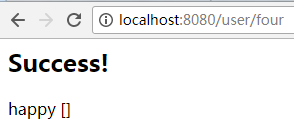
<%--${uname}--%>     在最后一个案例要放开注解
<%--${list}--%>      在最后一个案例要放开注解
</body>
</html>
5.1:实体类(用户)
import java.util.List;

public class UserInfo {

    private String name;

    private Car car;

    private List<Car> userCars;

    public String getName() {

        return name;

    }

    public void setName(String name) {

        this.name = name;

    }

    public Car getCar() {

        return car;

    }

    public void setCar(Car car) {

        this.car = car;

    }

    public List<Car> getUserCars() {

        return userCars;

    }

    public void setUserCars(List<Car> userCars) {

        this.userCars = userCars;

    }

}
5.2:实体类(用户的域属性)
public class Car {

    private String brand;

    public String getBrand() {

        return brand;

    }

    public void setBrand(String brand) {

        this.brand = brand;

    }

}
6.处理器(通配符的用法、请求方法的定义)
import cn.happy.bean.UserInfo;

import org.springframework.stereotype.Controller;

import org.springframework.ui.Model;

import org.springframework.web.bind.annotation.PathVariable;

import org.springframework.web.bind.annotation.RequestMapping;

import org.springframework.web.bind.annotation.RequestMethod;

import org.springframework.web.bind.annotation.RequestParam;

import javax.servlet.http.HttpServletRequest;

import javax.servlet.http.HttpServletResponse;

import javax.servlet.http.HttpSession;

import java.util.ArrayList;

@Controller

@RequestMapping("/user")

public class FirstController {

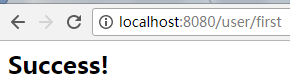
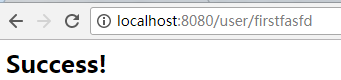
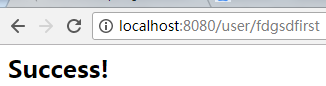
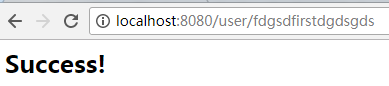
    //*代表0个或者多个字符,以带有first的字符,或者开头、结尾就行

    @RequestMapping("/*first*")

    public String doFirst() {

        return "/success.jsp";

    }
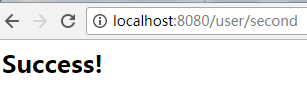
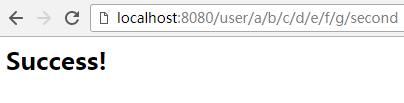
//**:0级或者是无限极目录

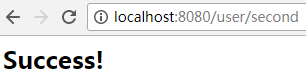
    @RequestMapping("/**/second")

    public String doSecond() {

        return "/success.jsp";

    }
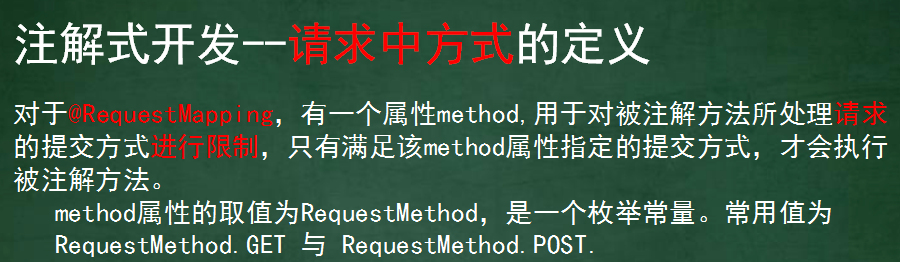
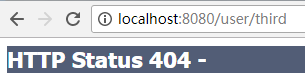
//*:有且只能有一级目录,不能是空目录

    @RequestMapping(value = "/*/third", method = RequestMethod.GET)

    public String doThird() {

        return "/success.jsp";

    }
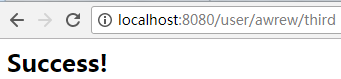
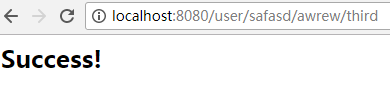
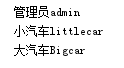
//对象的属性获取和自定义类型的属性获取

    @RequestMapping("/login")

    public String doFirst(UserInfo info) {

        System.out.println(info.getName());

        System.out.println(info.getUserCars().get(0).getBrand());

        System.out.println(info.getUserCars().get(1).getBrand());

        return "/success.jsp";

    }

跳转到控制台
//校正参数名称 将上方的请求路径更改成/user/second 和表单元素的name属性保持一致,即可实现自动装配
@RequestMapping("/second")
public String doSecond(@RequestParam(value = "uname", required = false) String info) {
System.out.println(info);
return "/success.jsp";
}

跳转到
 控制台
控制台
//路径变量
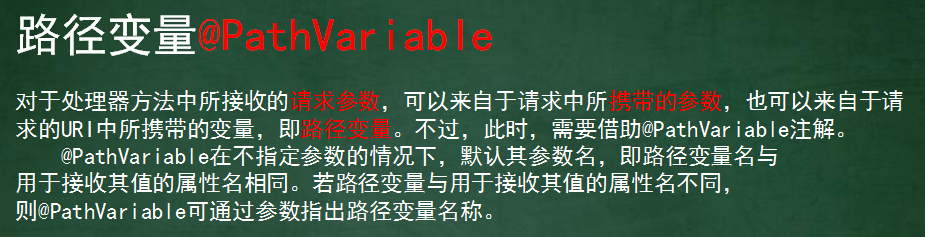
@RequestMapping("/{runame}/{uage}/third")
public String Third(@PathVariable("runame") String uname, @PathVariable String uage) {
System.out.println(uname);
System.out.println(uage);
return "/success.jsp";
}控制台

//session和Model的使用

    @RequestMapping(value = "/four")

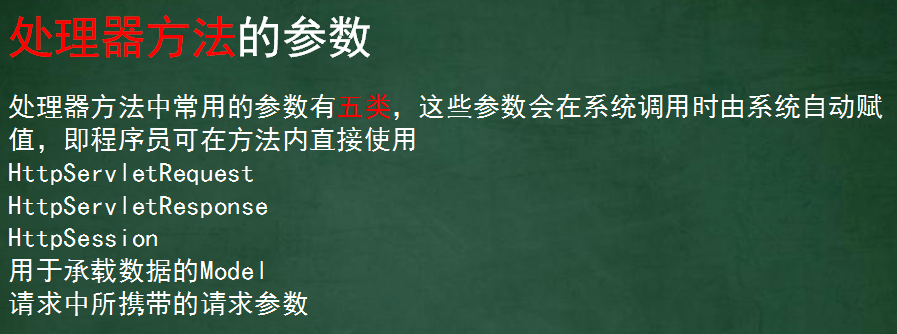
    public String doFirst(HttpServletRequest request, HttpServletResponse response, HttpSession session, Model model) {

        session.setAttribute("uname", "happy");

        model.addAttribute("list", new ArrayList<String>());

        return "/success.jsp";

    }
}
SpringMVC04 很杂很重要(注解,乱码处理,通配符,域属性调用,校正参数名称,访问路径,请求、响应携带参数,请求方法)的更多相关文章
- iPhone 6 被盗记录二【写在315前夕:苹果售后福州直信创邺在没有三包的情况下帮小偷翻新、助力小偷换机销赃!无视王法。让人震惊,痛心,憎恨!消费者很受伤很无奈】
投诉公司: 北京直信创邺数码科技有限公司 标题: 写在315前夕:苹果售后在没有三包的情况下帮小偷翻新.助力小偷换机销赃!无视王法.让人震惊,痛心,憎恨!消费者很受伤很无奈 期望: 还我手机,或者赔 ...
- 迅雷9、迅雷极速版之迅雷P2P加速:流量吸血鬼?为什么你装了迅雷之后电脑会感觉很卡很卡?
原文地址:http://www.whosmall.com/post/90 关闭极速版迅雷ThunderPlatform.exe进程 ThunderPlatform.exe目的:利用P2P技术进行用户间 ...
- mysql基础(mysql数据库导入到处) 很基础很实用
一.MYSQL的命令行模式的设置:桌面->我的电脑->属性->环境变量->新建->PATH=“:path\mysql\bin;”其中path为MYSQL的安装路径.二.简 ...
- Unix / 类 Unix shell 中有哪些很酷很冷门很少用很有用的命令?(转)
著作权归作者所有. 商业转载请联系作者获得授权,非商业转载请注明出处. 作者:孙立伟 链接:http://www.zhihu.com/question/20140085/answer/14107336 ...
- Office 2013 Excel 打开文档很慢很慢的解决方法
这个问题查了很多案例,试了很多方法,但是只有下面这个方法有用! 这几天打开excel文档很慢很慢,双击之后好久没反应,过会儿它才慢慢冒出来,当时将就了,刚刚休息的时候想着查一下吧,不然很影响工作效率! ...
- Solr调研总结(很详细很全面)
Solr调研总结 开发类型 全文检索相关开发 Solr版本 4.2 文件内容 本文介绍solr的功能使用及相关注意事项;主要包括以下内容:环境搭建及调试;两个核心配置文件介绍;维护索引;查询索引,和在 ...
- mybatis返回list很智能很简答的,只需要配置resultmap进行类型转换,你dao方法直接写返回值list<对应的object>就行了啊
mybatis返回list很智能很简答的,只需要配置resultmap进行类型转换,你dao方法直接写返回值list<对应的object>就行了啊 dao方法 public List< ...
- 如何实现 Https拦截进行 非常规“抓包” 珍惜Any 看雪学院 今天 前段时间在自己做开发的时候发现一个很好用的工具,OKHttp的拦截器(何为拦截器?就是在每次发送网络请求的时候都会走的一个回调)大概效果如下:
如何实现 Https拦截进行 非常规“抓包” 珍惜Any 看雪学院 今天 前段时间在自己做开发的时候发现一个很好用的工具,OKHttp的拦截器(何为拦截器?就是在每次发送网络请求的时候都会走的一个回调 ...
- Katalon Studio之请求响应中文乱码解决方法
最近在用Katalon做接口测试过程中发现请求响应消息中返回的中文均为乱码,这是因为我们使用的系统环境在初始安装时选择的中文简体,导致windows系统默认编码格式为GBK,但是KS的编码格式是UTF ...
随机推荐
- Windows部署jenkins服务器
本次使用的操作系统: windows server 2012 r2vs版本: vs 2015jenkins: 2.19.4 一.下载jenkins http://mirror.xmission.com ...
- 问题:sqlserver if;结果: SqlServer if else和case
SqlServer if else和case 分类: SQLSERVER 2013-03-01 16:51 11328人阅读 评论(0) 收藏 举报 行转列 目录(?)[+] if else 要提示的 ...
- T-SQL操作XML 数据类型方法 "modify" 的参数 1 必须是字符串文字。
----删除关键字的同时也清理AP表中所有关联这个ID的数据 create trigger Trg_UpdateAppWordOnDelKeyWord on [dbo].[tbl_KeyWord] f ...
- ansible应用案例-一键安装flask
一.添加主机 sudo vim /etc/ansible/hosts ------------------------------------------------------> [group ...
- 【转】经典网文:追MM与设计模式
设计模式做为程序员的“内功心法”,越来越受到.net 社区的重视,这种变化是很可喜的,Java社区走在了我们的前面,但这种状况也许有一天会发生改变. 从追MM谈Java的23种设计模式1.FACT ...
- JSP编译指令
----------------siwuxie095 编译指令是通知 JSP 引擎的消息,其作用是设置 JSP 程序的属性, 以及由 JSP 生 ...
- 【机器学习】主题模型(二):pLSA和LDA
-----pLSA概率潜在语义分析.LDA潜在狄瑞雷克模型 一.pLSA(概率潜在语义分析) pLSA: -------有过拟合问题,就是求D, Z, W pLSA由LSA发展过来,而早期L ...
- storm启动supervisor源码分析-supervisor.clj
supervisor是storm集群重要组成部分,supervisor主要负责管理各个"工作节点".supervisor与zookeeper进行通信,通过zookeeper的&qu ...
- 8、泛型程序设计与c++标准模板库2.2向量容器
向量容器属于顺序容器,用于容纳不定长线性序列(即线性群体),提供对序列的快速随机访问(也称直接访问).这一点与c++语言支持的基本数组类型相同,但基本数据类型不是面向对象的.而面向对象的向量是动态结构 ...
- 11. CTF综合靶机渗透(四)
运行环境 Virtualbox (二选一) Vnware Workstation player 通关提示 Enumeration is key Try Harder Look in front of ...