
Example 1 - XY plots
http://www.ncl.ucar.edu/Document/Manuals/Getting_Started/Examples/gsun01n.shtml
| Frame 1 | Frame 2 | Frame 3 | Frame 4 | Frame 5 |
|---|---|---|---|---|
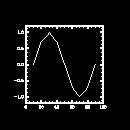 |
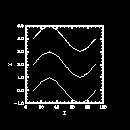 |
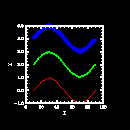 |
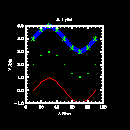 |
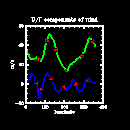 |
(Click on any frame to see it enlarged.)
NCL code for example 1
  1. load "$NCARG_ROOT/lib/ncarg/nclscripts/csm/gsn_code.ncl"  ; 加载包含gsn_的函数的ncl文件

  3. begin                                                     ;程序开始

  4.   x = new(9,float)  ; 定义一个包含有9个元素的一维数组(c = new((/5,6,7/),integer) a= (/True,False,True/))

  5.   y = new(9,float)

  6.

  7.   x = (/10.,20.,30.,40.,50.,60.,70.,80.,90./)

  8.   y = (/0.,0.71,1.,0.7,0.002,-0.71,-1.,-0.71,-0.003/)

  9.

 10.   wks = gsn_open_wks("x11","gsun01n")  ; 打开一个X11的工作站

 11.

 12.   plot = gsn_xy(wks,x,y,False)         ; 绘制一个xy的曲线图

 13.

 14. ;----------- Begin second plot -----------------------------------------

 15.

 16.    y2 = (/(/0., 0.7, 1., 0.7, 0., -0.7, -1., -0.7, 0./),\

 17.          (/2., 2.7, 3., 2.7, 2.,  1.3,  1.,  1.3, 2./),\

 18.          (/4., 4.7, 5., 4.7, 4.,  3.3,  3.,  3.3, 4./)/)    ;这是一个27个元素的一维数组

 19.

 20.   x@long_name  = "X"             ; 定义x的一个属性

 21.   y2@long_name = "Y"             ; 定义y2的一个属性

 22.

 23.   plot = gsn_xy(wks,x,y2,False)  ; 绘制一个包含3个曲线的xy plot

 24.

 25. ;----------- Begin third plot -----------------------------------------

 26.

 27.   resources                    = True          ; 示意有资源要设置

 29.

 30.   resources@xyLineColors        = (/2,3,4/)    ; 设定线条颜色

 31.   resources@xyLineThicknesses   = (/1.,2.,5./) ; 设定线条粗细

 32.                                                ; (默认值是1.0).

 33.

 34.   plot = gsn_xy(wks,x,y2,resources)            ; 绘制一个 XY plot.

 35.

 36. ;---------- Begin fourth plot ------------------------------------------

 37.

 38.   resources@tiMainString    = "X-Y plot"  ; 标题

 39.   resources@tiXAxisString   = "X Axis"    ; x轴标签

 40.   resources@tiYAxisString   = "Y Axis"    ; y轴标签

 41.   resources@tiMainFont      = "Helvetica" ; 标题字体

 42.   resources@tiXAxisFont     = "Helvetica" ; x轴标签字体

 43.   resources@tiYAxisFont     = "Helvetica" ; y轴标签字体

 44.

 45.   resources@xyMarkLineModes = (/"Lines","Markers","MarkLines"/)

 46.   resources@xyMarkers       = (/0,1,3/)   ; (none, dot, asterisk)

 47.   resources@xyMarkerColor   = 3           ; 标记颜色

 48.   resources@xyMarkerSizeF   = 0.03        ; 标记大小

 49.                                           ; 默认是0.01

 50.

 51.   plot = gsn_xy(wks,x,y2,resources)       ; 绘制一个 XY plot.

 52.

 53. ;---------- Begin fifth plot ------------------------------------------

 54.

 55.   filename = "$NCARG_ROOT/lib/ncarg/data/asc/xy.asc"

 56.

 57.   data = asciiread(filename,(/129,4/),"float")  ;以浮点读取参数文件入data,data数组规格:(/129,4/)

 58.

 59.   uv      = new((/2,129/),float)

 60.   uv(0,:) = data(:,1)

 61.   uv(1,:) = data(:,2)

 62.

 63.   lon     = data(:,0)

 64.   lon     = (lon-1) * 360./128.

 65.

 66.   delete(resources) ; 删除之前设置的资源

 67.

 68.   resources                        = True

 69.

 70.   resources@tiMainString           = "U/V components of wind"

 71.   resources@tiXAxisString          = "longitude"

 72.   resources@tiYAxisString          = "m/s"

 73.   resources@tiXAxisFontHeightF     = 0.02        ; 改变字体大小

 74.   resources@tiYAxisFontHeightF     = 0.02

 75.

 76.   resources@xyLineColors           = (/3,4/)     ; 设置线条颜色

 77.   resources@xyLineThicknessF       = 2.0         ; 线条粗细设置为原来2倍

 78.

 79.   resources@xyLabelMode            = "Custom"    ; 设置曲线标签

 80.   resources@xyExplicitLabels       = (/"U","V"/) ; 曲线标签

 81.   resources@xyLineLabelFontHeightF = 0.02        ; 大小和颜色

 82.   resources@xyLineLabelFontColor   = 2           ; 线条标签

 83.

 84.   plot = gsn_xy(wks,lon,uv,resources) ; 绘制2个曲线的xy plot

 85.

 86.   delete(plot)       ; 清空绘制面板

 87.   delete(resources)  ; 删除资源

 88. end
Example 1 - XY plots的更多相关文章
- NumPy for MATLAB users
http://mathesaurus.sourceforge.net/matlab-numpy.html Help MATLAB/Octave Python Description dochelp - ...
- Fluent 18.0新功能之:其他
ANSYS 18.0在2017年1月底发布,来看看Fluent18.0更新了哪些内容. 1 用户界面 关于用户界面方面的更新包括: (1)可以在树形菜单中同时选择多个子节点,如同时选择多个边界,点击右 ...
- Matplotlib外观和基本配置笔记
title: matplotlib 外观和基本配置笔记 notebook: Python tags:matplotlib --- 参考资料,如何使用matplotlib绘制出数据图形,参考另一篇mat ...
- Open Source GIS and Freeware GIS Applications
Open Source GIS and Freeware GIS Applications An open source application by definition is software ...
- Bugku-CTF分析篇-抓到一只苍蝇(在哪?here!卧槽?!好大一坨苍蝇。)
抓到一只苍蝇 抓到一只苍蝇 本题要点:pcapng包导出文件.合并连续的pcapng包.rar文件头.binwalk基本使用.foremost安装及使用 下载完成后,发现有这样 ...
- matplotlib 入门之Sample plots in Matplotlib
文章目录 Line Plot One figure, a set of subplots Image 展示图片 展示二元正态分布 A sample image Interpolating images ...
- LightningChart解决方案:XY和3D图表(Polymer Char GPC-IR®-工程案例)
LightningChart解决方案:XY和3D图表(Polymer Char GPC-IR-工程案例) 所在行业:石化公司成立时间:1992年LightningChart解决方案:XY和3D图表 P ...
- 第三方登录插件.NET版XY.OAuth-CSharp
XY.OAuth-CSharp GitHub:XY.OAuth-CSharp OSChina:XY.OAuth-CSharp 第三方登录插件.NET版 使用 首先,从NuGet上安装"XY. ...
- ArcEngine :The XY domain on the spatial reference is not set or invalid错误
在创建数据集的时候,提示The XY domain on the spatial reference is not set or invalid错误. 原因:未设置空间参考(ISpatialRefer ...
随机推荐
- Excel2007制作直方图和正态分布曲线图
对同一维度的数据分析数据分布范围及分布趋势,要通过制作直方图和正态分布曲线图体现. 例如:已知所有员工的日收入,分析员工收入分布情况(51.7,50.6,57.9,56.9,56.7,56.7,55. ...
- tomcat启动之后报404
启动之后什么异常都没有,但是就报404,很伤,为此和女朋友分了手. 如果项目以前还是可以正常运行的话,不妨试下下面这个办法: 停止tomcat,把tomcat下面的项目删除掉,之后右键单击项目,run ...
- OpenCV 3.1
http://www.tuicool.com/articles/FRfMni2 http://docs.opencv.org/3.1.0/d7/d9f/tutorial_linux_install.h ...
- 基于vue + axios + lrz.js 微信端图片压缩上传
业务场景 微信端项目是基于Vux + Axios构建的,关于图片上传的业务场景有以下几点需求: 1.单张图片上传(如个人头像,实名认证等业务) 2.多张图片上传(如某类工单记录) 3.上传图片时期望能 ...
- Lua基本函数库 【转】
转自:http://www.cnblogs.com/whiteyun/archive/2009/08/12/1543184.html 基本函数库为Lua内置的函数库,不需要额外装载 assert (v ...
- synchronized 锁优化
synchronized 在jdk 1.7之前是重量级锁,独占锁,非公平锁.jdk1.7之后,synchronized引入了 偏向锁,自旋锁,轻量级锁,重量级锁 自旋锁 当线程在获取锁的时候,如果发现 ...
- org.mockito.exceptions.misusing.MissingMethodInvocationException: when() requires an argument which has to be 'a method call on a mock'
异常原因: 1.mockito的jar包中缺少方法 2.mock方法的时候,返回的是对象,而对象没有重写equals方法 3.mock的实例方法调用方法错误 解决方法: 1.用powermock中的a ...
- MVC进阶学习--View和Controller之间的数据传递(二)
1. 使用Request.Form MVC 将页面简单化,与WebForm中的事件机制完全不同,就和普通的html标签表单提交没有任何区别(当然WebForm中的事件机制其实也是表单提交).在表单提交 ...
- 表转List泛型数组
转换那块怕忘记,留存一下 using System; using System.Collections.Generic; using System.Data; using System.Linq; u ...
- K.Bro Sorting(思维题)
K.Bro Sorting Time Limit: 2000/2000 MS (Java/Others) Memory Limit: 512000/512000 K (Java/Others)T ...