
centos6安装lamp
1、安装Apache
[root@localhost ~]# yum -y install httpd
设置开启自启动
[root@localhost ~]# chkconfig httpd on
启动httpd服务
[root@localhost ~]# service httpd start

Starting httpd: httpd: Could not reliably determine the server's fully qualified domain name, using ::1 for ServerName

                                                           [  OK  ]
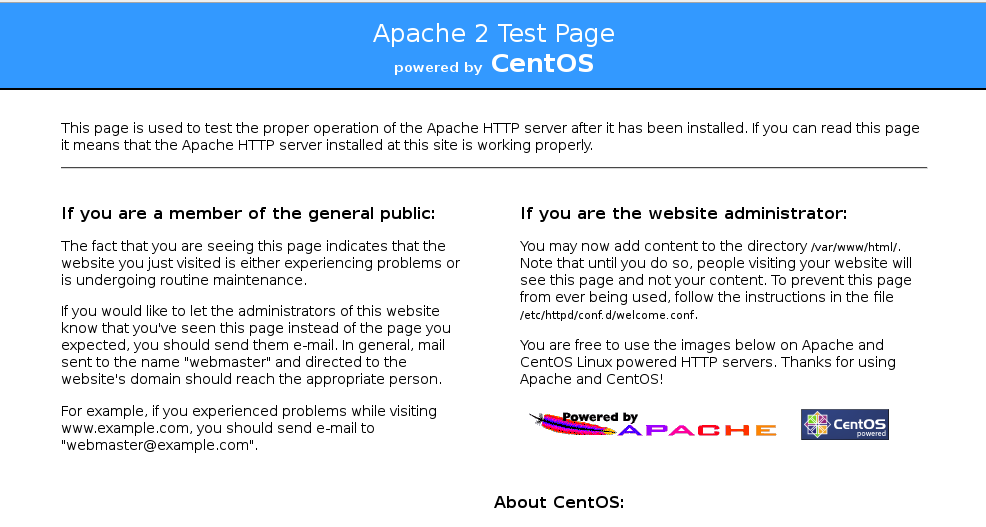
测试:如果是远程访问的话,需要在服务器上放行80端口
2.安装Mysql
[root@localhost ~]# yum -y install mysql mysql-server mysql-devel
#开机自启动
[root@localhost ~]# chkconfig mysqld on
#启动mysqld服务
[root@localhost ~]# service mysqld start

[root@localhost ~]# service mysqld status

mysqld (pid  ) is running...
设置密码:
[root@localhost ~]#  /usr/bin/mysql_secure_installation
Set root password? [Y/n] Y

New password:

Re-enter new password:

Password updated successfully!

Reloading privilege tables..

 ... Success!

By default, a MySQL installation has an anonymous user, allowing anyone

to log into MySQL without having to have a user account created for

them.  This is intended only for testing, and to make the installation

go a bit smoother.  You should remove them before moving into a

production environment.

Remove anonymous users? [Y/n] Y

 ... Success!

Normally, root should only be allowed to connect from 'localhost'.  This

ensures that someone cannot guess at the root password from the network.

Disallow root login remotely? [Y/n] Y

 ... Success!

By default, MySQL comes with a database named 'test' that anyone can

access.  This is also intended only for testing, and should be removed

before moving into a production environment.

Remove test database and access to it? [Y/n] Y

 - Dropping test database...

 ... Success!

 - Removing privileges on test database...

 ... Success!

Reloading the privilege tables will ensure that all changes made so far

will take effect immediately.

Reload privilege tables now? [Y/n] Y

 ... Success!

Cleaning up...

All done!  If you've completed all of the above steps, your MySQL

installation should now be secure.
查看监听的端口
[root@localhost ~]# netstat -tulpn | grep -i mysql

tcp               0.0.0.0:                0.0.0.0:*                   LISTEN      /mysqld
可以看到mysqld已经启动,监听在3306端口上
3、安装php
安装相关模块:为了让PHP支持MySQL,我们可以安装php-mysql软件包;也可使用以下命令搜索可用的php模块
[root@localhost ~]# yum -y install php php-mysql
# 安装php常用扩展
[root@localhost ~]# yum search php  #东西太多,就不显示出来了
[root@localhost ~]# yum -y install gd php-gd gd-devel php-xml php-common php-mbstring php-ldap php-pear php-xmlrpc php-imap
### 重启httpd服务,这一步很重要
[root@localhost ~]#  service httpd restart

Stopping httpd:                                            [  OK  ]

Starting httpd: httpd: Could not reliably determine the server's fully qualified domain name, using ::1 for ServerName

                                                           [  OK  ]
测试php
root@localhost ~]# cd /var/www/html/

[root@localhost html]# vim index.php

<?php

    phpinfo();

?>
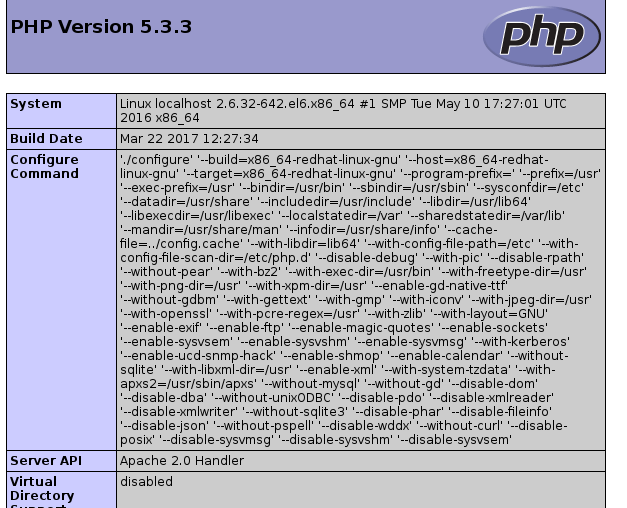
然后,我们再次在浏览器键入http://localhost 或 http://本机IP ,应该会看到如下页面
查看版本:
php版本:
[root@localhost html]# php -v

PHP 5.3. (cli) (built: Mar   ::)

Copyright (c) - The PHP Group

Zend Engine v2.3.0, Copyright (c) - Zend Technologies
mysql版本
[root@localhost html]# mysql -V

mysql  Ver 14.14 Distrib 5.1., for redhat-linux-gnu (x86_64) using readline 5.1
apache版本:
[root@localhost html]# apachectl -v

Server version: Apache/2.2. (Unix)

Server built:   Oct   ::38

或者:
[root@localhost html]# httpd -v
Server version: Apache/2.2.15 (Unix)
Server built:   Oct 19 2017 16:43:38
http://www.linuxidc.com/Linux/2014-07/104563.htm
centos6安装lamp的更多相关文章
- centos6 安装 lamp
首先更新一下yum -y update 安装Apache yum install httpd httpd-devel 安装完成后,用/etc/init.d/httpd start 启动apache 设 ...
- Ubuntu --- 【转】安装lamp(php7.0)
本篇转自:http://www.laozuo.org/8303.html.以防丢失,再次记录 PHP7已经出来有一段时间,根据网友的实践测试比之前的版本效率会高不少,而且应用到网站中打开速度会有明显的 ...
- CentOS6.3 编译安装LAMP(1):准备工作
卸载yum或rpm安装的amp软件 #在编译安装lamp之前,首先先卸载已存在的rpm包. rpm -e httpd rpm -e mysql rpm -e php yum -y remove htt ...
- CentOS6.3 编译安装LAMP(2):编译安装 Apache2.2.25
所需源码包: /usr/local/src/Apache-2.2.25/httpd-2.2.25.tar.gz 编译安装 Apache2.2.25 #切换到源码目录 cd /usr/local/src ...
- CentOS6.3 编译安装LAMP(2):编译安装 Apache2.4.6
Apache官方说: 与Apache 2.2.x相比,Apache 2.4.x提供了很多性能方面的提升,包括支持更大流量.更好地支持云计算.利用更少的内存处理更多的并发等.除此之外,还包括性能提升.内 ...
- CentOS6.3 编译安装LAMP(3):编译安装 MySQL5.5.25
所需源码包: /usr/local/src/MySQL-5.5.25/cmake-2.8.8.tar.gz /usr/local/src/MySQL-5.5.25/mysql-5.5.25.tar.g ...
- CentOS6.3 编译安装LAMP(4):编译安装 PHP5.2.17
所需源码包: /usr/local/src/PHP-5.2.17/libmcrypt-2.5.8.tar.gz /usr/local/src/PHP-5.2.17/mhash-0.9.9.9.tar. ...
- CentOS6.3 编译安装LAMP(4):编译安装 PHP5.3.27
所需源码包: /usr/local/src/PHP-5.3.27/libmcrypt-2.5.8.tar.gz /usr/local/src/PHP-5.3.27/mhash-0.9.9.9.tar. ...
- CentOS6.5下编译安装LAMP环境
LAMP(Linux-Apache-MySQL-PHP)网站架构是目前国际流行的Web框架.该框架能够满足大流量.大并发量的网站需求:当然.也可以直接使用高性能的服务器.高性能的负载均衡硬件以及CDN ...
随机推荐
- 使用EF操作Docker中的Mysql实例
为啥我会选择mysql呢?因为我的服务器配置较低,而SqlServer在docker中的实例,服务器的运行内存应当保持在2G+,我没有这个条件,它会爆出这样的错误 sqlservr: This pro ...
- Python第一天哇
iDLE的清除方法ctrl+: 当然,你首先要把网上百度到那个文件按照步骤加上去啦 我百度的=-=:https://www.cnblogs.com/stuqx/p/7291933.html Pyth ...
- 2020了你还不会Java8新特性?(六)Stream源码剖析
Stream流源码详解 节前小插曲 AutoCloseable接口: 通过一个例子 举例自动关闭流的实现. public interface BaseStream<T, S extends Ba ...
- Linux学习笔记(一):什么是挂载?mount的用处在哪?
关于挂载的作用一直不是很清楚,今天在阅读教材时看见了mount这个命令,发现它的用处很隐晦但非常强大.奈何教材说的不明朗,因此在网上整合了一些优秀的解释,看完之后豁然开朗. 1.提一句Windows下 ...
- kubernetes-dashboard部署
参考资料: kubernetes官方文档 官方GitHub 创建访问用户 解决chrome无法访问dashboard 官方部署方法如下: kubectl apply -f https://raw.gi ...
- 安装 redis
官方下载地址:http://redis.io/download,但是官方没有64位的Windows下的可执行程序. 目前有个开源的托管在github上, 地址:https://github.com/S ...
- 端口扫描器--利用python的nmap模块
安装nmap模块挺麻烦的,搞了半天 不仅要安装pip install nmap 还要sudo apt install nmap 给出代码,没有设多线程,有点慢,注意端口的类型转换,搞了很久 #!/us ...
- [白话解析] 深入浅出 极大似然估计 & 极大后验概率估计
[白话解析] 深入浅出极大似然估计 & 极大后验概率估计 0x00 摘要 本文在少用数学公式的情况下,尽量仅依靠感性直觉的思考来讲解 极大似然估计 & 极大后验概率估计,并且从名著中找 ...
- 关于redis分布式锁
Lock 分布式锁 1.安全属性:互斥,不管任何时候,只有一个客户端能持有同一个锁. 2.效率属性A:不会死锁,最终一定会得到锁,就算一个持有锁的客户端宕掉或者发生网络分区. 3.效率属性B:容错,只 ...
- 小技巧(2) 查询自己博客的SEO(如果违规,请先提醒)
今天,教大家查看自己博客的SEO. 首先,上网站http://seo.chinaz.com/ 接着,在网页输入框中输入自己博客地址(带后面路径,不是cnblogs.com这样的,类似https://w ...