
wifi IP address scanner on macOS
wifi IP address scanner on macOS
Nmap Network Scanning

https://nmap.org/book/inst-macosx.html
https://nmap.org/download.html#macosx
test
$ nmap -T4 -A -v 192.168.1.1-255

Nmap 命令
https://svn.nmap.org/nmap/docs/nmap.usage.txt
Nmap 7.80SVN ( https://nmap.org )

Usage: nmap [Scan Type(s)] [Options] {target specification}

TARGET SPECIFICATION:

  Can pass hostnames, IP addresses, networks, etc.

  Ex: scanme.nmap.org, microsoft.com/24, 192.168.0.1; 10.0.0-255.1-254

  -iL <inputfilename>: Input from list of hosts/networks

  -iR <num hosts>: Choose random targets

  --exclude <host1[,host2][,host3],...>: Exclude hosts/networks

  --excludefile <exclude_file>: Exclude list from file

HOST DISCOVERY:

  -sL: List Scan - simply list targets to scan

  -sn: Ping Scan - disable port scan

  -Pn: Treat all hosts as online -- skip host discovery

  -PS/PA/PU/PY[portlist]: TCP SYN/ACK, UDP or SCTP discovery to given ports

  -PE/PP/PM: ICMP echo, timestamp, and netmask request discovery probes

  -PO[protocol list]: IP Protocol Ping

  -n/-R: Never do DNS resolution/Always resolve [default: sometimes]

  --dns-servers <serv1[,serv2],...>: Specify custom DNS servers

  --system-dns: Use OS's DNS resolver

  --traceroute: Trace hop path to each host

SCAN TECHNIQUES:

  -sS/sT/sA/sW/sM: TCP SYN/Connect()/ACK/Window/Maimon scans

  -sU: UDP Scan

  -sN/sF/sX: TCP Null, FIN, and Xmas scans

  --scanflags <flags>: Customize TCP scan flags

  -sI <zombie host[:probeport]>: Idle scan

  -sY/sZ: SCTP INIT/COOKIE-ECHO scans

  -sO: IP protocol scan

  -b <FTP relay host>: FTP bounce scan

PORT SPECIFICATION AND SCAN ORDER:

  -p <port ranges>: Only scan specified ports

    Ex: -p22; -p1-65535; -p U:53,111,137,T:21-25,80,139,8080,S:9

  --exclude-ports <port ranges>: Exclude the specified ports from scanning

  -F: Fast mode - Scan fewer ports than the default scan

  -r: Scan ports consecutively - don't randomize

  --top-ports <number>: Scan <number> most common ports

  --port-ratio <ratio>: Scan ports more common than <ratio>

SERVICE/VERSION DETECTION:

  -sV: Probe open ports to determine service/version info

  --version-intensity <level>: Set from 0 (light) to 9 (try all probes)

  --version-light: Limit to most likely probes (intensity 2)

  --version-all: Try every single probe (intensity 9)

  --version-trace: Show detailed version scan activity (for debugging)

SCRIPT SCAN:

  -sC: equivalent to --script=default

  --script=<Lua scripts>: <Lua scripts> is a comma separated list of

           directories, script-files or script-categories

  --script-args=<n1=v1,[n2=v2,...]>: provide arguments to scripts

  --script-args-file=filename: provide NSE script args in a file

  --script-trace: Show all data sent and received

  --script-updatedb: Update the script database.

  --script-help=<Lua scripts>: Show help about scripts.

           <Lua scripts> is a comma-separated list of script-files or

           script-categories.

OS DETECTION:

  -O: Enable OS detection

  --osscan-limit: Limit OS detection to promising targets

  --osscan-guess: Guess OS more aggressively

TIMING AND PERFORMANCE:

  Options which take <time> are in seconds, or append 'ms' (milliseconds),

  's' (seconds), 'm' (minutes), or 'h' (hours) to the value (e.g. 30m).

  -T<0-5>: Set timing template (higher is faster)

  --min-hostgroup/max-hostgroup <size>: Parallel host scan group sizes

  --min-parallelism/max-parallelism <numprobes>: Probe parallelization

  --min-rtt-timeout/max-rtt-timeout/initial-rtt-timeout <time>: Specifies

      probe round trip time.

  --max-retries <tries>: Caps number of port scan probe retransmissions.

  --host-timeout <time>: Give up on target after this long

  --scan-delay/--max-scan-delay <time>: Adjust delay between probes

  --min-rate <number>: Send packets no slower than <number> per second

  --max-rate <number>: Send packets no faster than <number> per second

FIREWALL/IDS EVASION AND SPOOFING:

  -f; --mtu <val>: fragment packets (optionally w/given MTU)

  -D <decoy1,decoy2[,ME],...>: Cloak a scan with decoys

  -S <IP_Address>: Spoof source address

  -e <iface>: Use specified interface

  -g/--source-port <portnum>: Use given port number

  --proxies <url1,[url2],...>: Relay connections through HTTP/SOCKS4 proxies

  --data <hex string>: Append a custom payload to sent packets

  --data-string <string>: Append a custom ASCII string to sent packets

  --data-length <num>: Append random data to sent packets

  --ip-options <options>: Send packets with specified ip options

  --ttl <val>: Set IP time-to-live field

  --spoof-mac <mac address/prefix/vendor name>: Spoof your MAC address

  --badsum: Send packets with a bogus TCP/UDP/SCTP checksum

OUTPUT:

  -oN/-oX/-oS/-oG <file>: Output scan in normal, XML, s|<rIpt kIddi3,

     and Grepable format, respectively, to the given filename.

  -oA <basename>: Output in the three major formats at once

  -v: Increase verbosity level (use -vv or more for greater effect)

  -d: Increase debugging level (use -dd or more for greater effect)

  --reason: Display the reason a port is in a particular state

  --open: Only show open (or possibly open) ports

  --packet-trace: Show all packets sent and received

  --iflist: Print host interfaces and routes (for debugging)

  --append-output: Append to rather than clobber specified output files

  --resume <filename>: Resume an aborted scan

  --stylesheet <path/URL>: XSL stylesheet to transform XML output to HTML

  --webxml: Reference stylesheet from Nmap.Org for more portable XML

  --no-stylesheet: Prevent associating of XSL stylesheet w/XML output

MISC:

  -6: Enable IPv6 scanning

  -A: Enable OS detection, version detection, script scanning, and traceroute

  --datadir <dirname>: Specify custom Nmap data file location

  --send-eth/--send-ip: Send using raw ethernet frames or IP packets

  --privileged: Assume that the user is fully privileged

  --unprivileged: Assume the user lacks raw socket privileges

  -V: Print version number

  -h: Print this help summary page.

EXAMPLES:

  nmap -v -A scanme.nmap.org

  nmap -v -sn 192.168.0.0/16 10.0.0.0/8

  nmap -v -iR 10000 -Pn -p 80

SEE THE MAN PAGE (https://nmap.org/book/man.html) FOR MORE OPTIONS AND EXAMPLES
Nmap 使用教程
https://nmap.org/man/zh/man-briefoptions.html
https://nmap.org/book/man.html
nmap [ <Scan Type> ...] [ <Options> ] { <target specification> }
https://nmap.org/book/man-examples.html
nmap -v scanme.nmap.org

nmap -sS -O scanme.nmap.org/24

nmap -sV -p 22,53,110,143,4564 198.116.0-255.1-127

nmap -v -iR 100000 -Pn -p 80

nmap -Pn -p80 -oX logs/pb-port80scan.xml -oG logs/pb-port80scan.gnmap 216.163.128.20/20
https://www.cnblogs.com/xgqfrms/tag/NMAP/
Nmap 命令
Nmap 语法格式: nmap [空格] [选项/多选项/协议] [空格] [目标]
# 1-255 对一个 ip 范围进行全面扫描

# -A 全面扫描. 综合扫描. 是一种完整扫描目标信息的扫描方式

# -T 时序选项, -T0-T5. 用于IDS逃逸, 0=>非常慢,1=>缓慢的,2=>文雅的,3=>普通的,4=>快速的,5=>急速

# -v 版本探测 ,通过相应的端口探测对应的服务,根据服务的指纹识别出相应的版本

$ nmap -T4 -A -v 192.168.1.1-255
https://www.cnblogs.com/php09/p/10530057.html
Security Scanner
refs
https://www.jianshu.com/p/705d6aa95a37
MacPorts
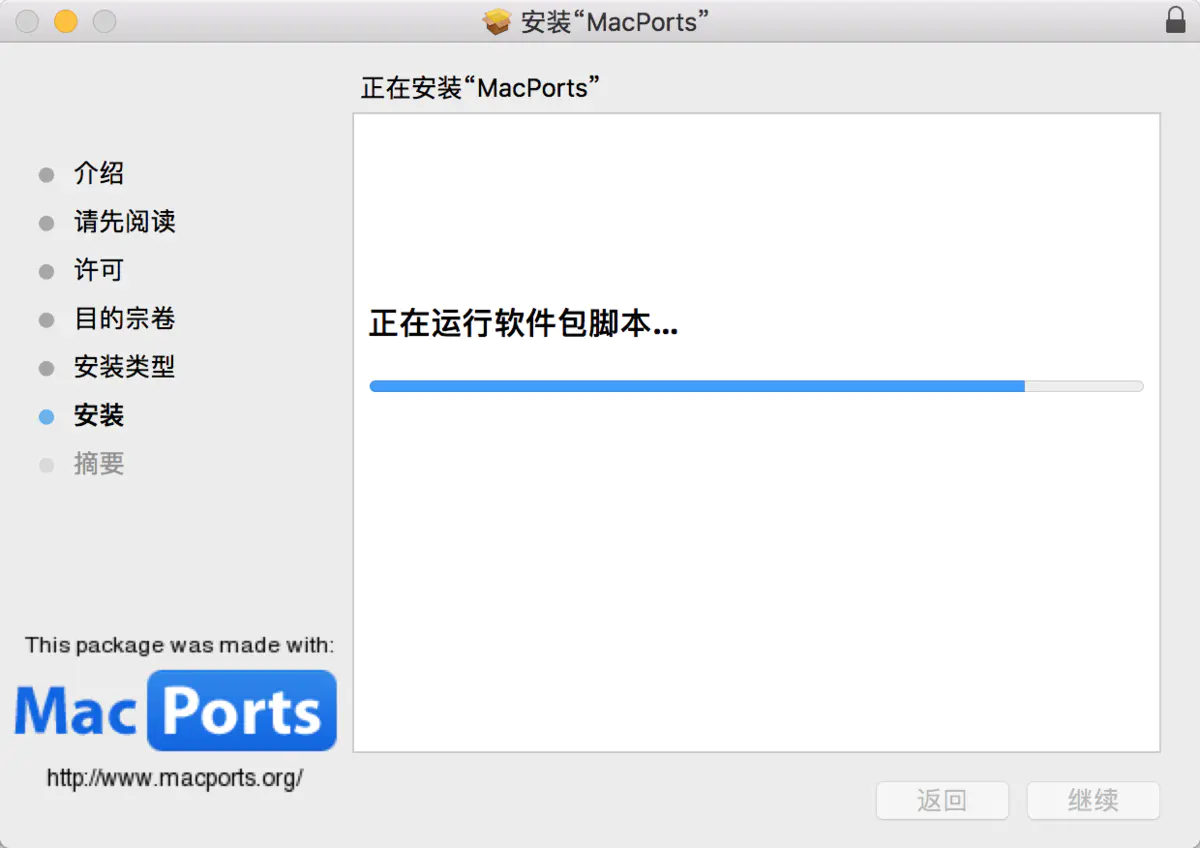
macOS 除了可以用 dmg、pkg 来安装软件外,比较方便的还有用MacPorts来帮助你安装其他应用程序;
跟 BSD 中的 ports 道理一样。MacPorts 就像 apt-get、yum 一样,可以快速安装些软件;
https://kapeli.com/cheat_sheets/MacPorts.docset/Contents/Resources/Documents/index
# Search directory for ports

$ port search [--name] [--regex] '<searchtext>'

# Get information about a port

$ port info <portname>

# List installed ports

# For just a list of the ports you have explicitly installed

$ port echo requested

# For a list of everything installed by MacPorts, including all dependencies

$ port installed
xgqfrms 2012-2020
www.cnblogs.com 发布文章使用:只允许注册用户才可以访问!
wifi IP address scanner on macOS的更多相关文章
- AndroidStudio ADB WIFI :adb wifi scan ip address
笔记本使用Android studio的adb wifi插件时,AS 最下方报 adb wifi scan ip address.一直无法使用. 解决办法: ----在Terminal窗口中输入: a ...
- macOS & wifi & ip
macOS & wifi & ip mac show wifi ip # wireless ipconfig getifaddr en1 # ethernet ipconfig get ...
- Linux Force DHCP Client (dhclient) to Renew IP Address
http://www.cyberciti.biz/faq/howto-linux-renew-dhcp-client-ip-address/‘m using Ubuntu Linux. How to ...
- TOJ4413: IP address
传送门:http://acm.tzc.edu.cn/acmhome/problemdetail.do?&method=showdetail&id=4413 时间限制(普通/Java): ...
- poj 2105 IP Address(水题)
一.Description Suppose you are reading byte streams from any device, representing IP addresses. Your ...
- ERROR 2003 (HY000): Can't connect to MySQL server on 'ip address' (111)的处理办法
远程连接mysql数据库时可以使用以下指令 mysql -h 192.168.1.104 -u root -p 如果是初次安装mysql,需要将所有/etc/mysql/内的所有配置文件的bind-a ...
- oracle 11g RAC安装节点二执行结果错误CRS-5005: IP Address: 192.168.1.24 is already in use in the network
[root@testdb11b ~]# /u01/app/oraInventory/orainstRoot.sh Changing permissions of /u01/app/oraInvento ...
- Assign an Elastic IP Address to Your Instance
By default, an instance in a nondefault VPC is not assigned a public IP address, and is private.You ...
- Ubuntu setup Static IP Address
Change Ubuntu Server from DHCP to a Static IP Address If the Ubuntu Server installer has set your se ...
随机推荐
- day03 函数基本语法及特性 2. 参数与局部变量 3. 返回值 嵌套函数 4.递归 5.匿名函数 6.函数式编程介绍 7.高阶函数 8.内置函数
本节内容 1. 函数基本语法及特性 2. 参数与局部变量 3. 返回值 嵌套函数 4.递归 5.匿名函数 6.函数式编程介绍 7.高阶函数 8.内置函数 温故知新 1. 集合 主要作用: 去重 关系测 ...
- 1、剑指offer-数组——二维数组中的查找
*题目描述* **在一个二维数组中(每个一维数组的长度相同),每一行都按照从左到右递增的顺序排序,每一列都按照从上到下递增的顺序排序.请完成一个函数,输入这样的一个二维数组和一个整数,判断数组中是否含 ...
- (hive)hive优化(转载)
1. 概述 1.1 hive的特征: 可以通过SQL轻松访问数据的工具,从而实现数据仓库任务,如提取/转换/加载(ETL),报告和数据分析: 它可以使已经存储的数据结构化: 可以直接访问存储在Apac ...
- 逻辑bug 测试用例
1. 179. 最大数 - 力扣(LeetCode) https://leetcode-cn.com/problems/largest-number/ 给定一组非负整数 nums,重新排列它们每个数字 ...
- 排查golang的性能问题 go pprof 实践
小结: 1.内存消耗分析 list peek 定位到函数 https://mp.weixin.qq.com/s/_LovnIqJYAuDpTm2QmUgrA 使用pprof和go-torch排查 ...
- python 11 模块
模块 在计算机程序的开发过程中,随着程序代码越写越多,在一个文件里代码就会越来越长,越来越不容易维护. 为了编写可维护的代码,我们把很多函数分组,分别放到不同的文件里,这样,每个文件包含的代码就相对较 ...
- xftp 提示无法显示远程文件夹
在用xftp远程服务器,打开文件夹的时候一直提示"无法显示远程文件夹" 解决方案: 1.网上大多解决方案是文件->属性->选项->将使用被动模式选项去掉即可 2. ...
- Fiddler扩展——自定义列数据&Tunnel to 443解决办法
在平时日常工作中,使用Fiddler的占比还是蛮大的.使用过程,也会遇到一些小问题,问题虽小,但抓不到包,分析不了问题与数据,那也是件麻烦的事情. 以前也分享过一些小技巧,可以找以前的博文查看,具体地 ...
- vue3系列:vue3.0自定义虚拟滚动条V3Scroll|vue3模拟滚动条组件
基于Vue3.0构建PC桌面端自定义美化滚动条组件V3Scroll. 前段时间有分享一个Vue3 PC网页端弹窗组件,今天带来最新开发的Vue3.0版虚拟滚动条组件. V3Scroll 使用vue3. ...
- 网络编程(socket简介)
socket简介 Python 提供了两个基本的 socket 模块. 第一个是 Socket,它提供了标准的 BSD Sockets API. 第二个是 SocketServer, 它提供了服务器中 ...