
Vue使用js鼠标蜘蛛特效
1. 在src下新建文件夹utils,里面新建文件canvas-nest.js,将代码复制进去。(可以自己定义存放路径)
  !function() {

      function n(n, e, t) {

          return n.getAttribute(e) || t

      }

      function e(n) {

          return document.getElementsByTagName(n)

      }

      function t() {

          var t = e("script"),

          o = t.length,

          i = t[o - 1];

          return {

              l: o,

              z: n(i, "zIndex", -1),

              o: n(i, "opacity", .9),   //透明度

              c: n(i, "color", "255, 102, 153"),   //颜色

              n: n(i, "count", 99)

          }

      }

      function o() {

          a = m.width = window.innerWidth || document.documentElement.clientWidth || document.body.clientWidth,

          c = m.height = window.innerHeight || document.documentElement.clientHeight || document.body.clientHeight

      }

      function i() {

          r.clearRect(0, 0, a, c);

          var n, e, t, o, m, l;

          s.forEach(function(i, x) {

              for (i.x += i.xa, i.y += i.ya, i.xa *= i.x > a || i.x < 0 ? -1 : 1, i.ya *= i.y > c || i.y < 0 ? -1 : 1, r.fillRect(i.x - .5, i.y - .5, 1, 1), e = x + 1; e < u.length; e++) n = u[e],

              null !== n.x && null !== n.y && (o = i.x - n.x, m = i.y - n.y, l = o * o + m * m, l < n.max && (n === y && l >= n.max / 2 && (i.x -= .03 * o, i.y -= .03 * m), t = (n.max - l) / n.max, r.beginPath(), r.lineWidth = t / 2, r.strokeStyle = "rgba(" + d.c + "," + (t + .2) + ")", r.moveTo(i.x, i.y), r.lineTo(n.x, n.y), r.stroke()))

          }),

          x(i)

      }

      var a, c, u, m = document.createElement("canvas"),

      d = t(),

      l = "c_n" + d.l,

      r = m.getContext("2d"),

      x = window.requestAnimationFrame || window.webkitRequestAnimationFrame || window.mozRequestAnimationFrame || window.oRequestAnimationFrame || window.msRequestAnimationFrame ||

      function(n) {

          window.setTimeout(n, 1e3 / 45)

      },

      w = Math.random,

      y = {

          x: null,

          y: null,

          max: 2e4

      };

      m.id = l,

      m.style.cssText = "position:fixed;top:0;left:0;z-index:" + d.z + ";opacity:" + d.o,

      e("body")[0].appendChild(m),

      o(),

      window.onresize = o,

      window.onmousemove = function(n) {

          n = n || window.event,

          y.x = n.clientX,

          y.y = n.clientY

      },

      window.onmouseout = function() {

          y.x = null,

          y.y = null

      };

      for (var s = [], f = 0; d.n > f; f++) {

          var h = w() * a,

          g = w() * c,

          v = 2 * w() - 1,

          p = 2 * w() - 1;

          s.push({

              x: h,

              y: g,

              xa: v,

              ya: p,

              max: 6e3

          })

      }

      u = s.concat([y]),

      setTimeout(function() {

          i()

      },

      100)

  } ();
蜘蛛特效
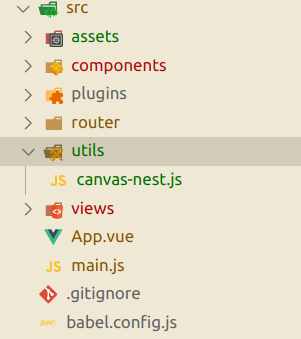
2. 在app.vue里面导入使用
<template>

  <div id="app">

  </div>

</template>

<script>

import Canvas from './utils/canvas-nest.js'

export default {

  name: 'app',

  components: {

    Canvas

  }

}

</script>

<style>

canvas{

    background: rgb(226, 225, 225);

    opacity: 0.3;

}

</style>
app.vue里面使用教程
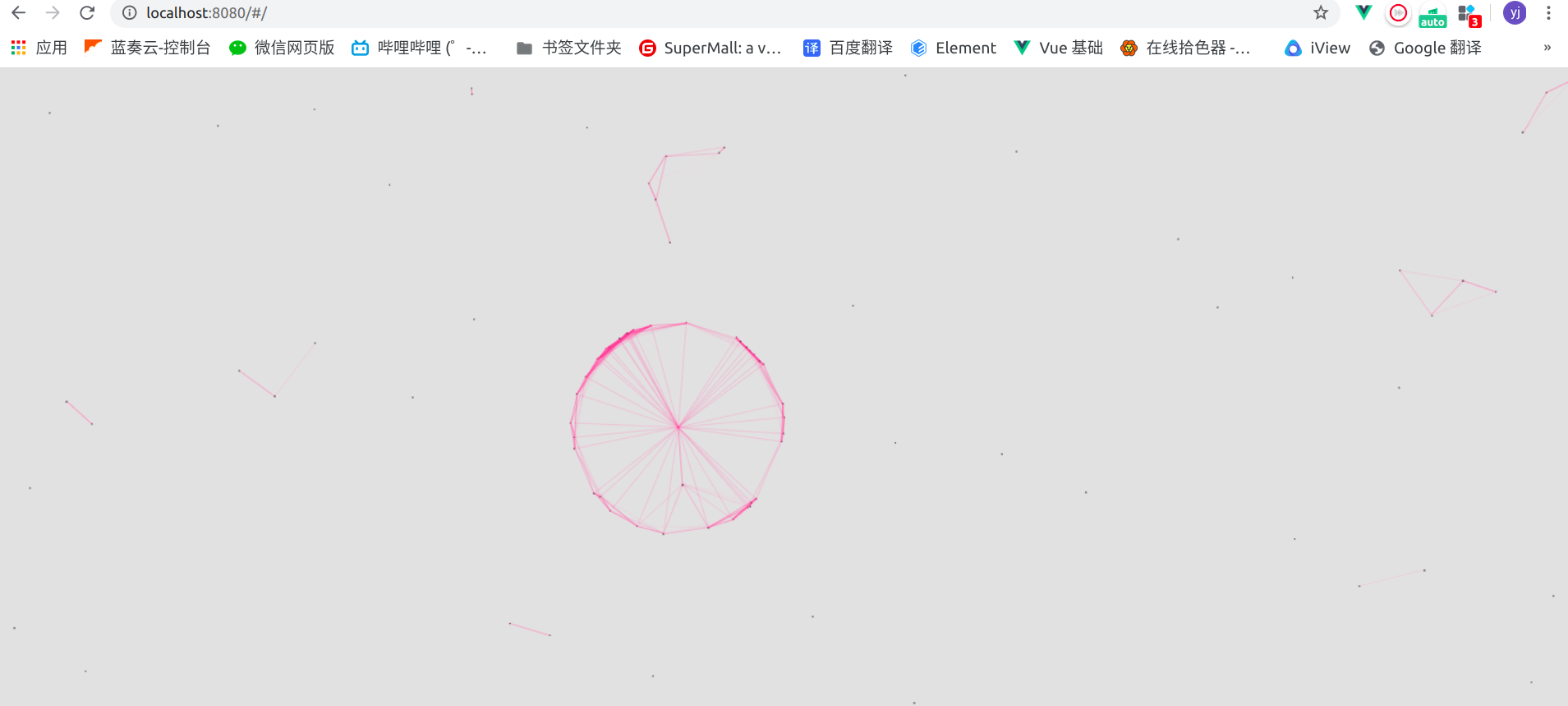
3. 预览
Vue使用js鼠标蜘蛛特效的更多相关文章
- Vue 监听鼠标左键 鼠标右键以及鼠标中键修饰符click.left&contextmenu&click.middle
<!doctype html> <html lang="en"> <head> <meta charset="UTF-8&quo ...
- 前端小插件之手写js循环滚动特效
很多前端都离不开滚动的特效,调用插件繁琐,后期更改麻烦,考虑到这些因素,自己写了一套无限循环滚动的小特效. 首先滚动特效很好写,用css就可以完成,下面写一个基础css向上循环滚动特效 html &l ...
- Vue专题-js常用指令
vue.js官方给自己的定为是数据模板引擎,并给出了一套渲染数据的指令.本文详细介绍了vue.js的常用指令. vue.js常用指令 Vue.js使用方式及文本插值 Vue.js 使用了基于 HTML ...
- js鼠标滚轮滚动图片切换效果
效果体验网址:http://keleyi.com/keleyi/phtml/image/12.htm HTML文件代码: <!DOCTYPE html PUBLIC "-//W3C// ...
- vue.common.js?e881:433 TypeError: Cannot read property 'nodeName' of undefined
我觉得吧,是这么个原因,就是响应式要找这个node改它的内容,没找着,就报错了. 用computed监控vuex的state属性,绑定到页面上,如果这个属性改了,因为响应式,那么就要更改页面,如果页面 ...
- js 鼠标事件的抓取代码
js 鼠标事件的抓取代码,分享给大家. 1.通过ele.setCapture();设置鼠标事件的抓取. 2,应用可以通过单.双击文字来获取时间. <html> <head> & ...
- js鼠标及对象坐标控制属性详细解析
对js鼠标及对象坐标控制属性进行了详细的分析介绍. offsetTop获取对象相对于版面或由 offsetParent 属性指定的父坐标的计算顶端位置. offsetLeft获取对象相对于版面或由 ...
- 案例:用JS实现放大镜特效
案例:用JS实现放大镜特效 案例:用JS实现放大镜特效
- Qt 鼠标样式特效探索样例(一)——利用时间器调用QWidget.move()函数
Qt 鼠标样式特效探索样例(一) 心血来潮,突然想在Qt里玩一把鼠标样式,想到在浏览网页时,经常看到漂亮的鼠标动画,于是今天摸索着乱写个粗糙的demo,来满足自己的好奇心. 效果图 方案要 ...
随机推荐
- 【雕爷学编程】Arduino动手做(6)---声音传感器模块
37款传感器的提法,在网络上广泛流传,其实Arduino能够兼容的传感器模块肯定是不止37种的.鉴于本人手头积累了一些传感器,依照实践(动手试试)出真知的理念,以学习和交流为目的,这里准备逐一做做实验 ...
- 视口viewport
一.viewport 1. 何为视口? 视口是浏览器显示网页的矩形区域. 2. 默认视口:模拟一个大约1000像素宽的视口. 理想视口:因设备.操作系统.浏览器而异,一般而言,手机宽带大约在300-5 ...
- webstorm-在不删除硬盘文件的条件下移除项目
一段时间没用之后会忘记如何在webstorm里移除一个项目,要花很长的时间去找到底如何才能移除,所以特地把它记录下来了,方便下次忘记的时候可以查阅 把鼠标移在你要移除的那个项目上然后按下Delete键 ...
- 7.2 Go type assertion
7.2 Go type assertion 类型断言是使用在接口值上的操作. 语法x.(T)被称为类型断言,x代表接口的类型,T代表一个类型检查. 类型断言检查它操作对象的动态类型是否和断言类型匹配. ...
- Kali Linux 2020.1安装以及安装后要做的事
Kali Linux是基于Debian的Linux发行版,预装了许多渗透测试软件,让大家从各种繁琐的软件安装中解脱出来,专注于测试本身. 本文章介绍了如何安装目前最新的2020.1版本,以及安装好后补 ...
- 【Redis】Set常见应用场景
微信抽奖小程序 >点击参与抽奖加入集合 SADD key {userID} >查看参与抽奖所有用户 SMEMBERS key >抽取count名中奖者 SRANGEMEMBER ke ...
- Java并发编程入门(一)
一.为什么要并发? 出现背景:操作系统的出现,使计算机同时运行多个程序成为可能. 1.目的: 资源利用率.某些时候,程序必须等待一些外部操作完成(IO)才能继续运行,在等待时间运行其他程序,可以有效提 ...
- Spring全家桶——SpringBoot之AOP详解
Spring全家桶--SpringBoot之AOP详解 面向方面编程(AOP)通过提供另一种思考程序结构的方式来补充面向对象编程(OOP). OOP中模块化的关键单元是类,而在AOP中,模块化单元是方 ...
- 聊聊UDP、TCP和实现一个简单的JAVA UDP小Demo
最近真的比较忙,很久就想写了,可是一直苦于写点什么,今天脑袋灵光一闪,觉得自己再UDP方面还有些不了解的地方,所以要给自己扫盲. 好了,咱们进入今天的主题,先列一下提纲: 1. UDP是什么,UDP适 ...
- [UWP]使用离散式关键帧播放动画
这篇文章介绍离散式关键帧,并使用它做些有趣的动画. 1. 什么是离散式关键帧 以DoubleAnimationUsingKeyFrames为例,它支持四种Double的关键帧,其中EasingDoub ...