
05Hadoop-左外连接
场景:有两张表,一张用户表(user),交易表(transactions)。两张表的字段如下:

两份表数据做个左连接,查询出(商品名,地址)这种格式。
这样就是相当于交易表是左表,不管怎么样数据都要保留,然后从右边里面查出来弥补左表。
效果如下:

思路:写两个map,把两个表的数据都读进来,在reduce端进行连接,然后按照格式要求写出去。
(1)map1:读取transaction文件,封装为:
protected void map(LongWritable key, Text value, Mapper<LongWritable, Text, PairOfStrings, PairOfStrings>.Context context)
throws IOException, InterruptedException {
String lines=value.toString();
String[] args=lines.split(" ");
String productID=args[1];
String userID=args[2];
//把outPutKey加了一个2,这么做的目的是,后续在reduce端,聚合时,这个数据能够晚点到达。
outPutKey.set(userID, "2");
outPutValue.set("P", productID);
context.write(outPutKey, outPutValue);
}
(2)map2:读取user文件,封装为:
static class map2 extends Mapper<LongWritable, Text,PairOfStrings,PairOfStrings>
{
PairOfStrings outPutKey=new PairOfStrings();
PairOfStrings outPutvalue=new PairOfStrings();
@Override
protected void map(LongWritable key, Text value,
Mapper<LongWritable, Text, PairOfStrings, PairOfStrings>.Context context)
throws IOException, InterruptedException {
String line=value.toString();
String[] args=line.split(" ");
String userID=args[0];
String locationID=args[1];
//把outPutKey加了一个1,这么做的目的是,后续在reduce端,聚合时,这个数据能够早于transaction文件里面的数据到达。
outPutKey.set(userID, "1");
outPutvalue.set("L", locationID);
context.write(outPutKey, outPutvalue);
}
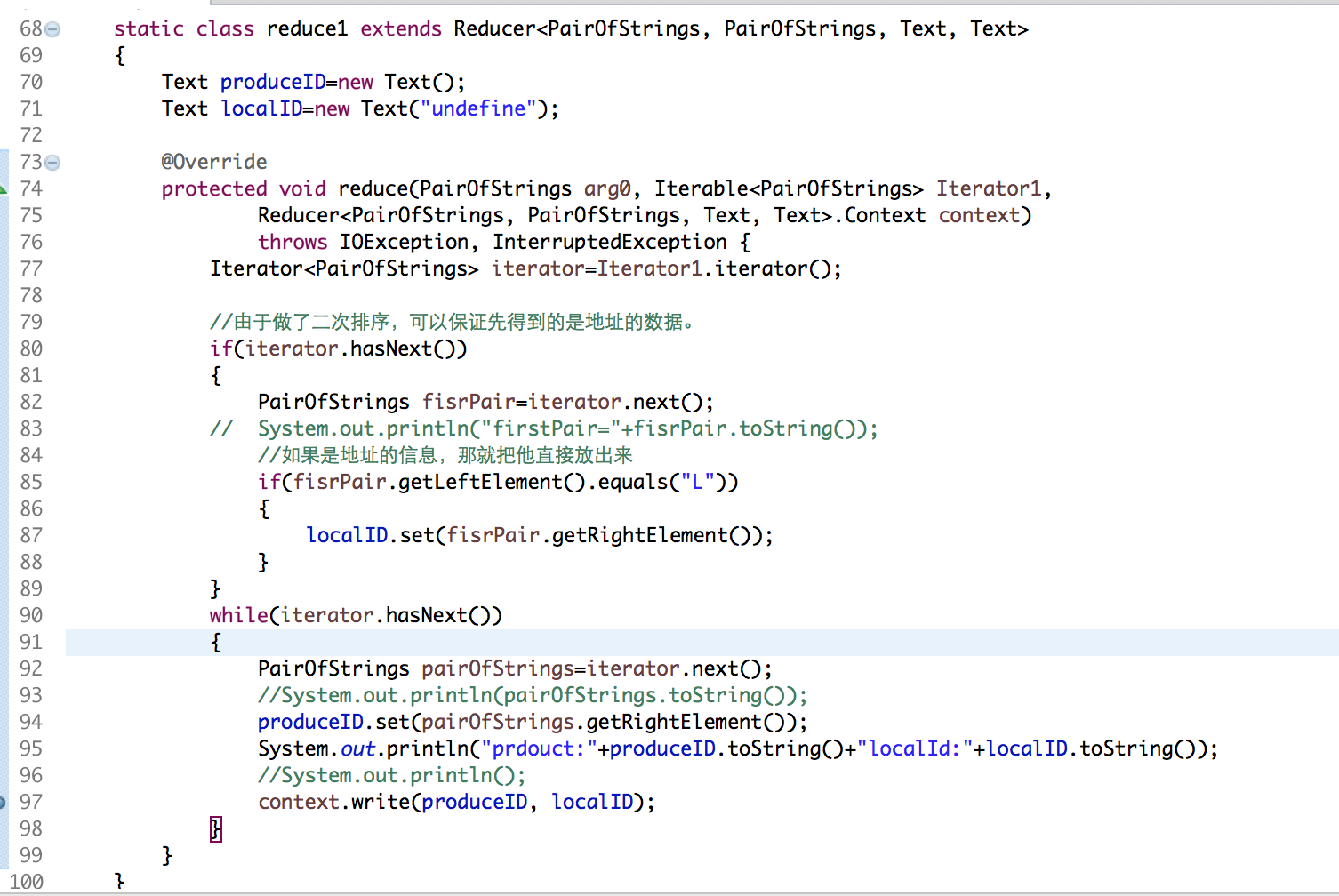
(3)reduce:把map端的数据要根据用户ID分区,相同的用户ID写入到同一个分区,进而写入到同一个Reduce分区,然后在Reduce中根据PairOfStrings这个类的自己的排序规则对数据排序。因为前面对key做了处理(加了1,2),所以是用户的地址这些信息先到达reduce。,然后根据不同的分组,把数据写出来。
总的代码结构:

LeftCmain:
package com.guigu.left;

import java.io.IOException;

import java.util.Iterator;

import org.apache.hadoop.conf.Configuration;

import org.apache.hadoop.fs.Path;

import org.apache.hadoop.io.LongWritable;

import org.apache.hadoop.io.Text;

import org.apache.hadoop.mapreduce.Job;

import org.apache.hadoop.mapreduce.Mapper;

import org.apache.hadoop.mapreduce.Reducer;

import org.apache.hadoop.mapreduce.lib.input.MultipleInputs;

import org.apache.hadoop.mapreduce.lib.input.TextInputFormat;

import org.apache.hadoop.mapreduce.lib.output.FileOutputFormat;

import org.apache.hadoop.mapreduce.lib.output.SequenceFileOutputFormat;

import edu.umd.cloud9.io.pair.PairOfStrings;

public class LeftCmain {

    //读取transaction文件

    static class map1 extends Mapper<LongWritable, Text, PairOfStrings,PairOfStrings>

    {

        PairOfStrings outPutKey=new PairOfStrings();

        PairOfStrings outPutValue=new PairOfStrings();

        @Override

        protected void map(LongWritable key, Text value, Mapper<LongWritable, Text, PairOfStrings, PairOfStrings>.Context context)

                throws IOException, InterruptedException {

              String lines=value.toString();

              String[] args=lines.split(" ");

              String productID=args[1];

              String userID=args[2];

              outPutKey.set(userID, "2");

              outPutValue.set("P", productID);

              context.write(outPutKey, outPutValue);

        }

    }

    //读取user文件

    static class map2 extends Mapper<LongWritable, Text,PairOfStrings,PairOfStrings>

    {

        PairOfStrings outPutKey=new PairOfStrings();

        PairOfStrings outPutvalue=new PairOfStrings();

        @Override

        protected void map(LongWritable key, Text value,

                Mapper<LongWritable, Text, PairOfStrings, PairOfStrings>.Context context)

                throws IOException, InterruptedException {

            String line=value.toString();

            String[] args=line.split(" ");

            String userID=args[0];

            String locationID=args[1];

            outPutKey.set(userID, "1");

            outPutvalue.set("L", locationID);

            context.write(outPutKey, outPutvalue);

        }

    }

    /**

     * 这个的关键点在于,取出的数据:要求先取出地址的数据。

     * @author Sxq

     *

     */

    static class reduce1 extends Reducer<PairOfStrings, PairOfStrings, Text, Text>

    {

        Text produceID=new Text();

        Text localID=new Text("undefine");

        @Override

        protected void reduce(PairOfStrings arg0, Iterable<PairOfStrings> Iterator1,

                Reducer<PairOfStrings, PairOfStrings, Text, Text>.Context context)

                throws IOException, InterruptedException {

            Iterator<PairOfStrings> iterator=Iterator1.iterator();

            //由于做了二次排序,可以保证先得到的是地址的数据。

            if(iterator.hasNext())

            {

                PairOfStrings fisrPair=iterator.next();

            //    System.out.println("firstPair="+fisrPair.toString());

                //如果是地址的信息,那就把他直接放出来

                if(fisrPair.getLeftElement().equals("L"))

                {

                    localID.set(fisrPair.getRightElement());

                }

            }

            while(iterator.hasNext())

            {

                PairOfStrings pairOfStrings=iterator.next();

                //System.out.println(pairOfStrings.toString());

                produceID.set(pairOfStrings.getRightElement());

                System.out.println("prdouct:"+produceID.toString()+"localId:"+localID.toString());

                //System.out.println();

                context.write(produceID, localID);

            }

        }

    }

    public static void main(String[] args) throws Exception {

        Configuration conf = new Configuration();

        Job job = Job.getInstance(conf);

        job.setJarByClass(LeftCmain.class);

        job.setMapperClass(map1.class);

        job.setReducerClass(reduce1.class);

        job.setMapOutputKeyClass(PairOfStrings.class);

        job.setMapOutputValueClass(PairOfStrings.class);

        job.setOutputValueClass(Text.class);

        job.setOutputKeyClass(Text.class);

        job.setSortComparatorClass(PairOfStrings.Comparator.class);

        // 在Reduce端设置分组,使得同一个用户在同一个组,然后做拼接。

        job.setGroupingComparatorClass(SecondarySortGroupComparator.class);

        // 设置分区

        job.setPartitionerClass(SecondarySortParitioner.class);

    //    job.setOutputFormatClass(SequenceFileOutputFormat.class);

        Path transactions=new Path("/Users/mac/Desktop/transactions.txt");

        MultipleInputs.addInputPath(job,transactions,TextInputFormat.class,map1.class);

        MultipleInputs.addInputPath(job,new Path("/Users/mac/Desktop/user.txt"), TextInputFormat.class,map2.class);

        FileOutputFormat.setOutputPath(job, new Path("/Users/mac/Desktop/flowresort"));

        boolean result = job.waitForCompletion(true);

        System.exit(result ? 0 : 1);

    }

}
SecondarySortGroupComparator:
package com.guigu.left;

import org.apache.hadoop.io.DataInputBuffer;

import org.apache.hadoop.io.WritableComparable;

import org.apache.hadoop.io.WritableComparator;

import com.book.test1.CompositeKey;

import edu.umd.cloud9.io.pair.PairOfStrings;

/**

 * 不同分区的组聚合时,可以按照我们要的顺序来排列

 * @author Sxq

 *WritableComparator

 */

public class SecondarySortGroupComparator extends WritableComparator {

    public  SecondarySortGroupComparator() {

         super(PairOfStrings.class,true);

    }

    @Override

    public int compare(WritableComparable a, WritableComparable b) {

        PairOfStrings v1=(PairOfStrings)a;

        PairOfStrings v2=(PairOfStrings)b;

        return v1.getLeftElement().compareTo(v2.getLeftElement());

    }

}
SecondarySortParitioner:
package com.guigu.left;

import org.apache.hadoop.mapreduce.Partitioner;

import edu.umd.cloud9.io.pair.PairOfStrings;

/**

 *

 * @author Sxq

 *

 */

public class SecondarySortParitioner extends Partitioner<PairOfStrings, Object>{

    @Override

    public int getPartition(PairOfStrings key, Object value, int numPartitions) {

        return (key.getLeftElement().hashCode()&Integer.MAX_VALUE)%numPartitions;

    }

}
运行结果:

05Hadoop-左外连接的更多相关文章
- 深入理解SQL的四种连接-左外连接、右外连接、内连接、全连接(转)
1.内联接(典型的联接运算,使用像 = 或 <> 之类的比较运算符).包括相等联接和自然联接. 内联接使用比较运算符根据每个表共有的列的值匹配两个表中的行.例如,检索 stude ...
- 【转】深入理解SQL的四种连接-左外连接、右外连接、内连接、全连接
[原文]:http://www.jb51.net/article/39432.htm 1.内联接(典型的联接运算,使用像 = 或 <> 之类的比较运算符).包括相等联接和自然联接. ...
- [原创]java WEB学习笔记91:Hibernate学习之路-- -HQL 迫切左外连接,左外连接,迫切内连接,内连接,关联级别运行时的检索策略 比较。理论,在于理解
本博客的目的:①总结自己的学习过程,相当于学习笔记 ②将自己的经验分享给大家,相互学习,互相交流,不可商用 内容难免出现问题,欢迎指正,交流,探讨,可以留言,也可以通过以下方式联系. 本人互联网技术爱 ...
- [原创]java WEB学习笔记88:Hibernate学习之路-- -Hibernate检索策略(立即检索,延迟检索,迫切左外连接检索)
本博客的目的:①总结自己的学习过程,相当于学习笔记 ②将自己的经验分享给大家,相互学习,互相交流,不可商用 内容难免出现问题,欢迎指正,交流,探讨,可以留言,也可以通过以下方式联系. 本人互联网技术爱 ...
- MyBatis 内连接association 左外连接collection
前提条件: 学生表 (多 子表) 年级表(一 主表) 1,第一种情况:先查子表所有 student.sql.xml文件如何配 由于有多表连接,无法把查询结果直接封装成一个实体对象--------& ...
- SQL 四种连接:内连接、左外连接、右外连接、全连接--转载
原文:http://zwdsmileface.iteye.com/blog/2191730 个人理解 内连接(INNER JOIN)(典型的连接运算,使用像 = 或 <> ...
- sql的交叉连接,内连接,左外连接,右外连接,全外连接总结
实践是最好的检验,一直都对这几个连接查询出来的结果有什么不同不大理解,然后自己放一块查询比较了一下,用结果来说话~ 先建两张表如下: t1: id name age 1 张三 18 2 李四 25 t ...
- 在查询用户的权限的时候 使用左外连接 和 access数据库中左外连接
一般做视图最好是做成左外连接的.而其作用尤其在我们查询用户当前的权限时尤为明显,我们将 权限表即模块表放→角色权限表→角色表→用户角色表→用户表 就这样left outer join 连接起来,这样就 ...
- mysql的内连接,外连接(左外连接,右外连接)巩固
1:mysql的内连接: 内连接(inner join):显示左表以及右表符合连接条件的记录: select a.goods_id,a.goods_name,b.cate_name from tdb_ ...
- 内连接、左外连接、右外连接、全外连接、交叉连接(CROSS JOIN)-----小知识解决大数据攻略
早就听说了内连接与外连接,以前视图中使用过.这次自考也学习了,只是简单理解,现在深入探究学习(由于上篇博客的出现)与实践: 概念 关键字: 左右连接 数据表的连接有: 1.内连接(自然连接): 只有两 ...
随机推荐
- pyhthon 利用爬虫结合阿里大于短信接口实现短信发送天气预报
# -*- coding: utf-8 -*- ''''' SDK for alidayu requires: python3.x, requests @author: raptor.zh@gmail ...
- Lock锁与Condition监视器(生产者与消费者)。
/*生产者与消费者第二次敲,本人表示很郁闷,以后要经常读这个 * Condition 将Object类中的监视器(wait notify notifyAll)分解成不同的对象.例如condition_ ...
- 潭州课堂25班:Ph201805201 爬虫高级 第十三 课 代理池爬虫检测部分 (课堂笔记)
1,通过爬虫获取代理 ip ,要从多个网站获取,每个网站的前几页2,获取到代理后,开进程,一个继续解析,一个检测代理是否有用 ,引入队列数据共享3,Queue 中存放的是所有的代理,我们要分离出可用的 ...
- python执行方式及变量
.python执行方式 (1)交互式:调试方便,无法保存代码 (2)命令行方式:可以永久保存代码 (3)python执行阶段 先启动python解释器,解释器像文本编辑器一样将文件内容从硬盘读到内存, ...
- python系统编程(四)
进程池Pool 当需要创建的子进程数量不多时,可以直接利用multiprocessing中的Process动态成生多个进程,但如果是上百甚至上千个目标,手动的去创建进程的工作量巨大,此时就可以用到mu ...
- git常用命令2--- git rebase
git rebase:简单而言就是把某个分支上的提交commit嫁接到另一个commit的后面,在这个过程中这些commit的base相对就改变了,也就叫变基. git rebase <upst ...
- NLP 工具类库
NLPIR http://www.nlpir.org/ HanLP https://github.com/hankcs Apache OpenNLP https://opennlp.apache. ...
- C/JS_二分法查找
1. 二分法查找 前提: 数据是排好序的. 题设:给出一个有序arr,从中找出key,arr的区间是array[ low , higt]. 步骤: (1)mid=(low+high)/2 (2)arr ...
- C. Playing Piano 动态规划
题目意思是给你一个n长度的数字串为a,让你构造一个n长度的数字串b值都为1-5满足以下条件: 正常的dfs暴力构造会超时,我试过了.. 可以开一个二维数组dp[i][j]用来表示b的第i个数字为j是否 ...
- Jmeter压力测试(简单的http请求)-实例
服务端系分提供的某接口样例为: 评估后可采用使用jmeter进行压力测试的步骤为: 启动jmeter:在bin下点击jmeter.bat,运行jmeter 2. 创建测试计划: 默认启动jmeter时 ...