
移动web——轮播图
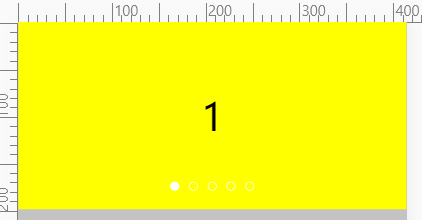
1、我们将5张图片又前后各增加一张,第一张前增加的是原本的第五张,第五张后增加的是原本的第一张,增加的原因无非是手指滑动的时候有轮播效果,这不像以前的轮播图,点击图标就能立刻将ul跳转到指定位置,手机滑动不行
2、当我们手指从第一张向右边方向滑动时,会出现第五张图片,在这个滑动效果结束之后我们跳转到倒数第二张,其实也是第五张;当我们手指从倒数第二张图片向左滑动时,会出现第一张,等这个滑动效果结束之后我们跳转到第二张图片,其实也是第一张图;这里我们必须借助transitionEnd事件
3、手指的滑动的动漫效果的transition事件最好小于定时器图片中的transition时间
4、保险起见,在手指滑动时,需要校验index值,以触发滑动事件的target来进行判断
5、为了在手指滑动的时候立刻响应,小图标在滑动的时候会根据变化了的index值立刻变化
<!DOCTYPE html>

<html lang="en">

<head>

    <meta charset="UTF-8">

    <meta name="viewport" content="width=device-width, initial-scale=1.0">

    <title>Title</title>

    <style>

        * {

            padding: 0;

            margin: 0;

            box-sizing: border-box;

        }

        .clearfix::before, .clearfix::after {

            content: '';

            display: block;

            height: 0;

            line-height: 0;

            visibility: hidden;

            clear: both;

        }

        html, body {

            width: 100%;

            height: 100%;

            background-color: #c3c3c3;

        }

        .banner {

            width: 100%;

            position: relative;

            overflow: hidden;

        }

        .banner ul:nth-child(1) {

            list-style: none;

            width: 700%;

            transform: translateX(-14.28571%);

        }

        .banner ul:nth-child(1) li {

            float: left;

            width: 14.28571%;

            height: 200px;

        }

        .banner ul:nth-child(1) li a {

            width: 100%;

            height: 100%;

            text-decoration: none;

        }

        .banner ul:nth-child(1) li div {

            width: 100%;

            height: 100%;

            text-align: center;

            line-height: 200px;

            font-size: 40px;

            color: black;

        }

        .banner ul:nth-child(2) {

            list-style: none;

            position: absolute;

            bottom: 20px;

            left: 50%;

            margin-left: -55px;

        }

        .banner ul:nth-child(2) li {

            float: left;

            width: 10px;

            height: 10px;

            border-radius: 50%;

            border: 1px solid #fff;

            margin-left: 10px;

        }

        .yellow {

            background-color: yellow;

        }

        .pink {

            background-color: pink;

        }

        .current {

            background-color: #fff;

        }

        .blue {

            background-color: blue;

        }

    </style>

</head>

<body>

<div class="banner">

    <ul class="clearfix">

        <li>

            <a href="#">

                <div class="pink" biao=5>5-</div>

            </a>

        </li>

        <li>

            <a href="#">

                <div class="yellow" biao=1>1</div>

            </a>

        </li>

        <li>

            <a href="#">

                <div class="pink" biao=2>2</div>

            </a>

        </li>

        <li>

            <a href="#">

                <div class="yellow" biao=3>3</div>

            </a>

        </li>

        <li>

            <a href="#">

                <div class="blue" biao=4>4</div>

            </a>

        </li>

        <li>

            <a href="#">

                <div class="pink" biao=5>5</div>

            </a>

        </li>

        <li>

            <a href="#">

                <div class="yellow" biao=1>1-</div>

            </a>

        </li>

    </ul>

    <ul>

        <li class="current"></li>

        <li></li>

        <li></li>

        <li></li>

        <li></li>

    </ul>

</div>

<script>

    var banner = document.querySelector('.banner');

    var moveWidth = banner.offsetWidth;

    var ulLunBo = banner.querySelector('ul:nth-child(1)');

    var circleArr = banner.querySelectorAll('ul:nth-child(2) li');

    var moveDistance = 0;

    var index = 0;

    function animation() {

        ulLunBo.style.transition = 'all .6s';

        index++;

        moveDistance = -moveWidth * index;

        ulLunBo.style.transform = 'translateX(' + moveDistance + 'px)';

        console.log(index + '==' + moveDistance);

        //小圆点根据index发生变化

        for (var i = 0; i < circleArr.length; i++) {

            circleArr[i].className = '';

        }

        if (index > 5) {

            circleArr[0].className = 'current';

            return;

        }

        if (index < 1) {

            circleArr[5].className = 'current';

            return;

        }

        circleArr[index - 1].className = 'current';

    }

    var timer = setInterval(animation, 1000);

    ulLunBo.addEventListener('webkitTransitionEnd', function () {

        if (index > 5) {

            index = 1;

        } else if (index < 1) {

            index = 5;

        }

        circleArr[index - 1].className = 'current';

        ulLunBo.style.transition = '';

        moveDistance = -moveWidth * index;

        ulLunBo.style.transform = 'translateX(' + moveDistance + 'px)';

    });

    var startX = 0;

    var moveX = 0;

    var distance = 0;

    var freeMove = 0;

    ulLunBo.addEventListener('touchstart', function (e) {

        clearInterval(timer);

        distance = moveDistance;

        ulLunBo.style.transition = '';

        startX = e.touches[0].clientX;

    })

    ulLunBo.addEventListener('touchmove', function (e) {

        moveX = e.touches[0].clientX - startX;

        freeMove = distance + moveX;

        ulLunBo.style.transform = 'translateX(' + freeMove + 'px)';

    })

    //吸附效果是重点

    //1、当自由移动距离freeMove的绝对值与清除定时器前的moveDistance的绝对值进行比较的cha值进行判断

    //2、cha值小于moveWidth的一半在touchend的事件中需要归位到moveDistance的位置

    //3、cha值大于moveWidth的一半在touchend的事件中需要根据cha值的正负情况向左或者向右前进1个moveWidth

    //4、根据第三步,我们还需要将index的值进行改变,因为我们最终移动了ulLunBo的位置

    var triggerValue = null;

    ulLunBo.addEventListener('touchend', function (e) {

            ulLunBo.style.transition = 'all .3s';

            triggerValue = e.target.getAttribute('biao');

            var cha = Math.abs(freeMove) - Math.abs(moveDistance);

            if (cha >= moveWidth / 2) {

                //左边移动距离大于宽度的一半

                moveDistance -= moveWidth;

                index = parseInt(triggerValue) + 1;

            } else if (cha <= (-moveWidth / 2)) {

                //右边移动距离大于宽度的一半

                moveDistance += moveWidth;

                index = parseInt(triggerValue) - 1;

            } else {

                //向左向右移动距离小于宽度的一半

                moveDistance = moveDistance;

            }

            if (index > 5) {

                index = 1;

            } else if (index < 1) {

                index = 5;

            }

            for (var i = 0; i < circleArr.length; i++) {

                circleArr[i].className = '';

            }

            circleArr[index - 1].className = 'current';

            ulLunBo.style.transform = 'translateX(' + moveDistance + 'px)';

            timer = setInterval(animation, 1000);

        }

    );

</script>

</body>

</html>
移动web——轮播图的更多相关文章
- 移动Web轮播图IOS卡顿的问题
晚饭前,被测试吐槽说,banner轮播手动左右滑的时候会卡顿.我一看不科学啊,大水果手机怎么会卡顿.我一看测试手中拿的是iPod,我觉得大概是这小玩意性能不强悍,后来又拿来5S,依然会卡顿,有趣的是, ...
- 移动端web轮播图插件swiper,功能很强大
使用方法示例: <div class="swiper-container"> <div class="swiper-wrapper"> ...
- JS+css3焦点轮播图PC端
<!DOCTYPE html> <html lang="en"> <head> <meta charset="UTF-8&quo ...
- web常见效果之轮播图
轮播图的展示效果是显而易见: HTML代码如下 <!DOCTYPE html> <html> <head> <meta charset="UTF-8 ...
- Web前端原生JavaScript浅谈轮播图
1.一直来说轮播图都是困扰刚进业内小白的一大难点,因为我们不仅需要自己作出一个比较完美的运动框架(虽然网上一抓一大把,但是哪有比自己做出来实现的有成就感,不是吗?^_^),还必须需要非常关键性的把握住 ...
- 第124天:移动web端-Bootstrap轮播图插件使用
Bootstrap JS插件使用 > 对于Bootstrap的JS插件,我们只需要将文档实例中的代码粘到我们自己的代码中> 然后作出相应的样式调整 Bootstrap中轮播图插件叫作Car ...
- 移动web——bootstrap响应式轮播图
基本介绍 1.bootstrap有轮播图的模板,我们只需要改动下就行. 2.这里我们将介绍桌面版本和移动版本最后是综合版本 桌面版本 1.这里的图片设置是有窍门的,不再去添加img标签,而是作为a标签 ...
- Web前端JS实现轮播图原理
实现轮播图有很多方式,但是html的结构都是一样的.本文使用了Jquery框架,Dom操作更加方便灵活 html部分: <div class="banner"> < ...
- [Web] 通用轮播图代码示例
首先是准备好的几张图片, 它们的路径是: "img/1.jpg", "img/2.jpg", "img/3.jpg", "img/ ...
随机推荐
- HXY烧情侣(洛谷 2194)
题目描述 众所周知,HXY已经加入了FFF团.现在她要开始喜(sang)闻(xin)乐(bing)见(kuang)地烧情侣了.这里有n座电影院,n对情侣分别在每座电影院里,然后电影院里都有汽油,但是要 ...
- 一些非常有用的工具类之javamail(from韩顺平)
之前编写一个类淘宝服务器时,需要使用javamail发送邮件,搜到的一个工具类,很有用. 需要下载导入:activation.jar和mail.jar package com.cx.service; ...
- 一场BC的台前幕后
#define BC BestCoder 一场BC的台前幕后 起源大概是这种:一个月前的BC#75结束后,AK的人非常多,于是CodeVS群里非常多人吐槽BC#75的质量,这时YJQ对KPM说:&qu ...
- using gdb to debug c program
#include <stdio.h> static void display(int i, int *ptr); int main(void) { int x = 5; int *xptr ...
- LeetCode 447. Number of Boomerangs (回力标的数量)
Given n points in the plane that are all pairwise distinct, a "boomerang" is a tuple of po ...
- svn 运行clear up 失败的解决的方法
SVN 的clear up命令失败的解决方法 1. 下载 sqlite3.exe 文件,放到d盘根文件夹. (能够到这里下载 http://download.csdn.net/detail ...
- cookie知识点简点
cookie几大作用: 1.保持用户登陆状态 2.跟踪用户行为 3.制定页面 4.创建购物车 cookie缺点: 1. 可能被禁用 2.可能被删除:cookie是一个文件,easy被用户删除 3.安全 ...
- 【POJ 1275】 Cashier Employment
[题目链接] 点击打开链接 [算法] 设Ti为第i小时有多少个出纳员开始工作,Vi表示第i小时有多少个来应聘的出纳员 那么,有 : 1. 0 <= Ti <= Vi 2. Ti + Ti- ...
- POJ 1273 Drainage Ditches 最大流
这道题用dinic会超时 用E_K就没问题 注意输入数据有重边.POJ1273 dinic的复杂度为O(N*N*M)E_K的复杂度为O(N*M*M)对于这道题,复杂度是相同的. 然而dinic主要依靠 ...
- Mysql 数据库编码问题
数据库建表后,插入数据,如果数据位汉子,将提示错误:“incorrect string value....”. 解决方法:改变数据库编码 第一种方法:改变database 编码: alter data ...