
CSS效果:这里有你想要的CSS3漂亮的自定义Checkbox各种复选框
在原来有一篇文章写到了《CSS效果篇--纯CSS+HTML实现checkbox的思路与实例》。
今天这篇文章主要写各种自定义的checkbox复选框,实现如图所示的复选框:

大致的html代码都如下所示:
<div class="ondisplay">

  <section title=".slideOne">

    <div class="slideOne">

      <input type="checkbox" value="None" id="slideOne" name="check" checked />

      <label for="slideOne"></label>

    </div>

  </section>

</div>
那么对应的css代码:
body {

  background: #555;

  font-family: 'Open Sans', sans-serif;

  font-weight:;

}

body h1, body h2 {

  color: #eee;

  font-size: 30px;

  text-align: center;

  margin: 20px 0 50px 0;

  -webkit-font-smoothing: antialiased;

  text-shadow: 0px 1px black;

}

body .ondisplay {

  text-align: center;

  border-bottom: 1px solid gray;

  padding: 20px 0;

}

body .ondisplay section {

  width: 100px;

  height: 100px;

  background: #555;

  display: inline-block;

  position: relative;

  text-align: center;

  margin-top: 5px;

  border: 1px solid gray;

  -moz-border-radius: 5px;

  -webkit-border-radius: 5px;

  border-radius: 5px;

  -moz-box-shadow: 0 1px 4px rgba(0, 0, 0, 0.3), 0 0 40px rgba(0, 0, 0, 0.1) inset;

  -webkit-box-shadow: 0 1px 4px rgba(0, 0, 0, 0.3), 0 0 40px rgba(0, 0, 0, 0.1) inset;

  box-shadow: 0 1px 4px rgba(0, 0, 0, 0.3), 0 0 40px rgba(0, 0, 0, 0.1) inset;

}

body .ondisplay section:before {

  content: 'click it';

  color: #bbb;

  font-size: 12px;

  font-weight:;

  -webkit-font-smoothing: antialiased;

  text-shadow: 0px 1px black;

}

body .ondisplay section:after {

  content: attr(title);

  position: absolute;

  width: 100%;

  left:;

  bottom: 3px;

  color: #fff;

  font-size: 12px;

  font-weight:;

  -webkit-font-smoothing: antialiased;

  text-shadow: 0px 1px black;

}
第一种实现如图所示:
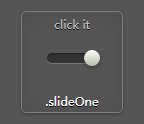
html代码:
<section title=".slideOne">

    <!-- .slideOne -->

    <div class="slideOne">

      <input type="checkbox" value="None" id="slideOne" name="check" checked />

      <label for="slideOne"></label>

    </div>

    <!-- end .slideOne -->

  </section>
css代码:
/* .slideOne */

.slideOne {

  width: 50px;

  height: 10px;

  background: #333;

  margin: 20px auto;

  position: relative;

  -moz-border-radius: 50px;

  -webkit-border-radius: 50px;

  border-radius: 50px;

  -moz-box-shadow: inset 0px 1px 1px rgba(0, 0, 0, 0.5), 0px 1px 0px rgba(255, 255, 255, 0.2);

  -webkit-box-shadow: inset 0px 1px 1px rgba(0, 0, 0, 0.5), 0px 1px 0px rgba(255, 255, 255, 0.2);

  box-shadow: inset 0px 1px 1px rgba(0, 0, 0, 0.5), 0px 1px 0px rgba(255, 255, 255, 0.2);

}

.slideOne label {

  display: block;

  width: 16px;

  height: 16px;

  position: absolute;

  top: -3px;

  left: -3px;

  cursor: pointer;

  background: #fcfff4;

  background: -moz-linear-gradient(top, #fcfff4 0%, #dfe5d7 40%, #b3bead 100%);

  background: -webkit-linear-gradient(top, #fcfff4 0%, #dfe5d7 40%, #b3bead 100%);

  background: linear-gradient(to bottom, #fcfff4 0%, #dfe5d7 40%, #b3bead 100%);

  -moz-border-radius: 50px;

  -webkit-border-radius: 50px;

  border-radius: 50px;

  -moz-box-shadow: 0px 2px 5px 0px rgba(0, 0, 0, 0.3);

  -webkit-box-shadow: 0px 2px 5px 0px rgba(0, 0, 0, 0.3);

  box-shadow: 0px 2px 5px 0px rgba(0, 0, 0, 0.3);

  -moz-transition: all 0.4s ease;

  -o-transition: all 0.4s ease;

  -webkit-transition: all 0.4s ease;

  transition: all 0.4s ease;

}

.slideOne input[type=checkbox] {

  visibility: hidden;

}

.slideOne input[type=checkbox]:checked + label {

  left: 37px;

}
第二种实现如图所示:
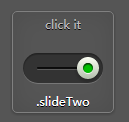
html代码:
<section title=".slideTwo">

    <!-- .slideTwo -->

    <div class="slideTwo">

      <input type="checkbox" value="None" id="slideTwo" name="check" checked />

      <label for="slideTwo"></label>

    </div>

    <!-- end .slideTwo -->

</section>
css代码:
/* .slideTwo */

.slideTwo {

  width: 80px;

  height: 30px;

  background: #333;

  margin: 20px auto;

  position: relative;

  -moz-border-radius: 50px;

  -webkit-border-radius: 50px;

  border-radius: 50px;

  -moz-box-shadow: inset 0px 1px 1px rgba(0, 0, 0, 0.5), 0px 1px 0px rgba(255, 255, 255, 0.2);

  -webkit-box-shadow: inset 0px 1px 1px rgba(0, 0, 0, 0.5), 0px 1px 0px rgba(255, 255, 255, 0.2);

  box-shadow: inset 0px 1px 1px rgba(0, 0, 0, 0.5), 0px 1px 0px rgba(255, 255, 255, 0.2);

}

.slideTwo:after {

  content: '';

  position: absolute;

  top: 14px;

  left: 14px;

  height: 2px;

  width: 52px;

  background: #111;

  -moz-border-radius: 50px;

  -webkit-border-radius: 50px;

  border-radius: 50px;

  -moz-box-shadow: inset 0px 1px 1px rgba(0, 0, 0, 0.5), 0px 1px 0px rgba(255, 255, 255, 0.2);

  -webkit-box-shadow: inset 0px 1px 1px rgba(0, 0, 0, 0.5), 0px 1px 0px rgba(255, 255, 255, 0.2);

  box-shadow: inset 0px 1px 1px rgba(0, 0, 0, 0.5), 0px 1px 0px rgba(255, 255, 255, 0.2);

}

.slideTwo label {

  display: block;

  width: 22px;

  height: 22px;

  cursor: pointer;

  position: absolute;

  top: 4px;

  z-index:;

  left: 4px;

  background: #fcfff4;

  -moz-border-radius: 50px;

  -webkit-border-radius: 50px;

  border-radius: 50px;

  -moz-transition: all 0.4s ease;

  -o-transition: all 0.4s ease;

  -webkit-transition: all 0.4s ease;

  transition: all 0.4s ease;

  -moz-box-shadow: 0px 2px 5px 0px rgba(0, 0, 0, 0.3);

  -webkit-box-shadow: 0px 2px 5px 0px rgba(0, 0, 0, 0.3);

  box-shadow: 0px 2px 5px 0px rgba(0, 0, 0, 0.3);

  background: -moz-linear-gradient(top, #fcfff4 0%, #dfe5d7 40%, #b3bead 100%);

  background: -webkit-linear-gradient(top, #fcfff4 0%, #dfe5d7 40%, #b3bead 100%);

  background: linear-gradient(to bottom, #fcfff4 0%, #dfe5d7 40%, #b3bead 100%);

}

.slideTwo label:after {

  content: '';

  width: 10px;

  height: 10px;

  position: absolute;

  top: 6px;

  left: 6px;

  background: #333;

  -moz-border-radius: 50px;

  -webkit-border-radius: 50px;

  border-radius: 50px;

  -moz-box-shadow: inset 0px 1px 1px black, 0px 1px 0px rgba(255, 255, 255, 0.9);

  -webkit-box-shadow: inset 0px 1px 1px black, 0px 1px 0px rgba(255, 255, 255, 0.9);

  box-shadow: inset 0px 1px 1px black, 0px 1px 0px rgba(255, 255, 255, 0.9);

}

.slideTwo input[type=checkbox] {

  visibility: hidden;

}

.slideTwo input[type=checkbox]:checked + label {

  left: 54px;

}

.slideTwo input[type=checkbox]:checked + label:after {

  background: #00bf00;

}

/* end .slideTwo */
第三种实现如图所示:
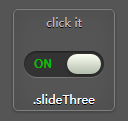
html代码:
<section title=".slideThree">

    <!-- .slideThree -->

    <div class="slideThree">

      <input type="checkbox" value="None" id="slideThree" name="check" checked />

      <label for="slideThree"></label>

    </div>

    <!-- end .slideThree -->

</section>
css代码:
/* .slideThree */

.slideThree {

  width: 80px;

  height: 26px;

  background: #333;

  margin: 20px auto;

  position: relative;

  -moz-border-radius: 50px;

  -webkit-border-radius: 50px;

  border-radius: 50px;

  -moz-box-shadow: inset 0px 1px 1px rgba(0, 0, 0, 0.5), 0px 1px 0px rgba(255, 255, 255, 0.2);

  -webkit-box-shadow: inset 0px 1px 1px rgba(0, 0, 0, 0.5), 0px 1px 0px rgba(255, 255, 255, 0.2);

  box-shadow: inset 0px 1px 1px rgba(0, 0, 0, 0.5), 0px 1px 0px rgba(255, 255, 255, 0.2);

}

.slideThree:after {

  content: 'OFF';

  color: #000;

  position: absolute;

  right: 10px;

  z-index:;

  font: 12px/26px Arial, sans-serif;

  font-weight: bold;

  text-shadow: 1px 1px 0px rgba(255, 255, 255, 0.15);

}

.slideThree:before {

  content: 'ON';

  color: #00bf00;

  position: absolute;

  left: 10px;

  z-index:;

  font: 12px/26px Arial, sans-serif;

  font-weight: bold;

}

.slideThree label {

  display: block;

  width: 34px;

  height: 20px;

  cursor: pointer;

  position: absolute;

  top: 3px;

  left: 3px;

  z-index:;

  background: #fcfff4;

  background: -moz-linear-gradient(top, #fcfff4 0%, #dfe5d7 40%, #b3bead 100%);

  background: -webkit-linear-gradient(top, #fcfff4 0%, #dfe5d7 40%, #b3bead 100%);

  background: linear-gradient(to bottom, #fcfff4 0%, #dfe5d7 40%, #b3bead 100%);

  -moz-border-radius: 50px;

  -webkit-border-radius: 50px;

  border-radius: 50px;

  -moz-transition: all 0.4s ease;

  -o-transition: all 0.4s ease;

  -webkit-transition: all 0.4s ease;

  transition: all 0.4s ease;

  -moz-box-shadow: 0px 2px 5px 0px rgba(0, 0, 0, 0.3);

  -webkit-box-shadow: 0px 2px 5px 0px rgba(0, 0, 0, 0.3);

  box-shadow: 0px 2px 5px 0px rgba(0, 0, 0, 0.3);

}

.slideThree input[type=checkbox] {

  visibility: hidden;

}

.slideThree input[type=checkbox]:checked + label {

  left: 43px;

}

/* end .slideThree */
第四种实现如图所示:

html代码:
<section title=".roundedOne">

    <!-- .roundedOne -->

    <div class="roundedOne">

      <input type="checkbox" value="None" id="roundedOne" name="check" checked />

      <label for="roundedOne"></label>

    </div>

    <!-- end .roundedOne -->

</section>
css代码:
/* .roundedOne */

.roundedOne {

  width: 28px;

  height: 28px;

  position: relative;

  margin: 20px auto;

  background: #fcfff4;

  background: -moz-linear-gradient(top, #fcfff4 0%, #dfe5d7 40%, #b3bead 100%);

  background: -webkit-linear-gradient(top, #fcfff4 0%, #dfe5d7 40%, #b3bead 100%);

  background: linear-gradient(to bottom, #fcfff4 0%, #dfe5d7 40%, #b3bead 100%);

  -moz-border-radius: 50px;

  -webkit-border-radius: 50px;

  border-radius: 50px;

  -moz-box-shadow: inset 0px 1px 1px white, 0px 1px 3px rgba(0, 0, 0, 0.5);

  -webkit-box-shadow: inset 0px 1px 1px white, 0px 1px 3px rgba(0, 0, 0, 0.5);

  box-shadow: inset 0px 1px 1px white, 0px 1px 3px rgba(0, 0, 0, 0.5);

}

.roundedOne label {

  width: 20px;

  height: 20px;

  cursor: pointer;

  position: absolute;

  left: 4px;

  top: 4px;

  background: -moz-linear-gradient(top, #222222 0%, #45484d 100%);

  background: -webkit-linear-gradient(top, #222222 0%, #45484d 100%);

  background: linear-gradient(to bottom, #222222 0%, #45484d 100%);

  -moz-border-radius: 50px;

  -webkit-border-radius: 50px;

  border-radius: 50px;

  -moz-box-shadow: inset 0px 1px 1px rgba(0, 0, 0, 0.5), 0px 1px 0px white;

  -webkit-box-shadow: inset 0px 1px 1px rgba(0, 0, 0, 0.5), 0px 1px 0px white;

  box-shadow: inset 0px 1px 1px rgba(0, 0, 0, 0.5), 0px 1px 0px white;

}

.roundedOne label:after {

  content: '';

  width: 16px;

  height: 16px;

  position: absolute;

  top: 2px;

  left: 2px;

  background: #00bf00;

  background: -moz-linear-gradient(top, #00bf00 0%, #009400 100%);

  background: -webkit-linear-gradient(top, #00bf00 0%, #009400 100%);

  background: linear-gradient(to bottom, #00bf00 0%, #009400 100%);

  filter: progid:DXImageTransform.Microsoft.Alpha(Opacity=0);

  opacity:;

  -moz-border-radius: 50px;

  -webkit-border-radius: 50px;

  border-radius: 50px;

  -moz-box-shadow: inset 0px 1px 1px white, 0px 1px 3px rgba(0, 0, 0, 0.5);

  -webkit-box-shadow: inset 0px 1px 1px white, 0px 1px 3px rgba(0, 0, 0, 0.5);

  box-shadow: inset 0px 1px 1px white, 0px 1px 3px rgba(0, 0, 0, 0.5);

}

.roundedOne label:hover::after {

  filter: progid:DXImageTransform.Microsoft.Alpha(Opacity=30);

  opacity: 0.3;

}

.roundedOne input[type=checkbox] {

  visibility: hidden;

}

.roundedOne input[type=checkbox]:checked + label:after {

  filter: progid:DXImageTransform.Microsoft.Alpha(enabled=false);

  opacity:;

}

/* end .roundedOne */
第五种实现如图所示:

html代码:
<section title=".roundedTwo">

    <!-- .roundedTwo -->

    <div class="roundedTwo">

      <input type="checkbox" value="None" id="roundedTwo" name="check" checked />

      <label for="roundedTwo"></label>

    </div>

    <!-- end .roundedTwo -->

</section>
css代码:
/* .roundedTwo */

.roundedTwo {

  width: 28px;

  height: 28px;

  position: relative;

  margin: 20px auto;

  background: #fcfff4;

  background: -moz-linear-gradient(top, #fcfff4 0%, #dfe5d7 40%, #b3bead 100%);

  background: -webkit-linear-gradient(top, #fcfff4 0%, #dfe5d7 40%, #b3bead 100%);

  background: linear-gradient(to bottom, #fcfff4 0%, #dfe5d7 40%, #b3bead 100%);

  -moz-border-radius: 50px;

  -webkit-border-radius: 50px;

  border-radius: 50px;

  -moz-box-shadow: inset 0px 1px 1px white, 0px 1px 3px rgba(0, 0, 0, 0.5);

  -webkit-box-shadow: inset 0px 1px 1px white, 0px 1px 3px rgba(0, 0, 0, 0.5);

  box-shadow: inset 0px 1px 1px white, 0px 1px 3px rgba(0, 0, 0, 0.5);

}

.roundedTwo label {

  width: 20px;

  height: 20px;

  position: absolute;

  top: 4px;

  left: 4px;

  cursor: pointer;

  background: -moz-linear-gradient(top, #222222 0%, #45484d 100%);

  background: -webkit-linear-gradient(top, #222222 0%, #45484d 100%);

  background: linear-gradient(to bottom, #222222 0%, #45484d 100%);

  -moz-border-radius: 50px;

  -webkit-border-radius: 50px;

  border-radius: 50px;

  -moz-box-shadow: inset 0px 1px 1px rgba(0, 0, 0, 0.5), 0px 1px 0px white;

  -webkit-box-shadow: inset 0px 1px 1px rgba(0, 0, 0, 0.5), 0px 1px 0px white;

  box-shadow: inset 0px 1px 1px rgba(0, 0, 0, 0.5), 0px 1px 0px white;

}

.roundedTwo label:after {

  content: '';

  width: 9px;

  height: 5px;

  position: absolute;

  top: 5px;

  left: 4px;

  border: 3px solid #fcfff4;

  border-top: none;

  border-right: none;

  background: transparent;

  filter: progid:DXImageTransform.Microsoft.Alpha(Opacity=0);

  opacity:;

  -moz-transform: rotate(-45deg);

  -ms-transform: rotate(-45deg);

  -webkit-transform: rotate(-45deg);

  transform: rotate(-45deg);

}

.roundedTwo label:hover::after {

  filter: progid:DXImageTransform.Microsoft.Alpha(Opacity=30);

  opacity: 0.3;

}

.roundedTwo input[type=checkbox] {

  visibility: hidden;

}

.roundedTwo input[type=checkbox]:checked + label:after {

  filter: progid:DXImageTransform.Microsoft.Alpha(enabled=false);

  opacity:;

}

/* end .roundedTwo */
第六种实现如图所示:
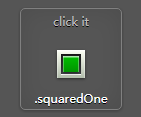
html代码:
<section title=".squaredOne">

    <!-- .squaredOne -->

    <div class="squaredOne">

      <input type="checkbox" value="None" id="squaredOne" name="check" checked />

      <label for="squaredOne"></label>

    </div>

    <!-- end .squaredOne -->

</section>
css代码:
/* .squaredOne */

.squaredOne {

  width: 28px;

  height: 28px;

  position: relative;

  margin: 20px auto;

  background: #fcfff4;

  background: -moz-linear-gradient(top, #fcfff4 0%, #dfe5d7 40%, #b3bead 100%);

  background: -webkit-linear-gradient(top, #fcfff4 0%, #dfe5d7 40%, #b3bead 100%);

  background: linear-gradient(to bottom, #fcfff4 0%, #dfe5d7 40%, #b3bead 100%);

  -moz-box-shadow: inset 0px 1px 1px white, 0px 1px 3px rgba(0, 0, 0, 0.5);

  -webkit-box-shadow: inset 0px 1px 1px white, 0px 1px 3px rgba(0, 0, 0, 0.5);

  box-shadow: inset 0px 1px 1px white, 0px 1px 3px rgba(0, 0, 0, 0.5);

}

.squaredOne label {

  width: 20px;

  height: 20px;

  position: absolute;

  top: 4px;

  left: 4px;

  cursor: pointer;

  background: -moz-linear-gradient(top, #222222 0%, #45484d 100%);

  background: -webkit-linear-gradient(top, #222222 0%, #45484d 100%);

  background: linear-gradient(to bottom, #222222 0%, #45484d 100%);

  -moz-box-shadow: inset 0px 1px 1px rgba(0, 0, 0, 0.5), 0px 1px 0px white;

  -webkit-box-shadow: inset 0px 1px 1px rgba(0, 0, 0, 0.5), 0px 1px 0px white;

  box-shadow: inset 0px 1px 1px rgba(0, 0, 0, 0.5), 0px 1px 0px white;

}

.squaredOne label:after {

  content: '';

  width: 16px;

  height: 16px;

  position: absolute;

  top: 2px;

  left: 2px;

  background: #00bf00;

  background: -moz-linear-gradient(top, #00bf00 0%, #009400 100%);

  background: -webkit-linear-gradient(top, #00bf00 0%, #009400 100%);

  background: linear-gradient(to bottom, #00bf00 0%, #009400 100%);

  -moz-box-shadow: inset 0px 1px 1px white, 0px 1px 3px rgba(0, 0, 0, 0.5);

  -webkit-box-shadow: inset 0px 1px 1px white, 0px 1px 3px rgba(0, 0, 0, 0.5);

  box-shadow: inset 0px 1px 1px white, 0px 1px 3px rgba(0, 0, 0, 0.5);

  filter: progid:DXImageTransform.Microsoft.Alpha(Opacity=0);

  opacity:;

}

.squaredOne label:hover::after {

  filter: progid:DXImageTransform.Microsoft.Alpha(Opacity=30);

  opacity: 0.3;

}

.squaredOne input[type=checkbox] {

  visibility: hidden;

}

.squaredOne input[type=checkbox]:checked + label:after {

  filter: progid:DXImageTransform.Microsoft.Alpha(enabled=false);

  opacity:;

}

/* end .squaredOne */
第七种实现如图所示:

html代码:
<section title=".squaredTwo">

    <!-- .squaredTwo -->

    <div class="squaredTwo">

      <input type="checkbox" value="None" id="squaredTwo" name="check" checked />

      <label for="squaredTwo"></label>

    </div>

    <!-- end .squaredTwo -->

</section>
css代码:
/* .squaredTwo */

.squaredTwo {

  width: 28px;

  height: 28px;

  position: relative;

  margin: 20px auto;

  background: #fcfff4;

  background: -moz-linear-gradient(top, #fcfff4 0%, #dfe5d7 40%, #b3bead 100%);

  background: -webkit-linear-gradient(top, #fcfff4 0%, #dfe5d7 40%, #b3bead 100%);

  background: linear-gradient(to bottom, #fcfff4 0%, #dfe5d7 40%, #b3bead 100%);

  -moz-box-shadow: inset 0px 1px 1px white, 0px 1px 3px rgba(0, 0, 0, 0.5);

  -webkit-box-shadow: inset 0px 1px 1px white, 0px 1px 3px rgba(0, 0, 0, 0.5);

  box-shadow: inset 0px 1px 1px white, 0px 1px 3px rgba(0, 0, 0, 0.5);

}

.squaredTwo label {

  width: 20px;

  height: 20px;

  cursor: pointer;

  position: absolute;

  left: 4px;

  top: 4px;

  background: -moz-linear-gradient(top, #222222 0%, #45484d 100%);

  background: -webkit-linear-gradient(top, #222222 0%, #45484d 100%);

  background: linear-gradient(to bottom, #222222 0%, #45484d 100%);

  -moz-box-shadow: inset 0px 1px 1px rgba(0, 0, 0, 0.5), 0px 1px 0px white;

  -webkit-box-shadow: inset 0px 1px 1px rgba(0, 0, 0, 0.5), 0px 1px 0px white;

  box-shadow: inset 0px 1px 1px rgba(0, 0, 0, 0.5), 0px 1px 0px white;

}

.squaredTwo label:after {

  content: '';

  width: 9px;

  height: 5px;

  position: absolute;

  top: 4px;

  left: 4px;

  border: 3px solid #fcfff4;

  border-top: none;

  border-right: none;

  background: transparent;

  filter: progid:DXImageTransform.Microsoft.Alpha(Opacity=0);

  opacity:;

  -moz-transform: rotate(-45deg);

  -ms-transform: rotate(-45deg);

  -webkit-transform: rotate(-45deg);

  transform: rotate(-45deg);

}

.squaredTwo label:hover::after {

  filter: progid:DXImageTransform.Microsoft.Alpha(Opacity=30);

  opacity: 0.3;

}

.squaredTwo input[type=checkbox] {

  visibility: hidden;

}

.squaredTwo input[type=checkbox]:checked + label:after {

  filter: progid:DXImageTransform.Microsoft.Alpha(enabled=false);

  opacity:;

}

/* end .squaredTwo */
第八种实现如图所示:

html代码:
<section title=".squaredThree">

    <!-- .squaredThree -->

    <div class="squaredThree">

      <input type="checkbox" value="None" id="squaredThree" name="check" checked />

      <label for="squaredThree"></label>

    </div>

    <!-- end .squaredThree -->

</section>
css代码:
/* .squaredThree */

.squaredThree {

  width: 20px;

  position: relative;

  margin: 20px auto;

}

.squaredThree label {

  width: 20px;

  height: 20px;

  cursor: pointer;

  position: absolute;

  top:;

  left:;

  background: -moz-linear-gradient(top, #222222 0%, #45484d 100%);

  background: -webkit-linear-gradient(top, #222222 0%, #45484d 100%);

  background: linear-gradient(to bottom, #222222 0%, #45484d 100%);

  -moz-border-radius: 4px;

  -webkit-border-radius: 4px;

  border-radius: 4px;

  -moz-box-shadow: inset 0px 1px 1px rgba(0, 0, 0, 0.5), 0px 1px 0px rgba(255, 255, 255, 0.4);

  -webkit-box-shadow: inset 0px 1px 1px rgba(0, 0, 0, 0.5), 0px 1px 0px rgba(255, 255, 255, 0.4);

  box-shadow: inset 0px 1px 1px rgba(0, 0, 0, 0.5), 0px 1px 0px rgba(255, 255, 255, 0.4);

}

.squaredThree label:after {

  content: '';

  width: 9px;

  height: 5px;

  position: absolute;

  top: 4px;

  left: 4px;

  border: 3px solid #fcfff4;

  border-top: none;

  border-right: none;

  background: transparent;

  filter: progid:DXImageTransform.Microsoft.Alpha(Opacity=0);

  opacity:;

  -moz-transform: rotate(-45deg);

  -ms-transform: rotate(-45deg);

  -webkit-transform: rotate(-45deg);

  transform: rotate(-45deg);

}

.squaredThree label:hover::after {

  filter: progid:DXImageTransform.Microsoft.Alpha(Opacity=30);

  opacity: 0.3;

}

.squaredThree input[type=checkbox] {

  visibility: hidden;

}

.squaredThree input[type=checkbox]:checked + label:after {

  filter: progid:DXImageTransform.Microsoft.Alpha(enabled=false);

  opacity:;

}

/* end .squaredThree */
第九种实现如图所示:
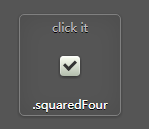
html代码:
<section title=".squaredFour">

    <!-- .squaredFour -->

    <div class="squaredFour">

      <input type="checkbox" value="None" id="squaredFour" name="check" checked />

      <label for="squaredFour"></label>

    </div>

    <!-- end .squaredFour -->

</section>
css代码:
/* .squaredFour */

.squaredFour {

  width: 20px;

  position: relative;

  margin: 20px auto;

}

.squaredFour label {

  width: 20px;

  height: 20px;

  cursor: pointer;

  position: absolute;

  top:;

  left:;

  background: #fcfff4;

  background: -moz-linear-gradient(top, #fcfff4 0%, #dfe5d7 40%, #b3bead 100%);

  background: -webkit-linear-gradient(top, #fcfff4 0%, #dfe5d7 40%, #b3bead 100%);

  background: linear-gradient(to bottom, #fcfff4 0%, #dfe5d7 40%, #b3bead 100%);

  -moz-border-radius: 4px;

  -webkit-border-radius: 4px;

  border-radius: 4px;

  -moz-box-shadow: inset 0px 1px 1px white, 0px 1px 3px rgba(0, 0, 0, 0.5);

  -webkit-box-shadow: inset 0px 1px 1px white, 0px 1px 3px rgba(0, 0, 0, 0.5);

  box-shadow: inset 0px 1px 1px white, 0px 1px 3px rgba(0, 0, 0, 0.5);

}

.squaredFour label:after {

  content: '';

  width: 9px;

  height: 5px;

  position: absolute;

  top: 4px;

  left: 4px;

  border: 3px solid #333;

  border-top: none;

  border-right: none;

  background: transparent;

  filter: progid:DXImageTransform.Microsoft.Alpha(Opacity=0);

  opacity:;

  -moz-transform: rotate(-45deg);

  -ms-transform: rotate(-45deg);

  -webkit-transform: rotate(-45deg);

  transform: rotate(-45deg);

}

.squaredFour label:hover::after {

  filter: progid:DXImageTransform.Microsoft.Alpha(Opacity=50);

  opacity: 0.5;

}

.squaredFour input[type=checkbox] {

  visibility: hidden;

}

.squaredFour input[type=checkbox]:checked + label:after {

  filter: progid:DXImageTransform.Microsoft.Alpha(enabled=false);

  opacity:;

}

/* end .squaredFour */
总结,所有自定义checkbox代码如下:
<!DOCTYPE html>

<html>

<head>

<meta name="viewport" content="width=device-width, initial-scale=1.0, minimum-scale=1.0, maximum-scale=5.0, user-scalable=no"/>

<meta charset="utf-8">

<title></title>

<meta name="keywords" content="" />

<meta name="description" content="" />

 <style>

body {

  background: #555;

  font-family: 'Open Sans', sans-serif;

  font-weight: 300;

}

body h1, body h2 {

  color: #eee;

  font-size: 30px;

  text-align: center;

  margin: 20px 0 50px 0;

  -webkit-font-smoothing: antialiased;

  text-shadow: 0px 1px black;

}

body .ondisplay {

  text-align: center;

  border-bottom: 1px solid gray;

  padding: 20px 0;

}

body .ondisplay section {

  width: 100px;

  height: 100px;

  background: #555;

  display: inline-block;

  position: relative;

  text-align: center;

  margin-top: 5px;

  border: 1px solid gray;

  -moz-border-radius: 5px;

  -webkit-border-radius: 5px;

  border-radius: 5px;

  -moz-box-shadow: 0 1px 4px rgba(0, 0, 0, 0.3), 0 0 40px rgba(0, 0, 0, 0.1) inset;

  -webkit-box-shadow: 0 1px 4px rgba(0, 0, 0, 0.3), 0 0 40px rgba(0, 0, 0, 0.1) inset;

  box-shadow: 0 1px 4px rgba(0, 0, 0, 0.3), 0 0 40px rgba(0, 0, 0, 0.1) inset;

}

body .ondisplay section:before {

  content: 'click it';

  color: #bbb;

  font-size: 12px;

  font-weight: 400;

  -webkit-font-smoothing: antialiased;

  text-shadow: 0px 1px black;

}

body .ondisplay section:after {

  content: attr(title);

  position: absolute;

  width: 100%;

  left: 0;

  bottom: 3px;

  color: #fff;

  font-size: 12px;

  font-weight: 400;

  -webkit-font-smoothing: antialiased;

  text-shadow: 0px 1px black;

}

/* .slideOne */

.slideOne {

  width: 50px;

  height: 10px;

  background: #333;

  margin: 20px auto;

  position: relative;

  -moz-border-radius: 50px;

  -webkit-border-radius: 50px;

  border-radius: 50px;

  -moz-box-shadow: inset 0px 1px 1px rgba(0, 0, 0, 0.5), 0px 1px 0px rgba(255, 255, 255, 0.2);

  -webkit-box-shadow: inset 0px 1px 1px rgba(0, 0, 0, 0.5), 0px 1px 0px rgba(255, 255, 255, 0.2);

  box-shadow: inset 0px 1px 1px rgba(0, 0, 0, 0.5), 0px 1px 0px rgba(255, 255, 255, 0.2);

}

.slideOne label {

  display: block;

  width: 16px;

  height: 16px;

  position: absolute;

  top: -3px;

  left: -3px;

  cursor: pointer;

  background: #fcfff4;

  background: -moz-linear-gradient(top, #fcfff4 0%, #dfe5d7 40%, #b3bead 100%);

  background: -webkit-linear-gradient(top, #fcfff4 0%, #dfe5d7 40%, #b3bead 100%);

  background: linear-gradient(to bottom, #fcfff4 0%, #dfe5d7 40%, #b3bead 100%);

  -moz-border-radius: 50px;

  -webkit-border-radius: 50px;

  border-radius: 50px;

  -moz-box-shadow: 0px 2px 5px 0px rgba(0, 0, 0, 0.3);

  -webkit-box-shadow: 0px 2px 5px 0px rgba(0, 0, 0, 0.3);

  box-shadow: 0px 2px 5px 0px rgba(0, 0, 0, 0.3);

  -moz-transition: all 0.4s ease;

  -o-transition: all 0.4s ease;

  -webkit-transition: all 0.4s ease;

  transition: all 0.4s ease;

}

.slideOne input[type=checkbox] {

  visibility: hidden;

}

.slideOne input[type=checkbox]:checked + label {

  left: 37px;

}

/* end .slideOne */

/* .slideTwo */

.slideTwo {

  width: 80px;

  height: 30px;

  background: #333;

  margin: 20px auto;

  position: relative;

  -moz-border-radius: 50px;

  -webkit-border-radius: 50px;

  border-radius: 50px;

  -moz-box-shadow: inset 0px 1px 1px rgba(0, 0, 0, 0.5), 0px 1px 0px rgba(255, 255, 255, 0.2);

  -webkit-box-shadow: inset 0px 1px 1px rgba(0, 0, 0, 0.5), 0px 1px 0px rgba(255, 255, 255, 0.2);

  box-shadow: inset 0px 1px 1px rgba(0, 0, 0, 0.5), 0px 1px 0px rgba(255, 255, 255, 0.2);

}

.slideTwo:after {

  content: '';

  position: absolute;

  top: 14px;

  left: 14px;

  height: 2px;

  width: 52px;

  background: #111;

  -moz-border-radius: 50px;

  -webkit-border-radius: 50px;

  border-radius: 50px;

  -moz-box-shadow: inset 0px 1px 1px rgba(0, 0, 0, 0.5), 0px 1px 0px rgba(255, 255, 255, 0.2);

  -webkit-box-shadow: inset 0px 1px 1px rgba(0, 0, 0, 0.5), 0px 1px 0px rgba(255, 255, 255, 0.2);

  box-shadow: inset 0px 1px 1px rgba(0, 0, 0, 0.5), 0px 1px 0px rgba(255, 255, 255, 0.2);

}

.slideTwo label {

  display: block;

  width: 22px;

  height: 22px;

  cursor: pointer;

  position: absolute;

  top: 4px;

  z-index: 1;

  left: 4px;

  background: #fcfff4;

  -moz-border-radius: 50px;

  -webkit-border-radius: 50px;

  border-radius: 50px;

  -moz-transition: all 0.4s ease;

  -o-transition: all 0.4s ease;

  -webkit-transition: all 0.4s ease;

  transition: all 0.4s ease;

  -moz-box-shadow: 0px 2px 5px 0px rgba(0, 0, 0, 0.3);

  -webkit-box-shadow: 0px 2px 5px 0px rgba(0, 0, 0, 0.3);

  box-shadow: 0px 2px 5px 0px rgba(0, 0, 0, 0.3);

  background: -moz-linear-gradient(top, #fcfff4 0%, #dfe5d7 40%, #b3bead 100%);

  background: -webkit-linear-gradient(top, #fcfff4 0%, #dfe5d7 40%, #b3bead 100%);

  background: linear-gradient(to bottom, #fcfff4 0%, #dfe5d7 40%, #b3bead 100%);

}

.slideTwo label:after {

  content: '';

  width: 10px;

  height: 10px;

  position: absolute;

  top: 6px;

  left: 6px;

  background: #333;

  -moz-border-radius: 50px;

  -webkit-border-radius: 50px;

  border-radius: 50px;

  -moz-box-shadow: inset 0px 1px 1px black, 0px 1px 0px rgba(255, 255, 255, 0.9);

  -webkit-box-shadow: inset 0px 1px 1px black, 0px 1px 0px rgba(255, 255, 255, 0.9);

  box-shadow: inset 0px 1px 1px black, 0px 1px 0px rgba(255, 255, 255, 0.9);

}

.slideTwo input[type=checkbox] {

  visibility: hidden;

}

.slideTwo input[type=checkbox]:checked + label {

  left: 54px;

}

.slideTwo input[type=checkbox]:checked + label:after {

  background: #00bf00;

}

/* end .slideTwo */

/* .slideThree */

.slideThree {

  width: 80px;

  height: 26px;

  background: #333;

  margin: 20px auto;

  position: relative;

  -moz-border-radius: 50px;

  -webkit-border-radius: 50px;

  border-radius: 50px;

  -moz-box-shadow: inset 0px 1px 1px rgba(0, 0, 0, 0.5), 0px 1px 0px rgba(255, 255, 255, 0.2);

  -webkit-box-shadow: inset 0px 1px 1px rgba(0, 0, 0, 0.5), 0px 1px 0px rgba(255, 255, 255, 0.2);

  box-shadow: inset 0px 1px 1px rgba(0, 0, 0, 0.5), 0px 1px 0px rgba(255, 255, 255, 0.2);

}

.slideThree:after {

  content: 'OFF';

  color: #000;

  position: absolute;

  right: 10px;

  z-index: 0;

  font: 12px/26px Arial, sans-serif;

  font-weight: bold;

  text-shadow: 1px 1px 0px rgba(255, 255, 255, 0.15);

}

.slideThree:before {

  content: 'ON';

  color: #00bf00;

  position: absolute;

  left: 10px;

  z-index: 0;

  font: 12px/26px Arial, sans-serif;

  font-weight: bold;

}

.slideThree label {

  display: block;

  width: 34px;

  height: 20px;

  cursor: pointer;

  position: absolute;

  top: 3px;

  left: 3px;

  z-index: 1;

  background: #fcfff4;

  background: -moz-linear-gradient(top, #fcfff4 0%, #dfe5d7 40%, #b3bead 100%);

  background: -webkit-linear-gradient(top, #fcfff4 0%, #dfe5d7 40%, #b3bead 100%);

  background: linear-gradient(to bottom, #fcfff4 0%, #dfe5d7 40%, #b3bead 100%);

  -moz-border-radius: 50px;

  -webkit-border-radius: 50px;

  border-radius: 50px;

  -moz-transition: all 0.4s ease;

  -o-transition: all 0.4s ease;

  -webkit-transition: all 0.4s ease;

  transition: all 0.4s ease;

  -moz-box-shadow: 0px 2px 5px 0px rgba(0, 0, 0, 0.3);

  -webkit-box-shadow: 0px 2px 5px 0px rgba(0, 0, 0, 0.3);

  box-shadow: 0px 2px 5px 0px rgba(0, 0, 0, 0.3);

}

.slideThree input[type=checkbox] {

  visibility: hidden;

}

.slideThree input[type=checkbox]:checked + label {

  left: 43px;

}

/* end .slideThree */

/* .roundedOne */

.roundedOne {

  width: 28px;

  height: 28px;

  position: relative;

  margin: 20px auto;

  background: #fcfff4;

  background: -moz-linear-gradient(top, #fcfff4 0%, #dfe5d7 40%, #b3bead 100%);

  background: -webkit-linear-gradient(top, #fcfff4 0%, #dfe5d7 40%, #b3bead 100%);

  background: linear-gradient(to bottom, #fcfff4 0%, #dfe5d7 40%, #b3bead 100%);

  -moz-border-radius: 50px;

  -webkit-border-radius: 50px;

  border-radius: 50px;

  -moz-box-shadow: inset 0px 1px 1px white, 0px 1px 3px rgba(0, 0, 0, 0.5);

  -webkit-box-shadow: inset 0px 1px 1px white, 0px 1px 3px rgba(0, 0, 0, 0.5);

  box-shadow: inset 0px 1px 1px white, 0px 1px 3px rgba(0, 0, 0, 0.5);

}

.roundedOne label {

  width: 20px;

  height: 20px;

  cursor: pointer;

  position: absolute;

  left: 4px;

  top: 4px;

  background: -moz-linear-gradient(top, #222222 0%, #45484d 100%);

  background: -webkit-linear-gradient(top, #222222 0%, #45484d 100%);

  background: linear-gradient(to bottom, #222222 0%, #45484d 100%);

  -moz-border-radius: 50px;

  -webkit-border-radius: 50px;

  border-radius: 50px;

  -moz-box-shadow: inset 0px 1px 1px rgba(0, 0, 0, 0.5), 0px 1px 0px white;

  -webkit-box-shadow: inset 0px 1px 1px rgba(0, 0, 0, 0.5), 0px 1px 0px white;

  box-shadow: inset 0px 1px 1px rgba(0, 0, 0, 0.5), 0px 1px 0px white;

}

.roundedOne label:after {

  content: '';

  width: 16px;

  height: 16px;

  position: absolute;

  top: 2px;

  left: 2px;

  background: #00bf00;

  background: -moz-linear-gradient(top, #00bf00 0%, #009400 100%);

  background: -webkit-linear-gradient(top, #00bf00 0%, #009400 100%);

  background: linear-gradient(to bottom, #00bf00 0%, #009400 100%);

  filter: progid:DXImageTransform.Microsoft.Alpha(Opacity=0);

  opacity: 0;

  -moz-border-radius: 50px;

  -webkit-border-radius: 50px;

  border-radius: 50px;

  -moz-box-shadow: inset 0px 1px 1px white, 0px 1px 3px rgba(0, 0, 0, 0.5);

  -webkit-box-shadow: inset 0px 1px 1px white, 0px 1px 3px rgba(0, 0, 0, 0.5);

  box-shadow: inset 0px 1px 1px white, 0px 1px 3px rgba(0, 0, 0, 0.5);

}

.roundedOne label:hover::after {

  filter: progid:DXImageTransform.Microsoft.Alpha(Opacity=30);

  opacity: 0.3;

}

.roundedOne input[type=checkbox] {

  visibility: hidden;

}

.roundedOne input[type=checkbox]:checked + label:after {

  filter: progid:DXImageTransform.Microsoft.Alpha(enabled=false);

  opacity: 1;

}

/* end .roundedOne */

/* .roundedTwo */

.roundedTwo {

  width: 28px;

  height: 28px;

  position: relative;

  margin: 20px auto;

  background: #fcfff4;

  background: -moz-linear-gradient(top, #fcfff4 0%, #dfe5d7 40%, #b3bead 100%);

  background: -webkit-linear-gradient(top, #fcfff4 0%, #dfe5d7 40%, #b3bead 100%);

  background: linear-gradient(to bottom, #fcfff4 0%, #dfe5d7 40%, #b3bead 100%);

  -moz-border-radius: 50px;

  -webkit-border-radius: 50px;

  border-radius: 50px;

  -moz-box-shadow: inset 0px 1px 1px white, 0px 1px 3px rgba(0, 0, 0, 0.5);

  -webkit-box-shadow: inset 0px 1px 1px white, 0px 1px 3px rgba(0, 0, 0, 0.5);

  box-shadow: inset 0px 1px 1px white, 0px 1px 3px rgba(0, 0, 0, 0.5);

}

.roundedTwo label {

  width: 20px;

  height: 20px;

  position: absolute;

  top: 4px;

  left: 4px;

  cursor: pointer;

  background: -moz-linear-gradient(top, #222222 0%, #45484d 100%);

  background: -webkit-linear-gradient(top, #222222 0%, #45484d 100%);

  background: linear-gradient(to bottom, #222222 0%, #45484d 100%);

  -moz-border-radius: 50px;

  -webkit-border-radius: 50px;

  border-radius: 50px;

  -moz-box-shadow: inset 0px 1px 1px rgba(0, 0, 0, 0.5), 0px 1px 0px white;

  -webkit-box-shadow: inset 0px 1px 1px rgba(0, 0, 0, 0.5), 0px 1px 0px white;

  box-shadow: inset 0px 1px 1px rgba(0, 0, 0, 0.5), 0px 1px 0px white;

}

.roundedTwo label:after {

  content: '';

  width: 9px;

  height: 5px;

  position: absolute;

  top: 5px;

  left: 4px;

  border: 3px solid #fcfff4;

  border-top: none;

  border-right: none;

  background: transparent;

  filter: progid:DXImageTransform.Microsoft.Alpha(Opacity=0);

  opacity: 0;

  -moz-transform: rotate(-45deg);

  -ms-transform: rotate(-45deg);

  -webkit-transform: rotate(-45deg);

  transform: rotate(-45deg);

}

.roundedTwo label:hover::after {

  filter: progid:DXImageTransform.Microsoft.Alpha(Opacity=30);

  opacity: 0.3;

}

.roundedTwo input[type=checkbox] {

  visibility: hidden;

}

.roundedTwo input[type=checkbox]:checked + label:after {

  filter: progid:DXImageTransform.Microsoft.Alpha(enabled=false);

  opacity: 1;

}

/* end .roundedTwo */

/* .squaredOne */

.squaredOne {

  width: 28px;

  height: 28px;

  position: relative;

  margin: 20px auto;

  background: #fcfff4;

  background: -moz-linear-gradient(top, #fcfff4 0%, #dfe5d7 40%, #b3bead 100%);

  background: -webkit-linear-gradient(top, #fcfff4 0%, #dfe5d7 40%, #b3bead 100%);

  background: linear-gradient(to bottom, #fcfff4 0%, #dfe5d7 40%, #b3bead 100%);

  -moz-box-shadow: inset 0px 1px 1px white, 0px 1px 3px rgba(0, 0, 0, 0.5);

  -webkit-box-shadow: inset 0px 1px 1px white, 0px 1px 3px rgba(0, 0, 0, 0.5);

  box-shadow: inset 0px 1px 1px white, 0px 1px 3px rgba(0, 0, 0, 0.5);

}

.squaredOne label {

  width: 20px;

  height: 20px;

  position: absolute;

  top: 4px;

  left: 4px;

  cursor: pointer;

  background: -moz-linear-gradient(top, #222222 0%, #45484d 100%);

  background: -webkit-linear-gradient(top, #222222 0%, #45484d 100%);

  background: linear-gradient(to bottom, #222222 0%, #45484d 100%);

  -moz-box-shadow: inset 0px 1px 1px rgba(0, 0, 0, 0.5), 0px 1px 0px white;

  -webkit-box-shadow: inset 0px 1px 1px rgba(0, 0, 0, 0.5), 0px 1px 0px white;

  box-shadow: inset 0px 1px 1px rgba(0, 0, 0, 0.5), 0px 1px 0px white;

}

.squaredOne label:after {

  content: '';

  width: 16px;

  height: 16px;

  position: absolute;

  top: 2px;

  left: 2px;

  background: #00bf00;

  background: -moz-linear-gradient(top, #00bf00 0%, #009400 100%);

  background: -webkit-linear-gradient(top, #00bf00 0%, #009400 100%);

  background: linear-gradient(to bottom, #00bf00 0%, #009400 100%);

  -moz-box-shadow: inset 0px 1px 1px white, 0px 1px 3px rgba(0, 0, 0, 0.5);

  -webkit-box-shadow: inset 0px 1px 1px white, 0px 1px 3px rgba(0, 0, 0, 0.5);

  box-shadow: inset 0px 1px 1px white, 0px 1px 3px rgba(0, 0, 0, 0.5);

  filter: progid:DXImageTransform.Microsoft.Alpha(Opacity=0);

  opacity: 0;

}

.squaredOne label:hover::after {

  filter: progid:DXImageTransform.Microsoft.Alpha(Opacity=30);

  opacity: 0.3;

}

.squaredOne input[type=checkbox] {

  visibility: hidden;

}

.squaredOne input[type=checkbox]:checked + label:after {

  filter: progid:DXImageTransform.Microsoft.Alpha(enabled=false);

  opacity: 1;

}

/* end .squaredOne */

/* .squaredTwo */

.squaredTwo {

  width: 28px;

  height: 28px;

  position: relative;

  margin: 20px auto;

  background: #fcfff4;

  background: -moz-linear-gradient(top, #fcfff4 0%, #dfe5d7 40%, #b3bead 100%);

  background: -webkit-linear-gradient(top, #fcfff4 0%, #dfe5d7 40%, #b3bead 100%);

  background: linear-gradient(to bottom, #fcfff4 0%, #dfe5d7 40%, #b3bead 100%);

  -moz-box-shadow: inset 0px 1px 1px white, 0px 1px 3px rgba(0, 0, 0, 0.5);

  -webkit-box-shadow: inset 0px 1px 1px white, 0px 1px 3px rgba(0, 0, 0, 0.5);

  box-shadow: inset 0px 1px 1px white, 0px 1px 3px rgba(0, 0, 0, 0.5);

}

.squaredTwo label {

  width: 20px;

  height: 20px;

  cursor: pointer;

  position: absolute;

  left: 4px;

  top: 4px;

  background: -moz-linear-gradient(top, #222222 0%, #45484d 100%);

  background: -webkit-linear-gradient(top, #222222 0%, #45484d 100%);

  background: linear-gradient(to bottom, #222222 0%, #45484d 100%);

  -moz-box-shadow: inset 0px 1px 1px rgba(0, 0, 0, 0.5), 0px 1px 0px white;

  -webkit-box-shadow: inset 0px 1px 1px rgba(0, 0, 0, 0.5), 0px 1px 0px white;

  box-shadow: inset 0px 1px 1px rgba(0, 0, 0, 0.5), 0px 1px 0px white;

}

.squaredTwo label:after {

  content: '';

  width: 9px;

  height: 5px;

  position: absolute;

  top: 4px;

  left: 4px;

  border: 3px solid #fcfff4;

  border-top: none;

  border-right: none;

  background: transparent;

  filter: progid:DXImageTransform.Microsoft.Alpha(Opacity=0);

  opacity: 0;

  -moz-transform: rotate(-45deg);

  -ms-transform: rotate(-45deg);

  -webkit-transform: rotate(-45deg);

  transform: rotate(-45deg);

}

.squaredTwo label:hover::after {

  filter: progid:DXImageTransform.Microsoft.Alpha(Opacity=30);

  opacity: 0.3;

}

.squaredTwo input[type=checkbox] {

  visibility: hidden;

}

.squaredTwo input[type=checkbox]:checked + label:after {

  filter: progid:DXImageTransform.Microsoft.Alpha(enabled=false);

  opacity: 1;

}

/* end .squaredTwo */

/* .squaredThree */

.squaredThree {

  width: 20px;

  position: relative;

  margin: 20px auto;

}

.squaredThree label {

  width: 20px;

  height: 20px;

  cursor: pointer;

  position: absolute;

  top: 0;

  left: 0;

  background: -moz-linear-gradient(top, #222222 0%, #45484d 100%);

  background: -webkit-linear-gradient(top, #222222 0%, #45484d 100%);

  background: linear-gradient(to bottom, #222222 0%, #45484d 100%);

  -moz-border-radius: 4px;

  -webkit-border-radius: 4px;

  border-radius: 4px;

  -moz-box-shadow: inset 0px 1px 1px rgba(0, 0, 0, 0.5), 0px 1px 0px rgba(255, 255, 255, 0.4);

  -webkit-box-shadow: inset 0px 1px 1px rgba(0, 0, 0, 0.5), 0px 1px 0px rgba(255, 255, 255, 0.4);

  box-shadow: inset 0px 1px 1px rgba(0, 0, 0, 0.5), 0px 1px 0px rgba(255, 255, 255, 0.4);

}

.squaredThree label:after {

  content: '';

  width: 9px;

  height: 5px;

  position: absolute;

  top: 4px;

  left: 4px;

  border: 3px solid #fcfff4;

  border-top: none;

  border-right: none;

  background: transparent;

  filter: progid:DXImageTransform.Microsoft.Alpha(Opacity=0);

  opacity: 0;

  -moz-transform: rotate(-45deg);

  -ms-transform: rotate(-45deg);

  -webkit-transform: rotate(-45deg);

  transform: rotate(-45deg);

}

.squaredThree label:hover::after {

  filter: progid:DXImageTransform.Microsoft.Alpha(Opacity=30);

  opacity: 0.3;

}

.squaredThree input[type=checkbox] {

  visibility: hidden;

}

.squaredThree input[type=checkbox]:checked + label:after {

  filter: progid:DXImageTransform.Microsoft.Alpha(enabled=false);

  opacity: 1;

}

/* end .squaredThree */

/* .squaredFour */

.squaredFour {

  width: 20px;

  position: relative;

  margin: 20px auto;

}

.squaredFour label {

  width: 20px;

  height: 20px;

  cursor: pointer;

  position: absolute;

  top: 0;

  left: 0;

  background: #fcfff4;

  background: -moz-linear-gradient(top, #fcfff4 0%, #dfe5d7 40%, #b3bead 100%);

  background: -webkit-linear-gradient(top, #fcfff4 0%, #dfe5d7 40%, #b3bead 100%);

  background: linear-gradient(to bottom, #fcfff4 0%, #dfe5d7 40%, #b3bead 100%);

  -moz-border-radius: 4px;

  -webkit-border-radius: 4px;

  border-radius: 4px;

  -moz-box-shadow: inset 0px 1px 1px white, 0px 1px 3px rgba(0, 0, 0, 0.5);

  -webkit-box-shadow: inset 0px 1px 1px white, 0px 1px 3px rgba(0, 0, 0, 0.5);

  box-shadow: inset 0px 1px 1px white, 0px 1px 3px rgba(0, 0, 0, 0.5);

}

.squaredFour label:after {

  content: '';

  width: 9px;

  height: 5px;

  position: absolute;

  top: 4px;

  left: 4px;

  border: 3px solid #333;

  border-top: none;

  border-right: none;

  background: transparent;

  filter: progid:DXImageTransform.Microsoft.Alpha(Opacity=0);

  opacity: 0;

  -moz-transform: rotate(-45deg);

  -ms-transform: rotate(-45deg);

  -webkit-transform: rotate(-45deg);

  transform: rotate(-45deg);

}

.squaredFour label:hover::after {

  filter: progid:DXImageTransform.Microsoft.Alpha(Opacity=50);

  opacity: 0.5;

}

.squaredFour input[type=checkbox] {

  visibility: hidden;

}

.squaredFour input[type=checkbox]:checked + label:after {

  filter: progid:DXImageTransform.Microsoft.Alpha(enabled=false);

  opacity: 1;

}

/* end .squaredFour */

* {

  box-sizing: border-box;

}

</style>

</head>

<body>

<h1>CSS3 Checkbox Styles</h1>

<div class="ondisplay">

  <section title=".slideOne">

    <!-- .slideOne -->

    <div class="slideOne">

      <input type="checkbox" value="None" id="slideOne" name="check" checked />

      <label for="slideOne"></label>

    </div>

    <!-- end .slideOne -->

  </section>

  <section title=".slideTwo">

    <!-- .slideTwo -->

    <div class="slideTwo">

      <input type="checkbox" value="None" id="slideTwo" name="check" checked />

      <label for="slideTwo"></label>

    </div>

    <!-- end .slideTwo -->

  </section>

  <section title=".slideThree">

    <!-- .slideThree -->

    <div class="slideThree">

      <input type="checkbox" value="None" id="slideThree" name="check" checked />

      <label for="slideThree"></label>

    </div>

    <!-- end .slideThree -->

  </section>

  <section title=".roundedOne">

    <!-- .roundedOne -->

    <div class="roundedOne">

      <input type="checkbox" value="None" id="roundedOne" name="check" checked />

      <label for="roundedOne"></label>

    </div>

    <!-- end .roundedOne -->

  </section>

  <section title=".roundedTwo">

    <!-- .roundedTwo -->

    <div class="roundedTwo">

      <input type="checkbox" value="None" id="roundedTwo" name="check" checked />

      <label for="roundedTwo"></label>

    </div>

    <!-- end .roundedTwo -->

  </section>

  <section title=".squaredOne">

    <!-- .squaredOne -->

    <div class="squaredOne">

      <input type="checkbox" value="None" id="squaredOne" name="check" checked />

      <label for="squaredOne"></label>

    </div>

    <!-- end .squaredOne -->

  </section>

  <section title=".squaredTwo">

    <!-- .squaredTwo -->

    <div class="squaredTwo">

      <input type="checkbox" value="None" id="squaredTwo" name="check" checked />

      <label for="squaredTwo"></label>

    </div>

    <!-- end .squaredTwo -->

  </section>

  <section title=".squaredThree">

    <!-- .squaredThree -->

    <div class="squaredThree">

      <input type="checkbox" value="None" id="squaredThree" name="check" checked />

      <label for="squaredThree"></label>

    </div>

    <!-- end .squaredThree -->

  </section>

  <section title=".squaredFour">

    <!-- .squaredFour -->

    <div class="squaredFour">

      <input type="checkbox" value="None" id="squaredFour" name="check" checked />

      <label for="squaredFour"></label>

    </div>

    <!-- end .squaredFour -->

  </section>

</div>

</body>

</html>
CSS效果:这里有你想要的CSS3漂亮的自定义Checkbox各种复选框的更多相关文章
- CSS效果篇--这里有你想要的CSS3漂亮的自定义Checkbox各种复选框
在原来有一篇文章写到了<CSS效果篇--纯CSS+HTML实现checkbox的思路与实例>.这篇文章主要写各种自定义的checkbox复选框,实现如图所示的复选框: 大致的html代码都 ...
- checkbox设置复选框的只读效果不让用户勾选
在Web开发中,有时候需要显示一些复选框(checkbox),表明这个地方是可以进行勾选操作的,但是有时候是只想告知用户"这个地方是可以进行勾选操作的"而不想让用户在此处勾选(比如 ...
- 使用CSS3制作酷炫防苹果复选框 自行测试!
<!DOCTYPE html> <html lang="en"> <head> <meta charset="UTF-8&quo ...
- 使用css3美化复选框
声明:文章为转载(略改动),点击查看原文.如有侵权24小时内删除,联系QQ:1522025433. 我们知道HTML默认的复选框样式十分简陋,而以图片代替复选框的美化方式会给页面表单的处理带来麻烦,那 ...
- 8个非常个性化的CSS3单/复选框
单选框和复选框在网页表单中应用十分广泛,但是浏览器默认自带的单选框和复选框样式不仅不统一,而且大多都比较简单丑陋.本文给大家介绍了一些基于CSS3的个性化单选框和复选框,一些选中动画是基于jQuery ...
- css input checkbox复选框控件 样式美化的多种方案
checkbox复选框可能是网站中常用的html元素,但大多数人并不满意它的默认样式,这篇文章就讲讲如何实现input checkbox复选框控件 样式美化效果. 资源网站大全 https://55w ...
- 自定义常用input表单元素一:纯css 实现自定义checkbox复选框
最下面那个是之前写的 今天在做项目的时候发现,之前写的貌似还是有点多,起码增加的span标签可以去掉,这样保持和原生相同的结构最好的,仅仅是样式上的变化.今天把项目中的这个给更新上来.下面就直接还是 ...
- 纯css3实现美化复选框和手风琴效果(详细)
关键技术点和原理: 原理就是把 checkbox或 radio 给隐藏掉 ,然后给选框 绑定一个label标签. 然后用label标签作为容器,在里面放一个:before或一个after 用bef ...
- 使用CSS3美化复选框checkbox
我们知道HTML默认的复选框样式十分简陋,而以图片代替复选框的美化方式会给页面表单的处理带来麻烦,那么本文将结合实例带您一起了解一下使用CSS3将复选框checkbox进行样式美化,并且带上超酷的滑动 ...
随机推荐
- Java核心技术卷一基础知识-第2章-Java程序设计环境-读书笔记
第2章 Java程序设计环境 本章内容: 安装Java开发工具箱 使用集成开发环境 选择开发环境 运行图形化应用程序 使用命令行工具 建立并运行applet本章主要介绍如何安装Java开发工具箱(JD ...
- 简介 - PMP(Project Management Professional)
PMP(Project Management Professional) 官网(英文报名):https://www.pmi.org/ 中文注册:http://exam.chinapmp.cn/ Boo ...
- iOS----KVC和KVO 详解
一. KVC 1.KVC介绍 KVC 就是键值编码(key-value-coding). 2.KVC 的主要作用: (1)通过键值路径为对象的属性赋值.主要是可以为私有的属性赋值. AppleView ...
- Asp.NetCoreWebApi图片上传接口(二)集成IdentityServer4授权访问(附源码)
写在前面 本文地址:http://www.cnblogs.com/yilezhu/p/9315644.html 作者:yilezhu 上一篇关于Asp.Net Core Web Api图片上传的文章使 ...
- w7 python35 输出中文乱码解决
1.乱码纷争在python自带的控制台正常 但是cmd就跪了,用的vs code也是同样问题,不想以前学习python27那么单纯,前面加个#UTF就可以了 网上寻求解决办法 import io,sy ...
- pyinstaller安装配置
一.工具准备: 1).安装pyinstaller需要以这个包为基础.也就是基础软件包.pyWin32包.下载对应的pyWin32安装包>>地址: https://sourceforge.n ...
- 征服诱人的Vagrant!
一.背景 最近要开始深入学习分布式相关的东西了,那第一步就是在自己的电脑上安装虚拟机,以前在Windows平台,我选择用VMware Workstation作为虚拟机软件,现在在Mac系统下,感觉 ...
- 一个前端开发者换电脑的过程(git篇)
一,安装git. 要安装git,首先得把它下载下来.去到git官网. 现在开始安装. 讲真,这些东西哪些要勾哪些不要勾我也不清楚,所以全部都按默认的来,一路next. 现在再打开vscode的终端,发 ...
- for循环输出空心菱形的形状【java】
使用for循环语句输出以下“空心菱形”效果: * * * * * * * * * * * * * * * * 建议优先参考笔者的另一篇文章:<for循环输出菱形的形状[java]> 代码: ...
- 使用CodeSmith 生成代码
CodeSmith是一款优秀的代码生成工具.在ORM中,它能帮助我们生成实体类.XML配置文件,从而简化了我们一部分的开发工作.下面简要说说它的基本用法. 1. 打开CodeSmith,创建一个模板 ...