
Vue.js之生命周期
有时候,我们需要在实例创建过程中进行一些初始化的工作,以帮助我们完成项目中更复杂更丰富的需求开发,针对这样的需求,Vue提供给我们一系列的钩子函数。
vue生命周期

beforeCreate
在实例初始化之后,数据观测 (data observer) 和 event/watcher 事件配置之前被调用。
<!DOCTYPE html>

<html lang="en">

<head>

    <meta charset="UTF-8">

    <title>Title</title>

    <script src="../statics/vue.js"></script>

</head>

<body>

    <div id="app">

        {{ name }}

        <button @click="myClick">点击修改数据</button>

    </div>

    <script>

        new Vue({

            el: "#app",

            // 在template中使用组件与在body中使用组件是一样的

            // template: `<cont></cont>`,

            data: {

                name: "Alex"

            },

            methods: {

                init: function () {

                    console.log(this.name);

                },

                myClick: function () {

                    this.name = "Pizza";

                }

            },

            beforeCreate() {

                console.group("beforeCreate");

                console.log("el: ", this.$el);

                console.log("data: ", this.$data);

                console.log("name: ", this.name);

                console.log("init: ", this.init);

                console.log("innerHTML: ", document.getElementById("app").innerHTML);

            },

            });

    </script>

</body>

</html>
效果:
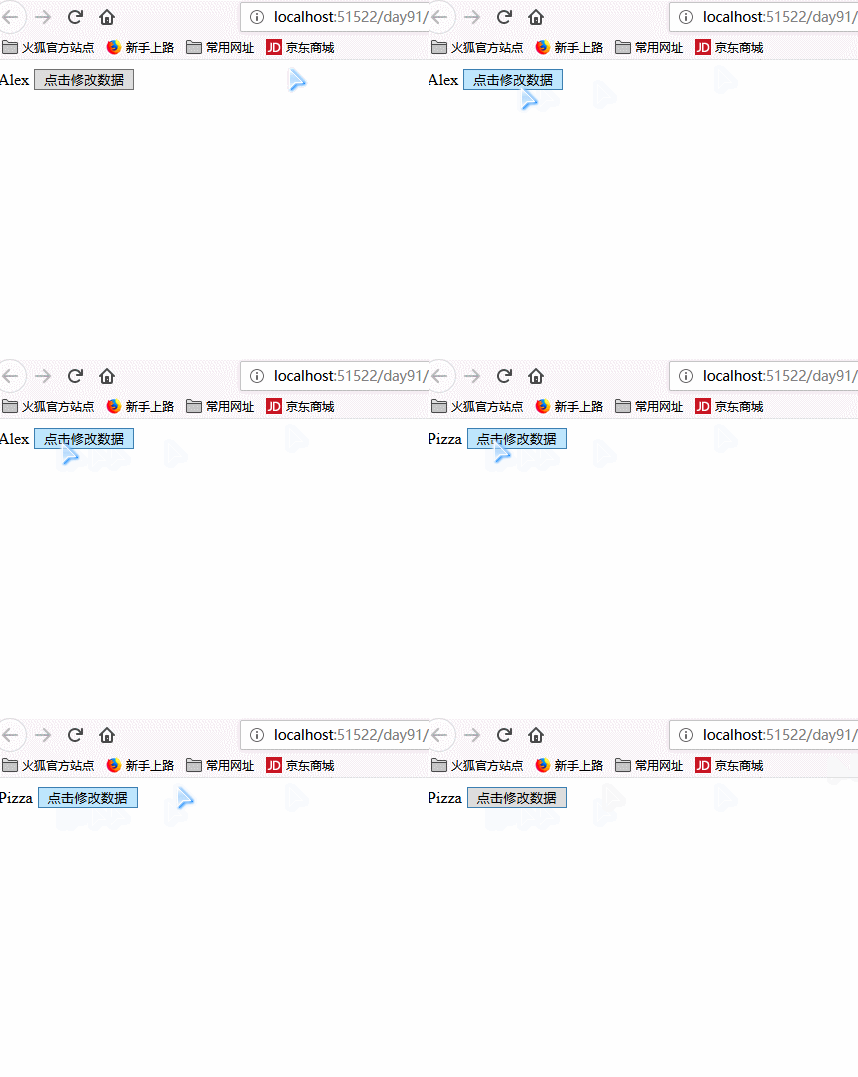
created
在实例创建完成后被立即调用。在这一步,实例已完成以下的配置:数据观测 (data observer),属性和方法的运算,watch/event 事件回调。然而,挂载阶段还没开始,$el 属性目前不可见。
<!DOCTYPE html>

<html lang="en">

<head>

    <meta charset="UTF-8">

    <title>Title</title>

    <script src="static/vue.min.js"></script>

</head>

<body>

    <div id="app">

        {{ name }}

        <button @click="myClick">点击修改数据</button>

    </div>

    <script>

        new Vue({

            el: "#app",

            // 在template中使用组件与在body中使用组件是一样的

            // template: `<cont></cont>`,

            data: {

                name: "Alex"

            },

            methods: {

                init: function () {

                    console.log(this.name);

                },

                myClick: function () {

                    this.name = "Pizza";

                }

            },

            beforeCreate() {

                console.group("beforeCreate");

                console.log("el: ", this.$el);

                console.log("data: ", this.$data);

                console.log("name: ", this.name);

                console.log("init: ", this.init);

                console.log("innerHTML: ", document.getElementById("app").innerHTML);

            },

            created() {

                console.group("Created");

                console.log("el: ", this.$el);

                console.log("data: ", this.$data);

                console.log("name: ", this.name);

                console.log("init: ", this.init);

                console.log("innerHTML: ", document.getElementById("app").innerHTML);

            }

        })

    </script>

</body>

</html>
beforeMount
在挂载开始之前被调用:相关的 render 函数首次被调用。
<!DOCTYPE html>

<html lang="en">

<head>

    <meta charset="UTF-8">

    <title>Title</title>

    <script src="../statics/vue.js"></script>

</head>

<body>

    <div id="app">

        {{ name }}

        <button @click="myClick">点击修改数据</button>

    </div>

    <script>

        new Vue({

            el: "#app",

            // 在template中使用组件与在body中使用组件是一样的

            // template: `<cont></cont>`,

            data: {

                name: "Alex"

            },

            methods: {

                init: function () {

                    console.log(this.name);

                },

                myClick: function () {

                    this.name = "Pizza";

                }

            },

            beforeCreate() {

                console.group("beforeCreate");

                console.log("el: ", this.$el);

                console.log("data: ", this.$data);

                console.log("name: ", this.name);

                console.log("init: ", this.init);

                console.log("innerHTML: ", document.getElementById("app").innerHTML);

            },

            created() {

                console.group("Created");

                console.log("el: ", this.$el);

                console.log("data: ", this.$data);

                console.log("name: ", this.name);

                console.log("init: ", this.init);

                console.log("innerHTML: ", document.getElementById("app").innerHTML);

            },

            beforeMount() {

                console.group("beforeMount");

                console.log("el: ", this.$el);

                console.log("data: ", this.$data);

                console.log("name: ", this.name);

                console.log("init: ", this.init);

                console.log("innerHTML: ", document.getElementById("app").innerHTML);

            }

        })

    </script>

</body>

</html>
mounted
el 被新创建的 vm.$el 替换,并挂载到实例上去之后调用该钩子。如果 root 实例挂载了一个文档内元素,当 mounted 被调用时 vm.$el 也在文档内。
<!DOCTYPE html>

<html lang="en">

<head>

    <meta charset="UTF-8">

    <title>Title</title>

    <script src="../statics/vue.js"></script>

</head>

<body>

    <div id="app">

        {{ name }}

        <button @click="myClick">点击修改数据</button>

    </div>

    <script>

        new Vue({

            el: "#app",

            // 在template中使用组件与在body中使用组件是一样的

            // template: `<cont></cont>`,

            data: {

                name: "Alex"

            },

            methods: {

                init: function () {

                    console.log(this.name);

                },

                myClick: function () {

                    this.name = "Pizza";

                }

            },

            beforeCreate() {

                console.group("beforeCreate");

                console.log("el: ", this.$el);

                console.log("data: ", this.$data);

                console.log("name: ", this.name);

                console.log("init: ", this.init);

                console.log("innerHTML: ", document.getElementById("app").innerHTML);

            },

            created() {

                console.group("Created");

                console.log("el: ", this.$el);

                console.log("data: ", this.$data);

                console.log("name: ", this.name);

                console.log("init: ", this.init);

                console.log("innerHTML: ", document.getElementById("app").innerHTML);

            },

            beforeMount() {

                console.group("beforeMount");

                console.log("el: ", this.$el);

                console.log("data: ", this.$data);

                console.log("name: ", this.name);

                console.log("init: ", this.init);

                console.log("innerHTML: ", document.getElementById("app").innerHTML);

            },

            mounted() {

                console.group("mounted");

                console.log("el: ", this.$el);

                console.log("data: ", this.$data);

                console.log("name: ", this.name);

                console.log("init: ", this.init);

                console.log("innerHTML: ", document.getElementById("app").innerHTML);

            },

        })

    </script>

</body>

</html>
beforeUpdate
数据更新时调用,发生在虚拟 DOM 打补丁之前。这里适合在更新之前访问现有的 DOM,比如手动移除已添加的事件监听器。
该钩子在服务器端渲染期间不被调用,因为只有初次渲染会在服务端进行.
<!DOCTYPE html>

<html lang="en">

<head>

    <meta charset="UTF-8">

    <title>Title</title>

    <script src="../statics/vue.js"></script>

</head>

<body>

    <div id="app">

        {{ name }}

        <button @click="myClick">点击修改数据</button>

    </div>

    <script>

        new Vue({

            el: "#app",

            // 在template中使用组件与在body中使用组件是一样的

            // template: `<cont></cont>`,

            data: {

                name: "Alex"

            },

            methods: {

                init: function () {

                    console.log(this.name);

                },

                myClick: function () {

                    this.name = "Pizza";

                }

            },

            beforeCreate() {

                console.group("beforeCreate");

                console.log("el: ", this.$el);

                console.log("data: ", this.$data);

                console.log("name: ", this.name);

                console.log("init: ", this.init);

                console.log("innerHTML: ", document.getElementById("app").innerHTML);

            },

            created() {

                console.group("Created");

                console.log("el: ", this.$el);

                console.log("data: ", this.$data);

                console.log("name: ", this.name);

                console.log("init: ", this.init);

                console.log("innerHTML: ", document.getElementById("app").innerHTML);

            },

            beforeMount() {

                console.group("beforeMount");

                console.log("el: ", this.$el);

                console.log("data: ", this.$data);

                console.log("name: ", this.name);

                console.log("init: ", this.init);

                console.log("innerHTML: ", document.getElementById("app").innerHTML);

            },

            mounted() {

                console.group("mounted");

                console.log("el: ", this.$el);

                console.log("data: ", this.$data);

                console.log("name: ", this.name);

                console.log("init: ", this.init);

                console.log("innerHTML: ", document.getElementById("app").innerHTML);

            },

            beforeUpdate() {

                console.group("beforeUpdate");

                console.log("el: ", this.$el);

                console.log("data: ", this.$data);

                console.log("name: ", this.name);

                console.log("init: ", this.init);

                console.log("innerHTML: ", document.getElementById("app").innerHTML);

            }

        })

    </script>

</body>

</html>
updated
由于数据更改导致的虚拟 DOM 重新渲染和打补丁,在这之后会调用该钩子。
当这个钩子被调用时,组件 DOM 已经更新,所以你现在可以执行依赖于 DOM 的操作。然而在大多数情况下,你应该避免在此期间更改状态。如果要相应状态改变,通常最好使用计算属性或 watcher 取而代之。
<!DOCTYPE html>

<html lang="en">

<head>

    <meta charset="UTF-8">

    <title>Title</title>

    <script src="../statics/vue.js"></script>

</head>

<body>

    <div id="app">

        {{ name }}

        <button @click="myClick">点击修改数据</button>

    </div>

    <script>

        new Vue({

            el: "#app",

            // 在template中使用组件与在body中使用组件是一样的

            // template: `<cont></cont>`,

            data: {

                name: "Alex"

            },

            methods: {

                init: function () {

                    console.log(this.name);

                },

                myClick: function () {

                    this.name = "Pizza";

                }

            },

            beforeCreate() {

                console.group("beforeCreate");

                console.log("el: ", this.$el);

                console.log("data: ", this.$data);

                console.log("name: ", this.name);

                console.log("init: ", this.init);

                console.log("innerHTML: ", document.getElementById("app").innerHTML);

            },

            created() {

                console.group("Created");

                console.log("el: ", this.$el);

                console.log("data: ", this.$data);

                console.log("name: ", this.name);

                console.log("init: ", this.init);

                console.log("innerHTML: ", document.getElementById("app").innerHTML);

            },

            beforeMount() {

                console.group("beforeMount");

                console.log("el: ", this.$el);

                console.log("data: ", this.$data);

                console.log("name: ", this.name);

                console.log("init: ", this.init);

                console.log("innerHTML: ", document.getElementById("app").innerHTML);

            },

            mounted() {

                console.group("mounted");

                console.log("el: ", this.$el);

                console.log("data: ", this.$data);

                console.log("name: ", this.name);

                console.log("init: ", this.init);

                console.log("innerHTML: ", document.getElementById("app").innerHTML);

            },

            beforeUpdate() {

                console.group("beforeUpdate");

                console.log("el: ", this.$el);

                console.log("data: ", this.$data);

                console.log("name: ", this.name);

                console.log("init: ", this.init);

                console.log("innerHTML: ", document.getElementById("app").innerHTML);

            },

            updated() {

                console.log("updated");

                console.log("el: ", this.$el);

                console.log("data: ", this.$data);

                console.log("name: ", this.name);

                console.log("init: ", this.init);

                console.log("innerHTML: ", document.getElementById("app").innerHTML);

            }

        })

    </script>

</body>

</html>
activated
keep-alive 组件激活时调用。<keep-alive> 包裹动态组件时,会缓存不活动的组件实例,而不是销毁它们
该钩子在服务器端渲染期间不被调用。
<!DOCTYPE html>

<html lang="en">

<head>

    <meta charset="UTF-8">

    <title>Title</title>

    <script src="../statics/vue.min.js"></script>

</head>

<body>

    <div id="app">

        <App></App>

    </div>

    <script>

        let Laside = {

            template: `

                <div>

                    <h1>{{ message }}</h1>

                    <button @click="changeData">点击修改数据</button>

                </div>

            `,

            data () {

                return {

                    message: "Hello Vue!"

                }

            },

            methods: {

                init: function () {

                    console.log(this.message)

                }

                changeData: function () {

                    this.mes = "Pizza is here!";

                }

            },

            // 组件的创建和销毁对性能有影响

            beforeDestroy () {

                console.log("beforeDestroy");

            },

            destroyed () {

                console.log("destroyed");

            },

            activated () {

                console.group("activated");

                console.log("el: ", this.$el);

                console.log("data: ", this.$data);

                console.log("message: ", this.message);

                console.log("init: ", this.init);

                console.log("innerHTML: ", document.getElementById("app").innerHTML);

            },

        };

        let App = {

            template: `

                <div >

                    <keep-alive>

                        <Laside v-if="isShow"></Laside>

                    </keep-alive>

                    <button @click="showHide">创建消除组件</button>

                </div>

            `,

            components: {

                "Laside": Laside,

            },

            methods: {

                showHide: function () {

                    this.isShow = !this.isShow;

                }

            },

            data () {

                return {

                    isShow: true,

                }

            }

        };

        new Vue({

            el: "#app",

            // 在template中使用组件与在body中使用组件是一样的

            // template: `<cont></cont>`,

            components: {

                App,

            }

        })

    </script>

</body>

</html>
deactivated
keep-alive 组件停用时调用。
该钩子在服务器端渲染期间不被调用。
<!DOCTYPE html>

<html lang="en">

<head>

    <meta charset="UTF-8">

    <title>Title</title>

    <script src="../statics/vue.min.js"></script>

</head>

<body>

    <div id="app">

        <App></App>

    </div>

    <script>

        let Laside = {

            template: `

                <div>

                    <h1>{{ mes }}</h1>

                    <button @click="changeData">点击修改数据</button>

                </div>

            `,

            data () {

                return {

                    message: "Hello Vue!"

                }

            },

            methods: {

                init: function () {

                    console.log(this.message);

                }

                changeData: function () {

                    this.mes = "Pizza is here!";

                }

            },

            // 组件的创建和销毁对性能有影响

            beforeDestroy () {

                console.log("beforeDestroy");

            },

            destroyed () {

                console.log("destroyed");

            },

            activated () {

                console.group("activated");

                console.log("el: ", this.$el);

                console.log("data: ", this.$data);

                console.log("message: ", this.message);

                console.log("init: ", this.init);

                console.log("innerHTML: ", document.getElementById("app").innerHTML);

            },

            deactivated () {

                console.group("deactivated");

                console.log("el: ", this.$el);

                console.log("data: ", this.$data);

                console.log("name: ", this.name);

                console.log("init: ", this.init);

                console.log("innerHTML: ", document.getElementById("app").innerHTML);

            }

        };

        let App = {

            template: `

                <div >

                    <keep-alive>

                        <Laside v-if="isShow"></Laside>

                    </keep-alive>

                    <button @click="showHide">创建消除组件</button>

                </div>

            `,

            components: {

                "Laside": Laside,

            },

            methods: {

                showHide: function () {

                    this.isShow = !this.isShow;

                }

            },

            data () {

                return {

                    isShow: true,

                }

            }

        };

        new Vue({

            el: "#app",

            // 在template中使用组件与在body中使用组件是一样的

            // template: `<cont></cont>`,

            components: {

                App,

            }

        })

    </script>

</body>

</html>
beforeDestroy
实例销毁之前调用。在这一步,实例仍然完全可用。频繁的创建和销毁组件对性能的影响很大,因此可以使用activated和deactivated。
该钩子在服务器端渲染期间不被调用。
<!DOCTYPE html>

<html lang="en">

<head>

    <meta charset="UTF-8">

    <title>Title</title>

    <script src="../statics/vue.js"></script>

</head>

<body>

    <div id="app">

        <App></App>

    </div>

    <script>

        let Laside = {

            template: `

                <div>

                    <h1>{{ mes }}</h1>

                    <button @click="changeData">点击修改数据</button>

                </div>

            `,

            data () {

                return {

                    mes: "Hello Vue!"

                }

            },

            methods: {

                changeData: function () {

                    this.mes = "Pizza is here!";

                }

            },

            // 组件的创建和销毁对性能有影响

            beforeDestroy() {

                console.log("beforeDestroy");

                console.log("el: ", this.$el);

                console.log("data: ", this.$data);

                console.log("name: ", this.name);

                console.log("init: ", this.init);

                console.log("innerText: ", document.getElementById("app").innerText);

                console.log("innerHTML: ", document.getElementById("app").innerHTML);

            },

        };

        let App = {

            template: `

                <div >

                    <Laside v-if="isShow"></Laside>

                    <button @click="showHide">创建消除组件</button>

                </div>

            `,

            components: {

                "Laside": Laside,

            },

            methods: {

                showHide: function () {

                    this.isShow = !this.isShow;

                }

            },

            data () {

                return {

                    isShow: true,

                }

            }

        };

        new Vue({

            el: "#app",

            // 在template中使用组件与在body中使用组件是一样的

            // template: `<cont></cont>`,

            components: {

                App,

            }

        })

    </script>

</body>

</html>
destroyed
Vue 实例销毁后调用。调用后,Vue 实例指示的所有东西都会解绑定,所有的事件监听器会被移除,所有的子实例也会被销毁。
该钩子在服务器端渲染期间不被调用。
<!DOCTYPE html>

<html lang="en">

<head>

    <meta charset="UTF-8">

    <title>Title</title>

    <script src="../statics/vue.min.js"></script>

</head>

<body>

    <div id="app">

        <App></App>

    </div>

    <script>

        let Laside = {

            template: `

                <div>

                    <h1>{{ mes }}</h1>

                    <button @click="changeData">点击修改数据</button>

                </div>

            `,

            data () {

                return {

                    mes: "Hello Vue!"

                }

            },

            methods: {

                changeData: function () {

                    this.mes = "Pizza is here!";

                }

            },

            // 组件的创建和销毁对性能有影响

            beforeDestroy() {

                console.log("beforeDestroy");

                console.log("el: ", this.$el);

                console.log("data: ", this.$data);

                console.log("name: ", this.name);

                console.log("init: ", this.init);

                console.log("innerHTML: ", document.getElementById("app").innerHTML);

            },

            destroyed () {

                console.log("destroyed");

                console.log("el: ", this.$el);

                console.log("data: ", this.$data);

                console.log("name: ", this.name);

                console.log("init: ", this.init);

                console.log("innerHTML: ", document.getElementById("app").innerHTML);

            }

        };

        let App = {

            template: `

                <div >

                    <Laside v-if="isShow"></Laside>

                    <button @click="showHide">创建消除组件</button>

                </div>

            `,

            components: {

                "Laside": Laside,

            },

            methods: {

                showHide: function () {

                    this.isShow = !this.isShow;

                }

            },

            data () {

                return {

                    isShow: true,

                }

            }

        };

        new Vue({

            el: "#app",

            // 在template中使用组件与在body中使用组件是一样的

            // template: `<cont></cont>`,

            components: {

                App,

            }

        })

    </script>

</body>

</html>
Vue.js之生命周期的更多相关文章
- Vue js 的生命周期详解
Vue 实例的生命周期 Vue 实例有一个完整的生命周期,也就是从开始创建.初始化数据.编译模板.挂载Dom→渲染.更新→渲染.卸载等一系列 过程,我们称这是 Vue 的生命周期.通俗说就是 Vue ...
- vue.js之生命周期,防止闪烁,计算属性的使用,vue实例简单方法和循环重复数据
摘要:今天是比较糟糕的一天没怎么学习,原因是学校的wifi连不上了~~.今天学习一下vue的生命周期,如何防止闪烁(也就是用户看得到花括号),计算属性的使用,vue实例简单方法,以及当有重复数据时如何 ...
- Vue js 的生命周期(看了就懂)
转自: https://blog.csdn.net/qq_24073885/article/details/60143856 用Vue框架,熟悉它的生命周期可以让开发更好的进行. 首先先看看官网的图, ...
- vue.js的生命周期 及其created和mounted的部分
网上很多人有所总结,转载自: https://segmentfault.com/a/1190000008570622 关于created和mounted的部分,也可以参考: https://blo ...
- Vue.js——5.生命周期
Vue的生命周期 创建阶段new Vue1,beforeCreate() 表示在实例没有被创建出来之前会执行它加载data和methods2,caeated() data 和methods被初始化了 ...
- 从零开始学 Web 之 Vue.js(三)Vue实例的生命周期
大家好,这里是「 从零开始学 Web 系列教程 」,并在下列地址同步更新...... github:https://github.com/Daotin/Web 微信公众号:Web前端之巅 博客园:ht ...
- Vue01 Vue介绍、Vue使用、Vue实例的创建、数据绑定、Vue实例的生命周期、差值与表达式、指令与事件、语法糖
1 Vue介绍 1.1 官方介绍 vue是一个简单小巧的渐进式的技术栈,它提供了Web开发中常用的高级功能:视图和数据的解耦.组件的服用.路由.状态管理.虚拟DOM 说明:简单小巧 -> 压缩后 ...
- Vue.js-07:第七章 - Vue 实例的生命周期
一.前言 在之前的 Vue 学习中,我们在使用 Vue 时,都会创建一个 Vue 的实例,而每个 Vue 实例在被创建时都要经过一系列的初始化过程.例如,需要设置数据监听.编译模板.将实例挂载到 D ...
- vue 项目实战 (生命周期钩子)
开篇先来一张图 下图是官方展示的生命周期图 Vue实例的生命周期钩子函数(8个) 1. beforeCreate 刚 new了一个组件,无法访问到数据和真实的do ...
随机推荐
- Swift 里 Array (一)内存结构
public struct Array<Element>: _DestructorSafeContainer { #if _runtime(_ObjC) @usableFromInline ...
- java实现office文件预览
不知觉就过了这个久了,继上篇java实现文件上传下载后,今天给大家分享一篇java实现的对office文件预览功能. 相信大家在平常的项目中会遇到需要对文件实现预览功能,这里不用下载节省很多事.大家请 ...
- 弹出AlertDialog的时候报You need to use a Theme.AppCompat theme (or descendant) with this activity错误
今天遇到一个bug,用百度地图的时候,我对上面的标注设置了点击监听,设置的相应的反应是弹出一个AlertDialog 记录一解决bug的历程 但是Dialog却没有弹出来,一看AS下面,报了这错,起初 ...
- Ubutntu安装docker启动报Removed /etc/systemd/system/docker.service.
Ubutntu安装docker启动报Removed /etc/systemd/system/docker.service.的错误,只需要执行以下三条命令. systemctl unmask docke ...
- 05-01 Java 方法
方法 方法定义.格式: /* 方法:完成特定功能的代码块. 注意:在很多语言里面有函数的定义,而在Java中函数被称为方法. 方法格式: 修饰符 返回值类型 方法名(参数类型 参数名1,参数类型 参数 ...
- Numpy.random中shuffle与permutation的区别(转)
huffle与permutation的区别 函数shuffle与permutation都是对原来的数组进行重新洗牌(即随机打乱原来的元素顺序):区别在于shuffle直接在原来的数组上进行操作,改变原 ...
- 剑指offer八之跳台阶
一.题目 一只青蛙一次可以跳上1级台阶,也可以跳上2级.求该青蛙跳上一个n级的台阶总共有多少种跳法. 二.思路 a.如果两种跳法,1阶或者2阶,那么假定第一次跳的是一阶,那么剩下的是n-1个台阶,跳法 ...
- Kafka连接SparkStreaming的两种方式
第一种方式代码: import org.apache.spark.storage.StorageLevel import org.apache.spark.{HashPartitioner, Spar ...
- PEP_2007相关问题记录
1.在C++中,int main(int argc, char** argv)中的参数是什么意思? 其中,第一个argc是输入的参数的个数,第二个argv可以理解为一个数组,我们可以通过argv来打印 ...
- Redis学习系列六ZSet(有序列表)及Redis数据结构的过期
一.简介 ZSet可以说是Redis中最有趣的数据结构了,因为他兼具了Hash集合和Set的双重特性,也是用的最多的,保证了value值的唯一性的同时,,同时又保证了高性能,最主要的是还可以给每个Va ...