
Android Studio中Switch控件有关 textOn 和 textOff 用法
•属性
textOn:控件打开时显示的文字
textOff:控件关闭时显示的文字
- showText:设置是否显示开关上的文字(API 21及以上)
•用法
<?xml version="1.0" encoding="utf-8"?>

<LinearLayout xmlns:android="http://schemas.android.com/apk/res/android"

    android:layout_width="match_parent"

    android:layout_height="match_parent"

    android:padding="10dp"

    android:gravity="center"

    android:orientation="vertical">

    <Switch

        android:layout_width="wrap_content"

        android:layout_height="wrap_content"

        android:layout_marginTop="10dp"

        android:textOn="on"

        android:textOff="off"

        android:showText="true"/>

</LinearLayout>
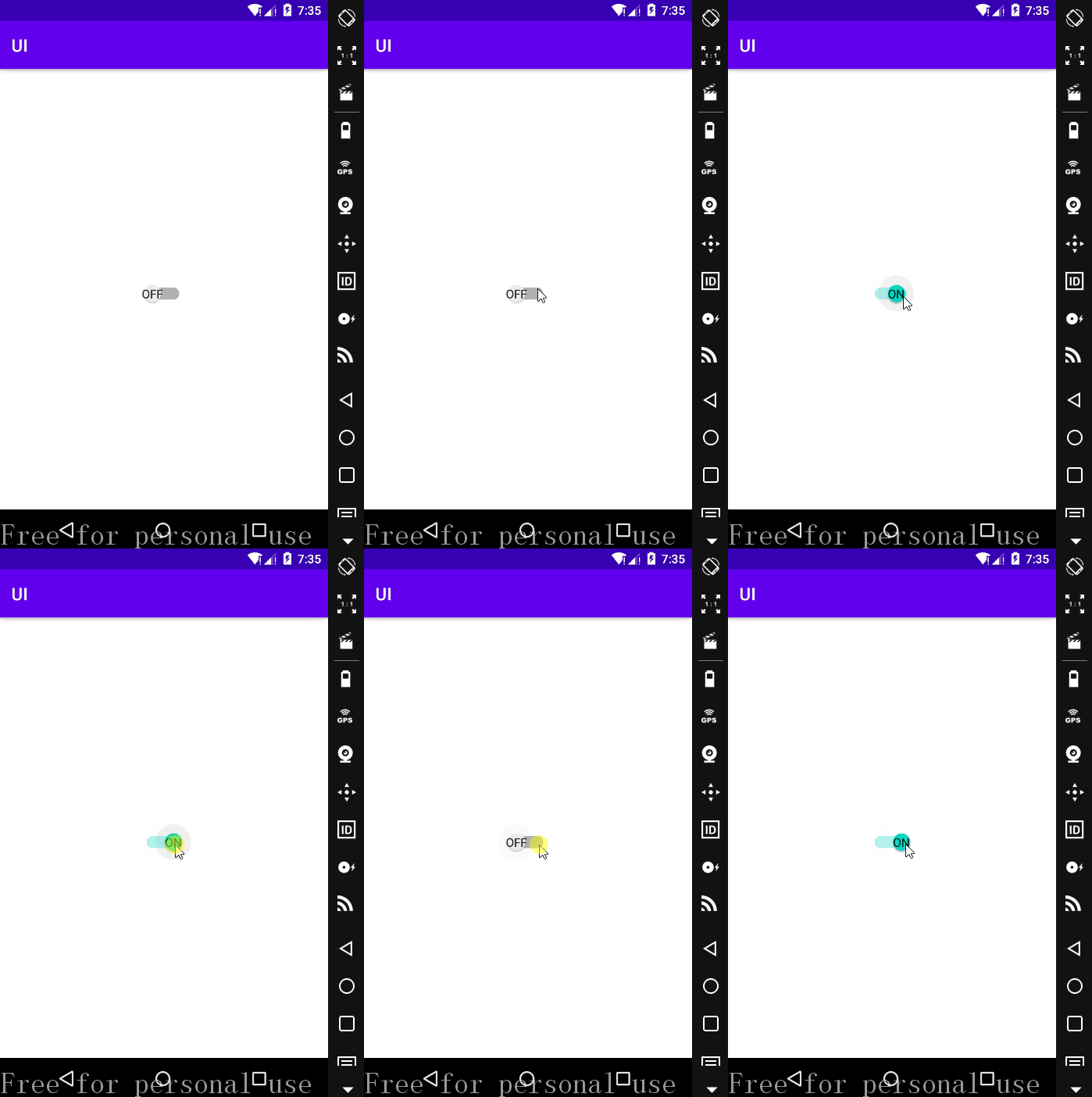
需要注意的是,textOn 与 textOff 必须与 android:showText="true" 一起使用才起作用。
•运行效果
•自定义Switch 控件textOn和textOff字体大小
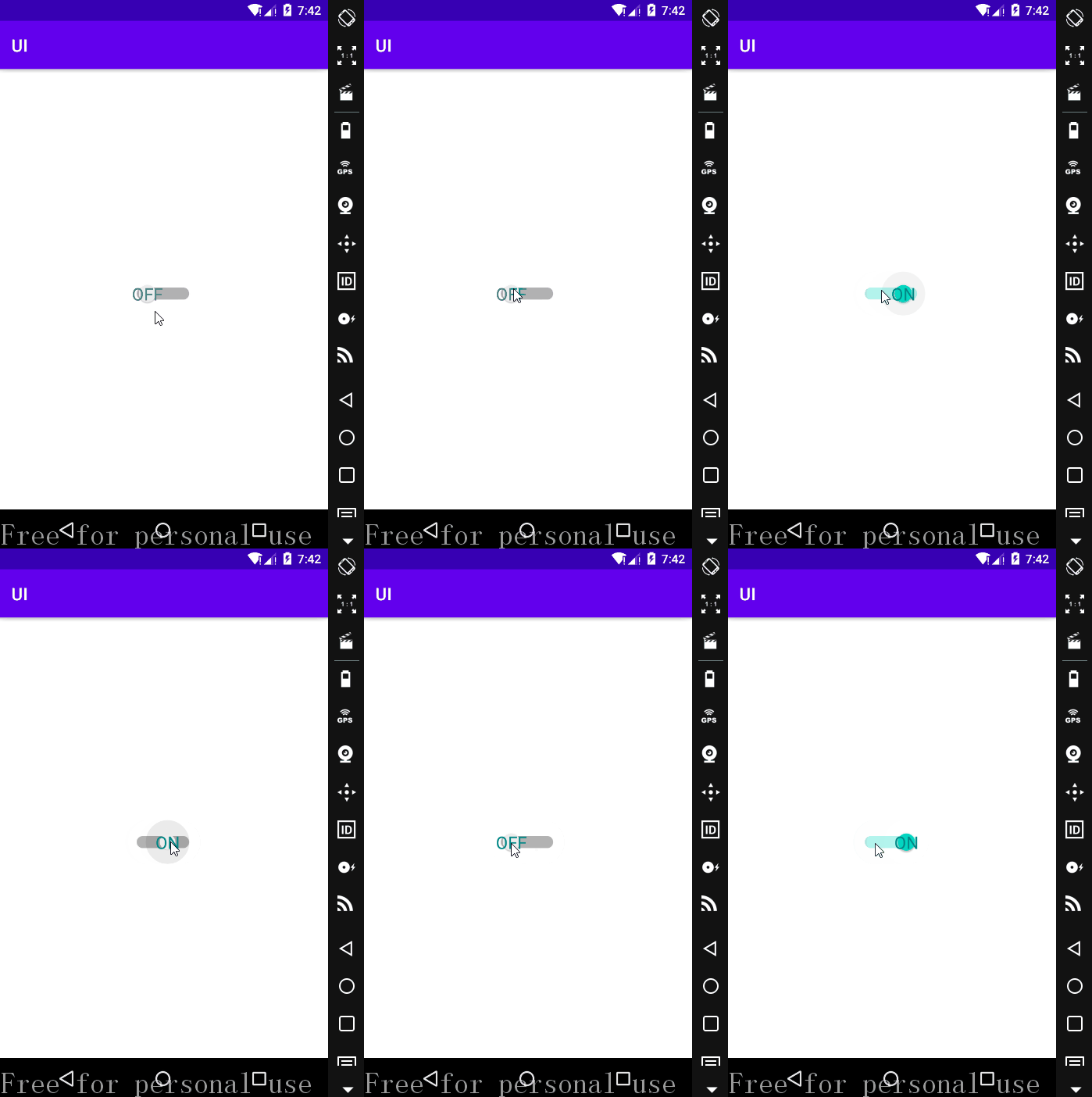
设置 Switch 属性的 android:switchTextAppearance="" 可以达到效果;
在 app/src/res 下找到 values 文件夹,右击->New->Values Resource File,新建一个 style.xml 文件;
添加代码如下:
<?xml version="1.0" encoding="utf-8"?>

<resources>

    <style name = "myTextAppearance" parent="@style/TextAppearance.AppCompat.Widget.Switch">

        <item name="android:textSize">20sp</item>

        <item name="android:textColor">@color/teal_700</item>

    </style>

</resources>
在上述 <Switch> 控件中添加属性 android:switchTextAppearance="@style/myTextAppearance" ;
运行效果:
Android Studio中Switch控件有关 textOn 和 textOff 用法的更多相关文章
- Android Studio中Switch控件有关 thumb 和 track 用法
•任务 •属性 android:track:底部的图片(灰->绿) android:thumb:设置 Switch 上面滑动的滑块,也就是上图中的白色圆形滑块 •switch_thumb 点击 ...
- Android线程中设置控件
在Android中经常出现多线程中设置控件的值报错的情况,今天教大家封装一个简单的类避免这样的问题,同样也调用实现也非常的方便. 自定义类: /** * Created by wade on 2016 ...
- android include中的控件调用
项目中经常会有一些布局是重用的,但是如何来更好的利用这些布局中的控件 转: http://zhidao.baidu.com/link?url=GU93U8Wu31dfp7mKEx52hMJkxjFLC ...
- Android Studio自定义组合控件
在Android的开发中,为了能够服用代码,会把有一定共有特点的控件组合在一起定义成一个自定义组合控件. 本文就详细讲述这一过程.虽然这样的View的组合有一个粒度的问题.粒度太大了无法复用,粒度太小 ...
- visual studio中验证控件的使用
1.RequiredFieldValidator:验证一个必填字段,如果这个字段没填,那么,将不能提交信息. RequiredFieldValidator控件中,主要设置三个属性: (1)ErrorM ...
- Android View中的控件和监听方法...
PS:居然三天没写博客了...今天补上...东西虽多,但是都是一些基础...代码多了一些,有人可能会这样问,粘这么多代码有毛用..其实对于一个Android的初学者来说,一个完整的代码是最容易帮助理解 ...
- Android Studio 学习 - 基本控件的使用;Intent初学
Android Studio学习第三天. 今天主要学习 1. RadioButton.CheckBox.RatingBar.SeekBar等基础控件的使用. 结合Delphi中相类似的控件,在这些基本 ...
- Android Studio中Button等控件的Text中字符串默认大写的解决方法
初学Android的时候,在Android Studio中xml里面添加一个Button.EditText等控件后,它的Text总是会显示大写,即使你输入的字符串是小写也不行,控制字符串大小写的属性是 ...
- Android 中常见控件的介绍和使用
1 TextView文本框 1.1 TextView类的结构 TextView 是用于显示字符串的组件,对于用户来说就是屏幕中一块用于显示文本的区域.TextView类的层次关系如下: java.la ...
随机推荐
- TypeScript 4.1 Quick Start Tutorials
TypeScript 4.1 Quick Start Tutorials TypeScript 4.1 快速上手教程 https://typescript-41-quick-start-tutoria ...
- TypeORM Entity
TypeORM Entity Entity Entity is a class that maps to a database table when using SQL database(or col ...
- auto open Chrome DevTools in the command line
auto open Chrome DevTools in the command line --auto-open-devtools-for-tabs # macOS $ /Applications/ ...
- github & personal access token
github & personal access token OAuth https://github.com/xgqfrms/webtrc-in-action/issues/1#issuec ...
- iOS remote debug & Android remote debug & Chrome & APP
iOS remote debug & Android remote debug & Chrome & APP iOS remote debugging 如何在 iOS 真机上调 ...
- 小程序 & taro 踩坑指南
小程序 & taro 踩坑指南 微信开发者工具, 不支持 react bug https://github.com/NervJS/taro/issues/5042 solution just ...
- 如何通过NGK数字增益平台实现兑换算力
最近币圈里有一个新项目NGK非常火热,很多朋友在经过了了解以后纷纷表示很看好这个项目,那么除了二级市场之外,是否还能有其他的方式可以更低成本地获得NGK代币呢? 答案是肯定的,NGK数字增益平台便是低 ...
- 微信小程序:标签字符串直接变成标签来显示要通过富文本技术
rich-text标签存在nodes属性直接接受标签字符串
- 微信小程序:app.json中通过使用扩展库userExtendedLib的方式,引入并使用weui
微信小程序 PK APP: 1.微信有海量⽤⼾,⽽且粘性很⾼,在微信⾥开发产品更容易触达⽤⼾:而推⼴app的成本太⾼. 2.微信小程序也可以跨平台(Android和IOS). 一.project. ...
- 痞子衡嵌入式:自识别特性(Auto Probe)可以让i.MXRT1060无需FDCB也能从NOR Flash启动
大家好,我是痞子衡,是正经搞技术的痞子.今天痞子衡给大家分享的是自识别特性(Auto Probe)可以让i.MXRT1060无需FDCB也能从NOR Flash启动. 接着上篇文章 <了解i.M ...