
Android Studio中Switch控件有关 textOn 和 textOff 用法
•属性
textOn:控件打开时显示的文字
textOff:控件关闭时显示的文字
- showText:设置是否显示开关上的文字(API 21及以上)
•用法
<?xml version="1.0" encoding="utf-8"?>

<LinearLayout xmlns:android="http://schemas.android.com/apk/res/android"

    android:layout_width="match_parent"

    android:layout_height="match_parent"

    android:padding="10dp"

    android:gravity="center"

    android:orientation="vertical">

    <Switch

        android:layout_width="wrap_content"

        android:layout_height="wrap_content"

        android:layout_marginTop="10dp"

        android:textOn="on"

        android:textOff="off"

        android:showText="true"/>

</LinearLayout>
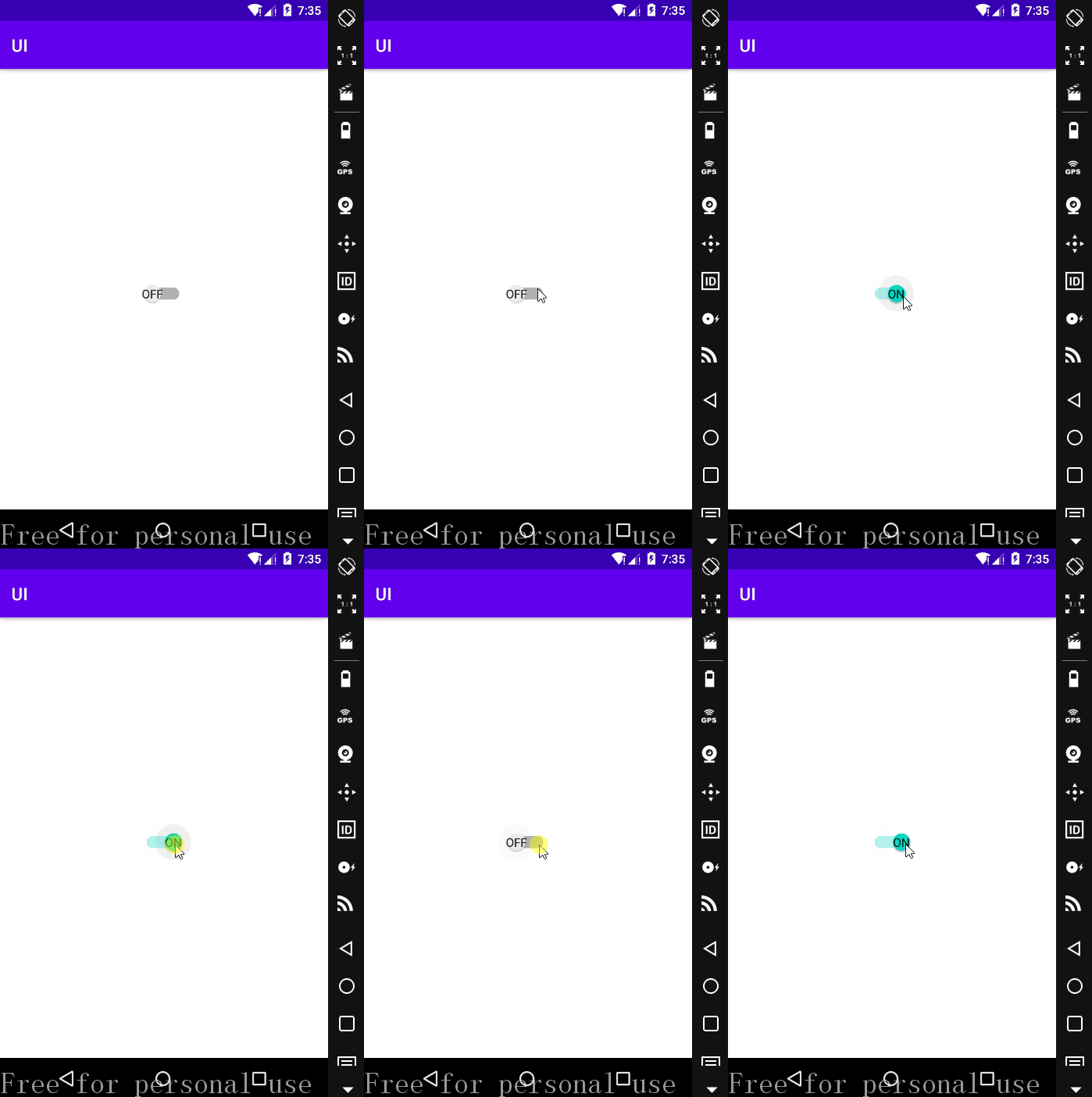
需要注意的是,textOn 与 textOff 必须与 android:showText="true" 一起使用才起作用。
•运行效果
•自定义Switch 控件textOn和textOff字体大小
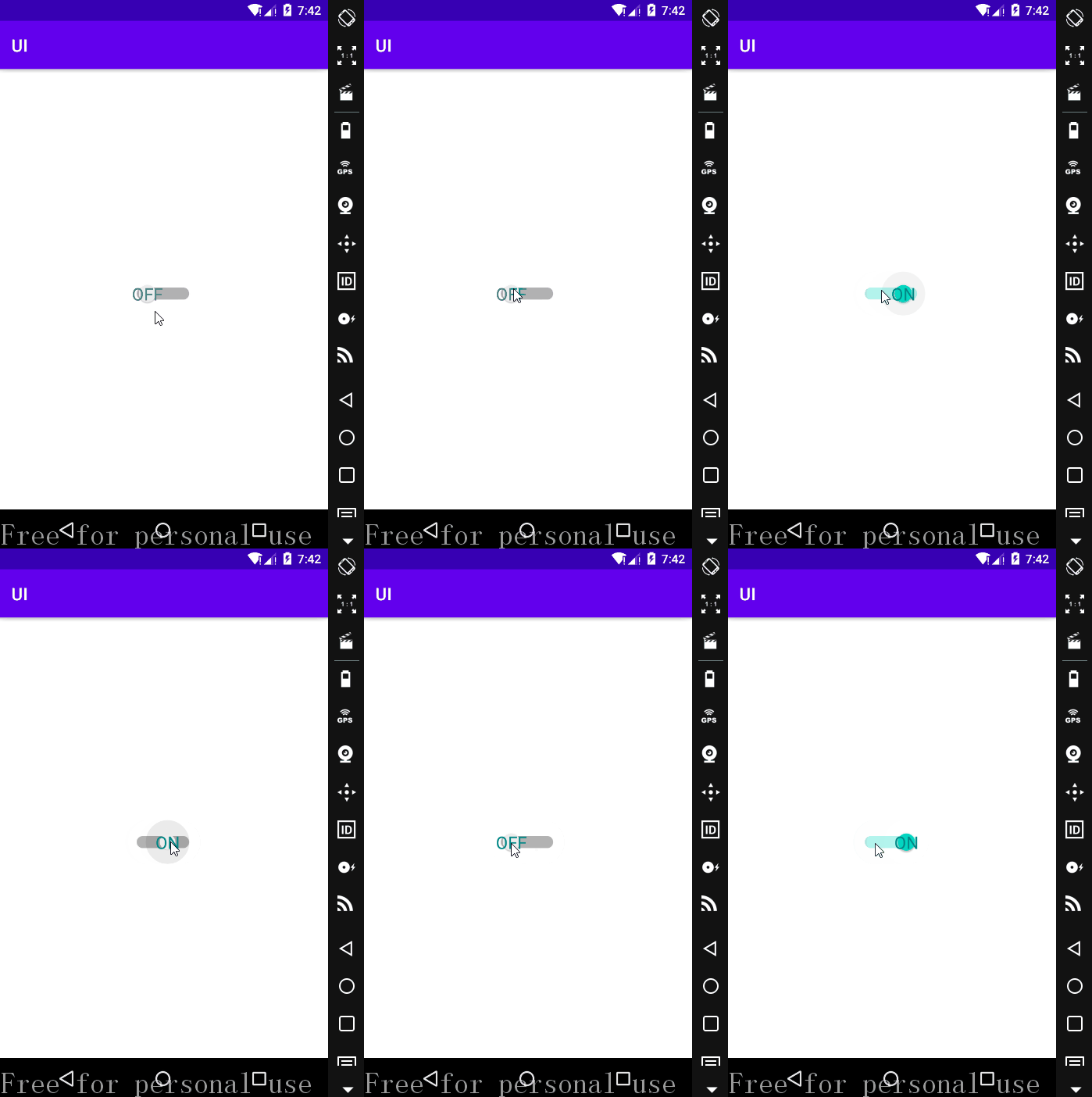
设置 Switch 属性的 android:switchTextAppearance="" 可以达到效果;
在 app/src/res 下找到 values 文件夹,右击->New->Values Resource File,新建一个 style.xml 文件;
添加代码如下:
<?xml version="1.0" encoding="utf-8"?>

<resources>

    <style name = "myTextAppearance" parent="@style/TextAppearance.AppCompat.Widget.Switch">

        <item name="android:textSize">20sp</item>

        <item name="android:textColor">@color/teal_700</item>

    </style>

</resources>
在上述 <Switch> 控件中添加属性 android:switchTextAppearance="@style/myTextAppearance" ;
运行效果:
Android Studio中Switch控件有关 textOn 和 textOff 用法的更多相关文章
- Android Studio中Switch控件有关 thumb 和 track 用法
•任务 •属性 android:track:底部的图片(灰->绿) android:thumb:设置 Switch 上面滑动的滑块,也就是上图中的白色圆形滑块 •switch_thumb 点击 ...
- Android线程中设置控件
在Android中经常出现多线程中设置控件的值报错的情况,今天教大家封装一个简单的类避免这样的问题,同样也调用实现也非常的方便. 自定义类: /** * Created by wade on 2016 ...
- android include中的控件调用
项目中经常会有一些布局是重用的,但是如何来更好的利用这些布局中的控件 转: http://zhidao.baidu.com/link?url=GU93U8Wu31dfp7mKEx52hMJkxjFLC ...
- Android Studio自定义组合控件
在Android的开发中,为了能够服用代码,会把有一定共有特点的控件组合在一起定义成一个自定义组合控件. 本文就详细讲述这一过程.虽然这样的View的组合有一个粒度的问题.粒度太大了无法复用,粒度太小 ...
- visual studio中验证控件的使用
1.RequiredFieldValidator:验证一个必填字段,如果这个字段没填,那么,将不能提交信息. RequiredFieldValidator控件中,主要设置三个属性: (1)ErrorM ...
- Android View中的控件和监听方法...
PS:居然三天没写博客了...今天补上...东西虽多,但是都是一些基础...代码多了一些,有人可能会这样问,粘这么多代码有毛用..其实对于一个Android的初学者来说,一个完整的代码是最容易帮助理解 ...
- Android Studio 学习 - 基本控件的使用;Intent初学
Android Studio学习第三天. 今天主要学习 1. RadioButton.CheckBox.RatingBar.SeekBar等基础控件的使用. 结合Delphi中相类似的控件,在这些基本 ...
- Android Studio中Button等控件的Text中字符串默认大写的解决方法
初学Android的时候,在Android Studio中xml里面添加一个Button.EditText等控件后,它的Text总是会显示大写,即使你输入的字符串是小写也不行,控制字符串大小写的属性是 ...
- Android 中常见控件的介绍和使用
1 TextView文本框 1.1 TextView类的结构 TextView 是用于显示字符串的组件,对于用户来说就是屏幕中一块用于显示文本的区域.TextView类的层次关系如下: java.la ...
随机推荐
- ECMAScript 2021 新特性
ECMAScript 2021 新特性 refs https://codeburst.io/exciting-features-of-javascript-es2021-es12-1de8adf655 ...
- code magic
code magic CI/CD for mobile app projects https://codemagic.io https://codemagic.io/apps flutter http ...
- js assert
js assert console.assert The console.assert() method writes an error message to the console if the a ...
- asm align 对齐数据
最大成员dword data: dd 1 db 2 align 4 dw 3 000E0010 - 01 00 00 00 000E0014 - 02 00 00 00 000E0018 - 03 0 ...
- regex read once bug
regex read once bug read once bug StackOverflow Question https://stackoverflow.com/questions/5916796 ...
- React Styleguidist
React Styleguidist https://www.thoughtworks.com/cn/radar/techniques/micro-frontends https://github.c ...
- NGK发力社区 打造三大社群模式
当人们谈论区块链.数字货币的时候,常常会提到这样一些词汇:社区.社群,社区对区块链项目乃至于整个区块链行业的重要性已经形成了基本的行业共识,几乎每个项目方都在想尽办法营造社区.激发社区活力. 为什么区 ...
- iOS 兼容性处理
1. scroll滑动层,在iOS中滑动不流畅的处理 -webkit-overflow-scrolling:touch; //在滑动层标签添加这个样式 2. iOS 系统中input标签,去掉圆角效果 ...
- Java并发之ThreadPoolExecutor源码解析(二)
ThreadPoolExecutor ThreadPoolExecutor是ExecutorService的一种实现,可以用若干已经池化的线程执行被提交的任务.使用线程池可以帮助我们限定和整合程序资源 ...
- 基于docker部署skywalking实现全链路监控
一.概述 简介 skywalking是一个开放源码的,用于收集.分析,聚合,可视化来自于不同服务和本地基础服务的数据的可观察的平台,skywalking提供了一个简单的方法来让你对你的分布式系统甚至是 ...