
HTML form All In One
HTML form All In One
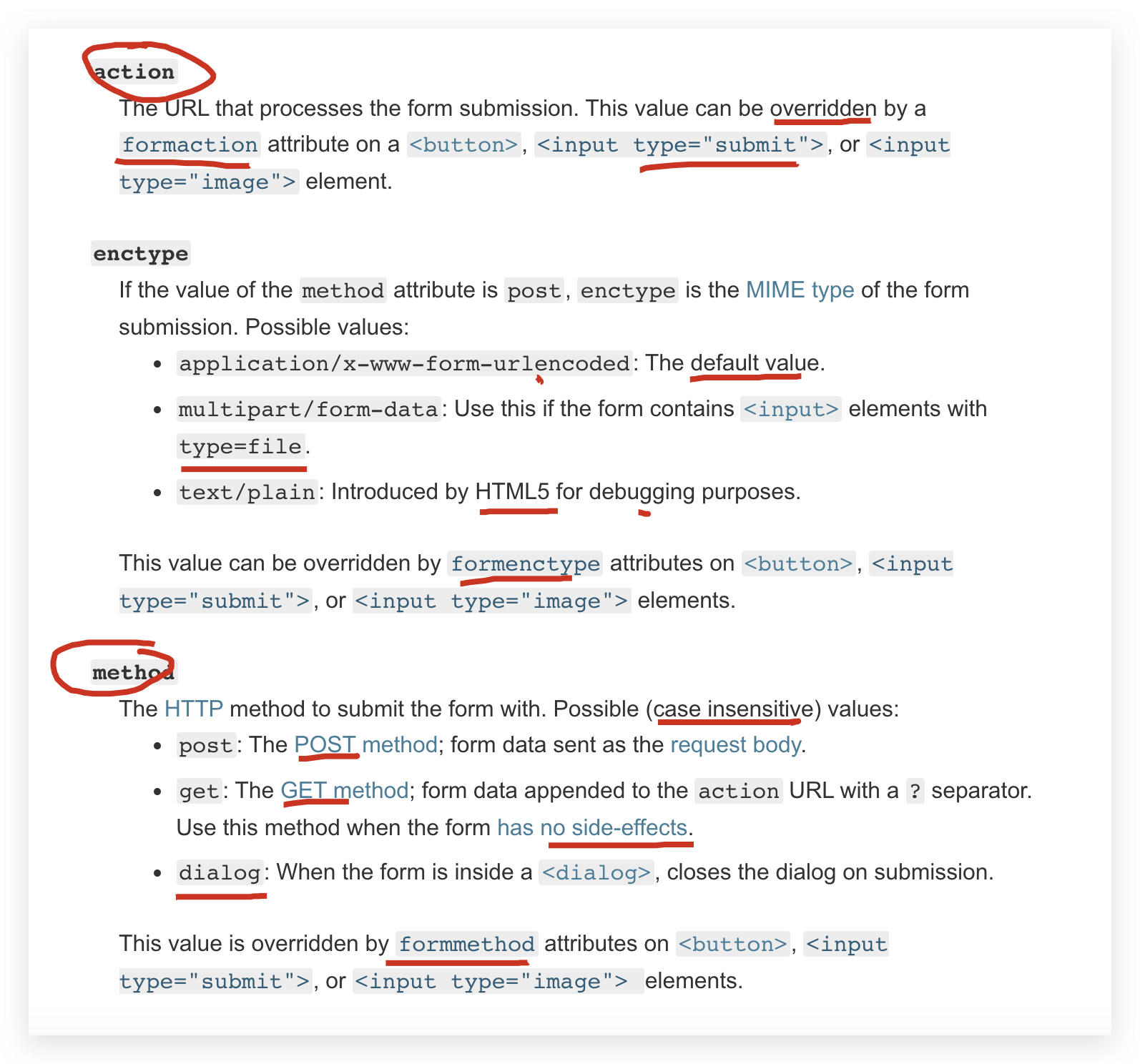
action + method
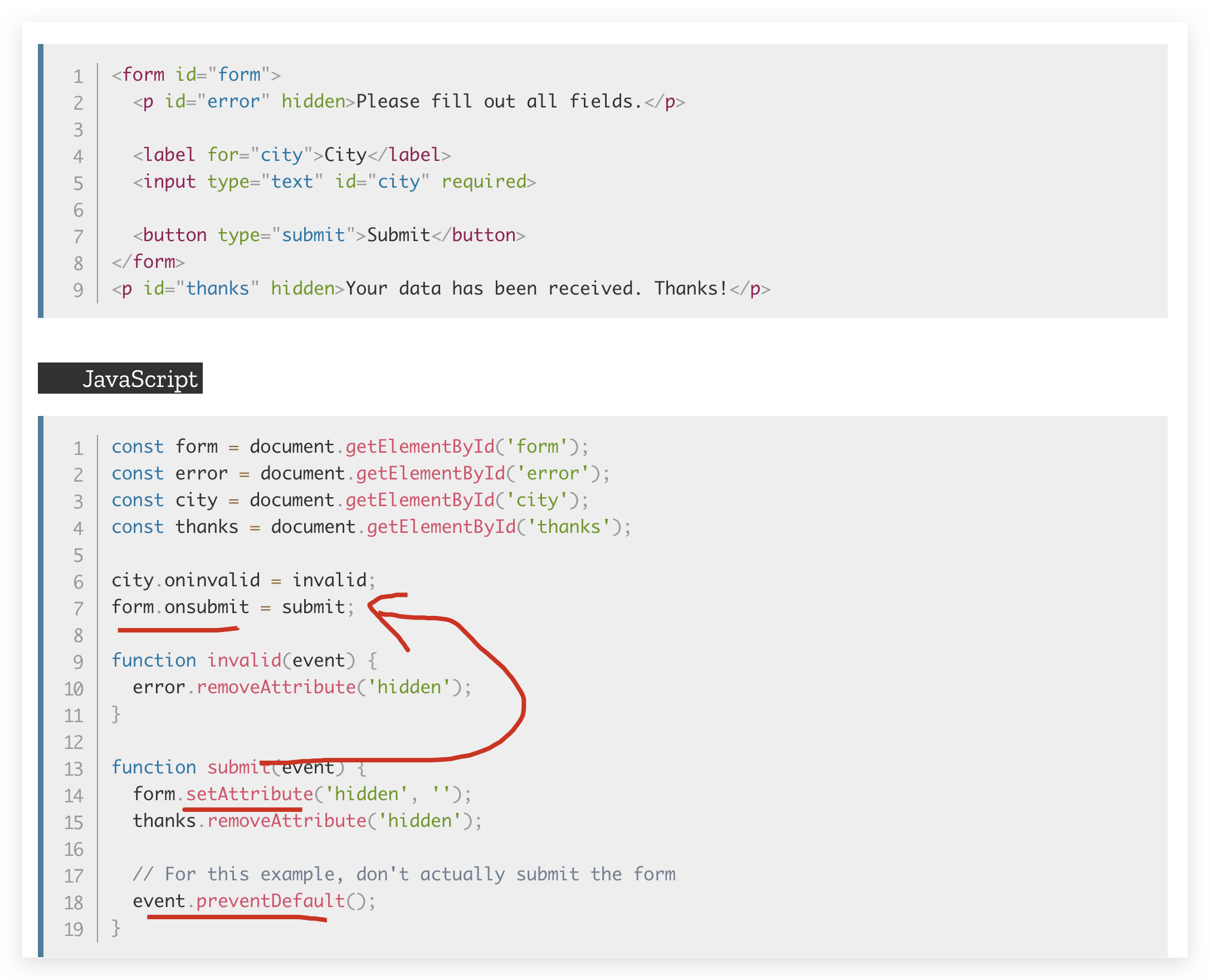
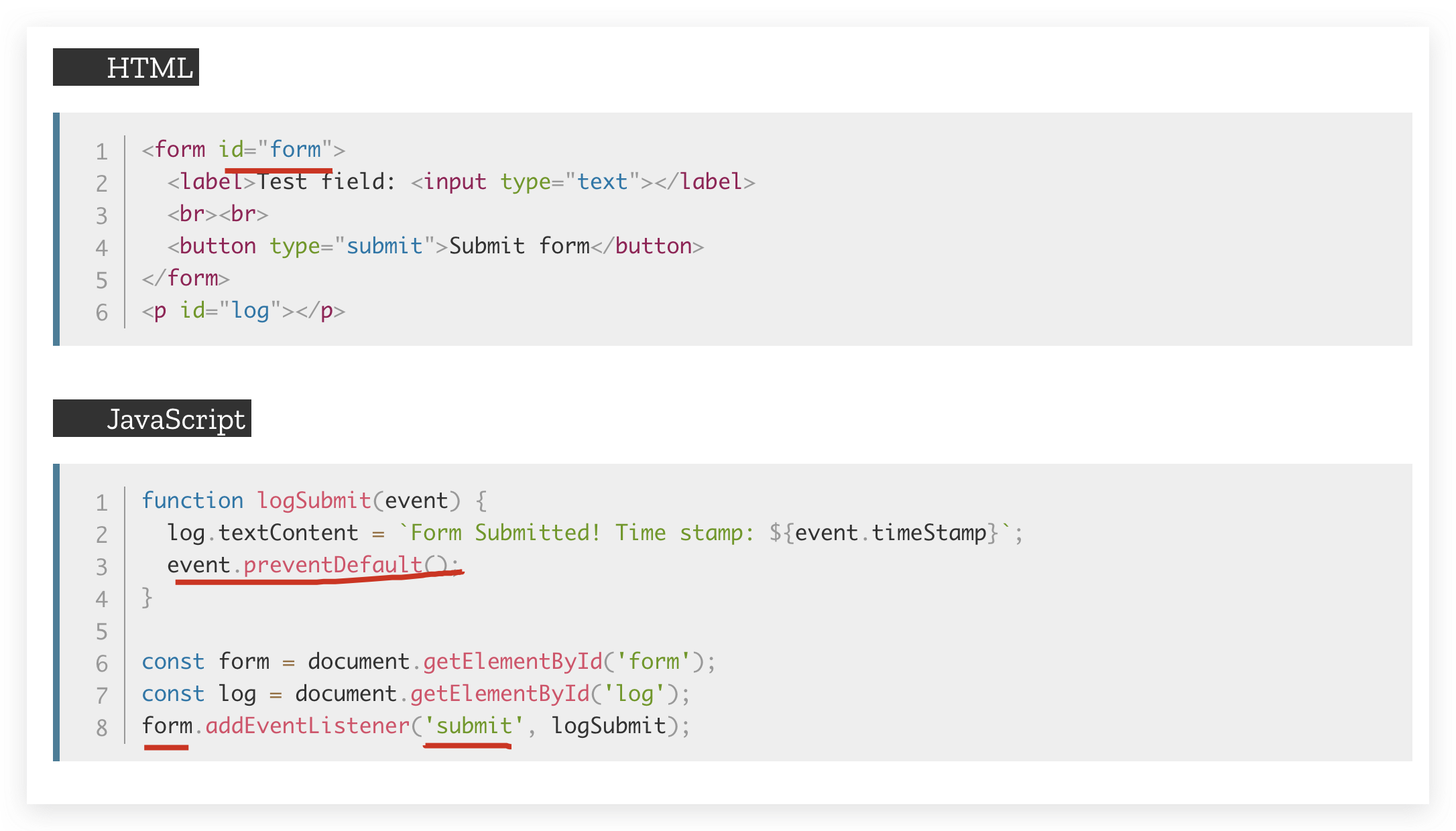
onsubmit, submit event
action + method
<form action="" method="get" class="form-example">

  <div class="form-example">

    <label for="name">Enter your name: </label>

    <input type="text" name="name" id="name" required>

  </div>

  <div class="form-example">

    <label for="email">Enter your email: </label>

    <input type="email" name="email" id="email" required>

  </div>

  <div class="form-example">

    <input type="submit" value="Subscribe!">

  </div>

</form>
https://developer.mozilla.org/en-US/docs/Web/HTML/Element/form
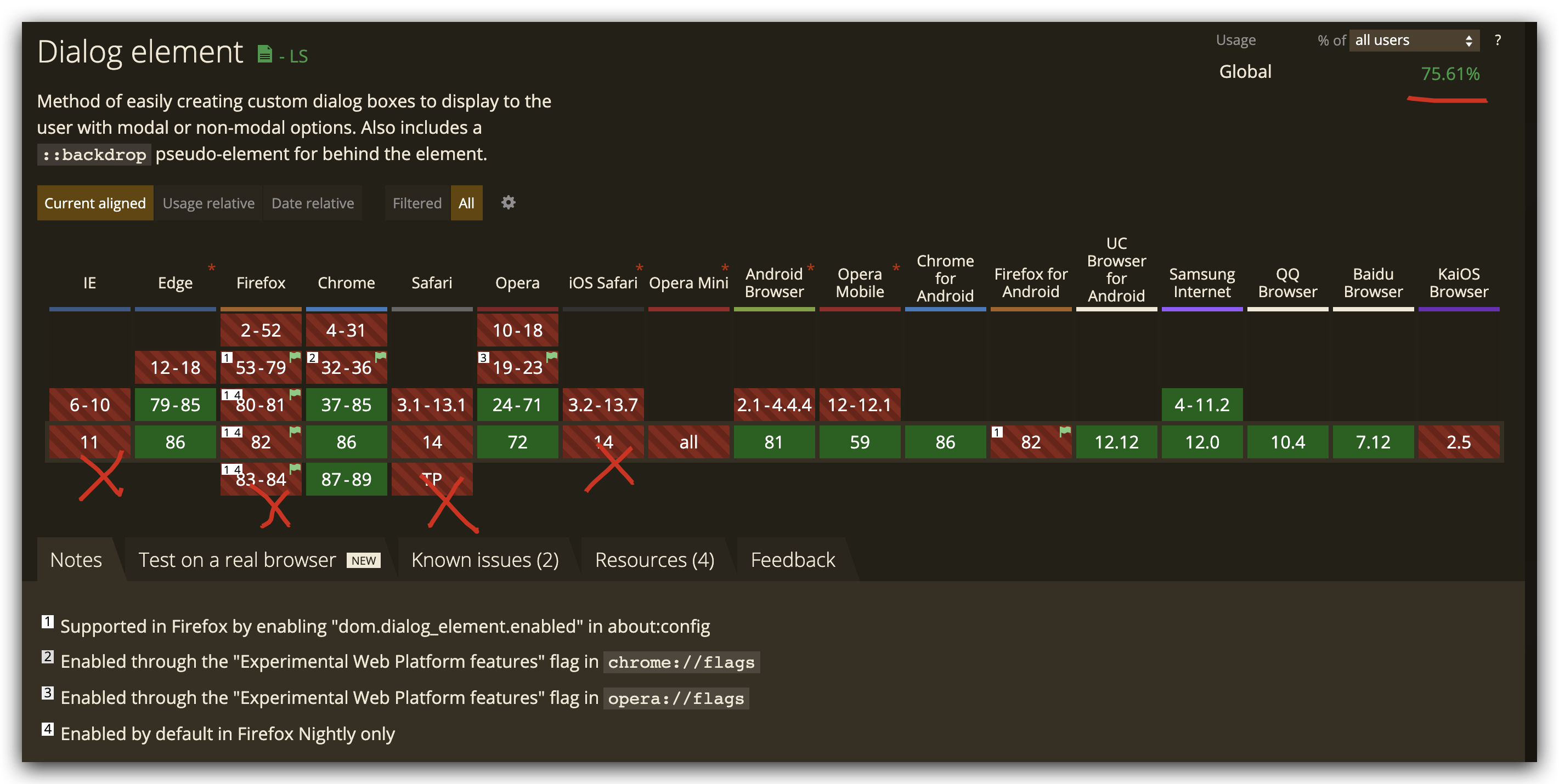
dialog
https://developer.mozilla.org/en-US/docs/Web/HTML/Element/dialog
<!-- Simple pop-up dialog box containing a form -->

<dialog id="favDialog">

  <form method="dialog">

    <p><label>Favorite animal:

      <select>

        <option></option>

        <option>Brine shrimp</option>

        <option>Red panda</option>

        <option>Spider monkey</option>

      </select>

    </label></p>

    <menu>

      <button value="cancel">Cancel</button>

      <button id="confirmBtn" value="default">Confirm</button>

    </menu>

  </form>

</dialog>

<menu>

  <button id="updateDetails">Update details</button>

</menu>

<output aria-live="polite"></output>
https://caniuse.com/#search=dialog
idempotent 幂等
一个HTTP方法是幂等的,指的是同样的请求被执行一次与连续执行多次的效果是一样的,服务器的状态也是一样的。
换句话说就是,幂等方法不应该具有副作用(统计用途除外)。
在正确实现的条件下,GET,HEAD,PUT和DELETE 等方法都是幂等的, 而 POST 方法不是。
所有的 safe 方法也都是幂等的。
https://developer.mozilla.org/en-US/docs/Glossary/Idempotent
onsubmit, submit event
target.onsubmit = functionRef;
<form id="form">

  <p id="error" hidden>Please fill out all fields.</p>

  <label for="city">City</label>

  <input type="text" id="city" required>

  <button type="submit">Submit</button>

</form>

<p id="thanks" hidden>Your data has been received. Thanks!</p>
const form = document.getElementById('form');

const error = document.getElementById('error');

const city = document.getElementById('city');

const thanks = document.getElementById('thanks');

city.oninvalid = invalid;

form.onsubmit = submit;

function invalid(event) {

  error.removeAttribute('hidden');

}

function submit(event) {

  form.setAttribute('hidden', '');

  thanks.removeAttribute('hidden');

  // For this example, don't actually submit the form

  event.preventDefault();

}
https://developer.mozilla.org/en-US/docs/Web/API/GlobalEventHandlers/onsubmit
<form id="form">

  <label>Test field: <input type="text"></label>

  <br><br>

  <button type="submit">Submit form</button>

</form>

<p id="log"></p>
function logSubmit(event) {

  log.textContent = `Form Submitted! Time stamp: ${event.timeStamp}`;

  event.preventDefault();

}

const form = document.getElementById('form');

const log = document.getElementById('log');

// onsubmit

form.addEventListener('submit', logSubmit);
HTMLFormElement
https://developer.mozilla.org/en-US/docs/Web/API/HTMLFormElement/submit_event
https://developer.mozilla.org/en-US/docs/Web/API/HTMLFormElement/submit
https://developer.mozilla.org/en-US/docs/Web/HTML/Element/input/submit
React
onSubmit
import React, {useState} from "react";

const SearchForm = (props) => {

  const {

    datas: {

      query,

    },

    methods: {

      setQuery,

      search,

    },

  } = props;

  return (

    <>

     <form className="form" onSubmit={search}>

        <label className="label" htmlFor="query">

          Movie Name

        </label>

        <input className="input" type="text" name="query"

          placeholder="i.e. Jurassic Park"

          value={query}

          onChange={(e) => setQuery(e.target.value)}

        />

        <button className="button" type="submit">Search</button>

      </form>

    </>

  );

}

export default SearchForm;
refs
xgqfrms 2012-2020
www.cnblogs.com 发布文章使用:只允许注册用户才可以访问!
HTML form All In One的更多相关文章
- form表单验证-Javascript
Form表单验证: js基础考试内容,form表单验证,正则表达式,blur事件,自动获取数组,以及css布局样式,动态清除等.完整代码如下: <!DOCTYPE html PUBLIC &qu ...
- Form 表单提交参数
今天因为要额外提交参数数组性的参数给form传到后台而苦恼了半天,结果发现,只需要在form表单对应的字段html空间中定义name = 后台参数名 的属性就ok了. 后台本来是只有模型参数的,但是后 ...
- s:form标签
2017-01-07 17:43:18 基本的用法 <!-- Action类必须有一个无参的构造器,因为在执行action方法之前,拦截器已经创建了一个"空"的Action对 ...
- ASP.NET Aries JSAPI 文档说明:AR.Form、AR.Combobox
AR.Form 文档 1:对象或属性: 名称 类型 说明 data 属性 编辑页根据主键请求回来的数据 method 属性 用于获取数据的函数指向,默认值Get objName 属性 用于拦截form ...
- form表单 ----在路上(15)
form 表单就是将用户的信息提交到服务器,服务器会将信息存储活着根据信息查询数据进行增删改查,再将其返回给用户. 基本格式: <form action="" method ...
- 了解HTML表单之form元素
前面的话 表单是网页与用户的交互工具,由一个<form>元素作为容器构成,封装其他任何数量的表单控件,还有其他任何<body>元素里可用的标签 表单能够包含<input& ...
- form表单的字符串进行utf-8编码
<form>表单有assept-charset属性.该属性规定字符的编码方式,默认是"unknown",与文档的字符集相同. 该属性除了Internet explore ...
- js Form.elements[i]的使用实例
function pdf(){ //一个html里面可能存在多个form,所以document.form[0]指的是第一个form,document.form[1]返回就是第二个form,如果没 ...
- PHP跨域form提交
因为安全性因素,直接跨域访问是不被允许的. 1.PHP CURL方式 function curlPost($url,$params) { $postData = ''; foreach($params ...
- C#模拟HTTP Form请求上传文件
using System; using System.Collections.Generic; using System.Text; using System.Net; using System.IO ...
随机推荐
- Android N selectQualifiedNetwork分析
前言: 参考:Android N wifi auto connect流程分析 后续 Android 8.0/9.0 wifi 自动连接评分机制 分析 前面说了,handleScanResults会去调 ...
- Linux下双网卡双ip-双外网网关-电信联通双线主机设置
1.实现:通过运营商提供的智能DNS,把电信用户访问时,数据进电信的网卡,出来时也从电信的网关出来,访问联通时,从联通网卡时,联通网卡出.这样速度就会快,实现双线主机的功能. 2.网卡信息:电信IP( ...
- (12)-Python3之--openpyxl模块
1.安装 pip install openpyxl 2.Excel操作的流程 1.打开excel,进入工作薄 workbook2.选择表单 Sheet 3.单元格 Cell4.读写操作 3.Exce ...
- Bitter.Core系列十一:Bitter ORM NETCORE ORM 全网最粗暴简单易用高性能的 NETCore 之 字段变更收集器
有时候我们业务层需要记录 数据库表更改之前的值和更改之后的值的记录集合--此过程在 Bitter.Core 中有强有力的支持.Bitter.Core 字段收集器提供了方便简单易用的 收集对象在修改之前 ...
- using-pointers-to-remove-item-from-singly-linked-list
https://stackoverflow.com/questions/12914917/using-pointers-to-remove-item-from-singly-linked-list
- Dubbo 总结:关于 Dubbo 的重要知识点
一 重要的概念 1.1 什么是 Dubbo? Apache Dubbo (incubating) |ˈdʌbəʊ| 是一款高性能.轻量级的开源Java RPC 框架,它提供了三大核心能力:面向接口的远 ...
- centos7-docker的安装过程
一.卸载旧版本以及依赖(第一次安装忽略) sudo yum remove docker \ docker-client \ docker-client-latest \ docker-common \ ...
- LOJ10090
题目描述 原题来自:USACO 2005 Dec. Gold FJ 有 n 头奶牛(2<=n<=1000) ,编号为1..n .奶牛们将按照编号顺序排成一列队伍(可能有多头奶牛在同一位置上 ...
- Spark Dataset DataFrame空值null,NaN判断和处理
Spark Dataset DataFrame空值null,NaN判断和处理 import org.apache.spark.sql.SparkSession import org.apache.sp ...
- freemarket+itext+springboot将html静态页面渲染后导出为pdf文件
1.maven依赖 <dependency> <groupId>com.itextpdf</groupId> <artifactId>itextpdf& ...