
Redis配置文件(2)SNAPSHOTTING快照/APPEND ONLY MODE追加
redis.conf文件
RDB是整个内存的压缩过的Snapshot,RDB的数据结构,可以配置复合的快照触发条件,

默认

是1分钟内改了1万次,

或5分钟内改了10次,

或15分钟内改了1次。
b.如果想禁用RDB持久化的策略,只要不设置任何save指令,或者给save传入一个空字符串参数也可以
 #   Note: you can disable saving completely by commenting out all "save" lines.

 #

 #   It is also possible to remove all the previously configured save

 #   points by adding a save directive with a single empty string argument

 #   like in the following example:

 #

200 #   save ""

 save

 save

 save
set key value1

save

此时立马执行,形成最新的dump文件
# However if you have setup your proper monitoring of the Redis server

# and persistence, you may want to disable this feature so that Redis will

# continue to work as usual even if there are problems with disk,

# permissions, and so forth.

stop-writes-on-bgsave-error yes
yes:出错了就立即停止
# Compress string objects using LZF when dump .rdb databases?

# For default that's set to 'yes' as it's almost always a win.

# If you want to save some CPU in the saving child set it to 'no' but

# the dataset will likely be bigger if you have compressible values or keys.

rdbcompression yes
dbfilename
默认生成的rdb文件名
# The filename where to dump the DB

dbfilename dump.rdb
dir
# Note that you must specify a directory here, not a file name.

dir ./
实战测试:
修改配置文件
 #   save ""

 save

203 save 120 10

 save
两分钟10次操作
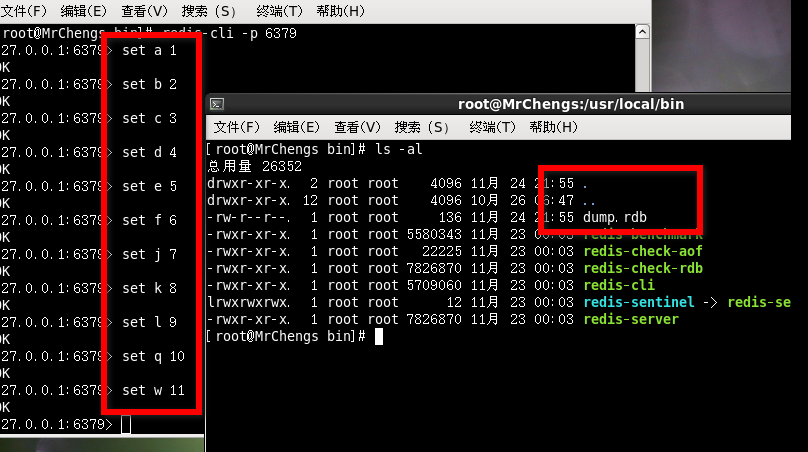
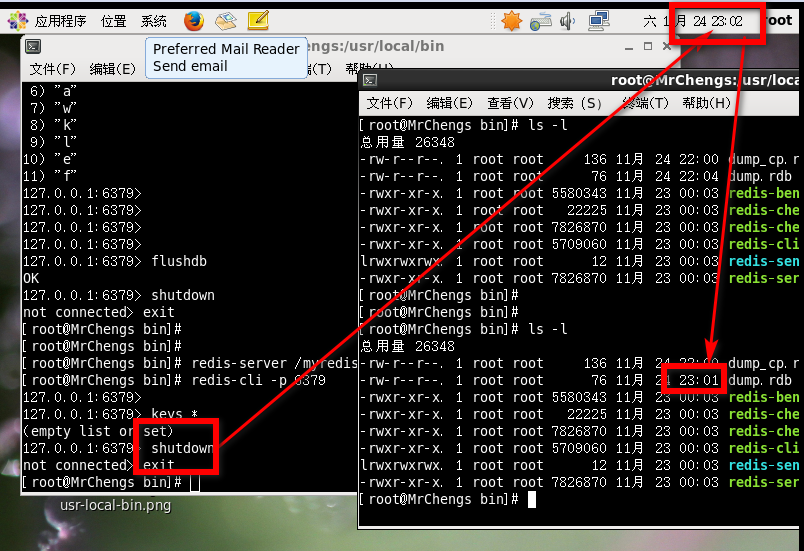
之后会生成一个dump.rdb文件,具体生成文件的默认名请修改:dbfilename
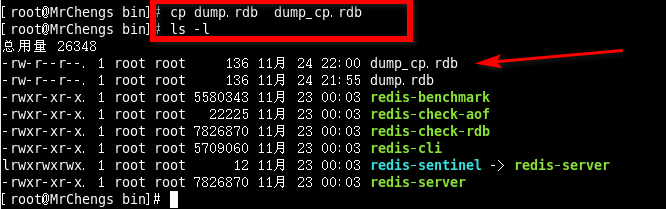
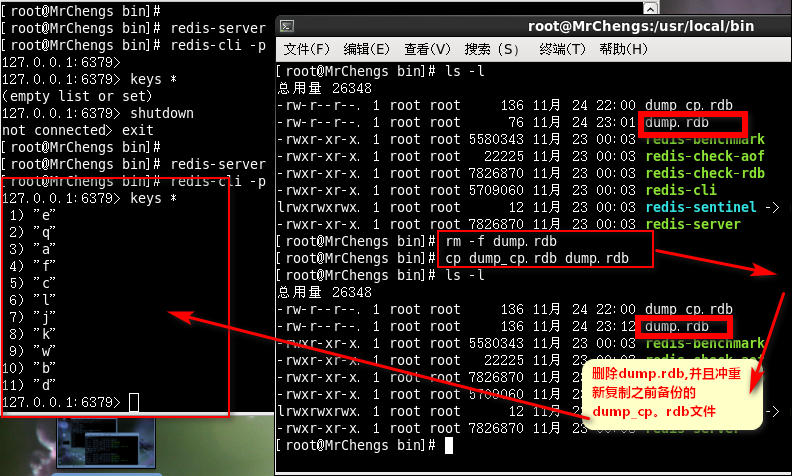
进行复制(备份)
模拟事故:
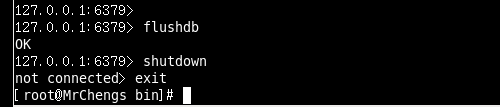
此时直接删除所有的数据
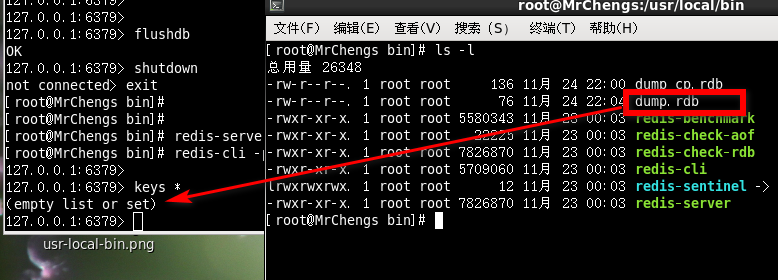
此时再次重新登陆则是会显示为空,即是存在dump.rdb文件
APPEND ONLY MODE追加
appendonly:默认开关状态,可以同时和RDB一起开着
# AOF and RDB persistence can be enabled at the same time without problems.

# If the AOF is enabled on startup Redis will load the AOF, that is the file

# with the better durability guarantees.

#

# Please check http://redis.io/topics/persistence for more information.

appendonly no

默认是关着的
appendfilename:默认的文件名
# The name of the append only file (default: "appendonly.aof")

appendfilename "appendonly.aof"
appendfsync
# no: don't fsync, just let the OS flush the data when it wants. Faster.

# always: fsync after every write to the append only log. Slow, Safest.

# everysec: fsync only one time every second. Compromise.

always:同步持久话每次发生数据变更立即记录到磁盘,性能比较差但是数据完整性好

everysec:出场默认的推荐的,异步操作,每秒记录,如果一秒内宕机,有数据丢失
# More details please check the following article:

# http://antirez.com/post/redis-persistence-demystified.html

# If unsure, use "everysec".

# appendfsync always

appendfsync everysec
# If you have latency problems turn this to "yes". Otherwise leave it as

# "no" that is the safest pick from the point of view of durability.

no-appendfsync-on-rewrite no
# This base size is compared to the current size. If the current size is

# bigger than the specified percentage, the rewrite is triggered. Also

# you need to specify a minimal size for the AOF file to be rewritten, this

# is useful to avoid rewriting the AOF file even if the percentage increase

# is reached but it is still pretty small.

# Specify a percentage of zero in order to disable the automatic AOF

# rewrite feature.

auto-aof-rewrite-percentage 100

auto-aof-rewrite-min-size 64mb
# Please check http://redis.io/topics/persistence for more information.

appendonly yes
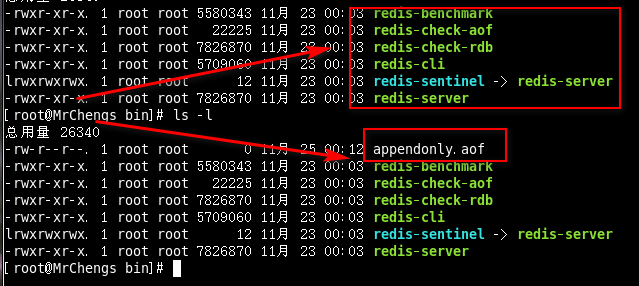
创造性的意外事件
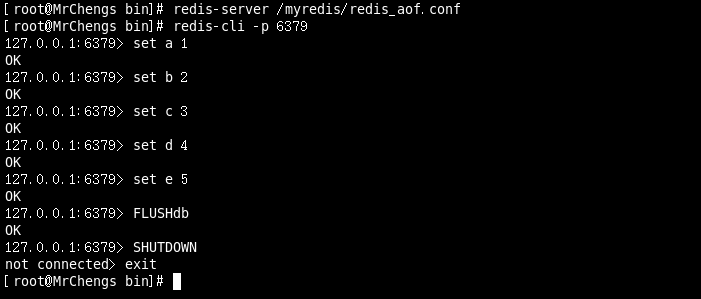
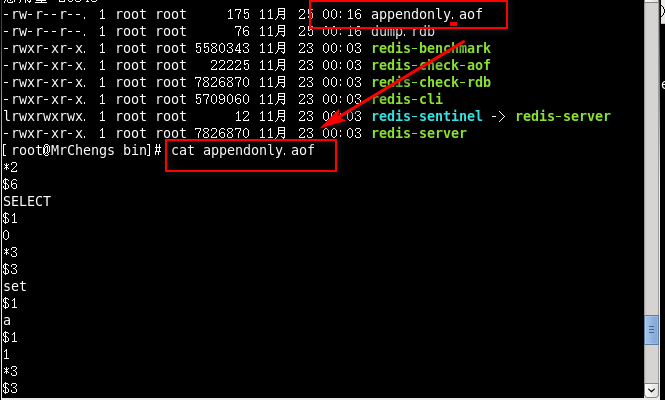
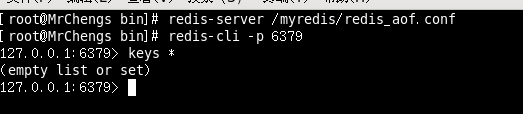

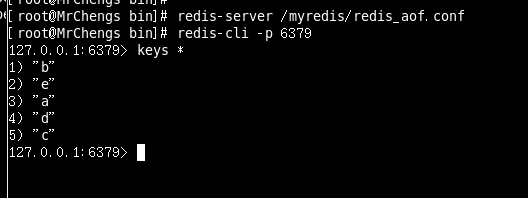

此时RDB和AOF文件都在

此时启动Redis

在dump.rdb文件完整的情况下,appendonly.aof文件出错,说明后者的优先级大于前者
那么此时的处理方式是:
redis-check-aof --fix appendonly.aof
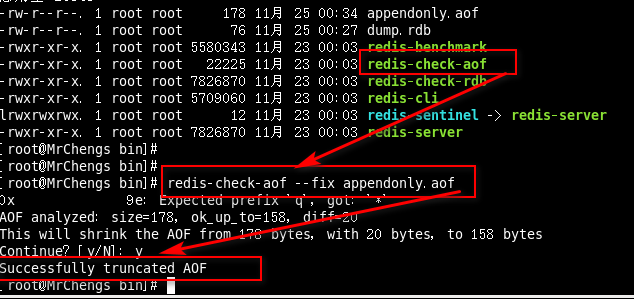
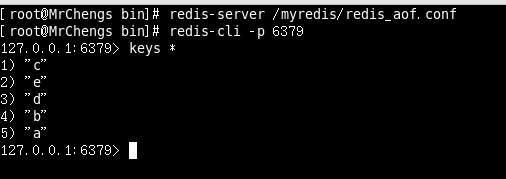
再次重新启动:
Redis配置文件(2)SNAPSHOTTING快照/APPEND ONLY MODE追加的更多相关文章
- Redis 配置文件详解
# Redis 配置文件 # 当配置中需要配置内存大小时,可以使用 1k, 5GB, 4M 等类似的格式,其转换方式如下(不区分大小写)## 1k => 1000 bytes# 1kb => ...
- redis配置文件
# redis 配置文件示例 # 当你需要为某个配置项指定内存大小的时候,必须要带上单位, # 通常的格式就是 1k 5gb 4m 等酱紫: # # 1k => bytes # 1kb => ...
- redis配置文件中文解释
# redis 配置文件示例 # 当你需要为某个配置项指定内存大小的时候,必须要带上单位, # 通常的格式就是 1k 5gb 4m 等酱紫: # # 1k => bytes # 1kb => ...
- Redis配置文件 翻译 V3.2版本
# Redis配置文件例子. # # 注意:为了能读取到配置文件,Redis服务必须以配置文件的路径作为第一个参数启动 # ./redis-server /path/to/redis.conf # 关 ...
- 4 Redis 配置文件介绍
2016-12-22 14:28:39 该系列文章链接NoSQL 数据库简介Redis的安装及及一些杂项基础知识Redis 的常用五大数据类型(key,string,hash,list,set,zse ...
- windows下redis 配置文件参数说明
1.先看redis.windows.conf 文件 # Redis configuration file example # Note on units: when memory size is ne ...
- 最详细最全的redis配置文件解释
转载自:http://www.cnblogs.com/zhang-ke/p/5981108.html #redis.conf# Redis configuration file example.# . ...
- redis 配置文件示例
# redis 配置文件示例 # 当你需要为某个配置项指定内存大小的时候,必须要带上单位,# 通常的格式就是 1k 5gb 4m 等酱紫:## 1k => 1000 bytes# 1kb =& ...
- NoSQL入门第三天——Redis配置文件与持久化
一.解析Redis配置文件redis.conf (Linux下配置多于编码) 1.它在哪 由于我是在root的家目录下载安装的,默认的安装位置就是: conf就在这里: 根据经验,出厂的conf永远不 ...
随机推荐
- WPF 字体路径设置
以往在引用电脑里面没有的其它字体,都是需要把这个字体安装到自己电脑中, WPF程序中可以直接把字体文件拷到程序资源目录里面,这样就可以引用的到,不必要非安装这种字体; 下面总结了几种路径的具体方法,测 ...
- PL/SQL之流控制语句
1.选择控制语句 --语法1--IF 条件 THEN 语句; END IF; DECLARE v_Salary ,); BEGIN SELECT salary INTO v_Salary FROM a ...
- CSS3——transform2D的应用
前言: 关于CSS3,我想最让人感到有意思的就是2D和3D的技术,这让我们的网页立马丰富起来,可以让我们完成一些很酷很炫的效果,比如旋转木马.经过一段时间的学习,让我对CSS3有了更近一步的了解,在此 ...
- Node.js学习笔记(二) --- CommonJs和Nodejs 中自定义模块
一. 什么是 CommonJs? JavaScript 是一个强大面向对象语言,它有很多快速高效的解释器. 然而, JavaScript标准定义的 API 是为了构建基于浏览器的应用程序.并没有制定一 ...
- invalid stream header: EFBFBDEF 问题解决
我们项目使用report 报表功能,然后在加载xxxx.jasper文件时候报的invalid stream header: EFBFBDEF 的错误 public JasperPrint fill( ...
- java对象中含有Integer类型字段转json字符串问题
问题:对于含有Integer类型字段的java对象,在通过下面这种方式转为json字符串时,Integer类型的字段如果为空的情况下,会默认转化为0,但是我想让它为空的时候直接转化为null,不要默认 ...
- vsphere client 使用本地磁盘cd/vd1创建虚拟机 operating system not fond,解决办法
出现operating system not fond 后,狂敲enter键,然后就可以了.别问我为什么,我也是偶然在砸键盘的瞬间发现的
- int btn = (Button) findViewById(View.getId());
int btn = (Button) findViewById(View.getId());//这句话中的btn不能用来和按钮键Button的id号去比较 如果想存储Button,可以这样做: Sta ...
- 01HTMl-<base>标签
一.base用于定义页面链接的打开方式 <base target="_blank"/> 定义页面链接默认打开方式,base通过target属性告诉浏览器如何打开页面. ...
- webpack 启动 vue
右击 package.json 单击show npm Scripts