
helloworld:一个完整的WCF案例
服务端
1.创建一个空的解决方案:WCFDemo:
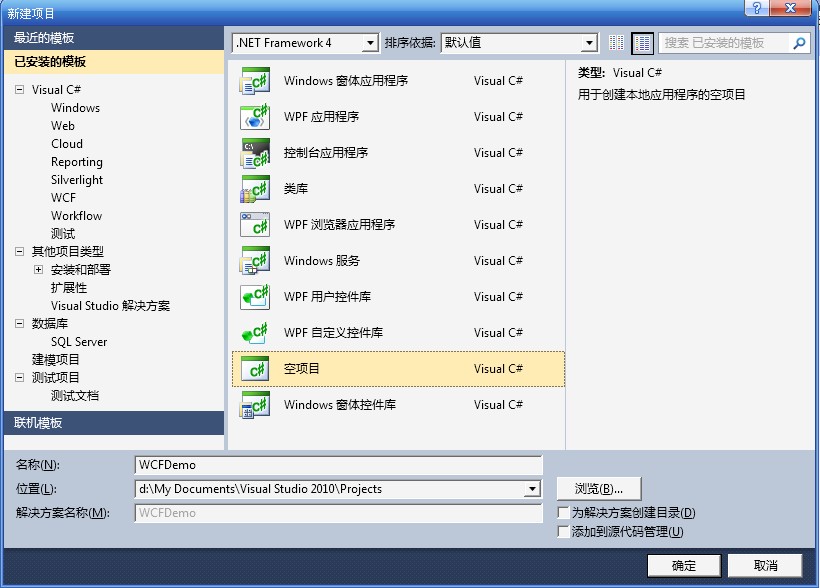
2.创建一个宿主控制台程序:Host
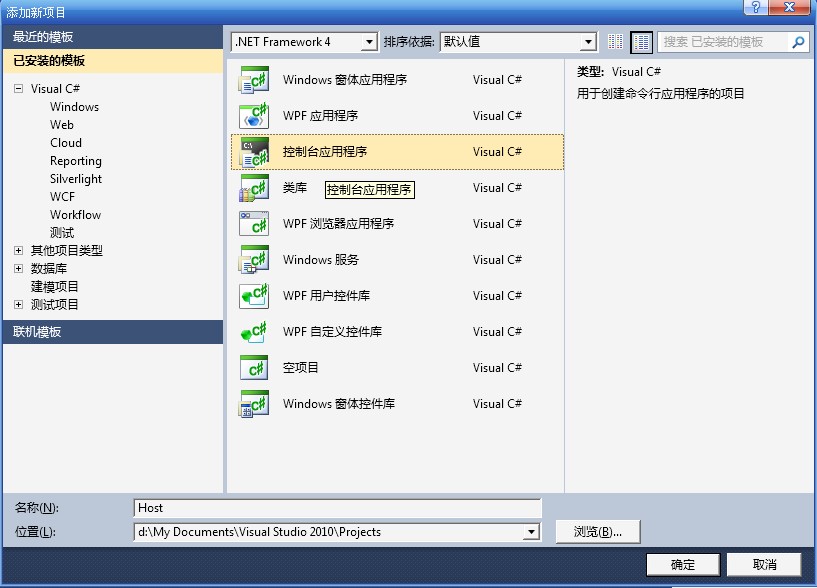
3.右击Host项目,选择“添加”--“新建项”,选择“WCF服务”创建名为“Service1.cs”的服务
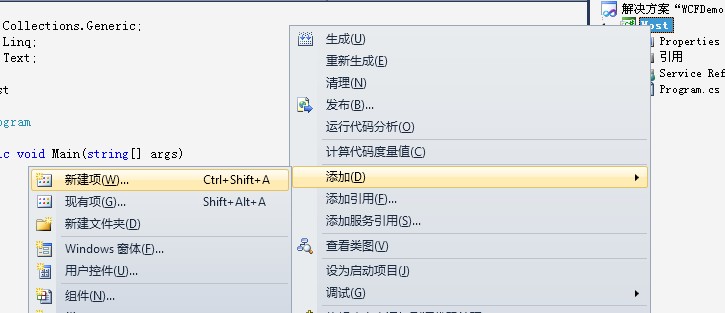

如此:VS2010已经为我们创建了 IService1.cs Service1.cs app.config 三个文件,其中IService1.cs和Service1.cs 创建了同属于Host命名空间的类,我们可以修改这三个文件:
IService1.cs :
using System.ServiceModel;
namespace Host
{
// 注意: 使用“重构”菜单上的“重命名”命令,可以同时更改代码和配置文件中的接口名“IService1”。
[ServiceContract]
public interface IService1
{
[OperationContract]
string DoWork(int value);
}
}
Service1.cs:
using System.ServiceModel;
namespace Host
{
// 注意: 使用“重构”菜单上的“重命名”命令,可以同时更改代码和配置文件中的类名“Service1”。
public class Service1 : IService1
{
public string DoWork(int value)
{
int iPingfang = value * value;
return string.Format("经过平方后的值为:{0}",iPingfang );
}
}
}
App.config:
文件原则上可以不用改,但是address太长了(默认的为baseAddress="http://localhost:8732/Design_Time_Addresses/Host/Service1/")缩短为baseAddress=“http://localhost:8732/Service1/”
<?xml version="1.0" encoding="utf-8" ?>
<configuration>
<system.serviceModel>
<behaviors>
<serviceBehaviors>
<behavior name="">
<serviceMetadata httpGetEnabled="true" />
<serviceDebug includeExceptionDetailInFaults="false" />
</behavior>
</serviceBehaviors>
</behaviors>
<services>
<service name="Host.Service1">
<endpoint address="" binding="wsHttpBinding" contract="Host.IService1">
<identity>
<dns value="localhost" />
</identity>
</endpoint>
<endpoint address="mex" binding="mexHttpBinding" contract="IMetadataExchange" />
<host>
<baseAddresses>
<add baseAddress="http://localhost:8732/Service1/" />
</baseAddresses>
</host>
</service>
</services>
</system.serviceModel>
</configuration>
4.此外WCF服务必须在宿主进程中运行,我们可以修改 Program.cs 文件,创建宿主进程:
using System.ServiceModel;
namespace Host
{
class Program
{
static void Main(string[] args)
{
using (ServiceHost host = new ServiceHost(typeof(Host.Service1)))
{
host.Open();
Console.WriteLine("服务已经启动......");
Console.ReadLine();
host.Close();
}
}
}
}
5.编译运行程序,生成Host.exe文件
客户端
1.启动刚创建的WCF服务宿主进程Host.exe
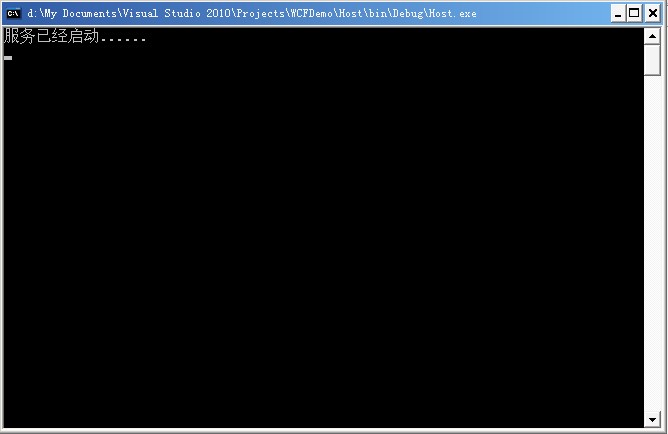
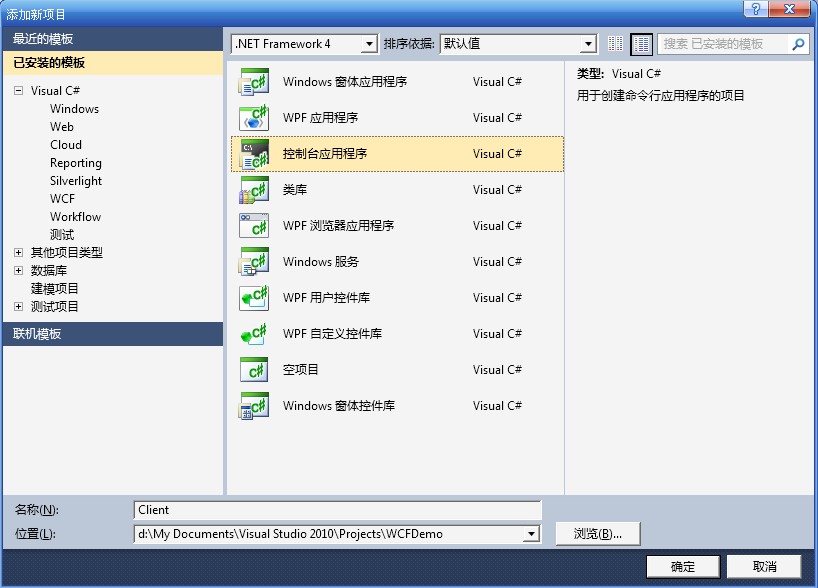
2.创建一个客户端控制台程序:Client
3.右击“引用”--“添加服务引用”,在“地址”的TextBox里面输入服务器的地址(就是咱们前面设置的baseaddress地址),并点击“前往”将得到目标服务器上面的Services,如下图所示:
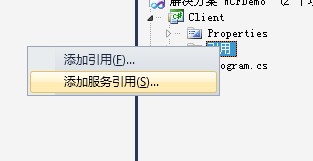

如此,这一步将在客户端间接借助SvcUtil.exe文件创建客户端代理(命名空间为:using Client.ServiceReference1;)以及配置文件app.config,具体如下:
app.config:
<?xml version="1.0" encoding="utf-8" ?>
<configuration>
<system.serviceModel>
<bindings>
<wsHttpBinding>
<binding name="WSHttpBinding_IService1" closeTimeout="00:01:00"
openTimeout="00:01:00" receiveTimeout="00:10:00" sendTimeout="00:01:00"
bypassProxyOnLocal="false" transactionFlow="false" hostNameComparisonMode="StrongWildcard"
maxBufferPoolSize="524288" maxReceivedMessageSize="65536"
messageEncoding="Text" textEncoding="utf-8" useDefaultWebProxy="true"
allowCookies="false">
<readerQuotas maxDepth="32" maxStringContentLength="8192" maxArrayLength="16384"
maxBytesPerRead="4096" maxNameTableCharCount="16384" />
<reliableSession ordered="true" inactivityTimeout="00:10:00"
enabled="false" />
<security mode="Message">
<transport clientCredentialType="Windows" proxyCredentialType="None"
realm="" />
<message clientCredentialType="Windows" negotiateServiceCredential="true"
algorithmSuite="Default" />
</security>
</binding>
</wsHttpBinding>
</bindings>
<client>
<endpoint address="http://localhost:8732/Service1/" binding="wsHttpBinding"
bindingConfiguration="WSHttpBinding_IService1" contract="ServiceReference1.IService1"
name="WSHttpBinding_IService1">
<identity>
<dns value="localhost" />
</identity>
</endpoint>
</client>
</system.serviceModel>
</configuration>
4.修改客户端程序 Program.cs ,并使用代理访问服务契约:
using System.ServiceModel;
using Client.ServiceReference1;//引用命名空间
namespace Client
{
class Program
{
static void Main(string[] args)
{
ServiceReference1.Service1Client proxy = new Service1Client();
string str = proxy.DoWork(2);//运行服务端方法
Console.WriteLine(str);
Console.ReadLine();
}
}
}
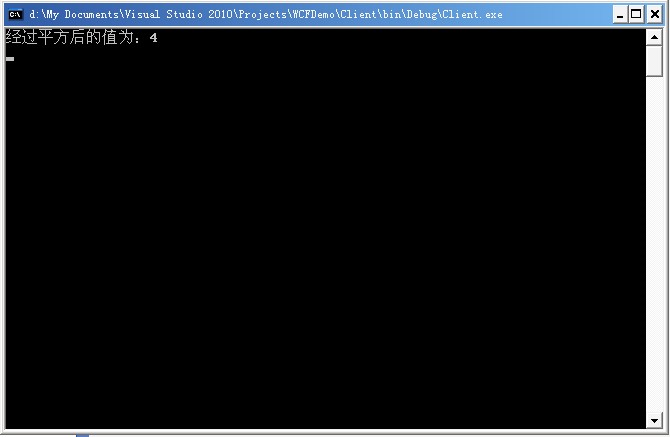
5.编译运行程序,生成 Client.exe
helloworld:一个完整的WCF案例的更多相关文章
- 转:helloworld:一个完整的WCF案例
原文地址:http://blog.csdn.net/mane_yao/article/details/5852845 WCF的ABC: A代表Address-where(对象在哪里)B代表Bindin ...
- SpringBoot系列之三_一个完整的MVC案例
这一节让我们来做一个完整的案例. 我们将使用MyBatis作为ORM框架,并以非常简单的方式来使用MyBatis,完成一个完整的MVC案例. 此案例承接上一节,请先搭建好上一节案例. 一.数据库准备 ...
- [转载]我的WCF之旅(1):创建一个简单的WCF程序
为了使读者对基于WCF的编程模型有一个直观的映像,我将带领读者一步一步地创建一个完整的WCF应用.本应用功能虽然简单,但它涵盖了一个完整WCF应用的基本结构.对那些对WCF不是很了解的读者来说,这个例 ...
- 我的WCF之旅(1):创建一个简单的WCF程序
为了使读者对基于WCF的编程模型有一个直观的映像,我将带领读者一步一步地创建一个完整的WCF应用.本应用功能虽然简单,但它涵盖了一个完整WCF应用的基本结构.对那些对WCF不是很了解的读者来说,这个例 ...
- WCF学习——构建一个简单的WCF应用(一)
本文的WCF服务应用功能很简单,却涵盖了一个完整WCF应用的基本结构.希望本文能对那些准备开始学习WCF的初学者提供一些帮助. 在这个例子中,我们将实现一个简单的计算器和传统的分布式通信框架一样,WC ...
- 手把手搭建一个完整的javaweb项目
手把手搭建一个完整的javaweb项目 本案例使用Servlet+jsp制作,用MyEclipse和Mysql数据库进行搭建,详细介绍了搭建过程及知识点. 下载地址:http://download.c ...
- 一个完整配置例nginx.conf(生产环境中使用)
一个完整的nginx配置案例,生产环境 一个完整配置例(生产环境中使用) user nobody nobody; worker_processes 4; worker_rlimit_nofile 51 ...
- 通过一个生活中的案例场景,揭开并发包底层AQS的神秘面纱
本文导读 生活中案例场景介绍 联想到 AQS 到底是什么 AQS 的设计初衷 揭秘 AQS 底层实现 最后的总结 当你在学习某一个技能的时候,是否曾有过这样的感觉,就是同一个技能点学完了之后,过了一段 ...
- Istio技术与实践04:最佳实践之教你写一个完整的Mixer Adapter
Istio内置的部分适配器以及相应功能举例如下: circonus:微服务监控分析平台. cloudwatch:针对AWS云资源监控的工具. fluentd:开源的日志采集工具. prometheus ...
随机推荐
- doxygen的简单使用(快速上手)
在网上找了很久一个简单的doxygen教程,这个是最简单的,让你看完之后马上就能写doxygen格式的代码 doxygen是一种从源代码生成文档的工具,支持多种语言.当然,源代码中需按一定的格式写注释 ...
- 用hashlib生成动态token
生成token: import timeimport hashlib token ='jdhfvasuiodfbhsjdbvaio' client_time = time.time() client_ ...
- Python 开发中高级技巧
列表推导式 >>> chars = [ c for c in 'python' ] >>> chars ['p', 'y', 't', 'h', 'o', 'n'] ...
- 类似于xml的一种数据传输格式protobuf
1.Protobuf 简介 Protocol Buffer是google 的一种数据交换的格式,已经在Github开源,目前最新版本是3.1.0.它独立于语言,独立于平台.google 提供了多种语言 ...
- 实时流计算Spark Streaming原理介绍
1.Spark Streaming简介 1.1 概述 Spark Streaming 是Spark核心API的一个扩展,可以实现高吞吐量的.具备容错机制的实时流数据的处理.支持从多种数据源获取数据,包 ...
- MongoDB简单CRUD场景
MongoDB简单CRUD命令操作 (1)新建数据库:use 数据库名 (2)显示所有数据库:show dbs; (3)新建集合(两种方式) 隐式创建:在创建集合的同时往集合里面添加数据---db. ...
- hash 冲突及解决办法。
hash 冲突及解决办法. 关键字值不同的元素可能会映象到哈希表的同一地址上就会发生哈希冲突.解决办法: 1)开放定址法:当冲突发生时,使用某种探查(亦称探测)技术在散列表中形成一个探查(测)序列.沿 ...
- Python函数参数*args和**kwargs
1. Python中使用*args和**kwargs #!/usr/bin/env python3 # coding: utf-8 # File: args_kwargs_demo.py # Auth ...
- C#中获取音频文件时长
1.在项目中添加引入:COM组件的Microsoft Shell Controls And Automation 2.在引用中找到Shell32,点击右键,在属性中将“嵌入互操作类型”的值改为“fal ...
- PKU 2506 Tiling(递推+高精度||string应用)
题目大意:原题链接有2×1和2×2两种规格的地板,现要拼2×n的形状,共有多少种情况,首先要做这道题目要先对递推有一定的了解.解题思路:1.假设我们已经铺好了2×(n-1)的情形,则要铺到2×n则只能 ...