
8 实现10mins用户登录与注册
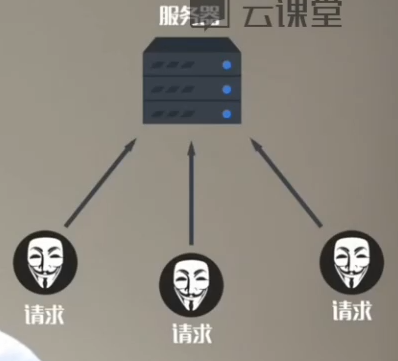
1。重新认识登录



2。实现登录功能

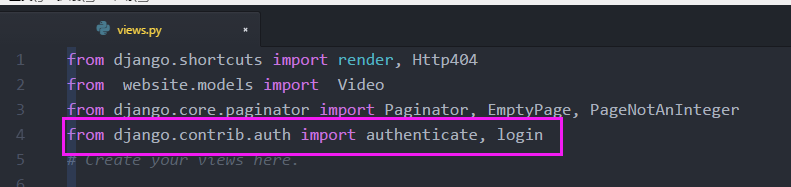
(1)Django 自带的authenticate, login模块
from django.contrib.auth import authenticate, login
表单获取用户名,密码

用户名,密码放到authenticate校验

login注册

小卡片发送给浏览器
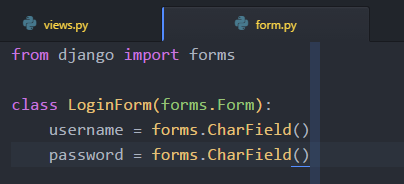
(2)表单生成
(3)view视图模型
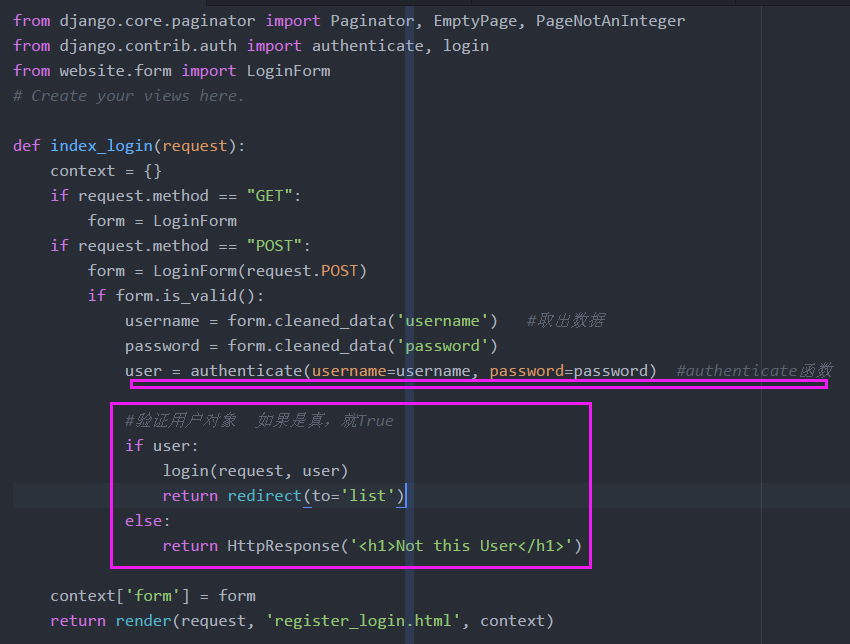
- 取出user,paswd
- 放入authenticate函数验证
- 验证成功登录
from django.shortcuts import render, Http404,redirect,HttpResponse

from  website.models import  Video

from django.core.paginator import Paginator, EmptyPage, PageNotAnInteger

from django.contrib.auth import authenticate, login

from website.form import LoginForm

# Create your views here.

def index_login(request):

    context = {}

    if request.method == "GET":

        form = LoginForm

    if request.method == "POST":

        form = LoginForm(request.POST)

        if form.is_valid():

            username = form.cleaned_data('username')   #取出数据

            password = form.cleaned_data('password')

            user = authenticate(username=username, password=password)  #authenticate函数

            #验证用户对象  如果是真,就True

            if user:

                login(request, user)

                return redirect(to='list')

            else:

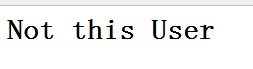
                return HttpResponse('<h1>Not this User</h1>')

    context['form'] = form

    return render(request, 'register_login.html', context)
(3)authenticate源码
def authenticate(**credentials):

    """

    If the given credentials are valid, return a User object.

    """

    for backend, backend_path in _get_backends(return_tuples=True):

        try:

            inspect.getcallargs(backend.authenticate, **credentials)

        except TypeError:

            # This backend doesn't accept these credentials as arguments. Try the next one.

            continue

        try:

            user = backend.authenticate(**credentials)

        except PermissionDenied:

            # This backend says to stop in our tracks - this user should not be allowed in at all.

            return None

        if user is None:

            continue

        # Annotate the user object with the path of the backend.

        user.backend = backend_path

        return user

    # The credentials supplied are invalid to all backends, fire signal

    user_login_failed.send(sender=__name__,

            credentials=_clean_credentials(credentials))
(4)login函数源码
def login(request, user):

    """

    Persist a user id and a backend in the request. This way a user doesn't

    have to reauthenticate on every request. Note that data set during

    the anonymous session is retained when the user logs in.

    """

    session_auth_hash = ''

    if user is None:

        user = request.user

    if hasattr(user, 'get_session_auth_hash'):

        session_auth_hash = user.get_session_auth_hash()

    if SESSION_KEY in request.session:

        if _get_user_session_key(request) != user.pk or (

                session_auth_hash and

                request.session.get(HASH_SESSION_KEY) != session_auth_hash):

            # To avoid reusing another user's session, create a new, empty

            # session if the existing session corresponds to a different

            # authenticated user.

            request.session.flush()

    else:

        request.session.cycle_key()

    request.session[SESSION_KEY] = user._meta.pk.value_to_string(user)

    request.session[BACKEND_SESSION_KEY] = user.backend

    request.session[HASH_SESSION_KEY] = session_auth_hash

    if hasattr(request, 'user'):

        request.user = user

    rotate_token(request)

    user_logged_in.send(sender=user.__class__, request=request, user=user)
(5)url
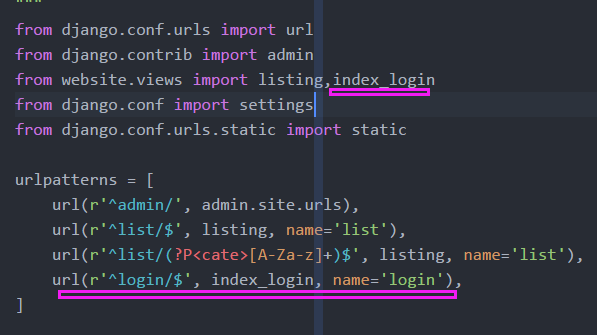
from django.conf.urls import url

from django.contrib import admin

from website.views import listing,index_login

from django.conf import settings

from django.conf.urls.static import static

urlpatterns = [

    url(r'^admin/', admin.site.urls),

    url(r'^list/$', listing, name='list'),

    url(r'^list/(?P<cate>[A-Za-z]+)$', listing, name='list'),  #cate 变量

    url(r'^login/$', index_login, name='login'),

]
(6)Template层:表单渲染



- 缺少post方法

- login.html登录页面
<!DOCTYPE html>

{% load staticfiles %}

<html>

    <head>

        <meta charset="utf-8">

        <title></title>

        <link rel="stylesheet" href="../static/css/semantic.css" media="screen" title="no title" charset="utf-8">

        <link href="https://fonts.googleapis.com/css?family=Play" rel="stylesheet">

    </head>

    <style type="text/css">

        body {

            background: url(../static/images/super_blur_back2.jpg);

            background-size: cover;

        }

        .ui.grid.divided.segment.container{

            height: 400px;

            width:600px !important;

            border:rgba(255, 0, 0, 0);

            position: absolute;

            left: 50%;

            top:40%;

            transform: translate(-50%,-50%);

        }

        .five.wide.column {

            background: url(../static/images/red_regi.jpg);

            background-size: cover;

            background-position: 60% 0%;

        }

        form {

            margin-top: 60px;

        }

        h1,h3,h4{

            font-family: 'Play', sans-serif !important;

        }

    </style>

    <body>

        <div class="ui grid divided segment container">

            <div class="five wide  column">

                <h4 class="ui inverted header">

                    <i class="angle left  icon"></i>

                </h4>

                <h1 class="ui inverted center aligned header" style="font-size: 40px;margin-top:55px">

                    <p class="sub header">

                        Welcome to

                    </p>

                    10MINs

                </h1>

            </div>

            <div class="eleven wide column">

                <h4 class="ui inverted right aligned header">

                    <a href="#" style="color:#ff695e;">or LOGIN</a>

                </h4>

                <form class="ui form" method="post">

                    {{ form }}

                    {% csrf_token %}

                  <button class="ui inverted red circular right floated button" type="submit">Done</button>

                </form>

            </div>

        </div>

    </body>

</html>
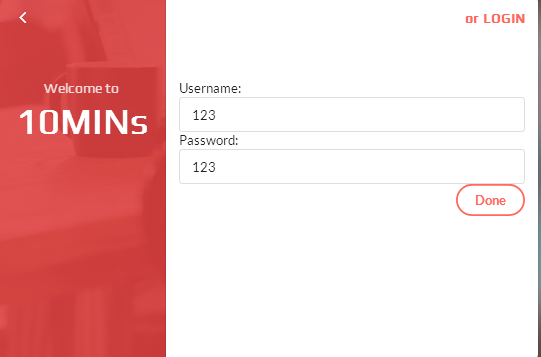
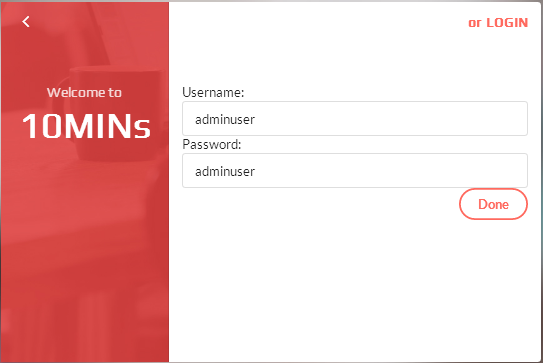
(7)演示登录
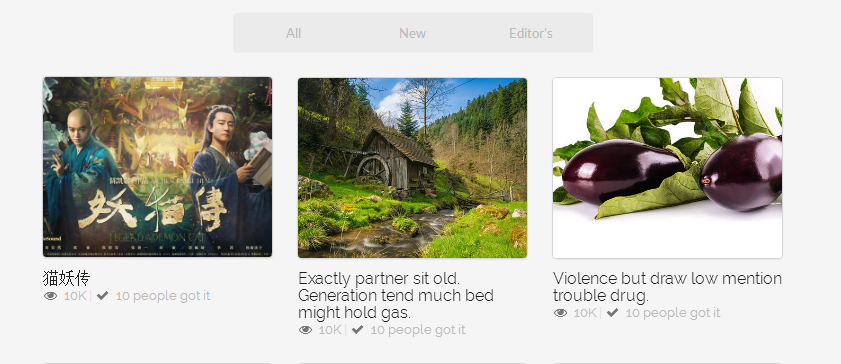
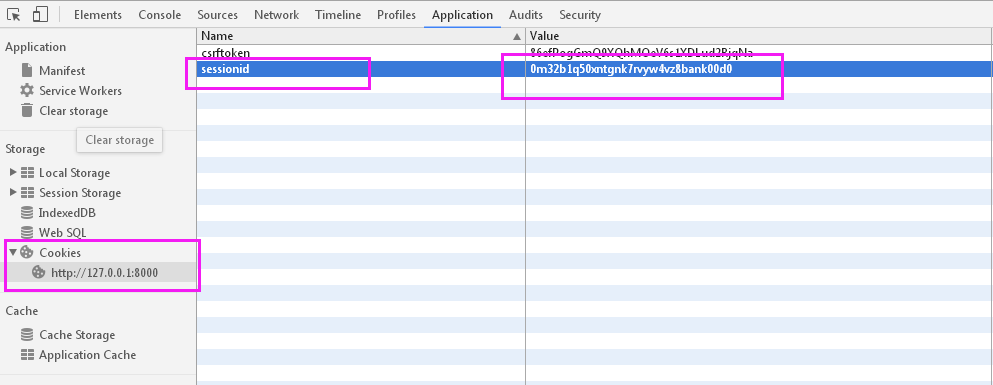
(8)sessionid唯一身份令牌
(9)登录登出修改,没有请求用户身份的判断
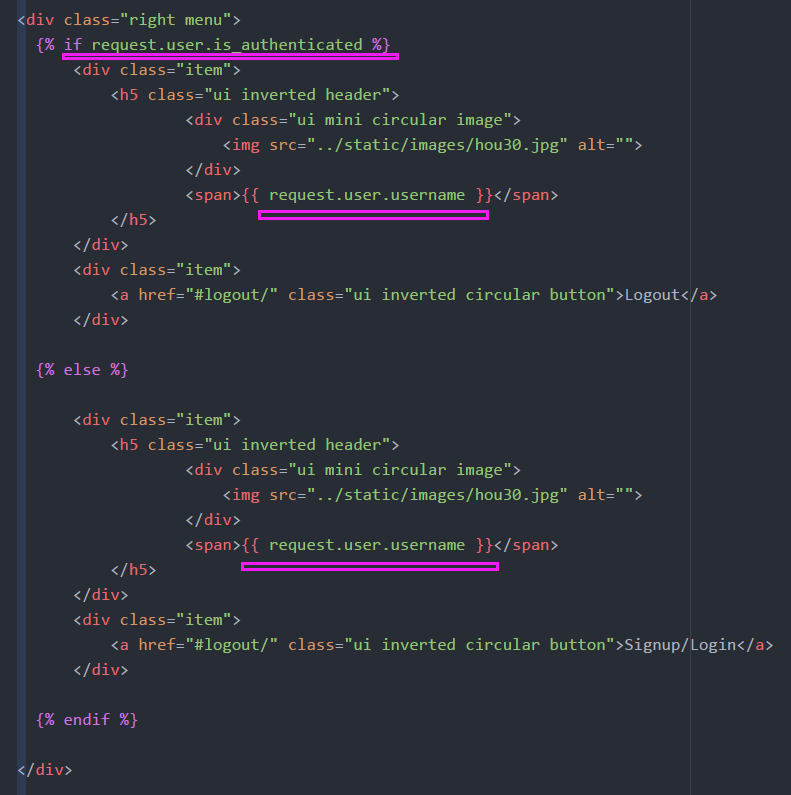
<div class="right menu">

          {% if request.user.is_authenticated %}

              <div class="item">

                  <h5 class="ui inverted header">

                          <div class="ui mini circular image">

                              <img src="../static/images/hou30.jpg" alt="">

                          </div>

                          <span>{{ request.user.username }}</span>

                  </h5>

              </div>

              <div class="item">

                  <a href="#logout/" class="ui inverted circular button">Logout</a>

              </div>

          {% else %}

              <div class="item">

                  <h5 class="ui inverted header">

                          <div class="ui mini circular image">

                              <img src="../static/images/hou30.jpg" alt="">

                          </div>

                          <span>{{ request.user.username }}</span>

                  </h5>

              </div>

              <div class="item">

                  <a href="#logout/" class="ui inverted circular button">Signup/Login</a>

              </div>

          {% endif %}

        </div>
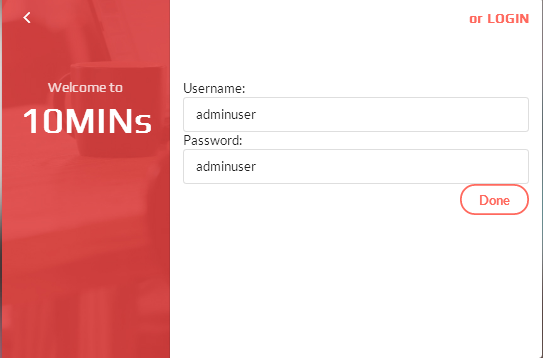
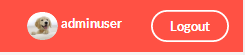
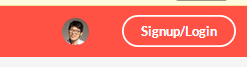
(10) 登录演示,登出演示


3.扩展资料后的用户判断

Django中的model.user模型,官方不建议修改,可以扩展
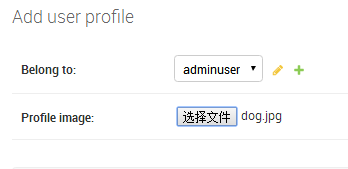
- 扩展用户的上传头像
(1) Model:添加用户资料表
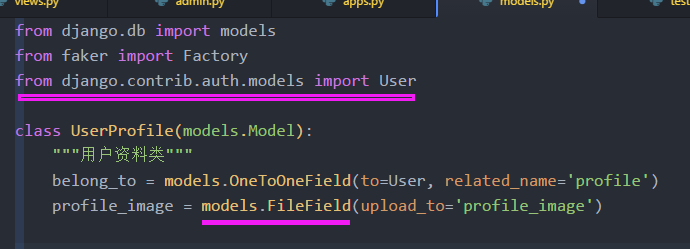
from django.db import models

from faker import Factory

from django.contrib.auth.models import User

class UserProfile(models.Model):

    """用户资料类"""

    belong_to = models.OneToOneField(to=User, related_name='profile')

    profile_image = models.FileField(upload_to='profile_image')
(2)admin注册
from django.contrib import admin

from website.models import Video,UserProfile

# Register your models here.

admin.site.register(Video)

admin.site.register(UserProfile)
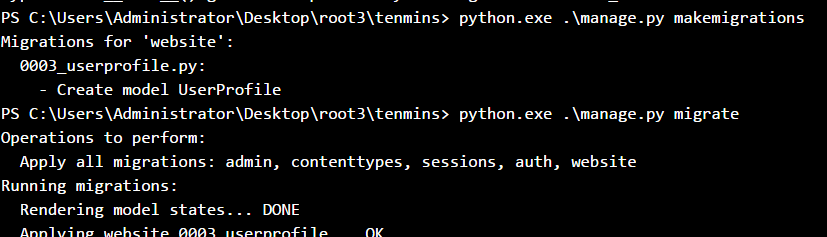
(3)更新数据库
(4)上传图像
(5)Template层:listing.html 显示个人头像
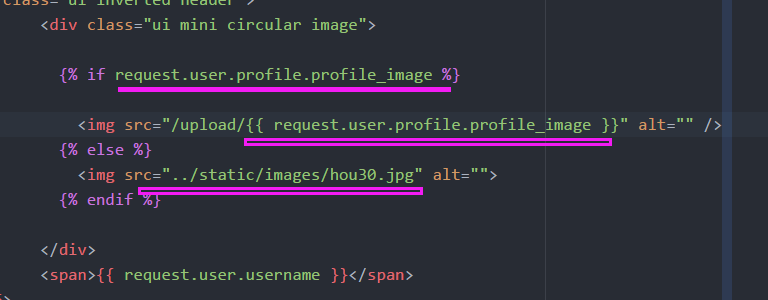
                          <div class="ui mini circular image">

                            {% if request.user.profile.profile_image %}

                              <img src="/upload/{{ request.user.profile.profile_image }}" alt="" />

                            {% else %}

                              <img src="../static/images/hou30.jpg" alt="">

                            {% endif %}

                          </div>
4.实现登出功能

- Django核心表单的模块:
- 创建用户(注册用),登录
from django.contrib.auth.forms import UserCreationForm, AuthenticationForm
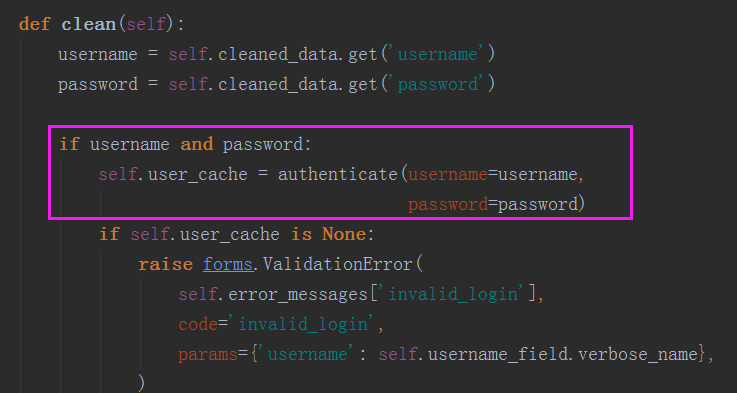
(2)查看源码文件:
class AuthenticationForm(forms.Form):

    """

    Base class for authenticating users. Extend this to get a form that accepts

    username/password logins.

    """

    username = forms.CharField(max_length=254)

    password = forms.CharField(label=_("Password"), widget=forms.PasswordInput)

    error_messages = {

        'invalid_login': _("Please enter a correct %(username)s and password. "

                           "Note that both fields may be case-sensitive."),

        'inactive': _("This account is inactive."),

    }

    def __init__(self, request=None, *args, **kwargs):

        """

        The 'request' parameter is set for custom auth use by subclasses.

        The form data comes in via the standard 'data' kwarg.

        """

        self.request = request

        self.user_cache = None

        super(AuthenticationForm, self).__init__(*args, **kwargs)

        # Set the label for the "username" field.

        UserModel = get_user_model()

        self.username_field = UserModel._meta.get_field(UserModel.USERNAME_FIELD)

        if self.fields['username'].label is None:

            self.fields['username'].label = capfirst(self.username_field.verbose_name)

    def clean(self):

        username = self.cleaned_data.get('username')

        password = self.cleaned_data.get('password')

        if username and password:

            self.user_cache = authenticate(username=username,

                                           password=password)

            if self.user_cache is None:

                raise forms.ValidationError(

                    self.error_messages['invalid_login'],

                    code='invalid_login',

                    params={'username': self.username_field.verbose_name},

                )

            else:

                self.confirm_login_allowed(self.user_cache)

        return self.cleaned_data

    def confirm_login_allowed(self, user):

        """

        Controls whether the given User may log in. This is a policy setting,

        independent of end-user authentication. This default behavior is to

        allow login by active users, and reject login by inactive users.

        If the given user cannot log in, this method should raise a

        ``forms.ValidationError``.

        If the given user may log in, this method should return None.

        """

        if not user.is_active:

            raise forms.ValidationError(

                self.error_messages['inactive'],

                code='inactive',

            )

    def get_user_id(self):

        if self.user_cache:

            return self.user_cache.id

        return None

    def get_user(self):

        return self.user_cache
(3)AuthenticationForm:认证登录
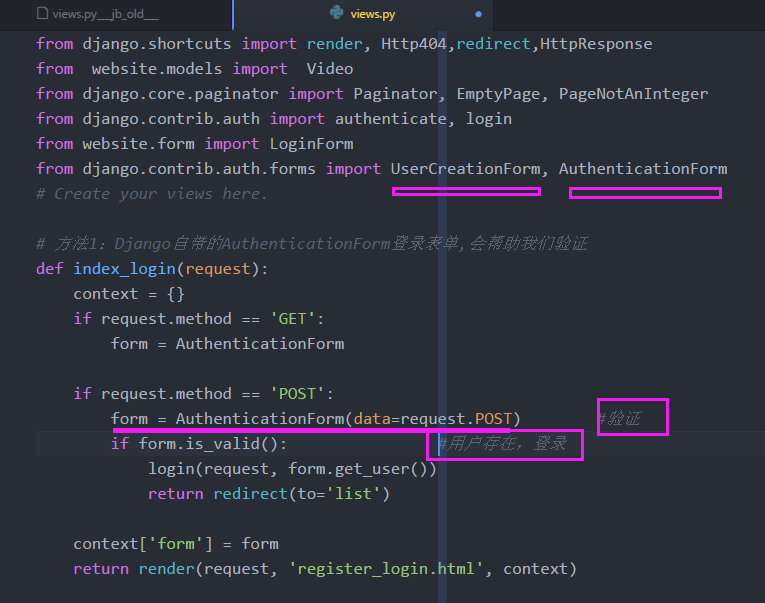
from django.shortcuts import render, Http404,redirect,HttpResponse

from  website.models import  Video

from django.core.paginator import Paginator, EmptyPage, PageNotAnInteger

from django.contrib.auth import authenticate, login

from website.form import LoginForm

from django.contrib.auth.forms import UserCreationForm, AuthenticationForm

# Create your views here.

# 方法1:Django自带的AuthenticationForm登录表单,会帮助我们验证

def index_login(request):

    context = {}

    if request.method == 'GET':

        form = AuthenticationForm

    if request.method == 'POST':

        form = AuthenticationForm(data=request.POST)        #验证

        if form.is_valid():                #用户存在,登录

            login(request, form.get_user())

            return redirect(to='list')

    context['form'] = form

    return render(request, 'register_login.html', context)
# 方法2:form表单

# def index_login(request):

#     context = {}

#     if request.method == 'GET':

#         form = LoginForm

#         print('11111111')

#     if request.method == 'POST':

#         form = LoginForm(request.POST)

#         print(form)

#         if form.is_valid():

#             username = form.cleaned_data['username']   #取出数据

#             password = form.cleaned_data['password']

#             user = authenticate(username=username, password=password)  #authenticate函数

#

#             #验证用户对象  如果是真,就True

#             if user:

#                 login(request, user)

#                 return redirect(to='list')

#             else:

#                 return HttpResponse('<h1>Not this User</h1>')

#

#     context['form'] = form

#     return render(request, 'register_login.html', context)
(4)UserCreationForm:注册用户
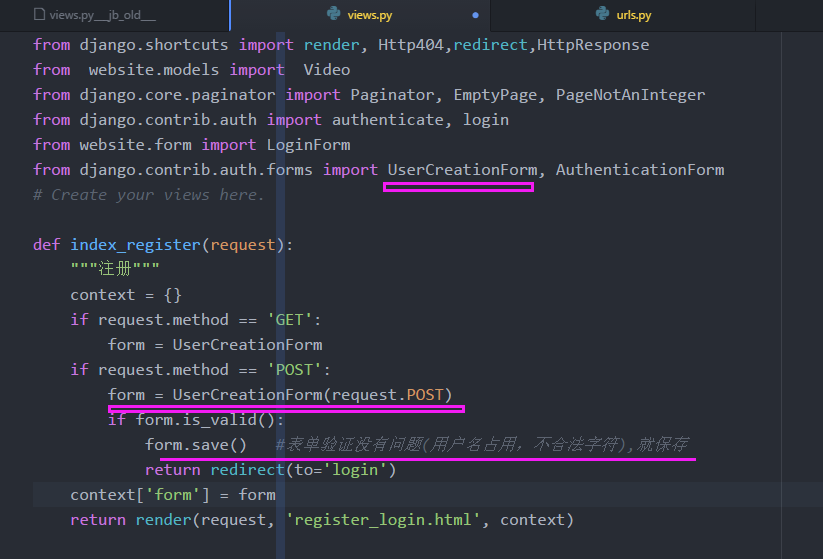
from django.shortcuts import render, Http404,redirect,HttpResponse

from  website.models import  Video

from django.core.paginator import Paginator, EmptyPage, PageNotAnInteger

from django.contrib.auth import authenticate, login

from website.form import LoginForm

from django.contrib.auth.forms import UserCreationForm, AuthenticationForm

# Create your views here.

def index_register(request):

    """注册"""

    context = {}

    if request.method == 'GET':

        form = UserCreationForm

    if request.method == 'POST':

        form = UserCreationForm(request.POST)

        if form.is_valid():

            form.save()   #表单验证没有问题(用户名占用,不合法字符),就保存

            return redirect(to='login')

    context['form'] = form

    return redner(request, 'register_login.html', context)
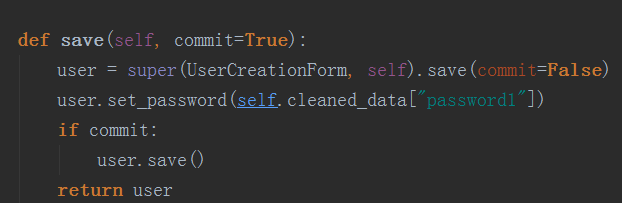
(6)UserCreationForm 查看源码
class UserCreationForm(forms.ModelForm):

    """

    A form that creates a user, with no privileges, from the given username and

    password.

    """

    error_messages = {

        'password_mismatch': _("The two password fields didn't match."),

    }

    password1 = forms.CharField(label=_("Password"),

        widget=forms.PasswordInput)

    password2 = forms.CharField(label=_("Password confirmation"),

        widget=forms.PasswordInput,

        help_text=_("Enter the same password as before, for verification."))

    class Meta:

        model = User

        fields = ("username",)

    def clean_password2(self):

        password1 = self.cleaned_data.get("password1")

        password2 = self.cleaned_data.get("password2")

        if password1 and password2 and password1 != password2:

            raise forms.ValidationError(

                self.error_messages['password_mismatch'],

                code='password_mismatch',

            )

        self.instance.username = self.cleaned_data.get('username')

        password_validation.validate_password(self.cleaned_data.get('password2'), self.instance)

        return password2

    def save(self, commit=True):

        user = super(UserCreationForm, self).save(commit=False)

        user.set_password(self.cleaned_data["password1"])

        if commit:

            user.save()

        return user
(8)view视图文件
from django.shortcuts import render, Http404,redirect,HttpResponse

from  website.models import  Video

from django.core.paginator import Paginator, EmptyPage, PageNotAnInteger

from django.contrib.auth import authenticate, login

from website.form import LoginForm

from django.contrib.auth.forms import UserCreationForm, AuthenticationForm

# Create your views here.

def index_register(request):

    """注册"""

    context = {}

    if request.method == 'GET':

        form = UserCreationForm

    if request.method == 'POST':

        form = UserCreationForm(request.POST)

        if form.is_valid():

            form.save()   #表单验证没有问题(用户名占用,不合法字符),就保存

            return redirect(to='login')

    context['form'] = form

    return reder(request, 'register_login.html', context)

# 方法1:Django自带的AuthenticationForm登录表单,会帮助我们验证

def index_login(request):

    context = {}

    if request.method == 'GET':

        form = AuthenticationForm

    if request.method == 'POST':

        form = AuthenticationForm(data=request.POST)        #验证

        if form.is_valid():                #用户存在,登录

            login(request, form.get_user())

            return redirect(to='list')

    context['form'] = form

    return render(request, 'register_login.html', context)

# 方法2:form表单

# def index_login(request):

#     context = {}

#     if request.method == 'GET':

#         form = LoginForm

#         print('11111111')

#     if request.method == 'POST':

#         form = LoginForm(request.POST)

#         print(form)

#         if form.is_valid():

#             username = form.cleaned_data['username']   #取出数据

#             password = form.cleaned_data['password']

#             user = authenticate(username=username, password=password)  #authenticate函数

#

#             #验证用户对象  如果是真,就True

#             if user:

#                 login(request, user)

#                 return redirect(to='list')

#             else:

#                 return HttpResponse('<h1>Not this User</h1>')

#

#     context['form'] = form

#     return render(request, 'register_login.html', context)

def listing(request, cate=None):  #cate可选默认参数

    context = {}

    if cate is None:

        video_list = Video.objects.all()

    if cate == 'editors':

        video_list = Video.objects.filter(editors_choice=True)

    else:

        video_list = Video.objects.all()

    page_rebot = Paginator(video_list, 9)  # 每页9个数据

    page_num = request.GET.get('page')

    try:

        video_list = page_rebot.page(page_num)  # get方法取哪一页

    except EmptyPage:

        video_list = page_rebot.page(page_rebot.num_pages)  # 999加载最后一页

        #raise Http404('EmptyPage')  #返回404错误

    except PageNotAnInteger:

        video_list = page_rebot.page(1)        # 432jds 加载第一页

    context['video_list'] = video_list

    listing_page = render(request, 'listing.html', context)

    return listing_page
(9)url地址
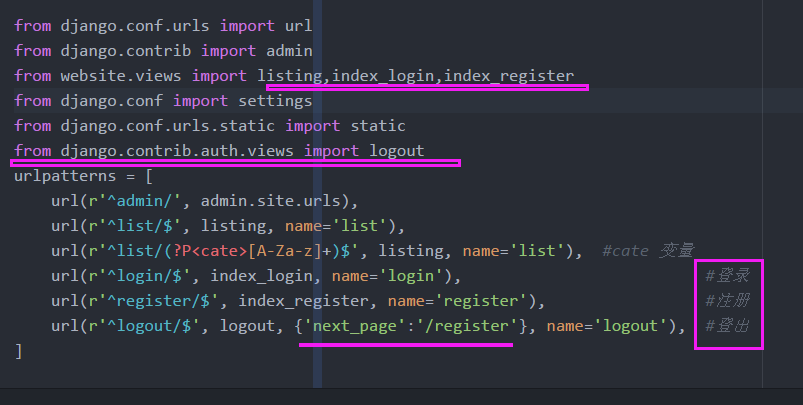
- logout源码
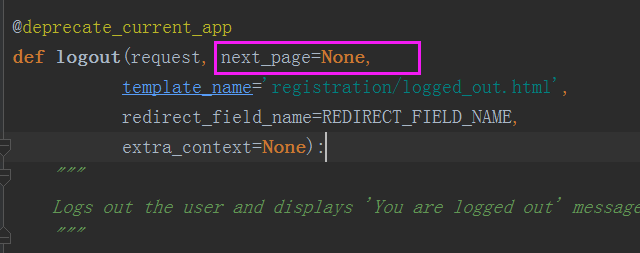
@deprecate_current_app

def logout(request, next_page=None,

           template_name='registration/logged_out.html',

           redirect_field_name=REDIRECT_FIELD_NAME,

           extra_context=None):

    """

    Logs out the user and displays 'You are logged out' message.

    """

    auth_logout(request)

    if next_page is not None:

        next_page = resolve_url(next_page)

    if (redirect_field_name in request.POST or

            redirect_field_name in request.GET):

        next_page = request.POST.get(redirect_field_name,

                                     request.GET.get(redirect_field_name))

        # Security check -- don't allow redirection to a different host.

        if not is_safe_url(url=next_page, host=request.get_host()):

            next_page = request.path

    if next_page:

        # Redirect to this page until the session has been cleared.

        return HttpResponseRedirect(next_page)

    current_site = get_current_site(request)

    context = {

        'site': current_site,

        'site_name': current_site.name,

        'title': _('Logged out')

    }

    if extra_context is not None:

        context.update(extra_context)

    return TemplateResponse(request, template_name, context)
(10)T层:登出

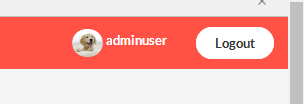
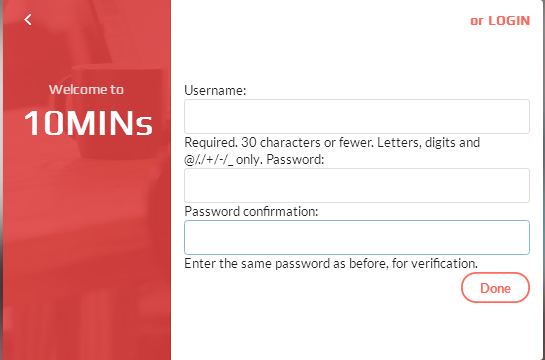
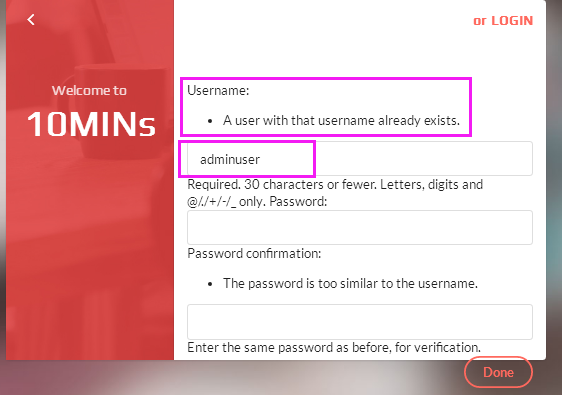
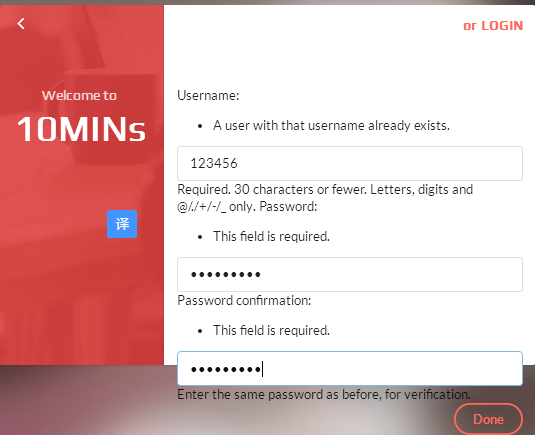
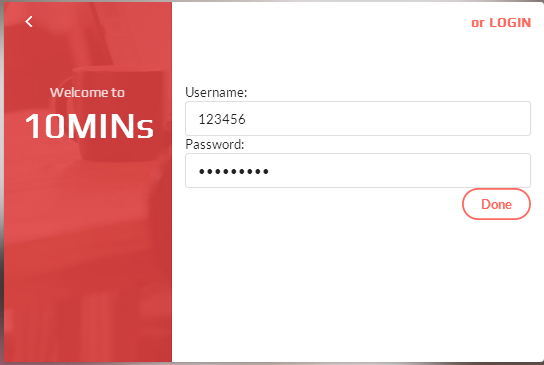
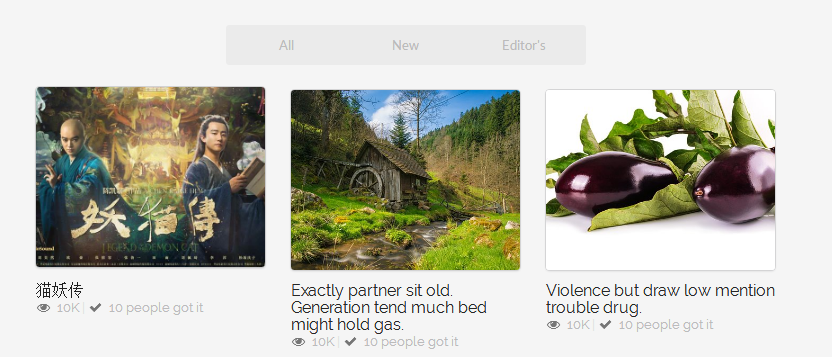
9.优化代码:显示错误信息
- register注册代码显示
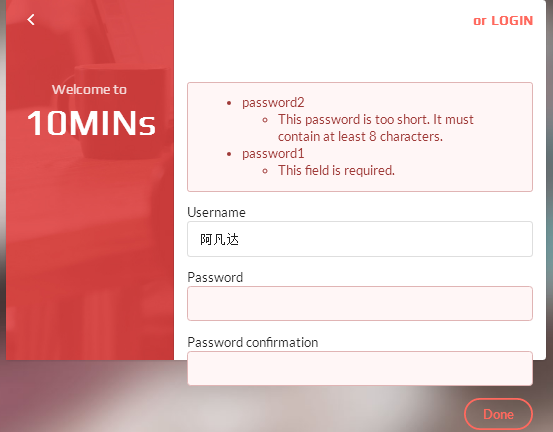
- register与login同用一个页面
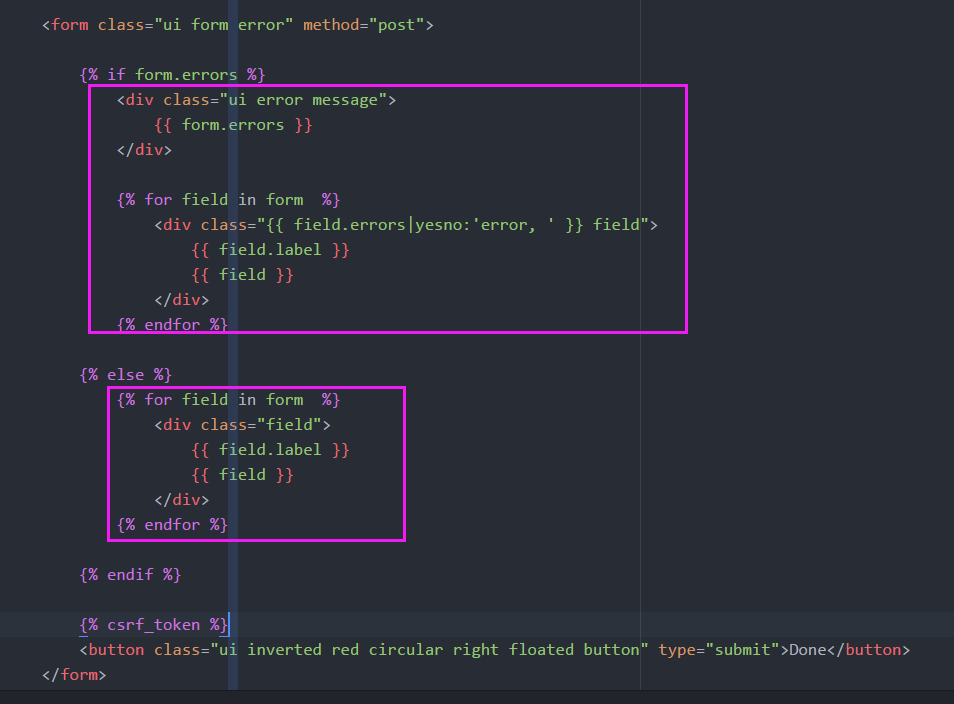
                <form class="ui form error" method="post">

                    {% if form.errors %}

                        <div class="ui error message">

                            {{ form.errors }}

                        </div>

                        {% for field in form  %}

                            <div class="{{ field.errors|yesno:'error, ' }} field">

                                {{ field.label }}

                                {{ field }}

                            </div>

                        {% endfor %}

                    {% else %}

                        {% for field in form  %}

                            <div class="field">

                                {{ field.label }}

                                {{ field }}

                            </div>

                        {% endfor %}

                    {% endif %}

                    {% csrf_token %}

                    <button class="ui inverted red circular right floated button" type="submit">Done</button>

                </form>
register_login.html 代码

<!DOCTYPE html>

{% load staticfiles %}

<html>

    <head>

        <meta charset="utf-8">

        <title></title>

        <link rel="stylesheet" href="{% static 'css/semantic.css' %}" media="screen" title="no title" charset="utf-8">

        <link rel="stylesheet" href="{% static 'css/list_custom.css' %}"  media="screen" title="no title" charset="utf-8">

        <link href="https://fonts.googleapis.com/css?family=Oswald|Raleway" rel="stylesheet">

        <style type="text/css">

            body {

                background: url({% static 'images/super_blur_back2.jpg' %});

                background-size: cover;

            }

            .ui.grid.divided.segment.container{

                min-height: 400px;

                width:600px !important;

                border:rgba(255, 0, 0, 0);

                position: absolute;

                left: 50%;

                top:40%;

                transform: translate(-50%,-50%);

            }

            .five.wide.column {

                background: url({% static 'images/red_regi.jpg'  %});

                background-size: cover;

                background-position: 60% 0%;

            }

            form {

                margin-top: 60px;

            }

            h1,h3,h4{

                font-family: 'Play', sans-serif !important;

            }

        </style>

    </head>

    <body>

        <div class="ui grid divided segment container">

            <div class="five wide  column">

                <h4 class="ui inverted header">

                    <i class="angle left  icon"></i>

                </h4>

                <h1 class="ui inverted center aligned header" style="font-size: 40px;margin-top:55px">

                    <p class="sub header">

                        Welcome to

                    </p>

                    10MINs

                </h1>

            </div>

            <div class="eleven wide column">

                <h4 class="ui inverted right aligned header">

                    <a href="#" style="color:#ff695e;">or LOGIN</a>

                </h4>

                <form class="ui form error" method="post">

                    {% if form.errors %}

                        <div class="ui error message">

                            {{ form.errors }}

                        </div>

                        {% for field in form  %}

                            <div class="{{ field.errors|yesno:'error, ' }} field">

                                {{ field.label }}

                                {{ field }}

                            </div>

                        {% endfor %}

                    {% else %}

                        {% for field in form  %}

                            <div class="field">

                                {{ field.label }}

                                {{ field }}

                            </div>

                        {% endfor %}

                    {% endif %}

                    {% csrf_token %}

                    <button class="ui inverted red circular right floated button" type="submit">Done</button>

                </form>

            </div>

        </div>

    </body>

</html>
8 实现10mins用户登录与注册的更多相关文章
- 使用PHP实现用户登录和注册的功能
登陆界面 login.php <form action="logincheck.php" method="post"> 用户名:<input ...
- Django用户登录与注册系统
一.创建项目 1.1.创建项目和app python manage.py startproject mysite_login python manage.py startapp login 1.2.设 ...
- Django实战(一)-----用户登录与注册系统5(图片验证码)
为了防止机器人频繁登录网站或者破坏分子恶意登录,很多用户登录和注册系统都提供了图形验证码功能. 验证码(CAPTCHA)是一种区分用户是计算机还是人的公共全自动程序. 可以防止恶意破解密码.刷票.论坛 ...
- Django实战(一)-----用户登录与注册系统2(数据模型、admin后台、路由视图)
使用Django开发Web应用的过程中,很多人都是急急忙忙地写视图,写前端页面,把最根本的模型设计给忽略了. 模型中定义了数据如何在数据库内保存,再直白点说就是数据表的定义.这部分工作体现在Djang ...
- Java入门:用户登录与注册模块1(实践项目)——分析
任务描述:用户登录与注册是大多数软件都拥有的一个模块.请编写一个控制台程序,实现用户的登录与注册功能,并且用户能够修改自己信息. [需求分析]由于本程序是一个演示程序,用户的信息我们做简化处理,仅包括 ...
- MFC 用户登录、注册、工作主窗体
创建项目由向导生成的窗体作为工作的主窗体.用户登录.注册窗体添加对话框来实现. [具体功能] 1.主窗体应该出现在登录窗体成功之后. 2.登录窗体关闭(右上角❌),程序直接退出. 在App.cpp的I ...
- PHP用户登录与注册页面
PHP用户登录模块实现 项目包含的功能脚本: login.php//登录 reg.php//注册用户 user_add.php//注册校验脚本 user_login_check.php//登录校验脚本 ...
- jsp+postgresql学习笔记(1)用户登录与注册
前期准备: tomcat的安装与配置(略) jdk的安装与配置(略) eclipse软件安装与配置(略) webstrom软件或IDEA的安装与配置(大概用了IDEA就不需要eclipse了,但是怎么 ...
- Django实战(一)-----用户登录与注册系统7(邮件确认)
通常而言,我们在用户注册成功,实际登陆之前,会发送一封电子邮件到对方的注册邮箱中,表示欢迎.进一步的还可能要求用户点击邮件中的链接,进行注册确认. 下面就让我们先看看如何在Django中发送邮件吧. ...
随机推荐
- [原创]Debian9 从零编译配置Redis4.0
序言 Redis 一.准备工作 1.1 更新系统安装包列表 没啥,就他喵想用个最新的. # apt update 1.2 创建需要使用的目录 创建目录source和web,分别用来放源码和编译后的文件 ...
- Azure进阶攻略 | 应用流畅运行杜绝超载,自有一套好方法
世界上很多东西,无论交通工具.房屋建筑,甚至计算机程序,在容量方面都存在设计上的理论最大值. 比如火车,正常情况下是这样的.舒适地坐着,安静地读一本书,时不时抬头若有所思地远眺车窗外风景,满满的文艺范 ...
- 使用sqlyog连接ubuntu mysql server错误解决方案
现在很多服务都部署在linux环境中,但是在开发阶段,使用windows远程连接工具,直观,这对开发人员更友好. 下面是我在ubuntu16.04使用mysql- server时,遇到了一下的问题,以 ...
- Vim中根据正则对选中文本对齐(比如ini文件的=号对齐)
vimrc增加如下内容即可: vnoremap <M-=> :call Duiqi('\v(^\s*\S+)\s+(.*)')<CR> "reg匹配的第2段文字对齐 ...
- TP5.1:模板继承(重要知识点)
1.在app\index\controller文件夹新建一个名为Lyot(自定义)的控制器,在控制器中定义: 2.创建一个被继承的public(自定义)文件夹,里面有三个文件,分别是header.ht ...
- TP5.1:连接数据库(全局配置、动态配置、DSN配置)
前提: (1)在app\index\controller文件下新建一个名为Connect.php的控制器文件 (2)建立一个名为user_curd数据库,里面有一张user表,表内容为: 通过全局配置 ...
- April 6 2017 Week 14 Thursday
If you smile when no one else is around, you really mean it. 独处时的微笑,才是发自内心的. Recently I found I seld ...
- 动态控制C4C UI元素的显示和隐藏
C4C UI上UI元素的显示和隐藏可以通过Key User在Adaptation模式里通过编辑一些简单的rule去控制,诸如这种格式: if ( logic expression = true ) t ...
- IOS 打开照相机 打开相册
/** * 打开照相机 */ - (void)openCamera { if (![UIImagePickerController isSourceTypeAvailable:UIImagePicke ...
- 创建一个gradle项目
1.创建项目 一定要选这个安装的路径 项目创建成功,修改build.gradle文件,主要是为了下载依赖的jar包,原始模板, 而我修改之后,如下 apply plugin: 'idea' apply ...