
Go Doc文档
Go为我们提供了快速生成文档和查看文档的工具,很容易编写查看代码文档。在项目协作过程中,可以帮助我们快速理解代码。
查看文档方式有两种:一种是通过终端查看,使用go doc命令,一种是通过网页查看,使用godoc命令
通过终端查看文档
go doc命令
$ go doc help

usage: go doc [-u] [-c] [package|[package.]symbol[.method]]
可以看到,go doc接受的参数,可以是包名,也可以是包里的结构、方法等,默认为显示当前目录下的文档。
查看系统log包信息
linux@ubuntu:/usr/local/go/src/log$ go doc

package log // import "log"

Package log implements a simple logging package. It defines a type, Logger,

with methods for formatting output. It also has a predefined 'standard'

Logger accessible through helper functions Print[f|ln], Fatal[f|ln], and

Panic[f|ln], which are easier to use than creating a Logger manually. That

logger writes to standard error and prints the date and time of each logged

message. Every log message is output on a separate line: if the message

being printed does not end in a newline, the logger will add one. The Fatal

functions call os.Exit(1) after writing the log message. The Panic functions

call panic after writing the log message.

const Ldate = 1 << iota ...

func Fatal(v ...interface{})

func Fatalf(format string, v ...interface{})

func Fatalln(v ...interface{})

func Flags() int

func Output(calldepth int, s string) error

func Panic(v ...interface{})

func Panicf(format string, v ...interface{})

func Panicln(v ...interface{})

func Prefix() string

func Print(v ...interface{})

func Printf(format string, v ...interface{})

func Println(v ...interface{})

func SetFlags(flag int)

func SetOutput(w io.Writer)

func SetPrefix(prefix string)

type Logger struct{ ... }

    func New(out io.Writer, prefix string, flag int) *Logger
列出当前包中方法、结构、常量等
查看系统log包中Fatal方法
linux@ubuntu:/usr/local/go/src/log$ go doc log.Fatal

func Fatal(v ...interface{})

    Fatal is equivalent to Print() followed by a call to os.Exit(1).
列出当前函数和注释说明
查看系统log包中Logger结构
linux@ubuntu:/usr/local/go/src/log$ go doc Logger

type Logger struct {

        // Has unexported fields.

}

    A Logger represents an active logging object that generates lines of output

    to an io.Writer. Each logging operation makes a single call to the Writer's

    Write method. A Logger can be used simultaneously from multiple goroutines;

    it guarantees to serialize access to the Writer.

func New(out io.Writer, prefix string, flag int) *Logger

func (l *Logger) Fatal(v ...interface{})

func (l *Logger) Fatalf(format string, v ...interface{})

func (l *Logger) Fatalln(v ...interface{})

func (l *Logger) Flags() int

func (l *Logger) Output(calldepth int, s string) error

func (l *Logger) Panic(v ...interface{})

func (l *Logger) Panicf(format string, v ...interface{})

func (l *Logger) Panicln(v ...interface{})

func (l *Logger) Prefix() string

func (l *Logger) Print(v ...interface{})

func (l *Logger) Printf(format string, v ...interface{})

func (l *Logger) Println(v ...interface{})

func (l *Logger) SetFlags(flag int)

func (l *Logger) SetOutput(w io.Writer)

func (l *Logger) SetPrefix(prefix string)
列出Logger结构定义以及Logger结构操作的方法集
通过网页查看文档
godoc命令
$ godoc -http=:6060
godoc会监听6060端口,通过网页访问
http://127.0.0.1:6060,godoc基于GOROOT和GOPATH路径下的代码生成文档的。打开首页如下,我们自己项目工程文档和通过go get的代码文档都在Packages中的Third party里面。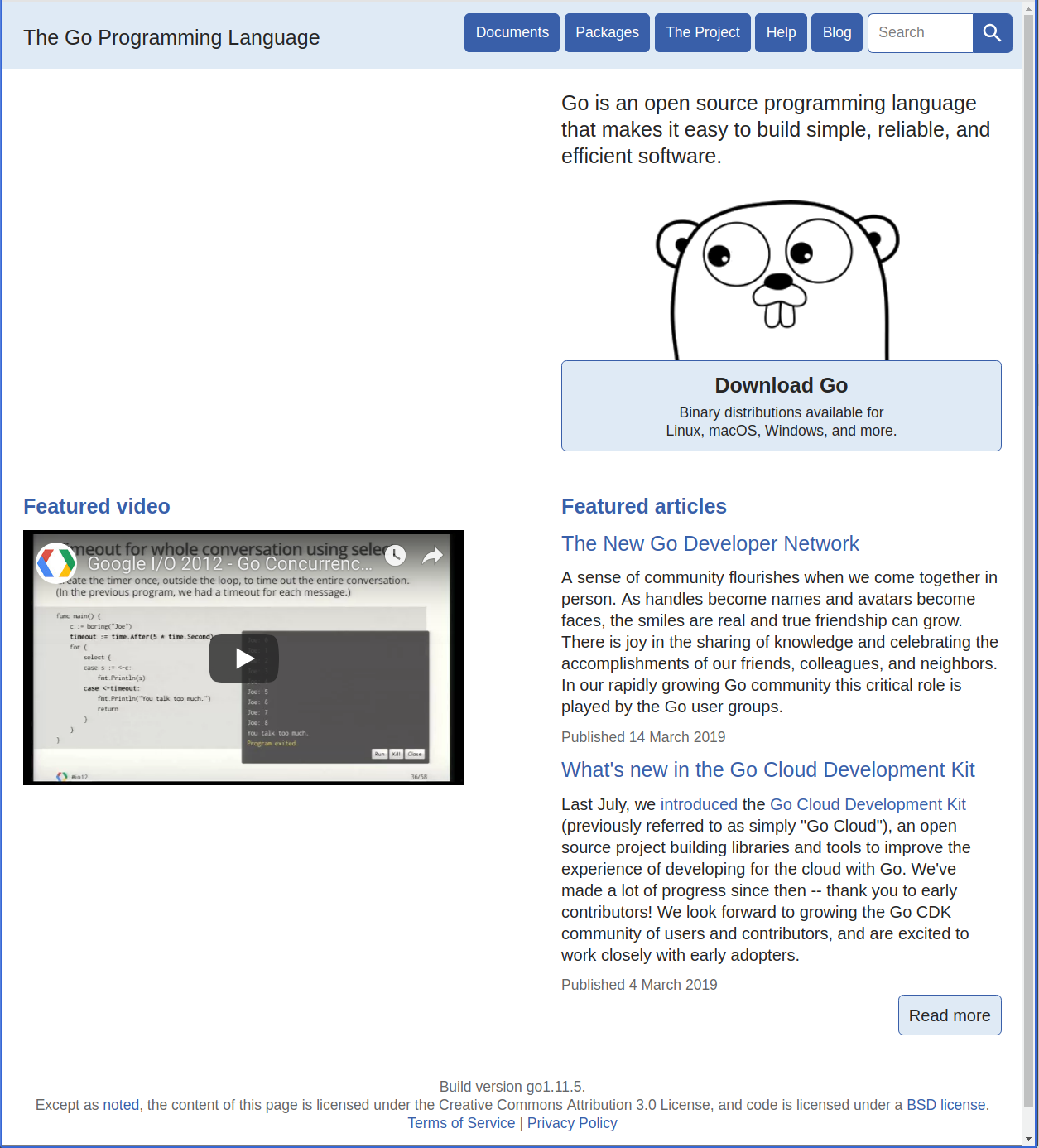
编写自己的文档
1、设计接口函数代码
创建documents/calc.go文件
/*

简易计算器计算自定义包

 */

package documents

// 一种实现两个整数相加的函数,

// 返回值为两整数相加之和

func Add(a, b int) int {

    return a + b

}

// 一种实现两个整数相减的函数,

// 返回值为两整数相减之差

func Sub(a, b int) int {

    return a - b

}

// 一种实现两个整数相乘的函数,

// 返回值为两整数相乘之积

func Mul(a, b int) int {

    return a * b

}

// 一种实现两个整数相除的函数,

// 返回值为两整数相除之商

func Div(a, b int) int {

    if b == 0 {

        panic("divide by zero")

    }

    return a / b

}
**2、设计Example示例代码 **
创建documents/calc_test.go文件,给calc.go中每个函数编写Example函数
package documents

import (

	"fmt"

)

func ExampleAdd() {

	result := Add(4, 2)

	fmt.Println("4 + 2 =", result)

	// Output:

	// 4 + 2 = 6

}

func ExampleSub() {

	result := Sub(4, 2)

	fmt.Println("4 - 2 =", result)

	// Output:

	// 4 - 2 = 2

}

func ExampleMul() {

	result := Mul(4, 2)

	fmt.Println("4 * 2 =", result)

	// Output:

	// 4 * 2 = 8

}

func ExampleDiv() {

	result := Div(4,2)

	fmt.Println("4 / 2 =", result)

	// Output:

	// 4 / 2 = 2

}
3、网页查看文档
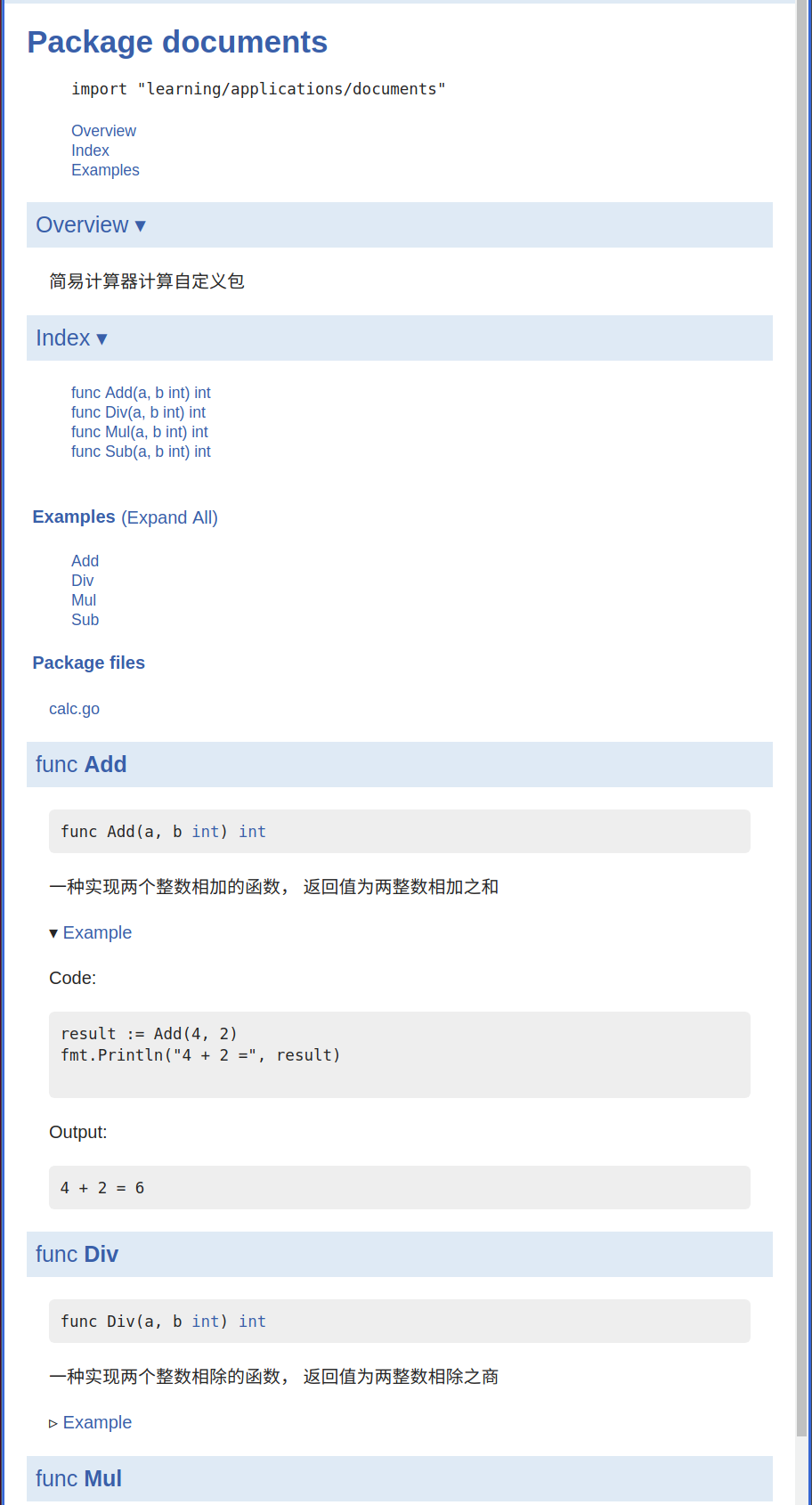
注意以上两个文件必须在$GOPATH/src路径下,使用godoc命令创建文档,用网页打开显示如下
编写文档规则
1、文档中显示的详细主体内容,大多是由用户注释部分提供,注释的方式有两种,单行注释"//"和代码块"/* */"注释。
2、在源码文件中,在package语句前做注释,在文档中看到的就是Overview部分, 注意:此注释必须紧挨package语句前一行,要作为Overview部分的,注释块中间不能有空行。
3、在函数、结构、变量等前做注释的,在文档中看到的就是该项详细描述。注释规则同上。
4、编写的Example程序,函数名必须以Example为前缀,可将测试的输出结果放在在函数尾部,以"// Output:"另起一行,然后将输出内容注释,并追加在后面。
Go Doc文档的更多相关文章
- 在MyEclipse显示struts2源码和doc文档及自动完成功能
分类: struts2 2010-01-07 16:34 1498人阅读 评论(1) 收藏 举报 myeclipsestruts文档xmlfileurl 在MyEclipse显示struts2源码和d ...
- IText 生成简单表格(报表)doc文档 单元居中
IText生成doc文档需要三个包:iTextAsian.jar,iText-rtf-2.1.4.jar,iText-2.1.4.jar 亲测无误,代码如下所示: import com.lowagie ...
- IText 生成横向的doc文档
IText生成doc文档需要三个包:iTextAsian.jar,iText-rtf-2.1.4.jar,iText-2.1.4.jar 亲测无误,代码如下: import com.lowagie.t ...
- IText 中文字体解决方案 生成doc文档
IText生成doc文档需要三个包:iTextAsian.jar,iText-rtf-2.1.4.jar,iText-2.1.4.jar 亲测无误,代码如下: import com.lowagie.t ...
- Java eclipse生成doc文档
这里讲解下eclipse成为doc文档,首先代码: /** * @author szy * @version 1.0 */ package com.founder.sun; class Cat{ pu ...
- eclipse导出doc文档
选中需要导出的项目, 1 点击eclipse上面的Project,选择Generate javadoc..., 2 然后配置 javadoc command,比如我本地的路径为: C:\Program ...
- joomla网站内插入doc文档
最近我的网站又出了问题,之前用joomla做的网站,由于要放doc文档,后来想尽办法终于用iframe的办法,先把文档传到scribd网,然后把文档嵌到网站里去,但是狗血的,去年五月份的时候我们伟大的 ...
- doc文档生成带目录的pdf文件方法
准备软件: 福昕PDF阅读器 下载地址:http://rj.baidu.com/soft/detail/12882.html?ald 安装福昕PDF阅读器,会自动安装pdf打印机. 准备好设置好各级标 ...
- Java中常用到的文件操作那些事(一)——替换doc文档模板,生成真实合同案例
工作中,我们时常会遇到一些操作文件的操作,比如在线生成合同模板,上传/下载/解析Excel,doc文档转为pdf等操作.本文就已工作中遇到的在线生成合同为例,简要地介绍一种文档替换写法. 本文目的:给 ...
- office 2010打开doc文档报错:Word 在尝试打开文件时遇到错误
今天在百度文库中下载了几个文档,下载后发现无法打开.出现以下的提示框. 那么,使用多年office的我,这点小问题当然难不倒我啦. 这个问题是由于系统安全设置所导致的 ,所有我们只需要处理这个安全设置 ...
随机推荐
- Video 视频播放防作弊和禁止下载
1.实现效果 - 查看源码 实现视频可播放不能下载,禁止右键下载.F12源码打开链接下载 实现只在当前窗口播放,切换窗口.窗口最小化.窗口被遮挡停止播放,恢复后继续播放 在线demo:缓存完再播放 . ...
- MySQL如何查询当月数据
自己写了一个比较简单效率又高的方法,分享给大家: WHERE addTime BETWEEN DATE_FORMAT(NOW(),'%Y-%m-01') AND NOW() 方法就是过滤 本月1日到当 ...
- 利用DOS命令做伪装成图片的压缩包,看上去是图片其实是个压缩包用2条命令即搞定
在很多地方我们看到一张图片,然后把这张图片下载到本地,改后缀名为xx.rar,即变成了压缩包. 比如下面这个图片:(把以下图片保存到本地,后缀名xx.png 改为 xx.rar,解压试试) 怎么样,是 ...
- CheckBox全选、取消全选
关于CheckBox全选取消全选 //全选 $("#SysAllSelectedID").click(function () { $("[name=SysCheckbox ...
- hystrix应用介绍(二)
上篇博客中讲了hystrix在公司中的一些应用场景,由于保密的原因没办法贴出优化的代码,这里专门写一篇hystrix代码的demo,供大家在使用的过程中快速上手 Hystrix有两个请求命令 Hyst ...
- python处理字符串:将字符串中的数字相加求和
计算字符串中所有数字的和,字符串中有数字和字母组合而成如果出现连续数字,按照一个数操作具体解释在代码行里: def sum_str(str1): len1=len(str1) #首先将字符串str1的 ...
- js之静态方法与实例方法
静态方法是指不需要声明类的实例就可以使用的方法. 实例方法是指必须要先使用"new"关键字声明一个类的实例, 然后才可以通过此实例访问的方法. function staticCla ...
- Smile with face. Smile with mind.
Smile with face. Smile with mind.微笑不仅是挂在脸上的,更是发自心底的.
- table表格td内内容自动换行
项目开发时,遇到问题:td内传入数据,全是字母,不会自动换行 一般字母数字/特殊符号的话,会被浏览器默认是一个字符串或者说一个单词,不会自动换行 所以需要设置一下,让表格内容自动换行. 1.给td标签 ...
- 属性动画 常用属性及View常用方法
View类中,常用于属性动画的属性: translationX and translationY: These properties control where the View is located ...