
Go Doc文档
Go为我们提供了快速生成文档和查看文档的工具,很容易编写查看代码文档。在项目协作过程中,可以帮助我们快速理解代码。
查看文档方式有两种:一种是通过终端查看,使用go doc命令,一种是通过网页查看,使用godoc命令
通过终端查看文档
go doc命令
$ go doc help

usage: go doc [-u] [-c] [package|[package.]symbol[.method]]
可以看到,go doc接受的参数,可以是包名,也可以是包里的结构、方法等,默认为显示当前目录下的文档。
查看系统log包信息
linux@ubuntu:/usr/local/go/src/log$ go doc

package log // import "log"

Package log implements a simple logging package. It defines a type, Logger,

with methods for formatting output. It also has a predefined 'standard'

Logger accessible through helper functions Print[f|ln], Fatal[f|ln], and

Panic[f|ln], which are easier to use than creating a Logger manually. That

logger writes to standard error and prints the date and time of each logged

message. Every log message is output on a separate line: if the message

being printed does not end in a newline, the logger will add one. The Fatal

functions call os.Exit(1) after writing the log message. The Panic functions

call panic after writing the log message.

const Ldate = 1 << iota ...

func Fatal(v ...interface{})

func Fatalf(format string, v ...interface{})

func Fatalln(v ...interface{})

func Flags() int

func Output(calldepth int, s string) error

func Panic(v ...interface{})

func Panicf(format string, v ...interface{})

func Panicln(v ...interface{})

func Prefix() string

func Print(v ...interface{})

func Printf(format string, v ...interface{})

func Println(v ...interface{})

func SetFlags(flag int)

func SetOutput(w io.Writer)

func SetPrefix(prefix string)

type Logger struct{ ... }

    func New(out io.Writer, prefix string, flag int) *Logger
列出当前包中方法、结构、常量等
查看系统log包中Fatal方法
linux@ubuntu:/usr/local/go/src/log$ go doc log.Fatal

func Fatal(v ...interface{})

    Fatal is equivalent to Print() followed by a call to os.Exit(1).
列出当前函数和注释说明
查看系统log包中Logger结构
linux@ubuntu:/usr/local/go/src/log$ go doc Logger

type Logger struct {

        // Has unexported fields.

}

    A Logger represents an active logging object that generates lines of output

    to an io.Writer. Each logging operation makes a single call to the Writer's

    Write method. A Logger can be used simultaneously from multiple goroutines;

    it guarantees to serialize access to the Writer.

func New(out io.Writer, prefix string, flag int) *Logger

func (l *Logger) Fatal(v ...interface{})

func (l *Logger) Fatalf(format string, v ...interface{})

func (l *Logger) Fatalln(v ...interface{})

func (l *Logger) Flags() int

func (l *Logger) Output(calldepth int, s string) error

func (l *Logger) Panic(v ...interface{})

func (l *Logger) Panicf(format string, v ...interface{})

func (l *Logger) Panicln(v ...interface{})

func (l *Logger) Prefix() string

func (l *Logger) Print(v ...interface{})

func (l *Logger) Printf(format string, v ...interface{})

func (l *Logger) Println(v ...interface{})

func (l *Logger) SetFlags(flag int)

func (l *Logger) SetOutput(w io.Writer)

func (l *Logger) SetPrefix(prefix string)
列出Logger结构定义以及Logger结构操作的方法集
通过网页查看文档
godoc命令
$ godoc -http=:6060
godoc会监听6060端口,通过网页访问
http://127.0.0.1:6060,godoc基于GOROOT和GOPATH路径下的代码生成文档的。打开首页如下,我们自己项目工程文档和通过go get的代码文档都在Packages中的Third party里面。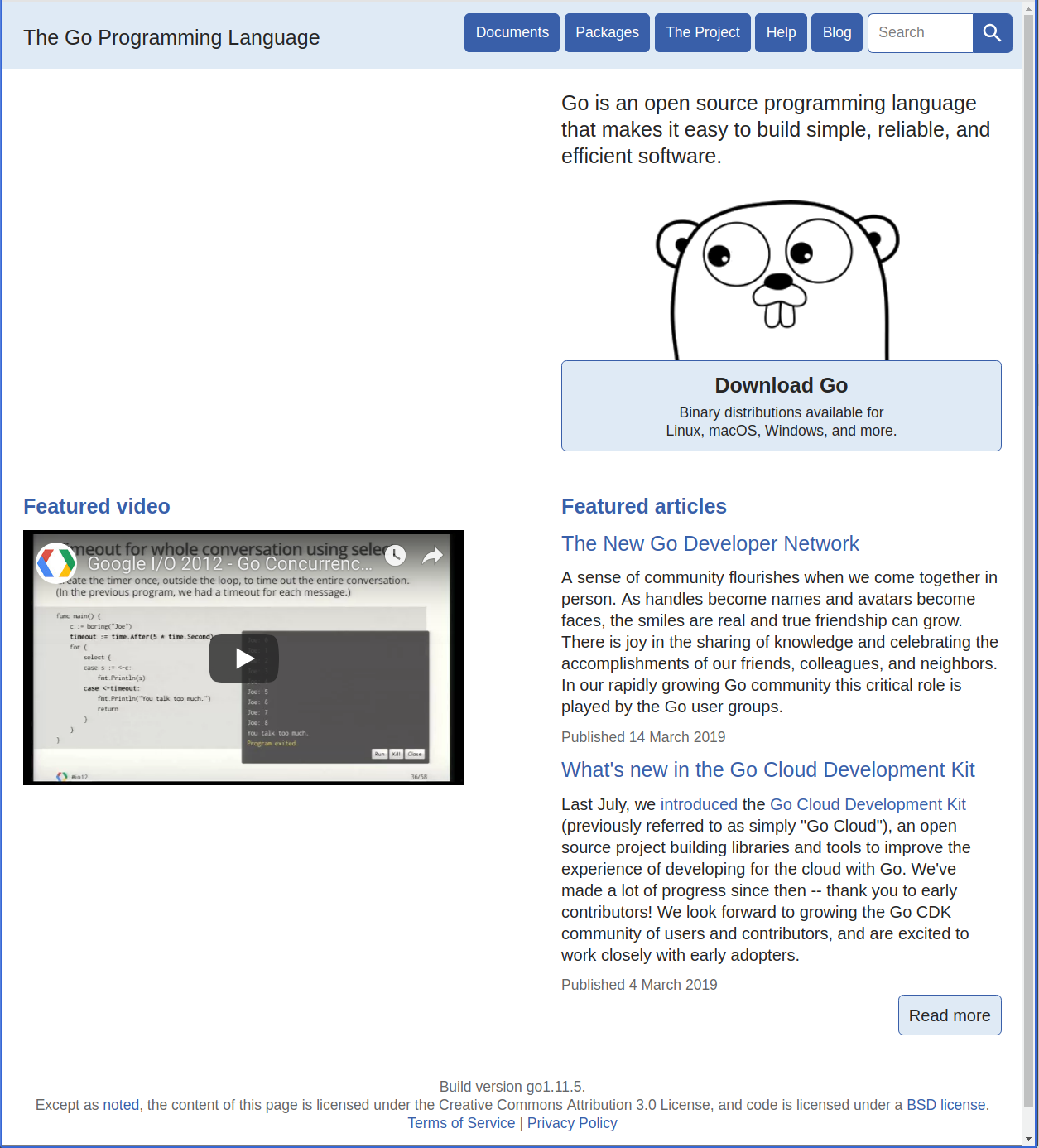
编写自己的文档
1、设计接口函数代码
创建documents/calc.go文件
/*

简易计算器计算自定义包

 */

package documents

// 一种实现两个整数相加的函数,

// 返回值为两整数相加之和

func Add(a, b int) int {

    return a + b

}

// 一种实现两个整数相减的函数,

// 返回值为两整数相减之差

func Sub(a, b int) int {

    return a - b

}

// 一种实现两个整数相乘的函数,

// 返回值为两整数相乘之积

func Mul(a, b int) int {

    return a * b

}

// 一种实现两个整数相除的函数,

// 返回值为两整数相除之商

func Div(a, b int) int {

    if b == 0 {

        panic("divide by zero")

    }

    return a / b

}
**2、设计Example示例代码 **
创建documents/calc_test.go文件,给calc.go中每个函数编写Example函数
package documents

import (

	"fmt"

)

func ExampleAdd() {

	result := Add(4, 2)

	fmt.Println("4 + 2 =", result)

	// Output:

	// 4 + 2 = 6

}

func ExampleSub() {

	result := Sub(4, 2)

	fmt.Println("4 - 2 =", result)

	// Output:

	// 4 - 2 = 2

}

func ExampleMul() {

	result := Mul(4, 2)

	fmt.Println("4 * 2 =", result)

	// Output:

	// 4 * 2 = 8

}

func ExampleDiv() {

	result := Div(4,2)

	fmt.Println("4 / 2 =", result)

	// Output:

	// 4 / 2 = 2

}
3、网页查看文档
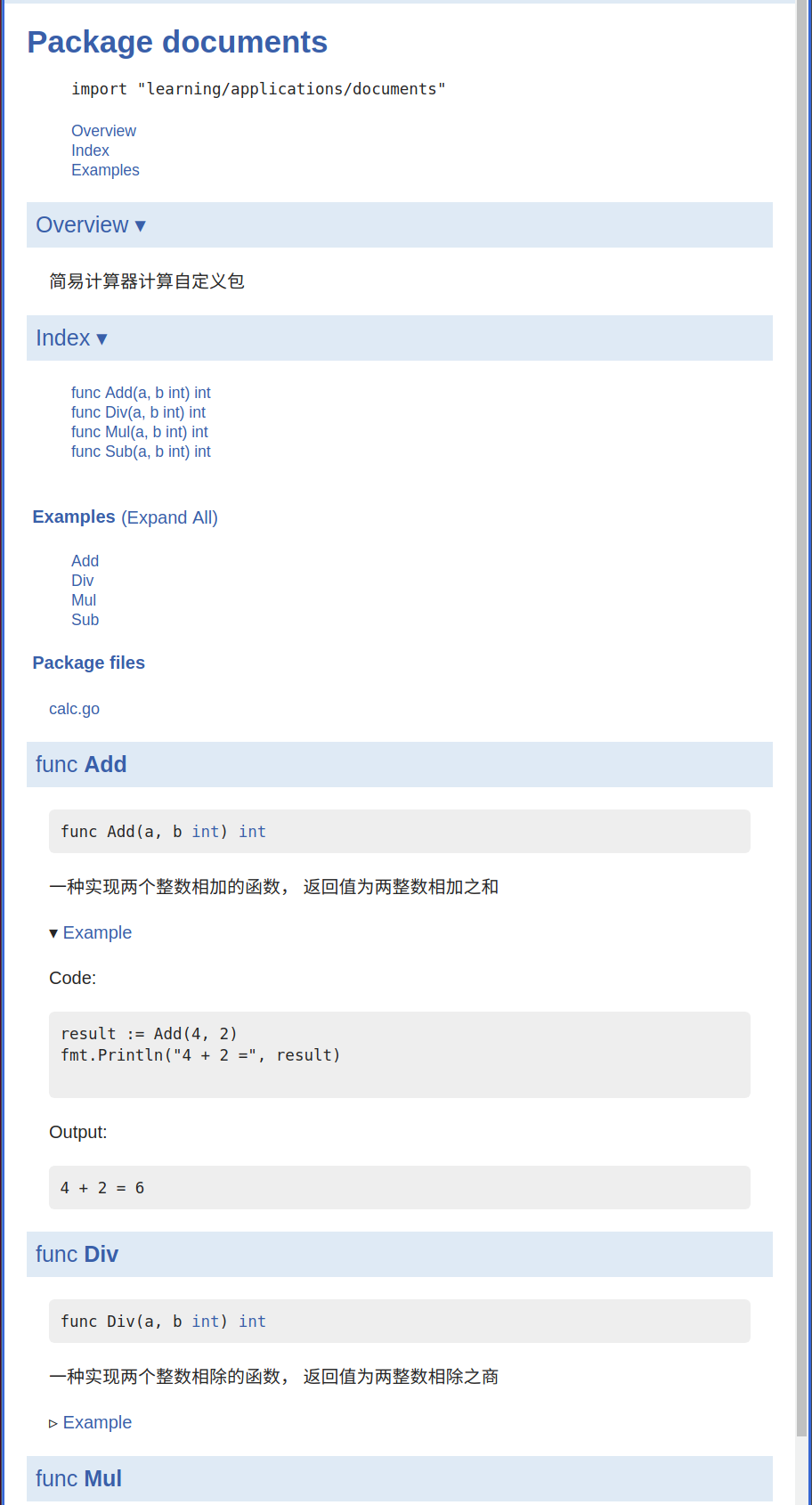
注意以上两个文件必须在$GOPATH/src路径下,使用godoc命令创建文档,用网页打开显示如下
编写文档规则
1、文档中显示的详细主体内容,大多是由用户注释部分提供,注释的方式有两种,单行注释"//"和代码块"/* */"注释。
2、在源码文件中,在package语句前做注释,在文档中看到的就是Overview部分, 注意:此注释必须紧挨package语句前一行,要作为Overview部分的,注释块中间不能有空行。
3、在函数、结构、变量等前做注释的,在文档中看到的就是该项详细描述。注释规则同上。
4、编写的Example程序,函数名必须以Example为前缀,可将测试的输出结果放在在函数尾部,以"// Output:"另起一行,然后将输出内容注释,并追加在后面。
Go Doc文档的更多相关文章
- 在MyEclipse显示struts2源码和doc文档及自动完成功能
分类: struts2 2010-01-07 16:34 1498人阅读 评论(1) 收藏 举报 myeclipsestruts文档xmlfileurl 在MyEclipse显示struts2源码和d ...
- IText 生成简单表格(报表)doc文档 单元居中
IText生成doc文档需要三个包:iTextAsian.jar,iText-rtf-2.1.4.jar,iText-2.1.4.jar 亲测无误,代码如下所示: import com.lowagie ...
- IText 生成横向的doc文档
IText生成doc文档需要三个包:iTextAsian.jar,iText-rtf-2.1.4.jar,iText-2.1.4.jar 亲测无误,代码如下: import com.lowagie.t ...
- IText 中文字体解决方案 生成doc文档
IText生成doc文档需要三个包:iTextAsian.jar,iText-rtf-2.1.4.jar,iText-2.1.4.jar 亲测无误,代码如下: import com.lowagie.t ...
- Java eclipse生成doc文档
这里讲解下eclipse成为doc文档,首先代码: /** * @author szy * @version 1.0 */ package com.founder.sun; class Cat{ pu ...
- eclipse导出doc文档
选中需要导出的项目, 1 点击eclipse上面的Project,选择Generate javadoc..., 2 然后配置 javadoc command,比如我本地的路径为: C:\Program ...
- joomla网站内插入doc文档
最近我的网站又出了问题,之前用joomla做的网站,由于要放doc文档,后来想尽办法终于用iframe的办法,先把文档传到scribd网,然后把文档嵌到网站里去,但是狗血的,去年五月份的时候我们伟大的 ...
- doc文档生成带目录的pdf文件方法
准备软件: 福昕PDF阅读器 下载地址:http://rj.baidu.com/soft/detail/12882.html?ald 安装福昕PDF阅读器,会自动安装pdf打印机. 准备好设置好各级标 ...
- Java中常用到的文件操作那些事(一)——替换doc文档模板,生成真实合同案例
工作中,我们时常会遇到一些操作文件的操作,比如在线生成合同模板,上传/下载/解析Excel,doc文档转为pdf等操作.本文就已工作中遇到的在线生成合同为例,简要地介绍一种文档替换写法. 本文目的:给 ...
- office 2010打开doc文档报错:Word 在尝试打开文件时遇到错误
今天在百度文库中下载了几个文档,下载后发现无法打开.出现以下的提示框. 那么,使用多年office的我,这点小问题当然难不倒我啦. 这个问题是由于系统安全设置所导致的 ,所有我们只需要处理这个安全设置 ...
随机推荐
- java 多线程 yield方法的意义
Thread.yield( )方法: 使当前线程从执行状态(运行状态)变为可执行态(就绪状态).cpu会从众多的可执行态里选择,也就是说,当前也就是刚刚的那个线程还是有可能会被再次执行到的,并不是说一 ...
- HDU 1045——Fire Net——————【最大匹配、构图、邻接矩阵做法】
Fire Net Time Limit:1000MS Memory Limit:32768KB 64bit IO Format:%I64d & %I64u Submit Sta ...
- schema的元素数据类型(复杂数据类型)
1.简单元素的声明 <xs:element name="元素名称" type="xs:string" default="默认值" mi ...
- MySQL慢查询分析工具pt-query-digest详解
一.简介 pt-query-digest是用于分析mysql慢查询的一个工具,它可以分析binlog.General log.slowlog,也可以通过SHOWPROCESSLIST或者通过tcpdu ...
- iframe跨域上传图片
方案一:用jquery的$.post异步提交,然后把返回来的值用jquery填充到隐藏域中.可是$.post不支持跨域. jQuery.ajax()支持get方式的跨域,这其实是采用jsonp的方式来 ...
- 【起航计划 024】2015 起航计划 Android APIDemo的魔鬼步伐 23 App->Notification->IncomingMessage 状态栏通知
应用程序可以使用Notifications来通知用户某个事件发生了(如收到短信).类NotificationManager 用来处理Notification, NotificationManager可 ...
- 【菜鸟学Linux】Cron Job定期删除Log(日志)文件
以前一直做Windows开发,近期的项目中要求使用Linux.作为小菜鸟一枚,赶紧买了一本经典书<鸟哥的Linux私房菜>学习.最近刚好有一个小任务 - 由于产品产生的Log很多,而且增长 ...
- JSON:json_encode函数不能获取属性原因及解决方案
json_encode()是个解析json数据的函数,但是这个函数可以有两个参数 形式: json_decode ( string $json, ture || false ) 第一个参数传字 ...
- wxWidgets窗口类型
如果在创建窗口的时候你没有指定窗口的边框类型,那么在不同的平台上将会有不同的边框类型的缺省值.在windows平台上,控件边框的缺省值为 wxSUNKEN_BORDER,意为使用当前系统风格的边框.你 ...
- 504. Inverted Index (Map Reduce) lintcode
https://www.lintcode.com/problem/inverted-index-map-reduce/description -- decription of the map redu ...