
【转】Gabor 入门

Gabor Filters : A Practical Overview
In this tutorial, we shall discuss Gabor filters, a classic technique, from a practical perspective.
Do not panic on seeing the equation that follows. It has been included here as a mere formality.

In the realms of image processing and computer vision, Gabor filters are generally used in texture analysis, edge detection, feature extraction, disparity estimation (in stereo vision), etc. Gabor filters are special classes of bandpass filters, i.e., they allow a certain ‘band’ of frequencies and reject the others.
In the course of this tutorial, we shall first discuss the essential results that we obtain when Gabor filters are applied on images. Then we move on to discuss the different parameters that control the output of the filter. This tutorial is aimed at delivering a practical overview of Gabor filters; hence, theoretical treatment is omitted (a tutorial that provides the essential theoretical rigor is currently in the pipeline).
At each stage of the discussion, results of relevant filters have been displayed. The implementation, though contained in the tutorial itself, draws heavily from the Python script that comes along with OpenCV. It has been simplified further so that it is simple for the beginners to work with.
To start with, Gabor filters are applied to images pretty much the same way as are conventional filters. We have a mask (a more precise (cooler) term for it would be ‘convolution kernel’) that represents the filter. By a mask, we mean to say that we have an array (usually a 2D array since 2D images are involved) of pixels in which each pixel is assigned a value (call it a ‘weight’). This array is slid over every pixel of the image and a convolution operation is performed (you can refer to the following link for more information on how a mask is applied to an image. http://en.wikipedia.org/wiki/Kernel_(image_processing) ).
When a Gabor filter is applied to an image, it gives the highest response at edges and at points where texture changes. The following images show a test image and its transformation after the filter is applied.
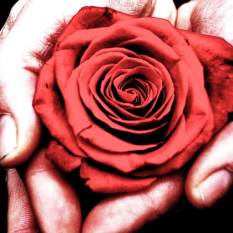
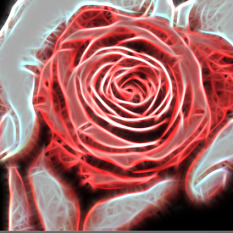
A Gabor filter responds to edges and texture changes. When we say that a filter responds to a particular feature, we mean that the filter has a distinguishing value at the spatial location of that feature (when we’re dealing with applying convolution kernels in spatial domain, that is. The same holds for other domains, such as frequency domains, as well).
There are certain parameters that affect the output of a Gabor filter. In OpenCV Python, following is the structure of the function that is used to create a Gabor kernel.
cv2.getGaborKernel(ksize, sigma, theta, lambda, gamma, psi, ktype)
Each parameter is described very briefly in the OpenCV docs ( http://docs.opencv.org/trunk/modules/imgproc/doc/filtering.html ). Here’s a brief introduction to each of these parameters.
ksize is the size of the Gabor kernel. If ksize = (a, b), we then have a Gabor kernel of size a x b pixels. As with many other convolution kernels, ksize is preferably odd and the kernel is a square (just for the sake of uniformity).
sigma is the standard deviation of the Gaussian function used in the Gabor filter.
theta is the orientation of the normal to the parallel stripes of the Gabor function.
lambda is the wavelength of the sinusoidal factor in the above equation.
gamma is the spatial aspect ratio.
psi is the phase offset.
ktype indicates the type and range of values that each pixel in the Gabor kernel can hold.
Now that we’ve got a quaint feel of what each parameter means, let us delve deeper and understand the practical implication of the variation of each of these parameters.
The Code
This is a simplified version of gabor_threads.py, which is available in the OpenCV Python library. ( https://github.com/Itseez/opencv/blob/master/samples/python2/gabor_threads.py )
#!/usr/bin/env python

import numpy as np

import cv2

def build_filters():

 filters = []

 ksize = 31

 for theta in np.arange(0, np.pi, np.pi / 16):

 kern = cv2.getGaborKernel((ksize, ksize), 4.0, theta, 10.0, 0.5, 0, ktype=cv2.CV_32F)

 kern /= 1.5*kern.sum()

 filters.append(kern)

 return filters

def process(img, filters):

 accum = np.zeros_like(img)

 for kern in filters:

 fimg = cv2.filter2D(img, cv2.CV_8UC3, kern)

 np.maximum(accum, fimg, accum)

 return accum

if __name__ == '__main__':

 import sys

 print __doc__

 try:

 img_fn = sys.argv[1]

 except:

 img_fn = 'test.png'

 img = cv2.imread(img_fn)

 if img is None:

 print 'Failed to load image file:', img_fn

 sys.exit(1)

 filters = build_filters()

 res1 = process(img, filters)

 cv2.imshow('result', res1)

 cv2.waitKey(0)

 cv2.destroyAllWindows()
ksize
On varying ksize, the size of the convolution kernel varies. In the code above we modify the parameter ksize, while keeping the kernel square and of an odd size. We observe that there is no effect of the size of the convolution kernel on the output image. This also implies that the convolution kernel is scale invariant, since scaling the kernel’s size is analogous to scaling the size of the image. Here are a few results with varying ksize. For all the following images, sigma = 4.0, theta = 0, lambd = 10.0, gamma = 0.5, psi = 0, and ktype = cv2.CV_32F (i.e., each pixel of the convolution kernel holds a weight which is a 32-bit floating point number).
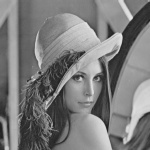
Input Image
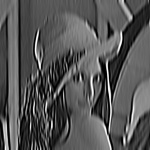
ksize = 31 x 31
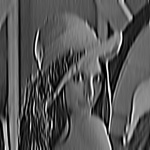
ksize = 51 x 51
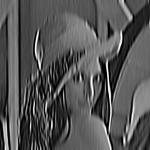
ksize = 151 x 151
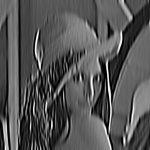
ksize = 531 x 531
(Roll over the images to view more information about each of them).
sigma
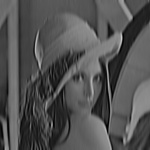
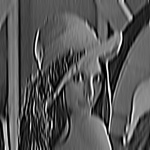
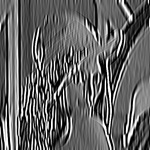
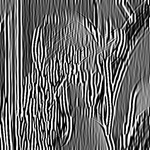
This parameter controls the width of the Gaussian envelope used in the Gabor kernel. Here are a few results obtained by varying this parameter.
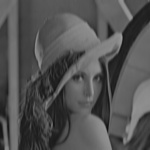
sigma = 2
sigma = 3
sigma = 4
sigma = 5
sigma = 6
theta
This is perhaps one of the most important parameters of the Gabor filter. This parameter decides what kind of features the filter responds to. For example, giving theta a value of zero means that the filter is responsive only to horizontal features only. So, in order to obtain features at various angles in an image, we divide the interval between 0 and 180 into 16 equal parts, and compute a Gabor kernel for each value of theta thus obtained. Note that we’ve chosen 16 just because it was the default value in the OpenCV implementation. These parameter values could be modified to suit specific purposes. Following are the results of varying theta on the above input image.
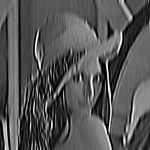
theta = 11.25
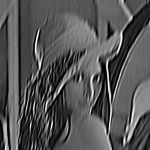
theta = 22.5
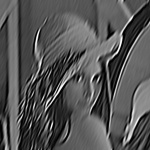
theta = 33.75
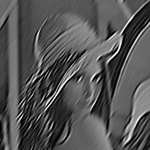
theta = 45

theta = 56.25
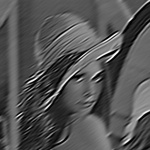
theta = 67.5
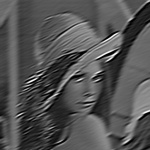
theta = 78.75
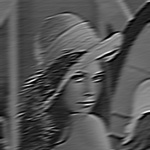
theta = 90
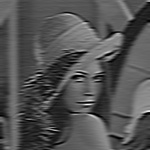
theta = 101.25
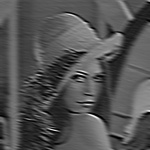
theta = 112.5
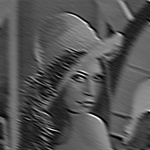
theta = 123.75
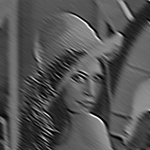
theta = 135
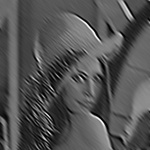
theta = 146.25
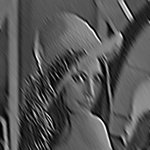
theta = 157.5
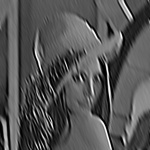
theta = 168.75
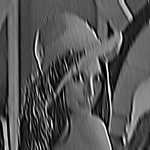
theta = 180
lambda
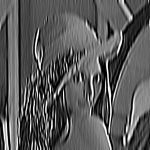
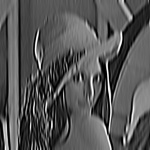
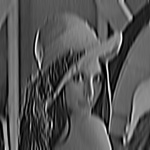
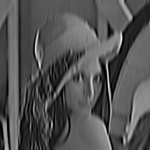
Here’s the variation with lambda (theta is set to zero).
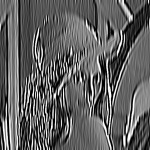
lambda = 8
lambda = 9
lambda = 10
lambda = 11
lambda = 12
gamma
Gamma controls the ellipticity of the gaussian. When gamma = 1, the gaussian envelope is circular.
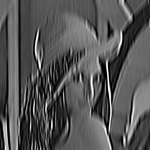
gamma = 0.3
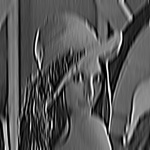
gamma = 0.4
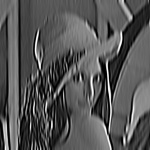
gamma = 0.5
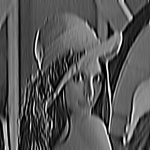
gamma = 0.6
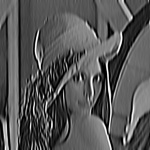
gamma = 0.7
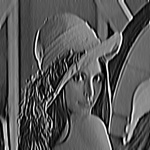
gamma = 1.0
psi
This parameter controls the phase offset.
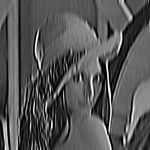
psi = 0
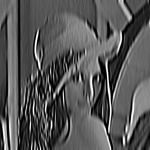
psi = 10
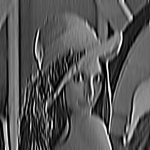
psi = 50
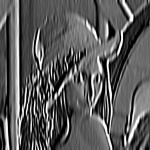
psi = 90
So, we’ve examined the observable effects of various parameters on the output of the Gabor filter. Hope this tutorial helped. Will be back with more of such tuts soon.
原文地址:https://cvtuts.wordpress.com/2014/04/27/gabor-filters-a-practical-overview/
【转】Gabor 入门的更多相关文章
- dennis gabor 从傅里叶(Fourier)变换到伽柏(Gabor)变换再到小波(Wavelet)变换(转载)
dennis gabor 题目:从傅里叶(Fourier)变换到伽柏(Gabor)变换再到小波(Wavelet)变换 本文是边学习边总结和摘抄各参考文献内容而成的,是一篇综述性入门文档,重点在于梳理傅 ...
- Angular2入门系列教程7-HTTP(一)-使用Angular2自带的http进行网络请求
上一篇:Angular2入门系列教程6-路由(二)-使用多层级路由并在在路由中传递复杂参数 感觉这篇不是很好写,因为涉及到网络请求,如果采用真实的网络请求,这个例子大家拿到手估计还要自己写一个web ...
- ABP入门系列(1)——学习Abp框架之实操演练
作为.Net工地搬砖长工一名,一直致力于挖坑(Bug)填坑(Debug),但技术却不见长进.也曾热情于新技术的学习,憧憬过成为技术大拿.从前端到后端,从bootstrap到javascript,从py ...
- Oracle分析函数入门
一.Oracle分析函数入门 分析函数是什么?分析函数是Oracle专门用于解决复杂报表统计需求的功能强大的函数,它可以在数据中进行分组然后计算基于组的某种统计值,并且每一组的每一行都可以返回一个统计 ...
- Angular2入门系列教程6-路由(二)-使用多层级路由并在在路由中传递复杂参数
上一篇:Angular2入门系列教程5-路由(一)-使用简单的路由并在在路由中传递参数 之前介绍了简单的路由以及传参,这篇文章我们将要学习复杂一些的路由以及传递其他附加参数.一个好的路由系统可以使我们 ...
- Angular2入门系列教程5-路由(一)-使用简单的路由并在在路由中传递参数
上一篇:Angular2入门系列教程-服务 上一篇文章我们将Angular2的数据服务分离出来,学习了Angular2的依赖注入,这篇文章我们将要学习Angualr2的路由 为了编写样式方便,我们这篇 ...
- Angular2入门系列教程4-服务
上一篇文章 Angular2入门系列教程-多个组件,主从关系 在编程中,我们通常会将数据提供单独分离出来,以免在编写程序的过程中反复复制粘贴数据请求的代码 Angular2中提供了依赖注入的概念,使得 ...
- wepack+sass+vue 入门教程(三)
十一.安装sass文件转换为css需要的相关依赖包 npm install --save-dev sass-loader style-loader css-loader loader的作用是辅助web ...
- wepack+sass+vue 入门教程(二)
六.新建webpack配置文件 webpack.config.js 文件整体框架内容如下,后续会详细说明每个配置项的配置 webpack.config.js直接放在项目demo目录下 module.e ...
随机推荐
- Oracel JDBC URL 和 Driver 的获取
Driver 的获取 Driver Name: oracle.jdbc.driver.OracleDriver Oracel JDBC URL的获取: URL: jdbc:oracle:thi ...
- jquery 移除数组重复的元素----$.unique()
举例说明: var fruits=["apple","banana","pear","orange","ba ...
- iOS军火库-好用的ActionSheetView
GitHub地址 一个自定义的ActionSheetView,支持显示标题,默认选中,使用block回调. 使用说明 [GLActionSheet showWithDataSource:@[@&quo ...
- UVA 11825 Hackers’ Crackdown(集合动态规划 子集枚举)
Hackers’ Crackdown Miracle Corporations has a number of system services running in a distributed com ...
- ubuntu 14.04 修改PS1提示符
默认情况下,Ubuntu终端会输出完整路径,在路径名很长的时候,提示方式很不友好,通过以下步骤修改PS1变量的设置,可以让终端输出相对路径.类似于红帽系统的风格.修改思路:将w修改为W显示绝对路径,并 ...
- demo_05HTML5+CSS3绘制小鸟
<!DOCTYPE html> <html> <head> <meta charset="UTF-8"> <title> ...
- [转] 小tip: 使用CSS将图片转换成模糊(毛玻璃)效果 ---张鑫旭
by zhangxinxu from http://www.zhangxinxu.com本文地址:http://www.zhangxinxu.com/wordpress/?p=3804 去年盛夏之时, ...
- Quartz1.8.5例子(一)
/* * Copyright 2005 - 2009 Terracotta, Inc. * * Licensed under the Apache License, Version 2.0 (the ...
- 手写js面向对象选项卡插件
<!DOCTYPE html><html lang="en"><head> <meta charset="UTF-8&qu ...
- [BZOJ 3052] [wc2013] 糖果公园 【树上莫队】
题目链接:BZOJ - 3052 题目分析 这道题就是非常经典的树上莫队了,并且是带修改的莫队. 带修改的莫队:将询问按照 左端点所在的块编号为第一关键字,右端点所在的块为第二关键字,位于第几次修改之 ...