
【代码笔记】iOS-iCarouselDemo
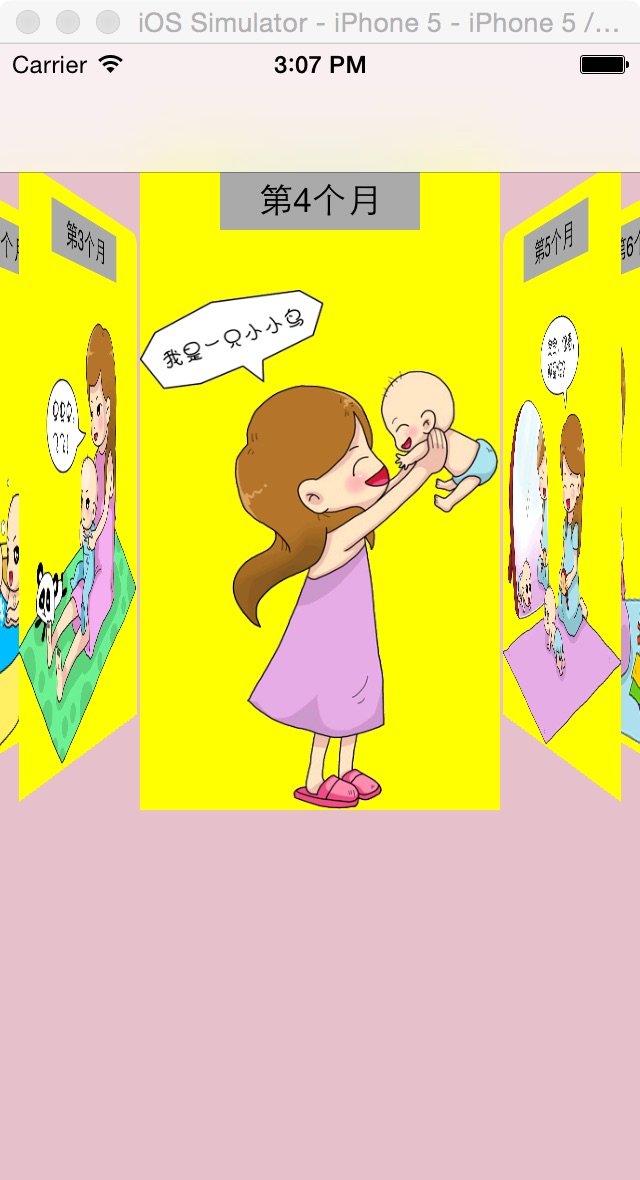
一,效果图。
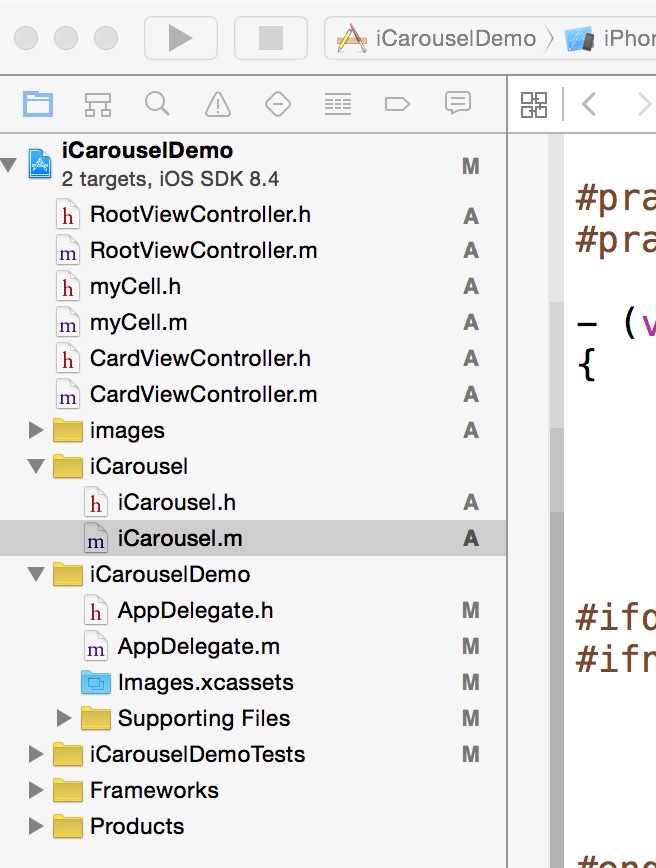
二,工程图。
三,代码。
RootViewController.h
RootViewController.m
myCell.h

#import <UIKit/UIKit.h>

#import <QuartzCore/QuartzCore.h>

@interface myCell : UITableViewCell

{

    UILabel * myLable;

    UIImageView * myImageView;

    UILabel * title;

}

@property (strong,nonatomic) UILabel * myLabel;

@property (strong,nonatomic) UIImageView * myImageView;

@property (strong,nonatomic) UILabel * title;

@end
myCell.m
#import "myCell.h"

@implementation myCell

@synthesize myLabel;

@synthesize myImageView;

@synthesize title;

- (id)initWithStyle:(UITableViewCellStyle)style reuseIdentifier:(NSString *)reuseIdentifier

{

    self = [super initWithStyle:style reuseIdentifier:reuseIdentifier];

    if (self) {

        myLabel = [[UILabel alloc] init];

        myLabel.lineBreakMode=NSLineBreakByCharWrapping;

        myLabel.numberOfLines = 0;

        myLabel.font = [UIFont fontWithName:@"MicrosoftYaHei" size:20.0];

        [self addSubview:myLabel];

        myImageView = [[UIImageView alloc] init];

        [self addSubview:myImageView];

        title = [[UILabel alloc] init];

        title.frame = CGRectMake(10, 10, 50, 30);

        title.backgroundColor = [UIColor colorWithRed:230/255.0 green:192/255.0 blue:203/255.0 alpha:1.0];

        title.layer.cornerRadius = 10.0;

        [self addSubview:title];

       ;

    }

    return self;

}

- (void)setSelected:(BOOL)selected animated:(BOOL)animated

{

    [super setSelected:selected animated:animated];

    // Configure the view for the selected state

}

@end
CardViewController.h
#import <UIKit/UIKit.h>

@interface CardViewController : UIViewController

<UITableViewDataSource,UITableViewDelegate>

{

    NSMutableArray *array ;

    NSMutableArray * titleArray;

}

@property (strong ,nonatomic) NSMutableArray *array;

@property (strong,nonatomic) NSString * month;

@property (strong,nonatomic) NSString * imageName;

@property (strong,nonatomic) NSString * title;

@end
CardViewController.m
#import "CardViewController.h"

#import "myCell.h"

@interface CardViewController ()

@end

@implementation CardViewController

@synthesize array;

@synthesize month;

@synthesize imageName;

@synthesize title;

- (id)initWithNibName:(NSString *)nibNameOrNil bundle:(NSBundle *)nibBundleOrNil

{

    self = [super initWithNibName:nibNameOrNil bundle:nibBundleOrNil];

    if (self) {

        // Custom initialization

    }

    return self;

}

-(void)viewDidLoad

{

    [super viewDidLoad];

    NSDictionary * dic1 = [[NSDictionary alloc] initWithContentsOfFile:[[NSBundle mainBundle] pathForResource:@"BabyCard" ofType:@"plist"]];

    self.array = [dic1 objectForKey:month];

    NSDictionary * dic2 = [[NSDictionary alloc] initWithContentsOfFile:[[NSBundle mainBundle] pathForResource:@"Title" ofType:@"plist"]];

    titleArray = [[NSMutableArray alloc] init];

    titleArray = [dic2 objectForKey:title];

    UITableView * tableView = [[UITableView alloc] initWithFrame:CGRectMake(0, 0, 320, 460) style:UITableViewStylePlain];

    tableView.delegate = self;

    tableView.dataSource = self;

    tableView.showsVerticalScrollIndicator = NO;

    [self.view addSubview:tableView];

    UIButton * back = [UIButton buttonWithType:UIButtonTypeCustom];

    back.frame = CGRectMake(10, 10, 25, 31);

    [back setImage:[UIImage imageNamed:@"back.png"] forState:UIControlStateNormal];

    [back addTarget:self action:@selector(back) forControlEvents:UIControlEventTouchUpInside];

    [tableView addSubview:back];

}

#pragma -mark -doClickActions

-(void)back

{

    CATransition *animation = [CATransition animation];

    animation.delegate = self;

    animation.duration = 0.7;

    animation.type = @"oglFlip";

    animation.subtype = kCATransitionFromLeft;

    [self.view.layer addAnimation:animation forKey:@"animation"];

    [self.navigationController dismissViewControllerAnimated:YES completion:nil];

}

#pragma -mark -UITableViewDelegate

-(NSInteger)tableView:(UITableView *)tableView numberOfRowsInSection:(NSInteger)section

{

    return array.count;

}

-(CGFloat)tableView:(UITableView *)tableView heightForRowAtIndexPath:(NSIndexPath *)indexPath

{

    NSString * str = [array objectAtIndex:indexPath.row];

    CGSize size=[str boundingRectWithSize:CGSizeMake(300, 1000) options:NSStringDrawingUsesLineFragmentOrigin attributes:@{NSFontAttributeName: [UIFont systemFontOfSize:20.0]} context:nil].size;

    if(indexPath.row == 0)

    {

         return size.height + 350;

    }

    else

    {

        return size.height + 60;

    }

}

-(UITableViewCell *)tableView:(UITableView *)tableView cellForRowAtIndexPath:(NSIndexPath *)indexPath

{

    myCell * cell = [tableView dequeueReusableCellWithIdentifier:@"id"];

    if(cell == nil){

        cell = [[myCell alloc] initWithStyle:UITableViewCellStyleValue1 reuseIdentifier:@"id"];

    }

    NSString * str = [array objectAtIndex:indexPath.row];

    CGSize size=[str boundingRectWithSize:CGSizeMake(300, 1000) options:NSStringDrawingUsesLineFragmentOrigin attributes:@{NSFontAttributeName: [UIFont systemFontOfSize:20.0]} context:nil].size;

    cell.selectionStyle = UITableViewCellSelectionStyleNone;

    NSString * str2 = [NSString stringWithFormat:@" %@ ",[titleArray objectAtIndex:indexPath.row]];

    CGSize size2=[str boundingRectWithSize:CGSizeMake(300, 1000) options:NSStringDrawingUsesLineFragmentOrigin attributes:@{NSFontAttributeName: [UIFont systemFontOfSize:10.0]} context:nil].size;

    cell.title.text = str2;

    if(indexPath.row == 0){

        cell.myImageView.hidden = NO;

        cell.myImageView.image = [UIImage imageNamed:imageName];

        cell.myImageView.frame = CGRectMake(0, 0, 320, 300);

        cell.myLabel.frame = CGRectMake(10, 350, 300, size.height);

        cell.title.frame = CGRectMake(10, 310, size2.width, 30);

    }else{

        cell.myImageView.hidden = YES;

        cell.myLabel.frame = CGRectMake(10, 50, 300, size.height);

        cell.title.frame = CGRectMake(10, 10,size2.width, 30);

    }

    cell.myLabel.text = str;

    return cell;

}

@end
【代码笔记】iOS-iCarouselDemo的更多相关文章
- IOS开发笔记 IOS如何访问通讯录
IOS开发笔记 IOS如何访问通讯录 其实我是反对这类的需求,你说你读我的隐私,我肯定不愿意的. 幸好ios6.0 以后给了个权限控制.当打开app的时候你可以选择拒绝. 实现方法: [plain] ...
- 【hadoop代码笔记】Mapreduce shuffle过程之Map输出过程
一.概要描述 shuffle是MapReduce的一个核心过程,因此没有在前面的MapReduce作业提交的过程中描述,而是单独拿出来比较详细的描述. 根据官方的流程图示如下: 本篇文章中只是想尝试从 ...
- 【hadoop代码笔记】hadoop作业提交之汇总
一.概述 在本篇博文中,试图通过代码了解hadoop job执行的整个流程.即用户提交的mapreduce的jar文件.输入提交到hadoop的集群,并在集群中运行.重点在代码的角度描述整个流程,有些 ...
- 【Hadoop代码笔记】目录
整理09年时候做的Hadoop的代码笔记. 开始. [Hadoop代码笔记]Hadoop作业提交之客户端作业提交 [Hadoop代码笔记]通过JobClient对Jobtracker的调用看详细了解H ...
- 笔记-iOS 视图控制器转场详解(上)
这是一篇长文,详细讲解了视图控制器转场的方方面面,配有详细的示意图和代码,为了使得文章在微信公众号中易于阅读,seedante 辛苦将大量长篇代码用截图的方式呈现,另外作者也在 Github 上附上了 ...
- <Python Text Processing with NLTK 2.0 Cookbook>代码笔记
如下是<Python Text Processing with NLTK 2.0 Cookbook>一书部分章节的代码笔记. Tokenizing text into sentences ...
- [学习笔记] SSD代码笔记 + EifficientNet backbone 练习
SSD代码笔记 + EifficientNet backbone 练习 ssd代码完全ok了,然后用最近性能和速度都非常牛的Eifficient Net做backbone设计了自己的TinySSD网络 ...
- DW网页代码笔记
DW网页代码笔记 1.样式. class 插入类样式 标签技术(html)解决页面的内容样式技术(css)解决页面的外观脚本技术 解决页面动态交互问题<form> ...
- 前端学习:JS(面向对象)代码笔记
前端学习:JS(面向对象)代码笔记 前端学习:JS面向对象知识学习(图解) 创建类和对象 创建对象方式1调用Object函数 <body> </body> <script ...
- 离屏渲染学习笔记 /iOS圆角性能问题
离屏渲染学习笔记 一.概念理解 OpenGL中,GPU屏幕渲染有以下两种方式: On-Screen Rendering 意为当前屏幕渲染,指的是GPU的渲染操作是在当前用于显示的屏幕缓冲区中进行. O ...
随机推荐
- WebGL实现HTML5贪吃蛇3D游戏
js1k.com收集了小于1k的javascript小例子,里面有很多很炫很酷的游戏和特效,今年规则又增加了新花样,传统的classic类型基础上又增加了WebGL类型,以及允许增加到2K的++类型, ...
- ASP.NET 的IP帮助类
个人网站地址: https://www.lesg.cn/netdaima/net/2016-239.html ASP.NET 的IP帮助类 在Web开发中会出现需要调用客户IP的方法: 一般调用方法就 ...
- 用C语言来分割字符串
#include <stdio.h> int main() { ] = {}; ] = {}; ] = {}; sscanf("1,2,3#3,4#4,5"," ...
- MySQL建表规范与常见问题
一. 表设计 库名.表名.字段名必须使用小写字母,“_”分割. 库名.表名.字段名必须不超过12个字符. 库名.表名.字段名见名知意,建议使用名词而不是动词. 建议使用InnoDB存储引擎. 存储精确 ...
- Firemonkey ListView 获取项目右方「>」(Accessory) 事件
适用:XE6 或更高版本 说明:ListView 在基本的项目里提供了 Accessory(项目右方「>」符号),但要如何分辨是否按下>或者项目本身呢?在 XE6 提供了 OnItemCl ...
- c++错误代码1
今天敲c++,出现一个错误,这个题目错误代码如下: 并没有提示有错误而终止. 运行结果却错了: 很明显,错误的地方是变量r没有初始化. 这让我知道了,这种情况下的某些变量未经初始化而使用编译器是不会报 ...
- 2016暑假多校联合---Another Meaning
2016暑假多校联合---Another Meaning Problem Description As is known to all, in many cases, a word has two m ...
- Scalaz(24)- 泛函数据结构: Tree-数据游览及维护
上节我们讨论了Zipper-串形不可变集合(immutable sequential collection)游标,在串形集合中左右游走及元素维护操作.这篇我们谈谈Tree.在电子商务应用中对于xml, ...
- Fiddler (五) Mac下使用Fiddler
Fiddler是用C#开发的. 所以Fiddler不能在Mac系统中运行. 没办法直接用Fiddler来截获MAC系统中的HTTP/HTTPS, Mac 用户怎么办呢? Fiddler可 ...
- jinfo命令的使用
jinfo命令 该命令可以打印出java进程的配置信息:包括jvm参数,系统属性等用法: jinfo [ option ] pid jinfo [ option ] executable core j ...