
mac 下 python 虚拟环境的安装和配置
前言:继续安装中,这节记录 mac 安装 python 虚拟环境,多版本共存...
1. 安装 pip -- python的包管理工具:
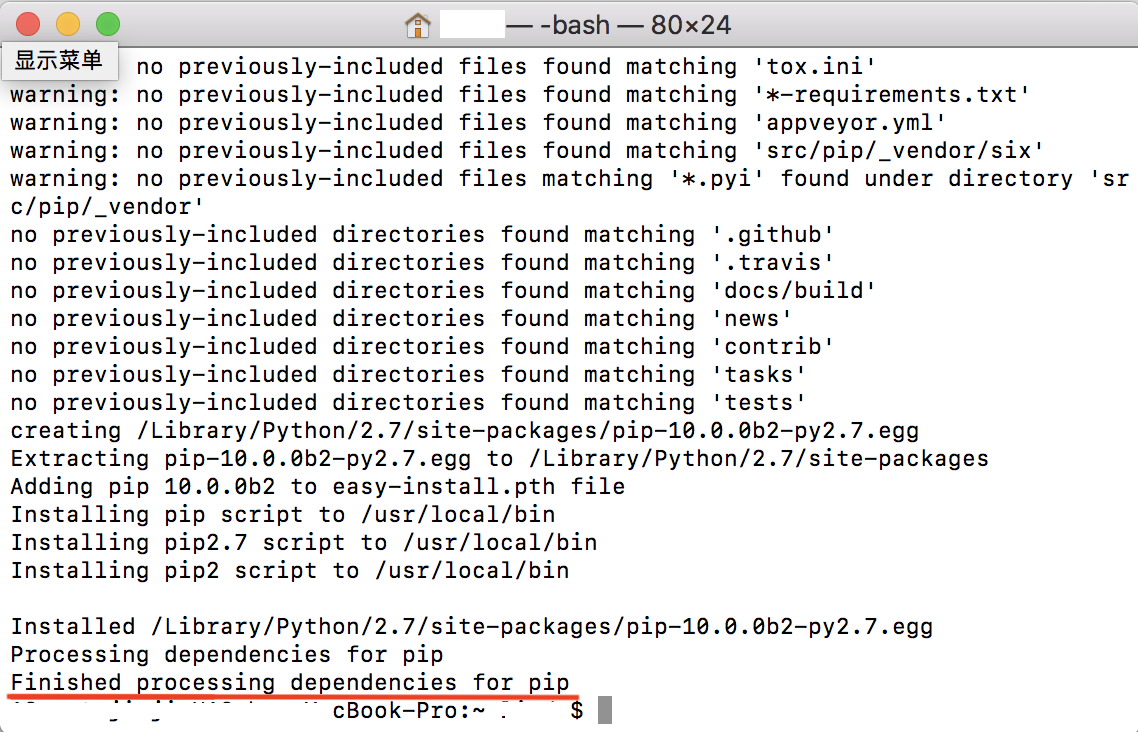
sudo easy_install pip
安装成功,出现下面:
2. 安装完pip之后,就要安装 virtualenv:
sudo pip install virtualenv # 卸载安装:sudo pip uninstall virtualenv
据说如果是用的macOS 10.11可能会出现以下的提示(我用的是macOS 10.13,也出现以下的提示):
 The directory '/Users/xxxx/Library/Caches/pip/http' or its parent directory is not owned by the current user and the cache has been disabled. Please check the permissions and owner of that directory. If executing pip with sudo, you may want sudo's -H flag.

 The directory '/Users/xxxx/Library/Caches/pip' or its parent directory is not owned by the current user and caching wheels has been disabled. check the permissions and owner of that directory. If executing pip with sudo, you may want sudo's -H flag.
可以忽略,或者执行下面的命令(其实它已经在提示的最后建议要加上 -H):
sudo -H pip install virtualenv

3. 然后要安装virtualenvwrapper:
Virtaulenvwrapper 是 virtualenv 的扩展包,可以更方便地新增,删除,复制,切换虚拟环境。
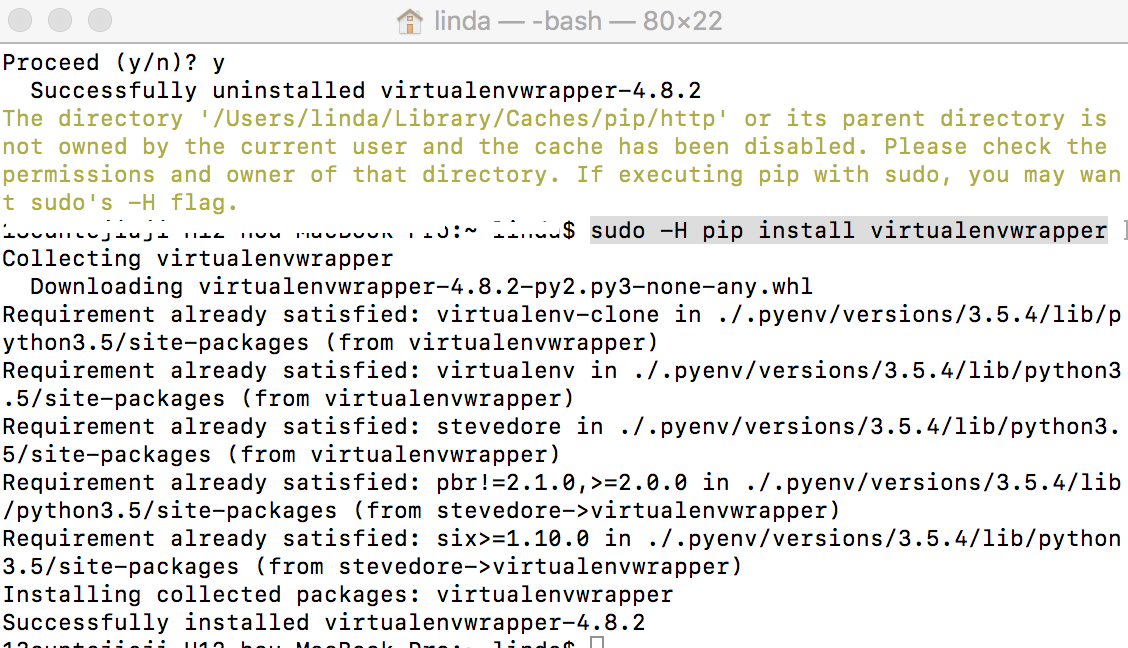
sudo -H pip install virtualenvwrapper
安装成功如下:
据说,有人在安装的时候,遇到了这样的错误(我未遇到,未验证):
 Installing collected packages: six

   Found existing installation: six 1.4.

     DEPRECATION: Uninstalling a distutils installed project (six) has been deprecated and will be removed in a future version. This is due to the fact that uninstalling a distutils project will only partially uninstall the project.

     Uninstalling six-1.4.:

 Exception:

 Traceback (most recent call last):

   File "/Library/Python/2.7/site-packages/pip-8.1.2-py2.7.egg/pip/basecommand.py", line , in main

     status = self.run(options, args)

   File "/Library/Python/2.7/site-packages/pip-8.1.2-py2.7.egg/pip/commands/install.py", line , in run

     prefix=options.prefix_path,

   File "/Library/Python/2.7/site-packages/pip-8.1.2-py2.7.egg/pip/req/req_set.py", line , in install

     requirement.uninstall(auto_confirm=True)

   File "/Library/Python/2.7/site-packages/pip-8.1.2-py2.7.egg/pip/req/req_install.py", line , in uninstall

     paths_to_remove.remove(auto_confirm)

   File "/Library/Python/2.7/site-packages/pip-8.1.2-py2.7.egg/pip/req/req_uninstall.py", line , in remove

     renames(path, new_path)

   File "/Library/Python/2.7/site-packages/pip-8.1.2-py2.7.egg/pip/utils/__init__.py", line , in renames

     shutil.move(old, new)

   File "/System/Library/Frameworks/Python.framework/Versions/2.7/lib/python2.7/shutil.py", line , in move

     copy2(src, real_dst)

   File "/System/Library/Frameworks/Python.framework/Versions/2.7/lib/python2.7/shutil.py", line , in copy2

     copystat(src, dst)

   File "/System/Library/Frameworks/Python.framework/Versions/2.7/lib/python2.7/shutil.py", line , in copystat

     os.chflags(dst, st.st_flags)

 OSError: [Errno ] Operation not permitted: '/tmp/pip-vyEme3-uninstall/System/Library/Frameworks/Python.framework/Versions/2.7/Extras/lib/python/six-1.4.1-py2.7.egg-info'
执行下面的命令,重新安装:
 sudo pip install pbr

 sudo pip install --no-deps stevedore

 sudo pip install --no-deps virtualenvwrapper
4. 创建虚拟环境:
source /usr/local/bin/virtualenvwrapper.sh
5. 让文件生效,并且要将命令写到 ~.bash_profile 里。
创建虚拟环境,指定python的版本,并将虚拟环境命名为python3
mkvirtualenv --python=/usr/local/bin/python3 python3
6. 创建好虚拟环境之后,会自动进入虚拟环境
退出虚拟环境的命令为 deactivate
虚拟环境的一些命令:
workon 会列出所有的虚拟环境
workon [name] 会进入指定的虚拟环境
deactivate 退出当前的虚拟环境
mkvirtualenv [name] 创建虚拟环境
rmvirtualenv [name] 删除虚拟环境
参考:https://blog.csdn.net/blog_user_zk/article/details/72844452
mac 下 python 虚拟环境的安装和配置的更多相关文章
- mac环境下Python虚拟环境的安装和配置
虚拟环境(virtualenv) 安装:在终端输入 pip install virtualenv 如果没安装pip会出现 pip: command not found,此时需要进行 sudo easy ...
- Python虚拟环境的安装和配置-virtualenv与windows下多个python版本共存
Python虚拟环境的安装和配置-virtualenv与windows下多个python版本共存 windows下多个python版本共存 https://www.python.org/downloa ...
- ubuntu系统下Python虚拟环境的安装和使用
ubuntu系统下Python虚拟环境的安装和使用 前言:进行python项目开发的时候,由于不同的项目需要使用不同的资源包和相关的配置,因此创建多个python虚拟环境,在虚拟环境下开 ...
- linux系统下Python虚拟环境的安装和使用
前言:进行python项目开发的时候,由于不同的项目需要使用不同的资源包和相关的配置,因此创建多个python虚拟环境,在虚拟环境下开发就显得很有必要. 安装虚拟环境 步骤: 打开Linux终端(快捷 ...
- python为何需要虚拟环境--Python虚拟环境的安装和配置-virtualenv
一 虚拟环境 virtual environment 它是一个虚拟化,从电脑独立开辟出来的环境.通俗的来讲,虚拟环境就是借助虚拟机docker来把一部分内容独立出来,我们把这部分独立出来的东西称作“容 ...
- ubuntu环境下python虚拟环境的安装
一. 虚拟环境搭建 在开发中安装模块的方法: pip install 模块名称 之前我们安装模块都是直接在物理环境下安装,这种安装方法,后面一次安装的会覆盖掉前面一次安装的.那如果一台机器上面开发多个 ...
- MAC下go语言的安装和配置
Mac下安装一些文件都是比较简单的.安装了brew以后,很多的程序只要一条命令就搞定了. brew install go 安装好go语言以后主要是配置go_path,和go_root的地址. go_r ...
- mac下,redis的安装与配置
一.安装redis 1.到官网下载redis最新版本号,我下载的是3.0.3 http://redis.io/ 2.拷贝redis-3.0.3到/usr/local文件夹 3.解压缩sudo tar ...
- windows下python虚拟环境virtualenv安装和使用
前面介绍了python在ubuntu16.04环境下,python的虚拟环境virtualenv的安装,下面介绍在windows环境下的安装和使用. 环境信息 操作系统:windows10 pytho ...
随机推荐
- Java中的异常处理从概念到实例
1.概念 采用新的异常处理机制 在以往的程序开发过程中,经常采用返回值进行处理.例如,在编写一个方法,可以返回一个状态代码,调用者根据状态代码判定出错与否.若状态代码表示一个错误,则调用这进行相应的处 ...
- 谭浩强 c++程序设计第一章课后习题 第10题
#include <iostream> using namespace std; int main() { int a,b,c; cout<<"请输入三个整数类型的数 ...
- cf492E. Vanya and Field(扩展欧几里得)
题意 $n \times n$的网格,有$m$个苹果树,选择一个点出发,每次增加一个偏移量$(dx, dy)$,最大化经过的苹果树的数量 Sol 上面那个互素一开始没看见,然后就GG了 很显然,若$n ...
- 两种方法实现text输入框中“请输入关键字”的提醒
<!DOCTYPE html> <html lang="en"> <head> <meta charset="UTF-8&quo ...
- Shell脚本使用汇总整理——达梦数据库备份脚本
Shell脚本使用汇总整理——达梦数据库备份脚本 Shell脚本使用的基本知识点汇总详情见连接: https://www.cnblogs.com/lsy-blogs/p/9223477.html 脚本 ...
- linux通配符知识
注意:linux通配符和三剑客(grep,awk,sed)正则表达式是不一样的,因此,代表的意义也是有较大区别的. 通配符一般用户命令行bash环境,而linux正则表达式用于grep,sed,awk ...
- python笔记-dict字典的方法2
#!/usr/bin/env python #-*- coding:utf-8 -*- ''' 概述: 使用键值(key-value)存储,具有极快的查找速度 注意:字典是无序的 key的特性: 1. ...
- mysql六:数据备份、pymysql模块
一 IDE工具介绍 生产环境还是推荐使用mysql命令行,但为了方便我们测试,可以使用IDE工具 掌握: #1. 测试+链接数据库 #2. 新建库 #3. 新建表,新增字段+类型+约束 #4. 设计表 ...
- 深入解析AJAX的原理
AJAX:Asynchronous JavaScript And Xml(异步的JS和XML) 同步:客户端发起请求>服务端的处理和响应>客户端重新载入页面(循环) 异步:客户端实时请求& ...
- 第15课 栏目的排序处理(组件化) Thinkphp5商城第四季
目录 要实现的功能 思路: 视图层 控制器里: 扩展函数里 要实现的功能 用表单里的提交过来的sort数据,批量修改表里的排序值 界面效果: 思路: 视图层表单提交数据主键=>sort值 控制器 ...