
总结vue中父向子,子向父以及兄弟之间通信的几种方式
子向父方式1:通过props,如例子中子组件test1.vue向父组件App.vue传值
App.vue代码
<template>

  <div id="app">

    <test1 :parfn="parfn"></test1>

  </div>

</template>

<script>

import test1 from '@/components/test1.vue'

export default {

  name: 'App',

  data () {

    return {

      msg: 'parent'

    }

  },

  components: {test1},

  methods: {

    parfn: function (a) {

      alert(a)

    }

  }

}

</script>
test1.vue代码
<template>

    <div>i am test1</div>

</template>

<script>

export default {

  data () {

    return {

      msg: 'test1'

    }

  },

  props: {

    parfn: {

      type: Function

    }

  },

  created: function () {

    this.parfn(this.msg)

  }

}

</script>
效果图

子向父方式2:通过$parent
App.vue代码:
<template>

  <div id="app">

    <test1></test1>

  </div>

</template>

<script>

import test1 from '@/components/test1.vue'

export default {

  name: 'App',

  data () {

    return {

      msg: 'parent'

    }

  },

  components: {test1},

  methods: {

    parfn: function (a) {

      alert(a)

    }

  }

}

</script>
test1.vue代码:
<template>

    <div>i am test1</div>

</template>

<script>

export default {

  data () {

    return {

      msg: 'test1'

    }

  },

  created: function () {

    this.$parent.parfn(this.msg)

  }

}

</script>
效果图:
子向父方式3:通过emit
App.vue代码
<template>

  <div id="app">

    <test1 @myfn="parfn"></test1>

  </div>

</template>

<script>

import test1 from '@/components/test1.vue'

export default {

  name: 'App',

  data () {

    return {

      msg: 'parent'

    }

  },

  components: {test1},

  methods: {

    parfn: function (a) {

      alert(a)

    }

  }

}

</script>
test1.vue代码:
<template>

    <div>i am test1</div>

</template>

<script>

export default {

  data () {

    return {

      msg: 'test1'

    }

  },

  mounted: function () {

    this.$emit('myfn', this.msg)

  }

}

</script>
效果图:
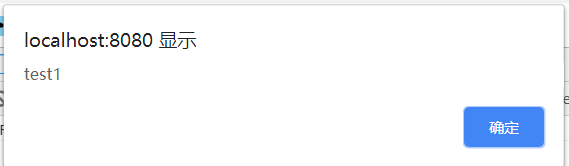
父向子传值方式1:通过props
App.vue代码:
<template>

  <div id="app">

    <test1 :msg="msg"></test1>

  </div>

</template>

<script>

import test1 from '@/components/test1.vue'

export default {

  name: 'App',

  data () {

    return {

      msg: 'parent'

    }

  },

  components: {test1}

}

</script>
test1.vue代码:
<template>

    <div>i am test1</div>

</template>

<script>

export default {

  props: ['msg'],

  created: function () {

    alert(this.msg)

  }

}

</script>
效果图:
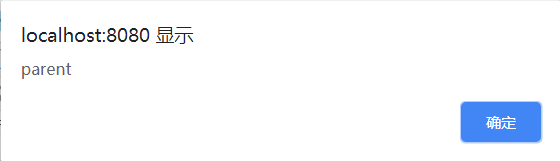
父向子方式2:通过$children
App.vue代码:
<template>

  <div id="app">

    <test1></test1>

  </div>

</template>

<script>

import test1 from '@/components/test1.vue'

export default {

  name: 'App',

  data () {

    return {

      msg: 'parent'

    }

  },

  mounted: function () {

    this.$children[].childfn(this.msg)

  },

  components: {test1}

}
test1.vue代码
<template>

    <div>i am test1</div>

</template>

<script>

export default {

  methods: {

    childfn: function (a) {

      alert(a)

    }

  }

}

</script>
效果图:
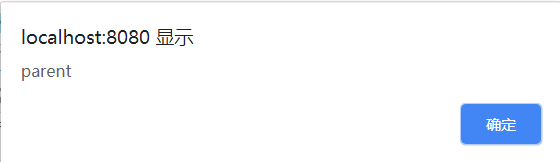
父向子方式3:通过ref
App.vue代码:
<template>

  <div id="app">

    <test1 ref="mychild"></test1>

  </div>

</template>

<script>

import test1 from '@/components/test1.vue'

export default {

  name: 'App',

  data () {

    return {

      msg: 'parent'

    }

  },

  mounted: function () {

    this.$refs.mychild.childfn(this.msg)

  },

  components: {test1}

}

</script>
test1.vue代码:
<template>

    <div>i am test1</div>

</template>

<script>

export default {

  methods: {

    childfn: function (a) {

      alert(a)

    }

  }

}

</script>
效果图:
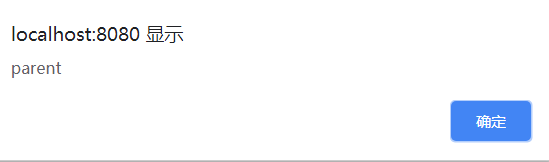
兄弟间传值方式1:通过事件车,例如App.vue组件中两个兄弟组件test1.vue传值给test2.vue
步骤1:在外部如assets下创建bus.js
// bus.js

import Vue from 'vue'

export default new Vue()
步骤2:组件中引入相互传值的兄弟组件,如App.vue中test1组件传值给test2组件
<!--App.vue-->

<template>

  <div id="app">

    <test1></test1>

    <test2></test2>

  </div>

</template>

<script>

import test1 from '@/components/test1.vue'

import test2 from '@/components/test2.vue'

export default {

  name: 'App',

  components: {test1, test2}

}

</script>
步骤3:test1组件中引入bus,通过$emit发送事件
<template>

    <div>

      test1

      <button @click="send">点击发送test1数据给test2</button>

    </div>

</template>

<script>

import bus from '@/assets/bus'

export default {

  data () {

    return {

      msg: 'test1数据111'

    }

  },

  methods: {

    send: function () {

      bus.$emit('myfn', this.msg)

    }

  }

}

</script>
步骤4:test2组件中引入bus,通过$on接收事件
<template>

    <div>

      i am test2,接收过来的数据为:{{msg}}

    </div>

</template>

<script>

import bus from '@/assets/bus'

export default {

  data () {

    return {

      msg: ''

    }

  },

  created: function () {

    bus.$on('myfn', msg => {

      this.msg = msg

    })

  }

}

</script>
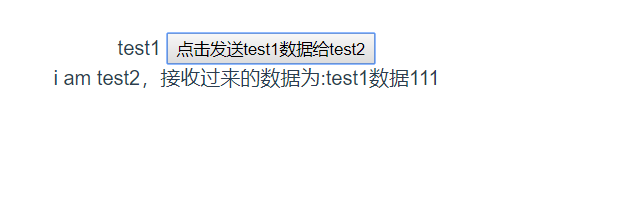
效果图:

兄弟间传值方式2:子组件传数据给父,父再传给另一个兄弟组件,例如App.vue组件中两个兄弟组件test1.vue传值给test2.vue
步骤1:test1组件中通过$emit传递数据给父组件App.vue
<template>

    <div>

      test1

      <button @click="send">点击发送test1数据给test2</button>

    </div>

</template>

<script>

export default {

  data () {

    return {

      msg: 'test1数据111'

    }

  },

  methods: {

    send: function () {

      this.$emit('myfn', this.msg)

    }

  }

}

</script>
步骤2:父组件App.vue中,通过v-bind绑定个属性传递给另一个子组件test2.vue
<!--App.vue-->

<template>

  <div id="app">

    <test1 @myfn="getmsg"></test1>

    <test2 :msg="msg"></test2>

  </div>

</template>

<script>

import test1 from '@/components/test1.vue'

import test2 from '@/components/test2.vue'

export default {

  name: 'App',

  data () {

    return {

      msg: ''

    }

  },

  methods: {

    getmsg: function (msg) {

      this.msg = msg

    }

  },

  components: {test1, test2}

}

</script>
步骤3:test2.vue组件通过props接收父组件传递过来的参数
<template>

    <div>

      i am test2,接收过来的数据为:{{msg}}

    </div>

</template>

<script>

export default {

  props: ['msg']

}

</script>
效果图:
总结vue中父向子,子向父以及兄弟之间通信的几种方式的更多相关文章
- Vue组件之间通信的三种方式
最近在看梁颠编著的<Vue.js实战>一书,感觉颇有收获,特此记录一些比价实用的技巧. 组件是MVVM框架的核心设计思想,将各功能点组件化更利于我们在项目中复用,这类似于我们服务端面向对象 ...
- vue组件之间通信的8种方式
对于vue来说,组件之间的消息传递是非常重要的,下面是我对组件之间消息传递的常用方式的总结. props和$emit(常用) $attrs和$listeners 中央事件总线(非父子组件间通信) v- ...
- Vue中利用$emit实现子组件向父组件通信
Vue中利用$emit实现子组件向父组件通信 父组件 <template> <div> <p>我是父组件</p> <child :isShow=& ...
- vue组件通信的几种方式
最近用vue开发项目,记录一下vue组件间通信几种方式 第一种,父子组件通信 一.父组件向子组件传值 1.创建子组件,在src/components/文件夹下新建一个Child.vue 2.Child ...
- vue中echarts 在element-ui的tab 切换时 width 为100px 时的解决方式
最近在项目中遇到了这种情况,需要在tab控件上渲染多个echart图标,然后切换查看时,发现图表的宽度不正确 原因:在页面进行加载时,隐藏的图表找不到对应的div大小,所以默认给了一个大小.所以要做的 ...
- (尚031)Vue_案例_自定义事件(组件间通信第2种方式:vue自定义事件)
自定义事件: 我们知道,父组件使用prop传递数据的子组件,但子组件怎么跟父组件通信呢? 这个时候Vue的自定义事件系统就派得上用场了. 自定义事件知道两件事: (1).绑定 (2).触发 注意:$o ...
- Vue自定义组件以及组件通信的几种方式
本帖子来源:小贤笔记 功能 组件 (Component) 是 Vue.js 最强大的功能之一.组件可以扩展 HTML 元素,封装可重用的代码.在较高层面上,组件是自定义元素,Vue.js 的编译器为它 ...
- [转] React 中组件间通信的几种方式
在使用 React 的过程中,不可避免的需要组件间进行消息传递(通信),组件间通信大体有下面几种情况: 父组件向子组件通信 子组件向父组件通信 跨级组件之间通信 非嵌套组件间通信 下面依次说下这几种通 ...
- React 中组件间通信的几种方式
在使用 React 的过程中,不可避免的需要组件间进行消息传递(通信),组件间通信大体有下面几种情况: 父组件向子组件通信 子组件向父组件通信 非嵌套组件间通信 跨级组件之间通信 1.父组件向子组件通 ...
随机推荐
- day2——两数相加
// 小白一名,0算法基础,艰难尝试算法题中,若您发现本文中错误, 或有其他见解,往不吝赐教,感激不尽,拜谢. 领扣 第2题 今日算法题干//给定两个非空链表来表示两个非负整数.位数按照逆序方式存储, ...
- react项目中实现元素的拖动和缩放实例
在react项目中实现此功能可借助 react-rnd 库,文档地址:https://github.com/bokuweb/react-rnd#Screenshot .下面是实例运用: import ...
- Redis(一)--安装与简介
1.Redis是用c编写的,刚开始只支持linux,后来又团队开发出了windows版本:Redis属于非关系型数据库,key-value格式,传统关系型数据库处理高并发.海量数据存储和访问.高可扩展 ...
- 2018-2019-2 网络对抗技术 20165303 Exp1 PC平台逆向破解(BOF实验)
1.实践目的 本次实践的对象是一个名为pwn1的linux可执行文件. 三个实践内容如下: 手工修改可执行文件,改变程序执行流程,直接跳转到getShell函数. 利用foo函数的Bof漏洞,构造一个 ...
- 转载&修改:赶集mysql军规
个人认为以下军规主要为了适应海量数据场景,对于业务复杂性系统并一定完全按照此军规 一,核心军规 不在数据库做计算,cpu计算务必移至业务层 控制单表数据量,单表记录控制在千万级 控制列数量,字段数 ...
- OO-第二单元总结
一.三次作业的设计策略 (1). 第五次作业 第五次作业由于较为简单,在强测及互测中均没有出现BUG,但是并没有做优化.本次的设计有些不合理,所以在后面的作业中也做了重构.本次的作业主要有三个类,主函 ...
- C#数组--(Array类的属性和方法)
Array 类是 C# 中所有数组的基类,它是在 System 命名空间中定义.Array 类提供了各种用于数组的属性和方法,可看作扩充了功能的数组(但不等同数组),可以使用Array类的属性来对数组 ...
- oracle创建删除表空间
create [undo|temporary] tablespace orcp datafile|tempfile 'E:\orcle\oracleBaseDir\oradata\orcp\orcp. ...
- 非阻塞模式(ioctlsocket)
//Server.cpp #include <stdio.h> #include <winsock2.h> //winsock.h (2种套接字版本) #pragma comm ...
- python3 LDA主题模型以及TFIDF实现
import codecs #主题模型 from gensim import corpora from gensim.models import LdaModel from gensim import ...