
android高仿微信UI点击头像显示大图片效果
用过微信的朋友朋友都见过微信中点击对方头像显示会加载大图,先贴两张图片说明下:
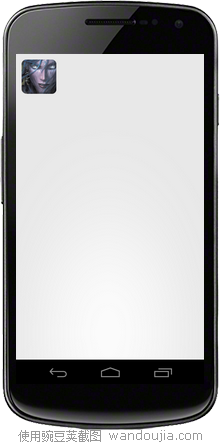

这种UI效果对用户的体验不错,今天突然有了灵感,试着去实现,结果就出来了。。
下面说说我的思路:
1.点击图片时跳转到另一个activity,然后显示加载的效果,即progressbar
2.显示图片的之前先弹出自定义dialog,然后模拟加载一段时间后,显示整张大图片,要全屏显示,并且有类似微信中左上角滑出的动画效果
下面说说我的实现过程:
1.新建一个布局文件main.xml,其中只是放一个图片,布局
其中的android:onClick="show_click"是声名一个点击方法,然后再代码中实现,类似c#中
<RelativeLayout xmlns:android="http://schemas.android.com/apk/res/android"

    xmlns:tools="http://schemas.android.com/tools"

    android:layout_width="match_parent"

    android:layout_height="match_parent"

    android:padding="10dp"

     >

    <ImageView

        android:layout_width="wrap_content"

        android:layout_height="wrap_content"

        android:layout_alignParentLeft="true"

        android:src="@drawable/xiaohei"

        android:onClick="show_click"

        tools:context=".MianActivity" />

</RelativeLayout>
2.新建加载效果的布局文件dialog_imageloading.xml,设置整体布局为linearlayout,并且设置居中熟悉gravity和背景为透明,然后放一个progressbar
<?xml version="1.0" encoding="utf-8"?>

<LinearLayout xmlns:android="http://schemas.android.com/apk/res/android"

    android:layout_width="fill_parent"

    android:layout_height="fill_parent"

    android:background="@android:color/transparent"

    android:gravity="center"

    android:orientation="vertical" >

    <ProgressBar

        android:id="@+id/progressBar1"

        style="?android:attr/progressBarStyleLarge"

        android:layout_width="wrap_content"

        android:layout_height="wrap_content"

        android:layout_gravity="center"

        android:background="@android:color/transparent" />

</LinearLayout>
3.然后新建一个显示大图片的布局imageshower.xml,其中只是放了一张图片,设置整体背景为黑色
<?xml version="1.0" encoding="utf-8"?>

<LinearLayout xmlns:android="http://schemas.android.com/apk/res/android"

    android:layout_width="fill_parent"

    android:layout_height="fill_parent"

    android:background="#000"

    android:gravity="center" >

    <ImageView

        android:layout_width="fill_parent"

        android:layout_height="wrap_content"

        android:src="@drawable/xiaohei_big" />

</LinearLayout>
4.MainActivity中的代码只是实现了show_click方法
public void show_click(View v){
startActivity(new Intent(this,ImageShower.class));
}
5.ImageShower中的代码:
其中定义了一个handler过两秒后去关闭dialog,重写了父类的onTouchEvent方法,关闭当前activity
6.ImageLoadingDialog中是自定义对话框,继承自Dialog,必须实现onCreate方法和至少一个构造函数
其中ImageloadingDialogStyle为样式文件,统一写在res/values/styles/
 <style name="ImageloadingDialogStyle" parent="android:Theme.Dialog">

        <item name="android:windowBackground">@android:color/transparent</item>

        <item name="android:windowFrame">@null</item><!--无边框-->

        <item name="android:windowNoTitle">true</item><!--没有标题-->

        <item name="android:windowIsFloating">true</item><!--是否浮在activity之上-->

        <item name="android:windowIsTranslucent">true</item><!--背景是否半透明-->

        <item name="android:windowContentOverlay">@null</item><!--对话框是否有遮盖 -->

        <item name="android:windowAnimationStyle">@android:style/Animation.Dialog</item><!--动画样式-->

        <item name="android:backgroundDimEnabled">true</item><!--背景是否模糊-->

    </style>
7.最后是ImageShower的样式
 <style name="ImageScale" parent="android:Theme.Black.NoTitleBar">

        <item name="android:windowAnimationStyle">@style/AnimHead</item>

        <item name="android:windowNoTitle">true</item>

        <!-- 无标题 -->

        <item name="android:windowFullscreen">true</item>

        <!-- 设置全屏显示 -->

        <item name="android:windowFrame">@null</item>

        <!-- 边框 -->

        <item name="android:windowIsFloating">false</item>

        <!-- 是否浮现在activity之上 -->

        <item name="android:windowIsTranslucent">true</item>

        <!-- 半透明 -->

        <item name="android:windowBackground">@android:color/black</item>

        <item name="android:backgroundDimEnabled">false</item>

        <!-- 模糊 -->

    </style>
其中的AnimHead也是样式
 <style name="AnimHead" parent="@android:style/Animation">

        <item name="android:windowEnterAnimation">@anim/head_in</item>

        <item name="android:windowExitAnimation">@anim/head_out</item>

    </style>
head_in和head_out是定义在res/anim中
head_in:
<?xml version="1.0" encoding="utf-8"?>

<!-- 左上角扩大-->

  <scale   xmlns:android="http://schemas.android.com/apk/res/android"

        android:interpolator="@android:anim/accelerate_decelerate_interpolator"

        android:fromXScale="0.001"

        android:toXScale="1.0"

        android:fromYScale="0.001"

        android:toYScale="1.0"

        android:pivotX="15%"

        android:pivotY="25%"

        android:duration="200" />
head_out:
<?xml version="1.0" encoding="utf-8"?>

<!-- 左上角缩小 -->

  <scale   xmlns:android="http://schemas.android.com/apk/res/android"

        android:interpolator="@android:anim/accelerate_decelerate_interpolator"

        android:fromXScale="1.0"

        android:toXScale="0.001"

        android:fromYScale="1.0"

        android:toYScale="0.001"

        android:pivotX="15%"

        android:pivotY="25%"

        android:duration="200" />
所有的实现代码实现都完了。。还需要代码工程的可以email me~~~~~~~
下载:点击我!!!
android高仿微信UI点击头像显示大图片效果的更多相关文章
- android高仿微信UI点击头像显示大图片效果, Android 使用ContentProvider扫描手机中的图片,仿微信显示本地图片效果
http://www.cnblogs.com/Jaylong/archive/2012/09/27/androidUI.html http://blog.csdn.net/xiaanming/arti ...
- Android 高仿微信头像截取 打造不一样的自定义控件
转载请表明出处:http://blog.csdn.net/lmj623565791/article/details/39761281,本文出自:[张鸿洋的博客] 1.概述 前面已经写了关于检测手势识别 ...
- Android 高仿微信6.0主界面 带你玩转切换图标变色
转载请标明出处:http://blog.csdn.net/lmj623565791/article/details/41087219,本文出自:[张鸿洋的博客] 1.概述 学习Android少不了模仿 ...
- Android 高仿微信实时聊天 基于百度云推送
转载请标明出处:http://blog.csdn.net/lmj623565791/article/details/38799363 ,本文出自:[张鸿洋的博客] 一直在仿微信界面,今天终于有幸利用百 ...
- Android 高仿微信即时聊天 百度云为基础的推
转载请注明出处:http://blog.csdn.net/lmj623565791/article/details/38799363 ,本文出自:[张鸿洋的博客] 一直在仿微信界面,今天最终有幸利用百 ...
- Android 高仿微信支付键盘
现在很多app的支付.输入密码功能,都已经开始使用自定义数字键盘,不仅更加方便.其效果着实精致. 下面带着大家学习下,如何高仿微信的数字键盘,可以拿来直接用在自身的项目中. 先看下效果图: 1. 自定 ...
- Android 高仿微信语音聊天页面高斯模糊效果
目前的应用市场上,使用毛玻璃效果的APP随处可见,比如用过微信语音聊天的人可以发现,语音聊天页面就使用了高斯模糊效果. 先看下效果图: 仔细观察上图,我们可以发现,背景图以用户头像为模板,对其进行了高 ...
- Android高仿微信(一)——如何消除启动时的白屏
默认情况下,APP启动时会先把屏幕刷成白色,然后才绘制第一个Activity中的View,这两个步骤之间的延迟会造成启动后先看到白屏(时间大概为1秒左右).时间不长,但是我们也看到,一般的APP时不存 ...
- android高仿微信拍照、多选、预览、删除(去除相片)相冊功能
先声明授人与鱼不如授人与渔,仅仅能提供一个思路,当然须要源代码的同学能够私下有偿问我要源代码:QQ:508181017 工作了将近三年时间了,一直没正儿八经的研究系统自带的相冊和拍照,这回来个高仿微信 ...
随机推荐
- Android开发手记(12) Menu的使用
Android中的Menu分为三种,分别为:OptionsMenu(选项菜单).ContextMenu(上下文菜单).SubMenu(子菜单). 1.OptionsMenu 按Menu键就会显示,用于 ...
- CentOS 5.5 Samba服务器安装总结
centos 5.5 samba服务器安装总结先来介绍一下基本的内容windows和linux共享主要利用samba服务器,所谓SMB就是指server message block 的缩写,它是Lin ...
- C++拾遗(九)类与动态内存分配(1)
创建类时编译器自动生成以下成员函数(如果用户没有定义): 1.默认构造函数 2.拷贝构造函数 3.赋值操作符 4.默认析构函数 5.地址操作符 以下一一说明: 构造函数 构造函数在创建对象时被调用. ...
- SpringMVC 文件上传配置,多文件上传,使用的MultipartFile(转)
文件上传项目的源码下载地址:http://download.csdn.net/detail/swingpyzf/6979915 一.配置文件:SpringMVC 用的是 的MultipartFil ...
- 文成小盆友python-num12 Redis发布与订阅补充,python操作rabbitMQ
本篇主要内容: redis发布与订阅补充 python操作rabbitMQ 一,redis 发布与订阅补充 如下一个简单的监控模型,通过这个模式所有的收听者都能收听到一份数据. 用代码来实现一个red ...
- cnetos6.4 x64 阿里云环境初探--安装pip,及pymysql
由于以前帮朋友买过阿里云服务器,一直以为,不能再体验新用户免费了,由于最近比较有心情研究python,linux,就报着侥幸的心理,重新注册一个帐号试一下,注册完之后,惊奇的发现,原来阿里只要是新注册 ...
- mvc 生成输出url
最近一直在学习mvc,其中对于 Url.Action生成的url感到很困惑.官方的解释的基于路由方案生成的url.问题是,怎样基于,怎样选择,没有过多的解释.网上找了很多资料,也看不懂,最后还是在pr ...
- LED驅動芯片對LED壽命的影響
5050年,領導作為一種新型節能光源在世界和中國有非常高的熱情和偉大的問題,不得不贏得市場占有率從室外到室內照明應用,中國也如雨后春筍般涌現在大型和小型LED照明企業.鑒于LED照明的主要原因是其促進 ...
- 客户端把rsyslog重启,就会发送全部日志 --待研究
客户端: uat-web02:/var/log/nginx# echo "scan-cccc21231">>scan.log uat-web02:/var/log/ng ...
- POJ 2923 Relocation
题目大意:有n个物品,有两辆车载重分别是c1,c2.问需要多少趟能把物品运完. (1 ≤ Ci ≤ 100,1 ≤ n ≤ 10,1 ≤ wi ≤ 100). 题解:n小思状压.我们先把所有一次可以拉 ...