
Java爬虫https网页内容报错SSLHandshakeException信任(忽略)所有SSL证书
javax.net.ssl.SSLHandshakeException: sun.security.validator.ValidatorException: PKIX path building failed: sun.security.provider.certpath.SunCertPathBuilderException: unable to find valid certification path to requested target
原因:https出现信任弹出(访问网页时候弹出是否信任)
解决方案:忽略ssl证书
创建一个类忽略ssl证书
TrustSSL.java
import java.io.*;

import java.net.*;

import java.security.KeyManagementException;

import java.security.NoSuchAlgorithmException;

import java.security.cert.CertificateException;

import java.security.cert.X509Certificate;

import javax.net.ssl.*;

public class TrustSSL {

    private static class TrustAnyTrustManager implements X509TrustManager {

        public void checkClientTrusted(X509Certificate[] chain, String authType)

                throws CertificateException {

        }

        public void checkServerTrusted(X509Certificate[] chain, String authType)

                throws CertificateException {

        }

        public X509Certificate[] getAcceptedIssuers() {

            return new X509Certificate[] {};

        }

    }

    private static class TrustAnyHostnameVerifier implements HostnameVerifier {

        public boolean verify(String hostname, SSLSession session) {

            return true;

        }

    }

    public static InputStream HttpsSSL(URL strUrl){

        try {

            SSLContext sc = SSLContext.getInstance("SSL");

            sc.init(null, new TrustManager[] { new TrustAnyTrustManager() },new java.security.SecureRandom());

            HttpsURLConnection conn = (HttpsURLConnection) strUrl.openConnection();

            conn.setSSLSocketFactory(sc.getSocketFactory());

            conn.setHostnameVerifier(new TrustAnyHostnameVerifier());

            //设置超时间为5秒

            conn.setConnectTimeout(5 * 1000);

            //防止屏蔽程序抓取而返回403错误

            conn.setRequestProperty("User-Agent", "Mozilla/4.0 (compatible; MSIE 5.0; Windows NT; DigExt)");

            conn.connect();

            //获取服务器响应代码

            int responsecode = conn.getResponseCode();

            if (responsecode == 200) {

                //得到输入流

                return conn.getInputStream();

            } else {

                System.out.println("获取不到 " + strUrl + " 源码,服务器响应代码为:" + responsecode);

                return null;

            }

        } catch (NoSuchAlgorithmException e) {

            e.printStackTrace();

        } catch (KeyManagementException e) {

            e.printStackTrace();

        }catch (IOException e) {

            e.printStackTrace();

        }

        return null;

    }

    public static void main(String[] args) throws Exception {

        HttpsSSL(new URL("url"));

    }

}
调用:
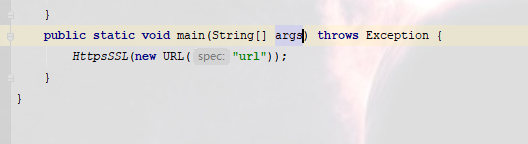
成功获取网页内容
Java爬虫https网页内容报错SSLHandshakeException信任(忽略)所有SSL证书的更多相关文章
- Https协议报错:com.sun.net.ssl.internal.www.protocol.https.HttpsURLConnectionOldImpl解决方法
旭日Follow_24 的CSDN 博客 ,全文地址请点击: https://blog.csdn.net/xuri24/article/details/82220333 所用应用服务器:JBoss服务 ...
- python https请求报错:SSLCertVerificationError: [SSL: CERTIFICATE_VERIFY_FAILED]
python爬虫,使用requests库发送https请求报错:SSLCertVerificationError: [SSL: CERTIFICATE_VERIFY_FAILED] 解决方法: imp ...
- 用java运行Hadoop程序报错:org.apache.hadoop.fs.LocalFileSystem cannot be cast to org.apache.
用java运行Hadoop例程报错:org.apache.hadoop.fs.LocalFileSystem cannot be cast to org.apache.所写代码如下: package ...
- Python使用requests模块访问HTTPS网站报错`certificate verify failed`
使用requests模块访问HTTPS网站报错: SNIMissingWarning: An HTTPS request has been made, but the SNI (Subject Nam ...
- git https 请求报错 504
git https 请求报错 504 原因可能是因为设置了代理,ubuntu/deepin 系统可以检查 /etc/profile ~/.bashrc 内有没有设置 https 的代理. 有的话,去掉 ...
- java连接数据库时的报错
//java连接数据库时的报错 1 package Java数据库编程; import java.sql.DriverManager; import java.sql.SQLException; im ...
- java项目连接jdbc报错:com.mysql.jdbc.exceptions.jdbc4.MySQLNonTransientConnectionException: Could not create connection to database server
java项目连接jdbc报错:com.mysql.jdbc.exceptions.jdbc4.MySQLNonTransientConnectionException: Could not creat ...
- DirectX 安装报错: 不能信任一个安装所需的压缩文件,请检查加密服务是否启用并且cabinet文件证书是否有效
DirectX 安装报错 不能信任一个安装所需的压缩文件,请检查加密服务是否启用并且cabinet文件证书是否有效 是直播软件open broadcaster software,这个软件安装的时候提示 ...
- Nginx配置SSL报错 nginx: [emerg] unknown directive "ssl"
Nginx配置SSL报错 nginx: [emerg] unknown directive "ssl" 出现如图所示错误,处理办法如下 去nginx解压目录下执行 ./co ...
随机推荐
- 拦截RestTemplate的请求
RestTemplate一般用于方法内部请求调用,请求报错时难以调试,所以可以为RestTemplate加拦截器进行调试,具体操作如下: 拦截器LoggingClientHttpRequestInte ...
- adb 常用命令一
1.install 和uninstall adb -s 设备号 install 安装包路径 adb uninstall package名 2.pull 和push: adb pull /sdcar ...
- <每日 1 OJ> -Table
上图是一个Mysql查询结果图,我们看到这个表格非常漂亮,只需要使用”+”和”-”两个符号就可以打印,现在你的任务是打印一个n×m的表格我们定义单位长度(水平方向有三个”-”,竖直方向有一个”| ”, ...
- MP实战系列(十九)之批量新增
批量操作在实际开发中也应用非常多,例如批量下发优惠券.批量添加用户等. 以MyBatis为例,通常实现批量操作,有这么几种方式? 第一,单条插入sql语句,进行for循环遍历,基准条件是根据前端传过的 ...
- Kafka(三)High Availability 高可用
参考文档: http://www.jasongj.com/2015/04/24/KafkaColumn2/#ACK%E5%89%8D%E9%9C%80%E8%A6%81%E4%BF%9D%E8%AF% ...
- @RequestBody的使用
一.说明 首先@RequestBody需要接的参数是一个string化的json,这里直接使用JSON.stringify(json)这个方法来转化 其次@RequestBody,从名称上来看也就是说 ...
- 【Beta】Scrum meeting 9
目录 写在前面 进度情况 任务进度表 Beta-1阶段燃尽图 遇到的困难 照片 commit记录截图 文档集合仓库 后端代码仓库 技术博客 写在前面 例会时间:5.13 22:30-22:45 例会地 ...
- poi导出word表格跨行
DataCommon.java package com.ksource.pwlp.model.statistic; public class DataCommon { private Long id; ...
- js 计算总页数的最高效方式
js 计算总页数的最高效方式 /** * [getTotalPageNum 获取页码总数] * @param {[type]} totalRecord [总记录] * @param {[type]} ...
- linux剪贴板
ubuntu下的用户可以只用apt-get来安装: `sudo apt-get install xclip ` 其他发行版的用户可以选择自己的安装方式,也可以用源码编译安装,xclip项目的主页是:h ...