
maven私仓搭建——nexus3
maven私仓搭建——nexus3
本文主要介绍maven私仓在windows下的搭建。
本文主要参考:http://www.cnblogs.com/bingyeh/p/5913486.html
好,下面上货。
1、下载nexus3==>https://www.sonatype.com/download-oss-sonatype。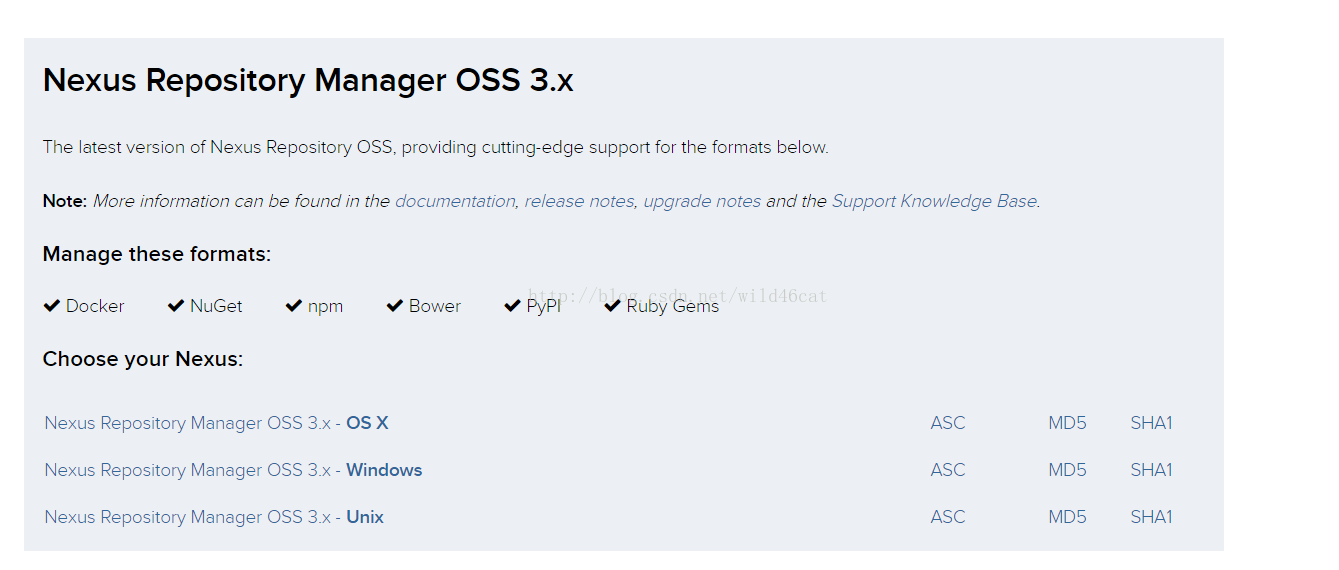
下载windows版本。
2、解压到本地的任意文件夹下。

然后进入nexus-3.3.2-02\bin文件夹下。
在当前文件夹下开启命令行,执行如下命令:
nexus intall
然后进入windows的服务管理页面,能够看到nexus已经成为系统服务了。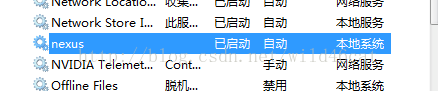
使用命令nexus start 启动服务。使用命令 nexus stop 结束服务。
3、进入nexus页面:
http://localhost:8081/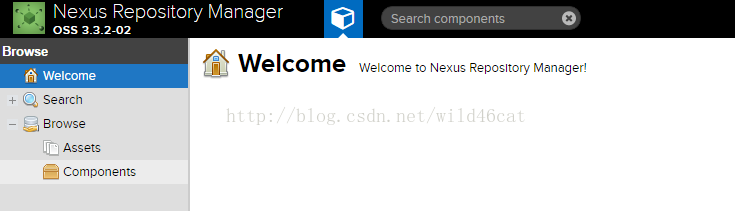
4、使用管理员用户登录:
用户名:admin
密码:admin123
5、进入后新建仓库:
这里需要解释一下我们需要的仓库类型。
我们需要一个代理仓库从网上下载安装包,需要一个release仓库保存已经发布的上线的安装包,还需要一个snapshot用来保存快照的私仓。
最后,这些私仓需要一个统一的访问入口,就是私仓组。
6、分别看一下这几个私仓的配置:
proxy私仓,使用的外部私仓是阿里的仓库http://maven.aliyun.com/nexus/content/groups/public:
release私仓: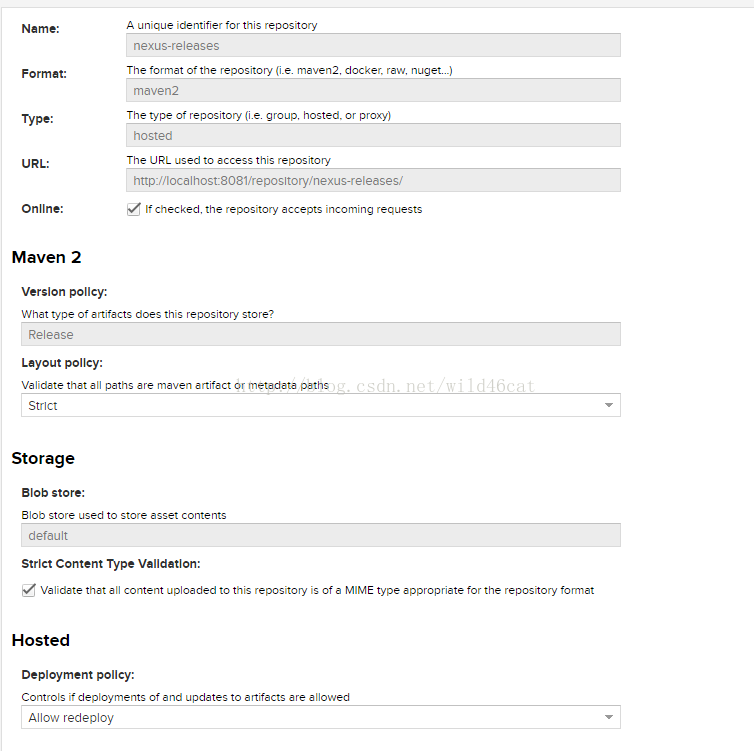
snapshot私仓:
group私仓组: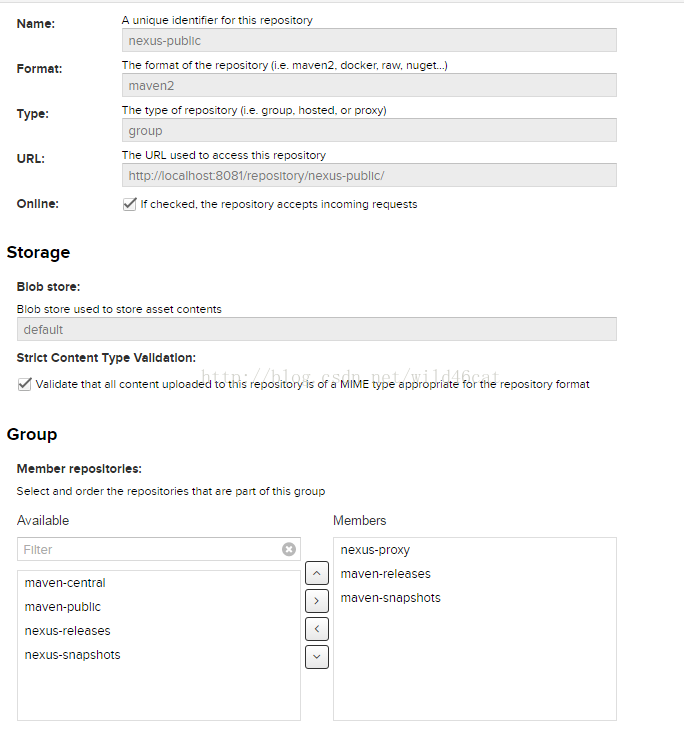
7、如何在项目中使用。
首先需要使用自定义的settings文件,并且在项目中使用新的maven配置。
     <?xml version="1.0" encoding="UTF-8"?>

     <settings xmlns="http://maven.apache.org/SETTINGS/1.0.0"

               xmlns:xsi="http://www.w3.org/2001/XMLSchema-instance"

               xsi:schemaLocation="http://maven.apache.org/SETTINGS/1.0.0 http://maven.apache.org/xsd/settings-1.0.0.xsd">

         <!-- localRepository

        | The path to the local repository maven will use to store artifacts.

        |

        | Default: ${user.home}/.m2/repository

       <localRepository>/path/to/local/repo</localRepository>

       -->

         <!-- pluginGroups

        | This is a list of additional group identifiers that will be searched when resolving plugins by their prefix, i.e.

        | when invoking a command line like "mvn prefix:goal". Maven will automatically add the group identifiers

        | "org.apache.maven.plugins" and "org.codehaus.mojo" if these are not already contained in the list.

        |-->

         <pluginGroups>

             <pluginGroup>org.sonatype.plugins</pluginGroup>

         </pluginGroups>

         <proxies>

         </proxies>

         <servers>

             <server>

                 <id>nexus</id>

                 <username>admin</username>

                 <password>admin123</password>

             </server>

         </servers>

         <mirrors>

             <mirror>

                 <id>nexus</id>

                 <mirrorOf>*</mirrorOf>

                 <url>http://192.168.0.120:8081/repository/nexus-public/</url>

             </mirror>

         </mirrors>

         <profiles>

             <profile>

                 <id>nexus</id>

                 <repositories>

                     <repository>

                         <id>central</id>

                         <url>http://central</url>

                         <releases><enabled>true</enabled></releases>

                         <snapshots><enabled>true</enabled></snapshots>

                     </repository>

                 </repositories>

                 <pluginRepositories>

                     <pluginRepository>

                         <id>central</id>

                         <url>http://central</url>

                         <releases><enabled>true</enabled></releases>

                         <snapshots><enabled>true</enabled></snapshots>

                     </pluginRepository>

                 </pluginRepositories>

             </profile>

         </profiles>

         <activeProfiles>

             <activeProfile>nexus</activeProfile>

         </activeProfiles>

     </settings>
然后,还需要在pom文件中指定要上传的私仓名称,在pom文件最后添加如下内容。
 <distributionManagement>

             <repository>

                 <id>nexus</id>

                 <name>Releases</name>

                 <url>http://192.168.0.120:8081/repository/nexus-releases</url>

             </repository>

             <snapshotRepository>

                 <id>nexus</id>

                 <name>Snapshot</name>

                 <url>http://192.168.0.120:8081/repository/nexus-snapshots</url>

             </snapshotRepository>

         </distributionManagement>
这样,在使用mavendeploy上传jar包的时候,就能够根据当前的版本上传到release或者snapshot上了。
8、查看私仓是否上传成功。

然后就可以到那个仓库下寻找你要找的,刚刚生成的jar 包。
maven私仓搭建——nexus3的更多相关文章
- 【Maven】---Linux搭建Nexus3.X私服
Linux搭建Nexus3.X私服 备注:linux版本: ubuntu 同时已经部署好JDK8环境 一.linux安装nexus 1.创建文件夹并进入该目录 cd /usr/local && ...
- Maven私仓配置
<?xml version="1.0" encoding="UTF-8"?> <settings xmlns="http://mav ...
- 回收maven私仓过期垃圾
login->scheduled tasks->add
- 不一样的go语言-athens私仓安装
前言 本系列文章曾多次提及go的依赖管理,提到了私仓,构件系统等概念,也曾提及当前流行的go构件系统,如athens,jfrog artifactory.鉴于jfrog的收费特性,本文只选择ath ...
- 如何搭建自己的Maven远程私仓
1.首先,配置好Maven,jdk等必备环境 2.配置好环境后,下载最新版本的nexus 下载地址:http://www.sonatype.org/nexus/go 3.打开目录nexus-***\b ...
- maven私库nexus2.3.0-04迁移升级到nexus-3.16.1-02(异机迁移备份)
环境信息: nexus2.3.0-04安装在32位Windows server 2003系统上 安装位置信息如下: 仓库迁移 Nexus的构件仓库都保存在sonatype-work目录中,nexus2 ...
- Maven deploy部署jar包到远程私仓
Maven deploy部署jar包到远程私仓 maven deploy介绍 maven中的仓库分为两种,snapshot快照仓库和release发布仓库.snapshot快照仓库用于保存开发过程中的 ...
- 纯净CentOS搭建harbor镜像私仓
物理宿主机IP: 192.168.1.4 在官网下载 CentOS-7-x86_64-DVD-1810 用Hyper-v建立一代虚机,安装时遇分辨率问题无法继续,需要在选择启动界面按TAB键以编辑启 ...
- kubernetes配置secret拉取私仓镜像
2017.05.10 19:48* 字数 390 阅读 5216评论 0喜欢 8 对于公司内部的项目, 我们不可能使用公有开放的镜像仓库, 一般情况可能会花钱买docker私仓服务, 或者说自己在服务 ...
随机推荐
- js继承的实现(原型/链、函数伪装)
一.原型继承父类的实例 //父类及其原型属性/方法 function SuperType () { this.name = ['zc','ls','ww']; } SuperType.prototyp ...
- python-Web-django-自定义标签
简化:@register.simple_tag def current_time(token): return datetime.datetime.now().strftime(str(token)) ...
- Android开发实例 Unity显示Toast
Android中的Toast是一种简易的消息提示框. 当视图显示给用户,在应用程序中显示为浮动.和Dialog不一样的是,它永远不会获得焦点,无法被点击.用户将可能是在中间键入别的东西.Toast类的 ...
- python高级 之(一) --- 函数类型
函数 模块 模块: 一个py文件就是一个模块, 每个模块之间是可以相互访问的 访问之前需要进行导入 分类: 1.系统提供的模块 math random 2.自己自定义的,自己封装的常用功能的的py文件 ...
- caoz的梦呓:信息安全攻防杂谈
猫宁!!! 参考链接:https://mp.weixin.qq.com/s/O0zLvuWPRPIeqnRooNEFYA 旧文我提过一句话,信息安全防御这事,在业内,三分靠技术,七分靠人脉. 在知识星 ...
- postman关联及读取文件进行参数化
场景:登录后获取响应数据中的key.token..以便在接下来的接口调用.... 一.发送请求.查看响应 二.在Tests里使用响应的js代码来使其成为全局变量......... >>&g ...
- 【DSP开发】TI第二代KeyStone SoC诠释德仪的“云”态度
11月14日,期盼已久的德州仪器基于ARM Cortex-A15的产品终于新鲜出炉.伴随着TIKeyStone II多核 SoC系列产品的发布,结合了ARM Cortex-A15 处理器.C66x D ...
- 关于content的理解
Context字面意思上下文,位于framework packageandroid.content.Context中,其实该类为long型,类似Win32中的Handle句柄,很多方法需要通过 Con ...
- 数据库 ----jdbc连接池的弊端
jdbc连接池的弊端 1.数据库连接,使用时就创建,不使用立即释放,对数据库进行频繁连接开启和关闭,造成数据库资源浪费,影响 数据库性能.设想:使用数据库连接池管理数据库连接.2.将sql语句硬编码到 ...
- [python] super() 用法
问题的发现与提出 在Python类的方法(method)中,要调用父类的某个方法,在Python 2.2以前,通常的写法如下: class A: def __init__(self): print & ...