
Tomcat--安装&&配置文件
配置信息
centos:7.8
tomcat:7.0.3
jdk:1.8
1 部署java环境
[root@localhost ~]# tar xvf jdk-8u181-linux-x64.tar.gz -C /usr/local/

[root@localhost ~]# mv /usr/local/jdk1.8.0_181/ /usr/local/java

[root@localhost ~]# cat /etc/profile.d/java.sh

export JAVA_HOME=/usr/local/java

export PATH=$JAVA_HOME/bin:$PATH

[root@localhost ~]# source /etc/profile.d/java.sh
2 安装tomcat
tar xvf apache-tomcat-7.0.73.tar.gz -C /usr/local/

mv /usr/local/apache-tomcat-7.0.73/ /usr/local/tomcat
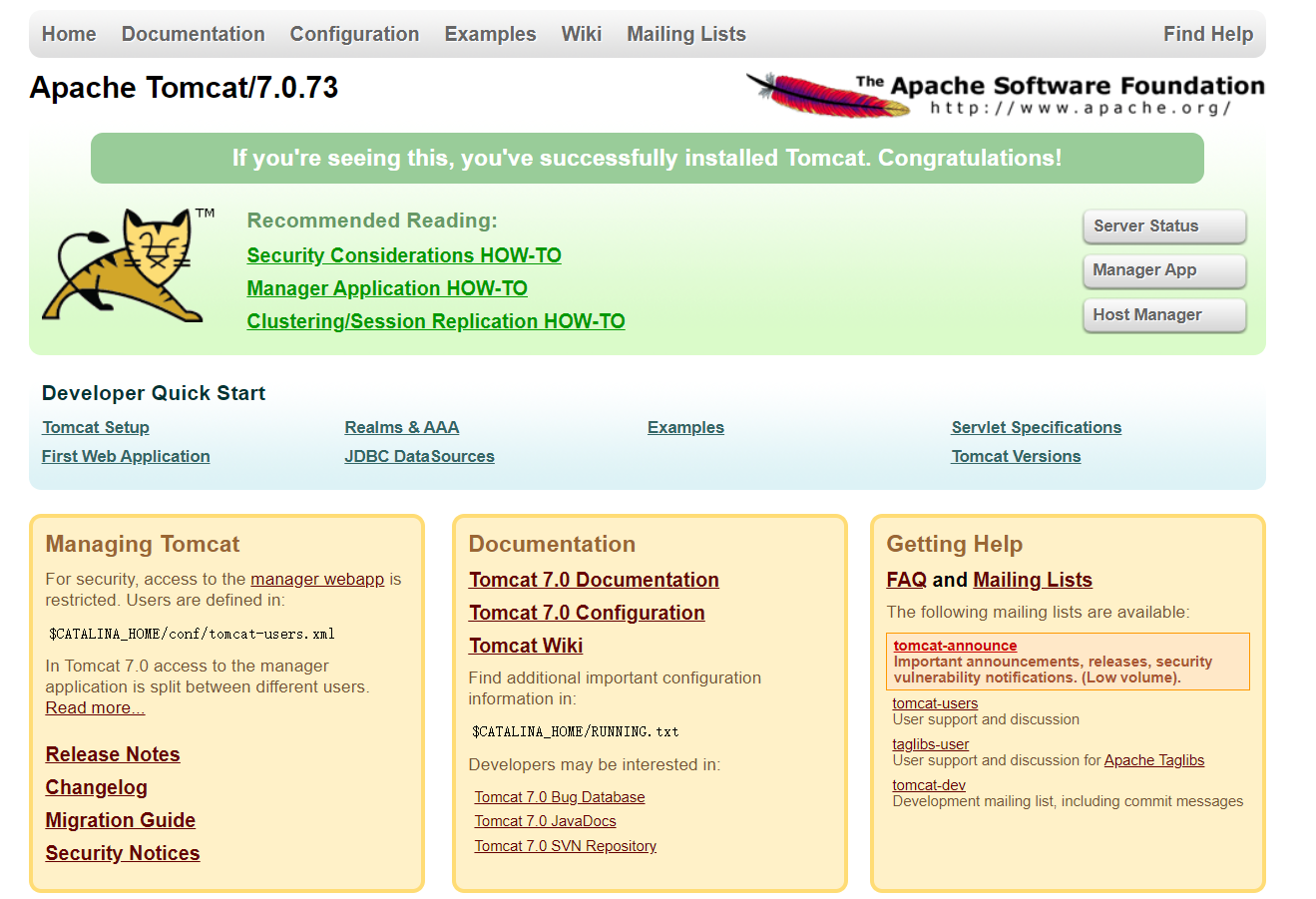
3 启停tomcat(默认端口8080)
#启动

/usr/local/tomcat/bin/startup.sh

#关闭

/usr/local/tomcat/bin/shutdown.sh

#设置软链接

ln -s /usr/local/tomcat/bin/* /usr/local/sbin/
4 配置文件详解
主配置文件为 /usr/local/tomcat/conf/server.xml
<?xml version='1.0' encoding='utf-8'?>
<!--
Licensed to the Apache Software Foundation (ASF) under one or more
contributor license agreements. See the NOTICE file distributed with
this work for additional information regarding copyright ownership.
The ASF licenses this file to You under the Apache License, Version 2.0
(the "License"); you may not use this file except in compliance with
the License. You may obtain a copy of the License at http://www.apache.org/licenses/LICENSE-2.0 Unless required by applicable law or agreed to in writing, software
distributed under the License is distributed on an "AS IS" BASIS,
WITHOUT WARRANTIES OR CONDITIONS OF ANY KIND, either express or implied.
See the License for the specific language governing permissions and
limitations under the License.
-->
<!-- Note: A "Server" is not itself a "Container", so you may not
define subcomponents such as "Valves" at this level.
Documentation at /docs/config/server.html
-->
<Server port="8005" shutdown="SHUTDOWN"> #Server中的port监听关闭tomcat的请求,shutdown指定向端口发送的命令串
<Listener className="org.apache.catalina.startup.VersionLoggerListener" />
<!-- Security listener. Documentation at /docs/config/listeners.html
<Listener className="org.apache.catalina.security.SecurityListener" />
-->
<!--APR library loader. Documentation at /docs/apr.html -->
<Listener className="org.apache.catalina.core.AprLifecycleListener" SSLEngine="on" />
<!--Initialize Jasper prior to webapps are loaded. Documentation at /docs/jasper-howto.html -->
<Listener className="org.apache.catalina.core.JasperListener" />
<!-- Prevent memory leaks due to use of particular java/javax APIs-->
<Listener className="org.apache.catalina.core.JreMemoryLeakPreventionListener" />
<Listener className="org.apache.catalina.mbeans.GlobalResourcesLifecycleListener" />
<Listener className="org.apache.catalina.core.ThreadLocalLeakPreventionListener" /> <!-- Global JNDI resources
Documentation at /docs/jndi-resources-howto.html
-->
<GlobalNamingResources>
<!-- Editable user database that can also be used by
UserDatabaseRealm to authenticate users
-->
<Resource name="UserDatabase" auth="Container"
type="org.apache.catalina.UserDatabase"
description="User database that can be updated and saved"
factory="org.apache.catalina.users.MemoryUserDatabaseFactory"
pathname="conf/tomcat-users.xml" />
</GlobalNamingResources> <!-- A "Service" is a collection of one or more "Connectors" that share
a single "Container" Note: A "Service" is not itself a "Container",
so you may not define subcomponents such as "Valves" at this level.
Documentation at /docs/config/service.html
-->
<Service name="Catalina"> <!--The connectors can use a shared executor, you can define one or more named thread pools-->
<!--
<Executor name="tomcatThreadPool" namePrefix="catalina-exec-"
maxThreads="150" minSpareThreads="4"/>
--> <!-- A "Connector" represents an endpoint by which requests are received
and responses are returned. Documentation at :
Java HTTP Connector: /docs/config/http.html (blocking & non-blocking)
Java AJP Connector: /docs/config/ajp.html
APR (HTTP/AJP) Connector: /docs/apr.html
Define a non-SSL HTTP/1.1 Connector on port 8080
-->
<Connector port="8080" protocol="HTTP/1.1" #监听8080端口,负责建立HTTP连接。在通过浏览器访问Tomcat服务器的Web应用时,使用的就是这个连接器
connectionTimeout="20000" #连接超时时间数(毫秒)
redirectPort="8443" /> #指定服务器正在处理http请求时收到一个SSL传输请求后重定向的端口号
<!-- A "Connector" using the shared thread pool-->
<!--
<Connector executor="tomcatThreadPool"
port="8080" protocol="HTTP/1.1"
connectionTimeout="20000"
redirectPort="8443" />
-->
<!-- Define a SSL HTTP/1.1 Connector on port 8443
This connector uses the BIO implementation that requires the JSSE
style configuration. When using the APR/native implementation, the
OpenSSL style configuration is required as described in the APR/native
documentation -->
<!--
<Connector port="8443" protocol="org.apache.coyote.http11.Http11Protocol"
maxThreads="150" SSLEnabled="true" scheme="https" secure="true"
clientAuth="false" sslProtocol="TLS" />
--> <!-- Define an AJP 1.3 Connector on port 8009 -->
<Connector port="8009" protocol="AJP/1.3" redirectPort="8443" /> #监听8009端口,负责和apache服务器建立连接。在把Tomcat与apache集成时,需要用到这个连接器 <!-- An Engine represents the entry point (within Catalina) that processes
every request. The Engine implementation for Tomcat stand alone
analyzes the HTTP headers included with the request, and passes them
on to the appropriate Host (virtual host).
Documentation at /docs/config/engine.html --> <!-- You should set jvmRoute to support load-balancing via AJP ie :
<Engine name="Catalina" defaultHost="localhost" jvmRoute="jvm1">
-->
<Engine name="Catalina" defaultHost="localhost"> #defaultHost默认连接到哪个主机 <!--For clustering, please take a look at documentation at:
/docs/cluster-howto.html (simple how to)
/docs/config/cluster.html (reference documentation) -->
<!--
<Cluster className="org.apache.catalina.ha.tcp.SimpleTcpCluster"/>
--> <!-- Use the LockOutRealm to prevent attempts to guess user passwords
via a brute-force attack -->
<Realm className="org.apache.catalina.realm.LockOutRealm">
<!-- This Realm uses the UserDatabase configured in the global JNDI
resources under the key "UserDatabase". Any edits
that are performed against this UserDatabase are immediately
available for use by the Realm. -->
<Realm className="org.apache.catalina.realm.UserDatabaseRealm"
resourceName="UserDatabase"/>
</Realm> <Host name="localhost" appBase="webapps" #指定的主机名或ip,应用程序目录
unpackWARs="true" autoDeploy="true"> #是否自动解压war文件 ,是否自动发布 <!-- SingleSignOn valve, share authentication between web applications
Documentation at: /docs/config/valve.html -->
<!--
<Valve className="org.apache.catalina.authenticator.SingleSignOn" />
--> <!-- Access log processes all example.
Documentation at: /docs/config/valve.html
Note: The pattern used is equivalent to using pattern="common" -->
<Valve className="org.apache.catalina.valves.AccessLogValve" directory="logs"
prefix="localhost_access_log." suffix=".txt"
pattern="%h %l %u %t "%r" %s %b" /> #定义日志文件及格式 </Host>
</Engine>
</Service>
</Server>
Tomcat--安装&&配置文件的更多相关文章
- tomcat安装与配置文件
一 安装tomcat 1.系统必须已安装配置JDK 安装说明参考地址:http://www.cnblogs.com/Yuanbangchen/p/5945491.html 2.将apache-to ...
- Tomcat安装应用部署及配置文件解读
Tomcat服务器是一个免费的开放源代码的Web应用服务器,属于轻量级应用服务器,在中小型系统和并发访问用户不是很多的场合下被普遍使用,是开发和调试JSP程序的首选. Tomcat和Nginx,APa ...
- tomcat安装配置.md
tomcat 安装 安装jdk jdk我使用的是oracle的,如果下载请在oracle的官网上下载.或者你也可以使用openjdk,官网在http://openjdk.java.net/. # ta ...
- JavaWeb学习之tomcat安装与运行、tomcat的目录结构、配置tomcat的管理用户、web项目目录、虚拟目录、虚拟主机(1)
1.tomcat安装与运行双击tomcat目录下的bin/startup.bat,启动之后,输入http://localhost:8080,出现安装成功的提示,表示安装tomcat成功 2.tomca ...
- Tomcat安装、启动和配置
Tomcat服务器介绍 Tomcat是一个免费开发源代码的web应用服务器,具有与IIS.Apache等web服务器一样处理html页面的功能,另外它还是一个Servlet和JSP容器,独立的serv ...
- Tomcat安装、配置、优化及负载均衡详解
一.常见JavaWeb服务器 1.WebLogic:是BEA公司的产品.WebSphereAS:是IBM公司的产品.JBossAS:红帽公司的产品,可以自行了解 2.Tomcat服 ...
- Tomcat安装与配置图文教程
安装Tomcat之前先配置JDK,JDK的JAVA_HOME变量都必须设置好,以便Tomcat找到JDK.关闭防火墙等. 一:安装版Tomcat 1. 先下载tomcat,到http://tomcat ...
- Ubuntu14.04 Tomcat 安装过程记录
Ubuntu14.04 Tomcat 安装过程记录 检查java的版本 zhousp@ubuntu:~$ sudo java -version [sudo] password for zhousp: ...
- CentOS系统、Jdk、Tomcat安装实战
CentOS系统.Jdk.Tomcat安装实战 第一次接触Liunx系统,都说J2EE系统在Li ...
- Nginx与Tomcat安装、配置与优化
Nginx与Tomcat安装.配置与优化 Nginx与Tomcat安装.配置与优化 Nginx的安装与使用 Nginx是一款优秀的反向代理服务器 安装: rpm(或者是pkg安装),是预编译好的程序包 ...
随机推荐
- 牛客多校第五场 K King of Range
题意: 给定一个\(n\)个数得序列\(a_i\),给定\(m\)个询问,每次给出一个\(k\),寻找有多少个区间\([l, r]\)中最大值与最小值之差严格大于\(k\). 思路: 可以发现,如果已 ...
- 深入理解 BigBird 的块稀疏注意力
引言 基于 transformer 的模型已被证明对很多 NLP 任务都非常有用.然而,\(O(n^2)\) 的时间和内存复杂度 (其中 \(n\) 是序列长度) 使得在长序列 (\(n > 5 ...
- 深入了解HMAC加密技术:原理、应用与实践
一.引言 在网络安全领域,消息认证码(MAC)是一种重要的技术手段.Hash-based Message Authentication Code(HMAC)作为其中的一种,凭借其简单.高效.安全的特性 ...
- Ubuntu安装odoo16
虽然odoo17已经在10月份发布了,但笔者并不愿意立时升级:一方面没有迫切的需要去升级,仿佛没有odoo17就没法后续的工作一样:另一方面,我倒是更希望在双数版本发布的时候再升级.为此继续使用odo ...
- [UOJ216][UNR#2 2A] Jakarta Skyscrapers
印尼首都雅加达市有 $10^{18}$ 座摩天楼,它们排列成一条直线,我们从左到右依次将它们编号为 $1$ 到 $10^{18}$ .除了这 $10^{18}$ 座摩天楼外,雅加达市没有其他摩天楼. ...
- [CF1364E] X-OR
X-OR 题面翻译 题目描述 本题是交互题. 有一个固定的长度为 \(n\) 的排列 \(P\),其值域为 \([0,n-1]\),你可以进行不超过 \(4269\) 次询问,之后你需要输出这个排列 ...
- ubuntu20.04安装goaccess实时对nginx日志进行分析
ubuntu20.04安装goaccess实时对nginx日志进行分析 goaccess可以对nginx日志进行分析,生成实时动态页面,同时通过nginx反向代理来解决WebSocket数据传输问题. ...
- NetSuite 开发日记 —— 非空判断
使用N/util模块进行非空判断,N/util模块说明:https://docs.oracle.com/en/cloud/saas/netsuite/ns-online-help/section_45 ...
- Spring Boot 2.x 到 3.2 的全面升级指南
Spring Framework 是一种流行的开源企业级框架,用于创建在 Java Virtual Machine (JVM) 上运行的独立.生产级应用程序.而Spring Boot 是一个工具,可以 ...
- 性能集成监控系统exporter+Prometheus+Grafana
Prometheus 是一个时序数据库,存数据 exporter是收集器,来收集被监控的数据,想要监控不同的内容,就使用不同的exporter,这个exporter应该放在被测服务器上,再把expor ...