
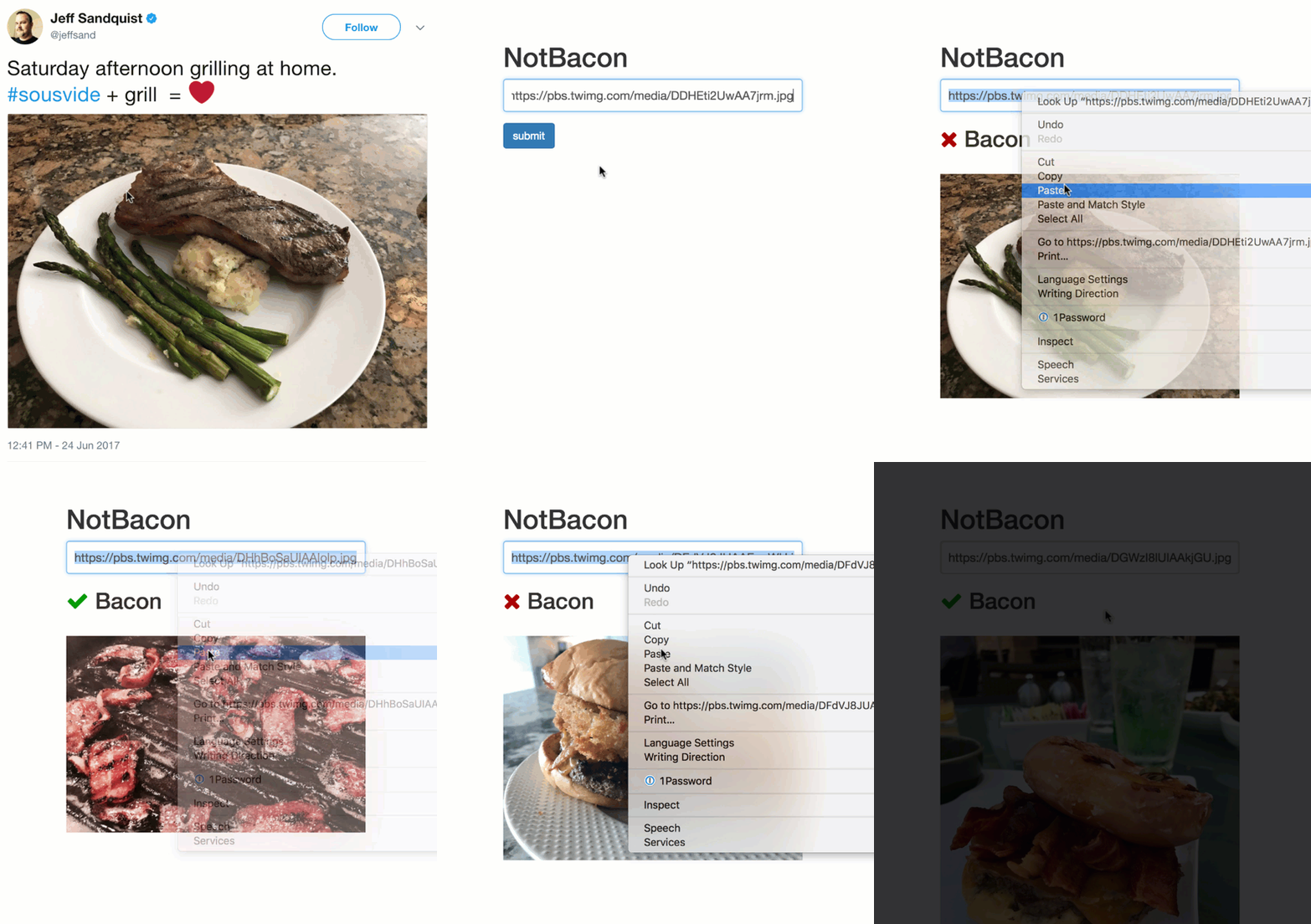
NotBacon
What's It Do?
The application consists of two components:
- A Custom Vision Service project that allows you to build a custom image classifier to detect bacon in a photo.
- An Azure Web App to display a web interface for users to submit photos.
Configuration
Create a Custom Vision Service account
- Navigate to customvision.ai.
- Click Sign in and log in with your Microsoft Account.
Create and train a Custom Vision project
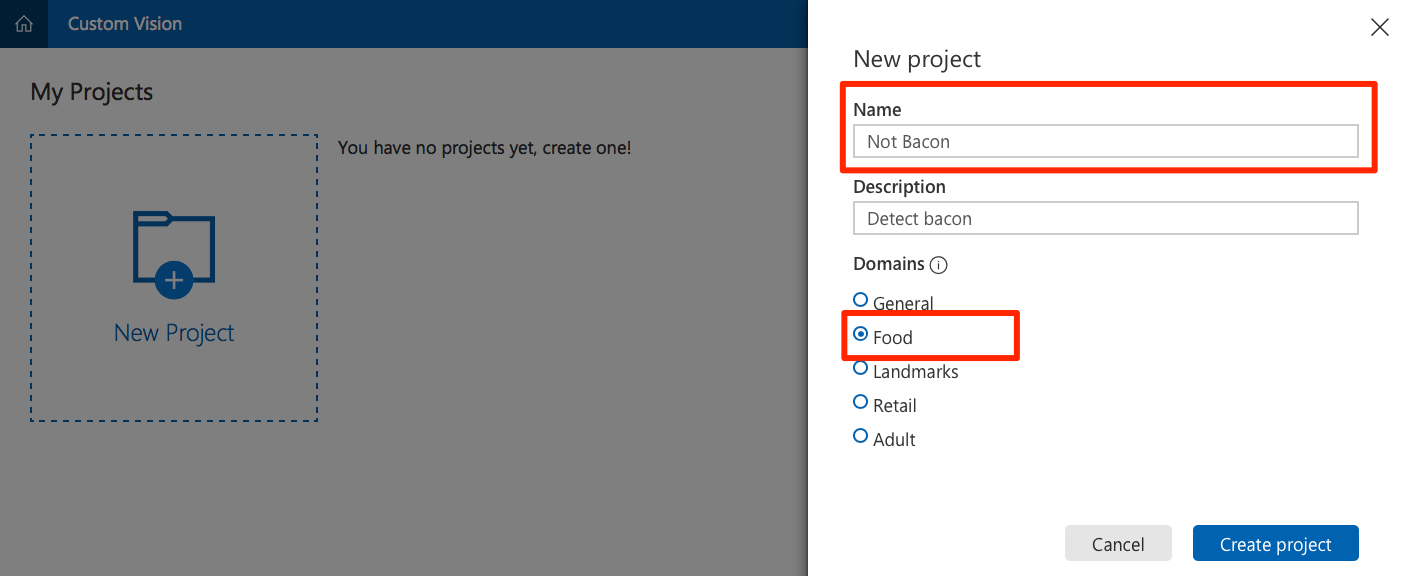
Click on New Project.
- Provide a name for the project.
Select Food as the domain to optimize the model to work with plates of food.
Obtain a variety of photos. To properly train your model, you need at least 30 photos that contain bacon, and 30 that do not. Download and separate the photos into two folders:
baconandnot-bacon.Tip
A good place to find photos is by doing an internet image search for
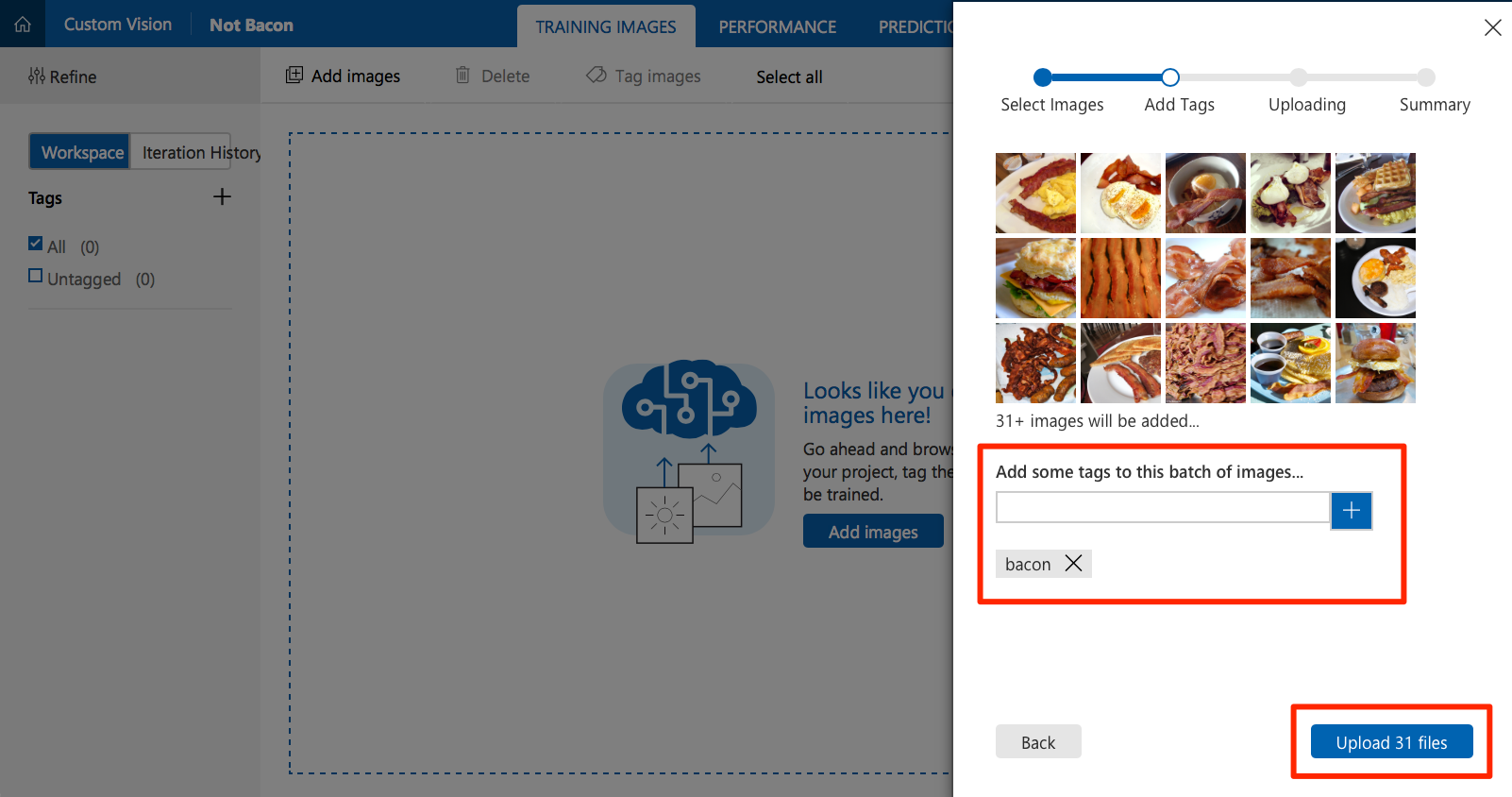
breakfast. The list of images used in the training set for this article is here.Click on Add Images and select all the photos you previously downloaded in the
baconfolder.- Create a tag named
baconand click + to add it.
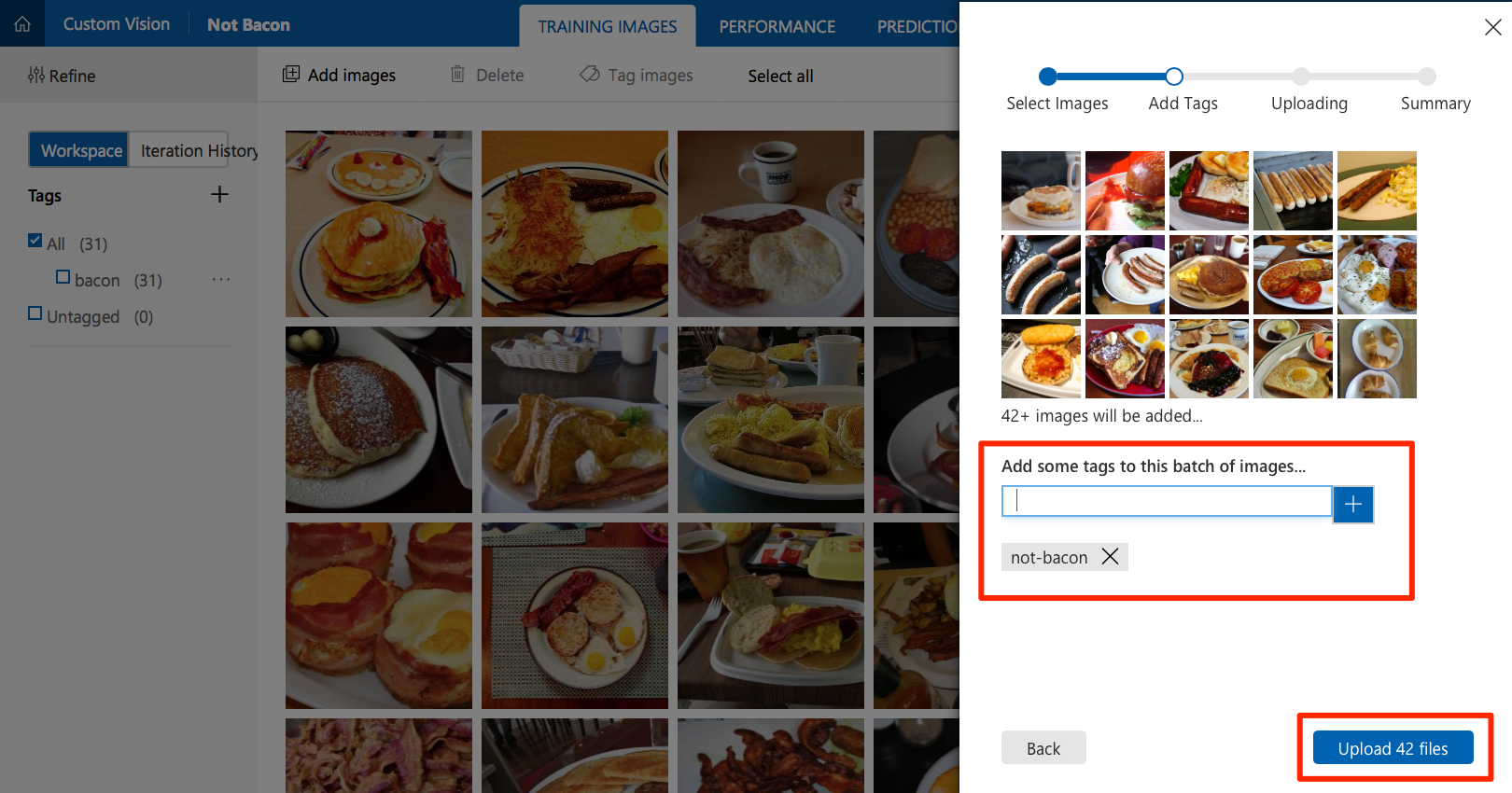
- Create a tag named
Click Upload to upload the photos and tag them as bacon.
Click on Add Images again to add images from the not-bacon folder. This time, tag them as not-bacon.
Click Train to train the image classifier. When training is complete, your model is ready to use.
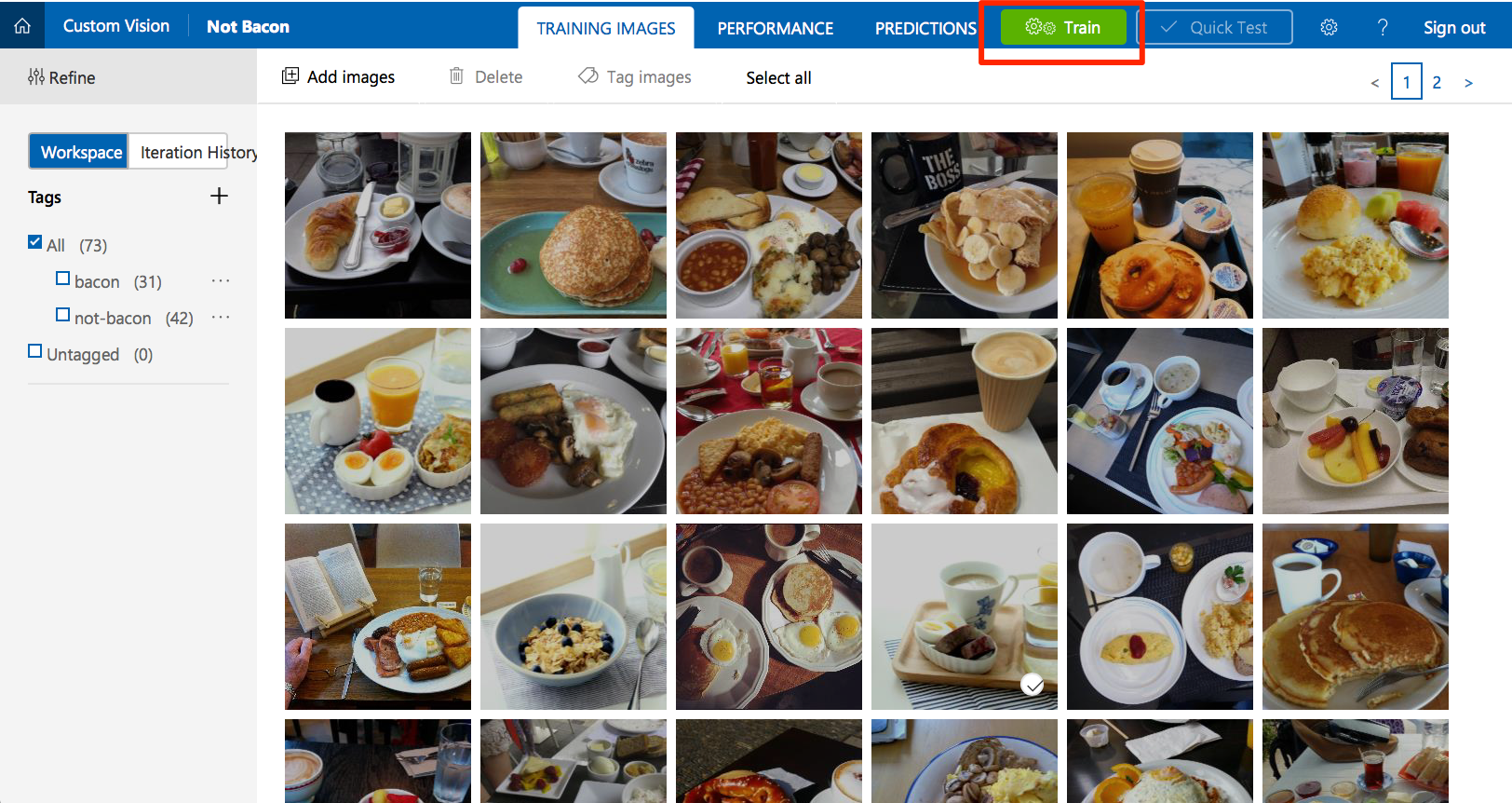
Click Quick Test to test your classifier. Find a photo that was not in your training set. Browse local files to upload it or enter its URL. Check that the model correctly predicted the tags for the photo.
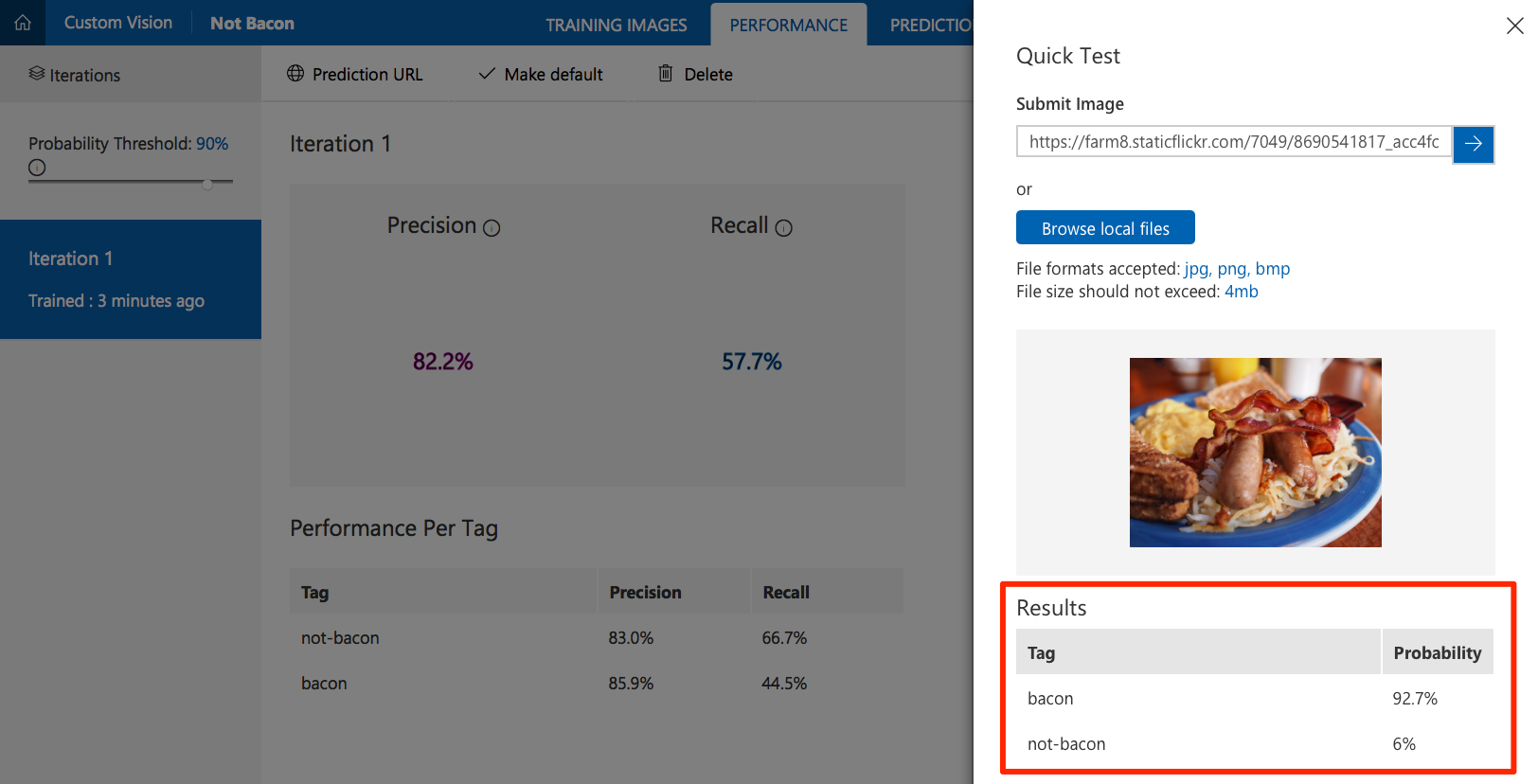
Obtain Custom Vision Service API information
In order to configure the web application, you need some information about the Custom Vision Service project you created.
- Select the Performance tab in your project.
If you have trained your model more than once, select the latest iteration and click Make Default. The default REST API endpoint of your project is set to use this iteration of the model.
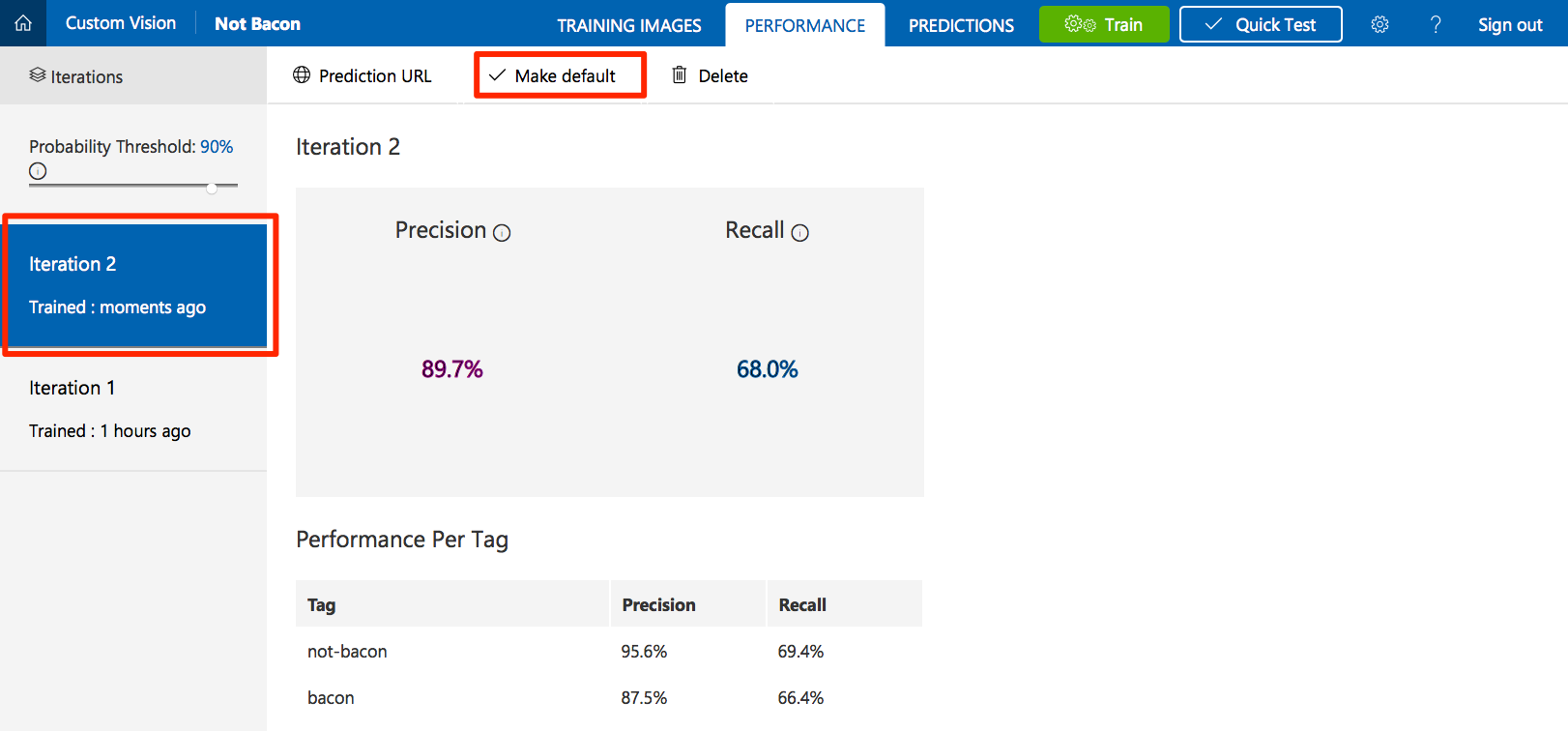
Click on Prediction URL. Under the "If you have an image URL" section, copy the API endpoint URL and the prediction key value for use in the next step.
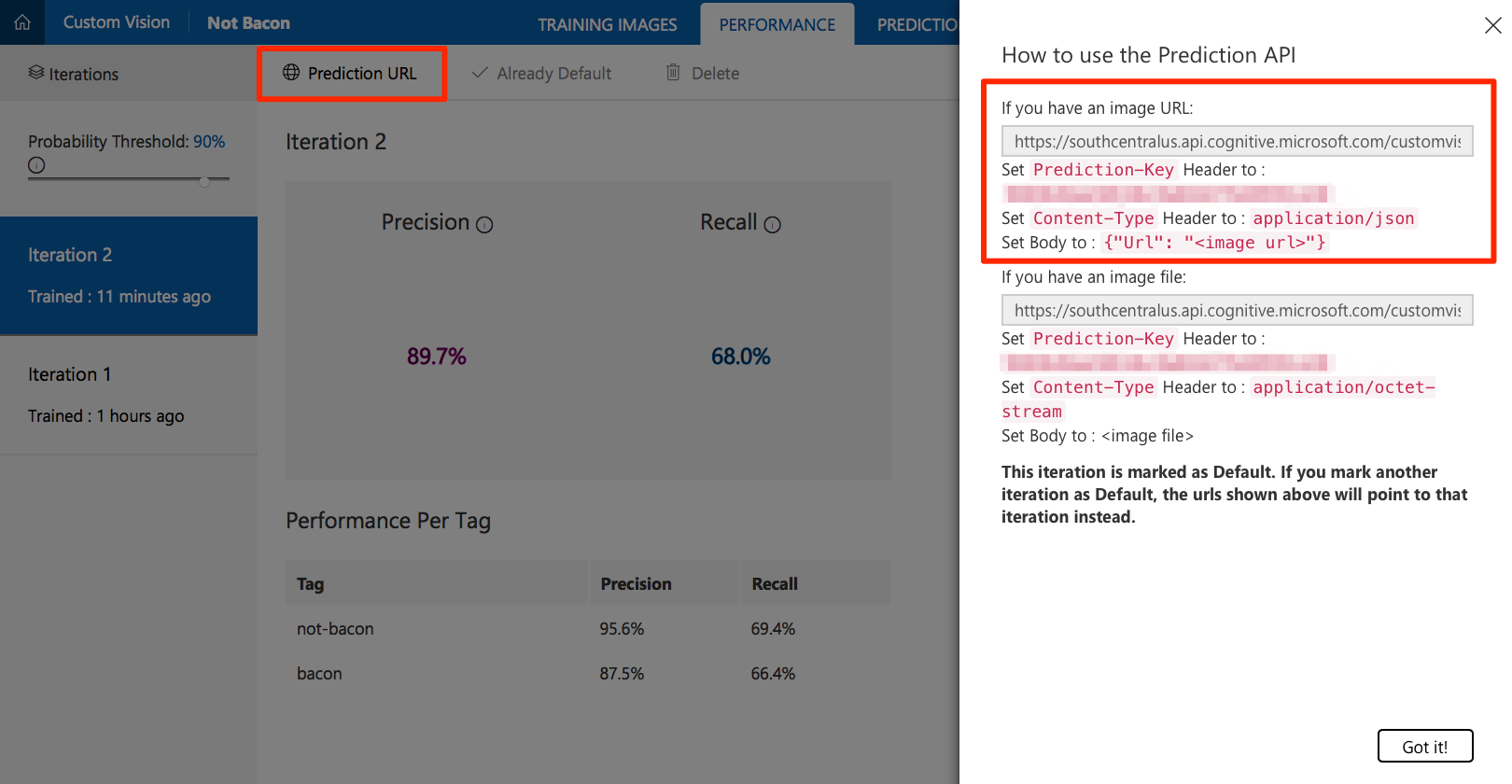
Deploy to a Web App
- Click the Deploy to Azure link here or the button at the top of this page.
- If prompted, sign in to your Azure account.
- Enter the information for your new application, such as the resource group name, site name, etc.
- Fill in the Custom Vision API Key and Custom Vision API URL with the values that you previously copied.

- Click Next and then Deploy.
Test the web application
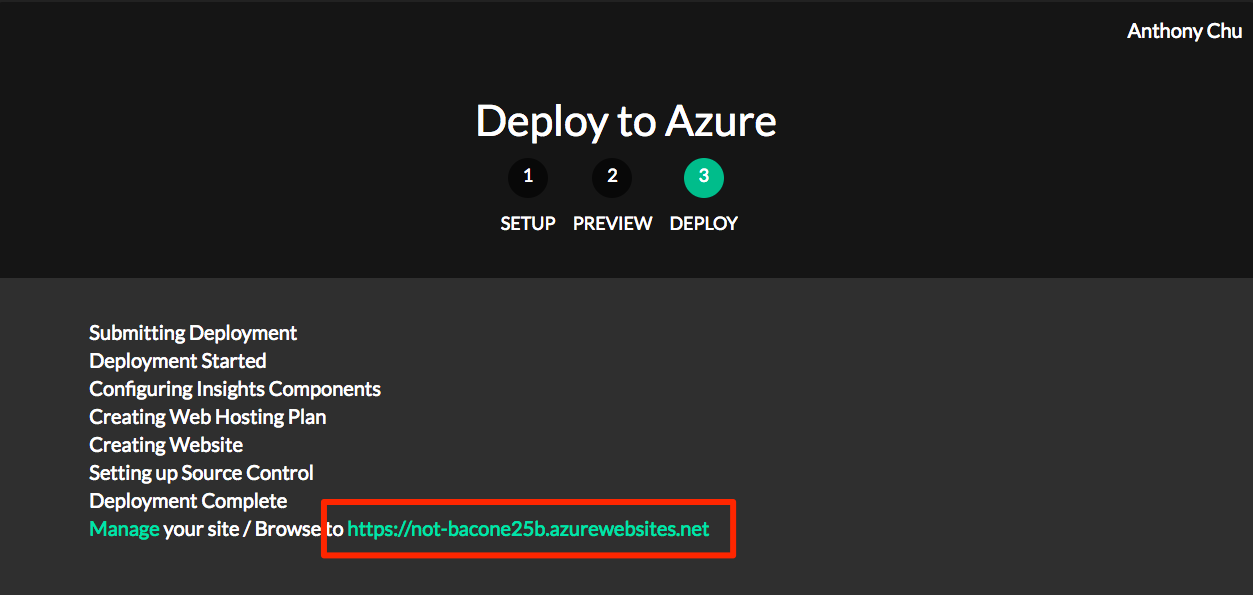
- If the application is successfully deployed, the Deploy to Azure tool displays a URL. Open the application by clicking on the link.
- Find a photo on the internet, paste its URL in the URL text box, and click Submit.
- The application should display whether or not bacon was detected in the photo.
How it works
The web application calls the Custom Vision Service REST API with the URL of the image to be analyzed in the body. Here is an example of the JSON response:
{

    "Id": "38d1249f-7153-4c2b-aa11-292bf9bd7085",

    "Project": "736b29fa-0c84-4f3e-87ee-201012399fd7",

    "Iteration": "d27e017e-c162-4c10-9610-19772d5e5049",

    "Created": "2017-08-21T17:48:26.2785384Z",

    "Predictions": [

        {

            "TagId": "017dab76-8630-4ef4-9cd0-46cec6b01655",

            "Tag": "bacon",

            "Probability": 0.845978856

        },

        {

            "TagId": "bf9f817a-ed74-4bb3-8e9d-49f1b3b7a4bb",

            "Tag": "no-bacon",

            "Probability": 0.041467078

        }

    ]

}
NotBacon的更多相关文章
随机推荐
- ubuntu部分端口命令的使用----开启端口/开启防火墙
环境系统: ubuntu 工具:xshell + virtualbox 1.测试远程主机的端口是否开启(windows命令行下执行) telnet 192.168.1.103 80 远程访问主机的80 ...
- 在Ubuntu上快速搭建基于Beego的RESTful API
最近在研究Go,打算基于Go做点Web API,于是经过初步调研,打算用Beego这个框架,然后再结合其中提供的ORM以及Swagger的集成,可以快速搭建一个RESTful API的网站. 下面是具 ...
- Java IO(五)——字符流进阶及BufferedWriter、BufferedReader
一.字符流和字节流的区别 拿一下上一篇文章的例子: package com.demo.io; import java.io.File; import java.io.FileReader; impor ...
- SVM-笔记(1)
1 目的 SVM推导是从讨论最优超平面开始的,即为了得到一个能够划分不同超平面的面,即公式1: \begin{equation}w^Tx+b=0 \tag{1} \end{equation} 这个公式 ...
- redis为什么这么火该怎么用
最近一些人在介绍方案时,经常会出现redis这个词,于是很多小伙伴百度完redis也就觉得它是一个缓存,然后项目里面把数据丢进去完事,甚至有例如将实体属性拆分塞进redis hash里面的奇怪用法等等 ...
- UI 前端参考
:http://amazeui.org/ :http://www.dcloud.io/index.html :https://weui.io/ :http://m.sui.taobao.org/get ...
- Scala学习(八)练习
Scala中继承&练习 1. 扩展如下的BankAccount类,新类CheckingAccount对每次存款和取款都收取1美元的手续费 class BankAccount ( initial ...
- bootstrap 失效的原因
首先必须对着官方文档的模板来写: https://getbootstrap.com/docs/4.3/getting-started/introduction/ 然后: 这里必须加上 rel=&quo ...
- wpf、winform仿QQ靠边隐藏
先说下下面的代码和demo是wpf的,如果winform要用,改动不大的. 实现思路: 通过定时刷新鼠标位置 和 窗体坐标 进行计算 来控制窗体的隐藏 显示 代码都有详细的注释 //窗体状态 true ...
- mongo中的模糊查询
以下是一个mongo查询的综合应用,即介绍一个生产中实际应用的模糊查询,当然其实也很简单,主要用到mongo中的模糊查询和$or查询,以及并的关系,下面是一个mongo中的一条记录 { "_ ...