
SparkR-Install
SparkR-Install
标签:too 下载 安装jdk context writing 磁盘 anti 1.5 products
1.下载R
https://cran.r-project.org/src/base/R-3/

1.2 环境变量配置:
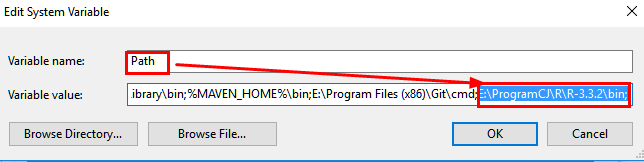
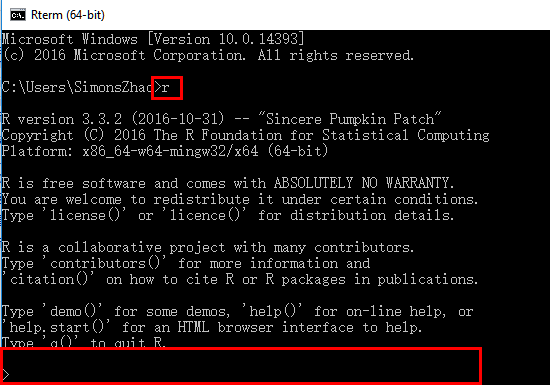
1.3 测试安装:
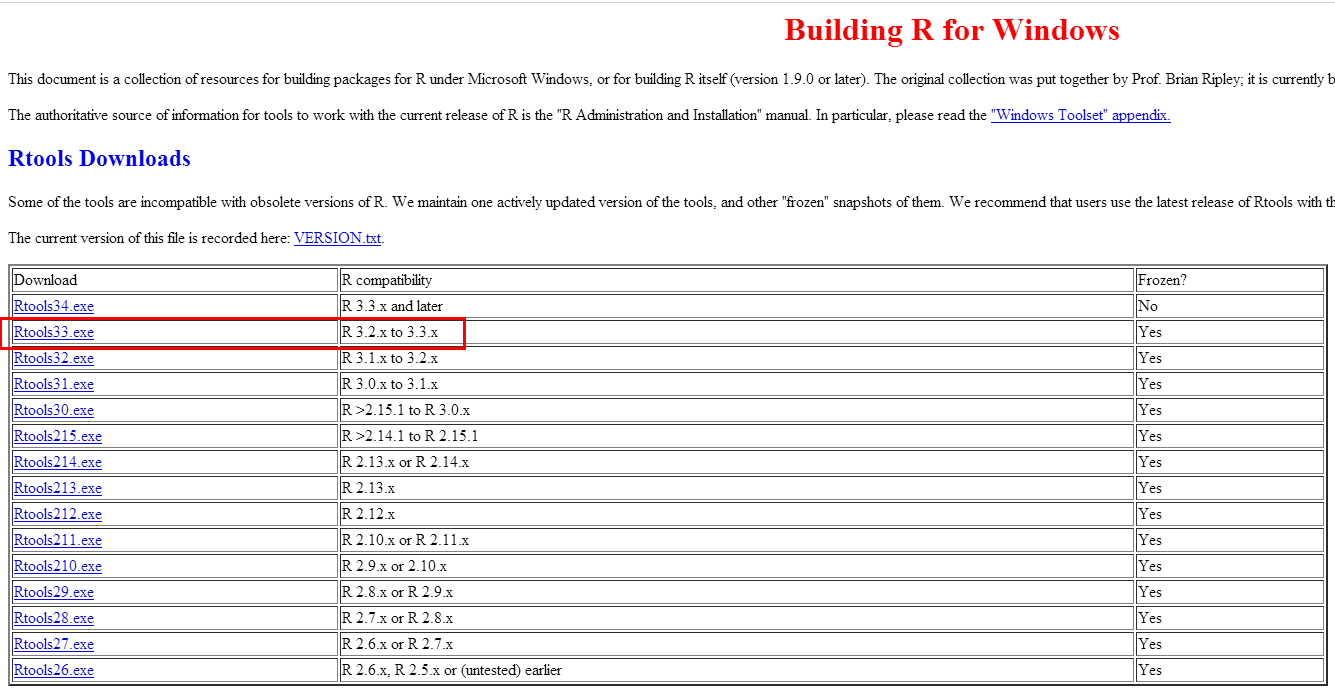
2.下载Rtools33
https://cran.r-project.org/bin/windows/Rtools/
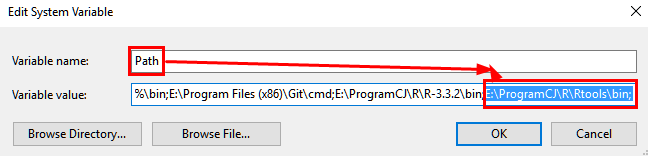
2.1 配置环境变量
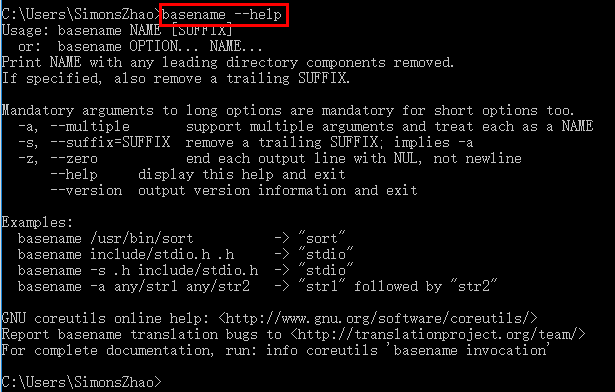
2.2 测试:
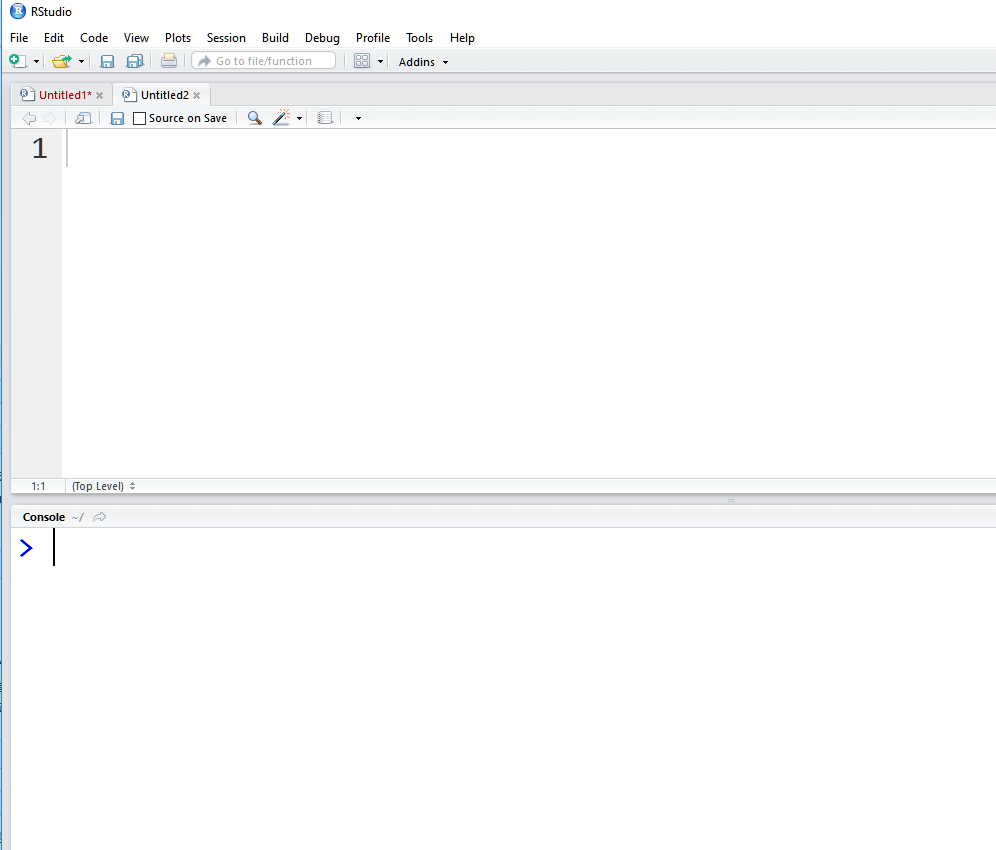
3.安装RStudio
https://www.rstudio.com/products/rstudio/download/ 直接下一步即可安装
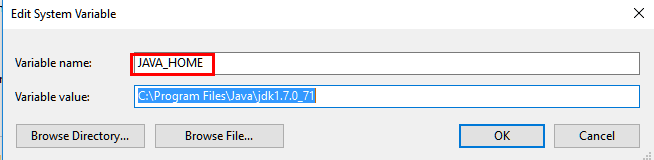
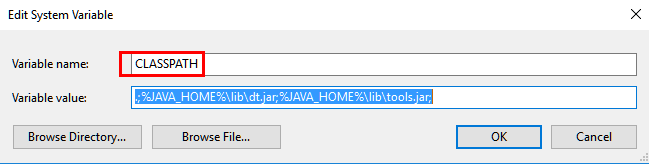
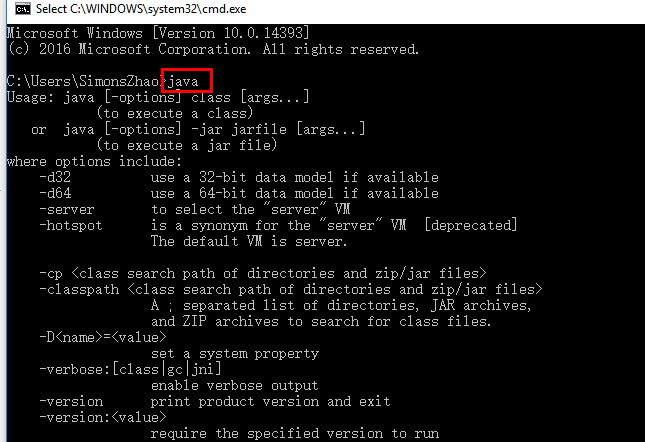
4.安装JDK并设置环境变量
4.1环境变量配置:

4.2测试:

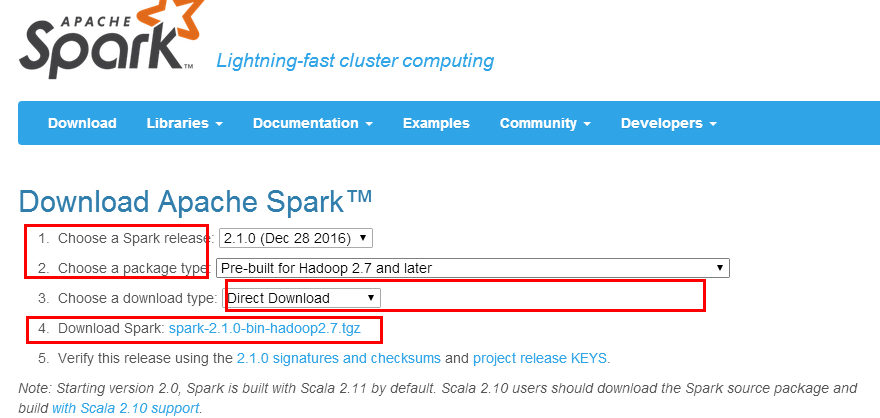
5.下载Spark安装程序
5.1 URL: http://spark.apache.org/downloads.html
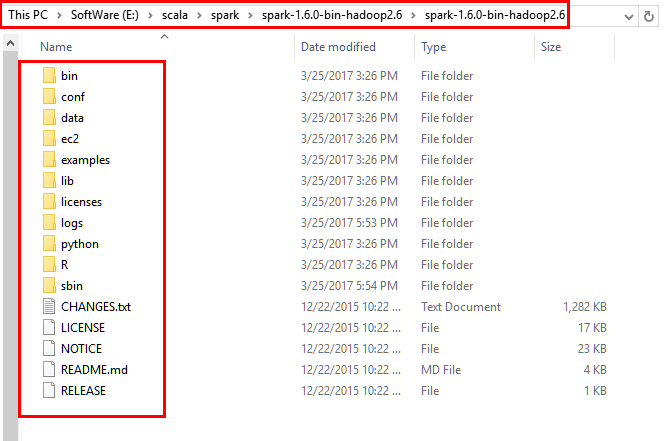
5.2解压到本地磁盘的对应目录
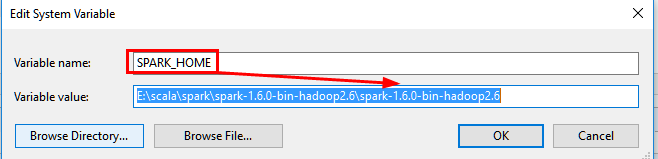
6.安装Spark并设置环境变量

7.测试SparkR
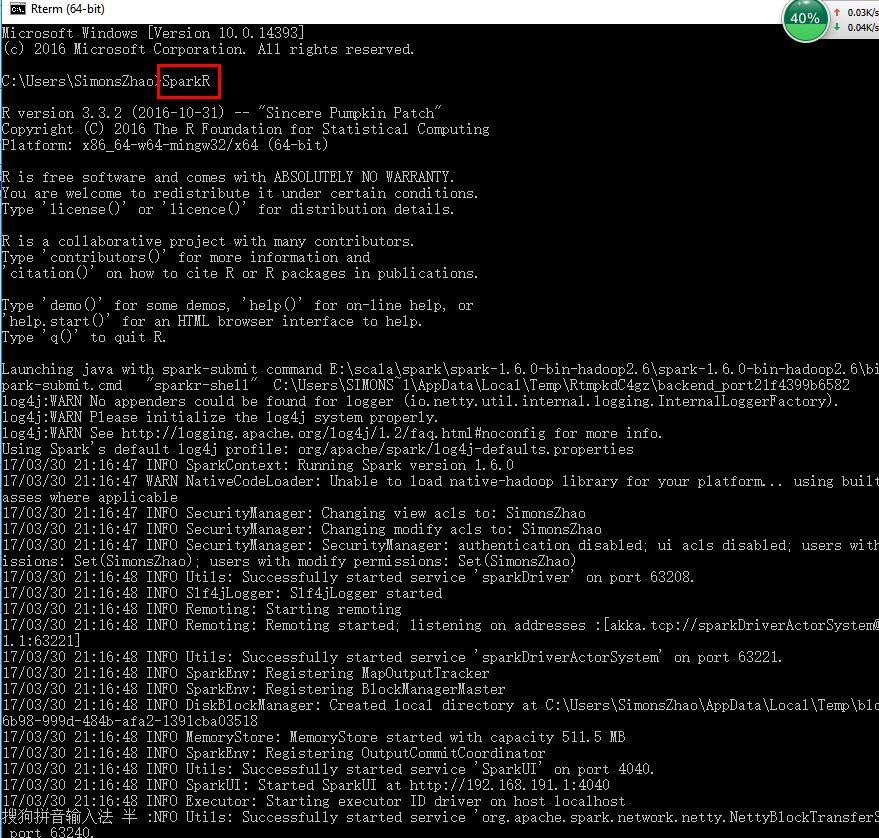
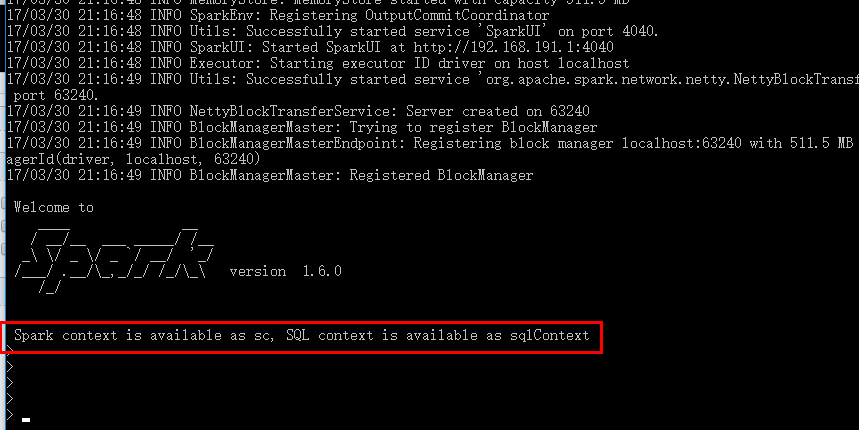
注意:如果发现了提示 WARN NativeCodeLader:Unable to load native-hadoop library for your platform.....using
builtin-java classes where applicable 需要安装本地的hadoop库
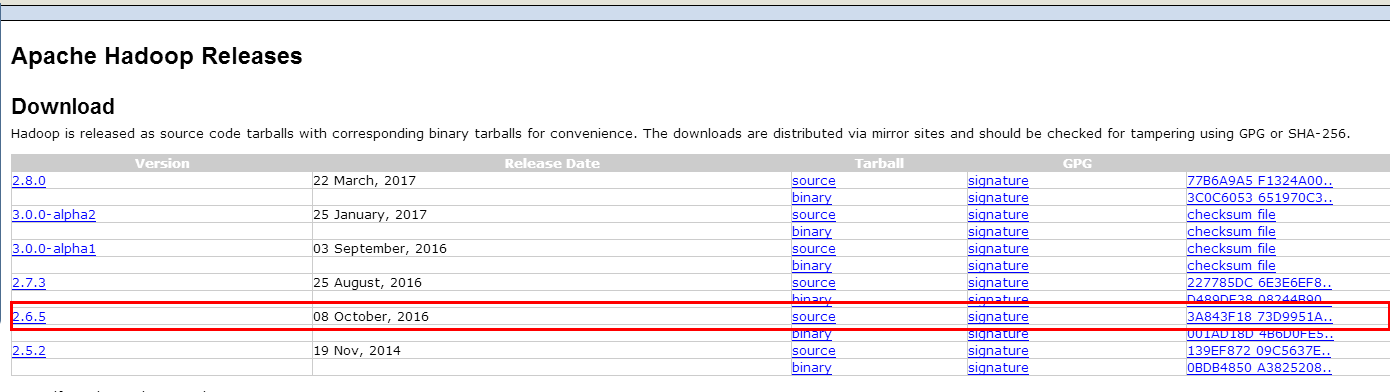
8.下载hadoop库并安装
http://hadoop.apache.org/releases.html
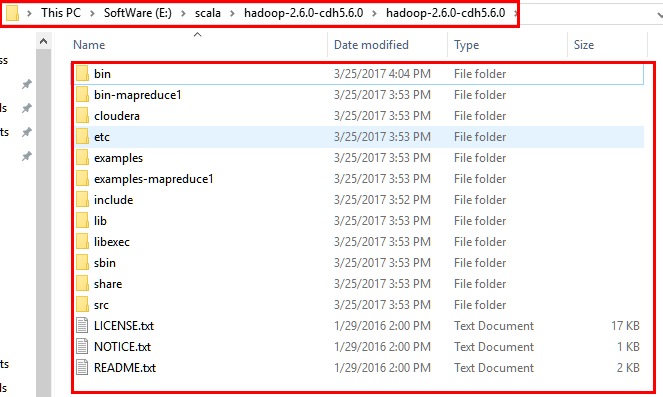
9.设置hadoop环境变量
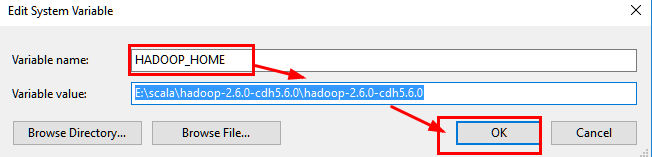
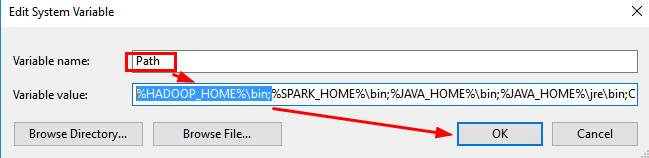
10.重新测试SparkR
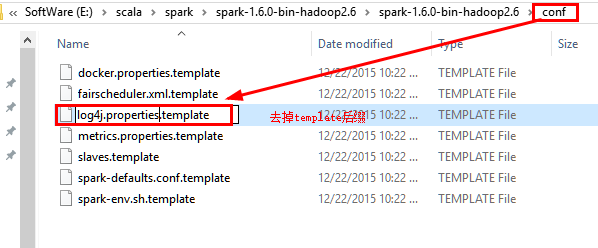
10.1 如果测试时候出现以下提示,需要修改log4j文件INFO为WARN,位于\spark\conf下

10.2 修改conf中的log4j文件:
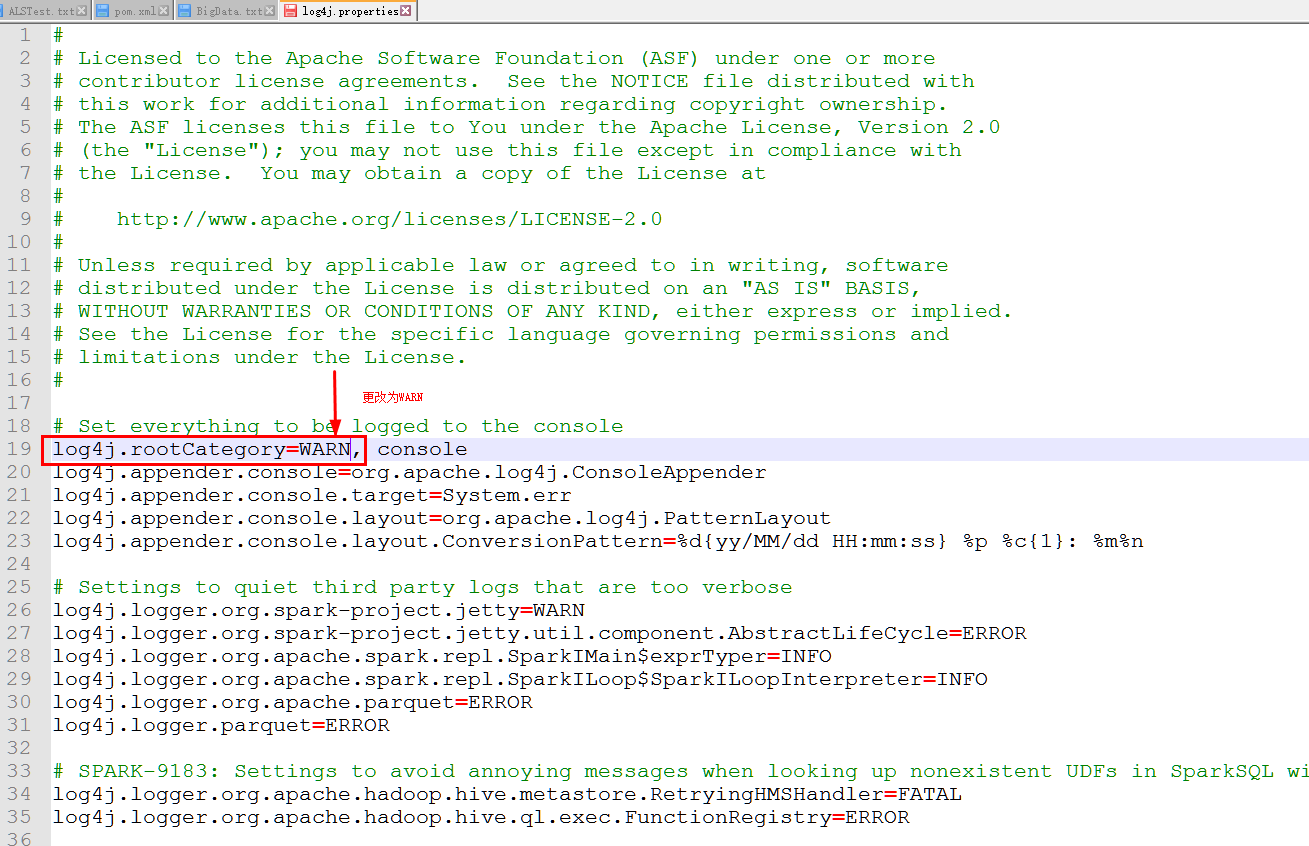
10.3 重新运行SparkR
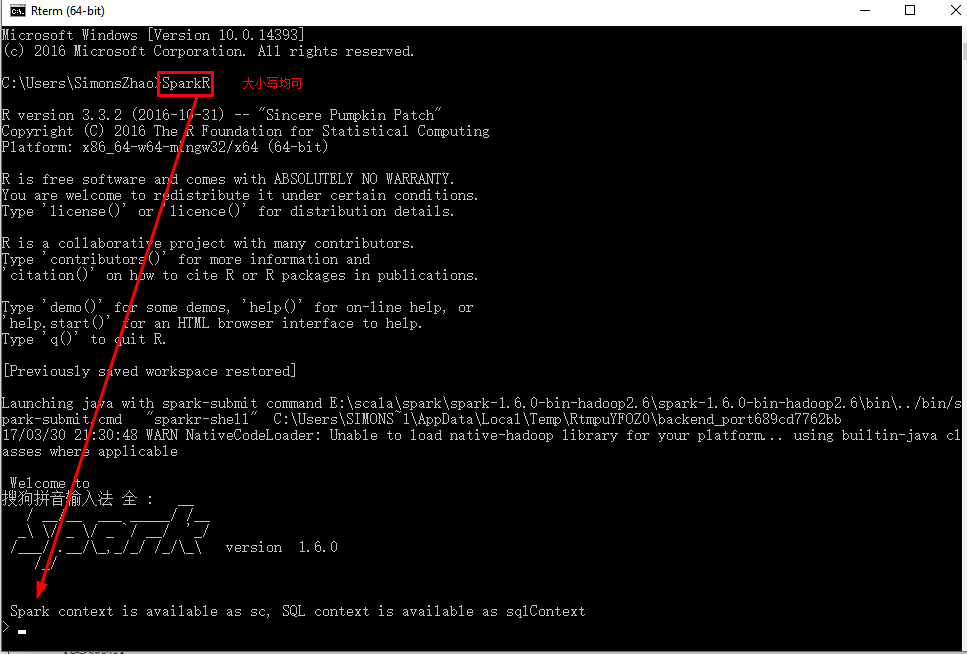
11.运行SprkR代码
在Spark2.0中增加了RSparkSql进行Sql查询
dataframe为数据框操作
data-manipulation为数据转化
ml为机器学习
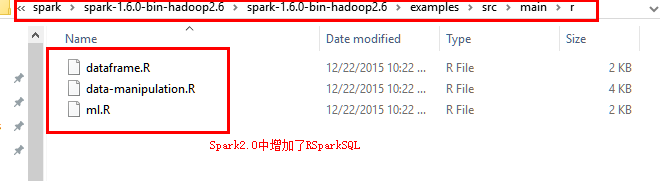
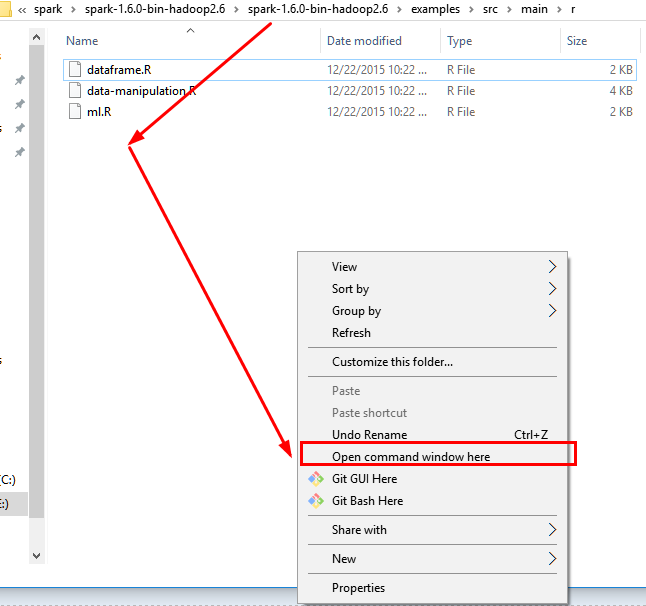
11.1 使用crtl+ALT+鼠標左鍵 打开控制台在此文件夹下
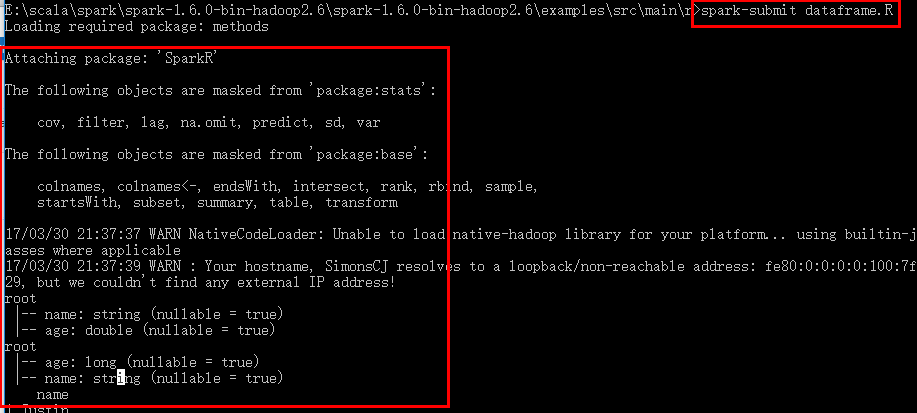
11.2 执行spark-submit xxx.R文件即可
12.安装SparkR包
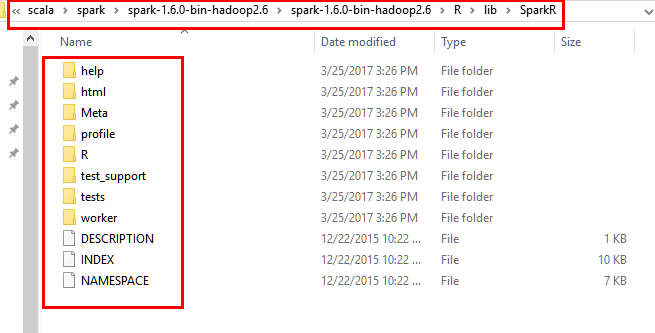
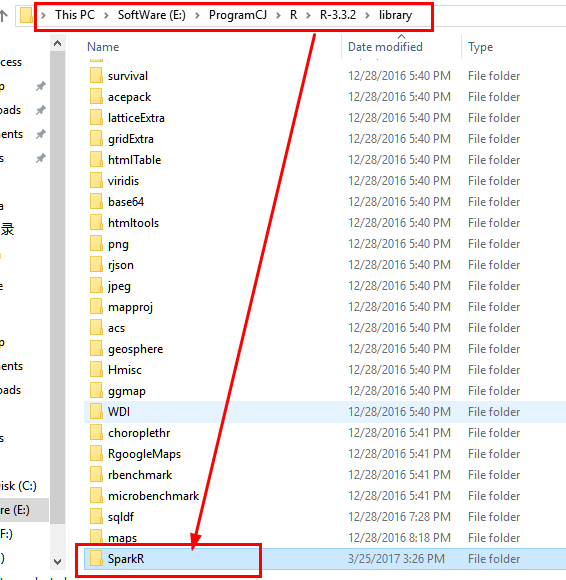
12.1 将spark安装目录下的R/lib中的SparkR文件拷贝到..\R-3.3.2\library中,注意是将整个Spark文件夹,而非里面每一个文件。
源文件夹:
目的文件夹:
12.2 在RStudio中打开SparkR文件并运行代码dataframe.R文件,采用Ctrl+Enter一行行执行即可
SparkR语言的dataframe.R源代码如下
#

# Licensed to the Apache Software Foundation (ASF) under one or more

# contributor license agreements.  See the NOTICE file distributed with

# this work for additional information regarding copyright ownership.

# The ASF licenses this file to You under the Apache License, Version 2.0

# (the "License"); you may not use this file except in compliance with

# the License.  You may obtain a copy of the License at

#

#    http://www.apache.org/licenses/LICENSE-2.0

#

# Unless required by applicable law or agreed to in writing, software

# distributed under the License is distributed on an "AS IS" BASIS,

# WITHOUT WARRANTIES OR CONDITIONS OF ANY KIND, either express or implied.

# See the License for the specific language governing permissions and

# limitations under the License.

#

library(SparkR)

# Initialize SparkContext and SQLContext

sc <- sparkR.init(appName="SparkR-DataFrame-example")

sqlContext <- sparkRSQL.init(sc)

# Create a simple local data.frame

localDF <- data.frame(name=c("John", "Smith", "Sarah"), age=c(19, 23, 18))

# Convert local data frame to a SparkR DataFrame

df <- createDataFrame(sqlContext, localDF)

# Print its schema

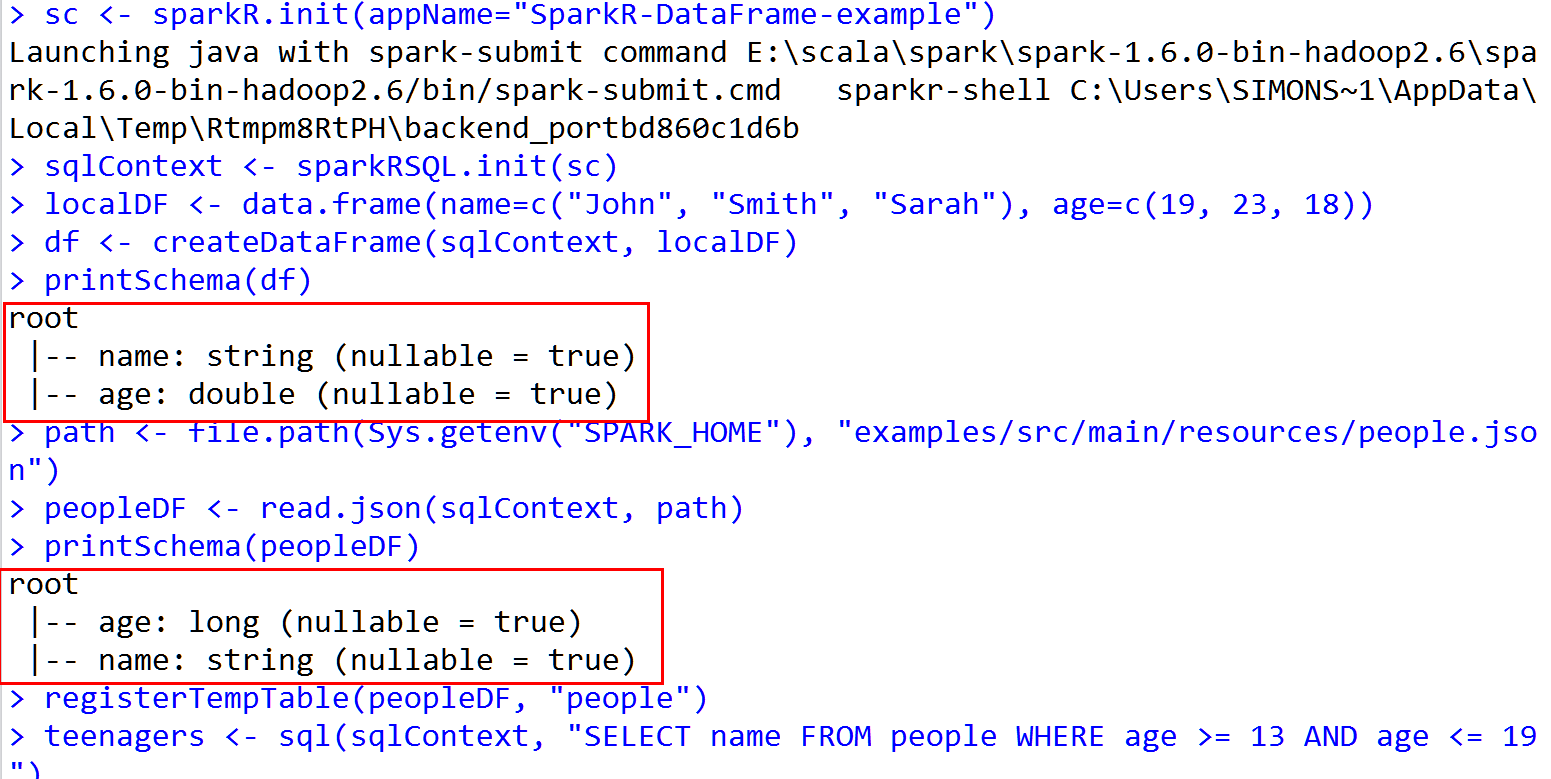
printSchema(df)

# root

#  |-- name: string (nullable = true)

#  |-- age: double (nullable = true)

# Create a DataFrame from a JSON file

path <- file.path(Sys.getenv("SPARK_HOME"), "examples/src/main/resources/people.json")

peopleDF <- read.json(sqlContext, path)

printSchema(peopleDF)

# Register this DataFrame as a table.

registerTempTable(peopleDF, "people")

# SQL statements can be run by using the sql methods provided by sqlContext

teenagers <- sql(sqlContext, "SELECT name FROM people WHERE age >= 13 AND age <= 19")

# Call collect to get a local data.frame

teenagersLocalDF <- collect(teenagers)

# Print the teenagers in our dataset

print(teenagersLocalDF)

# Stop the SparkContext now

sparkR.stop()
13.Rsudio 运行结果
END~
SparkR-Install的更多相关文章
- 在CentOS上安装并运行SparkR
环境配置—— 操作系统:CentOS 6.5 JDK版本:1.7.0_67 Hadoop集群版本:CDH 5.3.0 安装过程—— 1.安装R yum install -y R 2.安装curl-de ...
- Apache Spark技术实战之5 -- SparkR的安装及使用
欢迎转载,转载请注明出处,徽沪一郎. 概要 根据论坛上的信息,在Sparkrelease计划中,在Spark 1.3中有将SparkR纳入到发行版的可能.本文就提前展示一下如何安装及使用SparkR. ...
- shiny server SparkR web展示界面(二)
1. 需要先在Mac OS中安装好R,Rstudio中,这个比较简单,掠过 2. 下载编译好的spark(spark-2.0.0-bin-hadoop2.6.tgz)可以在Spark官网下载到你所需 ...
- shiny server SparkR web展示界面(一)
1. shiny server简介 shiny-server是一种可用把R 语言以web形式展示的服务,下面就讲讲如何在自己的服务器上构建Shiny Server.下一篇主要介绍如何集成sparkR后 ...
- CentOS下SparkR安装部署:hadoop2.7.3+spark2.0.0+scale2.11.8+hive2.1.0
注:之前本人写了一篇SparkR的安装部署文章:SparkR安装部署及数据分析实例,当时SparkR项目还没正式入主Spark,需要自己下载SparkR安装包,但现在spark已经支持R接口,so更新 ...
- SparkR安装部署及数据分析实例
1. SparkR的安装配置 1.1. R与Rstudio的安装 1.1.1. R的安装 我们的工作环境都是在Ubuntu下操作的,所以只介绍Ubuntu下安装R的方法 ...
- Apache Spark 2.2.0 中文文档 - SparkR (R on Spark) | ApacheCN
SparkR (R on Spark) 概述 SparkDataFrame 启动: SparkSession 从 RStudio 来启动 创建 SparkDataFrames 从本地的 data fr ...
- sparkR介绍及安装
sparkR介绍及安装 SparkR是AMPLab发布的一个R开发包,为Apache Spark提供了轻量的前端.SparkR提供了Spark中弹性分布式数据集(RDD)的API,用户可以在集群上通过 ...
- centos 部署 SparkR
---恢复内容开始--- 环境配置—— 操作系统:CentOS 6.5 JDK版本:1.7.0_67 Hadoop集群版本:CDH 5.3.0 安装过程—— 1.(1)安装R yum install ...
- SparkR安装
一.在虚拟机中安装R语言 1.下载R语言压缩包R-3.2.2.tar.gz,放在目标目录下 ★在此特别提醒,尽量安装3.2.?版本的R,更高版本的R容易出现依赖包安装不全的问题. # mv R-3.2 ...
随机推荐
- sql server 高级查询
--in和not in子查询 --采用in子查询获得参加考试的在读学生名单select StudentId,StudentName from Student where StudentId in(se ...
- 利用api模拟百度搜索功能
<!DOCTYPE html> <html lang="en"> <head> <meta charset="UTF-8&quo ...
- MySql修改数据表的基本操作(DDL操作)
1.查看表基本结构语句: DESC 表名 2,查看表详细结构语句:show create table 表名 3.修改表名:alter table 旧表名 rename to 新表名 4.修改字段的数据 ...
- ZOJ3951 : Independent Set
如果知道了树的形态,那么可以树形DP,每个时刻只需要计算必选根的独立集个数以及必不选根的独立集个数. 那么现在知道独立集个数,要构造出树,可以考虑DP这棵树的形态,然后将之前树形DP的值作为现在DP的 ...
- BZOJ4223 : Tourists
将位置划分成$O(m)$段区间,每段最早被阻挡的时间可以用堆维护. 那么每段区间对询问的贡献独立,扫描线处理即可. 时间复杂度$O(m\log m)$. #include<cstdio> ...
- Java 反射 调用私有构造方法
单例类: package singleton; public class SingletonTest { // 私有构造方法 private SingletonTest(){ System.out.p ...
- fatal: You are not currently on a branch. 问题解决
fatal: You are not currently on a branch. 解决 注:亲试,这种方法会把本地的修改给冲掉,所以事先一定要备份下文档,之后覆盖,重新上传或pull即可:解决方法: ...
- js将文字转化为语音并播放
js将页面中的某些文字信息转化为语音并自动播放 <!DOCTYPE html><html lang="en"><head> <meta c ...
- 创建xml文件、解析xml文件
1.创建XML文件: import codecs import xml.dom.minidom doc=xml.dom.minidom.Document() print doc root=do ...
- Node回调&事件
Node回调&事件 Node.js 异步编程的直接体现就是回调,异步编程依托于回调来实现 简介 回调函数在任务完成后会被调用,node的所有API都支持回调函数,回调函数提高了Node的性能, ...