
CentOS7 下使用 Nginx
update:
2019-11-04 --使用更直接和简单的方式在 CentOS(7.6)下安装Nginx(1.16.1),跳转查看
2019-03-25 --新增新装 Nginx 的启动、重启、关闭和查看
2019-02-19 --新增 yum 方式快速简单安装 Nginx
2018-09-29 --新增配置文件对HTTPS的设定
2018-05-23 --新增常用命令和防火墙命令
以 yum 方式安装 Nginx 之后如何查看
whereis nginx
其中默认运行程序是 /usr/sbin/nginx(注意 linux 下没有扩展名),而默认配置文件是 /etc/nginx/nginx.conf,如何查看和 nginx 有关的信息如版本、使用哪个配置文件等
/usr/sbin/nginx -V
检查 nginx 是否启动
ps -ef|grep nginx
以上命令列出master进程的 PID,如果 nginx 在运行将会看到不少于两行的输出信息,记住 master 进程的进程号
测试指定的配置文件是否正确
/usr/sbin/nginx -t -c /etc/nginx/nginx.conf
以上命令测试指定的配置文件是否正确,nginx 并不实际运行,-t 测试配置文件, -c 指定所使用的配置文件
测试通过,即可使用默认或指定的配置文件启动 nginx
/usr/sbin/nginx

/usr/sbin/nginx -c /etc/nginx/nginx.conf
上句为默认配置文件启动应用,下句为使用指定的配置文件启动,选择一种即可。
Nginx 支持以下信号量
TERM, INT    快速关闭

QUIT         优雅关闭

HUP          平滑重启

USR1         重新打开日志文件,在切割文件时用处较大

USR2         平滑升级

WINCH        从容关闭工作进程
使用 PID 配合信号量即可进行对 nginx 的操作,如平滑重启
kill -HUP <master进程号>
也可以通过 nginx -s [option] 直接发信号给 nginx 主进程达到管理目的
nginx -s stop      快速关闭

nginx -s quit      优雅关闭

nginx -s reload    重新载入配置文件

nginx -s reopen    重新开启日志文件
(或)创建一个 Nginx 的启动脚本,拷贝到 /etc/init.d 目录下,就可以通过 service nginx start 等目录操作 nginx
#!/bin/sh

# chkconfig:

# description:Nginx Server

NGINX_HOME=/usr/local/nginx

NGINX_SBIN=$NGINX_HOME/sbin/nginx

NGINX_CONF=$NGINX_HOME/conf/nginx.conf

NGINX_PID=$NGINX_HOME/logs/nginx.pid

NGINX_NAME="Nginx"

. /etc/rc.d/init.d/functions

if [ ! -f $NGINX_SBIN ]

then

    echo "$NGINX_NAME startup: $NGINX_SBIN not exists! "

    exit

fi

start() {

    $NGINX_SBIN -c $NGINX_CONF

    ret=$?

    if [ $ret -eq  ]; then

        action $"Starting $NGINX_NAME: " /bin/true

    else

        action $"Starting $NGINX_NAME: " /bin/false

    fi

}

stop() {

    kill `cat $NGINX_PID`

    ret=$?

    if [ $ret -eq  ]; then

        action $"Stopping $NGINX_NAME: " /bin/true

    else

        action $"Stopping $NGINX_NAME: " /bin/false

    fi

}

restart() {

    stop

    start

}

check() {

    $NGINX_SBIN -c $NGINX_CONF -t

}

reload() {

    kill -HUP `cat $NGINX_PID` && echo "reload success!"

}

relog() {

    kill -USR1 `cat $NGINX_PID` && echo "relog success!"

}

case "$1" in

    start)

        start

        ;;

    stop)

        stop

        ;;

    restart)

        restart

        ;;

    check|chk)

        check

        ;;

    status)

        status -p $NGINX_PID

        ;;

    reload)

        reload

        ;;

    relog)

        relog

        ;;

    *)

        echo $"Usage: $0 {start|stop|restart|reload|status|check|relog}"

        exit

esac
内容借鉴自 https://yq.aliyun.com/articles/44661
此处为 2019-02-19新增“yum 方式快速安装 nginx”内容
基于华为云环境 + 《精通Nginx》,方法是先在Centos上先创建 nginx.repo 文件,然后用 yum 方式安装
切到目录,打开编辑器
cd /etc/yum.repos.d

vi
键入以下内容
[nginx]

name=nginx repo

baseurl=http://nginx.org/packages/centos/7/$basearch/

gpgcheck=

enabled=
保存文件,退出 vi
:w nginx.repo

:wq
查看一下 yum 源信息是否符合
yum info nginx
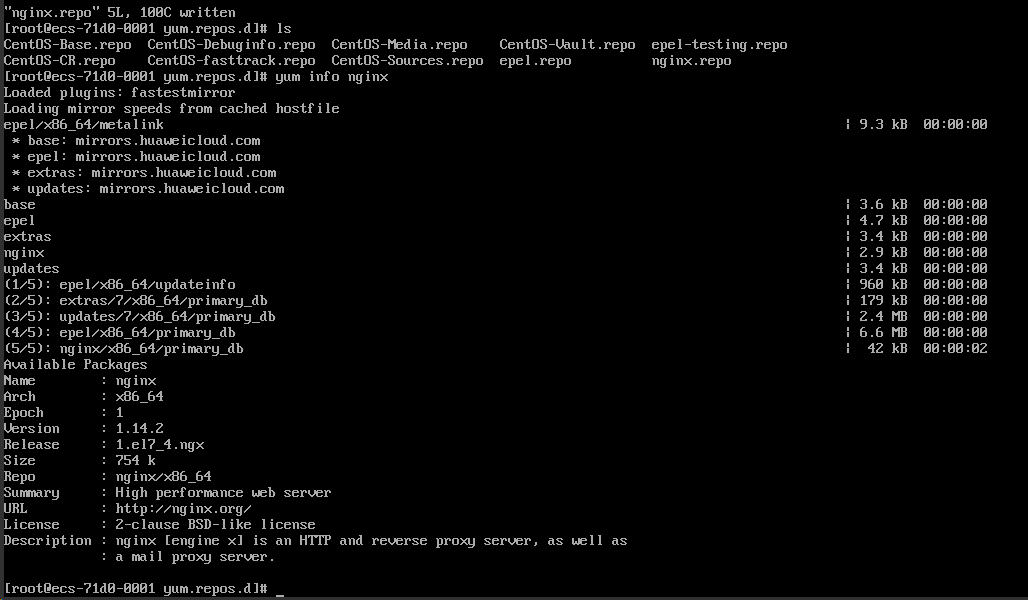
可以看到,现在(在之前运行时 Version 信息是 1.12.2)版本是 1.14.2,是编辑时官网能找到的最高 stable 版本,说明符合要求。
安装
yum install nginx
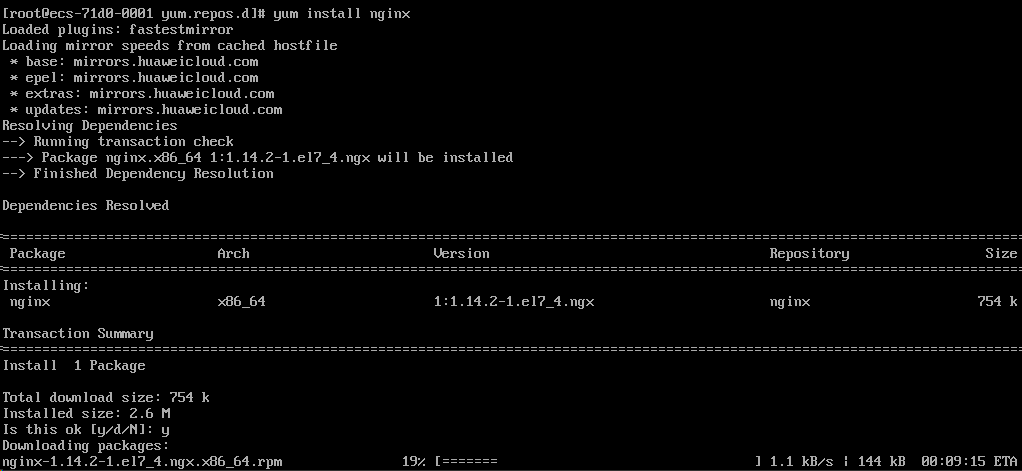
下载 rpm,说明是基于 rpm 包管理方式安装的,不同于官网下载 tar.gz 文件解压的源码安装方式
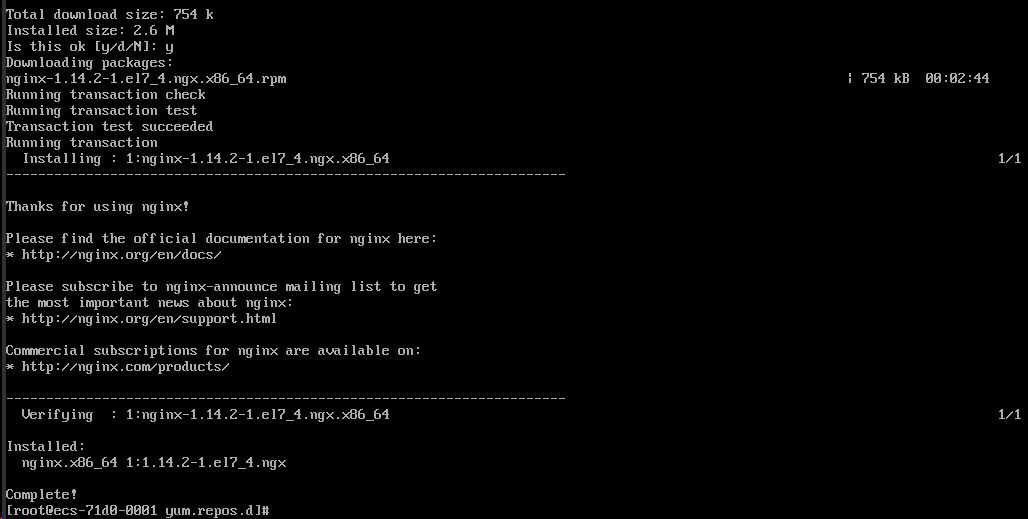
完成的倒是齁快,此种方式将安装在系统默认目录下,当前的默认安装结果是 /usr/sbin/nginx 等多个,配置文件在 /etc/nginx/ 下

此种方式有一点不如源码编译方式,就是对目录的控制,此种方式执行文件、配置文件等默认分散了,而源码编译方式可以让其更像在 Windows 下的环境,都在一个根目录中。
--以下为原文--
还是练练编译安装吧
先安装一些依赖
sudo yum install gcc-c++

sudo yum install pcre pcre-devel

sudo yum install zlib zlib-devel

sudo yum install openssl openssl-devel

sudo yum install gcc automake autoconf libtool make
这些安装应该没有什么问题,如果 yum 源和网络正常的话都应该非常快的完成,因此截图省。
检查已有的 nginx,如有就卸载
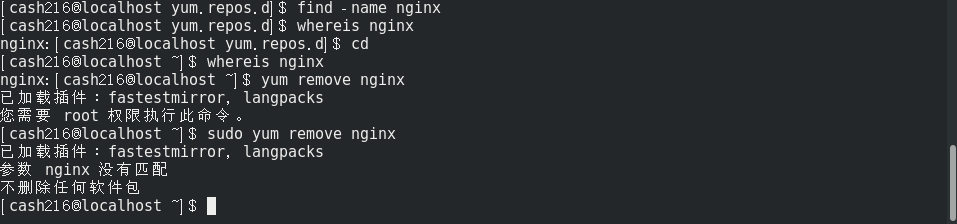
新系统没有安装过,因此找也找不到,卸载也不会成功。
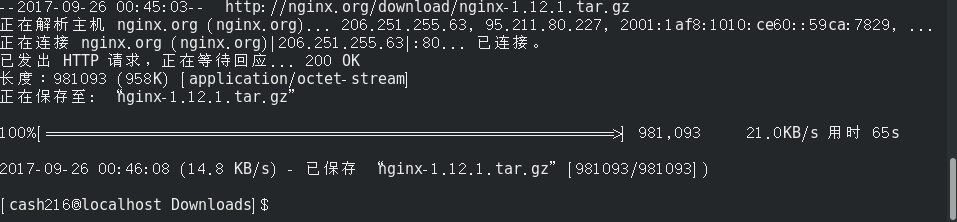
使用 wget 命令把源码包下载到本地一个路径下,如 /usr/local/src 或其他

解压 tar ,省事儿的话就地释放(小经验,第一次以为参数 f 可以免除,结果进入了“空白”,后来发现 -f 是很重要的,其后面就直接接要处理的文件)
sudo tar -zxv -f nginx-1.12..tar.gz
选择一个安装目录,将作为 nginx 被安装的地方,如 /usr/local/nginx,设置 nginx 的编译参数,--prefix= 设置安装路径,--with...一些编译参数
sudo ./configure --prefix=/usr/local/nginx --with-http_stub_status_module --with-http_ssl_module --with-http_gzip_static_module
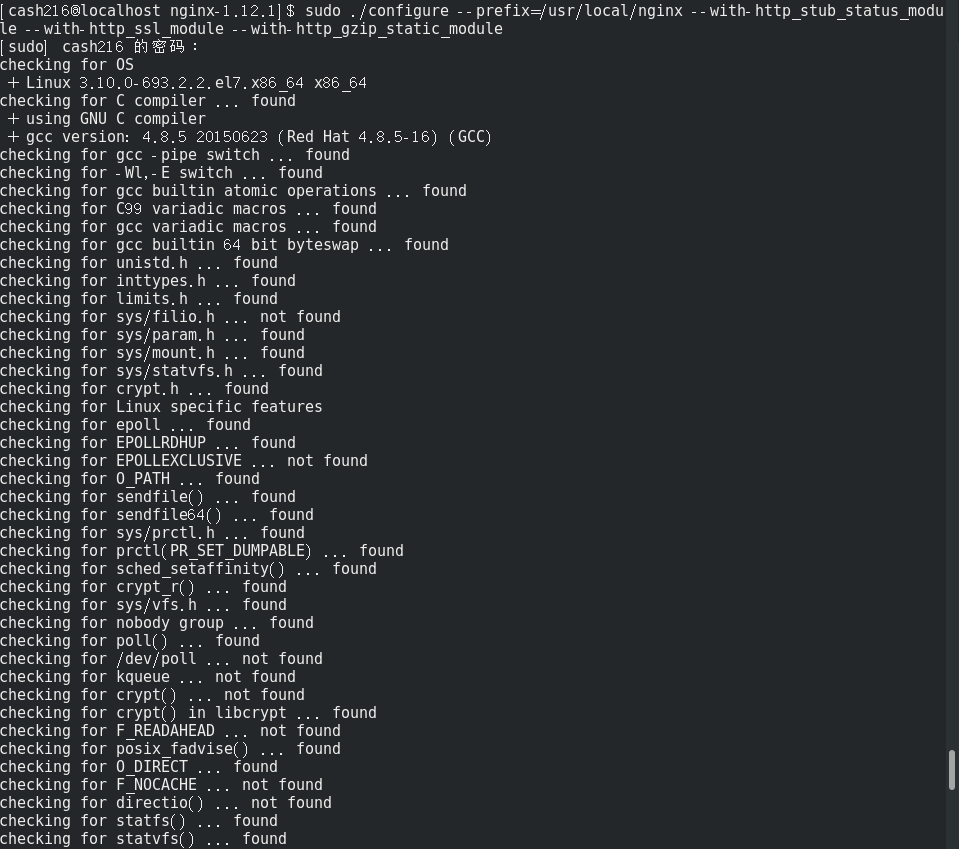
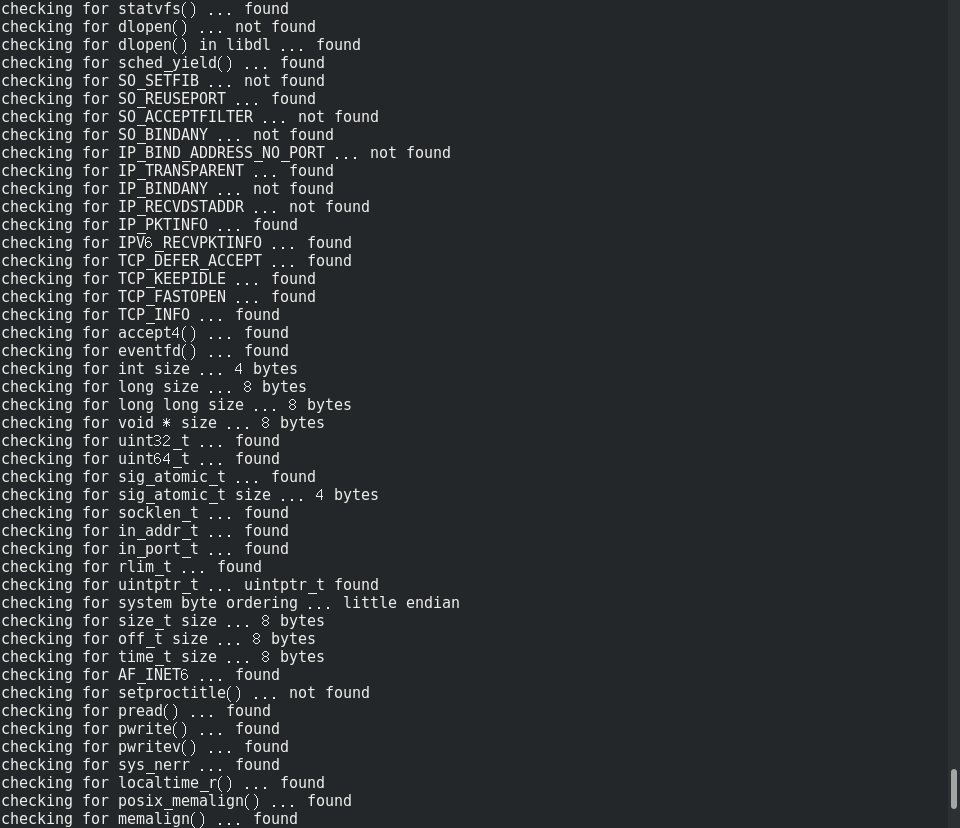
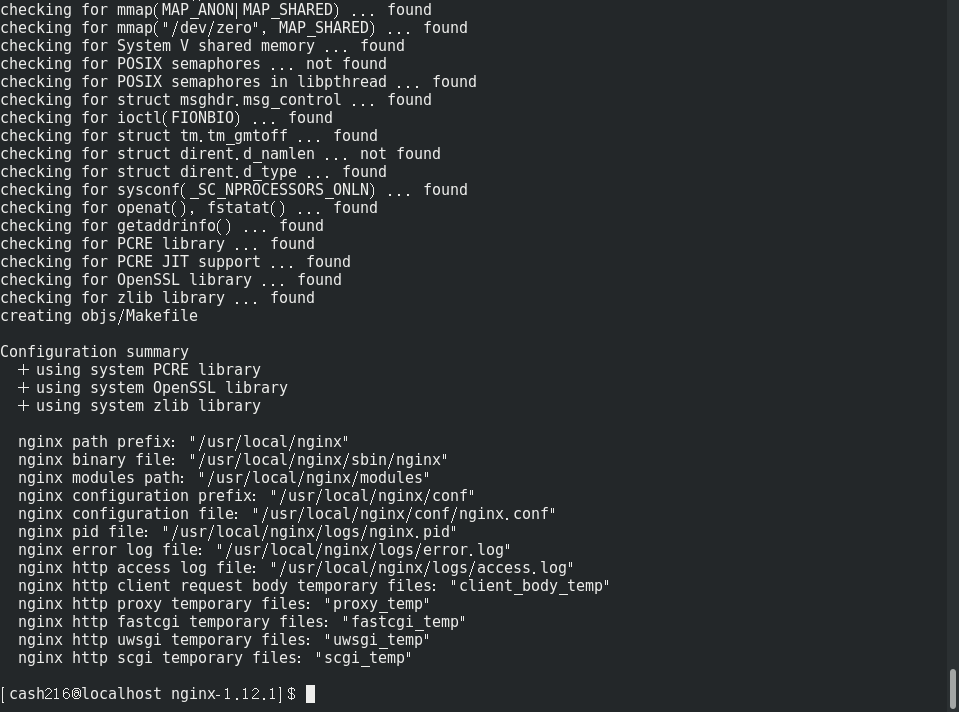
设置好后执行编译
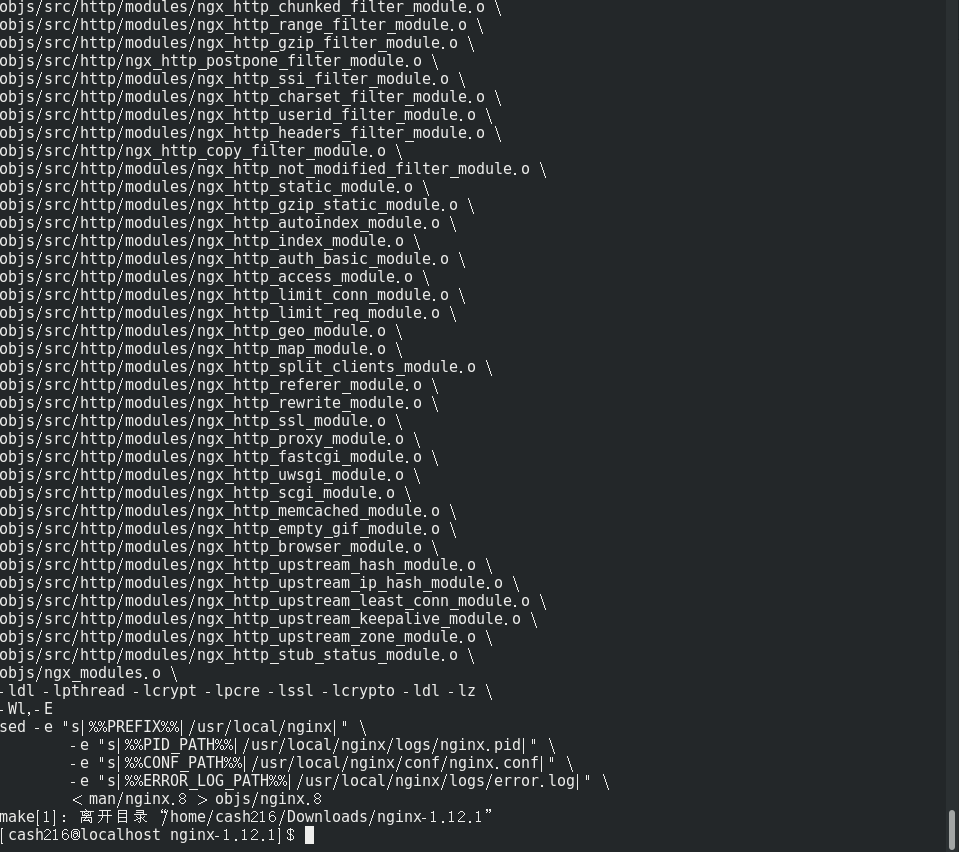
make
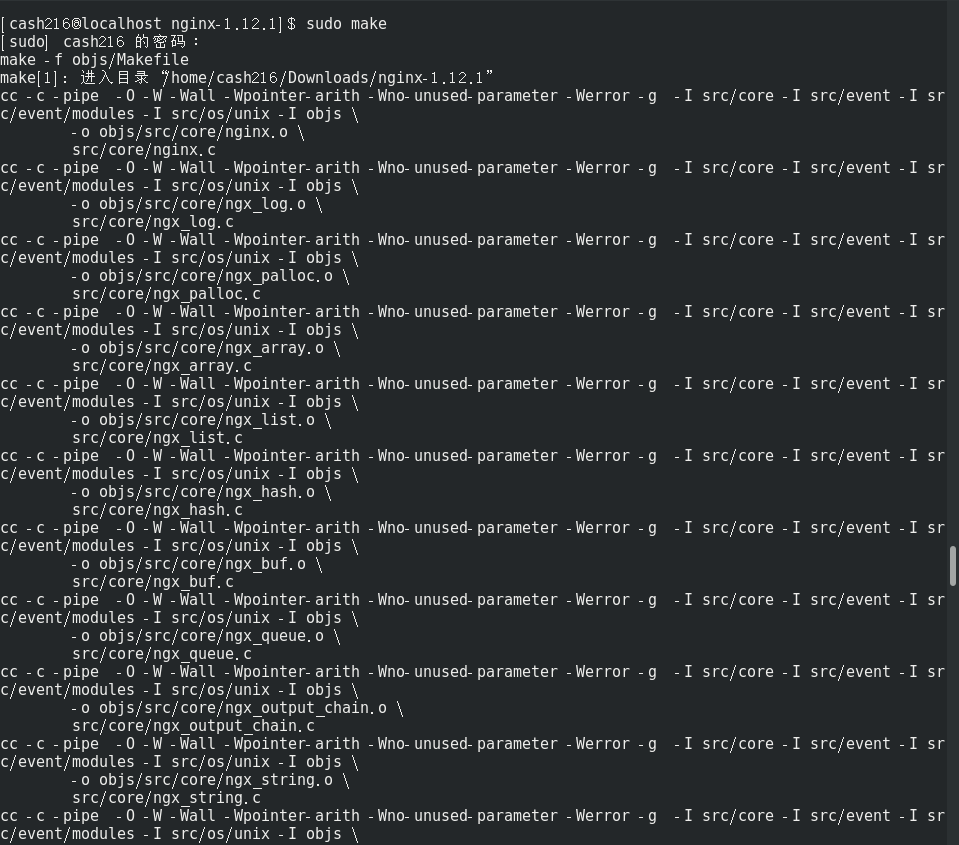
...... 太多省略部分
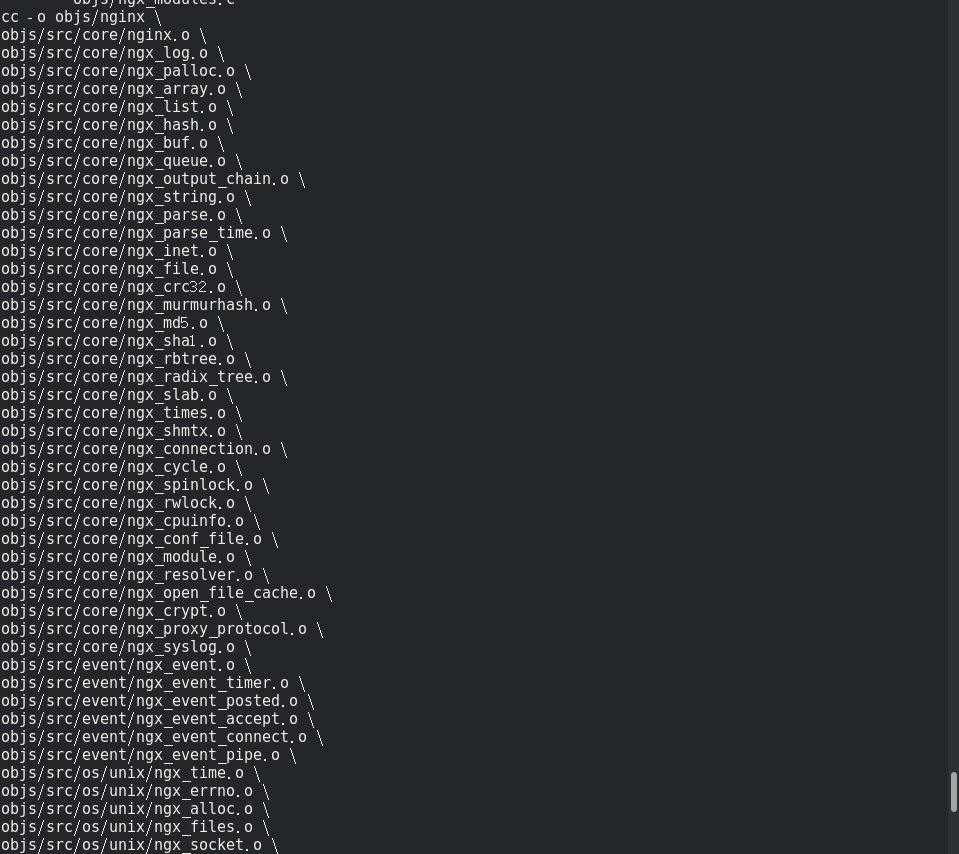
......太多省略部分
执行编译安装
make install
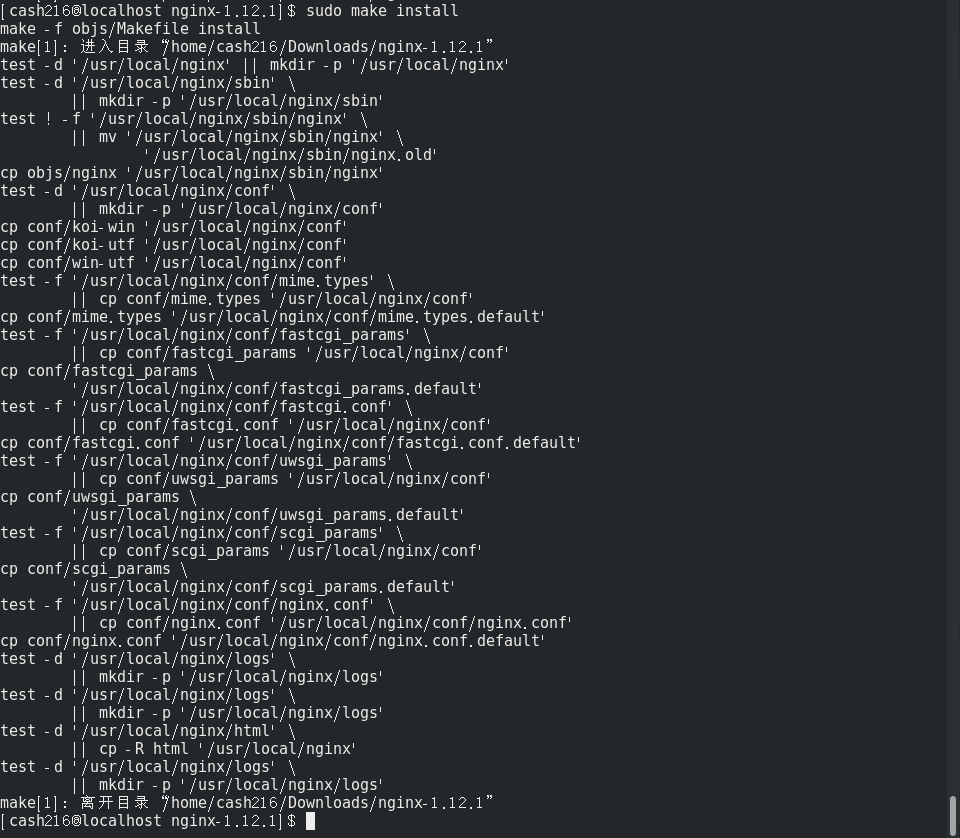
安装倒是很快,可以看到自动创建了原来不存在的 /usr/local/nginx 文件夹,安装后目录的样子
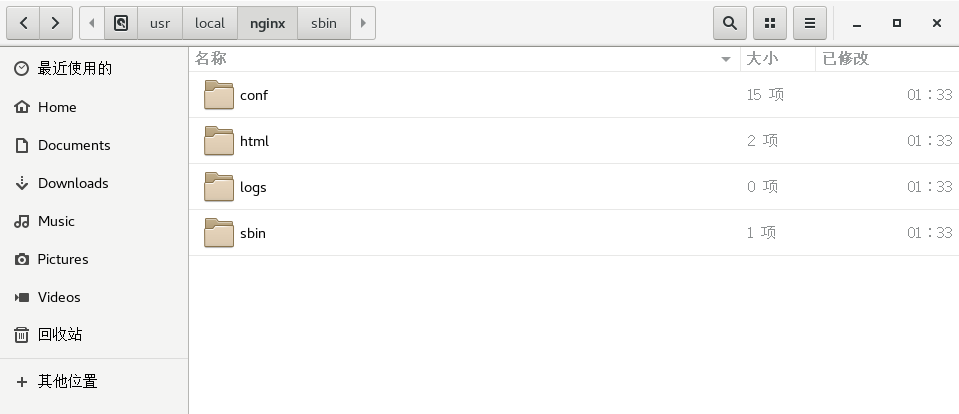
nginx 主程序在 sbin 里,就一个可执行程序。查看一下 80 端口的占用
netstat -ano|grep
启动 nginx
cd /usr/local/nginx/sbin

./nginx

遇到权限问题,先暴力解决一下,对 nginx 路径赋予权限
sudo chmod -R a+rw /usr/local/nginx

没消息就是好消息,继续启动一下试试

出现此问题由于以非root权限启动,原因 Linux 只有 root 用户可以使用 1024 以下端口,解决方式以 root 权限启动或更改 nginx 配置(nginx.conf) 端口改为 1024 以上,我当然选择 sudo 解决
sudo ./nginx
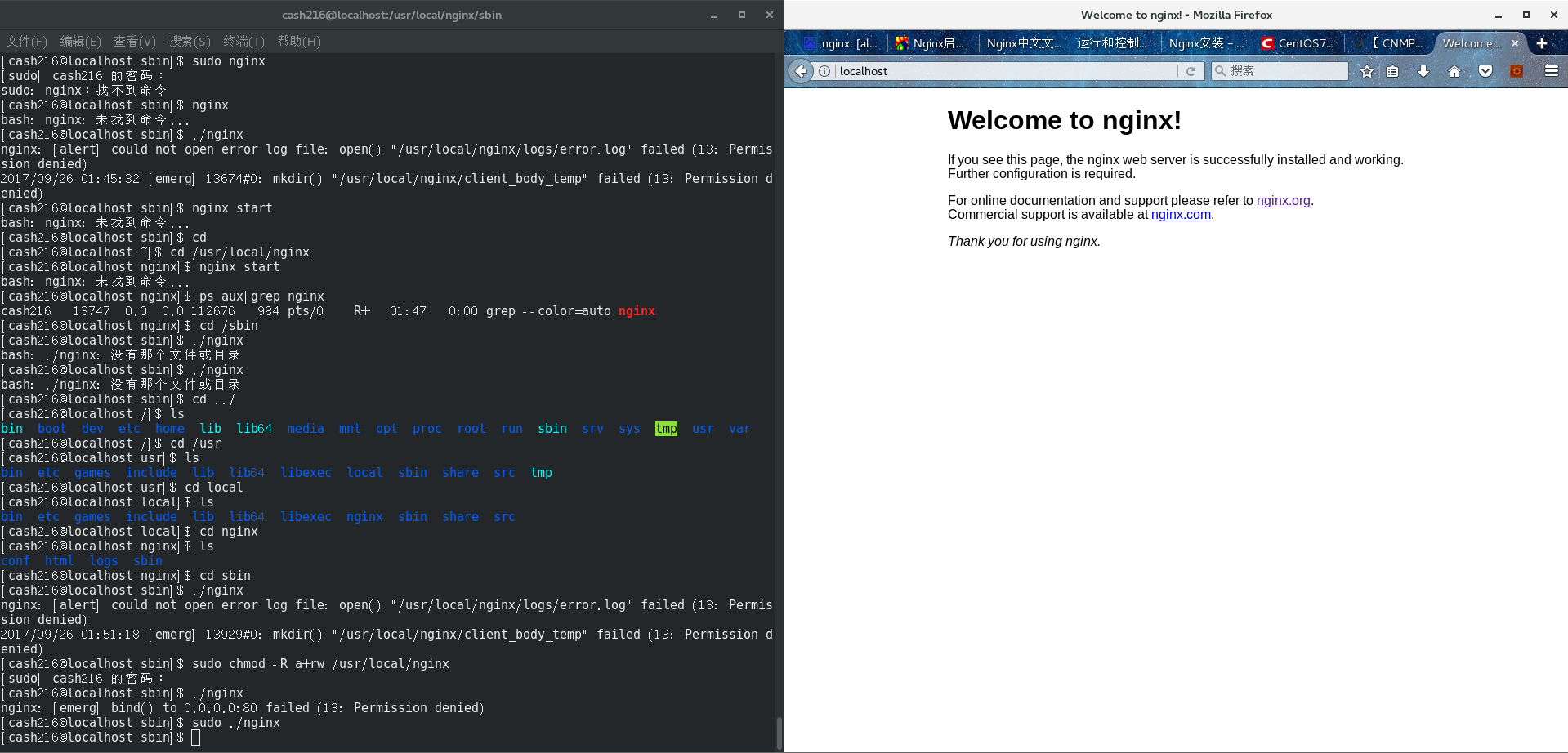
终于见到可爱的 Welcome 界面!
能运行的配置文件的样例(含 HTTPS 配置):
#user  nobody;

worker_processes  ;

#error_log  logs/error.log;

#error_log  logs/error.log  notice;

#error_log  logs/error.log  info;

#pid        logs/nginx.pid;

events {

    worker_connections  ;

}

http {

    include       mime.types;

    default_type  application/octet-stream;

    #log_format  main  '$remote_addr - $remote_user [$time_local] "$request" '

    #                  '$status $body_bytes_sent "$http_referer" '

    #                  '"$http_user_agent" "$http_x_forwarded_for"';

    #access_log  logs/access.log  main;

    sendfile        on;

    #tcp_nopush     on;

    #keepalive_timeout  ;

    keepalive_timeout  ;

    #gzip  on;

    server {

        listen       ;

        server_name  localhost;

        charset utf-,gbk;

        #access_log  logs/host.access.log  main;

        location / {

            root   html;

            index  index.html index.htm;

        }

        #error_page                /.html;

        # redirect server error pages to the static page /50x.html

        #

        error_page        /50x.html;

        location = /50x.html {

            root   html;

        }

        # proxy the PHP scripts to Apache listening on 127.0.0.1:

        #

        #location ~ \.php$ {

        #    proxy_pass   http://127.0.0.1;

        #}

        # pass the PHP scripts to FastCGI server listening on 127.0.0.1:

        #

        #location ~ \.php$ {

        #    root           html;

        #    fastcgi_pass   127.0.0.1:;

        #    fastcgi_index  index.php;

        #    fastcgi_param  SCRIPT_FILENAME  /scripts$fastcgi_script_name;

        #    include        fastcgi_params;

        #}

        # deny access to .htaccess files, if Apache's document root

        # concurs with nginx's one

        #

        #location ~ /\.ht {

        #    deny  all;

        #}

    }

    # another virtual host using mix of IP-, name-, and port-based configuration

    #

    #server {

    #    listen       ;

    #    listen       somename:;

    #    server_name  somename  alias  another.alias;

    #    location / {

    #        root   html;

    #        index  index.html index.htm;

    #    }

    #}

    # HTTPS server

    #

    #server {

    #    listen        ssl;

    #    server_name  localhost;

    #    ssl_certificate      cert.pem;

    #    ssl_certificate_key  cert.key;

    #    ssl_session_cache    shared:SSL:1m;

    #    ssl_session_timeout  5m;

    #    ssl_ciphers  HIGH:!aNULL:!MD5;

    #    ssl_prefer_server_ciphers  on;

    #    location / {

    #        root   html;

    #        index  index.html index.htm;

    #    }

    #}

    # config https site

    #

    server {

    listen         ssl;

    server_name   abc.com www.abc.com;

    root          html;

    ssl  on;

    ssl_certificate      ../cert/1.crt;

    ssl_certificate_key  ../cert/1.key;

    location ~ \.php$ {

        root           html;

        fastcgi_pass   127.0.0.1:;

        fastcgi_index  index.php;

        fastcgi_param  SCRIPT_FILENAME  $document_root$fastcgi_script_name;

        include      fastcgi_params;

        fastcgi_param HTTPS on;

    }

    error_page      /40x.html;

    location = /40x.html {

        root html;

    }

    }

}
- 安装目录 /usr/local/nginx,目录下新建 cert 目录,存放两个ssl证书文件,配置文件存放在 /usr/local/nginx/conf
常用的命令:
- systemctl start/stop/restart nginx(.service)
- 从容停止 kill -quit nginx
- 命令方式启动 nginx:切换到目录下时使用 ./nignx,完整目录使用 /usr/local/nignx/sbin/nginx
- systemctl start firewalld.service 启动firewall,stop 为关闭,disable 为禁止开机启动
- curl http://localhost linux本地测试访问
- netstat -tpln 查看连接占用(比如80端口谁占着)
一些记录和链接:
- Nginx 中文:http://www.nginx.cn/doc
- 参考《Nginx 安装》:http://www.nginx.cn/install
- 参考《【CNMP系列】CentOS7.0下安装Nginx服务》:http://www.cnblogs.com/riverdubu/p/6426852.html
- 参考《CentOS7 安装 Nginx 1.12.1》:http://www.cnblogs.com/holddie/p/7554399.html
- 参考《CentOS7系统下用YUM安装Nginx详解》:https://yq.aliyun.com/ziliao/91819
- 参考《centos 6.9 编译安装 Nginx1.12.1》:http://www.mamicode.com/info-detail-1990967.html
- 参考《nginx 编译参数详解》:http://blog.sina.com.cn/s/blog_68c25adf01014037.html
- 哪天找不到 nginx 可以:whereis nginx
- yum安装nginx:http://www.linuxidc.com/Linux/2016-04/130117.htm
- 参考《Centos7 上 Nginx 的使用》:http://www.cnblogs.com/edward2013/p/5373818.html
CentOS7 下使用 Nginx的更多相关文章
- 学习笔记(1)centos7 下安装nginx
学习笔记(1)centos7 下安装nginx 这里我是通过来自nginx.org的nginx软件包进行安装的. 1.首先为centos设置添加nginx的yum存储库 1.通过vi命令创建一个rep ...
- Windows和Linux(Centos7)下安装Nginx
安装Nginx 这篇记录只不过做了一个简单总结,如果对这块没什么概念的话可以看一下知乎的这篇文章 https://zhuanlan.zhihu.com/p/83890573 window下安装 win ...
- centos7下搭建nginx+php7.1+mariadb+memcached+redis
一.环境准备 1.首先介绍一下环境,以及我们今天的主角们 我用的环境是最小化安装的centos7,mariadb(江湖传言mysql被oracle收购后,人们担心像java一样毁在oracle手上于是 ...
- CentOS7下搭建Nginx+PHP7的安装配置
一.安装编译工具及库文件: yum -y install make zlib zlib-devel gcc-c++ libtool openssl openssl-devel 环境要求 nginx是C ...
- Linux系统:centos7下搭建Nginx和FastDFS文件管理中间件
本文源码:GitHub·点这里 || GitEE·点这里 一.FastDFS简介 1.基础概念 FastDFS是一个开源的轻量级分布式文件系统,它对文件进行管理,功能包括:文件存储.文件同步.文件上传 ...
- centos7下部署nginx与php
背景介绍 相信读者在看这篇文章之前已经fastcgi,php-fpm有所了解.大概来讲php语言需要fastcgi程序,即php解释器解释,而php解释器需要php-fpm管理器进行调度. 以下对CG ...
- centos7下安装nginx的方法
没有用tar包的方法,太麻烦,还需要找,还需要编译,还需要下乱七八糟的依赖模块.麻烦的一逼,看网上说的.就采用了在线安装的方法.很快.注意一下,这种方法安装是安装到系统默认的位置.我也不知道怎么换.留 ...
- 在centos7下搭建nginx环境,并配置负载均衡,最终能达到通过域名直接访问的目的
1.关于nginx:个人理解的nginx它的主要用途就是负载均衡,当然可能还有其他一些功能可能我们不长用到,我们通过nginx可以干什么呢?为什么要引入它呢?原因是当有高并发访问服务器时,服务器可能会 ...
- centos7 下通过nginx+uwsgi部署django应用
1. 安装python3.6 1. 获取 wget https://www.python.org/ftp/python/3.6.2/Python-3.6.2.tgz tar -xzvf Python- ...
随机推荐
- 用C/C++扩展你的PHP
PHP取得成功的一个主要原因之一是她拥有大量的可用扩展.web开发者无论有何种需求,这种需求最有可能在PHP发行包里找到.PHP发行包包括支持各种数据库,图形文件格式,压缩,XML技术扩展在内的许多扩 ...
- linux下rsync命令详细整理
点评:rsync是一个功能非常强大的工具,其命令也有很多功能特色选项,我们下面就对它的选项一一详细说明,需要了解的朋友可以参考下-在对rsync服务器配置结束以后,下一步就需要在客户端发出rsync命 ...
- Linux awk&sed
awk AWK是强大的文本处理工具,擅长对日志文件迚行快速分析. 它丌仅用亍 Linux ,也是任何环境中现有的功能最强大的数据处理引擎之一. 名称得自亍它的发明者 Alfred Aho .Pet ...
- rosbag数据记录及转换图片、视频
博客转载自: https://blog.csdn.net/u012706484/article/details/78495896 rosbag常见的使用参数和配置 1.查看.bag中包含的信息 : r ...
- ubuntu 设置虚拟机和主机在同一网段
一.在VMware中将网络连接方式设置为桥接 1.打开VM菜单栏->Settings 2.在弹出的Virtual Machine Setting对话框中点击Network Adapter,在右边 ...
- win10手动开启wifi
win+R键,输入cmd,以管理员身份运行,输入netsh wlan set hostednetwork mode=allow ssid=wifi key=wifimima123回车 解释一下: ss ...
- Eclipse工具
1 ArrayList的常见方法 * a: add(参数) 向集合中添加元素 * b: get(int index) 取出集合中的元素,get方法的参数,写入索引 * c: size() 返回集合的长 ...
- css总结2:Flex 布局教程:Flex 语法(转)
Flex 布局教程:语法篇 网页布局(layout)是 CSS 的一个重点应用. 布局的传统解决方案,基于盒状模型,依赖 display 属性 + position属性 + float属性.它对于那些 ...
- Struts2 让跳转指定执行某个方法
很多时候,我们想让jsp页面中的某个超链接,点击后执行后台的某个方法,里面该如何做呢? 这里方法很多种 我举例两种: 1.在struts.xml配置,配置如下: <package name=&q ...
- TypedValue.applyDimension的使用
TypedValue.applyDimension是一个将各种单位的值转换为像素的方法 用法TypedValue.applyDimension(int unit, float value,Displa ...