
SpringMVC之reset风格和form表单格式的curd
CRUD

c:create创建

r:retieve:查询

u:update:修改

d:delete:删除

rest

/emp/1 get 代表查询id为1的员工

/emp/1 put 代表修改id为1的员工

/emp/1 delete 代表删除id为1的员工

/emp   post 代表新增员工

/emps  get  代表查询所有的员工

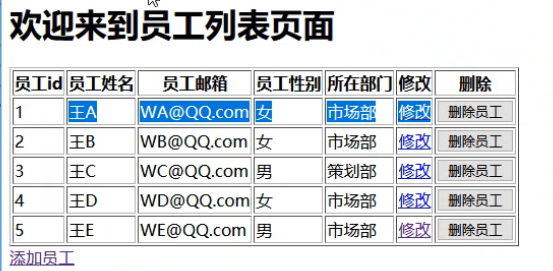
/indexemp.jsp --->emps请求--->转发到empList.jsp展示所有员工数据

添加:

	empList.jsp中点击添加员工,--->查询所有的部门信息要展示在页面-->添加页面(addEmp.jsp)

	-->输入要添加的数据-->点击保存--->控制器接收请求处理保存数据--->保存完成--->继续回到首页

修改:

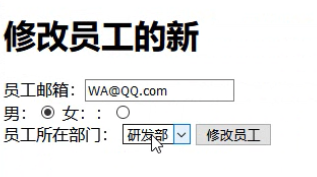
	在页面点击修改--(查询要修改的员工信息,放到域对象中,修改页面显示数据/emp/1 get)

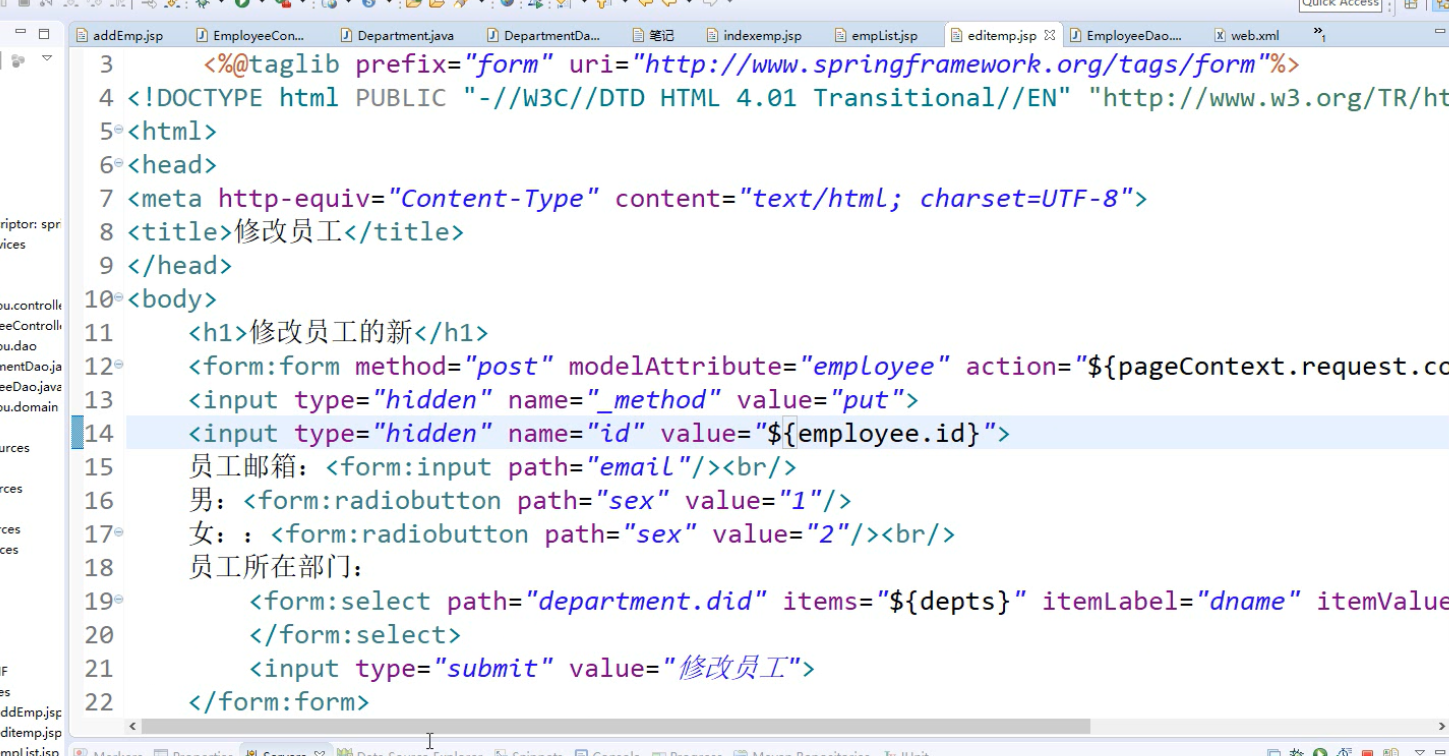
	->员工的修改页面(editemp)--->输入要修改的数据,点击修改按钮,发送请求/emp/1 put

	-->修改员工--->员工列表页面

	删除:

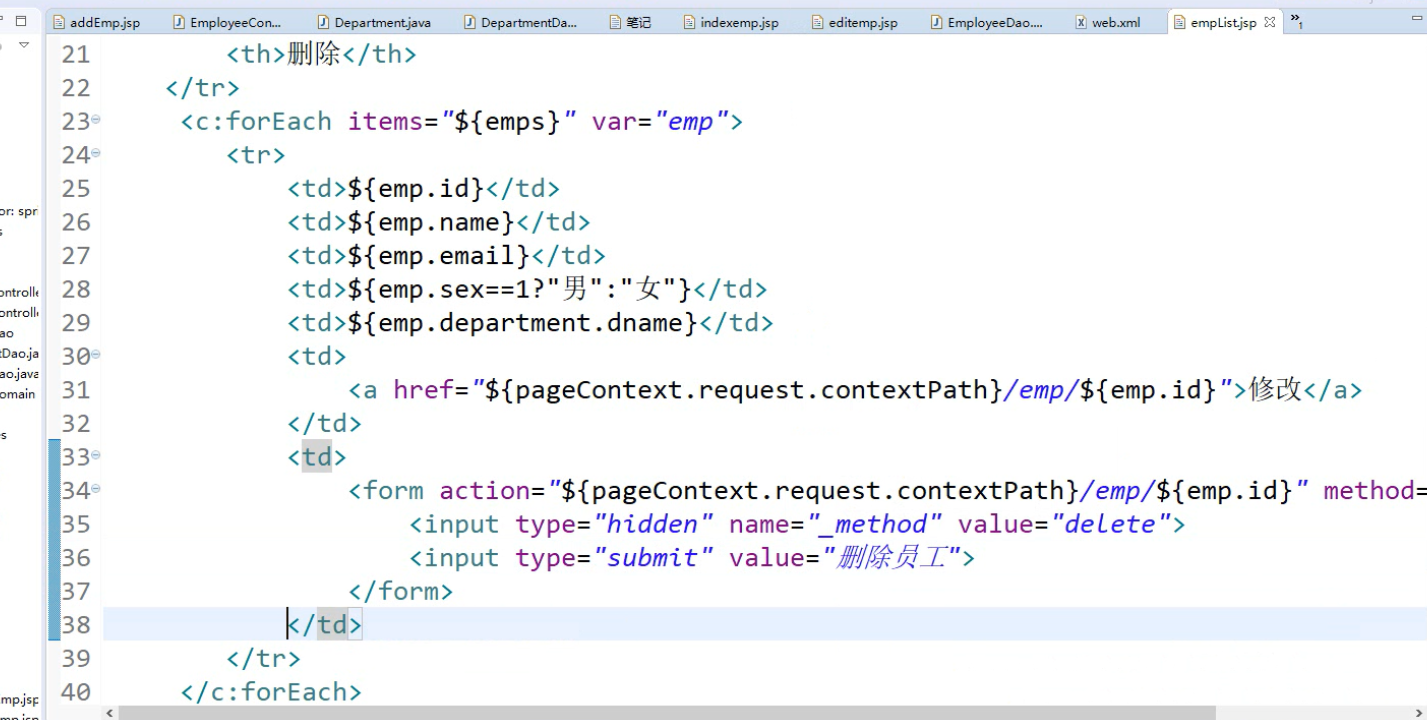
		在页面点击删除-->发送删除请求(/emp/1 delete)-->删除-->来到主页面
1.EmployeeController
package com.tanzhou.controller;

import java.util.Collection;

import org.springframework.beans.factory.annotation.Autowired;

import org.springframework.stereotype.Controller;

import org.springframework.ui.Model;

import org.springframework.web.bind.annotation.ModelAttribute;

import org.springframework.web.bind.annotation.PathVariable;

import org.springframework.web.bind.annotation.RequestMapping;

import org.springframework.web.bind.annotation.RequestMethod;

import org.springframework.web.bind.annotation.RequestParam;

import com.tanzhou.dao.DepartmentDao;

import com.tanzhou.dao.EmployeeDao;

import com.tanzhou.domain.Department;

import com.tanzhou.domain.Employee;

@Controller

public class EmployeeController {

	@Autowired

	private EmployeeDao employeeDao;

	@Autowired

	private DepartmentDao departmentDao;

	/**

	 * 查询所有的员工

	 */

	@RequestMapping("/emps")

	public String getEmps(Model model){

		Collection<Employee> emps = employeeDao.getEmployees();

		model.addAttribute("emps", emps);//存到request域对象中

		return "empList";

	}

	//	public Employee(Integer id, String name, String email, Integer sex, Department department) {

	@RequestMapping("/addpage")

	public String addpage(Model model){

		Collection<Department> depts = departmentDao.getDepartments();

		model.addAttribute("depts", depts);

		model.addAttribute("employee", new Employee());

		return "addEmp";

	}

	@RequestMapping(value="/emp",method=RequestMethod.POST)//

	public String addEmp(Employee employee){

		System.out.println(employee);

		employeeDao.save(employee);//模拟保存

		return "redirect:/emps";//添加之后直接重定向到查询员工的请求

	}

	//<a href="${pageContext.request.contextPath}/emp/${emp.id}"></a>

	@RequestMapping(value="/emp/{id}",method=RequestMethod.GET)

	public String getEmpById(@PathVariable("id")Integer id,Model model){

		//根据id查询员工

		Employee employee = employeeDao.getEmployee(id);

		model.addAttribute("employee", employee);

		//查询所有部门

		Collection<Department> dept = departmentDao.getDepartments();

		model.addAttribute("depts", dept);

		return "editemp";

	}

	//修改员工

	@RequestMapping(value="/emp/{id}",method=RequestMethod.PUT)

	public String updateEmp(@ModelAttribute("employee")Employee emp){

		System.out.println(emp);

		employeeDao.save(emp);

		return "redirect:/emps";

	}

	@ModelAttribute

	public void modelAttribute(@RequestParam(value="id",required=false)Integer id,Model model){

		//先根据id查询员工

		if(id!=null){

			Employee employee = employeeDao.getEmployee(id);

			model.addAttribute("employee", employee);

		}

	}

	//删除

	@RequestMapping(value="/emp/{id}",method=RequestMethod.DELETE)

	public String deleteEmp(@PathVariable("id")Integer id){

		//删除

		employeeDao.deleteEmployee(id);

		return "redirect:/emps";

	}

}
2.EmployeeDao和DeptmentDao
package com.tanzhou.dao;

import java.util.Collection;

import java.util.HashMap;

import java.util.Map;

import org.springframework.beans.factory.annotation.Autowired;

import org.springframework.stereotype.Repository;

import com.tanzhou.domain.Department;

import com.tanzhou.domain.Employee;

@Repository

public class EmployeeDao {

	@Autowired

	private DepartmentDao ddao;

	private static Map<Integer,Employee> map = null;

	//	public Employee(Integer id, String name, String email,

//	Integer sex, Department department) {

	static{

		map =  new HashMap<>();

		map.put(1, new Employee(1,"王A","WA@QQ.com",1,new Department(1,"研发部")));

		map.put(2, new Employee(2,"王B","WB@QQ.com",2,new Department(2,"市场部")));

		map.put(3, new Employee(3,"王C","WC@QQ.com",1,new Department(3,"策划部")));

		map.put(4, new Employee(4,"王D","WD@QQ.com",2,new Department(2,"市场部")));

		map.put(5, new Employee(5,"王E","WE@QQ.com",1,new Department(1,"研发部")));

	}

	private static Integer initid = 5;

	/**

	 * 新增或修改

	 * 如果传入对象有id,代表修改

	 * 如果传入对象没有id,代表新增

	 * @param emp

	 */

	public void save(Employee emp){

		if(emp.getId()==null){

			emp.setId(initid++);

		}

		emp.setDepartment(ddao.getDepartment(emp.getDepartment().getDid()));

		map.put(emp.getId(), emp);

	}

	/**

	 * 获取所有的员工

	 * @return

	 */

	public Collection<Employee> getEmployees(){

		return map.values();

	}

	/**

	 * 根据id查询员工对象

	 * @param id

	 * @return

	 */

	public Employee getEmployee(Integer id){

		return map.get(id);

	}

	/**

	 * 根据id删除员工

	 * @param id

	 */

	public void deleteEmployee(Integer id){

		map.remove(id);

	}

}

package com.tanzhou.dao;

import java.util.Collection;

import java.util.HashMap;

import java.util.Map;

import org.springframework.stereotype.Repository;

import com.tanzhou.domain.Department;

@Repository

public class DepartmentDao {

	private static Map<Integer,Department> map = null;

	static{

		map =  new HashMap<>();

		map.put(1, new Department(1,"研发部"));

		map.put(2, new Department(2,"市场部"));

		map.put(3, new Department(3,"策划部"));

	}

	//获取所有部门信息

	public Collection<Department> getDepartments(){

		return map.values();

	}

	//根据部门编号查询对应的部门

	public Department getDepartment(Integer did){

		return map.get(did);

	}

}
3.jsp页面
addEmp.jsp
<%@ page language="java" contentType="text/html; charset=UTF-8"

    pageEncoding="UTF-8"%>

    <%@taglib prefix="c" uri="http://java.sun.com/jsp/jstl/core" %>

    <%@taglib prefix="form" uri="http://www.springframework.org/tags/form"%>

<!DOCTYPE html PUBLIC "-//W3C//DTD HTML 4.01 Transitional//EN" "http://www.w3.org/TR/html4/loose.dtd">

<html>

<head>

<meta http-equiv="Content-Type" content="text/html; charset=UTF-8">

<title>Insert title here</title>

</head>

<body>

<h1>添加员工信息</h1>

<!-- 表单标签:可以将模型数据中的属性和html页面上的表单元素直接进行绑定

	1.导入表单标签库

	modelAttribute

 -->

<form:form action="${pageContext.request.contextPath}/emp" modelAttribute="employee">

<!-- 1.path就是原来htmlinput标签的name项 2.自动回显模型数据中某个对象的属性值-->

	员工姓名:<form:input path="name"/><br/>

	员工邮箱:<form:input path="email"/><br/>

	男:<input type="radio" name="sex" value="1"><br/>

	女:<input type="radio" name="sex" value="2"><br/>

	员工所在部门:

	<!-- items:代表要遍历的集合,自动遍历,遍历出来的每一个对象都是部门对象

	itemLabel:指定遍历出来的这个对象的哪个属性要作为options标签体的值.

	itemValue:指定遍历出来的这个对象的哪个属性要作为options标签体的value.

	 -->

		<form:select path="department.did" items="${depts}" itemLabel="dname" itemValue="did">

		</form:select>

		<input type="submit" value="添加员工">

</form:form>

<%-- <form action="">

	员工姓名:<input type="text" name="name"><br/>

	员工邮箱:<input type="text" name="email"><br/>

	员工性别:<br/>

	男:<input type="radio" name="sex" value="1"><br/>

	女:<input type="radio" name="sex" value="2"><br/>

	员工所在部门:

		<select name="department.did">

				<c:forEach items="${depts}" var="dept">

					<option value="${dept.did}">${dept.dname}</option>

				</c:forEach>

		</select>

	<input type="submit" value="提交">

</form> --%>

</body>

</html>
editEmp.jsp
<%@ page language="java" contentType="text/html; charset=UTF-8"

    pageEncoding="UTF-8"%>

     <%@taglib prefix="form" uri="http://www.springframework.org/tags/form"%>

<!DOCTYPE html PUBLIC "-//W3C//DTD HTML 4.01 Transitional//EN" "http://www.w3.org/TR/html4/loose.dtd">

<html>

<head>

<meta http-equiv="Content-Type" content="text/html; charset=UTF-8">

<title>修改员工</title>

</head>

<body>

	<h1>修改员工的信息</h1>

	<form:form method="post" modelAttribute="employee" action="${pageContext.request.contextPath}/emp/${employee.id}">

	<input type="hidden" name="_method" value="put">

	<input type="hidden" name="id" value="${employee.id}">

	员工邮箱:<form:input path="email"/><br/>

	男:<form:radiobutton path="sex" value="1"/>

	女::<form:radiobutton path="sex" value="2"/><br/>

	员工所在部门:

		<form:select path="department.did" items="${depts}" itemLabel="dname" itemValue="did">

		</form:select>

		<input type="submit" value="修改员工">

	</form:form>

</body>

</html>
empList.jsp
<%@ page language="java" contentType="text/html; charset=UTF-8"

    pageEncoding="UTF-8"%>

<%@taglib prefix="c" uri="http://java.sun.com/jsp/jstl/core" %>

<!DOCTYPE html PUBLIC "-//W3C//DTD HTML 4.01 Transitional//EN" "http://www.w3.org/TR/html4/loose.dtd">

<html>

<head>

<meta http-equiv="Content-Type" content="text/html; charset=UTF-8">

<title>Insert title here</title>

<script type="text/javascript" src="${pageContext.request.contextPath}/jq/jquery-3.4.1.min.js"></script>

<script type="text/javascript">

	$(function(){

		alert("aaa");

	})

</script>

<!--

	springmvc处理静态资源的问题:

		web.xml中配置了url-pattern:/ 用来处理所有请求,但是jsp除外

		发送http://localhost:8080/springmvcday04/jq/jquery-3.4.1.min.js

		前端控制器会进行接收并处理,而对应控制器中没有定义对应的方法处理,所以出现404

		解决:

			让js请求不交给前端控制器处理

		办法:

			第一种:修改web.xml url-pattern:/*.action,如果项目要使用rest风格,支持不好

			第二种:

				在springmvc的配置文件中加上标签   <mvc:default-servlet-handler/>

				但是加上标签出现动态请求找不到,所以还需要加上<mvc:annotation-driven></mvc:annotation-driven>

				一起配合使用

		 -->

</head>

<body>

 <h1>欢迎来到员工列表页面</h1>

 <table border="1">

	<tr>

		<th>员工id</th>

		<th>员工姓名</th>

		<th>员工邮箱</th>

		<th>员工性别</th>

		<th>所在部门</th>

		<th>修改</th>

		<th>删除</th>

	</tr>

	 <c:forEach items="${emps}" var="emp">

	 	<tr>

	 		<td>${emp.id}</td>

	 		<td>${emp.name}</td>

	 		<td>${emp.email}</td>

	 		<td>${emp.sex==1?"男":"女"}</td>

	 		<td>${emp.department.dname}</td>

	 		<td>

	 			<a href="${pageContext.request.contextPath}/emp/${emp.id}">修改</a>

	 		</td>

	 		<td>

	 			<form action="${pageContext.request.contextPath}/emp/${emp.id}" method="post">

	 				<input type="hidden" name="_method" value="delete">

	 				<input type="submit" value="删除员工">

	 			</form>

	 		</td>

	 	</tr>

	 </c:forEach>

 </table>

 <a href="addpage">添加员工</a>

</body>

</html>

SpringMVC之reset风格和form表单格式的curd的更多相关文章
- axios的post传参时,将参数转为form表单格式
import axios from 'axios'; import alert from './alert.js'; import Qs from 'qs' //引入qs 时axios的自带模块 le ...
- vue中axios的post请求使用form表单格式发送数据
vue使用插件qs实现 (qs 是一个增加了一些安全性的查询字符串解析和序列化字符串的库.) 在jquery中的ajax的方法已将此封装,所以不需要再次序列化 1. 安装 在项目中使用命令行工具输 ...
- 前端开发-4-HTML-table&form&表单控制 标签
1.table标签 <!DOCTYPE html> <html lang="cn"> <head> <meta charset=" ...
- jquery清空form表单
//在form表单中添加一个隐藏的reset按钮, <button type="reset" style="display:none;"></ ...
- js阻止form表单重复提交
防止表单重复提交的方法总体来说有两种,一种是在js中阻止重复提交:另一种是在后台利用token令牌实现,大致思路是生成一个随机码放到session和form表单的隐藏输入框中,提交表单时两者对比,表单 ...
- ANDROID使用MULTIPARTENTITYBUILDER实现类似FORM表单提交方式的文件上传
最近在做 Android 端文件上传,要求采用 form 表单的方式提交,项目使用的 afinal 框架有文件上传功能,但是始终无法与php写的服务端对接上,无法上传成功.读源码发现:afinal 使 ...
- form表单reset重置按钮
如果ajax提交完数据,后想清空表单内容 ,以前都是用这个方法$("#id").val(""); 一个一个清空的,其实可以在form表单中加个隐藏的<in ...
- SpringMVC中使用bean来接收form表单提交的参数时的注意点
这是前辈们对于SpringMVC接收表单数据记录下来的总结经验: SpringMVC接收页面表单参数 springmvc请求参数获取的几种方法 下面是我自己在使用时发现的,前辈们没有记录的细节和注意点 ...
- SpringMVC的form:form表单的使用
为什么要使用SpringMVC的form:form表单,有两个原因:一是可以更加快捷的完成表单的开发,比如会替你做好数据类型装换等本来需要你自己动手的工作.其次就是能够更加方便的实现表单回显. 首先要 ...
随机推荐
- Java架构师笔记-你必须掌握的 21 个 Java 核心技术!(干货)
闲来无事,师长一向不(没)喜(有)欢(钱)凑热闹,倒不如趁着这时候复盘复盘.而写这篇文章的目的是想总结一下自己这么多年来使用java的一些心得体会,希望可以给大家一些经验,能让大家更好学习和使用Jav ...
- POJ 1734 Sightseeing trip(Floyd)
题目传送门 题目中文翻译: Description 桑给巴尔岛上的阿德尔顿镇有一家旅行社,它已决定为其客户提供除了许多其他名胜之外的景点.为了尽可能地从景点赚取收入,该机构已经接受了一个精明的决定:有 ...
- XSL使用写法与效果
data.xml <?xml-stylesheet type="text/xsl" href="getdata.xsl"?> <ROOT> ...
- jexus+.netcore+identityserver4 部署支持ssl(https)
硬件环境: 在阿里云购买了一个centos 7 64 位服务器 软件: jexus ,dotnet core sdk 第一步安装dotnet core sdk: 先安装dotnet core sdk ...
- Downton Abbey
1. 当女儿以为泰坦尼克号不会沉的时候,父亲用了一个有意思的比喻: - I thought it was supposed to be unsinkable. - Every mountain is ...
- python_4
1.迭代器:通过iter()方法获得了list的迭代对象,然后就可以通过next()方法来访问list中的元素了,当容器中没有可访问元素时,会抛出StopIteration异常终止迭代器 data = ...
- 40)PHP,mysql_fetch_row,mysql_fetch_array,mysql_fetch_assoc的区别
分析: mysql_fetch_row,这个函数是从结果集中取一行作为枚举数据,从和指定的结果标识关联的结果集中取得一行数据并作为数组返回.每个结果的列储存在一个数组的单元中,偏移量从 开始. 注意, ...
- [Codefoeces398B]Painting The Wall(概率DP)
题目大意:一个$n\times n$的棋盘,其中有$m$个格子已经被染色,执行一次染色操作(无论选择的格子是否已被染色)消耗一个单位时间,染色时选中每个格子的概率均等,求使每一行.每一列都存在被染色的 ...
- supervisor安装与配置实践版
应用场景 系统:centos7 需求:监控一个swooleWebSocket.php文件,程序使用的是8080端口,挂了自动被supervisor拉起来 一.首先要安装supervisor软件 yum ...
- hibernate中lazy的使用
lazy,延迟加载 Lazy的有效期:只有在session打开的时候才有效:session关闭后lazy就没效了. lazy策略可以用在: * <class>标签上:可以取值true/fa ...