
开源资产管理系统Snipe-IT
CentOS7安装IT资产管理系统
Snipe-IT介绍
资产管理工具
Github:https://github.com/snipe/snipe-it
官网:https://snipeitapp.com/
Demo:https://demo.snipeitapp.com/
安装要求
系统要求(https://snipe-it.readme.io/docs/requirements):笔者环境:2vcpu 4G mem 20G /
Hostname Role IP
snipeit.aniu.so snipeit 192.168.1.xxx
PHP version Mariadb version snipeit version
7.2.24 mysql Ver 15.1 Distrib 10.3.20-MariaDB, 4.8.0
#1.系统更新
$sudo yum -y install epel-release
$sudo yum update -y
#2.安装LNMP
#3.配置php-fpm
nginx和fastcgi的通信方式有两种,一种是TCP的方式,一种是unix socke方式
- TCP是使用TCP端口连接127.0.0.1:9000
- Socket是使用unix domain socket连接套接字
1、TCP配置方式
- 编辑 /etc/nginx/conf.d/你的站点配置文件。将fastcgi_pass参数修改为127.0.0.1:9000
- 编辑php-fpm配置文件 /etc/opt/rh/rh-php71/php-fpm.d/www.conf
- 将user和group的值设为nginx
user = nginx
group = nginx- listen的值设置为127.0.0.1:9000,和站点配置文件中fastcgi_pass参数的值一样
- 完成后,我们必须更改 selinux 的资料库并加入9000端口为httpd服务的有效连接。
semanage port -a -t http_port_t -p tcp 9000
- 重启php-fpm,重启nginx
2、unix socket配置方式
以文件(一般是.sock)作为socket的唯一标识(描述符),需要通信的两个进程引用同一个socket描述符文件就可以建立通道进行通信了。
- 创建socket描述符文件
sudo touch /var/run/php7.1-fpm.sock

sudo chown nginx:nginx /var/run/php7.1-fpm.sock

sudo chmod 666 /var/run/php7.1-fpm.sock
- 修改php-fpm配置文件中
- 将user和group的值设为nginx
user = nginx
group = nginx- listen的值设置为/var/run/php7.1-fpm.sock,和站点配置文件中fastcgi_pass参数的值一样
- 去掉listen.owner、listen.group、listen.mode前面的分号,以使php-fpm使用unix socket,并将listen.owner、listen.group的值设置为nginx
listen.owner = nginx
listen.group = nginx
- 修改nginx站点配置文件.编辑 /etc/nginx/conf.d/你的站点配置文件。将fastcgi_pass参数修改为/var/run/php7.1-fpm.sock
- 重启nginx和php-fpm服务(最好先重启php-fpm再重启nginx)
#创建Snipe-IT数据库
# 登录数据库
sudo mysql -u root -p
mysql> create database snipeit;
mysql> grant all on snipeit.* to 'snipe_user'@'192.168.1.%' identified by 'snipeitpass.';
mysql> flush privileges;
#4.安装Snipe-IT
# 安装git
[root@ops-01 ~]# cd /data/
[root@ops-01 data]# sudo git clone https://github.com/snipe/snipe-it snipeit
# 从提供的示例文件创建.env文件
cd /data/snipeit
sudo cp .env.example .env
# 编辑.env文件,根据提供的说明找到以下行并修改
# REQUIRED: BASIC APP SETTINGS
# --------------------------------------------
APP_ENV=production
APP_DEBUG=false # 排错的时候这个改为true
APP_URL=192.168.1.XXX
APP_TIMEZONE='Asia/Shanghai'
APP_LOCALe=zh-CN
# --------------------------------------------
# REQUIRED: DATABASE SETTINGS
# --------------------------------------------
DB_CONNECTION=mysql
DB_HOST=192.168.1.XXX
DB_DATABASE=snipeit
DB_USERNAME=snipe_user
DB_PASSWORD=snipeitpass.
DB_PREFIX=null
DB_DUMP_PATH='/usr/bin'
DB_CHARSET=utf8mb4
DB_COLLATION=utf8mb4_unicode_ci
#权限设置
# /data/snipeit

cd /data/snipeit

chown -R nginx:nginx

chmod -R 755 storage

chmod -R 755 public/uploads
#5.安装Composer
# 使用以下命令安装Composer,Composer是PHP的依赖管理器
[root@ops-01 ~]# cd ~
curl -sS https://getcomposer.org/installer | php
All settings correct for using Composer
Downloading...
Composer (version 1.6.5) successfully installed to: /root/composer.phar
Use it: php composer.phar
[root@ops-01 ~]# mv /root/composer.phar /usr/bin/composer
composer config -g repo.packagist composer https://packagist.phpcomposer.com #使用国内镜像加快composer install 速度
php composer.phar install --no - dev --prefer - source
#APP_KEY
[root@ops-01 snipeit]#composer update --no-scripts #先更新,解决项目的所有依赖
php artisan key:generate
**************************************
* Application In Production! *
**************************************
Do you really wish to run this command? (yes/no) [no]:
> yes
Application key [base64:yRuvb8BjQhuBDo6tYRToAbQ8PwiIKt0xko2TOVk5QqM=] set successfully.
#6.nginx 配置
[root@ops-01 conf.d]#mkdir /var/log/nginx/snipeit
vim snipeit.conf
server {
listen 80;
server_name snipeit.gabjoy.local;
root /data/snipeit/public;
index index.php index.html index.htm;
access_log /var/log/nginx/snipeit/snipeit.aniu.so.access.log main;
error_log /var/log/nginx/snipeit/snipeit.aniu.so.error.log;
location =/.env{
return 404;
}
location / {
try_files $uri $uri/ /index.php$is_args$args;
}
location ~ \.php$ {
root /data/snipeit/public;
try_files $uri $uri/ =404;
fastcgi_pass 127.0.0.1:9000;
fastcgi_index index.php;
fastcgi_param SCRIPT_FILENAME $document_root$fastcgi_script_name;
include fastcgi_params;
}
# 具体优化参数在nginx.conf配置
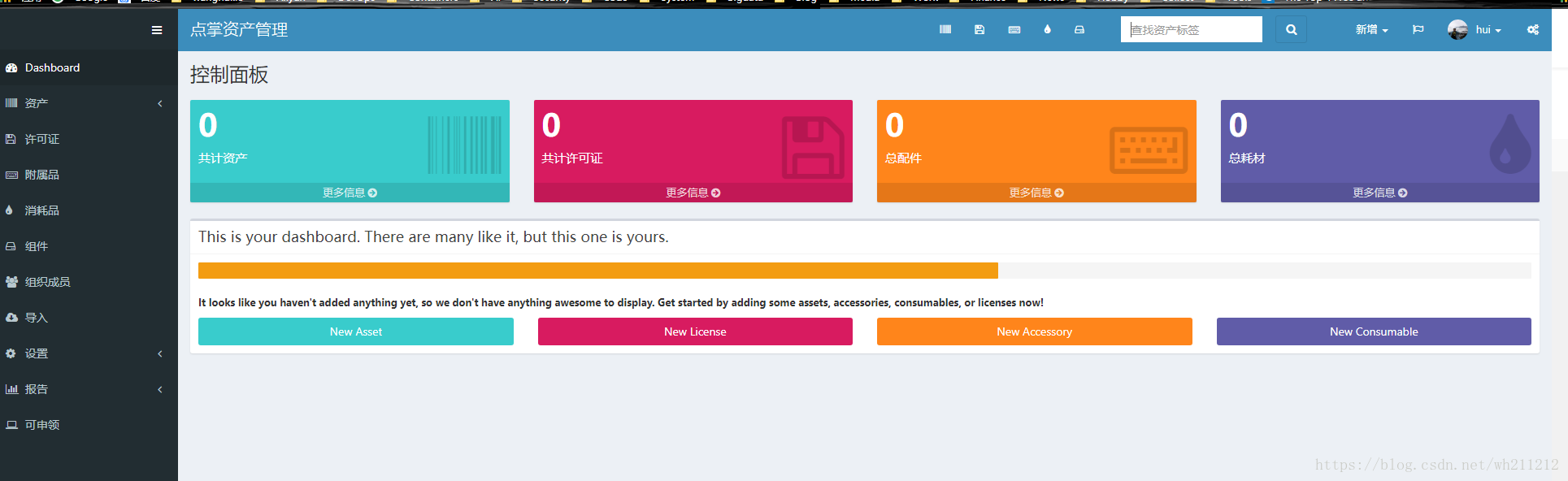
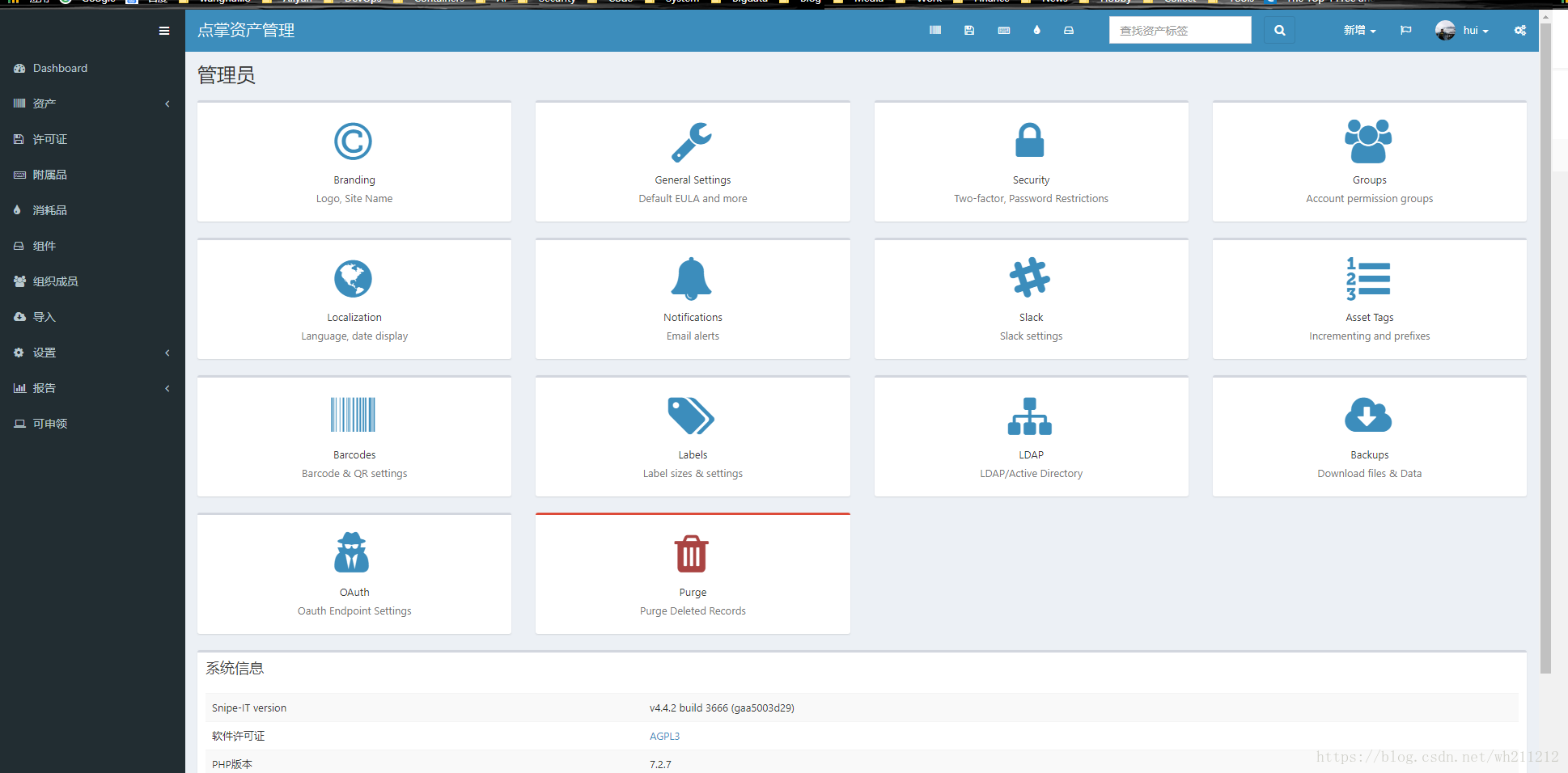
通过浏览器访问:
————————————————
版权声明:本文为CSDN博主「shaonbean」的原创文章,遵循 CC 4.0 BY-SA 版权协议,转载请附上原文出处链接及本声明。
原文链接:https://blog.csdn.net/wh211212/article/details/80814045
开源资产管理系统Snipe-IT的更多相关文章
- GLPI开源资产管理系统
GLPI一款资产管理系统,功能比较强大,东西比较多,放张图,有机会再深入研究
- 开源数字媒体资产管理系统:Razuna
Razuna以一个使用Java语言编写的开源的数字媒体资产管理(Digital Asset Management)系统.功能很强大,可以用于管理各种格式的数字媒体资源. Razuna在本机的安装配置还 ...
- 转载----开发运维资产管理系统cmdb一些观点扯淡
在新公司负责全网的自动化运维平台及给各个业务线提供接口数据.这工作和以前做的很类似,也算是比较顺手的工作,这段时候遇见一些问题,导致开发的前进速度的放慢了,具体有哪些的不完善,我这里就先不摆出了,但是 ...
- ylbtech-dbs:ylbtech-2,PAM(个人资产管理系统)
ylbtech-dbs:ylbtech-2,PAM(个人资产管理系统) -- =============================================-- Personal Asse ...
- ylbtech-dbs:ylbtech-1,FAM(家庭资产管理系统)
ylbtech-dbs:ylbtech-1,FAM(家庭资产管理系统) -- =============================================-- Family Assets ...
- 开源内容管理系统Joomla正式发布3.5版本 基于PHP 7
这也是首个完全支持 PHP 7 语言开发的 Joomla 版本 作为深受广大站长喜爱的 Joomla 开源内容管理系统(Content Management System, CMS)正式推出 3.5 ...
- LeeCX - 开源后台管理系统简单介绍
我们在github上开源了一个后台管理系统,使用了前端css框架并且简单的封装了一下,技术的将会不间断更新,详细可以点击原文链接.具体介绍如下: LeeCX 开源后台管理系统,前端基于bootstra ...
- Python之CMDB资产管理系统
最近正好在给公司做CMDB资产管理系统,现在做的也差不多了,现在回头吧思路整理下. CMDB介绍 CMDB --Configuration Management Database 配置管理数据库, C ...
- 资产管理系统 CMDB 讲解
两年前笔者在一个中小型互联网公司做运维,当时我们经理在机房,花了半天找一台服务器,但是服务器搞错了,悲剧了^.^! 当时我们的做法是用了一个 Excel,很多时候更新不及时,重启一台机器.拔一根网线都 ...
随机推荐
- UVA439 骑士的移动 Knight Moves
#include<bits/stdc++.h> using namespace std; char a,c; int b,d; ][]; ]={,,,-,,-,-,-}; ]={,-,,, ...
- drf目录
drf目录 1 web接口与restful规范 2 django中的restful规范 3 CBV请求分析 4 请求模块分析 5 响应模块分析 6 异常模块 7 解析模块 8 序列化类 9 视图组件 ...
- CCNA 之 九 STP生成树协议
STP生成树 在上一次实验中,使用了单臂路由是两个不同的VLAN之间进行通信,而单臂路由的这种网络拓扑,当一条链路或者路由设备出现故障的时候,整个网络就会瘫痪. 称此网络为:不健壮的,无冗余的网络环境 ...
- 在Windows系统中构建还原ASP.NET Core 源码
大家好,这几天试着从Github上拉取AspNetCore的源码,尝试着通过Visual Studio 打开,但是并不尽人意.我们需要去构建我们拉去的源代码,这样才可以通过VisualStudio可还 ...
- shell配置mysql主从
Environment:CentOS7两台主机 一台做主机,一台做备份机 注意: 首先第一步关闭两台机器的防火墙 主机shell操作: #!/bin/bash slave_user='zjt' sla ...
- 工作流Activity组件值数据传递获取问题
如图:先简单说一下大致过程 通过具体的菜单节点,加载具体的指令组件.本着低耦合的原件,需要将核查组件从指令组件重拆分出来,作为单独的组件根据业务需要拖拽到指令组件中.但是具体业务方面核查组件一方面需要 ...
- MyBatis系列(一) MyBatis入门
前言 MyBatis官方文档:https://mybatis.org/mybatis-3/zh/index.html MyBatis 本是apache的一个开源项目iBatis, 2010年这个项目由 ...
- gitbook 入门教程之自定义不一样的多语言首页插件
自定义多语言主页 中文 | English
- MongoDB下载+安装+运行
一. 官网下载安装 MongoDB 提供了 OSX 平台上 64 位的安装包,你可以在官网下载安装包. 下载地址:MongoDB官网-Community Server 选择适合自己平台的版本, 下载对 ...
- MYSQL“错误代码#1045 Access denied for user 'root'@'********8' (using password:YES)”
用IP远程连接数据库时报这个错误,我查看了下数据库是否开启了远程连接,已经开了,服务也启动着,网上的方法都是重置密码修改权限之类的,我发现都没用,我看了一下数据库所在的电脑,IP地址变了,然后真相了.