
Python爬虫入门教程 33-100 电影评论数据抓取 scrapy
1. 海王评论数据爬取前分析
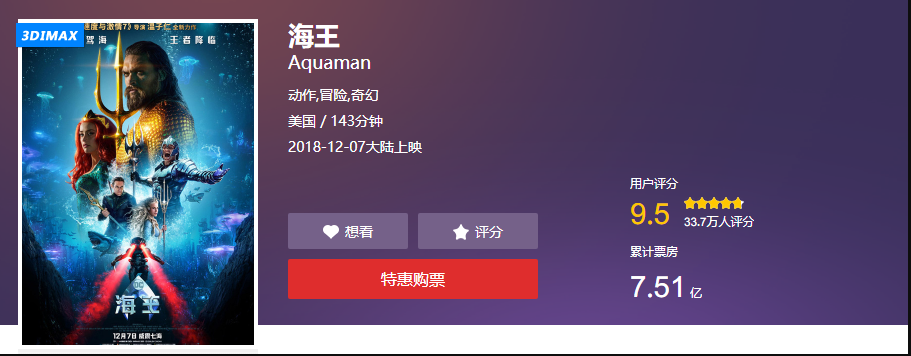
海王上映了,然后口碑炸了,对咱来说,多了一个可爬可分析的电影,美哉~
摘录一个评论
零点场刚看完,温导的电影一直很不错,无论是速7,电锯惊魂还是招魂都很棒。打斗和音效方面没话说非常棒,特别震撼。总之,DC扳回一分( ̄▽ ̄)。比正义联盟好的不止一点半点(我个人感觉)。还有艾梅伯希尔德是真的漂亮,温导选的人都很棒。
真的第一次看到这么牛逼的电影 转场特效都吊炸天
2. 海王案例开始爬取数据
数据爬取的依旧是猫眼的评论,这部分内容咱们用把牛刀,scrapy爬取,一般情况下,用一下requests就好了
抓取地址、交流群:1029344413 分享视频资料
http://m.maoyan.com/mmdb/comments/movie/249342.json?_v_=yes&offset=15&startTime=2018-12-11%2009%3A58%3A43
关键参数
url:http://m.maoyan.com/mmdb/comments/movie/249342.json

offset:15

startTime:起始时间
scrapy 爬取猫眼代码特别简单,我分开几个py文件即可。Haiwang.py
import scrapy

import json

from haiwang.items import HaiwangItem

class HaiwangSpider(scrapy.Spider):

    name = 'Haiwang'

    allowed_domains = ['m.maoyan.com']

    start_urls = ['http://m.maoyan.com/mmdb/comments/movie/249342.json?_v_=yes&offset=0&startTime=0']

    def parse(self, response):

        print(response.url)

        body_data = response.body_as_unicode()

        js_data = json.loads(body_data)

        item = HaiwangItem()

        for info in js_data["cmts"]:

            item["nickName"] = info["nickName"]

            item["cityName"] = info["cityName"] if "cityName" in info else ""

            item["content"] = info["content"]

            item["score"] = info["score"]

            item["startTime"] = info["startTime"]

            item["approve"] = info["approve"]

            item["reply"] = info["reply"]

            item["avatarurl"] = info["avatarurl"]

            yield item

        yield scrapy.Request("http://m.maoyan.com/mmdb/comments/movie/249342.json?_v_=yes&offset=0&startTime={}".format(item["startTime"]),callback=self.parse)
setting.py
设置需要配置headers
DEFAULT_REQUEST_HEADERS = {

    "Referer":"http://m.maoyan.com/movie/249342/comments?_v_=yes",

    "User-Agent":"Mozilla/5.0 Chrome/63.0.3239.26 Mobile Safari/537.36",

    "X-Requested-With":"superagent"

}
需要配置一些抓取条件
# Obey robots.txt rules

ROBOTSTXT_OBEY = False

# See also autothrottle settings and docs

DOWNLOAD_DELAY = 1

# Disable cookies (enabled by default)

COOKIES_ENABLED = False
开启管道
# Configure item pipelines

# See https://doc.scrapy.org/en/latest/topics/item-pipeline.html

ITEM_PIPELINES = {

   'haiwang.pipelines.HaiwangPipeline': 300,

}
items.py
获取你想要的数据
import scrapy

class HaiwangItem(scrapy.Item):

    # define the fields for your item here like:

    # name = scrapy.Field()

    nickName = scrapy.Field()

    cityName = scrapy.Field()

    content = scrapy.Field()

    score = scrapy.Field()

    startTime = scrapy.Field()

    approve = scrapy.Field()

    reply =scrapy.Field()

    avatarurl = scrapy.Field()
pipelines.py
保存数据,数据存储到csv文件中
import os

import csv

class HaiwangPipeline(object):

    def __init__(self):

        store_file = os.path.dirname(__file__) + '/spiders/haiwang.csv'

        self.file = open(store_file, "a+", newline="", encoding="utf-8")

        self.writer = csv.writer(self.file)

    def process_item(self, item, spider):

        try:

            self.writer.writerow((

                item["nickName"],

                item["cityName"],

                item["content"],

                item["approve"],

                item["reply"],

                item["startTime"],

                item["avatarurl"],

                item["score"]

            ))

        except Exception as e:

            print(e.args)

        def close_spider(self, spider):

            self.file.close()
begin.py
编写运行脚本
from scrapy import cmdline

cmdline.execute(("scrapy crawl Haiwang").split())
搞定,等着数据来到,就可以了
Python爬虫入门教程 33-100 电影评论数据抓取 scrapy的更多相关文章
- Python爬虫入门教程 31-100 36氪(36kr)数据抓取 scrapy
1. 36氪(36kr)数据----写在前面 今天抓取一个新闻媒体,36kr的文章内容,也是为后面的数据分析做相应的准备的,预计在12月底,爬虫大概写到50篇案例的时刻,将会迎来一个新的内容,系统的数 ...
- Python爬虫入门教程 30-100 高考派大学数据抓取 scrapy
1. 高考派大学数据----写在前面 终于写到了scrapy爬虫框架了,这个框架可以说是python爬虫框架里面出镜率最高的一个了,我们接下来重点研究一下它的使用规则. 安装过程自己百度一下,就能找到 ...
- Python爬虫入门教程石家庄链家租房数据抓取
1. 写在前面 这篇博客爬取了链家网的租房信息,爬取到的数据在后面的博客中可以作为一些数据分析的素材.我们需要爬取的网址为:https://sjz.lianjia.com/zufang/ 2. 分析网 ...
- Python爬虫入门教程 22-100 CSDN学院课程数据抓取
1. CSDN学院课程数据-写在前面 今天又要抓取一个网站了,选择恐惧症使得我不知道该拿谁下手,找来找去,算了,还是抓取CSDN学院吧,CSDN学院的网站为 https://edu.csdn.net/ ...
- Python爬虫入门教程 20-100 慕课网免费课程抓取
写在前面 美好的一天又开始了,今天咱继续爬取IT在线教育类网站,慕课网,这个平台的数据量并不是很多,所以爬取起来还是比较简单的 准备爬取 打开我们要爬取的页面,寻找分页点和查看是否是异步加载的数据. ...
- Python爬虫入门教程 3-100 美空网数据爬取
美空网数据----简介 从今天开始,我们尝试用2篇博客的内容量,搞定一个网站叫做"美空网"网址为:http://www.moko.cc/, 这个网站我分析了一下,我们要爬取的图片在 ...
- Python爬虫入门教程 33-100 《海王》评论数据抓取 scrapy
1. 海王评论数据爬取前分析 海王上映了,然后口碑炸了,对咱来说,多了一个可爬可分析的电影,美哉~ 摘录一个评论 零点场刚看完,温导的电影一直很不错,无论是速7,电锯惊魂还是招魂都很棒.打斗和音效方面 ...
- Python爬虫入门教程 32-100 B站博人传评论数据抓取 scrapy
1. B站博人传评论数据爬取简介 今天想了半天不知道抓啥,去B站看跳舞的小姐姐,忽然看到了评论,那就抓取一下B站的评论数据,视频动画那么多,也不知道抓取哪个,选了一个博人传跟火影相关的,抓取看看.网址 ...
- Python爬虫入门教程 12-100 半次元COS图爬取
半次元COS图爬取-写在前面 今天在浏览网站的时候,忽然一个莫名的链接指引着我跳转到了半次元网站 https://bcy.net/ 打开之后,发现也没有什么有意思的内容,职业的敏感让我瞬间联想到了 c ...
随机推荐
- Appium + python 自动化测试环境配置
-------------------------------------------------------------- 1. jdk-8u121-window(32位的就下载32位的,64位的就 ...
- Python--day43--mysql唯一索引和外键变种之多对多
唯一索引:(unique关键字)unique 名字 (num) 外键的变种:
- 2019-4-10-win10-uwp-自定义标记扩展
title author date CreateTime categories win10 uwp 自定义标记扩展 lindexi 2019-04-10 09:46:13 +0800 2019-04- ...
- H3C使用ping命令
- 2018-8-10-win10-uwp-进度条-WaveProgressControl
title author date CreateTime categories win10 uwp 进度条 WaveProgressControl lindexi 2018-08-10 19:16:5 ...
- C++动态数组中的C6385, C6386警告
警告 C6385 从“m”中读取的数据无效: 可读大小为“col*sizeof(int)”个字节,但可能读取了“8”个字节. 警告 C6386 写入到“m”时缓冲区溢出: 可写大小为“col*size ...
- destoon信息或者公司归属多个类别的解决方式
有时候,一条信息属对应于多个类别,在destoon原生系统里是没有这个解决方案 在公司行业类别选择的地方实现了这个功能,但是选择体验不太好,不符合我当前的需求,目前我写了如下解决方案 系统代码如下: ...
- JDK源码那些事儿之浅析Thread上篇
JAVA中多线程的操作对于初学者而言是比较难理解的,其实联想到底层操作系统时我们可能会稍微明白些,对于程序而言最终都是硬件上运行二进制指令,然而,这些又太过底层,今天来看一下JAVA中的线程,浅析JD ...
- Java中的变量、数据类型和运算符
1. java语言是一种强类型的语言,对各种数据类型都有明确的区分,而计算机使用内存来记忆大量运算时需要使用的数据,而当声明一个变量时,即在内存中划分一块空间存储数据,而变量类型决定划分内存空间的大小 ...
- 前端——BOM与DOM
目录 前戏 window对象 window的子对象 navigator对象(了解即可) screen对象(了解即可) history对象(了解即可) location对象 弹出框 计时相关 DOM H ...