
【水滴石穿】react-native-video-project
感觉这个是很有才华的博主,毕竟是可以在npm 包里面留后门的程序员
博主的gihtub关于这个项目的地址是:https://github.com/ikimiler/react-native-video-project
运行出来了项目我十分兴奋,因为项目很完整,先不去想复杂不复杂,但是看到这样的项目会很感恩开源的程序员
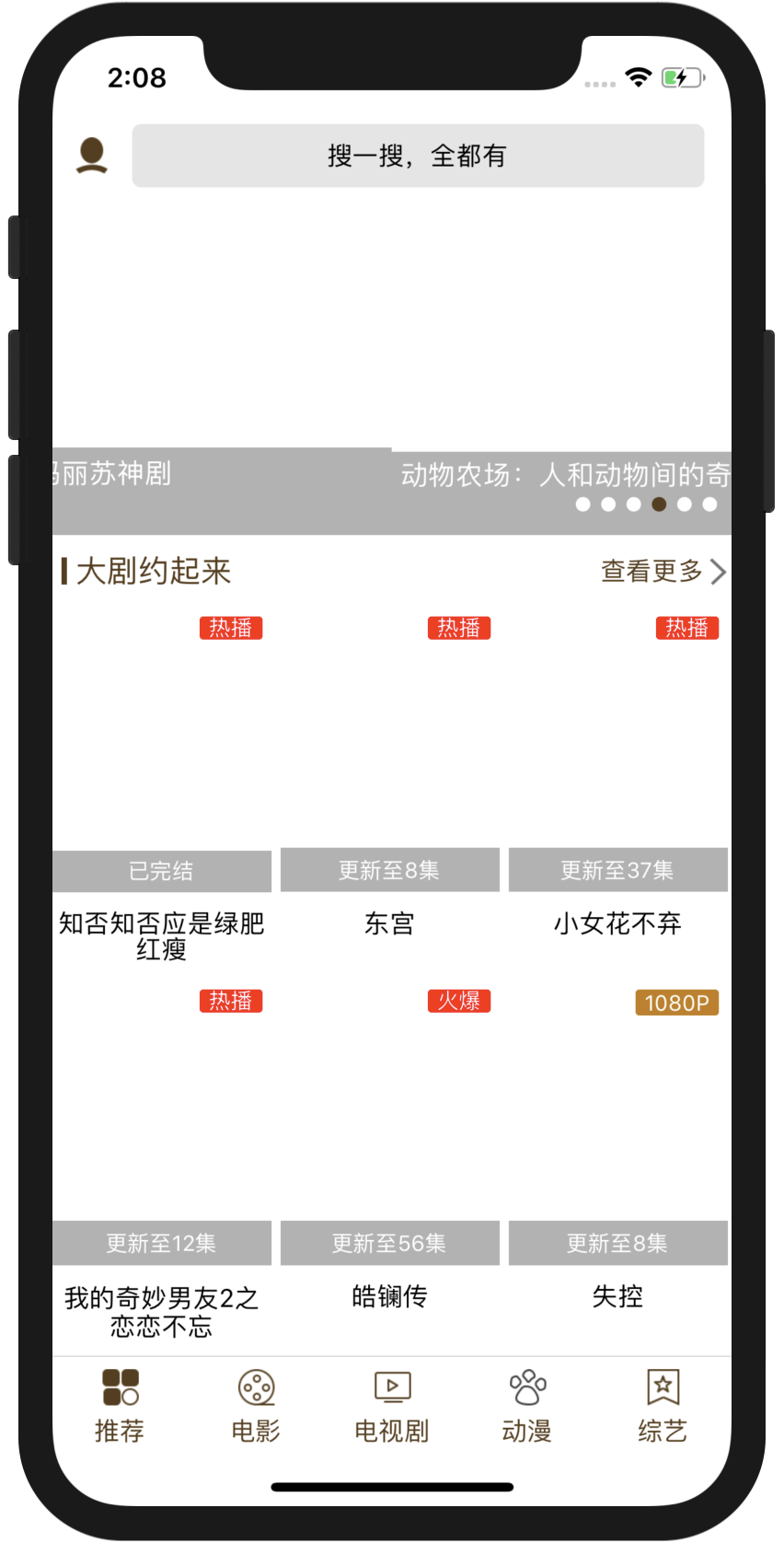
先看效果图
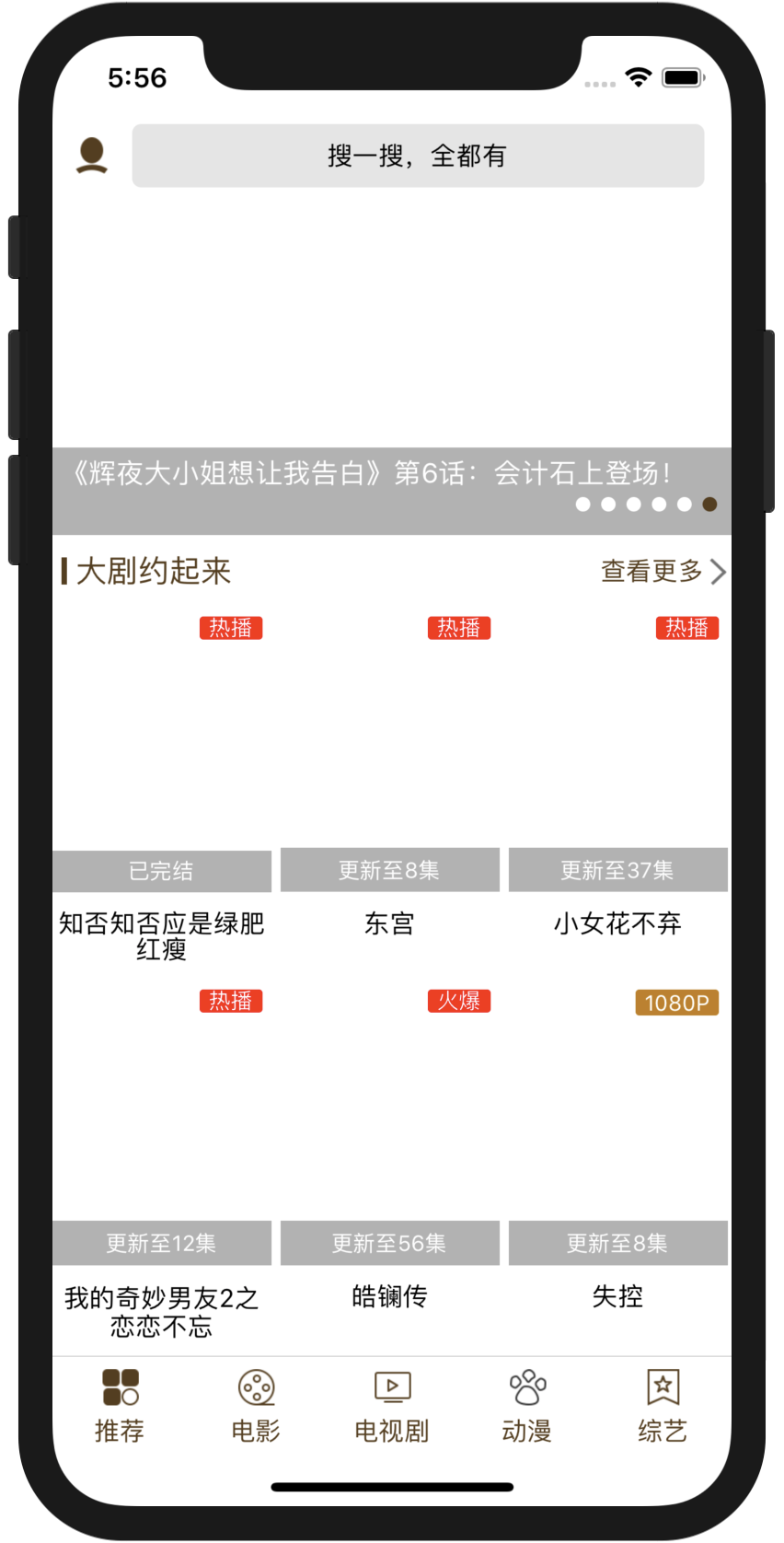
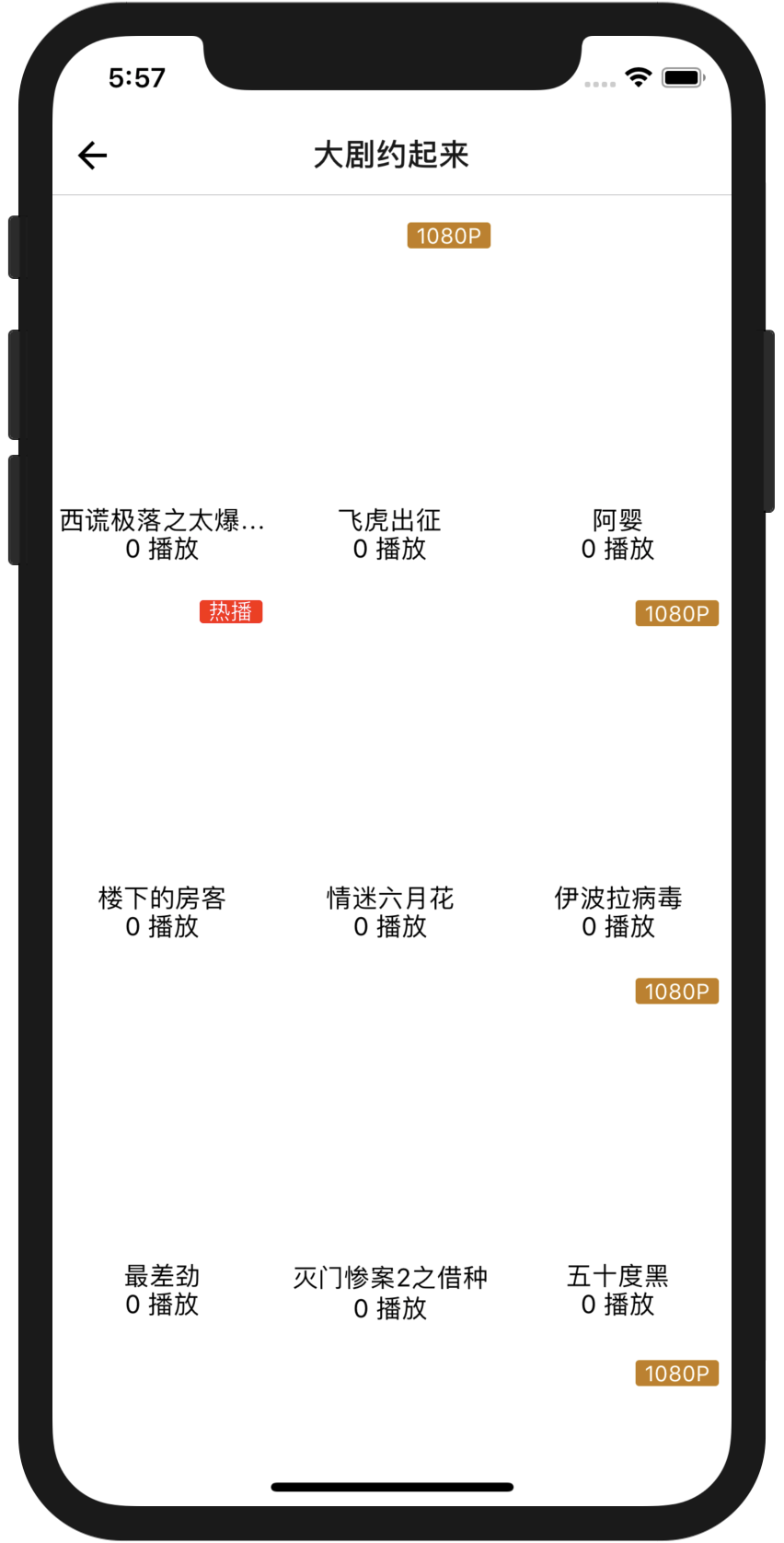
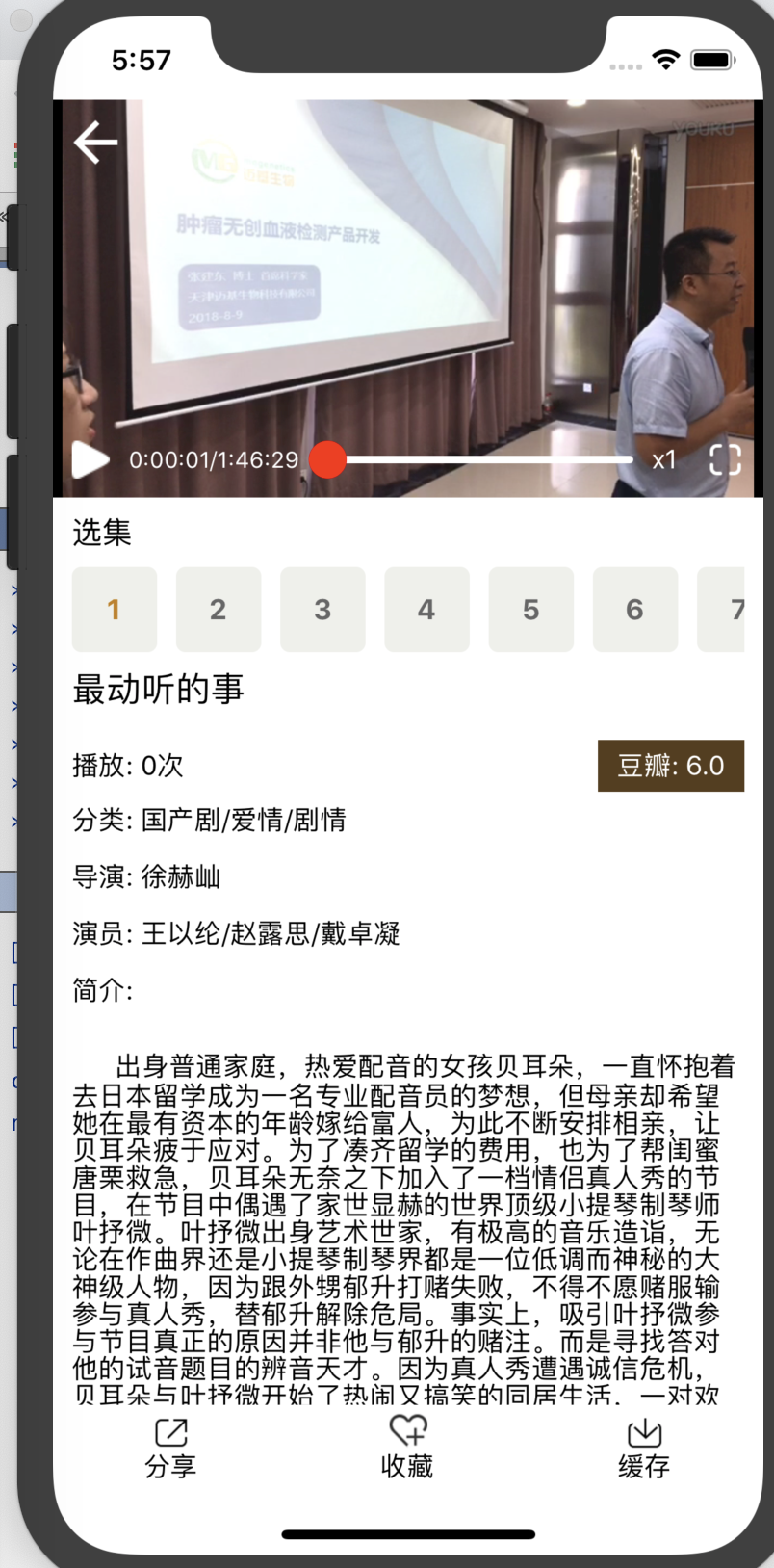
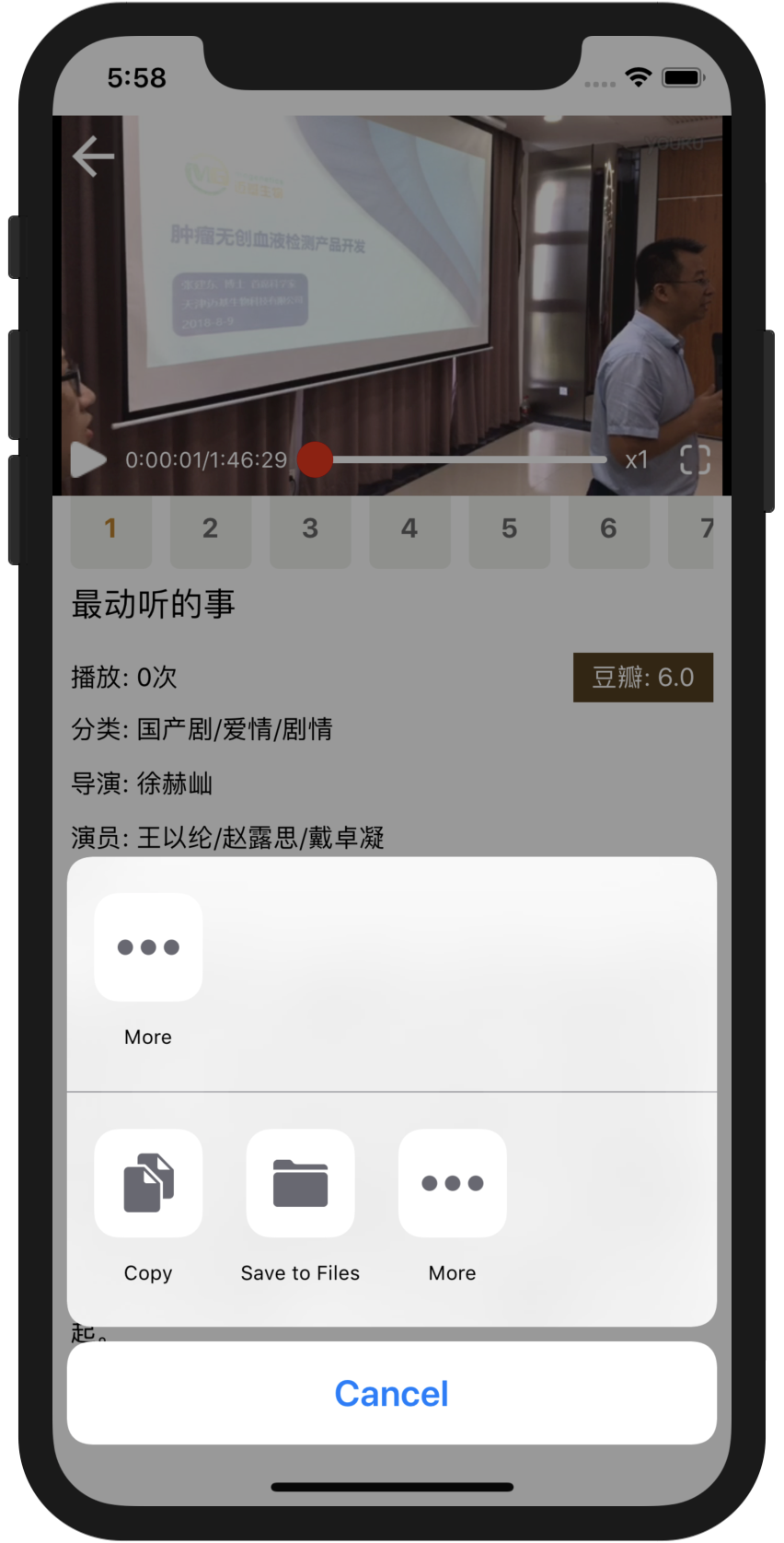


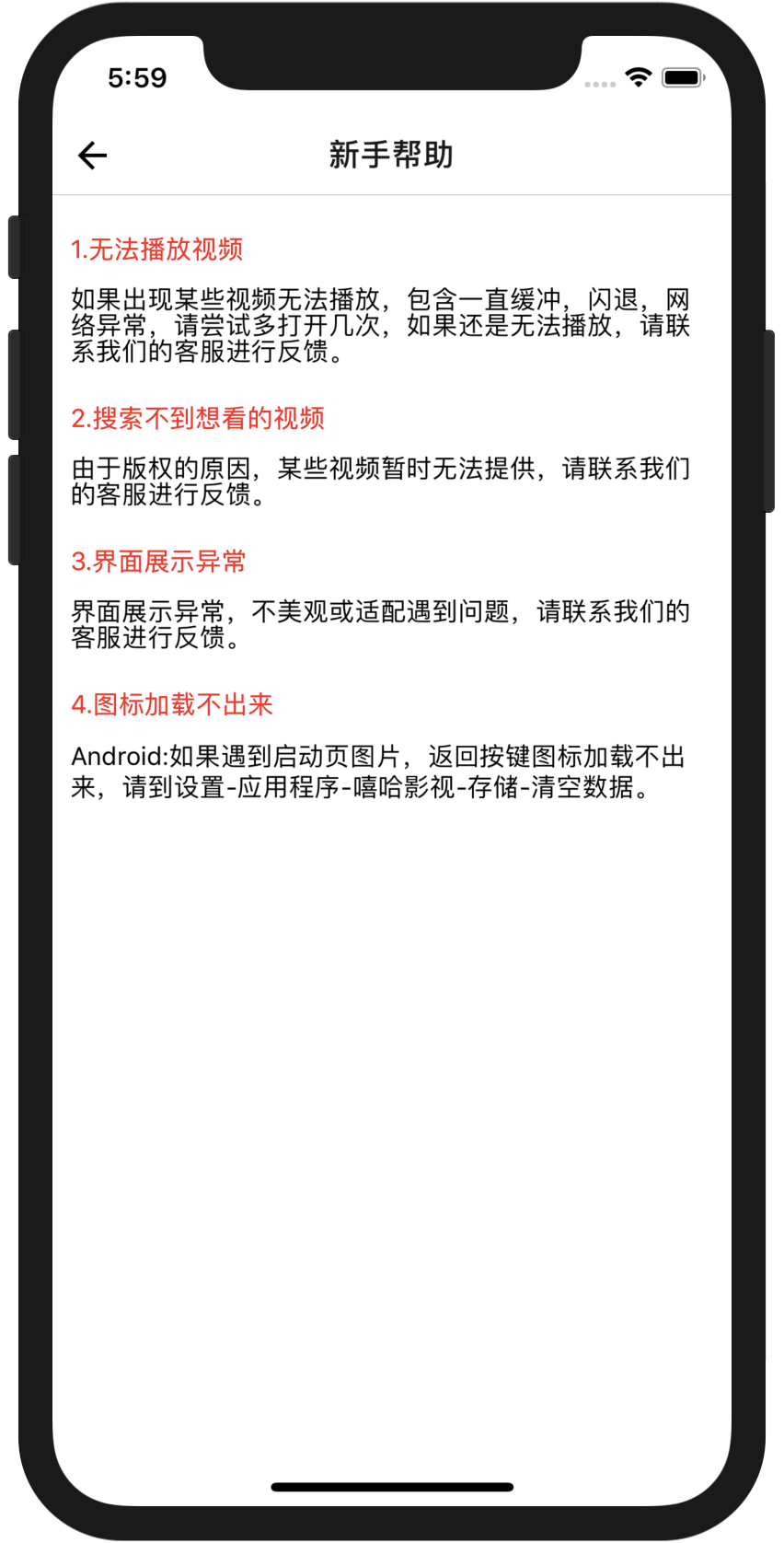
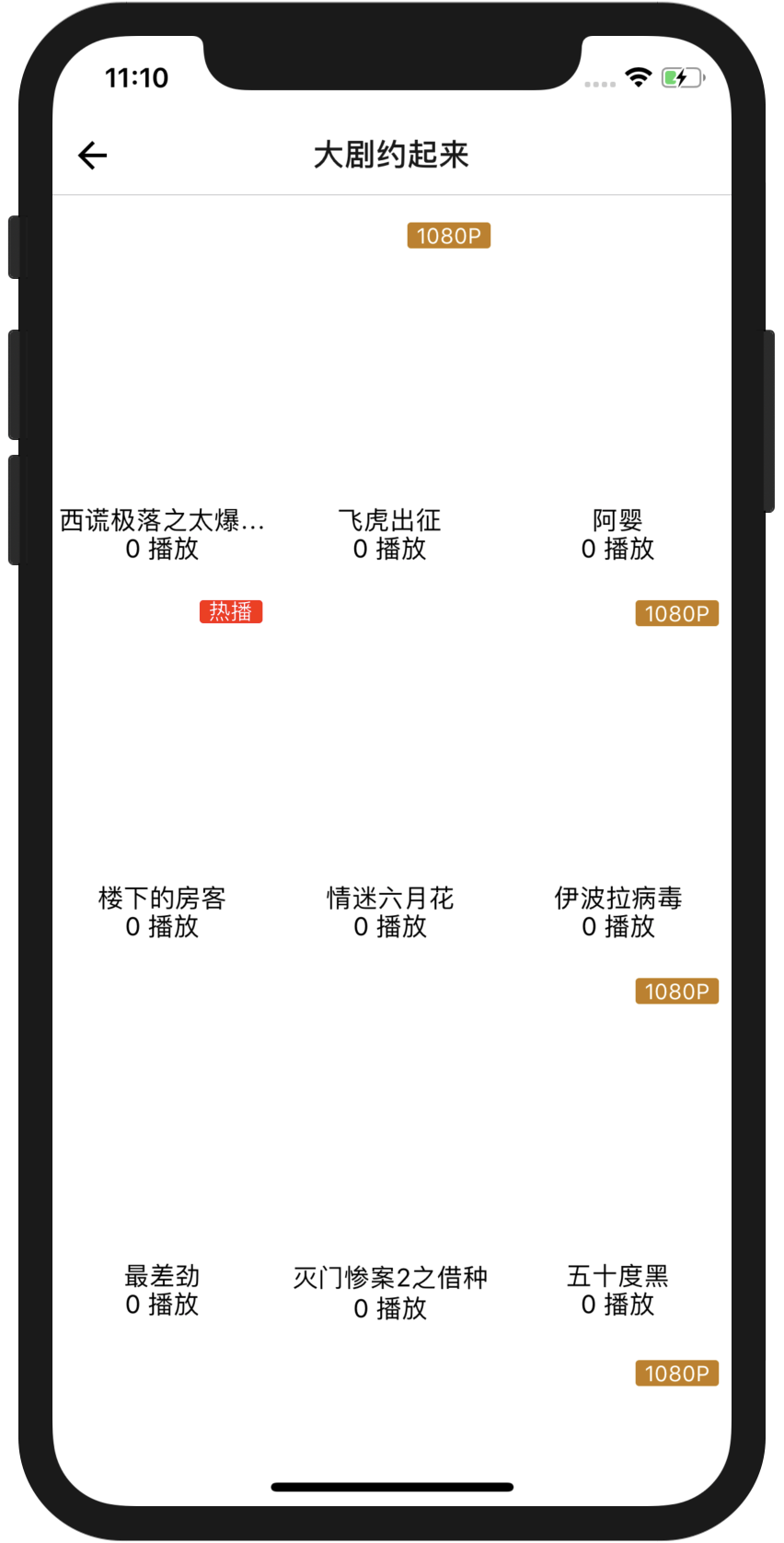
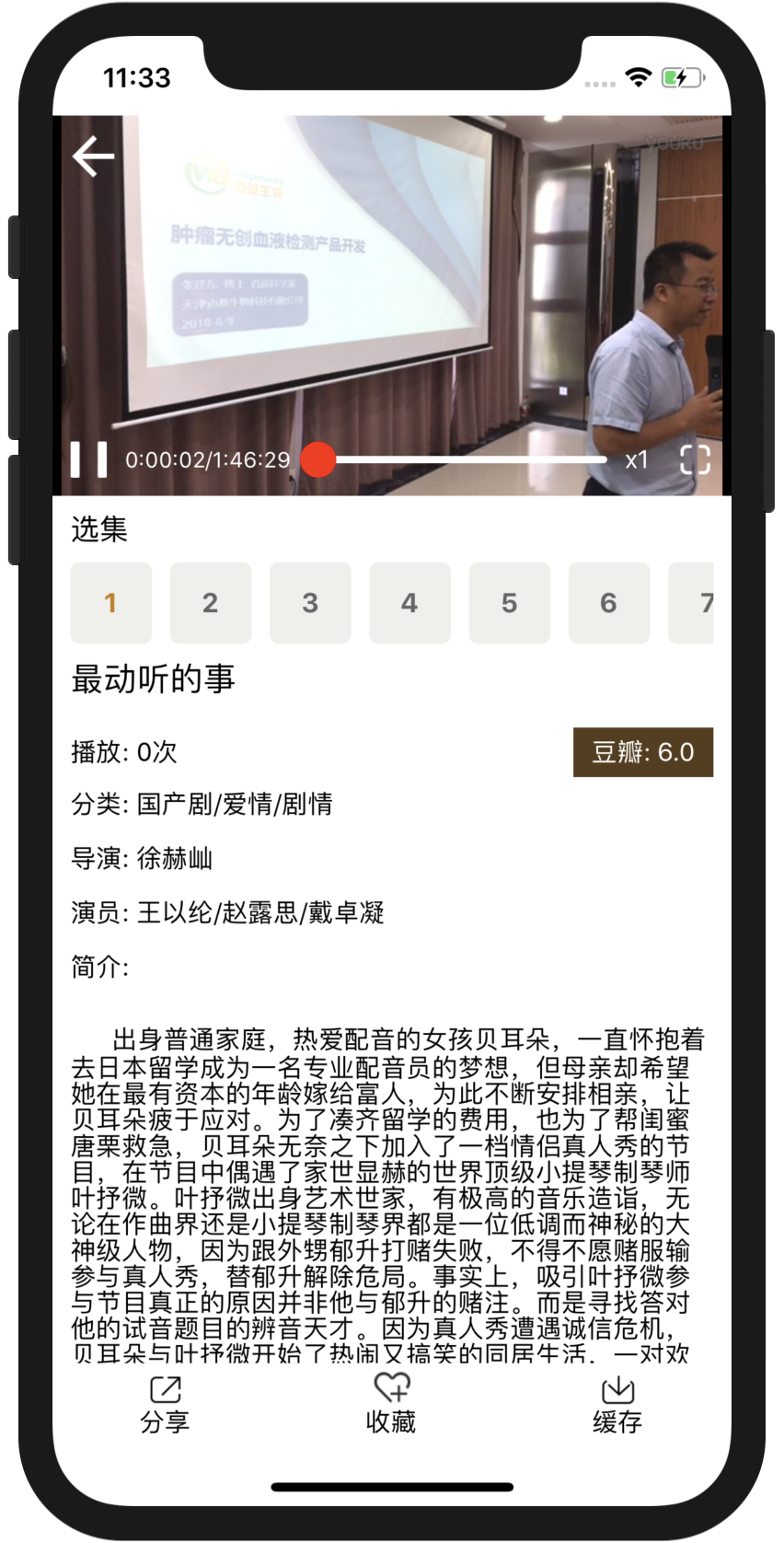
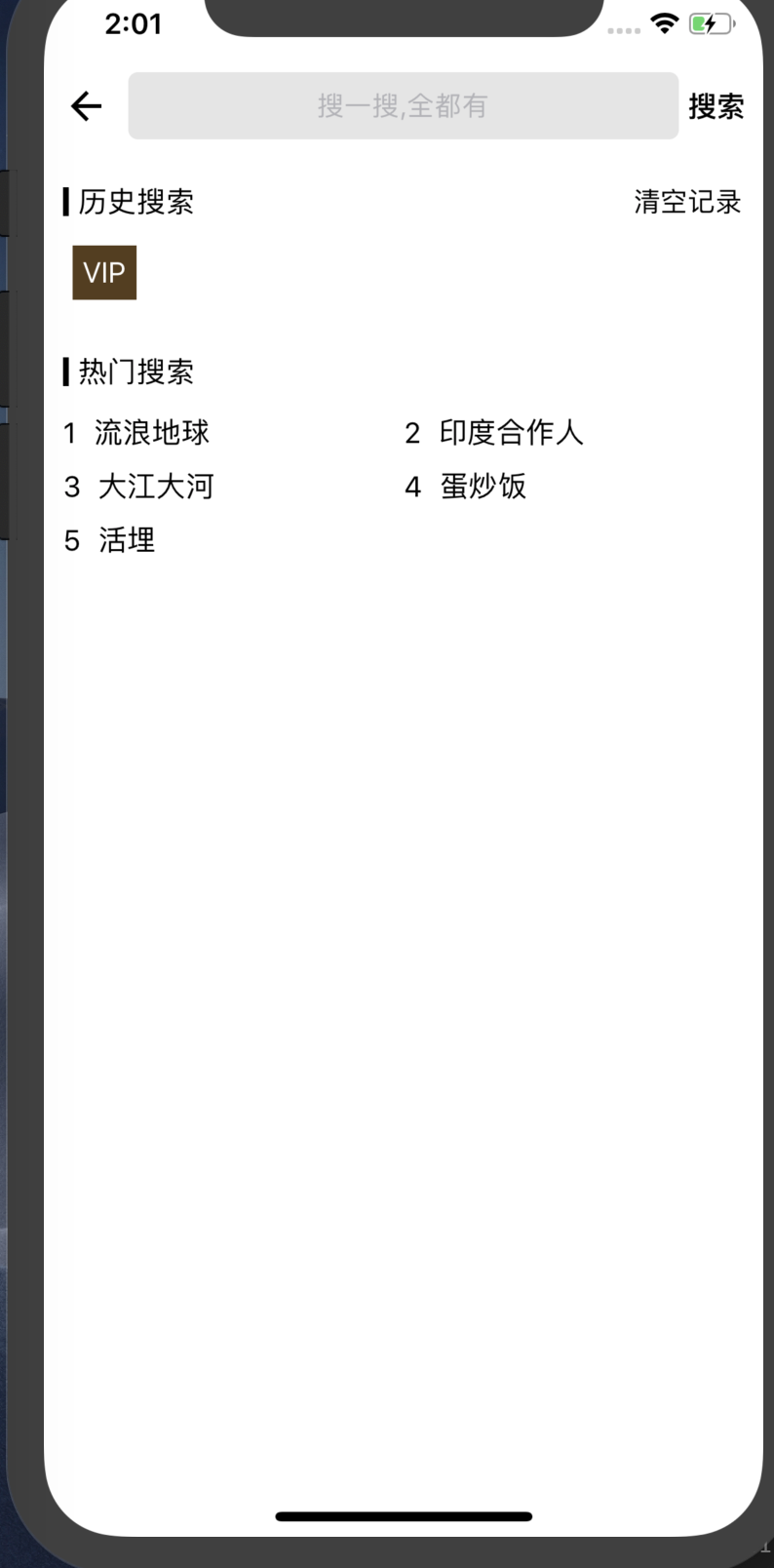
项目的界面大概是如上面的样子
布局很多类似,但是看到项目就会很开心
接下来我们分析项目
//index.js定义了入口为App.js,然后有数据处理这些

import React from 'react'

import { AppRegistry, StatusBar, View } from 'react-native';

import {} from './src/utils/ScreenUtils'

import { Provider } from 'react-redux'

import Store from './src/utils/ConfigRedux'

import CodePush from 'react-native-code-push'

import App from './App'

class Root extends React.Component {

    render() {

        return (

            <Provider store={Store}>

                <App />

            </Provider>

        );

    }

}

// var wrapper = CodePush({

//   checkFrequency: CodePush.CheckFrequency.ON_APP_RESUME,

//   installMode: CodePush.InstallMode.ON_NEXT_RESTART

// })(Root);

AppRegistry.registerComponent('colavideoapp', () => Root);
//src/utils/ScreenUtils.js

//判断手机型号,缩放比例

import {Dimensions,PixelRatio,StatusBar,Platform} from 'react-native'

// 设备的像素密度,例如:

//  PixelRatio.get() === 1          mdpi Android 设备 (160 dpi)

//  PixelRatio.get() === 1.5        hdpi Android 设备 (240 dpi)

//  PixelRatio.get() === 2          iPhone 4, 4S,iPhone 5, 5c, 5s,iPhone 6,xhdpi Android 设备 (320 dpi)

//  PixelRatio.get() === 3          iPhone 6 plus , xxhdpi Android 设备 (480 dpi)

export const window = Dimensions.get("window")

export const screen= Dimensions.get("screen")

const defaultWidth = 1080,defaultHeight = 1920,defaultRatio = 3;

//px to dp

const w2 = defaultWidth / defaultRatio;

const h2 = defaultHeight / defaultRatio;

//获取缩放比例

const scale = Math.min(window.height / h2, window.width / w2);

function dp(number){

    let size = Math.round(number * scale + 0.5) / defaultRatio;

    return size

}

// iPhoneX Xs

const X_WIDTH = 375;

const X_HEIGHT = 812;

// iPhoneXR XsMax

const XR_WIDTH = 414;

const XR_HEIGHT = 896;

// screen

const SCREEN_WIDTH = Dimensions.get('window').width;

const SCREEN_HEIGHT = Dimensions.get('window').height;

//判断是否为iphoneX或Xs

function isIphoneX() {

    return (

        Platform.OS === 'ios' &&

        ((SCREEN_HEIGHT === X_HEIGHT && SCREEN_WIDTH === X_WIDTH) ||

        (SCREEN_HEIGHT === X_WIDTH && SCREEN_WIDTH === X_HEIGHT))

    )

}

//判断是否为iphoneXR或XsMAX

function isIphoneXR() {

    return (

        Platform.OS === 'ios' &&

        ((SCREEN_HEIGHT === XR_HEIGHT && SCREEN_WIDTH === XR_WIDTH) ||

        (SCREEN_HEIGHT === XR_WIDTH && SCREEN_WIDTH === XR_HEIGHT))

    )

}

global.dp = dp;

global.DEVICE = {

    width:window.width,

    height:window.height,

    screenWidth: Platform.OS == 'ios'? window.width : screen.width,

    screenHeight:Platform.OS == 'ios'? window.height : screen.height,

    StatusBarHeight: StatusBar.currentHeight,

    android:Platform.OS === 'android',

    ios:Platform.OS == 'ios',

    isIphoneX:isIphoneX() | isIphoneXR(),

}
//src/utils/ConfigRedux.js

//定义了redux的公共入口

import {createStore,combineReducers,applyMiddleware} from 'redux'

import promiseMiddleware from 'redux-promise-middleware'

function reducer(state ={},action){

    return {}

}

const reducers = combineReducers({

    index:reducer

})

const store = createStore(reducers,applyMiddleware(promiseMiddleware))

export default store;
//src/views/MainTabNavigatorHeader.js

//设置的公共的搜索头部

import React from 'react'

import {

    Text,

    View,

    Image,

    TouchableOpacity

} from 'react-native'

import Header, { HeaderItem } from '../components/Header'

export default class MainTabNavigatorHeader extends React.Component {

    _enterSearchPage = () => {

        this.props.navigation.navigate('SearchPage')

    }

    render() {

        return (

            <Header>

                <HeaderItem onClick={() => this.props.navigation.navigate('PersonCenterPage')}>

                    <Image source={require('../../source/image/main_my.png')}></Image>

                </HeaderItem>

                <TouchableOpacity

                    onPress={this._enterSearchPage}

                    activeOpacity={1}

                    style={[{ flex: 1, height: 35, borderRadius: 5, backgroundColor: 'rgba(0,0,0,0.1)', justifyContent: 'center', alignItems: 'center' },this.props.centerStyle]}>

                    <Text>搜一搜,全都有</Text>

                </TouchableOpacity>

                {this.props.rightIcon && <HeaderItem onClick={() => this.props.onRightClick()}>

                    <Image source={this.props.rightIcon}></Image>

                </HeaderItem>}

            </Header>

        );

    }

}

//src/pages/OfflineVideoPlayer.js

//点击进去的视频页面

import React from 'react'

import { View, StyleSheet, ScrollView, Text, TouchableOpacity, Image, Share, ListView, NativeModules } from 'react-native'

import BaseComponent from '../components/BaseComponent'

import VideoWrapper from '../views/VideoWrapper'

import { writeHistoryVideo, queryCollectVideo, deleteCollectVideo, writeCollectVideo } from '../utils/DButils'

import Colors from '../utils/Colors'

import Toast from 'react-native-root-toast'

import DownloadManager from '../utils/DownloadManager'

import Loadding from '../components/Loadding'

export default class OfflineVideoPlayer extends BaseComponent {

    state = {

        data: null,

    }

    initData(){

        let item = this.props.navigation.state.params.data;

        this.setState({data:item},() => this.update(this.LOAD_SUCCESS))

    }

    _renderHeader() {

        let item = this.state.data;

        if(!item) return null;

        return (

            <VideoWrapper

                item={item}

                navigation={this.props.navigation}

                onProgress={options => this.progressOption = options}

                onLoad={data => {

                }}

                onEnd={() => {

                }} />

        )

    }

    renderComponent() {

        let data = this.state.data;

        let playCount = parseInt(data.playCount)

        if (playCount > 10000) {

            playCount = (playCount / 10000).toFixed(1) + '万'

        }

        let title = data.title + (data.index > 0 ? ` 第${data.index}集` : "")

        return (

            <View style={{ flex: 1, backgroundColor: 'white' }}>

                <ScrollView style={{ flex: 1 }} contentContainerStyle={{ padding: 10 }}>

                    <Text style={[styles.itemStyle, { fontSize: 18, color: 'black' }]}>{title}</Text>

                    <View style={styles.itemBetweenStyle}>

                        <Text>播放: {playCount}次</Text>

                        <Text style={[styles.buttonStyle, { backgroundColor: Colors.mainColor }]}>豆瓣: {data.imdbScore > 0 ? data.imdbScore : '6.0'}</Text>

                    </View>

                    <Text style={styles.itemStyle}>分类: {data.classifyTypeListValue}</Text>

                    <Text style={styles.itemStyle}>导演: {data.director}</Text>

                    <Text style={styles.itemStyle}>演员: {data.staring}</Text>

                    <Text style={styles.itemStyle}>简介: </Text>

                    <Text style={[styles.itemStyle, { marginTop: 10 }]}>      {data.intro}</Text>

                </ScrollView>

            </View>

        );

    }

}

var styles = StyleSheet.create({

    itemBetweenStyle: {

        flexDirection: 'row',

        alignItems: 'center',

        justifyContent: 'space-between',

        minHeight: 40,

    },

    itemStyle: {

        flexDirection: 'row',

        alignItems: 'center',

        minHeight: 30,

        textAlignVertical: 'center'

    },

    buttonStyle: {

        backgroundColor: '#EFF0EB',

        borderRadius: 5,

        paddingHorizontal: 10,

        paddingVertical: 5,

        textAlign: 'center',

        textAlignVertical: 'center',

        color: 'white'

    },

    bottomStyle: {

        flexDirection: 'row',

        height: 45,

        alignItems: 'center'

    },

    bottomImageStyle: {

        width: 20,

        height: 20

    }

})
//src/utils/DownloadManager.js

//点击下载的功能

import fs from 'react-native-fs'

import { queryDownloadVideoAll, writeDownloadVideo,deleteDownloadVideo } from '../utils/DButils'

import Toast from 'react-native-root-toast'

const baseFile = DEVICE.android ? fs.ExternalStorageDirectoryPath + "/ColaApp" : fs.LibraryDirectoryPath + "/ColaApp";

fs.exists(baseFile).then(exists => {

  if (!exists) {

    fs.mkdir(baseFile)

  }

})

class DownloadManager {

  /**

   * 删除文件

   * @param {*} data

   */

  deleteCacheVideo(data) {

    return new Promise(async function(resolve,reject) {

      try {

        let file = data.file;

        let exitis = await fs.exists(file)

        if (exitis) {

          let lastIndex = file.lastIndexOf("/")

          let dir = file.substring(0, lastIndex)

          await fs.unlink(dir)

          //同时删除数据库的记录

          await deleteDownloadVideo(data)

          resolve(true)

        } else {

          reject(false)

        }

      } catch (error) {

        console.log('netlog-', error)

        reject(false)

      }

    })

  }

  checkSafeUrl(data) {

    let url = data.url;

    if (!url.startsWith("http://") && !url.startsWith("https://")) {

      Toast.show("非法的下载链接")

      return false;

    } else if (url.indexOf('.m3u8') > -1) {

      if (url.indexOf('?') > -1) {

        data.url = url.substring(0, url.indexOf('?'))

      }

      return true;

    }

    Toast.show("暂不支持此格式视频")

    return false;

  }

  /**

   * 正在进行中的任务

   *  {

   *    maxProgress: 100,

        progress: 0,

        status:0, // 0 运行中 -1 失败 2成功

        toFile:toFile,

   *  }

   */

  allRunningTask = new Map()

  listeners = new Set();

  addListener(listener = () => { }) {

    this.listeners.add(listener)

  }

  removeListener(listener = () => { }) {

    if (this.listeners.has(listener)) {

      this.listeners.delete(listener)

    }

  }

  /**

   * 观察者模式,对外发送通知

   */

  _updatelisteners() {

    for (let listener of this.listeners) {

      listener && listener();

    }

  }

  downLoad(data) {

    let result = this.checkSafeUrl(data);

    if (result) {

      this.startDownloadM3U8(data)

    }

  }

  resetDownLoad(data) {

    let result = this.checkSafeUrl(data);

    if (result) {

      if (this.allRunningTask.has(data.id)) {

        this.allRunningTask.delete(data.id)

      }

      this.startDownloadM3U8(data)

    }

  }

  /**

   * 开始下载m3u8文件

   * @param {*} url

   */

  async startDownloadM3U8(data) {

    console.log('netlog-download', data.id)

    //已经存在了,直接return

    if (this.allRunningTask.has(data.id)) {

      if (this.allRunningTask.get(data.id).status == 0) {

        Toast.show("任务已经在下载队列中了,请不要重复下载")

        return;

      } else if (this.allRunningTask.get(data.id).status == 2) {

        Toast.show("您已经下载过该视频,请不要重复下载")

        return;

      }

    }

    //查询本地已经下载成功的视频

    let videos = await queryDownloadVideoAll();

    let keys = Object.keys(videos)

    let localFile;

    for (let i = 0; i < keys.length; i++) {

      let obj = videos[keys[i]]

      if (obj && obj.id == data.id) {

        localFile = obj.file;

      }

    }

    if (localFile) {

      let flag = await fs.exists(localFile)

      if (flag) {

        Toast.show("您已经下载过该视频,请不要重复下载")

        return;

      }

    }

    Toast.show("开始下载...")

    //根据url获取到对应的本地目录

    let url = data.url;

    let urlSplits = url.split("/");

    let scheme = urlSplits[0];

    let baseUrl = urlSplits[2];

    let path = urlSplits.slice(3, urlSplits.length - 1).join("/")

    let fileName = urlSplits[urlSplits.length - 1]

    let toDirPath = baseFile + "/" + path;

    await fs.mkdir(toDirPath)

    let toFile = toDirPath + "/" + fileName;

    data.maxProgress = 100;

    data.progress = 0;

    data.status = 0;

    data.toFile = toFile;

    data.file = toFile;

    //添加m3u8下载任务到缓存

    this.allRunningTask.set(data.id, data)

    //开始下载m3u8文件

    let task = fs.downloadFile({

      fromUrl: url,

      toFile: toFile,

      connectionTimeout: 1000 * 60,

      readTimeout: 1000 * 60,

      begin: function (res) {

      },

      progress: function (res) {

      },

    });

    let result = await task.promise

    if (result.statusCode == 200) {

      console.log('netlog-m3u8下载成功', toFile, url, result)

      try {

        //m3u8下载成功,开始逐步下载ts文件

        await this.readM3U8File(data, url, toFile, toDirPath)

        console.log('netlog-', '所有ts文件都下载成功了')

        //标记下载成功

        this.allRunningTask.get(data.id).status = 2;

        //写入本地数据库

        await writeDownloadVideo(data)

        console.log('netlog-', '插入本地数据库成功了')

        //删除内存中缓存

        this.allRunningTask.delete(data.id)

        Toast.show(data.title + "下载成功了,请到下载中心查看")

        //通知出去

        this._updatelisteners()

      } catch (error) {

        Toast.show("哎哟,下载出现了异常", error)

        console.log('netlog-', '哎哟,下载出现了异常', error)

        this.allRunningTask.get(data.id).status = -1;

        //通知出去

        this._updatelisteners()

      }

    } else {

      console.log('哎哟,下载出现了异常')

      Toast.show("哎哟,下载出现了异常")

      this.allRunningTask.get(data.id).status = -1;

      //通知出去

      this._updatelisteners()

    }

  }

  /**

   * 读取m3u8对应的内容,获取到对应的ts文件地址

   * @param {*} m3u8Url

   * @param {*} m3u8File

   * @param {*} m3u8Dir

   */

  async readM3U8File(data, m3u8Url, m3u8File, m3u8Dir) {

    let result = await fs.readFile(m3u8File)

    let lines = result.split('\n');

    let tsUrls = [];

    for (let line of lines) {

      if (line.endsWith('.ts') || line.indexOf("ts") > -1) {

        tsUrls.push(line)

      }

    }

    //设置最大进度,默认为ts文件数为单位

    this.allRunningTask.get(data.id).maxProgress = tsUrls.length;

    //开始下载ts文件

    await this.startDownloadTS(data, m3u8Url, tsUrls, 0, m3u8Dir);

  }

  /**

   * 开始下载ts文件

   * @param {*} m3u8Url

   * @param {*} tsUrls

   * @param {*} index

   * @param {*} m3u8Dir

   */

  async startDownloadTS(data, m3u8Url, tsUrls, index, m3u8Dir) {

    if (index >= tsUrls.length) {

      return;

    };

    // if (index >= 10) {

    //   return;

    // };

    let url = tsUrls[index];

    //如果ts文件中包含路径,当文件夹形式处理

    if (url.lastIndexOf("/") > -1) {

      let targetDir = m3u8Dir + "/" + url.substring(0, url.lastIndexOf('/'))

      let exists = await fs.exists(targetDir)

      if (!exists) {

        await fs.mkdir(targetDir)

      }

    }

    let downloadUrl = m3u8Url.substring(0, m3u8Url.lastIndexOf("/") + 1) + url;

    let toFile = m3u8Dir + "/" + url;

    let result = await this.createDownloadTSPromise(downloadUrl, toFile)

    console.log('netlog-ts下载成功了', toFile, downloadUrl, result)

    //刷新进度

    this.allRunningTask.get(data.id).progress = index + 1;

    //通知出去

    this._updatelisteners()

    await this.startDownloadTS(data, m3u8Url, tsUrls, index + 1, m3u8Dir)

  }

  /**

   * 创建ts下载任务

   * @param {*} url

   * @param {*} file

   */

  createDownloadTSPromise(url, file) {

    let task = fs.downloadFile({

      fromUrl: url,

      toFile: file,

      connectionTimeout: 1000 * 60,

      readTimeout: 1000 * 60,

      begin: function (res) {

      },

      progress: function (res) {

      },

    });

    return task.promise

  }

}

const DownloadManagerInstance = new DownloadManager()

export default DownloadManagerInstance;
//src/pages/QueryMoreVideoPage.js

//点击进入查看更多页面

import React from 'react'

import {

    View,

    Text,

    Image,

    StyleSheet,

    ScrollView,

    TouchableOpacity

} from 'react-native'

import BaseFlatListComponent from '../components/BaseFlatListComponent'

import Colors from '../utils/Colors'

import data from '../../data.json'

import config from '../../config.json'

const itemWidth = Math.floor((DEVICE.width - 10) / 3);

const itemHeight = Math.floor(itemWidth * 1.3)

const finalStyle = { width: itemWidth, height: itemHeight }

//this.props.id 0推荐 1电影 2电视剧 3动漫 4综艺

export default class QueryMoreVideoPage extends BaseFlatListComponent {

    pageSize = 18

    numColumns = 3;

    paramsArray = [];

    contentContainerStyle = { flexDirection: 'row', flexWrap: 'wrap' }

    static navigationOptions = options => {

        return {

            title: options.navigation.state.params.title

        }

    }

    _initListState() {

        return {

            classData: null,

        }

    }

    componentDidMount() {

        // let url = `/api/app/video/ver2/video/queryClassifyList/2/7?videoType=${this.props.navigation.state.params.id}`

        // axios.get(url).then(res => {

        //     for (let i = 0; i < res.data.data.length; i++) {

        //         let childList = res.data.data[i].childList;

        //         this.paramsArray.push(""); //默认为全部

        //         childList = childList.splice(0, 0, { classifyName: res.data.data[i].classifyName, id: "", selected: true })

        //     }

        //     //flag 1 最多播放 2最近更新 3最多喜欢 5最高评分

        //     res.data.data.push({

        //         childList: [

        //             { classifyName: '最多播放', id: 1 ,selected:true},

        //             { classifyName: '最近更新', id: 2 ,selected:false},

        //             { classifyName: '最多喜欢', id: 3 ,selected:false},

        //             { classifyName: '最高评分', id: 5 ,selected:false},

        //         ]

        //     })

        //     this.paramsArray.push(1);

        //     this.setState({ classData: res.data.data }, () => super.componentDidMount())

        // }).catch(error => {

        //     console.log('netlog-', error)

        //     super.componentDidMount()

        // })

        setTimeout(() => {

            let res = {data:data.ClassTypes}

            for (let i = 0; i < res.data.data.length; i++) {

                let childList = res.data.data[i].childList;

                this.paramsArray.push(""); //默认为全部

                childList = childList.splice(0, 0, { classifyName: res.data.data[i].classifyName, id: "", selected: true })

            }

            //flag 1 最多播放 2最近更新 3最多喜欢 5最高评分

            res.data.data.push({

                childList: [

                    { classifyName: '最多播放', id: 1 ,selected:true},

                    { classifyName: '最近更新', id: 2 ,selected:false},

                    { classifyName: '最多喜欢', id: 3 ,selected:false},

                    { classifyName: '最高评分', id: 5 ,selected:false},

                ]

            })

            this.paramsArray.push(1);

            this.setState({ classData: res.data.data }, () => super.componentDidMount())

        }, config.delayed);

    }

    getRequestAction(pageIndex, pageSize) {

        return new Promise((resolve,reject) => {

            setTimeout(() => {

                resolve({data:data.ClassMoreData})

            }, config.delayed);

        })

    }

    enterDetialPage = data => {

        data.videoInfoId = data.id;

        this.props.navigation.navigate("VideoInfoPage", { data })

    }

    getTagName(obj) {

        return obj.tagName == '无标签' ? null : obj.tagName

    }

    _getTagBackgroundColor = tag => {

        if (tag == "抢鲜") {

            return "#573D1B"

        } else if (tag == "1080P") {

            return "#C47F14";

        } else {

            return "red"

        }

    }

    renderHeaderItem(item, index) {

        return item.childList.map((child) => {

            let bgColor = child.selected ? Colors.mainColor : 'white'

            let tvColor = child.selected ? 'white' : 'black'

            return (

                <TouchableOpacity

                    style={{ padding: 5, borderRadius: 5, justifyContent: 'center', alignItems: 'center', marginRight: 10, backgroundColor: bgColor }}

                    onPress={() => {

                        this.paramsArray[index] = child.id;

                        let data = [...this.state.classData]

                        for (let i = 0; i < data[index].childList.length; i++) {

                            let z = data[index].childList[i]

                            z.selected = z == child;

                        }

                        this.setState({ classData: data }, () => {

                            this.onRefresh()

                        })

                    }}

                    activeOpacity={0.7}>

                    <Text style={{ color: tvColor }}>{child.classifyName}</Text>

                </TouchableOpacity>

            );

        })

    }

    renderFlatViewHeader = () => {

        if (!this.state.classData) return null;

        let views = this.state.classData.map((item, index) => {

            return (

                <ScrollView

                    showsHorizontalScrollIndicator={false}

                    horizontal={true}

                    contentContainerStyle={{ alignItems: 'center' }}

                    style={{marginTop:5, paddingLeft: 10 }}>

                    {this.renderHeaderItem(item, index)}

                </ScrollView>

            )

        })

        return (

            <View>

                {views}

            </View>

        )

    }

    renderRow = (rowData, sectionID, rowID, highlightRow) => {

        let obj = rowData;

        let index = rowID + 1;

        let style = index % 3 == 2 ? {

            marginHorizontal: 5,

            width: itemWidth,

            alignItems: 'center',

            marginTop: 10,

        } : {

                width: itemWidth,

                alignItems: 'center',

                marginTop: 10,

            }

        let tagName = obj.tagName == '无标签' ? null : obj.tagName

        let tagBackgroundColor = this._getTagBackgroundColor(tagName)

        let complete = obj.episodeState == 1;

        let updateTag;

        if (complete) {

            if (obj.episodeUploadCount > 1) {

                updateTag = "已完结";

            }

        } else {

            updateTag = obj.episodeUploadCount > 1 ? obj.type != 4 ? `更新至${obj.episodeUploadCount}集` : `更新至${obj.episodeUploadCount}期` : null;

        }

        let image = obj.coverUrl ? { uri: obj.coverUrl } : require('../../source/image/nor.png')

        let playCount = parseInt(obj.playCount)

        if (playCount > 10000) {

            playCount = (playCount / 10000).toFixed(1) + '万'

        }

        return (

            <TouchableOpacity

                activeOpacity={0.7}

                onPress={() => this.enterDetialPage(obj)}

                style={style}>

                <View style={finalStyle}>

                    <Image style={finalStyle} resizeMode="cover" source={image}></Image>

                    {tagName ? (

                        <View style={{ position: 'absolute', borderRadius: 2, backgroundColor: tagBackgroundColor, top: 5, right: 5, paddingHorizontal: 5 }}>

                            <Text style={{ color: 'white', fontSize: 12 }}>{tagName}</Text>

                        </View>

                    ) : null}

                    {updateTag ? (

                        <View style={{ position: 'absolute', width: '100%', bottom: 0, paddingVertical: 5, backgroundColor: 'rgba(0,0,0,0.3)', alignItems: 'center', justifyContent: 'center' }}>

                            <Text style={{ color: 'white', fontSize: 12 }}>{updateTag}</Text>

                        </View>

                    ) : null}

                </View>

                <View style={{ paddingVertical: 5 }}>

                    <Text numberOfLines={1} style={{ textAlign: 'center' }}>{obj.title}</Text>

                    <Text numberOfLines={1} style={{ textAlign: 'center' }}>{playCount} 播放</Text>

                </View>

            </TouchableOpacity>

        )

    }

}

```js

//src/pages/VideoListPage.js

import React from 'react'

import {

    View,

    Text,

    Image,

    StyleSheet,

    TouchableOpacity

} from 'react-native'

import BaseFlatListComponent from '../components/BaseFlatListComponent'

import data from '../../data.json'

import config from '../../config.json'

const itemWidth = Math.floor((DEVICE.width - 10) / 3);

const itemHeight = Math.floor(itemWidth * 1.3)

const finalStyle = { width: itemWidth, height: itemHeight }

export default class VideoListPage extends BaseFlatListComponent {

    pageSize = 18

    numColumns = 3;

    enbaleRefresh = false;

    contentContainerStyle = { flexDirection: 'row', flexWrap: 'wrap' }

    static navigationOptions = options => {

        return {

            title: options.navigation.state.params.title

        }

    }

    getRequestAction(pageIndex, pageSize) {

        return new Promise((resolve,reject) => {

            setTimeout(() => {

                resolve({data:data.MoreData})

            }, config.delayed);

        })

    }

    enterDetialPage = data => {

        this.props.navigation.navigate("VideoInfoPage", { data})

    }

    getTagName(obj) {

        return obj.tagName == '无标签' ? null : obj.tagName

    }

    _getTagBackgroundColor = tag => {

        if(tag == "抢鲜"){

            return "#573D1B"

        }else if(tag == "1080P"){

            return "#C47F14";

        }else{

            return "red"

        }

    }

    renderRow = (rowData, sectionID, rowID, highlightRow) => {

        let obj = rowData;

        let index = rowID + 1;

        let style = index % 3 == 2 ? {

            marginHorizontal: 5,

            width: itemWidth,

            alignItems: 'center',

            marginTop: 10,

        } : {

                width: itemWidth,

                alignItems: 'center',

                marginTop: 10,

            }

        let tagName = obj.tagName == '无标签' ? null : obj.tagName

        let tagBackgroundColor = this._getTagBackgroundColor(tagName)

        let complete = obj.episodeState == 1;

        let updateTag ;

        if(complete){

            if(obj.episodeUploadCount > 1){

                updateTag = "已完结";

            }

        }else{

            updateTag = obj.episodeUploadCount > 1 ? obj.type != 4 ? `更新至${obj.episodeUploadCount}集` : `更新至${obj.episodeUploadCount}期` : null;

        }

        let image = obj.coverUrl ? {uri : obj.coverUrl} : require('../../source/image/nor.png')

        let playCount = parseInt(obj.playCount)

        if(playCount > 10000){

            playCount = (playCount / 10000).toFixed(1) + '万'

        }

        return (

            <TouchableOpacity

                activeOpacity={0.7}

                onPress={() => this.enterDetialPage(obj)}

                style={style}>

                <View style={finalStyle}>

                    <Image style={finalStyle} resizeMode="cover" source={image}></Image>

                    {tagName ? (

                        <View style={{ position: 'absolute', borderRadius: 2, backgroundColor: tagBackgroundColor, top: 5, right: 5, paddingHorizontal: 5 }}>

                            <Text style={{ color: 'white', fontSize: 12 }}>{tagName}</Text>

                        </View>

                    ) : null}

                    {updateTag ? (

                        <View style={{ position: 'absolute', width: '100%', bottom: 0, paddingVertical: 5, backgroundColor: 'rgba(0,0,0,0.3)', alignItems: 'center', justifyContent: 'center' }}>

                            <Text style={{ color: 'white', fontSize: 12 }}>{updateTag}</Text>

                        </View>

                    ) : null}

                </View>

                <View style={{ paddingVertical: 5 }}>

                    <Text numberOfLines={1} style={{ textAlign: 'center' }}>{obj.title}</Text>

                    <Text numberOfLines={1} style={{ textAlign: 'center' }}>{playCount} 播放</Text>

                </View>

            </TouchableOpacity>

        )

    }

}
//视频详情页
//src/pages/VideoInfoPage.js
import React from 'react'
import { View, StyleSheet, ScrollView, Text, TouchableOpacity, Image, Share, ListView ,NativeModules,BackHandler} from 'react-native'
import BaseComponent from '../components/BaseComponent'
import VideoWrapper from '../views/VideoWrapper'
import { writeHistoryVideo, queryCollectVideo, deleteCollectVideo, writeCollectVideo } from '../utils/DButils'
import Colors from '../utils/Colors'
import Toast from 'react-native-root-toast'
import DownloadManager from '../utils/DownloadManager'
import Loadding from '../components/Loadding'
import data from '../../data.json'
import config from '../../config.json'
export default class VideoInfo extends BaseComponent {
videoItemIndex = 0;
params = {};
state = {
data: {},
totalVideoList: [],
isCollect: false,
downloadComponentShow: false,
}
componentWillMount(){
this.subscription = BackHandler.addEventListener("hardwareBackPress",this.onBack)
}
onBack = () => {
if(this.state.downloadComponentShow){
this.setState({downloadComponentShow:false})
return true;
}else{
return false;
}
}
async componentWillUnmount() {
this.subscription && this.subscription.remove()
this.hideLoadding()
//事件回调
this.scrollTask && clearTimeout(this.scrollTask)
//存储播放记录
let data = this.state.data;
if (!data.title || !data.id || !data.coverUrl || !this.progressOption) return;
let id = data.id;
let name = data.title;
let level = this.videoItemIndex;
let progress = (this.progressOption.currentTime / this.progressOption.seekableDuration) * 100
let coverUrl = data.coverUrl;
let obj = { id, name, coverUrl, progress, level }
await writeHistoryVideo(obj)
this.props.navigation.state.params.onBack && this.props.navigation.state.params.onBack();
}
initData() {
this.queryVideoCollect();
setTimeout(() => {
this.queryTotalVideoList(data.VideoInfoData.data);
}, config.delayed);
}
queryVideoCollect() {
let data = this.props.navigation.state.params.data
queryCollectVideo(data).then(res => {
if (Object.keys(res).length) {
this.setState({ isCollect: true })
} else {
this.setState({ isCollect: false })
}
})
}
addVideoCollect() {
let data = this.props.navigation.state.params.data
writeCollectVideo(data).then(res => {
this.queryVideoCollect();
})
}
deleteVideoCollect() {
let data = this.props.navigation.state.params.data
deleteCollectVideo(data).then(res => {
this.queryVideoCollect();
})
}
queryTotalVideoList(data) {
this.setState({ data, totalVideoList: data.videoList }, () => this.update(this.LOAD_SUCCESS, () => {
if (this.params.history) {
this.scrollTask = setTimeout(() => {
let videoItemIndex = this.params.level;
this.listview && this.listview.scrollTo(0, 55 * videoItemIndex)
}, this.params.level * 10);
}
}))
}
_renderHeader() {
let item = null
//从播放历史进入
if (this.params.history) {
this.videoItemIndex = this.params.level;
}
if (this.state.totalVideoList.length) {
item = this.state.totalVideoList[this.videoItemIndex]
}
return (
<VideoWrapper
ref={ref => this.videoWrapper = ref}
item={item}
navigation={this.props.navigation}
seek={this.params.progress}
onProgress={options => this.progressOption = options}
onLoad={data => {
if (this.params.history) {
this.params.history = false;
this.params.progress = 0;
}
}}
onEnd={() => {
let data = this.state.data;
if (data.videoList[this.videoItemIndex + 1]) {
this.videoItemIndex += 1;
this.forceUpdate(() => this.videoWrapper.startPlayVideo());
}
}} />
)
}
dataSource = new ListView.DataSource({ rowHasChanged: (r1, r2) => r1 !== r2 })
itemWidth = (DEVICE.width - 70) / 5;
_renderVideoItems = () => {
let data = this.state.totalVideoList;
let dataSource = new ListView.DataSource({ rowHasChanged: (r1, r2) => r1 !== r2 })
if (data.length > 1) {
return (
<View>
<Text style={{ color: 'black', fontSize: 16 }}>选集</Text>
<ListView
removeClippedSubviews={DEVICE.android ? true : false}
horizontal={true}
showsHorizontalScrollIndicator={false}
ref={ref => this.listview = ref}
contentContainerStyle={{ paddingVertical: 10 }}
initialListSize={this.params.history ? this.params.level + 10 : 10}
dataSource={dataSource.cloneWithRows(data)}
renderRow={(rowData, sectionID, rowID, highlightRow) => {
let index = parseInt(rowID)
let i = index + 1;
let color = this.videoItemIndex == index ? "#C47F14" : '#666666'
let text = this.state.data.type == 4 ? `第${i}期` : i;
return (
<TouchableOpacity
activeOpacity={0.7}
onPress={() => {
if (this.videoItemIndex !== index) {
this.videoItemIndex = index;
this.forceUpdate()
}
}}
style={[styles.buttonStyle, {
marginRight: 10,
padding: 0,
minWidth: 45,
height: 45,
justifyContent: 'center',
alignItems: 'center'
}]}>
<Text style={{ color, fontSize: 15, fontWeight: 'bold' }}>{text}</Text>
</TouchableOpacity>
);
}}>
</ListView>
</View>
);
} else {
return null;
}
}
renderComponent() {
let data = this.state.data;
let playCount = parseInt(data.playCount)
if (playCount > 10000) {
playCount = (playCount / 10000).toFixed(1) + '万'
}
return (
<View style={{ flex: 1, backgroundColor: 'white' }}>
<ScrollView style={{ flex: 1 }} contentContainerStyle={{ padding: 10 }}>
{this._renderVideoItems()}
<Text style={[styles.itemStyle, { fontSize: 18, color: 'black' }]}>{data.title}</Text>
<View style={styles.itemBetweenStyle}>
<Text>播放: {playCount}次</Text>
<Text style={[styles.buttonStyle, { backgroundColor: Colors.mainColor }]}>豆瓣: {data.imdbScore > 0 ? data.imdbScore : '6.0'}</Text>
</View>
<Text style={styles.itemStyle}>分类: {data.classifyTypeList.join('/')}</Text>
<Text style={styles.itemStyle}>导演: {data.director}</Text>
<Text style={styles.itemStyle}>演员: {data.staring}</Text>
<Text style={styles.itemStyle}>简介: </Text>
<Text style={[styles.itemStyle, { marginTop: 10 }]}> {data.intro}</Text>
</ScrollView>
</View>
);
}
/**
* 下载选集对应得component
*/
_renderOther2() {
if (!this.state.downloadComponentShow) return null;
let data = this.state.totalVideoList;
let dataSource = new ListView.DataSource({ rowHasChanged: (r1, r2) => r1 !== r2 })
if (data.length > 1) {
return (
<View style={{ position: 'absolute', left: 0, right: 0, bottom: 0, top: 0, backgroundColor: 'white' }}>
<View style={{ flexDirection: 'row', alignItems: 'center', justifyContent: 'space-between', height: 45,paddingHorizontal:10 }}>
<Text style={{ color: 'black', fontSize: 16 }}>选集</Text>
<Text
style={{ color: 'black', fontSize: 16 }}
onPress={() => this.setState({downloadComponentShow:false})}
>关闭</Text>
</View>
<ListView
showsVerticalScrollIndicator={false}
initialListSize={data.length}
ref={ref => this.listview = ref}
contentContainerStyle={{ flexDirection: 'row', justifyContent: 'flex-start', flexWrap: 'wrap',paddingLeft:10 }}
dataSource={dataSource.cloneWithRows(data)}
renderRow={(rowData, sectionID, rowID, highlightRow) => {
let index = parseInt(rowID)
let i = index + 1;
let color = '#666666'
let text = this.state.data.type == 4 ? `第${i}期` : i;
return (
<TouchableOpacity
activeOpacity={0.7}
onPress={() => {
this.downloadVideo(rowData,i)
}}
style={[styles.buttonStyle, {
width: Math.floor((DEVICE.width - 50) / 4),
height: 45,
marginRight:10,
justifyContent: 'center',
alignItems: 'center',
marginBottom:10,
}]}>
<Text style={{ color, fontSize: 15, fontWeight: 'bold' }}>{text}</Text>
</TouchableOpacity>
);
}}>
</ListView>
</View>
);
} else {
return null;
}
}
_renderOther() {
let collectImg = this.state.isCollect ? require('../../source/image/shoucang.png') : require('../../source/image/icon_shoucang.png')
let collectText = this.state.isCollect ? "取消收藏" : " 收藏 "
return (
<View style={styles.bottomStyle}>
<TouchableOpacity
activeOpacity={0.7}
onPress={() => {
Share.share({
title: '来嘻哈影视,看免费高清大片',
message: '最新,最全,无广告,请上嘻哈影视 https://github.com/andmizi',
url: '最新,最全,无广告,请上嘻哈影视https://github.com/andmizi'
})
}}
style={{ flex: 1, alignItems: 'center' }}>
<Image style={styles.bottomImageStyle} resizeMode='contain' source={require('../../source/image/icon_share.png')}></Image>
<Text style={{ color: 'black' }}>分享</Text>
</TouchableOpacity>
<TouchableOpacity
activeOpacity={0.7}
onPress={() => {
if (this.state.isCollect) {
this.deleteVideoCollect();
} else {
this.addVideoCollect()
}
}}
style={{ flex: 1, alignItems: 'center' }}>
<Image style={styles.bottomImageStyle} resizeMode='contain' source={collectImg}></Image>
<Text style={{ color: 'black' }}>{collectText}</Text>
</TouchableOpacity>
<TouchableOpacity
activeOpacity={0.7}
onPress={() => {
let data = this.state.totalVideoList
if(data.length == 0) return;
if (data.length > 1) {
this.setState({ downloadComponentShow: true })
} else {
this.downloadVideo(data[0],-1)
}
}
}
style={{ flex: 1, alignItems: 'center' }}>
<Image style={styles.bottomImageStyle} resizeMode='contain' source={require('../../source/image/icon_down.png')}></Image>
<Text style={{ color: 'black' }}>缓存</Text>
</TouchableOpacity>
</View>
);
}
showLoadding() {
this.hideLoadding()
this.loadding = Loadding.show();
}
hideLoadding() {
this.loadding && Loadding.hide(this.loadding)
}
/**
* 开始下载
* @param {*} data
*/
startDownloadVideo(data,index){
// let qualityMap = new Map();
// if (data.m3u8Format['1080P']) {
// qualityMap.set('1080P', data.m3u8Format['1080P'])
// }
// if (data.m3u8Format['720P']) {
// qualityMap.set('720P', data.m3u8Format['720P'])
// }
// if (data.m3u8Format['480P']) {
// qualityMap.set('480P', data.m3u8Format['480P'])
// }
// if (data.m3u8Format['360P']) {
// qualityMap.set('360P', data.m3u8Format['360P'])
// }
// if (data.m3u8Format['free'] && data.freeShow) {
// qualityMap.set('free', data.m3u8Format['free'])
// }
// let playUrl = data.m3u8PlayUrl;
// //默认取第一个
// let arr = Array.from(qualityMap.keys());
// let videoQuality = arr[0]
// let url = playUrl + qualityMap.get(videoQuality);
// console.log('netlog-',data.id,url)
this.hideLoadding()
// properties: {
// id:"int",
// url: 'string', //以url为准
// title:'string', //视频名称
// index:'int', //集数
// coverUrl:'string', //视频封面
// file:'string', //本地存储路径,m3u8文件
// playCount:'string',//播放次数
// imdbScore:'int',//豆瓣评分
// director:'string',//导演
// staring:'string',//演员
// intro:'string', //简介
// type:'int',//类型 电影 电视剧 动漫 综艺
// }
let params = Object.assign({},this.state.data)
params.url = data;
params.index = index;
params.id = data.id;
params.classifyTypeListValue = params.classifyTypeList.join('/')
DownloadManager.downLoad(params)
}
/**
* 开始下载视频
* @param {*} data
*/
downloadVideo(data,index) {
this.showLoadding()
setTimeout(() => {
this.startDownloadVideo(config.videoUrl,index)
}, config.delayed);
}
}
var styles = StyleSheet.create({
itemBetweenStyle: {
flexDirection: 'row',
alignItems: 'center',
justifyContent: 'space-between',
minHeight: 40,
},
itemStyle: {
flexDirection: 'row',
alignItems: 'center',
minHeight: 30,
textAlignVertical: 'center'
},
buttonStyle: {
backgroundColor: '#EFF0EB',
borderRadius: 5,
paddingHorizontal: 10,
paddingVertical: 5,
textAlign: 'center',
textAlignVertical: 'center',
color: 'white'
},
bottomStyle: {
flexDirection: 'row',
height: 45,
alignItems: 'center'
},
bottomImageStyle: {
width: 20,
height: 20
}
})
//src/pages/VIPPage.js

//vip页面

import React from 'react'

import { Text } from 'react-native'

import BaseComponent from '../components/BaseComponent';

import ScrollableTabView, { DefaultTabBar } from 'react-native-scrollable-tab-view'

import Colors from '../utils/Colors'

import VIPTabListPage from './VIPTabListPage'

export default class VIPPage extends BaseComponent {

    state = {

        data: []

    }

    initData(pageIndex, pageSize) {

        let url = "/api/app/video/ver2/video/queryColumnDataSmall/2/7?modelName=4"

        axios.get(url).then(res => {

            let data = res.data

            if (data.success) {

                if (data.data && data.data.length) {

                    this.setState({ data: data.data }, () => this.update(this.LOAD_SUCCESS))

                } else {

                    this.update(this.LOAD_EMPTY)

                }

            } else {

                this.update(this.LOAD_FAILED)

            }

        }).catch(error => {

            console.log('netlog-', error)

            this.update(this.LOAD_FAILED)

        })

    }

    _renderPages = () => {

        return this.state.data.map(item => {

            return (

                <VIPTabListPage

                    navigation={this.props.navigation}

                    tabLabel={item.title}

                    id={item.columnId}>

                </VIPTabListPage>

            );

        })

    }

    renderComponent() {

        return (

            <ScrollableTabView

                renderTabBar={() =>

                    <DefaultTabBar

                        tabStyle={{ backgroundColor: 'white', justifyContent: 'center', alignItems: 'center' }}

                        underlineStyle={{ backgroundColor: 'transparent', height: 0 }}

                    />

                }

                locked={true}

                tabBarPosition='top'

                tabBarTextStyle={{

                    fontSize: DEVICE.ios_OS ? 17 : 20,

                    fontWeight: DEVICE.ios_OS ? '600' : '500',

                }}

                tabBarActiveTextColor={Colors.mainColor}

                ref={(tabView) => { this.tabView = tabView }}>

                {this._renderPages()}

            </ScrollableTabView>

        );

    }

}
//src/pages/AboutPage.js

import React from 'react'

import {

    Text,

    View,

    Image,

    ScrollView

} from 'react-native'

export default class AboutPage extends React.Component {

    render() {

        return (

            <View style={{ flex: 1, backgroundColor: 'white', justifyContent: 'center', alignItems: 'center', padding: 10 }}>

                <Text>影视爱好者,为广大网友提供免费的,高质量的影视作品</Text>

                <Text style={{ marginTop: 5 }}>如有侵权,请联系告知~</Text>

            </View>

        )

    }

}
//src/pages/HelpPage.js

import React from 'react'

import {

    Text,

    View,

    Image,

    ScrollView

} from 'react-native'

export default class HelpPage extends React.Component{

    render(){

        return (

            <ScrollView

                contentContainerStyle={{flex:1,padding:10,backgroundColor:'white'}}

                showsVerticalScrollIndicator={false}>

                <View style={{height:40,justifyContent:'center'}}>

                    <Text style={{color:'red'}}>1.无法播放视频</Text>

                </View>

                <Text>如果出现某些视频无法播放,包含一直缓冲,闪退,网络异常,请尝试多打开几次,如果还是无法播放,请联系我们的客服进行反馈。</Text>

                <View style={{height:40,justifyContent:'center',marginTop:10}}>

                    <Text style={{color:'red'}}>2.搜索不到想看的视频</Text>

                </View>

                <Text>由于版权的原因,某些视频暂时无法提供,请联系我们的客服进行反馈。</Text>

                <View style={{height:40,justifyContent:'center',marginTop:10}}>

                    <Text style={{color:'red'}}>3.界面展示异常</Text>

                </View>

                <Text>界面展示异常,不美观或适配遇到问题,请联系我们的客服进行反馈。</Text>

                <View style={{height:40,justifyContent:'center',marginTop:10}}>

                    <Text style={{color:'red'}}>4.图标加载不出来</Text>

                </View>

                <Text>Android:如果遇到启动页图片,返回按键图标加载不出来,请到设置-应用程序-嘻哈影视-存储-清空数据。</Text>

            </ScrollView>

        )

    }

}
//src/pages/PersonCenterPage.js

import React from 'react'

import {

    Text,

    View,

    Image,

    TouchableOpacity,

    StyleSheet,

    ScrollView,

    Share,

    ImageBackground,

    StatusBar,

    Alert

} from 'react-native'

import BaseComponent from '../components/BaseComponent'

import SetingItem from '../views/SettingItem'

import { queryAllHistoryVideo, clearAllHistoryVideo } from '../utils/DButils'

import { HeaderItem, appBarPaddingTop } from '../components/Header'

import Toast from 'react-native-root-toast'

import Colors from '../utils/Colors'

const itemWidth = Math.floor((DEVICE.width - 40) / 4);

const itemHeight = Math.floor(itemWidth * 1.1)

const finalStyle = { width: itemWidth, height: itemHeight }

export default class PersonCenterPage extends BaseComponent {

    state = {

        historyVideo: [],

    }

    initData(){

        queryAllHistoryVideo().then(res => {

            let result = [];

            for(let key in res){

                result.push(res[key])

            }

            this.setState({historyVideo:result},() => this.update(this.LOAD_SUCCESS))

        })

    }

    _onBack = () => {

        this.initData();

    }

    enterDetialPage = data => {

        data.videoInfoId = data.id;

        data.title = data.name;

        data.history = true;

        let params = Object.assign({},data)

        this.props.navigation.navigate("VideoInfoPage", { data:params, onBack: this._onBack })

    }

    _clearAllHistoryVideo = () => {

        clearAllHistoryVideo().then(res => {

            this.setState({historyVideo:[]})

        })

    }

    renderComponent() {

        console.log('netlog-item',this.state.historyVideo.length)

        let historyVideoViews = []

        for (let i = this.state.historyVideo.length - 1; i >= 0; i--) {

            if(historyVideoViews.length >= 30) break;

            let obj = this.state.historyVideo[i + ""];

            console.log('netlog-item',obj)

            let item = (

                <TouchableOpacity

                    key={'history_' + i}

                    activeOpacity={0.7}

                    style={{ marginRight: 10 }}

                    onPress={() => this.enterDetialPage(obj)}>

                    <Image

                        style={[finalStyle]}

                        resizeMode="cover"

                        source={{ uri: obj.coverUrl }}></Image>

                    <Text

                        style={{ width: finalStyle.width, paddingVertical: 5, textAlign: 'center' }}

                        numberOfLines={1}>{obj.name}</Text>

                    <Text

                        style={{ width: finalStyle.width, textAlign: 'center' }}

                        numberOfLines={1}>观看至%{obj.progress}</Text>

                </TouchableOpacity>

            );

            historyVideoViews.push(item)

        }

        let imageheight = DEVICE.width / 1.7;

        return (

            <ScrollView

                contentContainerStyle={{ paddingBottom: 50 }}

                style={{ backgroundColor: "#F1F1F1" }}>

                <ImageBackground

                    source={require('../../source/image/profile_bg.png')}

                    resizeMode='cover'

                    style={{ justifyContent: 'center', width: '100%', height: imageheight, alignItems: 'center', backgroundColor: 'white' }}>

                    {/* <Image source={require('../../source/image/profile_icon.png')}></Image> */}

                    <HeaderItem

                        onClick={() => this.props.navigation.goBack()}

                        style={{ position: 'absolute', left: 0, top: appBarPaddingTop }}>

                        <Image

                            resizeMode='contain'

                            style={{ width: 25, height: 25 }}

                            source={require('../../source/image/player_return.png')}></Image>

                    </HeaderItem>

                </ImageBackground>

                <View style={{ flexDirection: 'row', paddingVertical: 10, backgroundColor: 'white' }}>

                    <TouchableOpacity

                        activeOpacity={0.7}

                        onPress={() => {

                            Toast.show('正在努力开发中...')

                        }}

                        style={{ flex: 1, justifyContent: 'center', alignItems: 'center' }}>

                        <Image style={{ width: 25, height: 25 }} resizeMode='contain' source={require('../../source/image/icon_mine_vip.png')}></Image>

                        <Text style={{ marginTop: 5, color: 'black' }}>神秘大片</Text>

                    </TouchableOpacity>

                    <TouchableOpacity

                        activeOpacity={0.7}

                        onPress={() => this.props.navigation.navigate("DownloadPage")}

                        style={{ flex: 1, justifyContent: 'center', alignItems: 'center' }}>

                        <Image style={{ width: 25, height: 25 }} resizeMode='contain' source={require('../../source/image/down.png')}></Image>

                        <Text style={{ marginTop: 5, color: 'black' }}>下载中心</Text>

                    </TouchableOpacity>

                    <TouchableOpacity

                        activeOpacity={0.7}

                        onPress={() => this.props.navigation.navigate('MyCollectPage') }

                        style={{ flex: 1, justifyContent: 'center', alignItems: 'center' }}>

                        <Image style={{ width: 25, height: 25 }} resizeMode='contain' source={require('../../source/image/shoucang.png')}></Image>

                        <Text style={{ marginTop: 5, color: 'black' }}>我的收藏</Text>

                    </TouchableOpacity>

                    <TouchableOpacity

                        activeOpacity={0.7}

                        onPress={() => {

                            Toast.show('正在努力开发中...')

                        }}

                        style={{ flex: 1, justifyContent: 'center', alignItems: 'center' }}>

                        <Image style={{ width: 25, height: 25 }} resizeMode='contain' source={require('../../source/image/more.png')}></Image>

                        <Text style={{ marginTop: 5, color: 'black' }}>更多功能</Text>

                    </TouchableOpacity>

                </View>

                {historyVideoViews && historyVideoViews.length ? (

                    <View style={{ backgroundColor: 'white', marginTop: 10 }}>

                        <View style={{ flexDirection: 'row', alignItems: 'center', marginVertical: 10, paddingHorizontal: 10, justifyContent: 'space-between' }}>

                            <View style={{ flexDirection: 'row', alignItems: 'center' }}>

                                <View style={{ width: 3, height: 15, backgroundColor: "black" }}></View>

                                <Text style={{ color: 'black', fontSize: 15, marginLeft: 5 }}>播放记录</Text>

                            </View>

                            <Text onPress={this._clearAllHistoryVideo}>清空记录</Text>

                        </View>

                        <ScrollView

                            showsHorizontalScrollIndicator={false}

                            horizontal={true}

                            contentContainerStyle={{ paddingLeft: 10, paddingBottom: 20 }}>

                            {historyVideoViews}

                        </ScrollView>

                    </View>

                ) : null}

                {/* 新手帮助页面 */}

                <SetingItem style={{ marginTop: 10 }} onClick={() => { this.props.navigation.navigate('HelpPage') }} options={{ key: '新手帮助', value: '', hasArrow: true }}></SetingItem>

                <SetingItem

                    onClick={() => {

                        Share.share({

                            title: '来嘻哈影视,看免费高清大片',

                            message: '最新,最全,无广告,请上嘻哈影视 https://github.com/andmizi',

                            url: '最新,最全,无广告,请上嘻哈影视https://github.com/andmizi'

                        })

                    }}

                    options={{ key: '分享给好友', value: '', hasArrow: true }}></SetingItem>

            </ScrollView>

        );

    }

}

const styles = StyleSheet.create({

})
//src/pages/SearchInfoPage.js

//看不出来是做的什么

import React from 'react'

import {

    Text,

    View,

    Image,

    TouchableOpacity,

    StyleSheet

} from 'react-native'

import BaseFlatListComponent from '../components/BaseFlatListComponent'

import Colors from '../utils/Colors'

import data from '../../data.json'

import config from '../../config.json'

export default class SearchInfoPage extends BaseFlatListComponent {

    enbaleRefresh = false;

    static navigationOptions = options => {

        return {

            title: options.navigation.state.params.key

        }

    }

    filterResponse(result) {

        return result.data.data.map(item => {

            item.title = item.title.replace(/{/g, "").replace(/}/g, "").replace(/,/g, "");

            return item;

        })

    }

    getRequestAction(pageIndex, pageSize) {

        return new Promise((resolve,reject) => {

            setTimeout(() => {

                resolve({data:data.ClassMoreData})

            }, config.delayed);

        })

    }

    enterDetialPage = data => {

        data.videoInfoId = data.id;

        this.props.navigation.navigate("VideoInfoPage", { data })

    }

    _getTagBackgroundColor = tag => {

        if(tag == "抢鲜"){

            return "#573D1B"

        }else if(tag == "1080P"){

            return "#C47F14";

        }else{

            return "red"

        }

    }

    renderRow = rowdata => {

        let tagName = rowdata.tagName == '无标签' ? null : rowdata.tagName

        let tagBackgroundColor = this._getTagBackgroundColor(tagName)

        let complete = rowdata.episodeState == 1;

        let updateTag;

        if(complete){

            if(rowdata.episodeUploadCount > 1){

                updateTag = "已完结";

            }

        }else{

            updateTag = rowdata.episodeUploadCount > 1 ? rowdata.type != 4 ? `更新至${rowdata.episodeUploadCount}集` : `更新至${rowdata.episodeUploadCount}期` : null;

        }

        let image = rowdata.coverUrl ? {uri : rowdata.coverUrl} : require('../../source/image/nor.png')

        let playCount = parseInt(rowdata.playCount)

        if(playCount > 10000){

            playCount = (playCount / 10000).toFixed(1) + '万'

        }

        return (

            <TouchableOpacity

                activeOpacity={0.7}

                onPress={() => this.enterDetialPage(rowdata)}

                style={styles.itemStyle}>

                <View style={{ width: 120, height: 80 }}>

                    <Image style={{width: 120, height: 80 }} resizeMode="cover" source={image}></Image>

                    {tagName ? (

                        <View style={{ position: 'absolute', borderRadius: 2, backgroundColor: tagBackgroundColor, top: 5, right: 5, paddingHorizontal: 5 }}>

                            <Text style={{ color: 'white', fontSize: 12 }}>{tagName}</Text>

                        </View>

                    ) : null}

                    {updateTag ? (

                        <View style={{ position: 'absolute', width: '100%', bottom: 0, paddingVertical: 5, backgroundColor: 'rgba(0,0,0,0.3)', alignItems: 'center', justifyContent: 'center' }}>

                            <Text style={{ color: 'white', fontSize: 12 }}>{updateTag}</Text>

                        </View>

                    ) : null}

                </View>

                <View style={{ flex: 1, height: 80, justifyContent: 'space-between', marginLeft: 10 }}>

                    <Text numberOfLines={1}>{rowdata.title}</Text>

                    <View style={{ flexDirection: 'row', alignItems: 'center', justifyContent: 'space-between' }}>

                        <Text>播放{playCount}次</Text>

                        <Text style={styles.buttonStyle}>豆瓣: {rowdata.doubanScore > 0 ? rowdata.doubanScore : '6.0'}</Text>

                    </View>

                </View>

            </TouchableOpacity>

        );

    }

}

const styles = StyleSheet.create({

    itemStyle: {

        flexDirection: 'row',

        alignItems: 'center',

        padding: 10,

        height: 100,

    },

    buttonStyle: {

        backgroundColor: Colors.mainColor,

        borderRadius: 5,

        paddingHorizontal: 10,

        paddingVertical: 5,

        textAlign: 'center',

        textAlignVertical: 'center',

        color: 'white'

    }

})
//src/pages/SearchPage.js

import React from 'react'

import {

    Text,

    View,

    Image,

    TouchableOpacity,

    TextInput,

    StyleSheet,

    ScrollView

} from 'react-native'

import Header, { HeaderItem } from '../components/Header'

import BaseComponent from '../components/BaseComponent'

import { writeHistorySearchContent, queryAllHistorySearchContent, clearAllHistorySearchConten } from '../utils/DButils'

import Colors from '../utils/Colors'

import Toast from 'react-native-root-toast'

import data from '../../data.json'

import config from '../../config.json'

const backIcon = require('../../source/icons/back_icon.png')

const itemWidth = (DEVICE.width - 20) / 2;

export default class SearchPage extends BaseComponent {

    state = {

        datas: data.HotSearchData.data,

        historyContents: {},

        content: '',

        LOAD_STATE:this.LOAD_SUCCESS

    }

    initData() {

        this.queryHistoryVideo()

    }

    /**

     * 查询搜索历史记录

     */

    queryHistoryVideo(){

        queryAllHistorySearchContent().then(res => {

            this.setState({historyContents:res})

        })

    }

    enterSearchInfo(key, flag) {

        if (key) {

            if (flag) {

                writeHistorySearchContent(key).then(res => {

                    this.queryHistoryVideo();

                }).catch(error => {

                    console.log("netlog-",error)

                })

            }

            this.props.navigation.navigate('SearchInfoPage', { key })

        }

    }

    _clearAllHistorySearchContens = () => {

        clearAllHistorySearchConten().then(res => {

            this.setState({historyContents:{}})

        })

    }

    _renderHeader() {

        return (

            <Header>

                <HeaderItem onClick={() => this.props.navigation.goBack()}>

                    <Image source={backIcon}></Image>

                </HeaderItem>

                <TextInput

                    autoFocus={true}

                    numberOfLines={1}

                    onChangeText={text => this.setState({ content: text })}

                    maxLength={20}

                    placeholder="搜一搜,全都有"

                    returnKeyType="search"

                    onSubmitEditing={e => this.enterSearchInfo(e.nativeEvent.text,true)}

                    underlineColorAndroid='transparent'

                    style={{ flex: 1, height: 35, padding: 0, borderRadius: 5, backgroundColor: 'rgba(0,0,0,0.1)', justifyContent: 'center', alignItems: 'center', textAlign: 'center' }}>

                </TextInput>

                <HeaderItem onClick={() => this.enterSearchInfo(this.state.content, true)}>

                    <Text style={{ fontSize: 15, color: 'black', fontWeight: 'bold' }}>搜索 </Text>

                </HeaderItem>

            </Header>

        );

    }

    renderComponent() {

        let keys = []

        keys = Object.keys(this.state.historyContents).reverse();

        keys.splice(10, keys.length);

        let showHistoryContents = keys.length > 0

        return (

            <ScrollView contentContainerStyle={{ padding: 10 }}>

                {

                    showHistoryContents ? (

                        <View style={{ marginBottom: 15 }}>

                            <View style={{ flexDirection: 'row', alignItems: 'center', justifyContent: 'space-between', marginVertical: 10 }}>

                                <View style={{ flexDirection: 'row', alignItems: 'center' }}>

                                    <View style={{ width: 3, height: 15, backgroundColor: 'black' }}></View>

                                    <Text style={{ color: 'black', fontSize: 15, marginLeft: 5 }}>历史搜索</Text>

                                </View>

                                <Text onPress={this._clearAllHistorySearchContens}>清空记录</Text>

                            </View>

                            <View style={{ flexDirection: 'row', flexWrap: 'wrap', alignItems: 'center', }}>

                                {

                                    keys.map((key, index) => {

                                        let item = this.state.historyContents[key]

                                        return (

                                            <Text

                                                key={'search_children_' + index}

                                                onPress={() => this.enterSearchInfo(item.name, true)}

                                                numberOfLines={1}

                                                style={{ fontSize: 15, margin: 5, padding: 5, color: 'white', backgroundColor: Colors.mainColor, borderRadius: 4 }}>{item.name}

                                            </Text>

                                        );

                                    })

                                }

                            </View>

                        </View>

                    ) : null

                }

                <View style={{ flexDirection: 'row', alignItems: 'center', marginVertical: 10 }}>

                    <View style={{ width: 3, height: 15, backgroundColor: 'black' }}></View>

                    <Text style={{ color: 'black', fontSize: 15, marginLeft: 5 }}>热门搜索</Text>

                </View>

                <View style={styles.container}>

                    {

                        this.state.datas.map((item) => {

                            return (

                                <TouchableOpacity

                                    key={'search_' + item.id}

                                    style={{ width: itemWidth, marginVertical: 5, flexDirection: 'row', alignItems: 'center' }}

                                    onPress={() => this.enterSearchInfo(item.keyword, false)}

                                    activeOpacity={0.7}>

                                    <Text style={{ fontSize: 15 }}>{item.orderNum} </Text>

                                    <Text numberOfLines={1} style={{ fontSize: 15, marginLeft: 5 }}>{item.keyword}</Text>

                                </TouchableOpacity>

                            );

                        })

                    }

                </View>

            </ScrollView>

        );

    }

}

const styles = StyleSheet.create({

    container: {

        flexDirection: 'row',

        flexWrap: 'wrap',

        justifyContent: 'space-between'

    }

})
//src/pages/VarietyPage.js

import React from 'react'

import { DeviceEventEmitter } from 'react-native'

import BaseFlatListComponent from '../components/BaseFlatListComponent'

import Banner from '../views/Banner'

import ListItem from '../views/ListItem'

import MainTabNavigatorHeader from '../views/MainTabNavigatorHeader'

import data from '../../data.json'

import config from '../../config.json'

export default class VarietyPage extends BaseFlatListComponent {

    pageSize = 4;

    _renderHeader() {

        return <MainTabNavigatorHeader

            onRightClick={() => {

                this.props.navigation.navigate('QueryMoreVideoPage', { id: 4, title: '综艺' })

            }}

            rightIcon={require('../../source/image/sx_icon.png')}

            navigation={this.props.navigation} />

    }

    getRequestAction(pageIndex, pageSize) {

        return new Promise((resolve,reject) => {

            setTimeout(() => {

                resolve({data:data.VarietyPageData})

            }, config.delayed);

        })

    }

    filterResponse(result) {

        return result.data.data;

    }

    renderFlatViewHeader = () => {

        return <Banner id={4} navigation={this.props.navigation}></Banner>

    }

    renderRow = rowData => {

        return (

            <ListItem navigation={this.props.navigation} data={rowData}></ListItem>

        );

    }

}
//初始首页

import React from 'react'

import { ScrollView, View, Text, Image, Alert, BackHandler, DeviceEventEmitter } from 'react-native'

import { StackNavigator, TabNavigator, NavigationActions, DrawerNavigator, DrawerItems } from 'react-navigation'

//

import { HeaderItem } from './src/components/Header'

import Toast from 'react-native-root-toast'

import SplashPage from './src/pages/SplashPage'

//推荐页面

import RecommendPage from './src/pages/RecommendPage'

//电影页面

import MoviePage from './src/pages/MoviePage'

//迷惑了不知道是做什么的了

import TVPage from './src/pages/TVPage'

//这个居然还是类似的组件,说明里面有优化空间

import CartoonPage from './src/pages/CartoonPage'

//封装的组件页面

import VarietyPage from './src/pages/VarietyPage'

//搜索页面

import SearchPage from './src/pages/SearchPage'

//不知道干啥的

import SearchInfoPage from './src/pages/SearchInfoPage'

//个人中心页面

import PersonCenterPage from './src/pages/PersonCenterPage'

//help页面

import HelpPage from './src/pages/HelpPage'

//关于页面

import AboutPage from './src/pages/AboutPage'

//vip页面

import VIPPage from './src/pages/VIPPage'

//视频详情页

import VideoInfoPage from './src/pages/VideoInfoPage'

//

import VideoListPage from './src/pages/VideoListPage'

//

import MyCollectPage from './src/pages/MyCollectPage'

//带你进入查询更多视频页面

import QueryMoreVideoPage from './src/pages/QueryMoreVideoPage'

//下载的方法

import DownloadPage from './src/pages/DownloadPage'

//进入的是单个的视频页面

import OfflineVideoPlayer from './src/pages/OfflineVideoPlayer'

//定义了根搜索

import MainTabNavigatorHeader from './src/views/MainTabNavigatorHeader'

import Colors from './src/utils/Colors'

const TabNav = TabNavigator({

  Recommend: {

    screen: RecommendPage,

    navigationOptions: {

      tabBarLabel: options => {

        return <Text style={{ color: options.tintColor }}>推荐</Text>

      },

      tabBarIcon: options => {

        let img = options.focused ? require('./source/image/main_choice_click.png') : require('./source/image/main_choice.png')

        return <Image source={img}></Image>

      },

      tabBarOnPress: obj => {

        DeviceEventEmitter.emit("Recommend");

        obj.jumpToIndex(obj.scene.index)

      },

    }

  },

  Movie: {

    screen: MoviePage,

    navigationOptions: {

      tabBarLabel: options => {

        return <Text style={{ color: options.tintColor }}>电影</Text>

      },

      tabBarIcon: options => {

        let img = options.focused ? require('./source/image/main_movie_click.png') : require('./source/image/main_movie.png')

        return <Image source={img} ></Image>

      },

      tabBarOnPress: obj => {

        DeviceEventEmitter.emit("Movie");

        obj.jumpToIndex(obj.scene.index)

      },

    }

  },

  TV: {

    screen: TVPage,

    navigationOptions: {

      tabBarLabel: options => {

        return <Text style={{ color: options.tintColor }}>电视剧</Text>

      },

      tabBarIcon: options => {

        let img = options.focused ? require('./source/image/main_tv_click.png') : require('./source/image/main_tv.png')

        return <Image source={img} ></Image>

      },

      tabBarOnPress: obj => {

        DeviceEventEmitter.emit("TV");

        obj.jumpToIndex(obj.scene.index)

      },

    }

  },

  Cartoon: {

    screen: CartoonPage,

    navigationOptions: {

      tabBarLabel: options => {

        return <Text style={{ color: options.tintColor }}>动漫</Text>

      },

      tabBarIcon: options => {

        let img = options.focused ? require('./source/image/icon_cartoon_nor_click.png') : require('./source/image/icon_cartoon_nor.png')

        return <Image source={img} ></Image>

      },

      tabBarOnPress: obj => {

        DeviceEventEmitter.emit("Cartoon");

        obj.jumpToIndex(obj.scene.index)

      },

    }

  },

  Variety: {

    screen: VarietyPage,

    navigationOptions: {

      tabBarLabel: options => {

        return <Text style={{ color: options.tintColor }}>综艺</Text>

      },

      tabBarIcon: options => {

        let img = options.focused ? require('./source/image/icon_variety_nor_click.png') : require('./source/image/icon_variety_nor.png')

        return <Image source={img} ></Image>

      },

      tabBarOnPress: obj => {

        DeviceEventEmitter.emit("Variety");

        obj.jumpToIndex(obj.scene.index)

      },

    }

  },

  // VIP: {

  //   screen: VIPPage,

  //   navigationOptions: {

  //     tabBarLabel: options => {

  //       return <Text style={{ color: options.tintColor }}>神秘大片</Text>

  //     },

  //     tabBarIcon: options => {

  //       let img = options.focused ? require('./source/image/main_tv_click.png') : require('./source/image/main_tv.png')

  //       return <Image style={{ width: dp(55), height: dp(55) }} source={img} resizeMode="cover"></Image>

  //     },

  //   }

  // }

}, {

    tabBarPosition: 'bottom',

    lazy: true,

    swipeEnabled: false,

    animationEnabled: false,

    initialRouteName: "Recommend",

    removeClippedSubviews: DEVICE.android ? true : false,

    tabBarOptions: {

      activeTintColor: Colors.mainColor,

      inactiveTintColor: Colors.mainColor,

      showIcon: true,

      showLabel: true,

      style: {

        backgroundColor: 'white',

        elevation: 5,

      },

      indicatorStyle: {

        height: 0

      }

    }

  });

const RootNav = StackNavigator({

  Splash: {

    screen: SplashPage,

    navigationOptions: {

      header: null

    }

  },

  Root: {

    screen: TabNav,

    navigationOptions: function (options) {

      return {

        header: null,

        headerLeft: null

      }

    }

  },

  VideoInfoPage: {

    screen: VideoInfoPage,

    navigationOptions: {

      header: null

    }

  },

  VideoListPage: {

    screen: VideoListPage,

  },

  SearchPage: {

    screen: SearchPage,

    navigationOptions: {

      header: null

    }

  },

  SearchInfoPage: {

    screen: SearchInfoPage,

  },

  PersonCenterPage: {

    screen: PersonCenterPage,

    navigationOptions: {

      header: null

    }

  },

  HelpPage: {

    screen: HelpPage,

    navigationOptions: {

      title: "新手帮助"

    }

  },

  AboutPage: {

    screen: AboutPage,

    navigationOptions: {

      title: "关于我们"

    }

  },

  MyCollectPage: {

    screen: MyCollectPage,

    navigationOptions: {

      title: "我的收藏"

    }

  },

  QueryMoreVideoPage: {

    screen: QueryMoreVideoPage,

  },

  DownloadPage:{

    screen:DownloadPage,

    navigationOptions : {

      title: "下载中心"

    }

  },

  OfflineVideoPlayer:{

    screen:OfflineVideoPlayer,

    navigationOptions : {

      header: null

    }

  },

}, {

    initialRouteName: "Splash",

    cardStyle: {

    },

    navigationOptions: function (options) {

      return {

        headerLeft: <HeaderItem onClick={() => options.navigation.goBack()}><Image source={require('./source/icons/back_icon.png')}></Image></HeaderItem>

      }

    }

  });

const defaultStateAction = RootNav.router.getStateForAction;

RootNav.router.getStateForAction = (action, state) => {

  if (DEVICE.android && state && action.type === NavigationActions.BACK && state.routes.length === 1) {

    Alert.alert('提示', '确定要退出吗?', [{ text: '取消', onPress: () => { } },

    {

      text: '退出', onPress: () => {

        BackHandler.exitApp();

      }

    }]);

    const routes = [...state.routes];

    return {

      ...state,

      ...state.routes,

      index: routes.length - 1,

    };

  } else {

    return defaultStateAction(action, state);

  }

};

import { TestPage } from './src/TestPage'

export default RootNav;

//src/views/Banner.js

import React from 'react'

import {

    Image,

    View,

    Text,

    TouchableOpacity,

    ScrollView

} from 'react-native'

import BaseComponent from '../components/BaseComponent'

import Swiper from 'react-native-swiper'

import Colors from '../utils/Colors'

import data from '../../data.json'

import config from '../../config.json'

const finalStyle = { width: DEVICE.width, height: DEVICE.width * 0.5 };

//this.props.id 0推荐 1电影 2电视剧 3动漫 4综艺

export default class Banner extends BaseComponent {

    containerStyle = finalStyle;

    state = {

        datas: [],

        classDatas: []

    }

    filterData(data) {

        //过滤掉广告轮播

        return data.filter(item => {

            return item.targetType == 2 && item.videoInfoId != 0;

        })

    }

    initData() {

        setTimeout(() => {

            let result = this.props.id == 0 ? data.RecommendBannerData : (

                this.props.id == 1 ? data.MovieBannerData : (

                    this.props.id == 2 ? data.TVBannerData : (

                        this.props.id == 3 ? data.CartoonBannerData : data.VarietyBannerData

                    )

                )

            )

            this.setState({

                datas: this.filterData(result.data)

            }, () => this.update(this.LOAD_SUCCESS))

        }, config.delayed);

    }

    _enterVideoInfo = data => {

        data.coverUrl = data.thumbnailUrl;

        this.props.navigation.navigate("VideoInfoPage", { data })

    }

    renderComponent() {

        let items = [];

        for (let i = 0; i < this.state.datas.length; i++) {

            let obj = this.state.datas[i];

            let image = obj.thumbnailUrl ? { uri: obj.thumbnailUrl } : require('../../source/image/nor.png')

            let item = (

                <TouchableOpacity

                    key={'banner' + i}

                    onPress={() => this._enterVideoInfo(obj)}

                    activeOpacity={1}>

                    <Image style={finalStyle} source={image} resizeMode="cover"></Image>

                    <View style={{ position: 'absolute', bottom: 0, paddingBottom: 25, paddingTop: 5, paddingLeft: 5, width: '100%', backgroundColor: 'rgba(0,0,0,0.3)' }}>

                        <Text

                            numberOfLines={1}

                            style={{ color: 'white', fontWeight: '400', fontSize: 15 }}>{obj.title}</Text>

                    </View>

                </TouchableOpacity>

            );

            items.push(item)

        }

        return (

            <Swiper

                removeClippedSubviews={DEVICE.android ? true : false}

                paginationStyle={{ bottom: 10, justifyContent: 'flex-end', paddingRight: 5 }}

                style={finalStyle}

                width={finalStyle.width}

                height={finalStyle.height}

                loop={true}

                activeDotColor={Colors.mainColor}

                dotColor="white"

                autoplay={true}

                showsPagination={true}>

                {items}

            </Swiper>

        );

    }

}
代码感觉很复杂啊,又不是很复杂,但是很难沉下心一句一句弄懂,只能似是而非,其实是不懂,下一篇喽~
【水滴石穿】react-native-video-project的更多相关文章
- React Native视频播放(iOS)
网站链接:http://www.ncloud.hk/%E6%8A%80%E6%9C%AF%E5%88%86%E4%BA%AB/learn-react-native-video/ React Nativ ...
- React Native 轻松集成分享功能(Android 篇)
关于推送的集成请参考这篇文章,关于统计的集成请参考这篇文章,本篇文章将引导你集成分享功能. 在集成插件之前,需要在各大开放平台上成功注册应用,并通过审核(支持 3 个可选的主流平台).支持的平台如下: ...
- Xamarin vs React Native vs Ionic vs NativeScript: Cross-platform Mobile Frameworks Comparison
CONTENTS Reading time: 14 minutes Cross-platform mobile development has long been a viable alternati ...
- React Native初探
前言 很久之前就想研究React Native了,但是一直没有落地的机会,我一直认为一个技术要有落地的场景才有研究的意义,刚好最近迎来了新的APP,在可控的范围内,我们可以在上面做任何想做的事情. P ...
- react native 环境配置
1. 安装Homebrew Homebrew主要用于安装后面需要安装的watchman.flow 打开MAC的终端,输入如下命令: ruby -e "$(curl -fsSL https:/ ...
- React Native开发之npm start加速
在Windows下好不容易安装好React Native环境之后,运行npm start,结果就是无限被等待,快的话160秒(将近3分钟啊....) 而Mac下因为有watchman所以是飞一样的速度 ...
- react native 之 react-native-image-picke的详细使用图解
最近需要在react native项目中集成相机和相册的功能,于是在网上找了一个好用的第三方插件:react-native-image-picke. 该插件可以同时给iOS和Android两个平台下使 ...
- React Native 的ES5 ES6写法对照表
模块 引用 在ES5里,如果使用CommonJS标准,引入React包基本通过require进行,代码类似这样: //ES5 var React = require("react" ...
- iOS、swift、React Native学习常用的社区、论坛
<!----iOS> <!----Swift>*IOS开发常用社区:http://code4app.com/ *IOS开发常用社区:http://www.cocoachina. ...
- 用Sublime 3作为React Native的开发IDE- 转
转-http://www.cnblogs.com/wangshuo1/p/react_native_02.html Sublime Text是一个代码编辑器.也是HTML和散文先进的文本编辑器.漂亮的 ...
随机推荐
- Linux设置复制粘帖的快捷方式
一.快捷设置 安装gpm:yum install -y gpm* 开启gpm服务:systemctl start gpm 按住鼠标左键,选中想要复制的内容,松开就完成复制,再在复制的位置按右键就完成粘 ...
- 2018-12-6-Roslyn-如何基于-Microsoft.NET.Sdk-制作源代码包
title author date CreateTime categories Roslyn 如何基于 Microsoft.NET.Sdk 制作源代码包 lindexi 2018-12-06 16:2 ...
- rabbitmq类
1.accept.php消费者代码需要在命令行执行 2.'username'=>'asdf','password'=>'123456' 改成自己的帐号和密码 RabbitMQCommand ...
- C++与Matlab混合编程之:矩阵数据结构
项目需要将matlab代码写成C++,准备用opencv.opencv中矩阵的存储与matlab有所不同,应注意以下问题: 1.matlab中矩阵是按照列优先存储的.对于n0*n1*...*nn维的矩 ...
- Django项目:CRM(客户关系管理系统)--66--56PerfectCRM实现CRM客户报名缴费链接
# kingadmin.py # ————————04PerfectCRM实现King_admin注册功能———————— from crm import models #print("ki ...
- 英语-汉语600句-会见:Making an Appointment/约会
ylbtech-英语-汉语600句-会见:Making an Appointment/约会 1.返回顶部 1. Making an Appointment/约会1.喂,请问是哪位?Hello, who ...
- Django-rest Framework(六)
不懂使用机制的直接看源码就好了,也不是很难,能够看得懂 视图家族 1. View:将请求方式与视图类的同名方法建立映射,完成请求响应(原生django) from django.views impor ...
- 字符串匹配算法之kmp算法
kmp算法是一种效率非常高的字符串匹配算法,是由Knuth,Morris,Pratt共同提出的模式匹配算法,所以简称KMP算法 算法思想 在一个字符串中查找另一个字符串时,会遇到如下图的情况 我们通常 ...
- Luogu P1312 Mayan游戏(搜索)
P1312 Mayan游戏 题意 题目描述 Mayan puzzle是最近流行起来的一个游戏.游戏界面是一个\(7\)行\(\times 5\)列的棋盘,上面堆放着一些方块,方块不能悬空堆放,即方块必 ...
- goland设置颜色和字体