
Android使用OkHttp实现带进度的上传下载
先贴上MainActivity.java
package cn.edu.zafu.sample;

import android.os.Bundle;

import android.support.v7.app.AppCompatActivity;

import android.util.Log;

import android.view.View;

import android.widget.Button;

import android.widget.ProgressBar;

import android.widget.Toast;

import okhttp3.Callback;

import okhttp3.Headers;

import okhttp3.MediaType;

import okhttp3.MultipartBody;

import okhttp3.OkHttpClient;

import okhttp3.Request;

import okhttp3.RequestBody;

import okhttp3.Response;

import java.io.File;

import java.io.IOException;

import java.util.concurrent.TimeUnit;

import cn.edu.zafu.coreprogress.helper.ProgressHelper;

import cn.edu.zafu.coreprogress.listener.ProgressListener;

import cn.edu.zafu.coreprogress.listener.impl.UIProgressListener;

public class MainActivity extends AppCompatActivity {

    private static final OkHttpClient client = new OkHttpClient.Builder()

            //设置超时,不设置可能会报异常

            .connectTimeout(1000, TimeUnit.MINUTES)

            .readTimeout(1000, TimeUnit.MINUTES)

            .writeTimeout(1000, TimeUnit.MINUTES)

            .build();

    private Button upload,download;

    private ProgressBar uploadProgress,downloadProgeress;

    @Override

    protected void onCreate(Bundle savedInstanceState) {

        super.onCreate(savedInstanceState);

        setContentView(R.layout.activity_main);

        initView();

    }

    private void initView() {

        uploadProgress= (ProgressBar) findViewById(R.id.upload_progress);

        downloadProgeress= (ProgressBar) findViewById(R.id.download_progress);

        upload= (Button) findViewById(R.id.upload);

        download= (Button) findViewById(R.id.download);

        upload.setOnClickListener(new View.OnClickListener() {

            @Override

            public void onClick(View v) {

                upload();

            }

        });

        download.setOnClickListener(new View.OnClickListener() {

            @Override

            public void onClick(View v) {

                download();

            }

        });

    }

    private void download() {

        //这个是非ui线程回调,不可直接操作UI

        final ProgressListener progressResponseListener = new ProgressListener() {

            @Override

            public void onProgress(long bytesRead, long contentLength, boolean done) {

                Log.e("TAG", "bytesRead:" + bytesRead);

                Log.e("TAG", "contentLength:" + contentLength);

                Log.e("TAG", "done:" + done);

                if (contentLength != -1) {

                    //长度未知的情况下回返回-1

                    Log.e("TAG", (100 * bytesRead) / contentLength + "% done");

                }

                Log.e("TAG", "================================");

            }

        };

        //这个是ui线程回调,可直接操作UI

        final UIProgressListener uiProgressResponseListener = new UIProgressListener() {

            @Override

            public void onUIProgress(long bytesRead, long contentLength, boolean done) {

                Log.e("TAG", "bytesRead:" + bytesRead);

                Log.e("TAG", "contentLength:" + contentLength);

                Log.e("TAG", "done:" + done);

                if (contentLength != -1) {

                    //长度未知的情况下回返回-1

                    Log.e("TAG", (100 * bytesRead) / contentLength + "% done");

                }

                Log.e("TAG", "================================");

                //ui层回调

                downloadProgeress.setProgress((int) ((100 * bytesRead) / contentLength));

                //Toast.makeText(getApplicationContext(), bytesRead + " " + contentLength + " " + done, Toast.LENGTH_LONG).show();

            }

            @Override

            public void onUIStart(long bytesRead, long contentLength, boolean done) {

                super.onUIStart(bytesRead, contentLength, done);

                Toast.makeText(getApplicationContext(),"start",Toast.LENGTH_SHORT).show();

            }

            @Override

            public void onUIFinish(long bytesRead, long contentLength, boolean done) {

                super.onUIFinish(bytesRead, contentLength, done);

                Toast.makeText(getApplicationContext(),"end",Toast.LENGTH_SHORT).show();

            }

        };

        //构造请求

        final Request request1 = new Request.Builder()

                .url("http://121.41.119.107:81/test/1.doc")

                .build();

        //包装Response使其支持进度回调

        ProgressHelper.addProgressResponseListener(client, uiProgressResponseListener).newCall(request1).enqueue(new Callback() {

            @Override

            public void onFailure(Request request, IOException e) {

                Log.e("TAG", "error ", e);

            }

            @Override

            public void onResponse(Response response) throws IOException {

                Log.e("TAG", response.body().string());

            }

        });

    }

    private void upload() {

        File file = new File("/sdcard/1.doc");

        //此文件必须在手机上存在,实际情况下请自行修改,这个目录下的文件只是在我手机中存在。

        //这个是非ui线程回调,不可直接操作UI

        final ProgressListener progressListener = new ProgressListener() {

            @Override

            public void onProgress(long bytesWrite, long contentLength, boolean done) {

                Log.e("TAG", "bytesWrite:" + bytesWrite);

                Log.e("TAG", "contentLength" + contentLength);

                Log.e("TAG", (100 * bytesWrite) / contentLength + " % done ");

                Log.e("TAG", "done:" + done);

                Log.e("TAG", "================================");

            }

        };

        //这个是ui线程回调,可直接操作UI

        final UIProgressListener uiProgressRequestListener = new UIProgressListener() {

            @Override

            public void onUIProgress(long bytesWrite, long contentLength, boolean done) {

                Log.e("TAG", "bytesWrite:" + bytesWrite);

                Log.e("TAG", "contentLength" + contentLength);

                Log.e("TAG", (100 * bytesWrite) / contentLength + " % done ");

                Log.e("TAG", "done:" + done);

                Log.e("TAG", "================================");

                //ui层回调

                uploadProgress.setProgress((int) ((100 * bytesWrite) / contentLength));

                //Toast.makeText(getApplicationContext(), bytesWrite + " " + contentLength + " " + done, Toast.LENGTH_LONG).show();

            }

            @Override

            public void onUIStart(long bytesWrite, long contentLength, boolean done) {

                super.onUIStart(bytesWrite, contentLength, done);

                Toast.makeText(getApplicationContext(),"start",Toast.LENGTH_SHORT).show();

            }

            @Override

            public void onUIFinish(long bytesWrite, long contentLength, boolean done) {

                super.onUIFinish(bytesWrite, contentLength, done);

                Toast.makeText(getApplicationContext(),"end",Toast.LENGTH_SHORT).show();

            }

        };

        //构造上传请求,类似web表单

        RequestBody requestBody = new MultipartBody.Builder().setType(MultipartBody.FORM)

                .addFormDataPart("hello", "android")

                .addFormDataPart("photo", file.getName(), RequestBody.create(null, file))

                .addPart(Headers.of("Content-Disposition", "form-data; name=\"another\";filename=\"another.dex\""), RequestBody.create(MediaType.parse("application/octet-stream"), file))

                .build();

        //进行包装,使其支持进度回调

        final Request request = new Request.Builder().url("http://121.41.119.107:81/test/result.php").post(ProgressHelper.addProgressRequestListener(requestBody, uiProgressRequestListener)).build();

        //开始请求

        client.newCall(request).enqueue(new Callback() {

            @Override

            public void onFailure(Request request, IOException e) {

                Log.e("TAG", "error ", e);

            }

            @Override

            public void onResponse(Response response) throws IOException {

                Log.e("TAG", response.body().string());

            }

        });

    }

}
紧接着就是布局文件了
layout_main.xml
<LinearLayout xmlns:android="http://schemas.android.com/apk/res/android"

              xmlns:tools="http://schemas.android.com/tools"

              android:layout_width="match_parent"

              android:layout_height="match_parent"

              android:orientation="vertical"

              tools:context=".MainActivity">

    <ProgressBar

        android:id="@+id/upload_progress"

        style="?android:attr/progressBarStyleHorizontal"

        android:layout_width="match_parent"

        android:layout_height="wrap_content"

        android:max="100"

        android:progress="0"

        />

    <Button

        android:id="@+id/upload"

        android:layout_width="match_parent"

        android:layout_height="wrap_content"

        android:text="Upload"/>

    <ProgressBar

        android:id="@+id/download_progress"

        style="?android:attr/progressBarStyleHorizontal"

        android:layout_width="match_parent"

        android:layout_height="wrap_content"

        android:max="100"

        android:progress="0"

        />

    <Button

        android:id="@+id/download"

        android:layout_width="match_parent"

        android:layout_height="wrap_content"

        android:text="Download"/>

</LinearLayout>
另外别忘了给配置清单文件添加权限
<uses-permission android:name="android.permission.INTERNET"/>

<uses-permission android:name="android.permission.WRITE_EXTERNAL_STORAGE"/>
还有一个就是添加依赖了
dependencies {

  compile 'cn.edu.zafu:coreprogress:0.0.3'

}
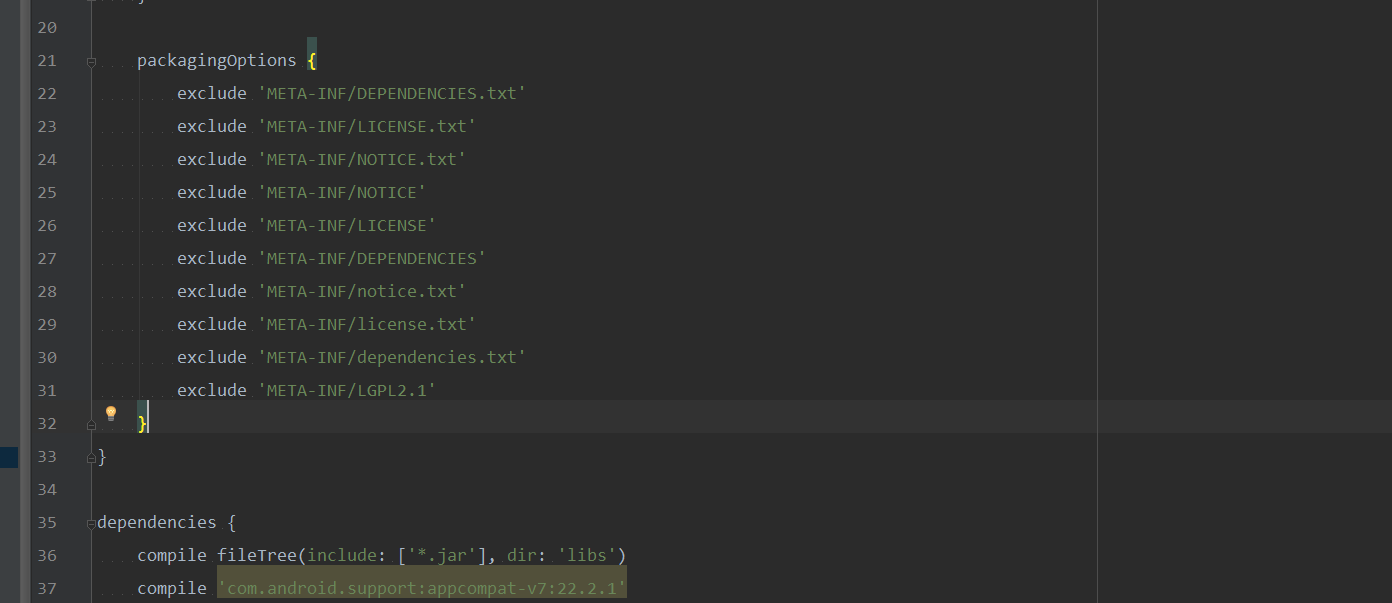
以下问题需要添加

 packagingOptions {

        exclude 'META-INF/DEPENDENCIES.txt'

        exclude 'META-INF/LICENSE.txt'

        exclude 'META-INF/NOTICE.txt'

        exclude 'META-INF/NOTICE'

        exclude 'META-INF/LICENSE'

        exclude 'META-INF/DEPENDENCIES'

        exclude 'META-INF/notice.txt'

        exclude 'META-INF/license.txt'

        exclude 'META-INF/dependencies.txt'

        exclude 'META-INF/LGPL2.1'

    }
源代码地址:https://github.com/newcaoguo/CoreProgress.git
Android使用OkHttp实现带进度的上传下载的更多相关文章
- Android okHttp网络请求之文件上传下载
前言: 前面介绍了基于okHttp的get.post基本使用(http://www.cnblogs.com/whoislcj/p/5526431.html),今天来实现一下基于okHttp的文件上传. ...
- PHP+ajaxForm异步带进度条上传文件实例
在使用ajaxForm方法之前,首先需要安装form.js的插件,网上有: 一.首先说用法,ajaxForm可以接收0或1个参数,该参数可以是一个变量.一个对象或回调函数,这个对象主要有以下参数: v ...
- OkHttp 优雅封装 HttpUtils 之 上传下载解密
曾经在代码里放荡不羁,如今在博文中日夜兼行,只为今天与你分享成果.如果觉得本文有用,记得关注我,我将带给你更多. 还没看过第一篇文章的欢迎移步:OkHttp 优雅封装 HttpUtils 之气海雪山初 ...
- android 请求网络 和 httpclient的使用上传下载
访问网络最主要的也就是 http协议了. http协议很简单,但是很重要. 直接上代码了,里面都是1个代码块 代码块的,用哪一部分直接拷出去用就好了. 1.访问网络用 get 和 post 自己组拼 ...
- ajax利用html5新特性带进度条上传文件
http://blog.csdn.net/pkgray/article/details/27591283 http://www.matlus.com/html5-file-upload-with-pr ...
- Android Studio中不能显示svn的上传下载两个图标同时version control为灰,不可点击
最近在接触Android Studio,涉及到svn的配置,因为是先安装的svn,后安装的Android Studio,后边同事告诉我, Android Studio 的SVN安装与其他IDE有很大差 ...
- RxHttp 完美适配Android 10/11 上传/下载/进度监听
1.前言 随着Android 11的正式发布,适配Android 10/11 分区存储就更加的迫切了,因为Android 11开始,将强制开启分区存储,我们就无法再以绝对路径的方式去读写非沙盒目录下的 ...
- Android开发中使用七牛云存储进行图片上传下载
Android开发中的图片存储本来就是比较耗时耗地的事情,而使用第三方的七牛云,便可以很好的解决这些后顾之忧,最近我也是在学习七牛的SDK,将使用过程在这记录下来,方便以后使用. 先说一下七牛云的存储 ...
- Retrofit2文件上传下载及其进度显示
序 前面一篇文章介绍了Retrofit2的基本使用,这篇文章接着介绍使用Retrofit2实现文件上传和文件下载,以及上传下载过程中如何实现进度的显示. 文件上传 定义接口 1 2 3 @Multip ...
随机推荐
- VMware v12.1.1 专业版以及永久密钥
热门虚拟机软件VMware Workstation 现已更新至v12.1.1 专业版!12.0属于大型更新,专门为Win10的安装和使用做了优化,支持DX10.4K高分辨率显示屏.OpenGL 3.3 ...
- html 中添加背景音乐
Embed (一).基本语法: embed src=url 说明:embed可以用来插入各种多媒体,格式可以是 Midi.Wav.AIFF.AU.MP3等等, Netscape及新版的IE 都支持.u ...
- hdu1507二分匹配
1 //hdu1507 挺不错的题 #include<stdio.h> #include<string.h> #define INF 99999999 struct node ...
- hdu2846 字典树
给你一堆字符串,然后再给你几个查询,前面那些字符串中有多少个包含了这个串.所以可以把开始inset()的字符遍历一遍,同时可能出现该字符串在某个字符串中有多次出现,所以还要用flag标记,来区分不同的 ...
- hdu1281 二分匹配
求重要的点.那就可以通过枚举来找:先做一次最大匹配,求出匹配数.然后逐一枚举这些点.如果匹配数改变,那就是重要点: #include<stdio.h> #include<string ...
- 列表 list
例子: #!/usr/bin/python li = list([11,22,33,66,99,77]) print(li) li.extend((44,55,)) print(li) ret = l ...
- 4.Android下拉列表框spinner学习
下拉列表框被广泛使用,诸如淘宝.京东等手机端经常可以看到这个部件身影,今天就来学习下它. 首先布局文件增加代码:如图 接下来在values下增加arrays.xml 如图 ...
- BZOJ-4010 菜肴制作 贪心+堆+(拓扑图拓扑序)
无意做到...char哥还中途强势插入干我...然后据他所言,看了一会题,一转头,我爆了正解....可怕 4010: [HNOI2015]菜肴制作 Time Limit: 5 Sec Memory L ...
- codevs1358 棋盘游戏
题目描述 Description 这个游戏在一个有10*10个格子的棋盘上进行,初始时棋子位于左上角,终点为右下角,棋盘上每个格子内有一个0到9的数字,每次棋子可以往右方或下方的相邻格子移动,求一条经 ...
- java获取每个月的最后一天
package timeUtil; import java.text.SimpleDateFormat; import java.util.Calendar; public class LastDay ...