
【代码笔记】iOS-点击顶点处,弹出另一个小的界面
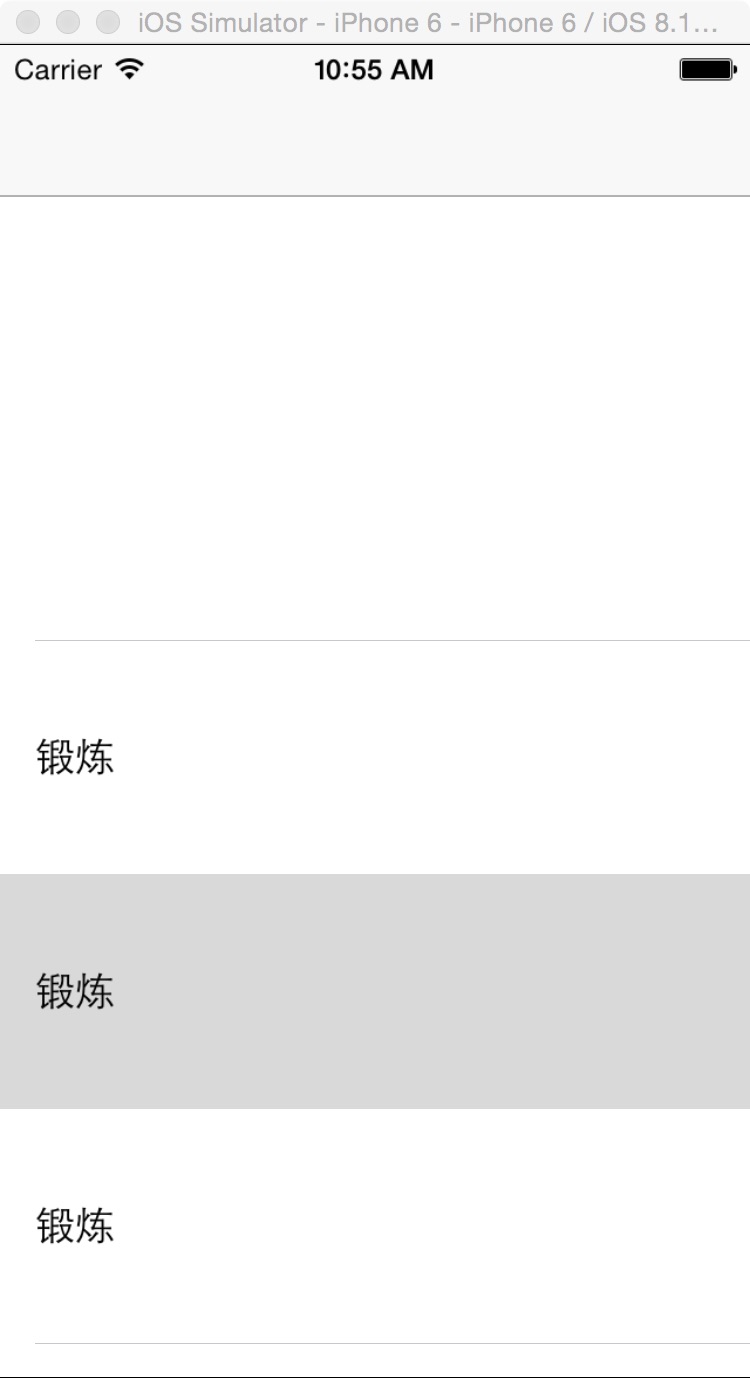
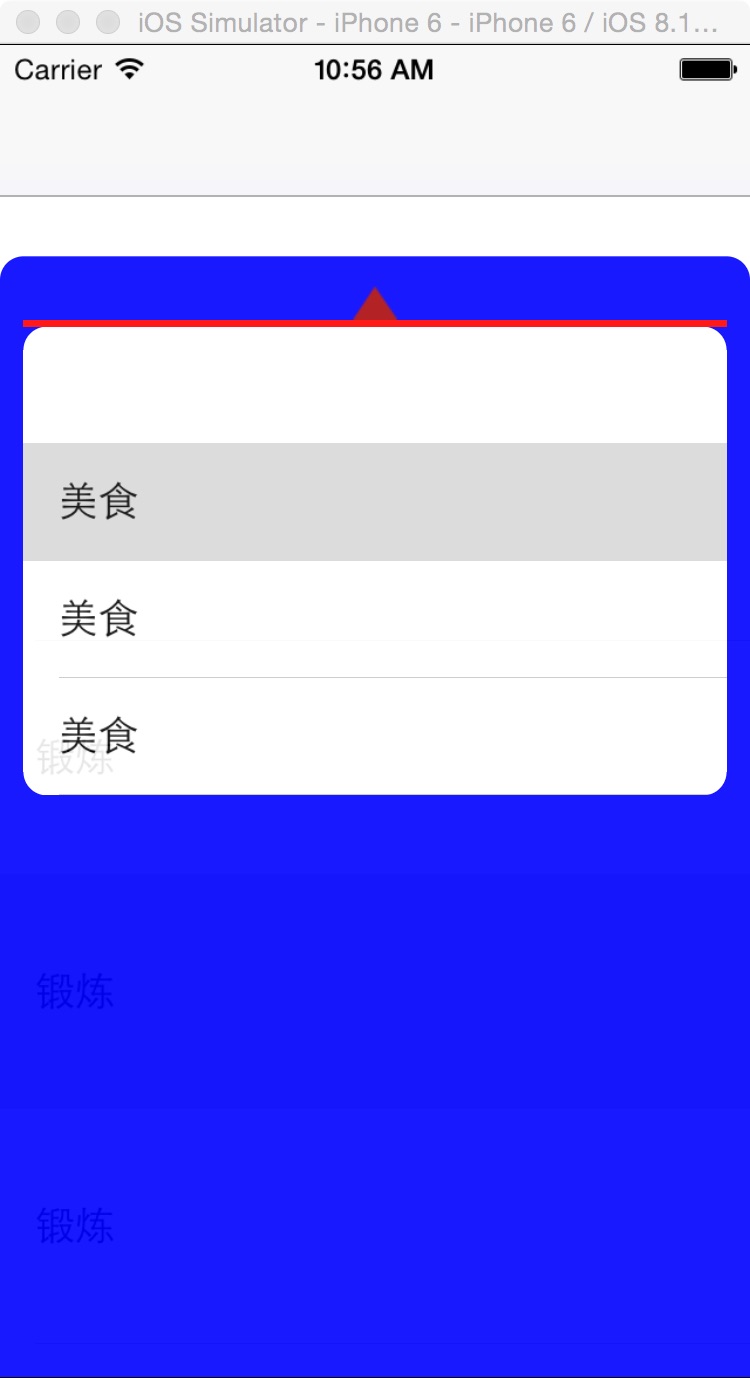
一,效果图。
二,文件目录。

三,代码。
RootViewController.h

#import <UIKit/UIKit.h>

@interface RootViewController : UIViewController

<UITableViewDataSource,UITableViewDelegate>

{

    UIView * _huiView;

    UITableView * _btnTableView;

    UITableView * _tableView;

}

@end
RootViewController.m
#import "RootViewController.h"

@interface RootViewController ()

@end

@implementation RootViewController

- (id)initWithNibName:(NSString *)nibNameOrNil bundle:(NSBundle *)nibBundleOrNil

{

    self = [super initWithNibName:nibNameOrNil bundle:nibBundleOrNil];

    if (self) {

        // Custom initialization

    }

    return self;

}

- (void)viewDidLoad

{

    [super viewDidLoad];

    // Do any additional setup after loading the view.

    //初始化背景图

    [self initBackGroundView];

}

#pragma -mark -functions

-(void)initBackGroundView

{

    //大的tableView

    _tableView = [[UITableView alloc] initWithFrame:CGRectMake(0,90, 320, self.view.bounds.size.height )];

    _tableView.delegate = self;

    _tableView.dataSource = self;

    _tableView.backgroundColor=[UIColor whiteColor];

    [self.view addSubview:_tableView];

    //点击单元格时候的UIView

    _huiView = [[UIView alloc] initWithFrame:CGRectMake(-320, 90, 320, self.view.bounds.size.height)];

    _huiView.backgroundColor = [UIColor blueColor];

    _huiView.alpha=0.9;

    _huiView.layer.cornerRadius = 10;

    [self.view addSubview:_huiView];

    //三角形

    NSString *path = [[NSBundle mainBundle] pathForResource:@"shangwu_shaixuan_sanjiaoxing" ofType:@"png"];

    UIImage *image = [[UIImage alloc] initWithContentsOfFile:path];

    UIImageView *imageView = [[UIImageView alloc] initWithImage:image];

    imageView.frame = CGRectMake(150, 12, 20, 15);

    [_huiView addSubview:imageView];

    //红色的线

    UIView * view = [[UIView alloc] initWithFrame:CGRectMake(10, 27, 300, 3)];

    view.backgroundColor = [UIColor redColor];

    [_huiView addSubview:view];

    //用于选择的tableView

    _btnTableView = [[UITableView alloc] initWithFrame:CGRectMake(10, 30,300,200) style:UITableViewStylePlain];

    _btnTableView.delegate = self;

    _btnTableView.dataSource = self;

    _btnTableView.layer.cornerRadius = 10;

    [_huiView addSubview:_btnTableView];

}

#pragma -mark -UITableViewDelegate

-(CGFloat)tableView:(UITableView *)tableView heightForRowAtIndexPath:(NSIndexPath *)indexPath

{

    if (tableView == _tableView){

        return 100;

    }

    return 50;

}

-(NSInteger)tableView:(UITableView *)tableView numberOfRowsInSection:(NSInteger)section

{

    if (tableView == _tableView){

        return 100;

    }

    return 5;

}

-(UITableViewCell *)tableView:(UITableView *)tableView cellForRowAtIndexPath:(NSIndexPath *)indexPath

{

    if (tableView == _btnTableView){

        static NSString * cellName = @"cellName";

        UITableViewCell * cell = [tableView dequeueReusableCellWithIdentifier:cellName];

        if (cell == nil){

            cell = [[UITableViewCell alloc] initWithStyle:UITableViewCellStyleDefault reuseIdentifier:cellName];

        }

        if (indexPath.row == 0){

            cell.textLabel.text = @"";

            return cell;

        }

        cell.textLabel.text = @"美食";

        cell.textLabel.textColor = [UIColor blackColor];

        return cell;

    }else {

        static NSString * cellName = @"cell";

        UITableViewCell * cell = [tableView dequeueReusableCellWithIdentifier:cellName];

        if (cell == nil){

            cell = [[UITableViewCell alloc] initWithStyle:UITableViewCellStyleDefault reuseIdentifier:cellName];

        }

        if (indexPath.row == 0){

            cell.textLabel.text = @"";

            return cell;

        }

        cell.textLabel.text = @"锻炼";

        cell.textLabel.textColor = [UIColor blackColor];

        return cell;

        }

}

-(void)tableView:(UITableView *)tableView didSelectRowAtIndexPath:(NSIndexPath *)indexPath

{

    NSLog(@"----didSelectRowAtIndexPath----");

    if (tableView==_tableView) {

        [UIView animateWithDuration:0.7 animations:^{

            _huiView.frame = CGRectMake(0, 45+45, 320, self.view.bounds.size.height);

        }];

    }else{

        [UIView animateWithDuration:0.7 animations:^{

            _huiView.frame = CGRectMake(-320, 45+45, 320, self.view.bounds.size.height);

        }];

    }

}

- (void)didReceiveMemoryWarning

{

    [super didReceiveMemoryWarning];

    // Dispose of any resources that can be recreated.

}
【代码笔记】iOS-点击顶点处,弹出另一个小的界面的更多相关文章
- iOS 点击注释图标 弹出对应解释
需求:如题目 接上一篇的开发内容 效果图: 这种情况存在tableView 的一个cell中. 要点 1, 弹出的对应解释 要在可视区域,并且小尖角 要指着 图片 2, 文本不能过高 有极大高度 ...
- ionic3 点击输入 框弹出白色遮罩 并把 界面顶到上面
这个蛋疼 问题 ,在android 上面遇到这种情况 ,键盘弹出的时候 总有一个白色的遮罩在后面出现,网上查了很久都没发现原因. 偶然发现一个方法 ,试下了下 问题解决了. 代码如下: IonicMo ...
- MFC 点击按钮,弹出另一个对话框(模态及非模态对话框)
1. 模态对话框 资源视图->Dialog->右键->添加资源->新建->对话框->右键->添加类. 例如:在A_dialog中点击按钮弹出B_dialog ...
- 【代码笔记】iOS-点击搜索跳转到另外一个页面
一,效果图. 二,工程图. 三,代码. RootViewController.h #import <UIKit/UIKit.h> @interface RootViewController ...
- iOS 点击TextField不弹出软键盘的解决方案
开发中遇到: 在模拟器里面,textfield可以通过电脑键盘输入,可是怎么也不会自动弹出模拟器软键盘 解决方案: 切换一下键盘,command+shift+k,Xcode6.3 中只能是一种输入源
- js实现点击<li>标签弹出其索引值
据说这是一道笔试题,以下是代码,没什么要文字叙述的,就是点击哪个<li>弹出哪个<li>的索引值即可: <html> <head> <style& ...
- 原生js日期时间插件鼠标点击文本框弹出日期时间表格选择日期时间
原文出处 (这是我从互联网上搜来的,感觉能满足各方面的需求.个人感觉挺不错的,所以后期修改了一下向大家推荐!) 效果图: html代码: <!DOCTYPE html PUBLIC " ...
- 解决IOS safari在input focus弹出输入法时不支持position fixed的问题
该文章为转载 我们在做移动web应用的时候,常常习惯于使用position:fixed把一个input框作为提问或者搜索框固定在页面底部.但在IOS的safari和webview中,对position ...
- 基于jQuery点击圆形边框弹出图片信息
分享一款基于jQuery点击圆形边框弹出图片信息.这是一款鼠标经过图片转换成圆形边框,点击可弹出文字信息.效果图如下: 在线预览 源码下载 实现的代码. html代码: <div id=&q ...
随机推荐
- 地图定位IOS8.0之前的定位
在ios8.0之前定位的步骤如下: 1.首先将我们的项目版本切换到7.0
- 表单input项使用label,同时引用Bootstrap库,导致input点击效果区增大
产品姐姐想法多,点击input项才能聚焦进行操作,点击外部不能有反应 好了...直入正题 为了让标签更加语义化,在表单项中,我们往往会使用label进行包裹 <label for="l ...
- REOBJECT 结构
REOBJECT 结构 包含有关 rich edit 控件中的 OLE 或图像对象的信息. 语法 typedef struct _reobject { DWORD cbStru ...
- js带上框架和防止被iframe的代码
1.永远都会带着框架<script language="JavaScript"><!--if (window == top)top.location.href = ...
- 转型?还是延伸?开源建站系统近乎推整套SNS社区解决方案
转型?还是延伸?开源建站系统近乎推整套SNS社区解决方案 近乎(英文:Spacebuilder),作为.net领域的SNS社区建站系统代表之一,一直在技术开发领域算是兢兢业业,在Discuz!和Php ...
- .NET invoke NetSuite Restlet
Please indicate the source if you need to repost. Restlet allows programmers to use the http request ...
- MUI(2)
本篇博文是继续MUI(1)博文. 上一篇博文小编写了两个页面,一个页面只写了一个头部导航栏,另一个页面写了一个按钮,然后这两个页面进行合并显示,即在头部导航栏页面加载显示另一个页面的按钮.仔细观察上一 ...
- ahjesus 让我的MVC web API支持JsonP跨域
无数被跨域请求爆出翔来的人 遇到请求成功却不能进入success 总是提示parsererror 参考一下两篇文章吧 参考文章http://www.asp.net/web-api/overview/s ...
- C语言的数据、常量和变量
一.数据 图片文字等都是数据,在计算机中以0和1存储. (一)分类 数据分为静态数据和动态数据. ①. 静态数据:一些永久性的的数据,一般存储在硬盘中,只要硬盘没坏数据都是存在的.一般以文件的形式存储 ...
- pywebsocket的搭建
Python可以搭建pywebsocket(Web服务器,python websocket),搭建pywebsocket必须要已经安装了python,点我查看python的下载与安装.在这篇Blog中 ...