
pycharm fiddler requests.exceptions.SSLError
一、SSL问题
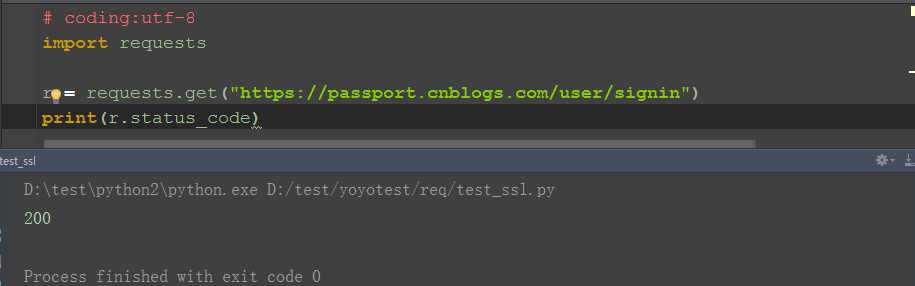
1.不启用fiddler,直接发https请求,不会有SSL问题(也就是说不想看到SSL问题,关掉fiddler就行)
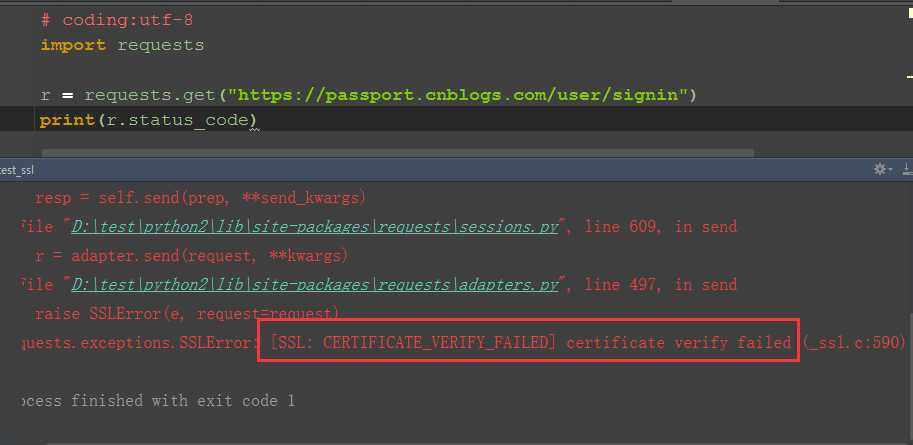
2.启动fiddler抓包,会出现这个错误:requests.exceptions.SSLError: [SSL: CERTIFICATE_VERIFY_FAILED] certificate verify failed (_ssl.c:590)
二、verify参数设置
1.Requests的请求默认verify=True
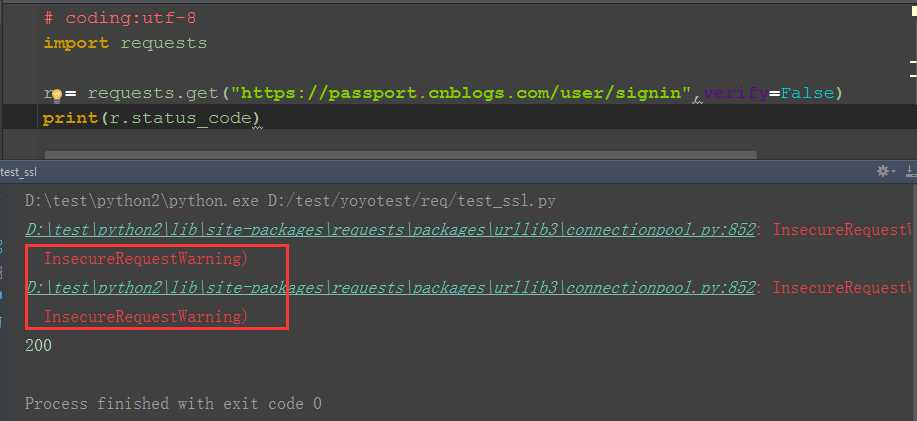
2.如果你将 verify设置为 False,Requests 也能忽略对 SSL 证书的验证
3.但是依然会出现两行Warning,可以不用管
三、忽略Warning
1.有些小伙伴有强迫症看到红色的心里就发慌,这里加两行代码可以忽略掉警告,眼不见为净!
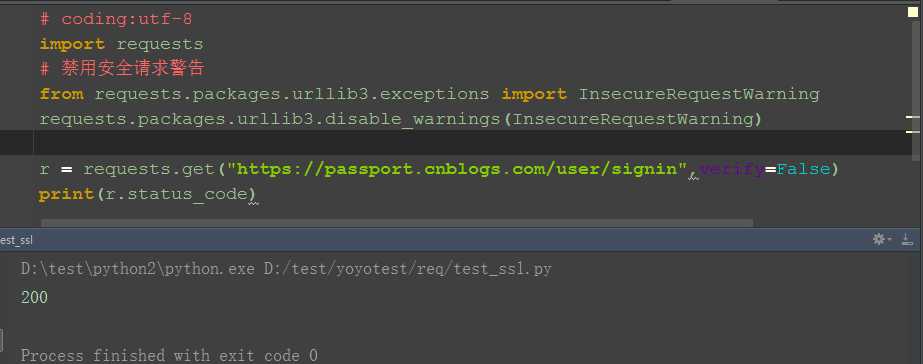
2.参考代码:用红色的几段代码就可以搞定这个问题!
# coding:utf-8

import requests

# 禁用安全请求警告

from requests.packages.urllib3.exceptions import InsecureRequestWarning

requests.packages.urllib3.disable_warnings(InsecureRequestWarning)

url = "https://passport.cnblogs.com/user/signin"

headers = {

     "User-Agent": "Mozilla/5.0 (Windows NT 10.0; WOW64; rv:44.0) Gecko/20100101 Firefox/44.0"

          }

r = requests.get(url, headers=headers, verify=False)

print(r.status_code)
pycharm fiddler requests.exceptions.SSLError的更多相关文章
- 关于requests.exceptions.SSLError: HTTPSConnectionPool
问题: requests.exceptions.SSLError: HTTPSConnectionPool(host='mall.christine.com.cn', port=443): Max r ...
- python使用requests时报错requests.exceptions.SSLError: HTTPSConnectionPool
报错信息 Traceback (most recent call last): File "<stdin>", line 1, in <module> Fi ...
- requests.exceptions.SSLError……Max retries exceeded with url错误求助!!!
import requests head = {"User-Agent": "Mozilla/5.0 (Windows NT 10.0; Win64; x64) Appl ...
- Python中request的post请求报requests.exceptions.SSLError:
今天发送一个post请求,提示错误 requests.exceptions.SSLError: HTTPSConnectionPool(host='user.zaful.com', port=443) ...
- 解决python爬虫requests.exceptions.SSLError: HTTPSConnectionPool(host='XXX', port=443)问题
爬虫时报错如下: requests.exceptions.SSLError: HTTPSConnectionPool(host='某某某网站', port=443): Max retries exce ...
- requests.exceptions.SSLError报错
requests.exceptions.SSLError: HTTPSConnectionPool(host='www.baidu.com', port=443): Max retries excee ...
- Pycharm Fiddler Requests https in _create raise ValueError("check_hostname requires server_hostname
打开Fiddler, 开启抓取https, 在PyCharm中使用requests 发送https请求, 遇到 in _create raise ValueError("check_ho ...
- requests.exceptions.SSLError: hostname '127.0.0.1' doesn't match None
http://stackoverflow.com/questions/33429453/python-requests-ssl-hostname-doesnt-match-error http://w ...
- 如何解决Requests的SSLError(转)
add by zhj: 我使用方法2“更新系统的certificate”解决了问题 原文:https://www.jianshu.com/p/8deb13738d2c 这两天在Linux上爬Googl ...
随机推荐
- MyEclipse WebSphere开发教程:WebSphere 8安装指南(一)
[周年庆]MyEclipse个人授权 折扣低至冰点!立即开抢>> [MyEclipse最新版下载] IBM为使用WebSphere测试应用程序的开发人员提供了免费的WebSphere Ap ...
- log4j的配置详解(转)
转自:http://blog.sina.com.cn/s/blog_5ed94d710101go3u.html 最近使用log4j写log时候发现网上的写的都是千篇一律,写的好的嘛不全,写的全一点的嘛 ...
- Python与系统的交互方式
本节内容 os与commands模块 subprocess模块 subprocess.Popen类 总结 我们几乎可以在任何操作系统上通过命令行指令与操作系统进行交互,比如Linux平台下的shell ...
- L209
China's Chang'e-4 probe entered a planned orbit Sunday morning // to prepare for the first-ever soft ...
- VM VirtualBox虚拟机与物理主机之间的复制
物理主机: 系统:Ubuntu 11.04 X86_64 虚拟机: 系统:Windows XP Pack3 点击虚拟机的 设备->安装增强功能即可 安装后两系统之间的复制,粘贴可正常使用,如同一 ...
- 《利用Python进行数据分析》笔记---第5章pandas入门
写在前面的话: 实例中的所有数据都是在GitHub上下载的,打包下载即可. 地址是:http://github.com/pydata/pydata-book 还有一定要说明的: 我使用的是Python ...
- Android AES 加密、解密
AES加密介绍 ASE 加密.解密的关键在于秘钥.只有使用加密时使用的秘钥,才可以解密. 生成秘钥的代码网上一大堆,下面的代码可生成一个秘钥 private SecretKey generateKey ...
- RCNN、SPP-net、Fast-RCNN和Faster-RCNN
RCNN RCNN (Regions with CNN features) 的核心思想是把图像划分成N(2000)个独立的区域,分别提取每个区域的CNN特征,然后把这些特征使用SVM等分类器进行结果预 ...
- magento关联产品
<?php $related= $_product->getRelatedProducts(); foreach($related as $_item): $_item = $_item- ...
- OK335xS-Android mkmmc-android-ubifs.sh hacking
#/******************************************************************************* # * OK335xS-Androi ...