
layer弹出层
最近因为项目要求做了一个layer弹出层demo,先看效果图

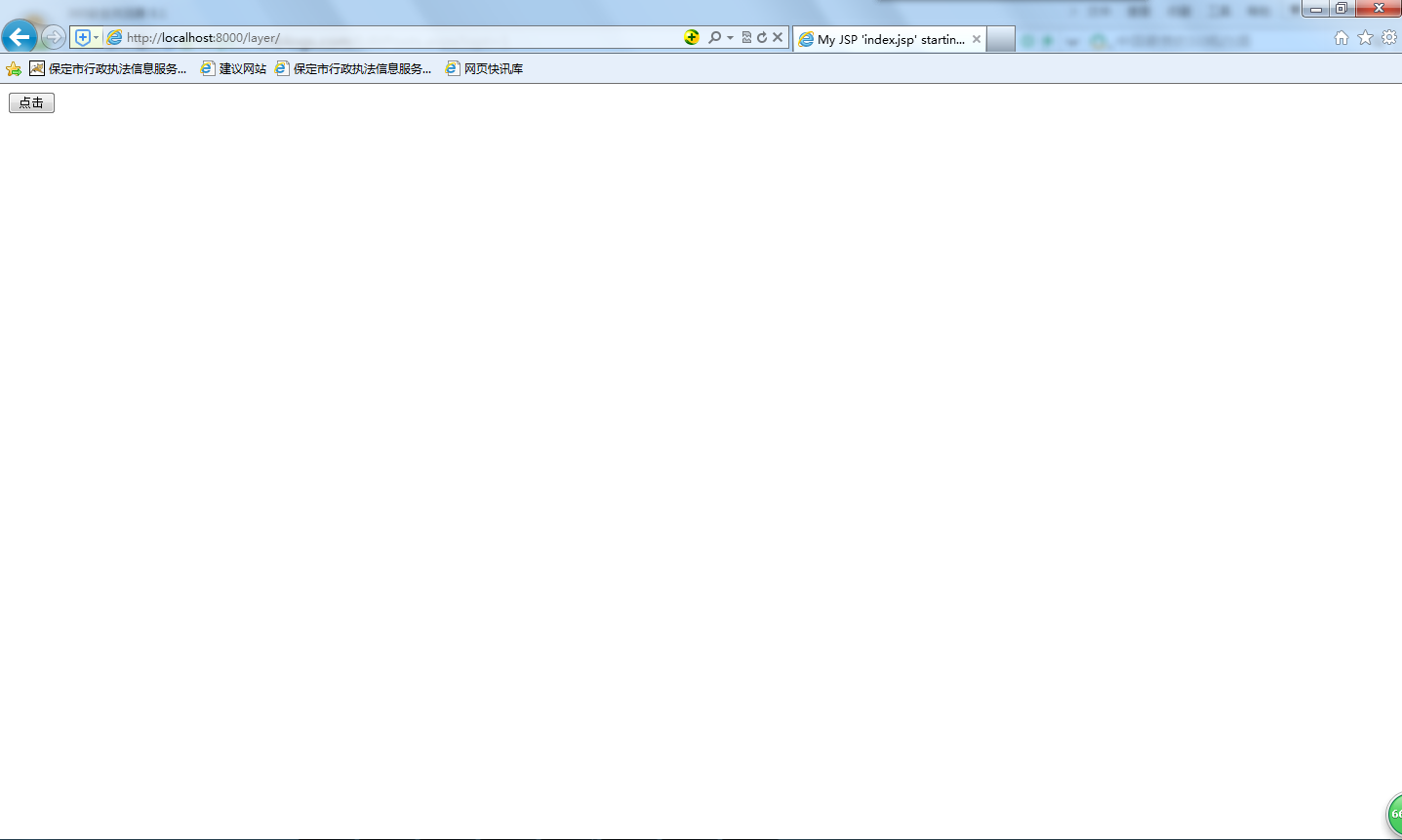
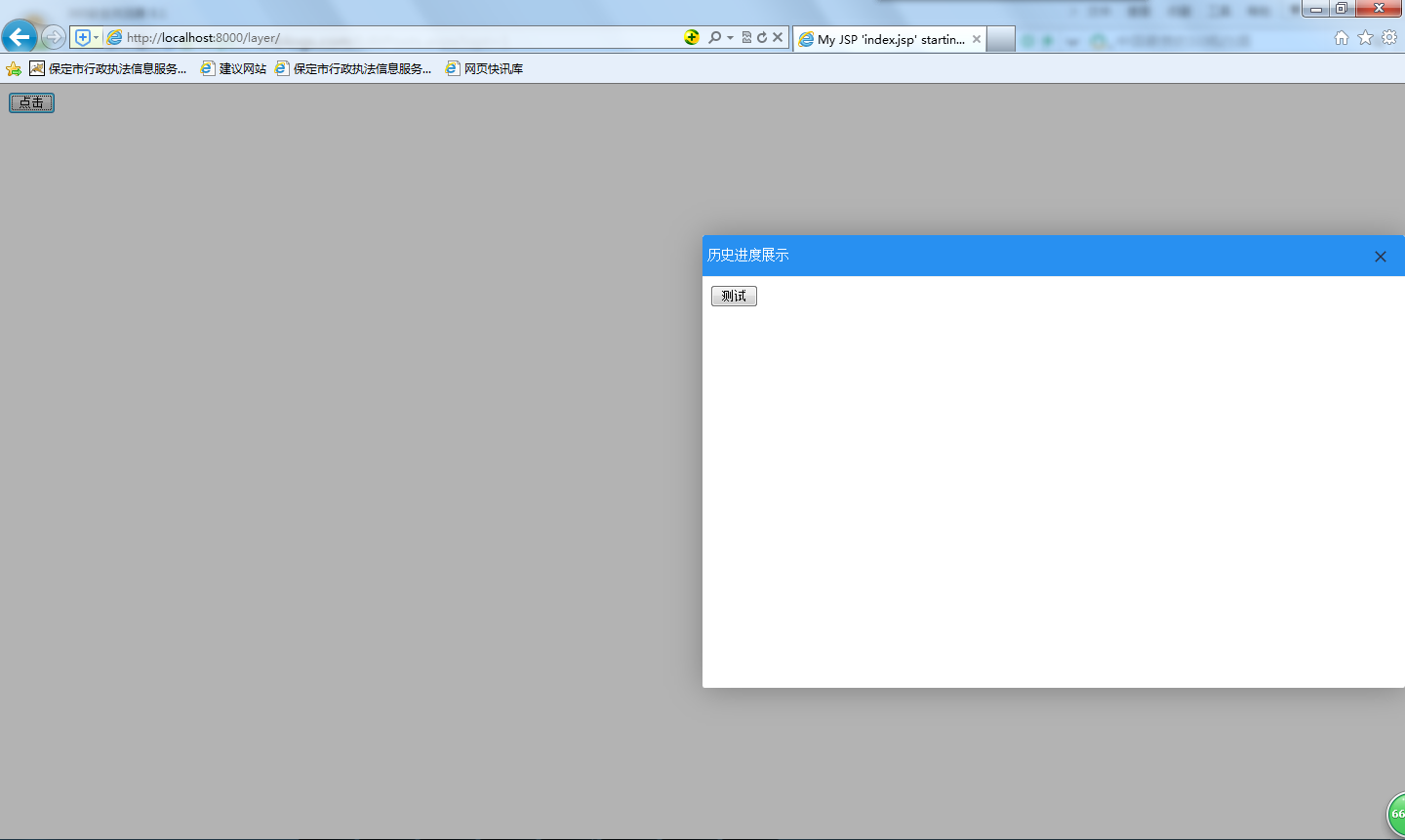
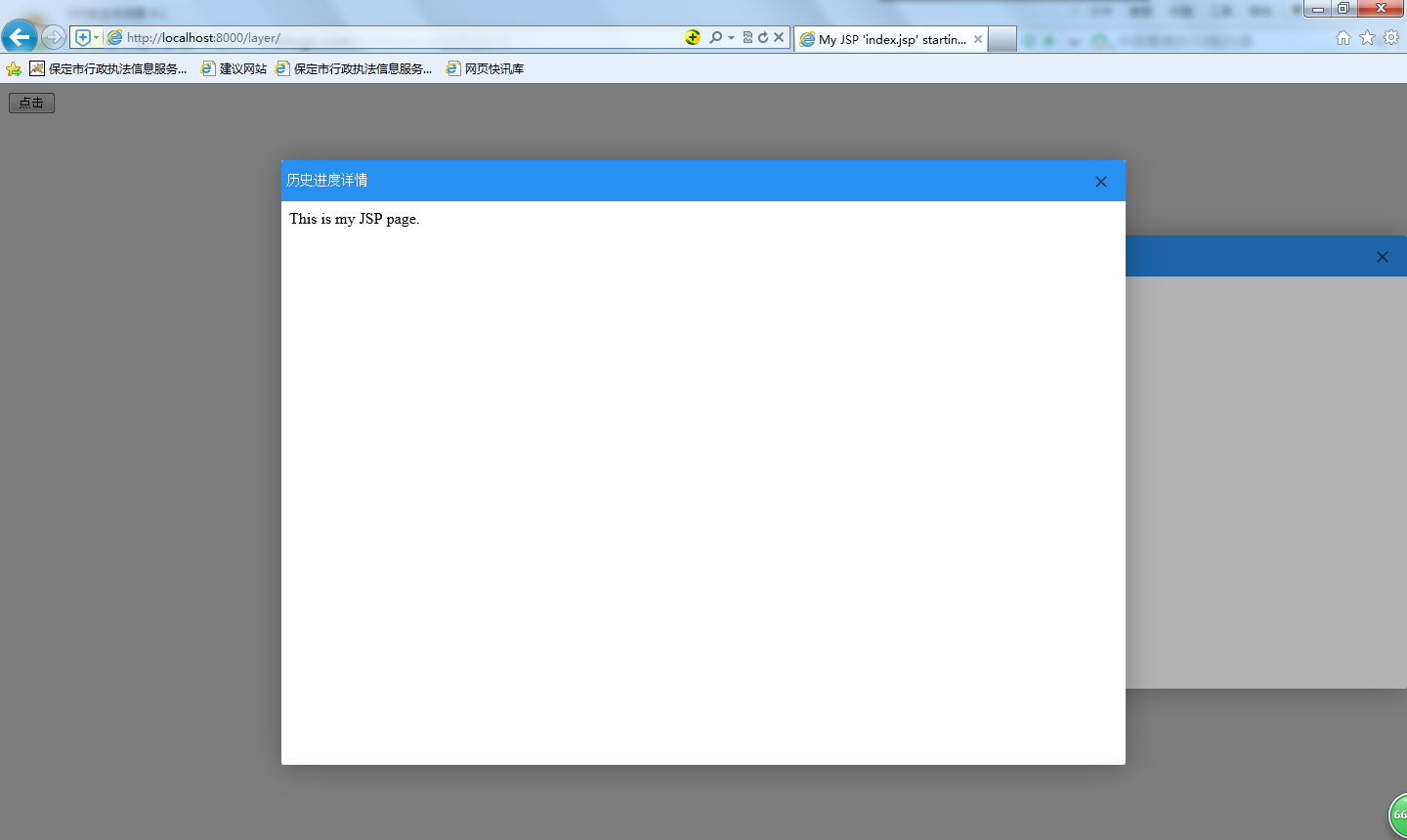
好了,现在开始上代码
index.jsp
<%@ page language="java" import="java.util.*" pageEncoding="UTF-8"%>

<%

String path = request.getContextPath();

String basePath = request.getScheme()+"://"+request.getServerName()+":"+request.getServerPort()+path+"/";

%>

<!DOCTYPE HTML>

<html>

  <head>

    <base href="<%=basePath%>">

    <title>My JSP 'index.jsp' starting page</title>

	<!--

	<link rel="stylesheet" type="text/css" href="styles.css">

	-->

  </head>

  <body>

    	<input type="button" onclick="openFirstLayer()" value="点击"/>

    	<script type="text/javascript" src="http://lib.sinaapp.com/js/jquery/1.9.1/jquery-1.9.1.min.js"></script>

		<script type="text/javascript" src="layer/layer.js"></script>

		<script type="text/javascript">

			function openFirstLayer(){

				/* layer.open({

				  type: 2,

				  title: ['你好','background-color:red,padding-left:5px'],

				  closeBtn: 1, //显示关闭按钮

				  shade: [0.3],

				  area: ['500px', '400px'],

				  offset: 'r', //右下角弹出,

				  move: false,

				  //anim: 4,

				  content: ['test.jsp', 'no'] //iframe的url,no代表不显示滚动条

				}); */

				layer.open({

				  type: 2,

				  title: ['历史进度展示','background-color:rgb(40, 144, 241);padding-left:5px;color:#fff'],

				  closeBtn: 1, //显示关闭按钮

				  shade: [0.3],

				  area: ['50%', '60%'],

				  offset: 'r', //右下角弹出,

				  move: false,

				  //anim: 4,

				  content: ['test.jsp', 'no'] //iframe的url,no代表不显示滚动条

				});

			}

		</script>

  </body>

</html>
test.jsp
<%@ page language="java" import="java.util.*" pageEncoding="UTF-8"%>

<%

String path = request.getContextPath();

String basePath = request.getScheme()+"://"+request.getServerName()+":"+request.getServerPort()+path+"/";

%>

<!DOCTYPE HTML>

<html>

  <head>

    <base href="<%=basePath%>">

    <title>My JSP 'test.jsp' starting page</title>

	<!--

	<link rel="stylesheet" type="text/css" href="styles.css">

	-->

  </head>

  <body>

    	<input type="button" onclick="openSecondLayer()" value="测试"/>

    	<script type="text/javascript" src="http://lib.sinaapp.com/js/jquery/1.9.1/jquery-1.9.1.min.js"></script>

		<script type="text/javascript" src="layer/layer.js"></script>

    	<script type="text/javascript">

    		function openSecondLayer(){

    			/* parent.layer.open({

	 				type: 1,

	 				skin: 'layui-layer-rim', //加上边框

	 				area: ['420px', '240px'], //宽高

	 				content: 'html内容',

	 				cancel: function(index){

	 					if(confirm('确定要关闭么')){

	 					}

 						//return false;

 					}

   				}); */

    			parent.layer.open({

     				type: 2,

     				title: ['历史进度详情','background-color:rgb(40, 144, 241);padding-left:5px;color:#fff'],

     				//skin: 'layui-layer-rim', //加上边框

     				area: ['60%', '80%'], //宽高

     				content: ['test2.jsp','no'], //iframe的url,no代表不显示滚动条

     				cancel: function(index){

     					window.location.href = "test.jsp";

     					/* if(confirm('确定要关闭么')){

     					} */

    						//return false;

    				}

      			});

    		}

    	</script>

  </body>

</html>
test2.jsp
<%@ page language="java" import="java.util.*" pageEncoding="UTF-8"%>

<%

String path = request.getContextPath();

String basePath = request.getScheme()+"://"+request.getServerName()+":"+request.getServerPort()+path+"/";

%>

<!DOCTYPE HTML PUBLIC "-//W3C//DTD HTML 4.01 Transitional//EN">

<html>

  <head>

    <base href="<%=basePath%>">

    <title>My JSP 'test2.jsp' starting page</title>

	<meta http-equiv="pragma" content="no-cache">

	<meta http-equiv="cache-control" content="no-cache">

	<meta http-equiv="expires" content="0">

	<meta http-equiv="keywords" content="keyword1,keyword2,keyword3">

	<meta http-equiv="description" content="This is my page">

	<!--

	<link rel="stylesheet" type="text/css" href="styles.css">

	-->

  </head>

  <body>

    This is my JSP page. <br>

  </body>

</html>
只是一个简单demo展示,剩下的拓展需要自己再去深入挖掘
layer弹出层的更多相关文章
- layer弹出层不居中解决方案
layer弹出层不居中解决方案 代码头中加入以下代码即可 <!doctype html>
- layer弹出层不居中解决方案,layer提示不屏幕居中解决方法,layer弹窗不居中解决方案
layer弹出层不居中解决方案,layer提示不屏幕居中解决方法,layer弹窗不居中解决方案 >>>>>>>>>>>>> ...
- Layer弹出层销毁问题
Layer弹出层销毁问题 最近开发时有个问题记录一下 点击按钮显示相应的图表信息,当时自己点感觉没问题,谁知到测试手里多次点击就会有后续打开的窗口无法渲染问题,看了半天才发现是调用layer.clos ...
- layer 弹出层 回调函数调用 弹出层页面 函数
1.项目中用到layer 弹出层,定义一个公用的窗口,问题来了窗口弹出来了,如何保存页面上的数据呢?疯狂百度之后,有了结果,赶紧记下. 2.自己定义的公共页面方法: layuiWindow: func ...
- layer 弹出层 不居中
layer弹出层不居中解决方案 代码头中加入以下代码即可 <!doctype html>
- layer弹出层设置相对父级元素定位
layer弹出层默认是相对body固定定位的,可是项目中一般需要相对某个盒子相对定位,下面是个加载弹层例子: var loadIndex = layer.open({ type: 3, //3 表示加 ...
- 在子页面使用layer弹出层时只显示遮罩层,不显示弹出框问题
最近子页面使用layer弹出层时只显示遮罩层,不显示弹出框,这个问题搞了很久,最后才发现,在子页面上使用弹出框时,如果只使用layer.alert()或者layer.open()时,会默认在当前页面弹 ...
- 常用的layer弹出层
本文来自 松耦合 的CSDN 博客 ,全文地址请点击:https://blog.csdn.net/dunegao/article/details/78978448?utm_source=copy 常用 ...
- layer弹出层右上角的关闭按钮怎么没有显示
问题描述:layer弹出层右上角的关闭按钮怎么没有显示,但鼠标移上去又可以点击 解决方式: 这是因为样式中需要一个图标,你的项目中缺少.解决如下:1.下载图标:http://www-x-zi-han- ...
随机推荐
- mog使用指南
mog使用指南 mgo简介 mgo(音mango)是MongoDB的Go语言驱动,它用基于Go语法的简单API实现了丰富的特性,并经过良好测试. 官方网站:http://labix.org/mgo. ...
- Java IO 过滤流 BufferedInput/OutputStream
Java IO 过滤流 BufferedInput/OutputStream @author ixenos 概念 BufferedInput/OutputStream是实现缓存的过滤流,他们分别是Fi ...
- PHP关于数组缓存JSON、serialize、var_export的说明
1.JSONJSON缓存变量主要是使用json_encode和json_decode函数,其中json_encode可以将变量变成文本格式存储到文件. // Store cache file_put_ ...
- digitalocean vpn安装配置教程
digitalocean是美国一家专业的vps提供商,优势是性价比高,最低配置512MB内存vps每月只要5美元,导致大陆用户疯狂涌入.关于digitalocean申请方法.digitalocean速 ...
- 洛谷-烤鸡-BOSS战-入门综合练习1
题目背景 Background 猪猪hanke得到了一只鸡 题目描述 Description 猪猪Hanke特别喜欢吃烤鸡(本是同畜牲,相煎何太急!)Hanke吃鸡很特别,为什么特别呢?因为他有10 ...
- D - 小Y上学记——要迟到了!
D - 小Y上学记——要迟到了! Time Limit: 2000/1000MS (Java/Others) Memory Limit: 128000/64000KB (Java/Others) ...
- B - ACboy needs your help(动态规划,分组背包)
B - ACboy needs your help Time Limit:1000MS Memory Limit:32768KB 64bit IO Format:%I64d & ...
- phabricator 搭建
os:debian7 Installation Guide :https://secure.phabricator.com/book/phabricator/ $ cd /data # 安装目录 da ...
- 模型驱动 ModelDriven
ModelDriven:模型驱动,对所有action的模型对象进行批处理. 我们在开发中, 在action中一般是用实体对象,然后给实体对象get,set方法. RegAction{ User use ...
- Myeclipse安装jbpm6
1.下载jbpm-6.3.0.Final-installer-full.zip解压此文件 2.在myeclipse2013安装路径(F:\tool\myeclipse2013)下新建文件夹jbpm6- ...