
利用URL protocol在网页打开本地exe
Registering the Application Handling the Custom URI Scheme
To register an application to handle a particular URI scheme, add a new key, along with the appropriate subkeys and values, to HKEY_CLASSES_ROOT. The root key must match the URI scheme that is being added. For instance, to add an "alert:" scheme, add an alert key to HKEY_CLASSES_ROOT, as follows:
HKEY_CLASSES_ROOT

   alert

      URL Protocol = ""
Under this new key, the URL Protocol string value indicates that this key declares a custom pluggable protocol handler. Without this key, the handler application will not launch. The value should be an empty string.
Keys should also be added for DefaultIcon and shell. The Default string value of the DefaultIcon key must be the file name to use as an icon for this new URI scheme. The string takes the form "path, iconindex" with a maximum length of MAX_PATH. The name of the first key under the shell key should be an action verb, such as open. Under this key, a command key or a DDEEXEC key indicate how the handler should be invoked. The values under the command and DDEEXEC keys describe how to launch the application handling the new protocol.
Finally, the Default string value should contain the display name of the new URI scheme. The following example shows how to register an application, alert.exe in this case, to handle the alert scheme.
HKEY_CLASSES_ROOT

   alert

      (Default) = "URL:Alert Protocol"

      URL Protocol = ""

      DefaultIcon

         (Default) = "alert.exe,1"

      shell

         open

            command

               (Default) = "C:\Program Files\Alert\alert.exe" "%1"
When a user clicks a link containing your custom URI scheme, Windows Internet Explorer launches the pluggable protocol handler registered for that URI scheme. If the specified open command specified in the registry contains a %1 parameter, Internet Explorer passes the URI to the registered pluggable protocol handler application.
- 在注册表里新建register key
在注册表里新建一个key,按照URL protocol的格式,设置好路径。
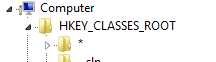


也可以写一个.reg文件,打开文件即可注册key了。
Windows Registry Editor Version 5.00

[HKEY_CLASSES_ROOT\HelloRio]

"URL Protocol"="C:\\Program Files (x86)\\HelloRio\\HelloRio.exe"

@="HelloRioProtocol"

[HKEY_CLASSES_ROOT\HelloRio\DefaultIcon]

@="C:\\Program Files (x86)\\HelloRio\\HelloRio.exe,1"

[HKEY_CLASSES_ROOT\HelloRio\shell]

[HKEY_CLASSES_ROOT\HelloRio\shell\open]

[HKEY_CLASSES_ROOT\HelloRio\shell\open\command]

@="\"C:\\Program Files (x86)\\HelloRio\\HelloRio.exe\" \"%1\""
第一行表示用的注册表工具。
然后就是对应需要新建项在注册表中的路径,以及对应键值。双击该文件,即可自动在注册表中注册一个URL Protocol。
写一个test的html。或者在地址行直接键入。

最后就会提示luanch你的exe了。这里我写了一个比较简单的应用程序,实际上当我们在register key,%1代表我们接受参数。
实际上传入的参数是HelloRio:myrio,这里需要解析字符串。本来想用正则表达式,无奈正则表达式学得不好。+。+
#include <Windows.h>

#include <iostream>

#include <cstring>

#include <regex>

using namespace std;

int main(int argc,char* argv[]){

    if(argc<){

        MessageBox(NULL,TEXT("Please input a parameter£¡"),TEXT("HelloRio"), MB_OK);

        exit();

    }

    else{

        string s1=string(argv[]);

        //search the right parameter

        auto i=find(s1.begin(),s1.end(),':');

        i++;

        string s2="hello"+string(i,s1.end());

        wstring tmp(s2.begin(),s2.end());

        const wchar_t* t=tmp.c_str();

        t+='\0';

        MessageBox(NULL,t,TEXT("HelloRio"), MB_OK);

        return ;

    }

}
腾讯的key:


用JavaScript在HTML里打开exe,需要Active X且不被浏览器接受(因为安全性因素)
<html>

<head>

<script language="javascript">

function Run(strPath)

{

var objShell = new ActiveXObject("wscript.shell");

objShell.exec(strPath);

objShell = null;

}

</script>

</head>

<body>

请输入要运行的程序路径:<br>

<input name=exe type=text size=20 value="D:\\a.doc">

<BUTTON class=button onclick="Run(exe.value)">确定</BUTTON>

</body>

</html>
利用URL protocol在网页打开本地exe的更多相关文章
- 利用URL Protocol实现网页调用本地应用程序
http://blog.csdn.net/zssureqh/article/details/25828683
- Js调用exe程序方法(通过URL Protocol实现网页调用本地应用程序)
1.使用记事本(或其他文本编辑器)创建一个protocal.reg文件,并写入以下内容 Windows Registry Editor Version 5.00 [HKEY_CLASSES_ROO ...
- 利用Pluggable Protocol实现浏览器打开本地应用程序
https://www.cnblogs.com/liushaofeng89/archive/2016/05/03/5432770.html
- html网页调用本地exe程序的实现方法:
html网页调用本地exe程序的实现方法:1.新建注册表具体文件: Windows Registry Editor Version 5.00 [HKEY_CLASSES_ROOT\hhtpexe] [ ...
- PHP 网页调用本地exe程序实例
一.需求:在做网站的时候,有些网站网页面需要调用本地的exe程序. 二.方法:利用注册URL Protocol的方式. 代码如下: 1.视图文件里面的代码: <a href="fyex ...
- 利用Register protocol实现网页调用桌面程序(类似迅雷、QQ等)
前言 我们经常看到 tencent://.. thunder:// 这两种开头的网址,往往觉得很奇怪,很想弄懂其中的原理,是如何实现的,我查找了相关的 资料,终于找到了,跟大家分享下. 原理篇 ...
- html网页调用本地exe程序
1.使用记事本(或其他文本编辑器)创建一个protocal.reg文件,并写入以下内容 Windows Registry Editor Version 5.00 [HKEY_CLASSES_ROOT\ ...
- html网页调用本地exe程序的实现方法(转)
https://blog.csdn.net/ilovecr7/article/details/46803711 最近在做一个项目,要什么网页里调exe...开始以为不能实现,后来想想很多就跟淘宝网页上 ...
- JS IE 打开本地exe程序
例: try{ //新建一个ActiveXObject对象 var exe = new ActiveXObject("wscript.shell"); var exePath = ...
随机推荐
- 关于Win7 内存变小处理方法
windows + R 输入msconfig 点击引导 点击高级选项 点击最大内存打钩,就好了,你重启,你的内存将恢复成原来的.
- 【SqlServer系列】表连接
1 概述 1.1 已发布[SqlServer系列]文章 [SqlServer系列]MYSQL安装教程 [SqlServer系列]数据库三大范式 [SqlServer系列]表单查询 1.2 本篇 ...
- 在Linux上创建Postgresql数据库
由于前一次用默认的配置创建pgsql数据库倒置root的占用率达到97%. 重新创建一次数据库,很多坑又忘了. 创建一个放Data的文件夹,/majestic12/pgsql/data PGDATA ...
- 企业QQ客服的添加
商城项目需要用腾讯的企业QQ客服,但默认提供的是一个链接,点击后弹出一个新页面, 请确认 确认打开QQ与营销QQ4009928310对话? 点确认才弹出聊天窗口,并不是需求想要的效果,经过一番折腾联系 ...
- Java用Cookie简单限制点赞次数
楼主最近在搞一个当下比较流行的点赞功能,这个功能也是让程序员又爱又恨啊 说起爱,点赞是个社会化的动作,全民都在为美好的事情,行为,动作,点赞. 说起恨,你很难在用户没有登录的情况下限制恶意点赞的机器人 ...
- Es6 新增函数
====函数的扩展 -----ES6 之前,不能直接为函数的参数指定默认值,只能采用变通的方法. function log(x, y) { y = y || 'World'; console.log( ...
- BI服务器配置与客户端情况
1. BI描述 FineBI是一款纯B/S端的商业智能分析服务平台:支持通过web应用服务器将其部署在服务器上,提供企业云服务器.用户端只需要使用一个浏览器即可进行服务平台的访问和使用.因此在配置使用 ...
- iOS开发实战-时光记账Demo 本地数据库版
现在记账APP也是用途比较广泛 自己写了个简单的demo 欢迎指正 效果 分析 1.思维推导 首先简单的做了下思维推导 2.文件结构 大致框架想好后就可以着手开始准备了 数据库管理:coreData ...
- cordova plugin汇总大全
1.获取当前应用的版本号 cordova plugin add cordova-plugin-app-version 2.获取网络连接信息 cordova plugin add cordova-plu ...
- Angularjs基础(学习整理)
AngularJS 通过 ng-directives 扩展了 HTML. ng-app 指令定义一个 AngularJS 应用程序. ng-model 指令把元素值(比如输入域的值)绑定到应用程序. ...