
Spring Boot-properties使用(二)
自定义属性
@value注入
在application.properties新增配置
student.name=小明
student.age=12
student.info=${student.name}${student.age}
package com.liqiang.contorller;

import org.springframework.beans.factory.annotation.Value;

import org.springframework.web.bind.annotation.RequestMapping;

import org.springframework.web.bind.annotation.RestController;

@RestController

public class HelloWordContorller {

    @Value("${student.name}")

    private String name;

    @Value("${student.age}")

    private int age;

    @Value("${student.info}")

    private String info;

    @RequestMapping("/helloword")

    public String helloWord(){

        return "姓名:"+name+",年龄:"+age+" 全部信息:"+info;

    }

}
如果输出乱码

在properties加上
#返回页面、数据中文乱码问题

spring.http.encoding.force=true

spring.http.encoding.charset=UTF-8

spring.http.encoding.enabled=true

server.tomcat.uri-encoding = UTF-8

#解决程序读配置文件乱码问题

spring.message.encodiang = UTF-8

student.name=小明

student.age=12

student.info=${student.name}${student.age}
如果加上之后还是乱码 修改idea文件编码格式


java bean形式注入
需要引入依赖
    <dependency>

            <groupId>org.springframework.boot</groupId>

            <artifactId>spring-boot-configuration-processor</artifactId>

            <optional>true</optional>

        </dependency>
如果自定义属性很多 10几个字段 需要一个一个注入太麻烦了,可以使用java bean的形式
@Component

@ConfigurationProperties(prefix = "student")//会找配置文件student前缀  后缀为属性名

public class StudentConfig {

    private String name;

    private int age;

    public String getName() {

        return name;

    }

    public void setName(String name) {

        this.name = name;

    }

    public int getAge() {

        return age;

    }

    public void setAge(int age) {

        this.age = age;

    }

}
@RestController

public class HelloWordContorller {

    @Autowired

   private StudentConfig studentConfig;

    @RequestMapping("/helloword")

    public String helloWord(){

        return "姓名:"+studentConfig.getName()+",年龄:"+studentConfig.getAge();

    }

}
所有配置都配置在appliction.properties 显得太乱了。
我们可以新建studentConfig.properties
然后指定加载的文件
@Component

@ConfigurationProperties(prefix = "student")

@PropertySource("classpath:studentconfig.properties")

public class StudentConfig
内置Random配置
${random.value}

${random.int}

${random.long}

${random.uuid}

${random.int(10)}

${random.int[1024,65536]}
多环境配置
properties形式
比如正式环境 测试环境 开发环境 不同环境的 数据库不一样 redis mq等不一样 当我们开发时使用开发环境 测试使用测试环境
如
application-dev.properties 开发(配置了 开发数据库 mq redis等信息)

application-online.properties  线上(配置了 线上数据库 mq redis等信息)

application-test-propertie 测试环境(配置了测试数据库 mq redis等信息)
在appliction.properties使用spring.profiles.active切换对应的环境
如需要使用开发环境
spring.profiles.active=dev
发布到线上
spring.profiles.active=online
也可用通过
spring.profiles.include=datasource,prodmq 来进行不同配置的叠加
javaconfig形式
比如模拟正式与开发的数据源切换
1.创建一个数据源接口
public interface DataSource {

   public String  getConnection();

}
2.oracle数据源实现类
public class OracleDataSource implements DataSource {

    @Override

    public String getConnection() {

        return "oracle数据源";

    }

}
3.创建mysql数据源
public class MysqlDataSource implements DataSource {

    @Override

    public String getConnection() {

     return "mysql数据源";

    }

}
4.创建DataSourceConfig
@Configuration

public class DataSourceConfig {

    @Bean

    @Profile("online")

    public DataSource createMysqlDataSource(){

        return  new MysqlDataSource();

    }

    @Bean

    @Profile("dev")

    public DataSource createOracleDataSource(){

        return  new OracleDataSource();

    }

}
5.contorller
@RestController

public class HelloWordContorller {

    @Autowired

    private DataSource dataSource;

    @RequestMapping("/helloword")

    public String helloWord(){

        return dataSource.getConnection();

    }

}
当我们配置
spring.profiles.active=dev
页面输出

改成
spring.profiles.active=online
页面输出
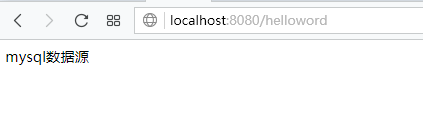
我们这里只是模拟并不是真正的创建数据源。
注意:不要认为这个功能是springboot提供的。而是spring提供的
spring提供几种装配模式
一种是xml形式 就是我们以前传统用的 配置数据源
<bean id="dataSource" class="com.alibaba.druid.pool.DruidDataSource"

          destroy-method="close">

        <property name="driverClassName" value="com.mysql.jdbc.Driver" />

        <property name="url" value="${url}" />

        <property name="username" value="${username}" />

        <property name="password" value="${password}" />

        <property name="initialSize" value="5" />

    </bean>
通过配置spring扫描到xml会根据配置内容初始化com.alibaba.druid.pool.DruidDataSource类的对象 装载到容器里面
还有就是javaconfig模式(也是springboot推荐的)
@Configuration

public class DataSourceConfig {

    @Beanpublic DataSource createMysqlDataSource(){

        DruidDataSource druidDataSource=new DruidDataSource();

        druidDataSource.setUrl("");

        druidDataSource.setUsername("");

        druidDataSource.setPassword("");

        return druidDataSource;

    }

}
spring 会扫描包下面打了Configuration的类 调用打上了@Bean的方法 将返回值注入容器
@Profile("dev")注解也是spring提供。根据不同的环境初始化对应的@Bean的方法 实现不同环境配置的切换
Spring Boot-properties使用(二)的更多相关文章
- 玩转spring boot——properties配置
前言 在以往的java开发中,程序员最怕大量的配置,是因为配置一多就不好统一管理,经常出现找不到配置的情况.而项目中,从开发测试环境到生产环境,往往需要切换不同的配置,如测试数据库连接换成生产数据库连 ...
- spring boot高性能实现二维码扫码登录(上)——单服务器版
前言 目前网页的主流登录方式是通过手机扫码二维码登录.我看了网上很多关于扫码登录博客后,发现基本思路大致是:打开网页,生成uuid,然后长连接请求后端并等待登录认证相应结果,而后端每个几百毫秒会循环查 ...
- spring boot高性能实现二维码扫码登录(中)——Redis版
前言 本打算用CountDownLatch来实现,但有个问题我没有考虑,就是当用户APP没有扫二维码的时候,线程会阻塞5分钟,这反而造成性能的下降.好吧,现在回归传统方式:前端ajax每隔1秒或2秒发 ...
- spring boot高性能实现二维码扫码登录(下)——订阅与发布机制版
前言 基于之前两篇(<spring boot高性能实现二维码扫码登录(上)——单服务器版>和<spring boot高性能实现二维码扫码登录(中)——Redis版>)的基础, ...
- Spring Boot 启动(二) 配置详解
Spring Boot 启动(二) 配置详解 Spring 系列目录(https://www.cnblogs.com/binarylei/p/10198698.html) Spring Boot 配置 ...
- Spring Boot学习记录(二)--thymeleaf模板 - CSDN博客
==他的博客应该不错,没有细看 Spring Boot学习记录(二)--thymeleaf模板 - CSDN博客 http://blog.csdn.net/u012706811/article/det ...
- Spring Boot 启动(二) Environment 加载
Spring Boot 启动(二) Environment 加载 Spring 系列目录(https://www.cnblogs.com/binarylei/p/10198698.html) 上一节中 ...
- Spring Boot REST(二)源码分析
Spring Boot REST(二)源码分析 Spring 系列目录(https://www.cnblogs.com/binarylei/p/10117436.html) SpringBoot RE ...
- Spring Boot 2.X(二):集成 MyBatis 数据层开发
MyBatis 简介 概述 MyBatis 是一款优秀的持久层框架,支持定制化 SQL.存储过程以及高级映射.它采用面向对象编程的方式对数据库进行 CRUD 的操作,使程序中对关系数据库的操作更方便简 ...
- spring boot / cloud (十二) 异常统一处理进阶
spring boot / cloud (十二) 异常统一处理进阶 前言 在spring boot / cloud (二) 规范响应格式以及统一异常处理这篇博客中已经提到了使用@ExceptionHa ...
随机推荐
- Spring源代码解析和配置文件载入
Spring类的继承结构图: Spring运用了大量的模板方法模式和策略模式,所以各位看源代码的时候,务必留意,每个继承的层次都有不同的作用.然后将同样的地方抽取出来,依赖抽象将不同的处理依照不同的策 ...
- android app记录执行日志 捕获奔溃异常 ,存储日志到文件
app在执行过程中.为了后期的维护升级,记录日志是一个很好的方法. 为了读取到app执行时的日志,一般的作法是单独开一个线程,在app执行的启动线程.然后app退出时停掉线程. 然而我们更好的方法是开 ...
- 学习XOR
//f(x;W,c,w,b)=w*max{0, W*x+c}+b #include <iostream>#include <vector>#include <algori ...
- vim gvim技巧大全(9)(转载)
vim gvim技巧大全(9) 2 用命令}移动到这个段落的底部,标记为b3 输入命令:'a,'b move来移动文本.老版本的Vi编辑器不能很好的来处理多文件.但是Vim在处理多文件上却显得优秀得多 ...
- 动态title
<html><head><meta charset="uft8"><title>测试title</title></ ...
- selenium3 + python - table定位
前言 在web页面中经常会遇到table表格,特别是后台操作页面比较常见.本篇详细讲解table表格如何定位. 一.认识table 1.首先看下table长什么样,如下图,这种网状表格的都是table ...
- Js:弹窗剧中
js变量设置 var iWidth = $(window).width() * 0.9; var iHeight = $(window).height() * 0.9; - iHeight) / ; ...
- vs2008bin下Debug bll Release文件 obj下的Debug bll Release文件区别
Bin目录用来存放编译的结果,bin是二进制binrary的英文缩写,因为最初C编译的程序文件都是二进制文件,它有Debug和Release两个版本,分别对应的文件夹为bin/Debug和bin/Re ...
- rabbit--消息持久化
消息的可靠性是RabbitMQ的一大特色,那么RabbitMQ是如何保证消息可靠性的呢——消息持久化. 为了保证RabbitMQ在退出或者crash等异常情况下数据没有丢失,需要将queue,exch ...
- Android Studio Library 编译成 jar,aar
1. 导入Library ,打开Library 的build gradle 在最外面添加如下: /** AVLView 自定义的jar 包名 **/ task clearJar(type: Dele ...