关注本人微信和易信公众号: 微软动态CRM专家罗勇 ,回复241或者20161226可方便获取本文,同时可以在第一间得到我发布的最新的博文信息,follow me!我的网站是 www.luoyong.me 。
今天我就以我安装在Azure虚拟机上的微软Dynamics CRM 2016 SP1以为升级到Dynamics 365的2016年12月份服务包。
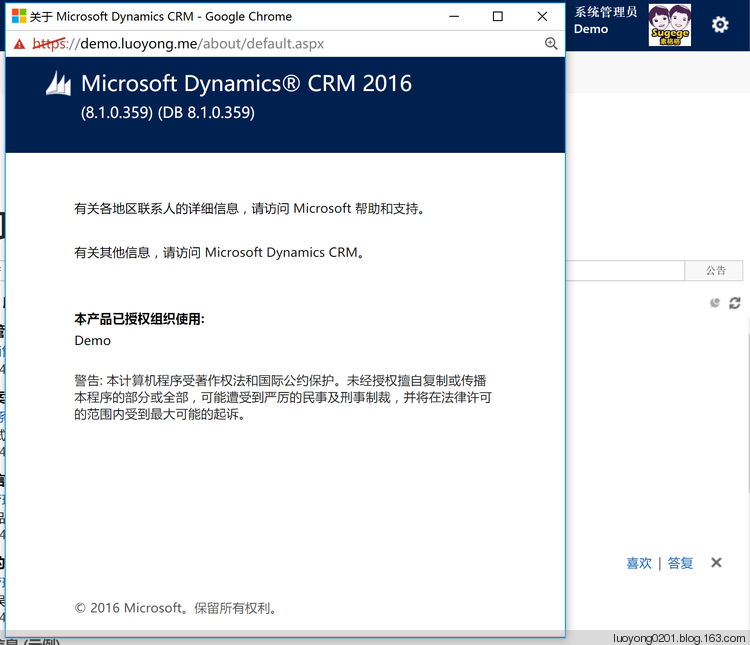
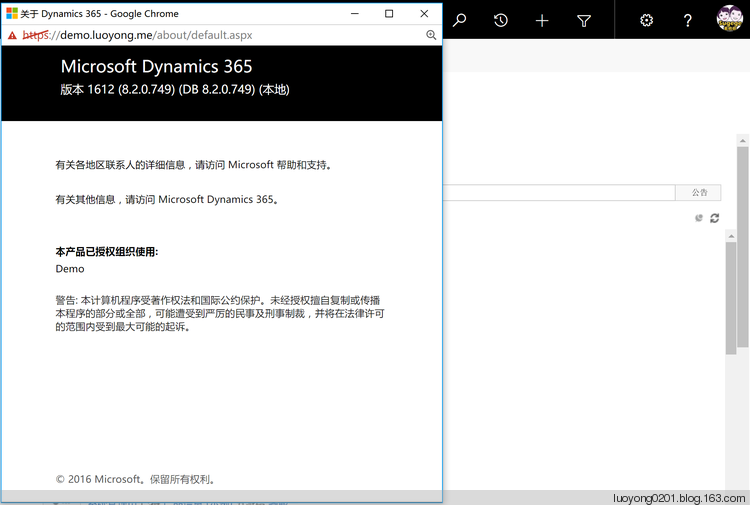
首先我截图下我的CRM版本如下,在右上角点击个人头像图片旁边的设置图标,下拉中点击 关于 。
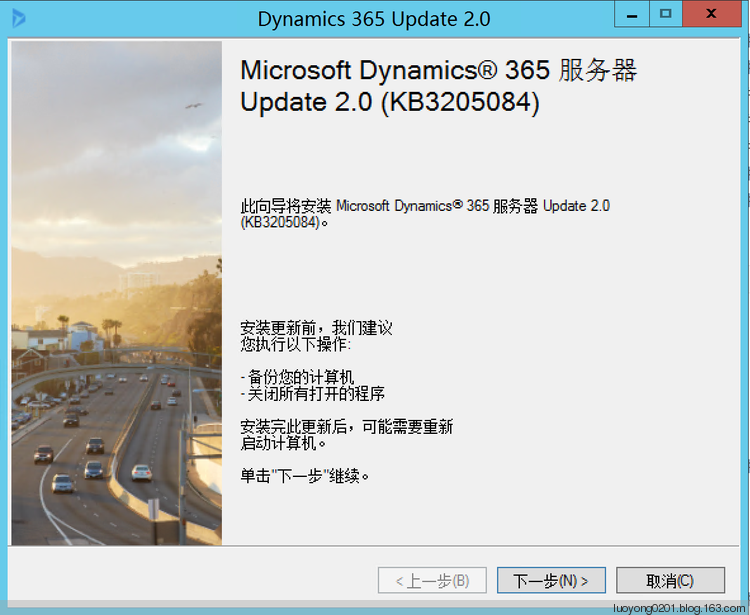
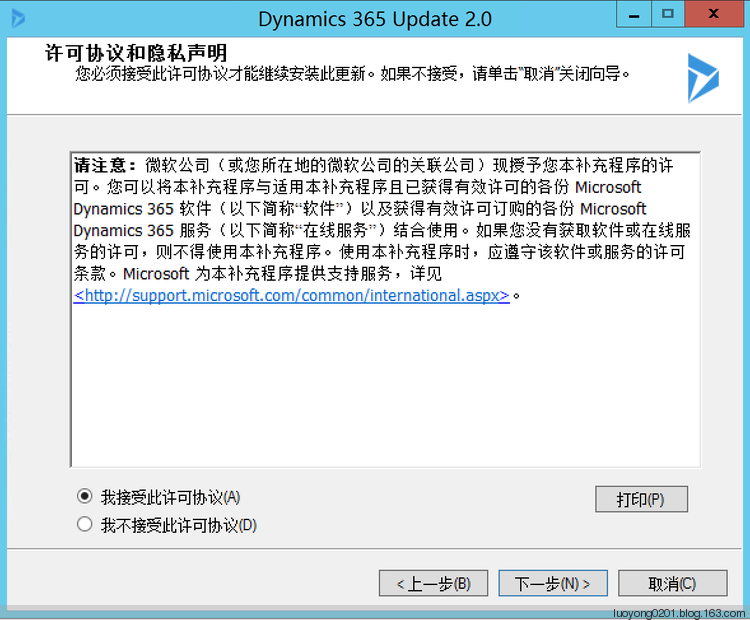
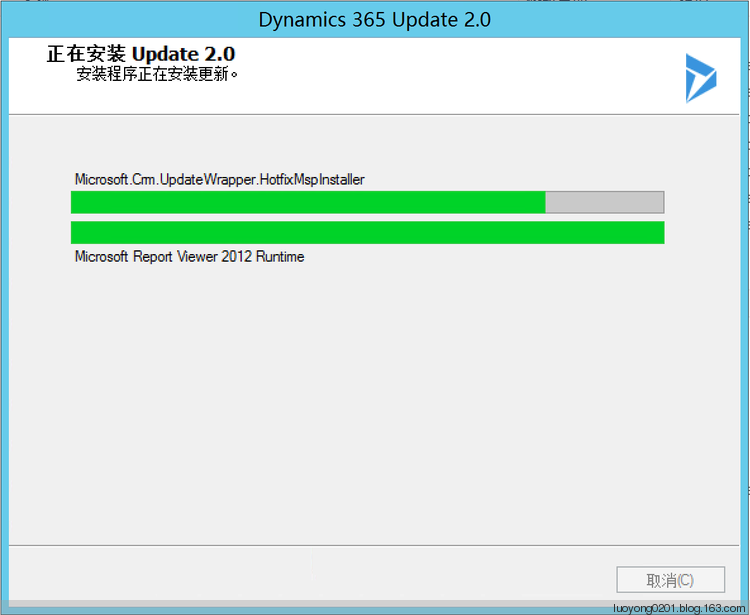
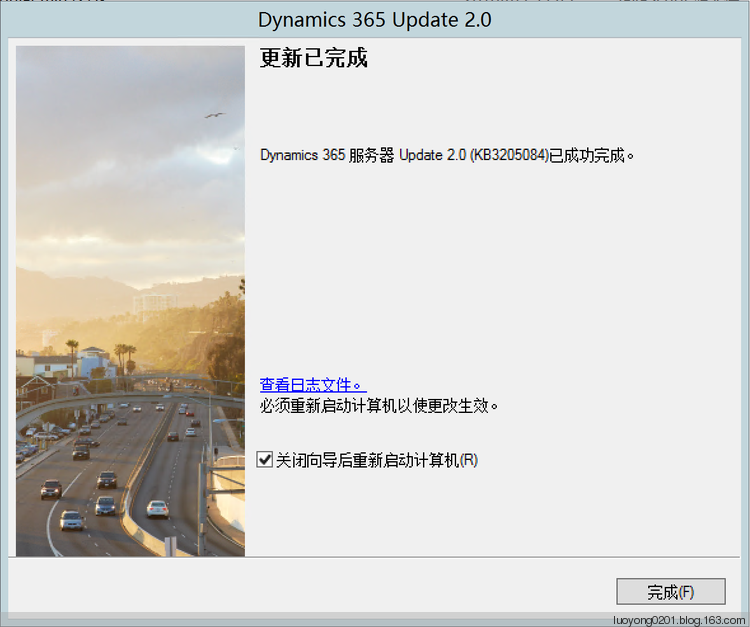
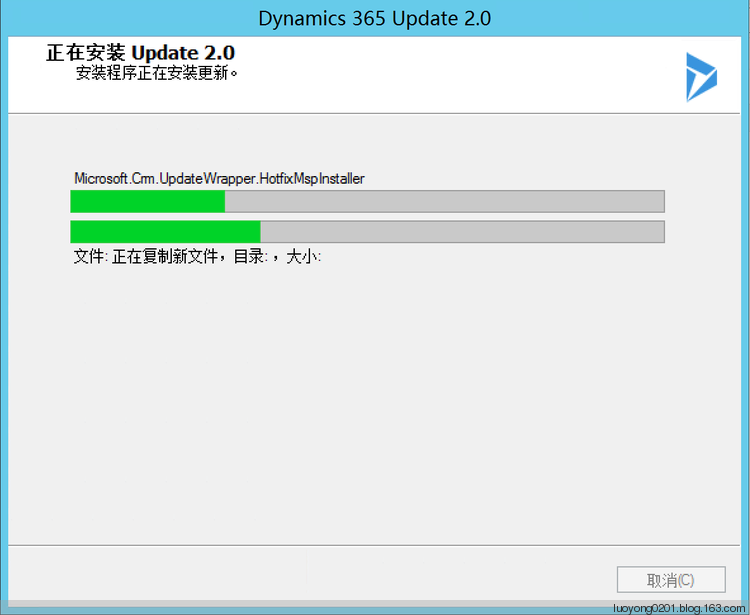
下载完毕后我先安装 CRM2016-Server-KB3205084-CHS-Amd64.exe ,主要界面截图如下:
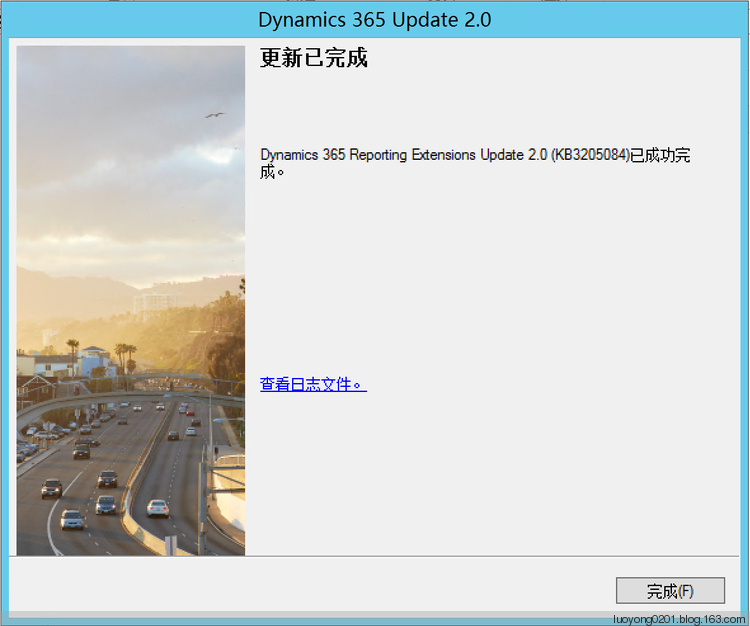
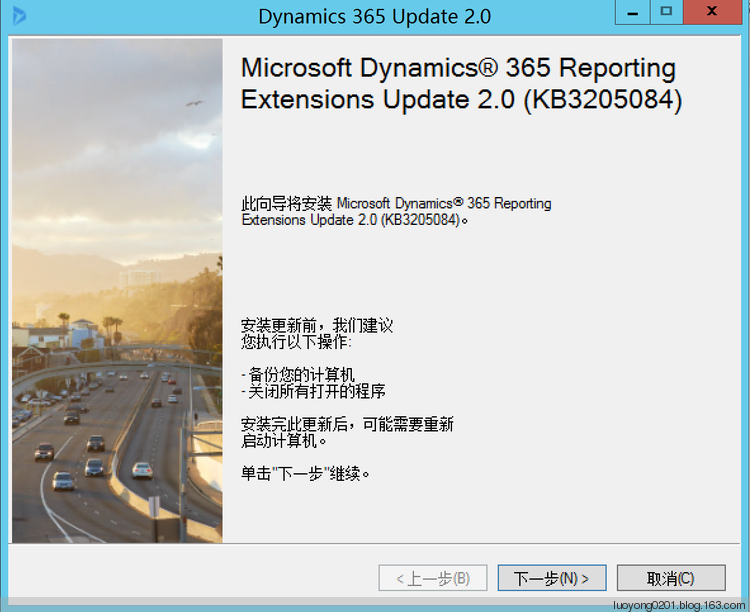
安装完后在安装报表扩展的服务器上还需要安装 CRM2016-Srs-KB3205084-CHS-Amd64.exe,下面是主要截图:
安装完成以后,我再截图给版本给大家看看,可以看到版本变成了 8.2.0.749 。
因为简体中文版本的Dynamics 365 SDK尚未出版,所以我尝试中翻译部分 What's new in December 2016 update for Dynamics 365 (online and on-premises) 给大家先预览下。
本人郑重声明,我的英文翻译水平不是专业级别的,很可能存在谬误之处,本人不对翻译的正确性负责,也不对任何因为参考本翻译而带来的损失承担任何直接或者连带责任,当然因此而获益的话你就乐一下,也可以到我的微信公众号中打赏下。翻译是一段英文一段中文。
What's new in December 2016 update for Dynamics 365 (online and on-premises)
Dynamics 365(在线版和本地部署版)2016年12月更新的新特性。
- Connected Field Service Developer Guide
Connected Field Service for Microsoft Dynamics 365 integrates Internet of Things (IoT) devices with Microsoft Dynamics 365 (online) to enable integration of their registration, monitoring and management into established business processes. This guide explains the component architecture, supplied interfaces and customization points, and explains the approach develop customized IoT solutions. More information: Connected Field Service Developer Guide.
微软Dynamics 365的连接现场服务(Connected Field Service)对贯通了物联网(Internet of Things,缩写是IoT)设备和在线版的Dynamics 365,使他们的注册,监控和管理整合到一起可以建立业务流程。本指南不但对对组件架构,提供的接口和可客制化方面做了解说,还介绍了开发定制化物联网解决方案的方法。更多信息请参考本SDK的 链接现场服务开发者指南。
2.Dynamics 365 Customer Insights Programming Reference
Customer Insights is a Azure-based SaaS service that enables organizations of all sizes to bring together data from multiple sources, including Microsoft Dynamics 365, and generate knowledge and insights to build a holistic 360° view of their customers. The Customer Insights Programming Reference documents the two sets of REST interfaces provided by this service: the Azure Resource Manager (ARM) APIs and the Hub APIs. These interfaces enable developers to extend custom applications, as well as to automate Customer Insights Hub administrative operations.
2.Dynamics 365客户洞察编程参考
客户洞察(Cusotmer Insights)是基于Azure SaaS服务并为各种规模的组织机构提供从多种来源,包括Microsoft Dynamics 365, 整合数据,形成知识和洞察力,为组织的客户构建起全面的360视图。客户洞察编程参考陈述了客户洞察服务提供的两套REST接口,分别是Azure资源管理器(Azure Resource Manager,简称ARM) API和Hub API。这些接口让开发者可以扩展他们自己的应用,也可以让客户洞察Hub管理操作实现自动化。
3.Manage configuration and administration of the Data Export service
The ability to replicate Dynamics 365 data to an external SQL database provides a lot of flexibility for generating reports. Data Export is an add-on service made available as a Microsoft Dynamics 365 (online) solution that adds the ability to replicate Dynamics 365 (online) data to a Microsoft Azure SQL Database store in a customer-owned Microsoft Azure subscription. The supported target destinations are Microsoft Azure SQL Database and Microsoft Azure SQL Server on Microsoft Azure virtual machines. Data Export intelligently synchronizes the entire Dynamics 365 schema and data initially and thereafter synchronizes on a continuous basis as changes occur (delta changes) in the Microsoft Dynamics 365 (online) system. More information: TechNet: Data Export. The Data Export service provides an interface for managing configuration and ongoing administration of this service from within Dynamics 365 (online). Developers can write code to interact with this service. More information: Data Export service
3.配置和管理数据导出服务
将Dynamics 365数据复制到一个外部的SQL数据库的能力为生成报表提供了非常大的灵活性。数据导出(Data Export)是以Microsoft Dynamics 365 (在线版)的一个解决方案作为呈现形式的附加服务,它提供了将Dynamics 365 (在线版)的数据复制到客户自己拥有的Microsoft Azure订阅中的Microsoft Azure SQL Database的能力。数据导出的同步很智能,它能同步整个Dynamics 365最初的架构(schema)和数据,然后基于变化(delta变化)持续增量同步。更多信息请参考 TechNet: 数据导出。数据导出服务提供了从Dynamics 365 (在线版)中配置和管理它的API,开发者通过撰写代码可以和该服务交互,更多信息请参考数据导出服务。
4.Dynamics 365 Web API enhancements
With this release, the Dynamics 365 Web API supports:
Access to local data while Dynamics 365 for Outlook is offline
When you write form scripts that use the Web API, these scripts can work using the local data in Dynamics 365 for Outlook when the user is offline. This capability has been available for the Organization service (SOAP endpoint) and the Organization Data service (OData v2), but was not previously available with the Web API. The context.getClientUrl function automatically redirects requests to the local version of the service when Dynamics 365 for Outlook is offline.
在这个版本中,Dynamics 365 Web API提供了如下新特性:
在Dynamics 365 Outlook客户端离线时候访问本地数据
当Dynamics 365 Outlook客户端处于离线状态,在表单编程中使用Web API也可以使用本地数据了。这个和本地数据交互的能力在之前版本只能使用组织服务(SOAP终结点)和组织数据服务(OData v2),现在可以使用Web API了。context.getClientUrl函数在Dynamics 365客户端离线时会自动转发请求到本地的服务。
Return entity data on create or update
Sometimes you want to retrieve an entity right after you create or update it. Before this release, you needed to use two operations. The POST request to create an entity returns an HTTP 204 (No content) status and a Uri to the entity created is returned in the OData-EntityId header property. You can then use this Uri with a GET request to retrieve the created entity. This is because the default preference is to apply the return=minimal preference.
A PATCH request applied to update an entity will simply return HTTP 204 (No content) status when successful.
With this release you can specify the return=representation preference in the header of the request. A successful POST request will return HTTP 201 (Created) and include the entity properties you select. You can select which properties are returned by using the $select system query option.
A successful PATCH request will return HTTP 200 (OK) with the full entity.
More information: Create with data returned , Update with data returned, and HTTP headers
在创建或者更新记录时返回数据。
在某些时候你可能需要在创建或者更新记录后查询记录的某些信息。在本版本之前,你需要做两个操作。一个POST请求创建一条记录后会返回HTTP 204 (没有内容)状态,并在返回信息头中通过OData-EntityId属性的Uri指向刚才创建的记录。你可以使用这个Uri发起一个GET类型的请求来获取刚才创建记录的信息。这是因为创建记录请求的默认偏好(preference)是使用return=minimal。
通过一个PATCH请求来更新记录成功会简单的返回HTTP 204(没有内容)状态。
在这个版本中你可以指定请求的请求头中偏好为return=representation。通过指定该偏好,一个成功的POST类型的请求将会返回HTTP 201 (已创建)状态并在请求返回中显示你指定的实体属性值。你可以通过$select系统查询选项来指定返回哪些属性的值。
一个成功的PATCH类型的请求将会返回HTTP 200 (OK)状态并在请求返回中显示你指定的实体属性值。
更多信息请参考:创建记录并返回信息,更新记录并返回信息 和 HTTP头。
Reference metadata by name
With this release, you can use the name of certain metadata properties as alternate keys to reference an item of metadata. This will make it easier to query metadata using the Web API. Before this, you needed to perform a query to access the MetadataId of a particular item of metadata before you could retrieve it using that MetadataId as the key. This will make it much easier to use the Web API with metadata.
More information: Retrieve metadata by name or MetadataId
通过名称引用元数据
在这个版本中,你可以使用某些元数据属性的名称作为备用键来引用某个元数据条目。这样让通过Web API查询元数据更加简单。在这个版本之前,你需要先查询到元数据条目的MetadataId值,然后才能够通过MetadataId作为键来元数据信息。更多信息请参考:通过名称或者MetadtaId查询元数据。
Bug fixes
There have been numerous bug fixes applied for this release. More information: Limitations addressed in December 2016 update for Microsoft Dynamics 365 (online) and December 2016 Service Pack for Microsoft Dynamics 365 (on-premises)
Bug修复
这个版本修复了很多Bug。更多信息请参考:Dynamics 365(在线版和本地部署版)2016年12月更新解决的限制。
下面不是翻译。我从事开发工作不少,就补充下这次对Web API的增强:
- Web API增加了三个操作,分别是QualifyLead操作,RetrieveByResourcesService函数和RetrieveFilteredForms函数。
- 使用日期字段做筛选时候,日期字段的值不再也不能将日期用单引号引用起来,现在正确方式是类似:$filter=birthdate eq 1990-01-01
- 当调用包括实体集合类型参数的操作时,实体集合操作类型的参数不再需要必须作为最后一个参数进行传递。以前的话如果实体集合类型操作的参数不作为最后一个参数进行传递会返回错误。
- 能够创建客户这种类型的字段,以前版本则不行。PS,客户类型的字段是CRM 2016 SP1新增的一种字段类型。
- 能够获取到没有发布的元数据信息,以前的版本则只能获取到已经发布的元数据信息。
- Dynamics 365新特性介绍:在视图中显示图片和提示
关注本人微信和易信公众号: 微软动态CRM专家罗勇 ,回复242或者20161230可方便获取本文,同时可以在第一间得到我发布的最新的博文信息,follow me!我的网站是 www.luoyong. ...
- Dynamics 365中的应用程序介绍
本人微信和易信公众号:微软动态CRM专家罗勇 ,回复275或者20180630可方便获取本文,同时可以在第一间得到我发布的最新的博文信息,follow me!我的网站是 www.luoyong.me ...
- 探索Dynamics 365 用户能够登录使用的最小权限需求
我是微软Dynamics 365 & Power Platform方面的工程师罗勇,也是2015年7月到2018年6月连续三年Dynamics CRM/Business Solutions方面 ...
- 为Dynamics 365启用部署级的跟踪以及跟踪文件的定期删除
关注本人微信和易信公众号: 微软动态CRM专家罗勇 ,回复260或者20170712可方便获取本文,同时可以在第一间得到我发布的最新的博文信息,follow me!我的网站是 www.luoyong. ...
- Dynamics 365 App for Outlook 与 Dynamics 365 for Outlook(已被弃用)
在最新的版本中Dynamics 365 for Outlook(Outlook 客户端)已被弃用 随 Dynamics CRM 2016(版本 8.0)引入的 Dynamics 365 App for ...
- Dynamics CRM 2016 的新特性
新版本CRM (2016 with update 0.1) 发布已有几个月了,总结一下新特性,从几个方面来看: 1. 针对整合功能的新特性 (1) 增加了CRM App for Outlook. 这个 ...
- 更改Dynamics 365 Customer Engagement本地部署的高级配置
我是微软Dynamics 365 & Power Platform方面的工程师罗勇,也是2015年7月到2018年6月连续三年Dynamics CRM/Business Solutions方面 ...
- Dynamics 365 CRM 部署 Connected Field Service
微软 Connected Field Service 是一个提供Azure IoT 和 Dynamics 365 连接的这样一个框架 有两种方式部署CFS, 一种是用IoT Hub PaaS, 一种是 ...
- Dynamics 365本地部署版本配置OAuth 2 Password Grant以调用Web API
微软动态CRM专家罗勇 ,回复330或者20190504可方便获取本文,同时可以在第一间得到我发布的最新博文信息,follow me! 根据官方建议,不要再使用Dynamics 365 Custome ...
随机推荐
- Java面试题整理:这些Java程序员面试中经常遇见的题目,必须掌握才能有好结果
1.是否可以从一个static方法内部发出对非static方法的调用? 不可以.因为非static方法是要与对象关联在一起的,必须创建一个对象后,才可以在该对象上进行方法调用,而static方法调用时 ...
- Kali学习笔记43:SQL盲注
前面的文章都是基于目标会返回错误信息的情况进行判断是否存在SQL注入 我们可以轻易根据数据库报错信息来猜测SQL语句和注入方式 如果程序员做得比较好,不显示错误信息,这种情况下得SQL注入称为SQL盲 ...
- Mysql优化之索引和字段
Mysql优化是一个老生常谈的问题, 优化的方向也优化很多:从架构层;从设计层;从存储层;从SQL语句层; 今天讲解一下从索引和字段: 字段优化: ① 尽量使用TINYINT.SMALLINT.ME ...
- HBase之CF持久化系列(续3——完结篇)
相信大家在看了该系列的前两篇文章就已经对其中的持久化有比较深入的了解.相对而言,本节内容只是对前两节的一个巩固.与持久化相对应的是打开文件并将其内容读入到内存变量中.而在本节,我就来介绍这一点. 本节 ...
- React 中 Link 和 NavLink 组件 activeClassName、activeStyle 属性不生效的问题
首先 导航链接应该使用 NavLink 而不再是 Link NavLink 使用方法见 https://github.com/ReactTraining/react-router/blob/mas ...
- bootstrap分页插件的使用
项目中需要实现文章列表的分页显示,由于使用了bootstrap框架,所以我们选择bootstrap的分页实现方法.网上有一些这方面的介绍文章,并且也有相关的示例程序.这里结合我们的项目,介绍一下使用b ...
- RSA算法原理——(1)目前常见加密算法简介
艾伦·麦席森·图灵在二战期间主要负责破译德国人的密码系统Enigma,破解密码需要大量的计算,图灵深知工欲善其事必先利其器的道理,于是一台叫作CO-LOSSUS的计算机在1943年被研制出来,后来 ...
- Python内置函数(36)——iter
英文文档: iter(object[, sentinel]) Return an iterator object. The first argument is interpreted very dif ...
- 开始使用Filebeat
认识Beats Beats是用于单用途数据托运人的平台.它们以轻量级代理的形式安装,并将来自成百上千台机器的数据发送到Logstash或Elasticsearch. (画外音:通俗地理解,就是采集数据 ...
- RabbitMQ学习笔记(三) 发布与订阅
发布与订阅 在我们使用手机发送消息的时候,即可以选择给单个手机号码发送消息,也可以选择多个手机号码,群发消息. 前面学习工作队列的时候,我们使用的场景是一个消息只能被一个消费者程序实例接收并处理,但是 ...